Category Archives: Android

Samsung Galaxy S7 owners – New Camera Options now available

Some good news if you own a Samsung Note 5 and onwards, including the new Samsung Galaxy S7.

Camera FV-5 Pro app just received an update yesterday which included the following changes –

– New: complete rewrite of the app for the all the recent Samsung Galaxy devices (Note 5, S6, S6 edge, S6 edge+, S7, S7 edge). Smoother camera operation, more stable and faster RAW capture on all devices, manual focus and manual exposure up to 10 seconds on all devices.
– Fixed: limited picture resolution after some recent Samsung devices (S6/S7 series) got updated to Android 6. Thanks Samsung for ‘improving’ the experience for your users and making developer lives easier.

I haven’t had a chance to use it yet but I am interested to see what improvements it can bring over and above the default Samsung camera app.

LG G5 – Metal Unibody or Plastic or Something Else?

38297488-8a34-42c3-a8c2-32e38349507a

YouTuber “JerryRigEverything” decided to carry out a bend, burn and scratch test on the new LG G5. You can view the video below.

Following the scratch test he picked up that the body of the LG G5 was not metal but plastic. This story then got picked up by many other sites and spread wildly. And yet it was not true. Don’t forget these websites and YouTube bloggers make money from web traffic. Nothing wrong in that. So if they can report a story with a slant on it that gains more traffic it is always beneficial to them.

So following all the outrage, LG responded. So for the record the G5 is manufactured from patent pending aluminium LM201b, that was developed at the Korea Institute of Technology for use in the automobile and aircraft industries. The LM201b aluminium is special as unlike aluminium used in other smartphones, LM201b die cast unibody makes it sturdier and lighter. LG added that they then figured a way to integrate seamlessly the antenna bands into the aluminium and then applied a primer and paint using a process called microdizing. This means tiny particles of metal are fused into the aluminium. So what actually was being scratched off in these videos was the primer and paint. All cars get painted too.

So perhaps LG needed to add some fake weight to the phone to give the impression it is sturdier! Sometimes, a lighter phone doesn’t feel as premium when in fact it might be just the same or even better than the other phones on sale.

So what’s your verdict now you know the true facts ?

Source – Ken Hong, LG

Microsoft to announce later today its new range of phones powered by Android

Probably of no surprises to anyone but later today Microsoft will be announcing a new range of phones powered by Android.

I wonder whether this will be based on Cyanogen.

The good news is that all the new range of phones will have access to all the latest apps.

As to pricing. More will be revealed later.

Update – This was an April Fools article.

LG G5 – My First Impressions

lgg5

Across the internet there are many “reviews” already being penned based on pre production hardware. However, if you want to gain a glimmer of an idea what the LG G5 is like, then pop into any mobile phone store where you should be lucky enough to find a demo LG G5 on display.

Today, I wanted to share my initial first impressions which obviously could change over the next few weeks and months. I had my S7 Edge with me as a comparison too. Photos were taken on both phones and I already have an idea as to the pros and cons of each phones camera. But there is always more to a phone than its camera.

My personal phone is coming from Clove Technology who have a good deal on the LG G5 which includes free B&O H3 headphones worth £149.

So moving on to my first impressions based on using the titan (grey) finish LG G5.

Hardware

The hardware comes across as a fairly typical smartphone. I liked the look of the 2 rear cameras section which were flusher than I expected. The G5 felt comfortable to hold and grippy enough that I might skip a case. The modular slot section. This felt tough at first to remove, but once I gotthe hang of it, it wasn’t too difficult. I had been asked by a few people whether there was a gap or line where the bottom bit comes off. No there wasn’t , but it I ran my finger over the back, I could feel the seam.

Thank goodness LG kept the infra red blaster on the G5. This is fantastic and a useful feature for me.

Software UI

When I turned on the LG G5, it felt fairly sparse. LG seem to have tamed down the software although you still get the brighter coloured UI. Personally, this has never bothered me. There are other launchers should this not be to your liking.

The Camera

Lots of new modes and options available. These will get covered in more depth in my main review. However, unless the final software changes, I noticed there were no manual controls for video. This is disappointing since the LG V10 had excellent manual controls available for video. That’s the downside, the plus side is the camera quality. Based on very early findings the picture quality is excellent. Even in low light. Burst speed is on par with the iPhone 6S Plus burst mode. The 2 cameras. Having a 16mp normal lens and a 135 degree wide angle lens is extremely superb and opens up a world of options. More in my main review but I honestly thought it would be a bit of a gimmick, but actually it seems useful and fun.

The photo quality of the G5 on the shots taken looked fantastic. They were better than those I took with the S7. However, as to which is better is going to be a fascinating comparison for a dedicated post.

Conclusion

Early days but the LG G5 really is an interesting phone – add on modules and friends, superb camera and more. I can’t wait to test more of its features over time. As to how it compares against the Samsung Galaxy S7 Edge and Huawei P9, well only time will tell.

Samsung Gear S2 and S2 Classic – review

image

Welcome to my review of the Gear S2 and the Gear S2 Classic. The watches are virtually identical apart from the fact the Gear S2 Classic (on right) uses a standard 20mm leather watch strap and has a fancier rotating front bezel. The other aspect of these smart watches is that they work on all android phones from android 4.4 upwards and soon on iOS.

The Key Specifications

– IP68
– 250 mAh battery
– RAM 512mb, 4gb rom with 1.9gb storage free
– Bluetooth 4.1, NFC, WiFi
– Sensors – Acc, Gyro, Heart Rate Monitor, Barometer, Ambient Light
– OS Tizen
– Exynos 3250
– Gear S2 – 42.3 x 49.8 x 11.4 mm
– Gear S2 Classic – 39.9 x 43.6 x 11.4 mm
– Wireless Charging Dock included

image

On the side you have a back button and an apps button. The mode of operation is simple. Either touch the screen and/or rotate the circular bezel. So by gently turning the bezel you can scroll through long emails, zoom in on a map or skip a track during playback. The large watch bezel is so easy to rotate too. The Gear S2 is my favourite smart watch to date. In terms of ease of use it is way ahead of the Apple Watch. I also prefer it to Android Wear. Android Wear does not have a single watch that correctly uses the heart rate monitor for fitness. Now some of you are shouting the Gear S2 doesn’t have any third party app developer support. Maybe so, but neither does it matter. Running apps on a watch is crazy. The heavy processing should be done on your phone. The Apple Watch has very few third party apps worth talking about and being honest they only send data back to the phone app. Also Apple Watch apps are slow to use. So what matters is what the watch does out of the box, not what it might do next year. Next year there will be an advancement in tech, so more will be possible. I can state the Gear S2 does exactly what it says on the tin. Unlike previous Gear watches, the Gear S2 works with all android phones that have android 4.4 and above. iOS support is due later this year.

So using S Health you can stay fit and focused, get heart rate readings and more. The S Health app on the phone is extremely extensive. However, it is worth noting there is no way to export the health data outside of S Health.

The Gear S2 has a decent range of watch faces plus you can buy in the Galaxy Gear app store more apps and watch faces. The watch faces are customisable along with watch complications. You also have watch widgets which again are selectable. The included watch faces in my opinion are extensive enough.

image

So by swiping the screen to the right or rotating the round bezel, shows your notifications. You can reply to messages using voice, emojis or type a reply with the on screen keyboard which uses T9 for speed. Swiping or rotating the bezel in the other direction you get access to a selection of widgets. You can add or remove the widgets to your liking. The included apps on the Gear S2 are messages, email, phone, timer, stopwatch, S Health, Settings, Schedule, Alarm, S Voice, Nike Running, Music Player (300 songs limit, you connect bluetooth headphones to the Gear S2), Bloomberg, CNN, Gallery, Find My Phone, Maps, Voice Memo and World Clock. Via the Gear S2 phone app you can re-arrange the layout of the apps. The Gear S2 concept works on apps around the edge which you can select by tapping the icon or rotating the bezel. To go to the next page of apps you can either swipe left or right, or select next page.

S Health links into the the Samsung S Health app. The S Health app on the Gear S2 can track your activity from running, walking, cycling, hiking, elliptical training, exercise bike, step machine and treadmill. The Gear S2 can read your heart rate every hour, or every 10 mins or not at all. You can also use the S Health watch up to track water and caffeine intake. However, the Gear S2 does not have built in GPS. It uses the GPS connection from your phone.

In terms of third party apps, the Gear app store includes apps from Fit Evolution,Uber, Line, KLM, eBay, Golf Navi, ESPN, WSJ, Live Soccer, Watchmaster. Samsung have extra apps you can install including Calculator, Find My Car and News Briefing. There are also a number of watch faces. But the app store is not that extensive.

image

With the Gear S2 Classic you can fit standard 20mm watch straps. I got a brown crocodile leather strap for £7 from Amazon. I think it makes a massive difference to the look and smartness of the Gear S2 Classic. I have provided all the links to the Amazon straps at the end of the article.

image

With the standard Gear S2 you have to buy Samsung straps. Samsung have a range of designer straps by Mendini. I got this one below which costs around £30.

image

Conclusion

Personally, I really like the Gear S2. It does exactly what is says on the tin and no more. Is this watch for you? It all depends on what you want your smart watch to do!

Amazon UK Links

iStrap 20mm Replacement Brown Crocodile Leather strap

Official Samsung Mendini Sports Strap

Samsung Gear S2 and S2 Classic Smart Watch

Amazon US Links

Click Here to Buy via Amazon USA

Samsung Level One Pro Headphone review – Bluetooth Hi-Res Headphones

image

Welcome to my review of the Samsung Level One Pro Headphones.

The Level One Pro headphones are available in 2 colours, black and white and cost £230.

image

The Key Specifications

– Bluetooth 4.1
– A2DP, AVRCP, HSP, HFP
– Multipoint
– Bluetooth Smart Touch Control (Play/Pause, Song Movement, Volume Up/Down, Talk-In Mode(Listening ambient sound with music), Call Receiving, Call Rejection)
– 40mm Speakers with Dual-Layered Diaphragm(UHQ Audio Support)
– In the Box – Carrying Pouch, Audio Cable, micro USB Cable
– Up to 10 Hrs (Bluetooth Mode with ANC), Up to 20 Hrs (Bluetooth Mode without ANC), Up to 18 Hrs (Wired Mode with ANC), Unlimited Listening Time (Wired Mode without ANC)
– 161.9 x 184.6 x 74.1 mm
– 236 g
– UHQ-BT is compatible with selected devices starting from Galaxy S6 Edge+ and Galaxy Note5
– Sharing – The Level On Wireless Pro lets you stream your tunes to a friend via the unique Sound With Me function.

image

The Basics

The Level On Wireless Pro provide studio-quality sound, Active Noise Cancellation using 4 built-in microphones, two on each earpiece and offer Hi-Res Bluetooth and Wired Hi-Res sound using Samsung’s UHQ codec. For this you need these headphones and a compatible Samsung phone. At the moment this includes the S6 Edge+, Note 5 and S7 and S7 Edge.

UHQ works at 96 khz/24 bit. CD quality is 44.1 kHz / 24 bit. If you have MP3’s at a lower bitrate the UHQ will upsample the tracks.

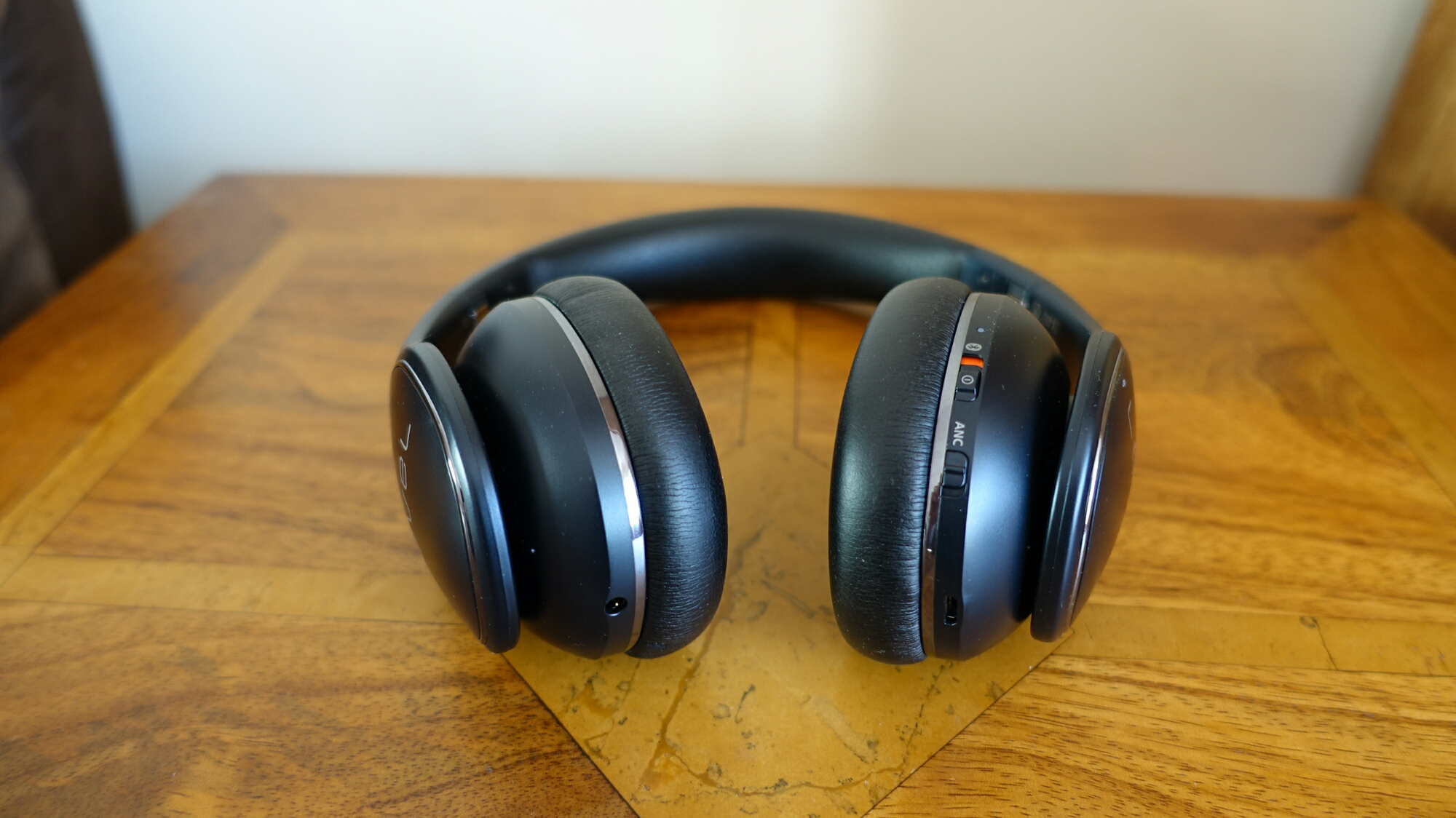
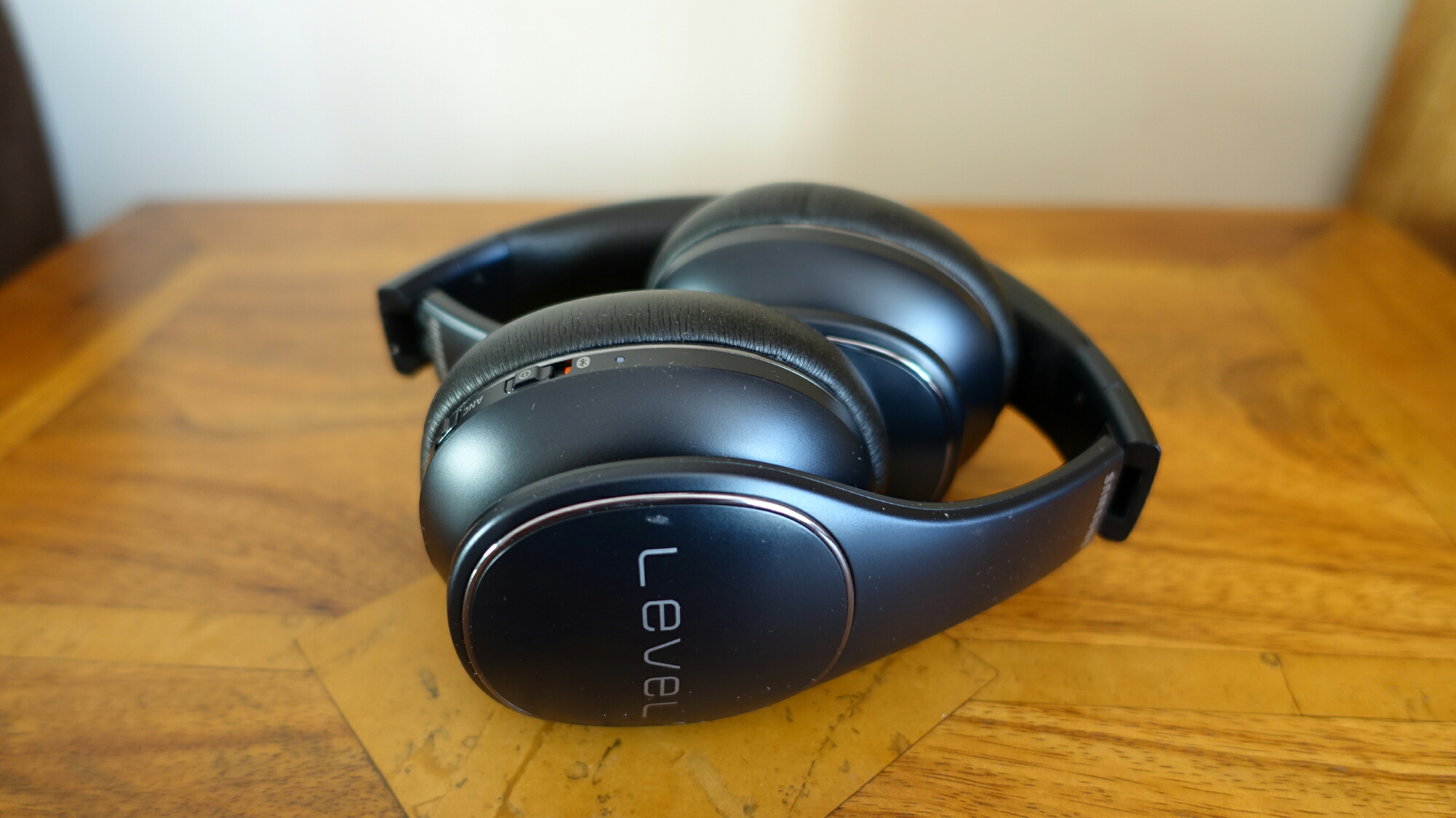
Operation is using the touchpad on the right headphone. Slide up and down for volume, left or right to skip tracks, tap to play/pause, press and hold middle for talk through. It really is a breeze to use.

Comfort. The Level One Pro are very comfortable to wear and for extended periods too. They fit on the ears.

The Sound Quality

The first thing that will strike you about these headphones is that they are not bass boom boxes. Samsung state these are studio headphones and they really are! These are the first bluetooth headphones I have used that provide Hi-Res Bluetooth sound. Does it make a difference. Yes it does. Does it beat a high quality wired setup. No. Does it get close. 85% close.

So as these are studio based headphones, they are rather flat in sound reproduction. They only reproduce what is available and accurately. So crap in, crap out.

Then Samsung add their Ultra High Quality audio codec that works at 96 kHz /24 bit. The Samsung Music app also upscales non hi-res tracks. You can switch this option on or off. With UHQ on you also gain the benefit of all the other sound alive features. This includes the equaliser, surround sound, tube amp pro (this simulates the soft timbre of a tube amplifier which I quite like) and concert hall. Samsung also feature adapt sound that performs a hearing test on each ear, which then in turn provides a custom music profile. This is really effective.

So what’s my verdict on the sound quality. These are good quality music headphones. I didn’t suffer fatigue. However, they are not always exciting to listen too. The other consideration is the extra bandwidth UHQ requires. If you start doing other activities on your phone, drop outs and glitches will occur occasionally using the UHQ. With UHQ turned off this doesn’t happen. This may mean a software update is required on the S7 to fix this but at the moment it is a consideration.

Another consideration is that as soon as you want to watch a YouTube video or something similar , you need to turn off UHQ, due to the fact peoples voices are out of sync.

My long term set of bluetooth headphones is the Plantronics BackBeat Pro. They have tons more bass and subwoofer type bass but with great mid and treble. At times you might think there is an earthquake happening whilst listening to these. They Plantronics are a lot heavier and larger. They don’t fold like the Level One Pro. However, if I gave both headphones to you to compare, most would choose the Plantronics. Far more fun and engaging. However, over an extended listening period, the Level One Pro would win as ear fatigue is minimal. Plus the sound is more accurately reproduced.

Conclusion

At the end of the day, as good as the Level One Pro headphones are, I just cannot enjoy listening to them, so sadly I cannot recommend them wholeheartedly. In addition the music drop outs and glitches are frustrating. For some people, the studio type sound will be perfect!

Samsung Galaxy S7 Edge – The Ultimate Review & Experience

image

Welcome to my review of the Samsung Galaxy S7 Edge. This review is going to take a slightly different spin to previous reviews as I am going to look at the overall “experience”.

We live in a world whereby phones leap forward in specifications. But does that translate into a good phone? In my experience not always. So what have Samsung managed to achieve? Well if you own a S7 or S7 Edge you can tap into the world of virtual reality with Samsung’s Gear VR. This is really a low cost way of accessing virtual reality. Gaming takes on a new pleasure with the Game Launcher. More later on that. Then you have Gear S2 smartwatches which really are one of the best smart watches out there. Finally, Samsung include Hi-Res Bluetooth and wired music upsampling. You can experience the best of this using their Level One Pro Bluetooth headphones.

Design

The Samsung S7 Edge is beautiful. That alone should be a good enough reason to own it. But it gets better. It is dust and water resistant to IP68. It includes a lovely QHD 5.5 inch screen that fits in such a narrow near bezel less frame. This means that despite being a 5.5 inch screen it is a breeze to hold. The in hand grip and feel is further improved by all the curves on the back. The mix of glass and curves is stunning. Samsung added back the micro SD card along with a base internal storage of 32gb. This is excellent as my 200gb Sandisk micro SD card holds my photos and around 90gb of music. But I cannot stress how beautiful this phone looks. Just make sure you wear gloves as its a fingerprint magnet.

The User Experience

Samsung is still using Touchwiz on its phones along with Android 6.0.1. With the S7 Edge this takes a lighter affair. The look is totally customisable with its skin deep themes. I recommend 2 themes. Android 6.0 and Flatron. Android 6.0 theme creates a Nexus style look and is my current favourite. The Edge panel is included but now becomes useful. I use this to access my most used apps. I spent time adjusting the position of the tab on the Edge screen so it is perfectly lined up with a thumb swipe.

This will be the first phone whereby I won’t be installing a third party launcher like Nova. Touchwiz is better in many ways especially the deep level theming.

When I first got my S7 Edge I nearly threw it out of the window into the trash bin. I got the dreaded camera failed message when launching the camera. This was a conflict with the Smart Stay option in settings, which has now been resolved with the last software update. Apart from that its been a wonderful experience. The attention to detail is superb.

Samsung include their Ultra Power Saving mode. So should you run short on battery, you can switch to this mode and with just 1% battery get 10-13 hours more run time. This is on a restricted basic. Only 6 apps will work and you only have a very limited choice. My setup includes the Phone, SMS, WhatsApp and Twitter. The standard power saving mode is available too.

However, the 3,600mAh battery is a powerhouse. I posted last week a screen shot of my battery status at 53%. This was at 9pm. Click HERE. I had managed just under 5 hours screen on time. So based on the estimations provided I was on track for 9 – 10 hours screen on time. Remarkable. Normally I get 6 hours screen on time but it is increasing. Is this voodoo magic? Not really. I have bluetooth, WiFi, NFC, push email x 3, and use all the social networks – Facebook, Twitter, Google+, Tumblr, Flickr and more. I have also installed 110 apps/games. So how does the S7 Edge manage such high screen on times. It includes automatic power saving options for every app. I let the phone manage these automatically. The power app saving doesn’t happen until you have had an app installed for 3 days.

Samsung also features an always on display which is slightly adjustable. I have turned this off as I found it too bright and consequently annoying. It also only displays notifications for Samsung apps. At night I do use the night clock option which runs along the curved edge. This is not too bright and perfect for checking the time at night.

After three weeks of using the S7 Edge, you realise just how well the software integrates so tightly with the hardware. This is the best phone Samsung has EVER produced.

Samsung pretty much include the kitchen sink with this phone. But they have removed some features that were present on the S6. The most noticeable is the infra red blaster. However, throwing videos and photos on to my TV via WiFi actually worked with no errors whatsoever. More impressive is that I don’t own a Samsung TV.

Playing games on the Samsung is so enjoyable because Samsung added another piece of functionality called Game Launcher. As you install games they all appear in the Game Launcher app. Game Tools are available which include no alerts during gaming, locking recent and back keys, minimise and keep alive, screen shot and recording your game play with your voice too. You can of course connect a game controller. I use my Moga Pro Power. So now you can share with the world your gameplay, or simply play games without being interrupted. This is attention to detail again! Moga haven’t updated their app yet for Android 6.0 so you need to use a workaround which I provided details of HERE. If you want to view the quality of the game launcher recordings of me playing a couple of games, click HERE.

And what about the 12mp dual pixel f/1.7 camera?

The camera on the S7 Edge is superb at doing one thing and one thing only. Capturing the moment every time and perfectly every time. It has one of the fastest focus systems on a phone. It is practically instant. Not only that to launch the camera is just a double press of the home button in any app or even with the phone off. The burst mode takes 100 shots in a few seconds. When it takes the 100th shot, my iPhone 6S Plus had reached 40 burst shots. That is just how fast this phone is at taking pictures. Video is exemplary. Post processing does over sharpen the photos slightly. However, I am finding that the photos do not need any idea and are perfect for sharing.

I have reviewed the camera already. Click HERE. This includes loads of photo samples too.

The loudspeaker is a few db quieter than the iPhone 6S Plus, but still maintains a decent quality for listening to podcasts. USB Audio is fantastic. Using USB Player Pro app and my iBasso D-Zero MK2 with any of my headphones was superb. Using the S7 Edge headphone jack is a mixed bag. The quality is excellent again, but the headphone amp is not that powerful. Therefore, you will need some efficient headphones. I do recommend using third party music apps Poweramp or Neutron which improve the sound quality over Samsung’s own music app. Bluetooth includes APT-X and also Hi-Res Bluetooth via Samsung’s UHQ system. UHQ works only with Samsung’s official app and Google Play Music so far. Samsung’s Level One Pro headphones are compatible with UHQ. The Level One Pro headphones will be reviewed separately. I also used my Plantronics BackBeat Pro Bluetooth headphones and the output was crazy good. I have a theory that Samsung have focused the music quality deliberately towards bluetooth connections as inserting headphones could over time weaken the waterproofing. Bluetooth volume was really powerful and loud.

Samsung’s latest smartwatches the Gear S2 and Gear S2 Classic work perfectly with the S7 Edge. I will be publishing my review of the Gear S2 shortly.

The icing on the cake is the virtual reality experience. Connect the S7 Edge to the Gear VR and get ready to blow your mind. This will also impress your friends big time. However, the Gear VR can make you feel queasy. It does with me, so despite the wow factor and experience, I won’t be using it that much.

So let’s recap. Samsung have produced a phone with great battery life, great power saving modes to save your skin when you have just 1% battery left, a stunning camera with super fast focus speeds, superb audio especially via bluetooth, a gamers paradise, dust and waterproof, support for a micro SD card slot, excellent software and hardware integration, theming, an introduction to virtual reality and so much more, and then wrapped this up in a gorgeous piece of hardware. Samsung then let you choose from a range of accessories including cases and more.

Samsung nailed it with the S7 Edge. However, the market place does include other choices from the Xiaomi Mi-5 and soon to be released LG G5, HTC 10, iPhone 6S Plus and Huawei P9. So Samsung really had to make sure their new flagships were perfect.

In just over 30 days we will see how HTC, LG and Huawei compete against the S7 and S7 Edge. May the battle commence!

At the moment, the Samsung Galaxy S7 Edge is “amaze balls”.

Update – Android Pay and Samsung Pay haven’t arrived yet in the UK. But in addition to NFC, the S7 will also work on non contactless payment card machines. Another plus point.

Update 2 – And 30 mins after writing this review I started having an issue which arose when deleting photos in quick succession in the gallery app. Basically, the speed of deletion ground to a halt after deleting 2 in a row. I am using a 200gb Sandisk micro SD card with about 50gb used. Anyway, after some experimentation with some other micro SD cards, it seems there is another bug/issue I have found which arises when you have a lot of photos/music on your micro SD card. Tomorrow I will be discussing this issue with Samsung and will advise if there is any solution.
Samsung Galaxy S7 Edge – Auto Event Videos

One of the features of the Samsung Galaxy S7 and S7 Edge is creating a short video of an event automatically.

This is features takes a selection of your photos and videos for a particular event and creates a quick video ready for sharing. You can tweak the video slightly too.

If you want to take matters into your own hand, then download Samsung’s Video Editor from the Galaxy App store.

However, for that automatic, no hassle approach, this is a sample of what you can get.