Category Archives: Android

Looking back to 2014 and my favourite top 10 photos – all taken on a phone

I was having a look at photos taken last year. The photos are all taken using the camera on a smartphone. Some of my favourites –

I like the one below as it’s created a nice bokeh and captured the cold and sunshine well.

image

This is so good a shot. Fury and Tiggy (Fury is the black labrador ) are crashing through the water. Splashes everywhere but frozen in time.

image

Below is using one of the fancy modes whereby you capture the action. Same horse but at different stages of the jump.

image

The architecture below looked dull, but using the inbuilt stock camera and photo filters became more fascinating. Love the architectural lines in this shot.

image

Symmetry at its best. A world famous street too.

image

The long bridge captured well. This phone might surprise you.

image

Logs, trees, vivid colours and a lovely shot by a solid performing phone.

image

Merrivale stones on Dartmoor. Liked the scene probably more than the shot itself.

image

A real classic Dartmoor shot with the sheep and landscape.

image

Can you guess which phones though?

And lastly this is the most popular photo from 2014 from my flickr account with 14,211 views currently. I have no idea why it’s so popular either. And again which phone took this?

image

Update. The answers. Top to bottom.

Samsung Note 4 – HDR
Samsung Galaxy K Zoom – burst mode
Samsung Galaxy K Zoom – Shot and More , drama

IPhone 6 Plus
Samsung Galaxy S5
BlackBerry Passport (bridge photo)
Samsung Note 4
IPhone 6 Plus (Merrivale stones)
Samsung Note 3

And the last one is HTC One M8, hdr mode.

Alcatel OneTouch – Device Agnostic Phones and its new Smart Watch – details

alcatelonetouchwatch-940x532

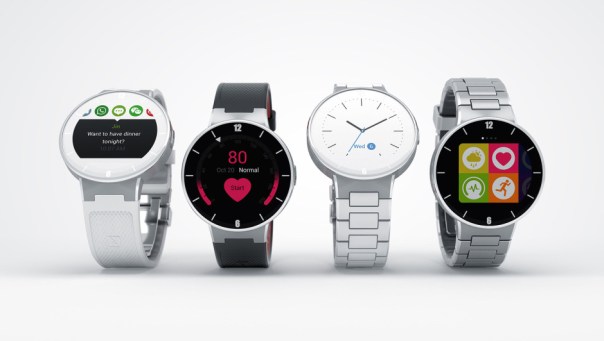
And right before CES, Alcatel announces new products. First up the Alcatel Watch series of smart watches. From the press release the Watch will connect to your Android smartphone, track activity and stats, show notifications and let you control media playback and your smartphone’s camera. However, it does not run Android Wear, although the price will be cheap. Let’s hope the watch looks as good as the press renders.

Next up Alcatel announced the Alcatel OneTouch PIXI 3 series of handsets offer screens ranging from 3.5 to 5 inches. The key point to notice about these devices is that they can all run Android, Firefox OS, or Windows. Alcatel describes the devices as OS agnostic. I am sure we will see more hardware being agnostic going forward.

I am looking forward to the next generation of wearables to see if battery life and design has been tackled.

Source – http://www.androidpolice.com/2015/01/02/alcatel-onetouch-cool-things-sleeve-ces-os-agnostic-pixi-phones-android-firefox-windows-affordable-smartwatch/

Mont Blanc announces new wearable device – details of the e-strap

Montblanc-Timewalker-urban-speed-e-strap-watch-2

Mont Blanc has announced the e-Strap. This combines a smart wearable device with a stunning mechanical watch. This will feature in the Mont Blanc “Timewalker Urban Speed Collection”. The e-Strap features a high-end leather strap that has a carbon fiber texture to it that Montblanc calls “Extreme Montblanc Leather” made in Italy. Sitting under your wrist is an electronic module made from DLC (diamond like carbon) coated steel or in gray steel.

Montblanc-Timewalker-urban-speed-e-strap-watch-3

Montblanc-Timewalker-urban-speed-e-strap-watch-4

The specs. The e-strap has a 0.9 inch monochromatic OLED touchscreen display 128×36 pixel resolution. Notifications will be shown for calls, texts, e-mails, calendars, social media, and reminder notifications, function as an activity monitor/tracker with a pedometer and accelerometer with data that feeds into either the android or apple app. Vibrations alert for notifications are included.

And its strongest selling point on top of the classic design is 5 days battery life. Not only that it recharges via micro usb. The watch with e-strap is around 4,000 euros. The strap by itself is 250 euros.

I do like this idea of combining watch style with technology. That watch looks stunning.

Source – http://www.ablogtowatch.com/montblanc-e-strap-combines-smart-wearable-device-mechanical-watch-timewalker-urban-speed-collection/

Samsung S Health – main activity page

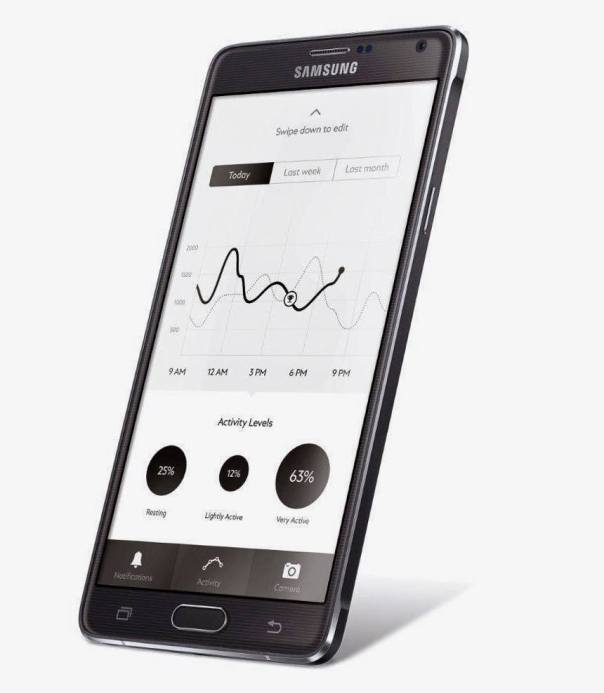
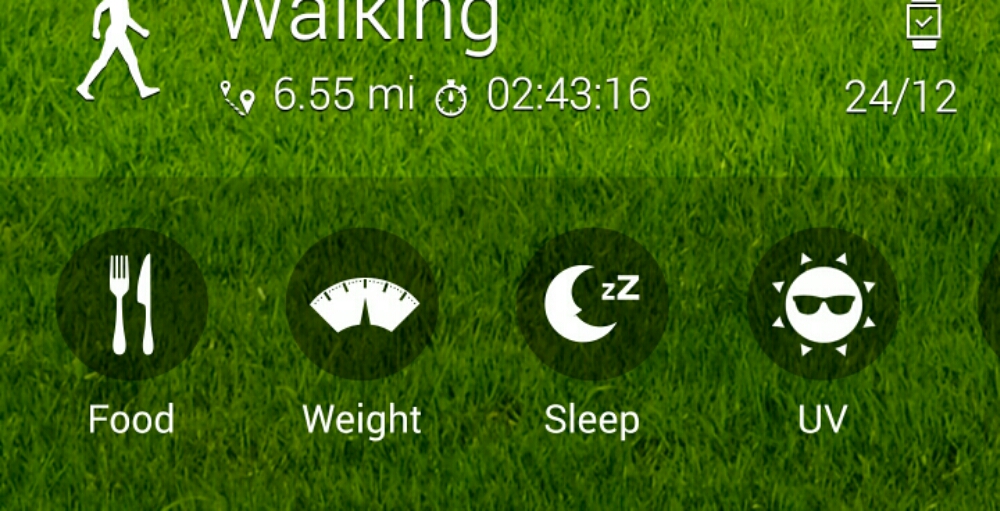
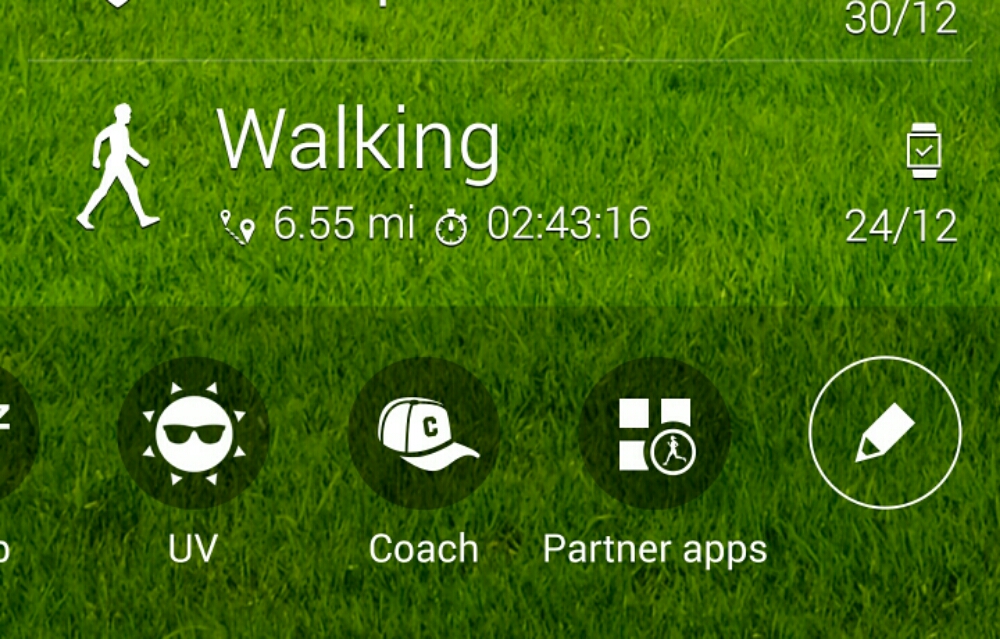
Below are screen shots from my S Health app taken off the Note 4. If I had updated my weight the measurement would be added to the activity page. I have also included screen shots from the other options available.  Whilst S Health does tie you into the Samsung eco system it does work for me.

image

image

image

You can use the app with or without a Samsung wearable. Naturally I am using my Gear S.

I hope Samsung opens the app more to third parties as it has potential but needs to improve as Apple Health kit is leagues ahead. But this app does what I need so I am happy at the moment.

Belkin WeMo Smart Light Bulb starter kit – review

image

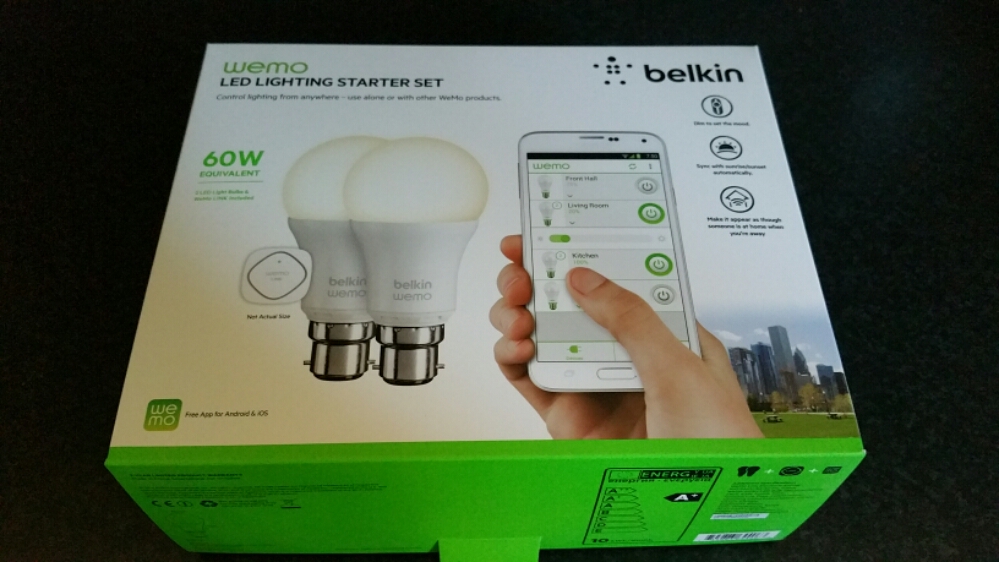
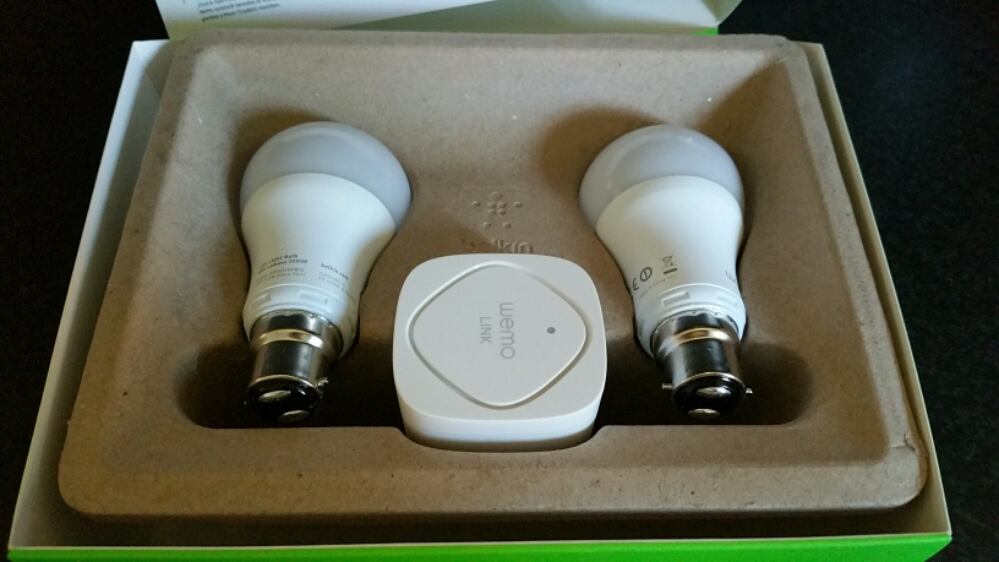
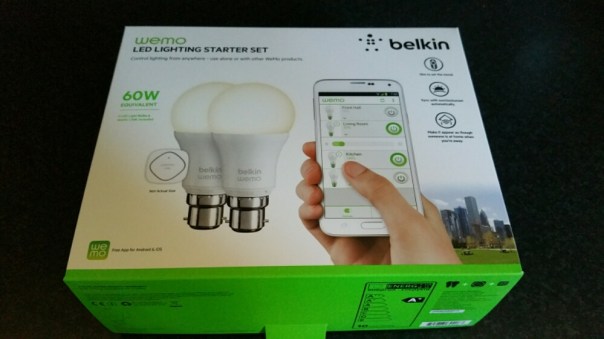
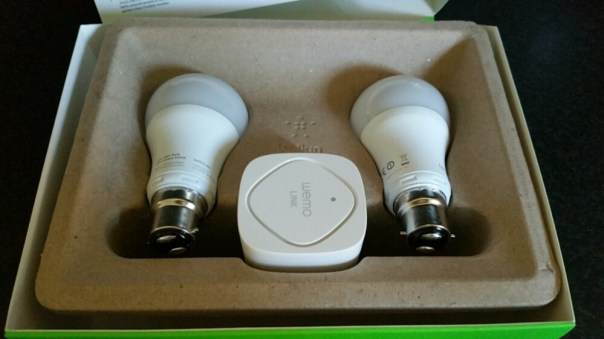
The Belkin WeMo Smart Light Bulb starter kit arrived several days ago. Opening the box reveals 2 light bulbs and a wireless module. See below.
image

As you can see a fairly minimalistic box. Belkin promote the wireless kit as follows –

– WeMo LED Lighting Starter Set includes 2 x WeMo Smart LED Light Bulbs (B22) and 1 x WeMo Link
– Connect up to 50 WeMo Smart LED Light Bulbs and control them individually or as a group.
– The set works with the entire family of WeMo products.
– Modular system. You can add additional WeMo LED Light Bulbs easily, any time
– Turn lights on, off, dim or create custom schedules.
– Simply plug WeMo Link into a central outlet in your home, replace your old light bulb with a WeMo LED bulb, and download the free WeMo app to any smartphone or tablet
– WeMo keeps you connected to your home lighting anywhere you are over Wi-Fi, 3G, or 4G networks
– Bright, warm light similar to a 60W incandescent bulb. WeMo Smart LED Bulbs have a 23 year life expectancy

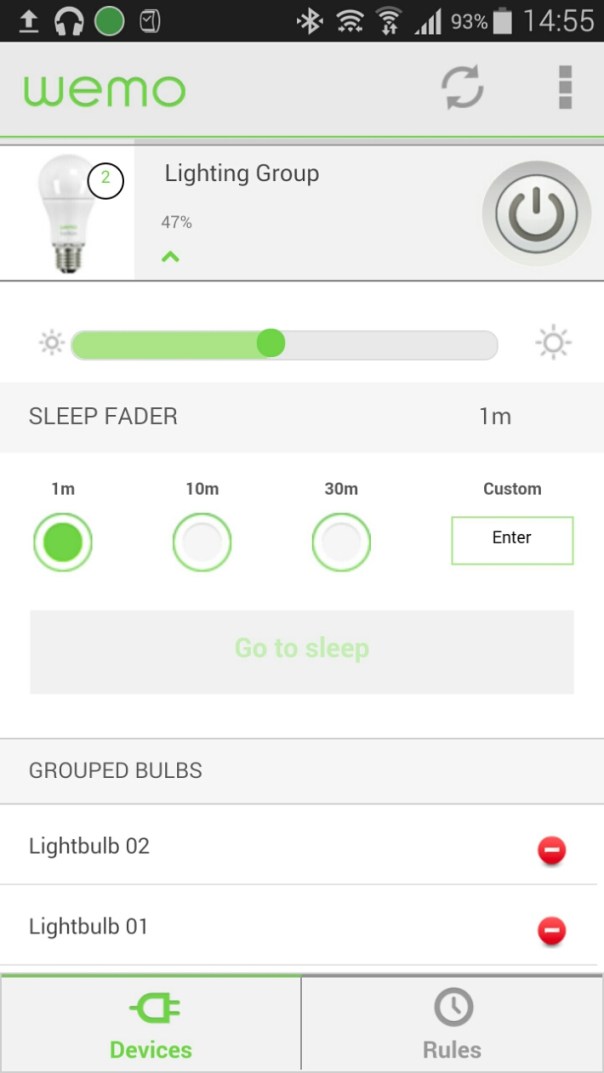
Setting up the system is a breeze. First take the WeMo Link and plug it into any electrical socket, preferably centrally situated in your home and where it can get 2 bars wifi strength from your router. Next replace your bulbs with the Belkin bulbs. I bought the Bayonet version but you can also got the screw style bulbs. Turn the light switches on. The Belkin  bulbs should turn on.  Now keep the bulbs on. Download the WeMo app. Go to your phone’s wifi settings and connect to the Belkin wifi network. A firmware update occurred. This took 5 mins. Next it asks you to select your router and enter its password. The setup completes including remote access over 3g/4G.
image

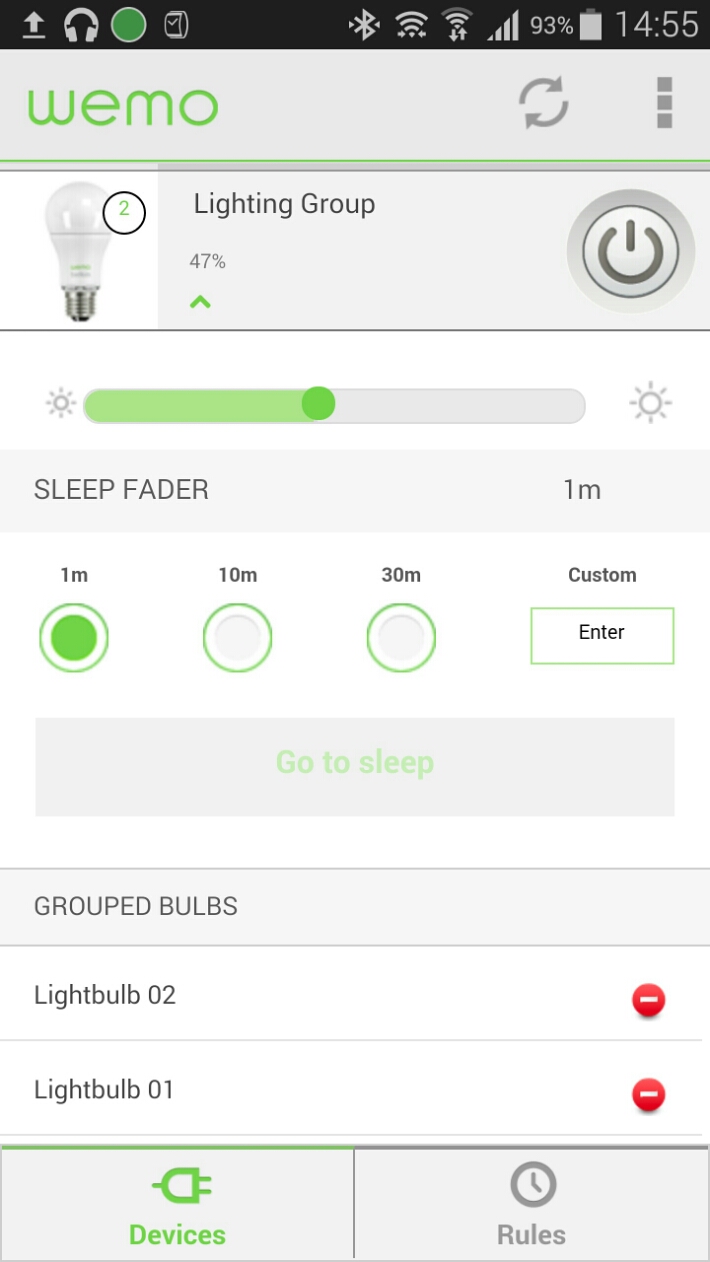
Once the setup is complete the light bulbs show separately.  In the edit device menu I just slid one over the other to join them as a group.  They are now controlled together. The basic menu gives you an on /  off button. Options include brightness and sleep timers. With the advanced settings you can creates rules as to when the lights come on and off eg sunset and sunrise.

The WeMo app also controls my other WeMo products too.

In use. I placed the WeMo Link upstairs and used both Belkin bulbs in the lounge. Now, I can’t walk in and just turn the lights on, I now have to open the app, wait a few seconds for it to register and then I have full access and control. Or so I thought. If your lights are off, if you use your normal light switches to turn them on, the Belkin bulbs will turn on at full brightness. If you turn them off with the wall light switches, you won’t be able to use the app to operate them until you turn the power back on from the wall light switch. So for ease. I find it easier to remember to turn them on from the wall light switch, sit down and then adjust the brightness or even use the app to switch them off if convenient. The great part is that you have a choice and don’t lose the convenience.

Everything works as advertised but is it worth the £80 and then £25 per bulb? If you like cutting edge, maybe, otherwise it’s expensive. It is worth noting that Belkin sell both bayonet and screw type bulbs fittings whereas Philips Hue light bulbs are screw type only. Another point, once you’ve setup the app on one device, installing the app on another one of your devices, you will find it is already setup for you.

IF you are interested in buying please use the following Amazon affiliate link. Every penny counts <a href="Belkin WeMo Smart Bayonet Fit B22 LED Light Bulb Starter Kit
“>Belkin WeMo Smart Bayonet Fit B22 LED Light Bulb Starter Kit

What’s best? A 4mp, 8mp or 16mp camera on a smartphone?

Christmas has now long gone. Well it feels like it.

One aspect of this time of year is often spent with family and friends. This year my dad’s TV screen failed miserably so luckily he managed to get a replacement TV in time for the family feast. The newer TV came with miracast built in, so within a few minutes I had connected my Samsung Note 4 and started to display some of the photos I had taken earlier.

I also had some old photos sitting on my memory card, dating back several years and it was fun looking back at the memories. During that time I had the HTC One M7 and M8 which had saved many of the memories as Zoes and/or video highlights. This was using the HTC’s 4mp lens.

Now the photo and video quality of the HTC One vs say the iPhone or even the Samsung Note and its 16mp lens is poor. But the best memories by far came from the HTC shots and the biggest smiles from the video highlights. In fact, the video highlights still looked cool regardless of the quality. A decent memory is always a decent memory. I can’t remember anybody asking about the pixel quality on any of the shots displayed.

So what if you had another phone. Apple has used a 8mp lens for years and years and even the current 6 and 6 Plus have stuck with 8mp. The iPhone’s strength is reliability. It will generally take a great shot first time every time. And very quickly from starting up the camera to first shot. Again, its important to capture the moment and not miss it.

Of course, the Samsung Note 4 has a 16mp sensor and its super amazing. But the key aspect of this camera is its now fast from start up to first shot and this sometimes will be more important than the quality.

From all the different smart phones I have used over the last 3-4 years, the HTC One M7 and M8 were the quickest to capture the shot. And this included using special effects like Zoes.

So moral of the story is your smartphone just needs to be quick enough to capture that memory and a memory is better than none regardless of the quality.  From my Christmas gatherings, it highlighted that HTC were on to a good thing with their automatic creation of video highlights and Zoes from your events.

Samsung Note 4 – S View Cover in Mint Blue – review and photos

image

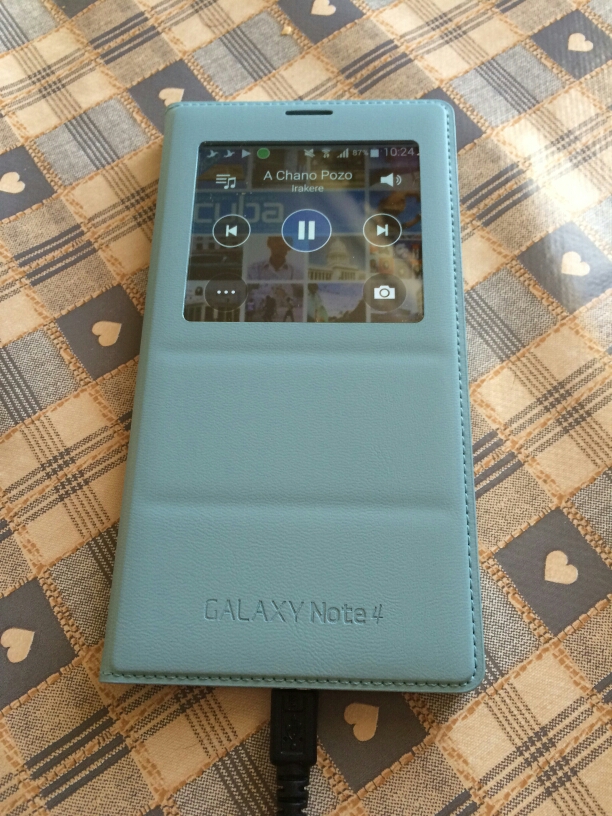
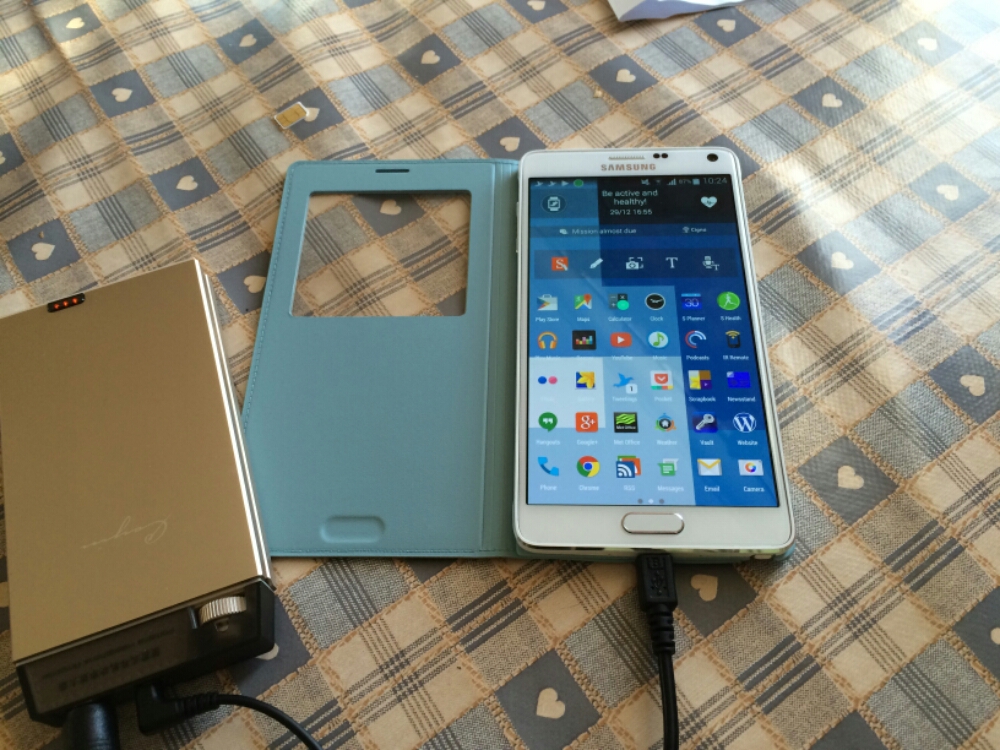
My Samsung S View Cover in Mint Blue arrived today and I have to say I love the colour and new designed cover from previous Note offerings.

image

First up is the flap is weighted so the cover closes and doesn’t stay lifted off the screen. Options on first attaching the case are to set up a default wallpaper. Within the settings you have a number of digital and a couple of fancy analogue clocks to select from.

In use you have options to show favourite contacts, settings, torch and heart rate. The digital clock can show time, date, pedometer and weather. The music player allows you to select tracks and volume , play and pause.

The camera still takes square photos but you can now record video too but that is also in a square aspect ratio.

All in all I really like this case and colour for the Samsung Note 4.

image

Gavin’s Gadgets 2014 Annual Report

This morning I had an email from WordPress which provided a link to Gavin’s Gadgets 2014 Annual Report.  Below are a few facts from that report.

– The busiest day of the year was 24th September. No surprises here. Lots of new tech and new iPhones.

– Day of the week in which more posts appear than any other day is a Thursday. No idea why Thursday is a more popular day. Do you?

– Most popular post for comments is “Alert – Free 50gb Dropbox Bonus – You’ll be lucky”. Just shows people feel cheated by the small print of the Samsung 50gb Dropbox offer.

– In 2014, Gavin’s Gadgets was viewed by 197 countries. That’s quite amazing really. Top 10 countries are UK, USA, India, Australia, Canada, Germany, Sinapore,  France, Malaysia and Sweden.

– Top 5 commenters were Jah, Mike Patterson, Richard Kelsey, Graham and Jon Love. Many thanks guys. And thanks to everyone else too who took the time to comment. My thanks goes to all the other commenters who voiced their opinions on twitter and Google Plus.

– Viewing stats are off the wall. I started the blog mid December 2012 and achieved a meagre 1,131 views by the end of the year. 2013 exploded exponentially and I honestly didn’t think it would get any better. Current stats for 2014 are just under 7 figures. And that is thanks to you all.

– Viewing stats continued. WordPress noted my posts have staying power. People are still reading posts from 2012 and more so from 2013. The reviews I’ve written covering mobile tech, wearables, Headphones and much much more are the key posts that keep getting read. And if you have missed any of my reviews just use the menu to find them all.

We are soon to reach 2015. 2015 will see more reviews, news and more podcast “recordings of Gav & Dave’s Tech Podcast”. Gavin’s Gadgets is now http://www.gavinsgadgets.com and I hope you will follow my journey throughout next year and beyond.

Enjoy the remainder of 2014!

All the best.

Gavin ☺