All posts by Gavin Fabiani-Laymond

Unknown's avatar

About Gavin Fabiani-Laymond

President, CEO & Editor of https://gavinsgadgets.com Reviews & News of Technology

MP3s cannot be resold online

Reselling copies of MP3s you legally purchased violates copyright, according to a ruling made over the weekend by a New York district court judge. The ruling is a victory for Capitol Records, a subsidiary of Vivendi, and marks a devastating loss to ReDigi, a website that lets users resell copies of their legally purchased MP3s.

A good reason to keep buying CDs.

HTC One vs iPhone 5 vs Samsung Galaxy S3 vs S4 vs Note 2 vs Nokia Lumia 620

Now if you are expecting a blow by blow specification review, go read any other review out there that states the obvious. Apart from the Samsung Galaxy S4 I have owned personally all the above phones. I currently use the HTC One as my main driver, with the Nokia Lumia 620 as my backup now. So what am I going to write about. Well my personal view and strengths of each phone from a real user experience. Having a phone with a heap loads of features and specifications are useless if they provide no real benefits or simply never get used.

Hopefully from my comparisons of each you can decide which phone is for you. This is more of a birds eye view looking down. So lets start with my current phone.

HTC One – key benefits is its design and looks. You will feel proud to have this in your possession. Whatever it cost you, you will always feel it was worth it. It makes other phones including the iPhone 5 look inferior. The lengths HTC have gone to make setting this up simple and transferring your stuff from any phone or even an iPhone is commendable. Also the manual is one of the best written and easiest to understand. The camera will always capture that moment first time. And the sound quality is superb, probably the best I have heard on any phone through the speakers or headphones. It also comes with a modest software suite that means you will actually find time to use most things provided. It’s focus is on its solid build, media, photo, sound and vision. As it has a slight curve on the back, it is fairly comfortable to hold. The screen is the best in class at present too. Truly fabulous screen. I think somebody at HTC thought what features does a phone really need to provide the best benefits to its customers. And that’s why the user experience is so satisfying. It is the first android phone I have used that doesn’t need tweaking, doesn’t need changing the launcher away from Sense and just works out of the box.

iPhone 5 – a compact phone but its aluminium is susceptible to being scratched. It’s angular edges also make it not that comfortable to hold but with a case that becomes not so much a problem. It is also the lightest of all the phones, and feels if I’m honest too light. It runs iOS which looks tired, as it appears not to have changed from a visual point of view that much since 2007, is actually in fact, very capable. iOS advantage is on the gaming apps. I don’t think the advantage is there anymore on the apps as android has caught up, and in several cases exceeds iOS. This is mainly due to the fact android has better sharing and multitasking. However, despite the iPhone 5 feeling tired, it is anything but that. It is a very competent phone, great call clarity, a camera so basic yet still very good even despite the competition. And if you don’t have a clue about phones you can’t go wrong with the iPhone 5. If you have other Apple products, then the iPhone 5 comes into its own sharing photos and apps between devices. However, I do feel the new HTC One steals the crown away as it is just as easy to use, and looks and feels like the new iPhone should have. However a new iPhone can’t be too far away, so maybe it might steal the thunder back. Another point to remember is if you have a problem with your phone, you can visit your local Apple store and walk out 10 mins later with the problem normally resolved. No other company offers such a brilliant after sales service.

Samsung S3 and S4 – I’m going to lump these two together as they are similar and based on each other. What you get is a slim powerhouse of Samsung software and hardware with more features than your kitchen sink. And that’s the downside as well as the upside. If you want to show off features like pop up video player, multiview screens or any of the gestures, the crazy amount of software, S Voice (Apple Siri clone ) and so much more, than this phone is for you. The camera and audio are good too, with loads of options. But remember in reality you won’t use a fraction of the stuff let alone remember how to use it all. I’ve seen many friends with an S3 and only using it to make phone calls and take photos or videos. Sacrilege I know but that’s reality. It’s also made of plastic, so unlike the iPhone and HTC One it looks cheap. However, that does mean you get removable batteries and memory card expansion. The memory card can only be used for photos, music and documents and not storing apps. Personally with the move towards more stylish phones I think Samsung should have upped their game and not used plastic. Some might say that with the functions of the S4 including software like S Health it really is a game changer. I doubt it. And remember it is bad enough company’s knowing a lot about you, but with S Health you are potentially providing information about your fitness and more. Too much data provided in my opinion.

Samsung Note 2 – it’s too big for most people due to its massive size. The HTC One is a better compromise in screen size and overall phone size. However its monster size does lend for ease of viewing anything. Multiview is a good feature too. As its big, so is the battery that will give you 2 days use with relative ease. It also features the kitchen sink like the S3 and a decent camera again. But Samsung realise the phone is a bit complicated so they feature another launcher option called easy mode. Goes back to my original comment that most people won’t use half the features. The features are mainly there to help sell the phone. However despite it size it’s a popular device. It also has a stylus just to slow you down even more. Well it does look cool. So if you want big, 2 days battery life and something that does everything the Note 2 is ideal.

Nokia Lumia 620 – this was my main phone for a week until I got the HTC One. However, I really loved this phone. It’s runs windows phone 8 so works on the concept the home screen is live tiles of your life, updating accordingly. And you know it really works well. Nokia provide a good suite of software from turn by turn Satnav , maps, music streaming and more and all free that make the 620 a bargain. It costs nearly 4 times less than any of the above phones. However windows phone 8 lacks apps and games, especially games, so it no good if you need a specific app that’s not available on the windows platform. But if that is not an issue, its the best option vs cost than all the others. It also features removable and changeable coloured backs, and a water proof back is available soon. The screen and battery life are good too, plus it comes with a reasonable camera. It’s the only phone I wouldn’t fit with a screen protector or use a case with. It’s feels the best in the hand over all the above phones, and the sort of phone you could mistreat more than the others and not feel worried.

Being totally biased if I had to chose one phone it would be the HTC One. Stunning looks and screen. Great software and hardware too. And it’s the first phone I feel I could keep longer than normal.

HTC One – Review Part 5

Welcome to my fifth part of the HTC One review. It has been an interesting 5 days with the phone and an experience that keeps on improving. As mentioned before I’ve started to embrace the phone the way HTC envisioned. Blinkfeed is my only home screen. It provides information on everything I need.

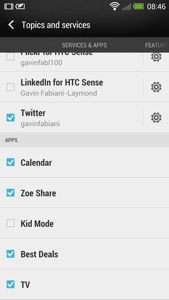
Blinkfeed has options to incorporate Facebook, Flickr, LinkedIn, twitter, your calendar, Zoe share, kid mode, best deals, and TV guide. The categories for fetching news include trending topics, business, design, entertainment, environment, gaming, lifestyle, music, politics, sports, Tecnhology and science, travel, and world. That’s a lot of stuff. But what’s good is it will show your latest calendar entry, a TV programme coming up that you want to watch, your social media updates and any other topic you have selected. Part of the Blinkfeed includes the clock, weather, date, the ability to search, respond, and select the category or social service only to be displayed. See screen shots below.

20130401-085034.jpg

20130401-085041.jpg

20130401-085047.jpg

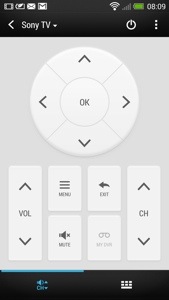
A feature I haven’t touched upon is the infra red sensor built into the power button. Combined with the TV app, you can set it up to control your TV and other devices. You also on first opening chose a few selections of preferred TV and then each time you open it, the app shows either your favourite programmes, recommended and what’s up now and next , next week and what programme you have scheduled. The time sensitive information can be added to Blinkfeed. Once setup the screens will look li

20130401-085441.jpg

20130401-085503.jpg

You also get basic controls in the notification menu and if app is active and the phone turns off, lifting the phone up turns the phone back on automatica

20130401-085616.jpg

20130401-085623.jpg

All once again very impressive and cross integrated into the features and functions of the HTC One.

Tomorrow I will have a look at the setting options and gesture support.

Has Blackberry Got it Right

The new Blackberry handsets are being released and our reasonably well received. So did Blackberry have a clever strategy by enabling android apps to port across with ease and pay developers to release games on their platform. By undertaking all the measures it now has over 100,000 apps and is well on the way to making Window Phone look derisory in comparison.

Blackberry realised that no matter how good their new operating system they needed apps.

Now lets hope Microsoft increase the ante and get more well known apps and games on their store.

In app purchases – hate them if you do but they aren’t going away

In a new report by Distimo in app purchases now count for 76% of the AppStore revenue for iOS devices. In January 2012 this was only 53%. Japan leads the way in revenue, followed by the US and UK.

I find this very worrying, since I think games especially get ruined by developer greed and games which I had previously bought some years ago, get updated with in app purchases and suddenly get ruined too.

Do you agree?

HTC One – Review Part 4

Following my previous parts of the HTC One review here I am again with my next instalment.

So what’s changed. I only now have the Blinkfeed as my home screen. All my applications are in neat folders. I have spent time getting to understand the camera and now I am producing great photos and videos from the photos. The editing is a breeze and fun to use. The sound quality is awesome. Battery life from 6am to 12pm and its at 15%. It has been used all day.

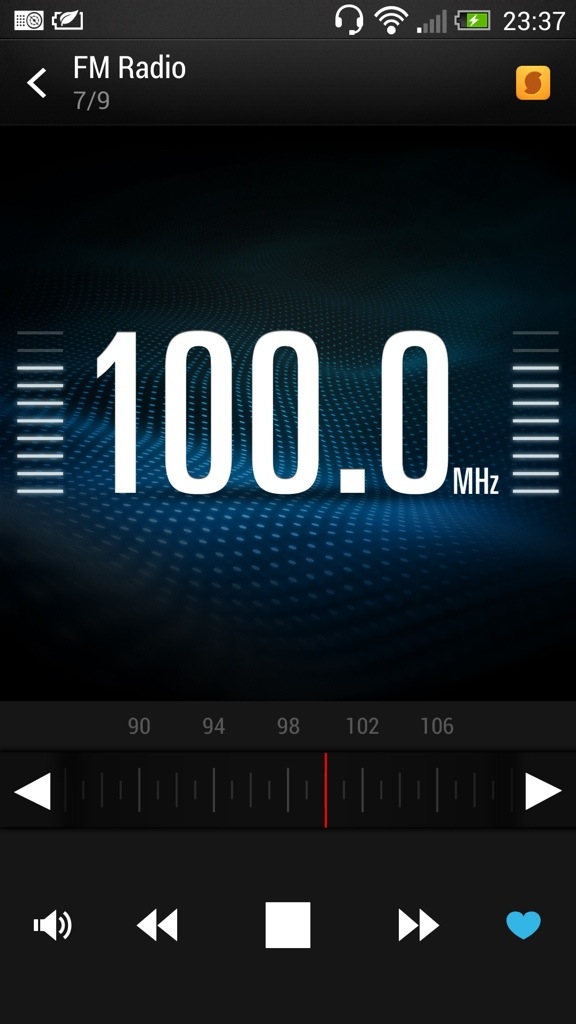
The HTC One has a FM radio. And it’s very good. It does everything you would expect, including displaying the station names. If you look at the screen shot below, there is a yellow icon top right. This is Soundhound and pressing this allows Soundhound to identity your song. Neat.

20130331-235230.jpg

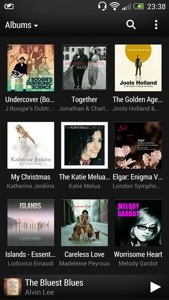
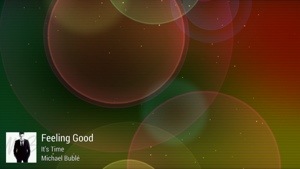
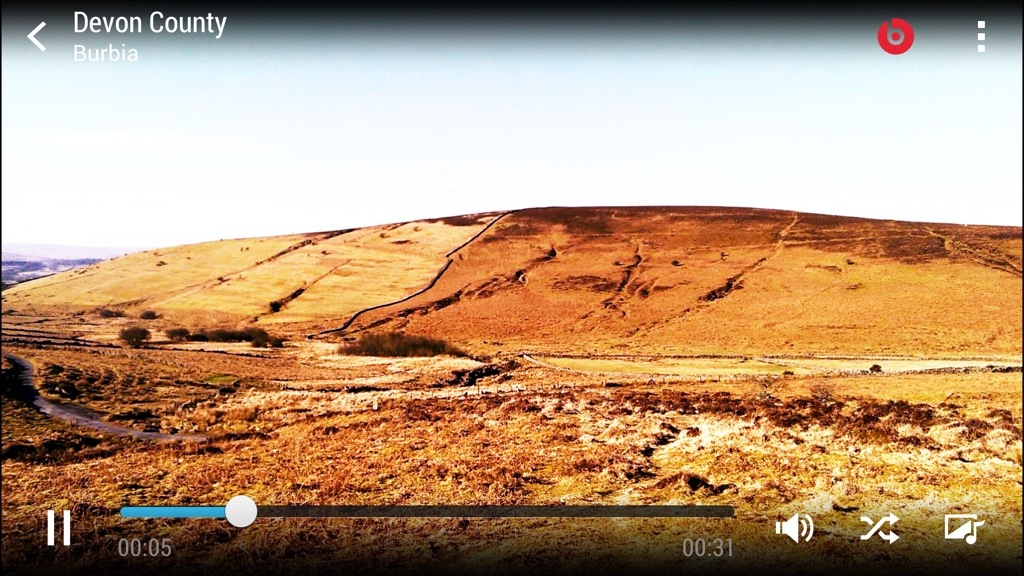
The HTC music player comes with the ability to start visualisations once the music has started and even obtain the lyrics and highlight them as the song is being song. Album art can be fetched automatically and the media player can access media servers. See screen shots.

20130331-235425.jpg

20130331-235439.jpg

The visualisations constantly change too. Certainly looks cool to view. HTC also include a world clock, which has alarms, timers, and stopwatch. See below. Again a functional app that does what you would expect.

20130331-235604.jpg

The HTC One also comes with a full copy of Polaris Office. The default note app can be setup to sync with Evernote and the Task app to sync with Google. There is also a PDF reader. So from a business perspective HTC have covered all angles.

Today has been an even more enjoyable day, simply because I started to perfect the usage of the phone even more. The way I would describe the One, is the technology hides itself to allow you to feel the benefits with as little fuss as possible. HTC Sense 5 is the first default launcher that I wouldn’t not change. It’s fantastic.

Tomorrow I will look at the settings and some other apps too.

BMW and Mini cars add iOS integration for Audible, Glympse and Tunein

BMW has just confirmed iOS apps from Audible, Glympse, Rhapsody and TuneIn will all be able to plug in to the vehicles and work using the cars centre interface for the respective audiobook, location sharing, subscription music and live streaming radio services.

Looks like smartphone integration is soaring ahead, with Ford, GM and Ferrari all getting in on the act too.

HTC One – part 3

Over the last few days I have posted a number of articles detailing my time with the HTC One. To read the previous parts click here.

Today, after spending more time with the phone I am beginning to grasp some of its uniqueness. Sometimes specs don’t reveal the real truth, since its the real life user experience that counts, and whether the specs or features actually add any proper benefit to the user.

So yesterday I mentioned how taking photos was a breeze and some of the pre camera effects possible. I haven’t touched on the video side, but needless to say it has some great qualities including slow motion and image stabilisation software as seen in the Nokia Lumia 920. So after taking a photo you can edit, share, print, send and so much more. When you open the gallery you are faced with a screen as below.

20130331-092346.jpg

Within this first screen you have options to see Facebook, Flickr, Dropbox and Picasa photos displayed. I only have Flickr set up for the time being. If you touch the “my photos” you jump into another screen. This can show albums, events or locations. If you click into events, you can then select an event, as shown below.

20130331-092747.jpg

You will notice the top box has a play icon. What this does it jump to the next screen shot and allows you to show off the photos of your days shooting with a musical showcase presentation. You can change the effects and more. This is a really simple idea and works really well. Plus the boom box speakers on the front with beats sound incredible. It’s not a gimmick at all. And here is a YouTube video with 8 photos put together in seconds by the HTC One – click here.

20130331-092947.jpg

You can also use the Zoe mode or continuous shooting mode to combine multiple photos into one. Really cool again.

Of course with each photo you can edit them in the photo editor which is excellent. It has options for effects, frames, retouch and transform. Each of these options reveal tons of other options including auto enhance, colour filters galore, several frames, skin smoothing, face slimming, eye enhancer, crop, rotate, flip and straighten and much more.

If you have a DNLA TV you can of course send the photos to the TV, or use HTC Media Hub as another way of doing the same thing.

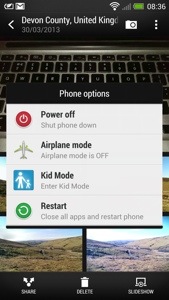
Some of features. Long press the power button brings up shortcuts for power off, aeroplane mode, kids mode and restart. Yes there is a kids zone mode which is a safe environment for your kids to use your phone.

20130331-093609.jpg

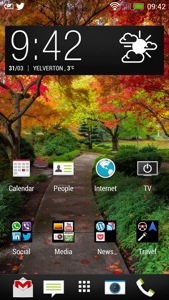
So what else have I being doing with my One. Well I’ve been using Blinkfeed a lot more. It really is a great piece of software. I’ve changed my default home screen slightly. See below.

20130331-094526.jpg

One thing I noticed that using the HTC One camera and changing between the different options on screen feel fast and logical. Well thought out menus and quick changing. My Samsung Note 2 and S3 were never as fast with the menu settings and felt congested too. The other thing with the One is forgetting all its specs, what you will get is a perfect photo pretty much first time every time no matter what the lighting conditions. Impressive.

One last thing, the sound quality whether though the front speakers or via your headphones is stunning. I keep listening to more and more of my music with a variety of headphones and keep getting omg moments.

More on Tuesday. Day off tomorrow 🙂