All posts by Gavin Fabiani-Laymond

Unknown's avatar

About Gavin Fabiani-Laymond

President, CEO & Editor of https://gavinsgadgets.com Reviews & News of Technology

Google Maps updated again – includes live departure times and service alerts

Google Maps has been updated to include live departure times and service alerts. However it will only benefit those in Salt Lake City, New York City and Washington DC. The update covers mass transit and gives access to live departure times and live service alerts. The catch here, these two additions will not be available for all users. Basically, the departure times are for those in Salt Lake City and New York City and the service alerts will be for those in Washington DC.

A great addition if you travel and live in those areas. Lets hope Google Maps stays free.

Zinio app comes to Windows Phone 8 as a Nokia Lumia exclusive

Zinio’s magazine app for tablets and smartphones has announced today that its Windows Phone 8 app will be available in the coming weeks, but only if you have Nokia Lumia phone to use it. This is an exclusive deal too. The new app will be able to pull content from multiple sources into a reading list — as opposed to simply letting you jump from one magazine to the next, a WP8 live tile support, and an “improved text mode support” to make reading on a smartphone-sized screen a bit easier.

Can’t wait to try this on my Nokia Lumia 620.

20130328-232911.jpg

HTC One – Review Part 2

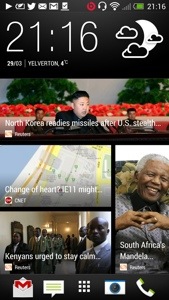
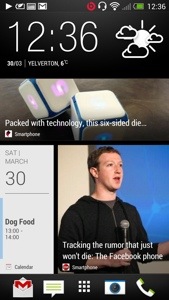
Following yesterday’s first impressions of the HTC One, I have spent more time with it, reading the manual, and tweaking the home screens. The next part is also live click here for part 3 Blinkfeed is not my default home screen. It is the HTC clock/weather widget. Blinkfeed is to the left, and other widgets on the right. See below. I just can’t decide between whether to keep Blinkfeed as my default home screen. I’m not turning it off as I really like it. It brings up so much useful info and its possible to reply straight from it too. Screen shots below of my 3 screens. You can add more home screens if you want but 3 is ample for me.

20130330-130727.jpg

20130330-130754.jpg

20130330-130811.jpg

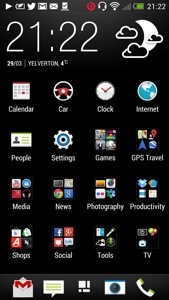
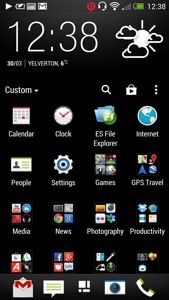
I have also included a screen shot of the application folder. If you slide down it reveals the settings, play store icon, search and custom. Custom allows you to set up folder as you like. Other options include alphabetical and most recent.

I learnt today that you can have different types of lock screens, productivity, wallpaper, photo album, music, and no lock screen. I currently use productivity which will display all my notifications at a quick glance. I quite like the idea of no lock screen. Obvious solution for quick access if you want it. Other things I have done is turn trace on in the keyboard settings so I can slide across keyboard to enter text. I was trying to work out how to change the lock screen shortcuts and now have realised they are the same shortcuts as your home screen launch tray.

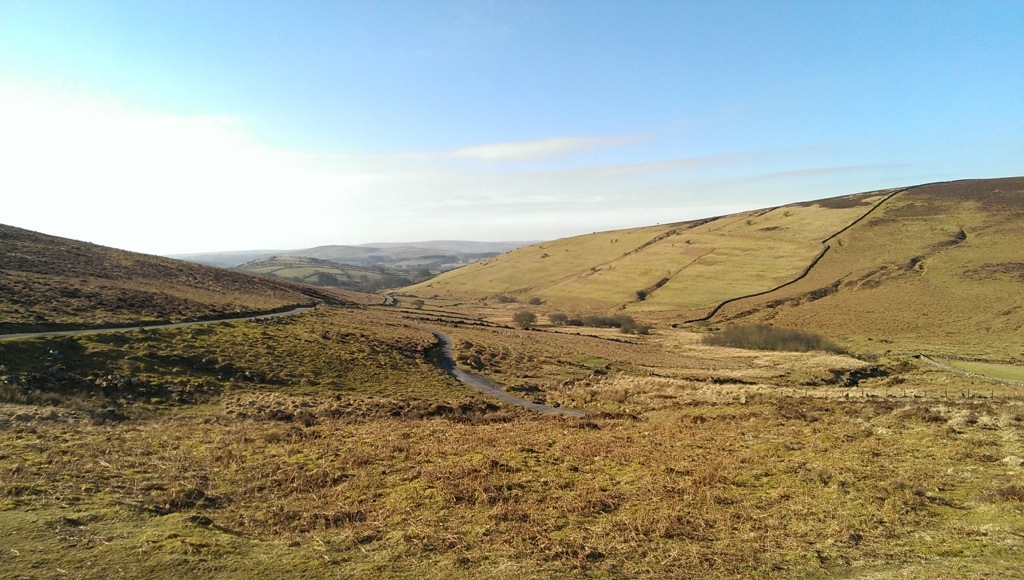
I have been using the phone for 8 hours with headphones in for a few hours and battery is down to 60%. I was also out earlier so took a photo or two. Need more practise with all the camera settings, filters, Zoe but it all seems pretty good. They only downside of the camera is distance landscape. The 4mp lens cannot give enough detail so zooming in is not as clear. However, what the camera does is a great shot first time nearly every time. Landscape shot below.

20130330-132641.jpg

The photo is not full resolution above. But talking of resolution you can take loads of photos and not run out of space. Also uploading to Dropbox over 3G is not an issue as file sizes are anything from 700kb to 2mb.

Here’s a photo taken in pitch darkness. This is the power of the HTC One. See bottom shot.
I mentioned above I have been listening to my music. The quality of the One is very good. I’m really enjoying it. Also, as you play a track, Gracenote is accessed and if available the song lyrics are shown and highlighted as song, with some fancy colourful effects moving to the music beats.

So far so good..

20130331-075158.jpg

Camera effects post is here

Part 3 is now live. Click here,

HTC One – Camera Pre Filter Effects

I have been experimenting with the HTC One camera and tried the filters or effects you can switch on before you take a photo. Of course the editing options after you take a photo are numerous including removing people out of your photo who appeared .

Rather than describe each effect in detail just look at the same item with different effects applied. Some really interesting differences.

image

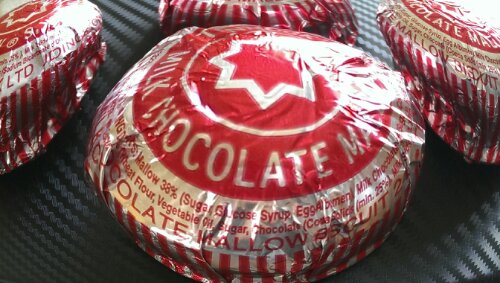
The above distorts the tea cake.

image

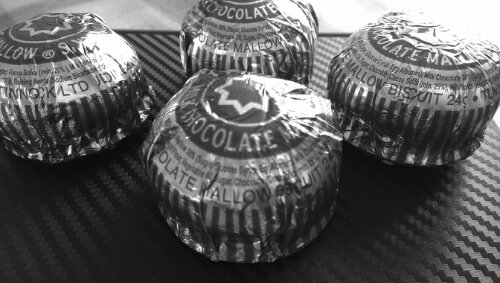
The above creates a darker edge. Ideal for focusing central subject.

image

image

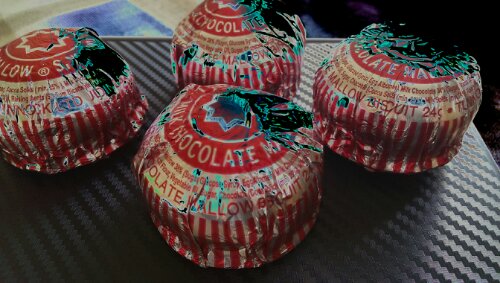
The above is rather unusual.

image

image

image

image

The last one looks a bit creepy but all in all some amazing results.

How much is too much to pay for a phone ?

It is interesting how perception and value can alter dependent on circumstances.

I have just sold my iPhone 5 64gb version. I had all the memory in the world to do what I wanted, whether it was for apps or media. I am now using a Nokia Lumia 620 which is less than 5 times as expensive as the iPhone. The original plan with the 620 was to use it from the period I had sold my iPhone 5 until I had received the Samsung S4 or something similar.

I have already mentioned how important memory allocation is with an android device. Internal memory must be used for apps and cannot be moved on to the memory card if the phone has one. So a 16gb Samsung S4 will have 12gb of free memory for your apps. The micro sd slot can be used for music, photos and other media but not apps. Hence why when I watch the S4 launch and its variants from 16/32/64gb I was overjoyed.

So I have been using the 620 which costs £130. And I have been amazed at how enjoyable it is to use and its value. Now I look at the price of a £500-£600 smartphone and you have to question yourself if that extra £400 is worth it.

So imagine my joy on the 28th March when the S4 pricing started being released from £580 to £630 but only for the 16gb. Suddenly it’s perceived value is not so high.

Lets see what happens with the Samsung S4 price leading up to the official launch on 26th April.

Update – I acquired a HTC One is silver at the weekend. Now that feels and looks the part. However, I cannot let the 620 go as it is just too good.

Apple iCloud still not good enough for developers

You watch the TV ads and you see an app, song, or photo being bought or snapped. Next you see the app, song or photo appear on another Apple device, as it by magic. That does happen and in my experience happens very well.

However, many third-party developers are hopping mad at what they describe as Apple’s failure to make iCloud seamlessly integrate and sync up with third-party application data. Developers are saying that Apple has failed to improve the way it syncs databases (‘Core Data’) with iCloud. The problem is compounded as customers are requesting iCloud integration.

Lets hope iOS 7 addresses these concerns of the developing community.

First Impressions of the HTC One

Yesterday morning was meant to be a quick visit to the local shops in Plymouth and back again.
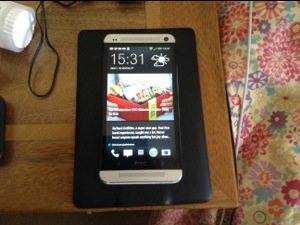
image

However, the 3 store was launching the HTC One, so I popped in to have a look and play. Then they offered me a deal I couldn’t refuse. Being honest, my Lumia 620 was so good, I wasn’t really looking to buy anything anyway. And I was focused on the S4 which I cannot see buying anytime soon ever.

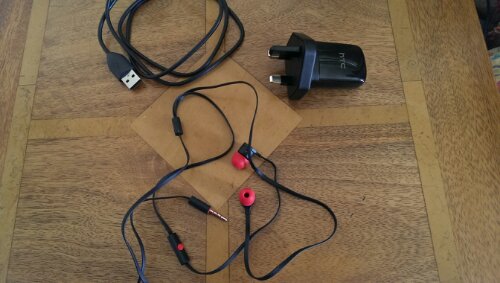
So here are my very early impressions. The phone itself is the most beautiful of anything made, even better than the iPhone 5. The screen is stunning, and seeing is believing. In the box, is a super cool mains adapter, usb lead, sim tray ejector tool and trendy looking headphones red and black headphones and some different size buds for them. Attention to detail is huge. You also get some leaflets, from safety to starting up.

So I charged the phone first. Then I turned on. A few menus appear, wifi setup and then you are asked would you like to set your phone up on your PC/Mac. I said yes. It provides you with a web address to enter in your browser, and then a code. You are then left with the setup now taking place on your web browser. From the browser you created your accounts eg dropbox, email accounts, installed a selection of recommended apps, chose your ringtones, alarm tones and notification tones, bookmarks and a few more things. You then confirm, and go back to your phone to accept and voila. With the tones you could actually play them first before selecting your chosen noise.

HTC also provide a free download of HTC Sync Manager. With this installed, I was able to read my last iPhone 5 backup data, and I could extract whatever I wanted from messages, bookmarks, pim data, photos and more. I then used the software to copy some music and photos (from iPhoto) across.

Next up I went into Google Play and started to install about 100 apps. However, I have not being able to install some due to compatibility issues. These so far include Doodle Jump, Zite, NFS Most Wanted, Nationwide and Amazon Appstore. Otherwise everything installed fine. Apparently this is due to the 1080p screen resolution which is brand new and some apps haven’t been configured to work more than 720p.

I have taken a few photos indoors and the quality in the low light is astounding. Very impressive stuff. I have also used the supplied headphones and my Bose AE2i, switched on Beats Audio and got blasted away. Great quality. The loudspeakers on the front are very good, clear and loud.

What I now have to do, is tidy up all the apps, explore all the HTC Settings and apps, and understand how it all flows.

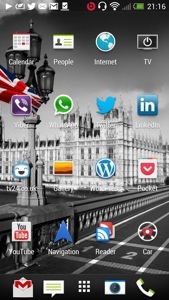
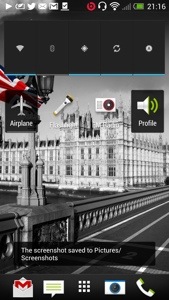
But initial impressions are fantastic. I’ve added some screen shots of my setup so far. I had seen a few dummy cases of the HTC One but when I actually viewed a working version in silver I was blown away by how beautiful the phone is to look at. And the screen. The iPhone 5 retina screen is excellent but this screen on the One is a different league. The HTC One is a different league to any other smartphone available. It’s a quality made smartphone, looks it and feels it. The attention to detail is fanatical. Even the mains adapter comes in 2 sections which rotate to clip together. It hard to visualise but HTC wanted even that to feel amazing as the 2 sections are very cool too. Even the included headphone has accents of red on the ear buds, talk button and headphone jack. I never normally even bother to open the included headphones but I was intrigued with the red and black styling to see whether they were crap or not. In fact they are well above par and I would use them as my in ear headphones permanently. Personally, my preference is over the ear cans. I have tried a pair of Bose AE2i and Sony MDR-1. Both sound excellent and the One headphone amp is powerful enough to drive these both easily. Talking about the sound, its always best IMO to leave the beats audio option on. Then there is the slick setup procedure. All this makes you realise you have bought a quality product. And HTC Sense is professional and functional. I still need to play around with options on the home screens and more about that and day 2 will appear tomorrow.

PS. In case you are wondering, the Nokia Lumia 620 is still going to be used. It is a fab phone.

20130329-213218.jpg

20130329-213226.jpg

20130329-213236.jpg

20130329-213244.jpg

20130329-213253.jpg

20130329-213259.jpg

Part two is now live on my blog. Click here for next part.