All posts by Gavin Fabiani-Laymond

Unknown's avatar

About Gavin Fabiani-Laymond

President, CEO & Editor of https://gavinsgadgets.com Reviews & News of Technology

Nokia Lumia 620 – another day

I had decided yesterday would be my final part of the review for the Nokia Lumia 620, but I thought I would update you on some developments.

Firstly, I have taken the plunge and sold my iPhone 5. That’s right the 620 is now my only and daily driver. Apart from what I have written, I am discovering a few new things and wanted to mention a couple more features.

Apps and games. The Windows Phone store definitely has weaknesses in both areas but especially games. Luckily, Nokia have plugged the gap with some of their own offerings. However it is not all doom and gloom. To recap some of the apps I now have installed are –

Amazing Weather – superb weather app, with live tile and live tile options, lockscreen weather too – paid app with 72 hour free trial

Amazon Kindle, Amazon Mobile, BT Wifi, Cinemagraph, eBay, Fhotoroom, Flickr, gMaps, Groupon, Hello, Here Transit, Linkedin, Lomogram, MetOffice, MeTweets (great twitter app) Natwest, Nextgen Reader (paid Google Reader appp plus other RSS stuff, very good too), Paypal, Shrink Storage, Sky News, Skydrive, Skype, Sophie Lens for Nokia, Speedtest.net, Stopwatch, Three Hub, Tunein Radio, TV Guide, TV Catchup, Twitter, Viber, Weather Channel, WhatsApp, WordPress, YouTube and Zite.

Games include Fruit Ninja, Wordament, Lexiqo and Brain Cube Reloadeded.

And don’t forget Nokia include some great sat nav, mapping and transit software, Nokia Music, City Lens and much more. As the 620 is a Windows Phone you also get MS Office and One Note, Skype, and Skydrive. So as long as the above is enough to quence your thirst, the 620 is a great phone. Don’t forget you can change the colour of the back or get a water resistant back too.

Now back to some of the other features I have seen while using this as my daily driver. As I have been using the 620, and repeating some actions more often than others, little tip menus appear showing me how to carry out the same action but in 1 step instead of say 3. For example, I used to open the phone app, select a contact from calling history, tap name, tap dial mobile. The tip menu told me all I had to do was tap on the left edge of the person’s name, and this would dial number straight away. In email, tapping on left edge brought up on left side check boxes. Tick the boxes to delete emails quickly.

In other words the 620 is trying to help me work even faster. It even got me to my Chinese takeaway quicker last night. Nokia’s included Satnav software, which if you recall allows you to download maps of an entire country, is psychic. I open up the app, go to select destination, and I type “CANTO”. 2nd entry on the suggestive addresses is the Cantonese Chinese Takeaway in Tavistock. I love this app. So off I go and get my dinner. It was delicious in case you’re wondering.

Themes. Within the settings is themes which allow you to select from a grid of colours and whether you want a dark or light background. Not only does it change the colour of the live tiles but the theme of every app. Some apps do have options to override this, but it gives a new style as often as you want. Now all I need are some colourful back covers to match the tiles.

All in all I am really enjoying the experience and it is making me wonder what I really need in a phone. It is becoming so enjoyable, I can’t see the need to change it.


Google Translate updated – now offers offline translation

now offers offline translation.

The new version supports Android 2.3 Gingerbread and above, and languages can be downloaded from the new “Offline languages” menu. A word of warning — downloading an entire language to your phone takes just as much space as you’d imagine. With only English and French installed, this would take up over 260mb of internal storage.

There are also some limitations to offline mode being that it’s currently text-only, so voice translation and image translation don’t work offline. However, I great update nonetheless.

In 2012 Samsung received the Most Patents – Now Leads the World Overall

Who says patents don’t matter. Well they sure do, and after Samsung took a battering in the courts from Apple, it has shored up its patents across a number of different areas, and as a consequence in 2012 received the most patents, and in turn took it to the top of the world leaderboard.

The only gripe I have with patents is that they hinder progress and are rewarded for things that should never have been allowed to be patented.

Samsung Galaxy S4 – Rip Off UK Pricing – updated

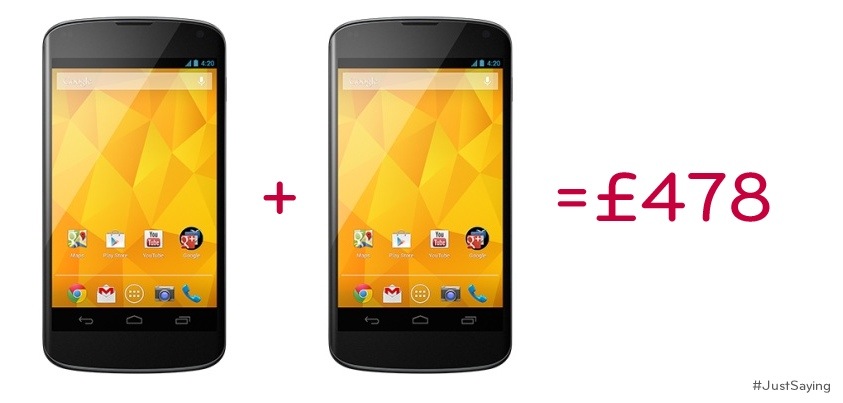
Last night Carphonewarehouse released the pricing for the sim free S4 at £629.95. Surely that was a typo but it appears judging by the pricing being released by other retailers like Amazon, that this is for real.

In fact, Amazon currently have the 16gb in Black at £629 and the white at £699. Also there is no details of the promised 32/64gb versions by Samsung. This is disappointing news.

Update – via twitter Samsung and Carphonewarehouse responded.

Samsung said they provide a RRP only to their retailers. They had no further information on the 32/64gb versions.

I asked Carphonewarehouse why they were committing day light robbery charging £630 and compared the price to a 64gb iPhone 5. I also asked about the larger S4 memory models. This was the useless response received.

@gavinfabiani Here’s our blog about what’s new on the S4 – http://t.co/SZ2dbRlFaA Thanks.

So all Carphonewarehouse provided was a note on the features which I knew, and completely side stepped answering the actual questions.

In fact if you want a fairer price Clove Technology are selling it less than amazon, Carphonewarehouse and others.

Windows Phone update coming soon

Microsoft is preparing a new Windows Phone 8 update, which will bring back support for FM radio hardware. The hardware support will be part of a General Distribution Release (GDR2) for Windows Phone 8. Both the Lumia 920 and Lumia 820 will support FM radio, while other compatible handsets will also include the support. The update will also allow the 920 to be woken from sleep with a double tap.

Nokia Lumia 620 Review Part 3 – more parts to follow

Over the last 2 days I have covered a number of aspects of the Lumia 620. Today, I will cover off a few other areas and requests made so hopefully you can all decide whether you are ready to ditch your iPhones, androids and Samsungs:)

If you have an iPhone you will be used to using emojis in the standard keyboard. The Lumia 620 has this built in as standard in its keyboard. Also the keyboard has auto word completion options which you can tap and insert the word. Makes the iPhone keyboard seem very basic.

If you are listening to music, and the phone screen is locked, press the power button to turn on reveals the music controls on the lock screen. Whilst using the phone and listening to music, press the volume up or down keys brings down the music controls on the screen. The power and quality of the music via the headphone jack is simply stunning. It has been able to power some difficult headphones of mine. Something the iPhone cannot do. The Music app or hub has many options similar to the Games and Photos hub apps. If available when your music is playing or if you are streaming free music via Nokia Music additional photos of the artists appear as a background. See screen shots below. The music hub also pulls up information of gigs near you. There is also an equaliser for sound tweaking as well Dolby Surround Sound if you want. I have found no issue of listening to music whilst using the phone for any other functions.

Taking screen shots is easy on the 620. Just press power and the home button. The screen shot is then saved in an album called screen shots.

The Nokia Navigation is also worth a mention as it allows you to download the maps so if you are offline you can still use it for turn by turn. I installed the whole of UK and N. Ireland taking 292mb. I could have installed any country if I wanted.

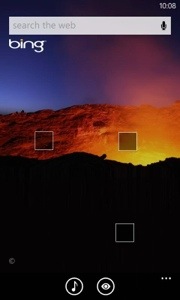
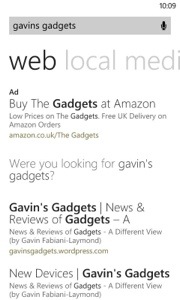
Bing Search is available from anywhere simply by pressing the magnifying glass capacitive button. But it does more than just search. You can type your request in to the search bar. Or press the mic and speak it. Or use it to scan barcodes, QR codes, microsoft tags, books, CDs and DVDs. It can also scan text and then translate it into many different languages.

Nokia City Lens is one of my fav apps, as it uses the camera to over lay your current view from the camera with information you select in a augmented reality view. It is included as free too.

Lastly, the camera. First strong point, is the 620 has a dedicated camera button on the side. Press this to turn the camera on. You can then take a picture or record or change some settings. On the photo side you have different scenes (auto, close up, bight, night portrait, sports, backlight), iso (auto, 100-800) and exposure value, white value, aspect ratio either 16:9 or 4:3 and focus assist. The video options are white balance, continuous focus and video mode (720p is the default). You can alter the flash options too. Photos can be selected to be uploaded automatically to skydrive, and if you use mobile internet and not wifi, the quality will be uploaded at a lower quality to save bandwidth. You can also select lenses. I have Bing Vision, Panorama, Cinemagraph and Smart Shoot installed. From the camera you can view your photo and then share it. My share options are send, messaging, hotmail, gmail, flickr, linkedin, OneNote, Twitter and WordPress. Or you can edit it, delete, add to fav, set as lock screen, save to Skydrive or send it to your photo editing apps. Some sample shots are below. Not the best examples but you get the picture.

App updates. My store icon showed that I had 11 updates. So I went into the store by pressing the live home screen icon and updated my apps.

For those that use NFC its a feature of the phone. Nokia also have a NFC writer app.

And unlike a lot of phones it actually has a micro sd card slot for expanding the memory. The memory card is used for your music and photos.

So all in all a rather impressive phone and operating system. I find it more enjoyable to use than my iPhone 5 and who knows it might actually replace it. The only weakness is apps but out of the box it does most things you would ever need. More updates tomorrow.

In summary a bargain of a phone.

20130324-110210.jpg

20130324-110224.jpg

20130324-110235.jpg

20130324-110302.jpg

20130324-110325.jpg

20130324-110338.jpg

20130324-110746.jpg

£630 for the Samsung Galaxy S4 16gb sim free – nuts

The Samsung Galaxy S4 is available for pre-orders starting Thursday from the Carphonewarehouse. In order to entice buyers to reserve the flagship phone a good month in advance, the first 2,000 people who pre-order the handset will receive a free Samsung Galaxy 2 7.0 tablet. Also, those who reserve the phone from Carphonewarehouse will receive a free accessory pack which includes a Samsung Galaxy S4 screen protector, case and car charger, which the retailer says is valued at £64.97. The tablet is valued at £150.

However the sim free price being offered is £630 for the 16gb version. That is daylight robbery.

Also what happened to the 32gb and 64gb variants.