All posts by Gavin Fabiani-Laymond

Unknown's avatar

About Gavin Fabiani-Laymond

President, CEO & Editor of https://gavinsgadgets.com Reviews & News of Technology

Samsung Note 5 – Dual Sim – First Impressions

image

image

Jah is a regular reader of Gavin’s Gadgets and recently imported a dual sim Samsung Note 5. Below are Jah’s first impressions –

“Samsung Note 5 Dual SIM variety – Impressions

First of all, if you are in the UK or Europe, please do your homework before you import or buy an imported Note 5.  The one I have, the N9208, does not have Band 20 LTE which means you can’t use 4G on Three and on Vodafone the 4G is very patchy. The best option for Dual SIM for the UK is the model designated as N920CD. 

Now for impressions:

–         –  the music playback over headphones is mind blowing, when playing high definition music (24 bit / 96 khz).  I used my Sony MDR R1BT in both wired and Bluetooth (with APT-X) mode.  The head amp on the Note 5 is better than the Snapdragon Note 4 and Exynos Note Edge.  Over BT, the sound reproduction is the best I have heard from any smartphone (compared to HTC M9 and Samsung Galaxy S6 Edge as recent examples).  Therefore, it is a shame Samsung don’t have a 128GB version as you’ll fill-up the typically free 50GB (of the 64GB model once you’ve loaded your apps) very quickly with High Def music.

–         – the build quality of the Note 5 is top dollar.  You really need to spend time with it to appreciate the accuracy of build and beauty of the metal and glass body.  Even the SIM tray is beautifully constructed.  Again shame no tray for a micro SD card!

–        –  I was surprised that even though the screen resolution of the Note 5 and Note 4 are the same, the screen of the Note 5 is better (whiter whites and sharper text).  The screen on the Note 5 is a joy to use.

–        –  it is quick, appreciably quicker than the Galaxy S6 Edge even though it shares similar (but not the same) internals.

–         – the Note 5 has the slimmer, slicker and frankly much more user friendly Touchwiz interface than the Note 4.  Lots of nice touches make it a joy to use especially for business and productivity.  Also note that the S Pen accuracy and fluidity has also improved.  But I am not sure about the long term viability of the mechanical clicking mechanism on the top of the S Pen as the means to pop it out of the silo.   

–         – I use a Vodafone and EE SIMs and as the Vodafone LTE reception is patchy, I think my N9208 model was struggling with using Vodafone.  When I set my EE SIM to be the SIM to use for data, the battery life improved.  I can just about get through a day with a full charge but when there are signal issues (e.g. varying cell towers and signal types when travelling on a train) the battery takes a real battering. But when you have a good signal, the battery life is great (battery dropped 3-4% during a 1.5hr telephone call, which I think is good).  My typical daily use is two email accounts on 15 minute sync, 40 minutes of music over BT, about an 1 hour of general web use, 10-20 minutes of calls and 30 to 40 minutes of using the Note 5 as a hot spot (over an elapsed period of 13 hours). Please note, that unlike the OnePlus Two and other devices, the Note 5 cannot operate both SIMs on LTE; one SIM runs over 2G (GPRS and Edge) while the other (which you specify in settings) runs on LTE.

Overall, the Note 5 really is a very refined business and productivity tool.  Samsung should bring this to the UK (and Europe).  If are interested in the Note 5, really seek out the 64gb version.”

Many thanks to Jah for his contribution. If you would like to contribute a piece do get in touch.

Note – Photos from IFA 2015
LG G4 – 1080p Video Test in poor lighting conditions

Everyone seems fascinated with 4K video. Yes its a much better quality but its takes up so much storage space as a consequence.

Therefore, using 1080p makes more sense in most cases. So below is a short clip recorded yesterday in 1080p, using the default LG G4 camera app. The weather conditions were not ideal with thick fog. What the video clip highlighted is the f/1.8 lens made “light” work literally of the poor lighting conditions.

Huawei Watch – my review

wpid-wp-1441179997893.jpg

Welcome to my review of the Huawei Watch.

First let’s take a look at the official specifications –

Specifications –

– Size 42mm diameter, 11.3mm thick
– Colour – Silver, Black, Gold
– Display 1.4-inch full circle AMOLED display, 400×400 screen resolution, 286 ppi
– 10,000:1 high contrast ratio
– Material Cold-Forged 316L Stainless Steel, Glass Sapphire crystal
– Battery 300mAh
– Connectivity Bluetooth 4.1 BLE, WiFi
– Sensors 6-Axis motion sensor (Gyroscope + Accelerometer),Heart Rate Sensor (PPG),Barometer, Vibration Motor
– OS Compatibility Requirements Android 4.3+ / iOS 8.2+
– Cases Stainless Steel Case,Black-plated Stainless Steel Case,Rose gold-plated Stainless Steel Case
– Straps (Standard 18mm lug width), Stainless steel Mesh Strap,Stainless steel Link bracelet,Genuine leather strap
– Memory 512MB RAM + 4GB ROM
– Magnetic charging base

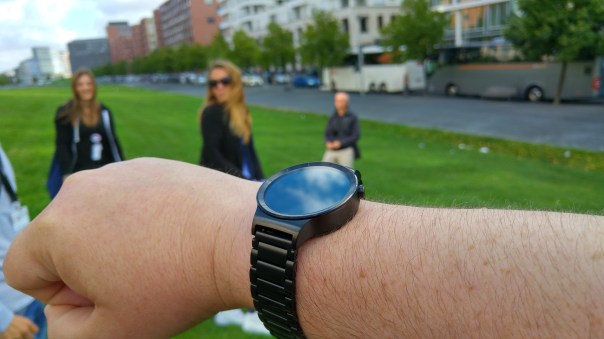
The first thing that strikes you about the Huawei Watch is that it is a full circular display with smallish bezels, and overall its size is more watch size. Compared say to my LG Watch Urbane, it is somewhat less bulky.

wpid-14411837014571.jpg

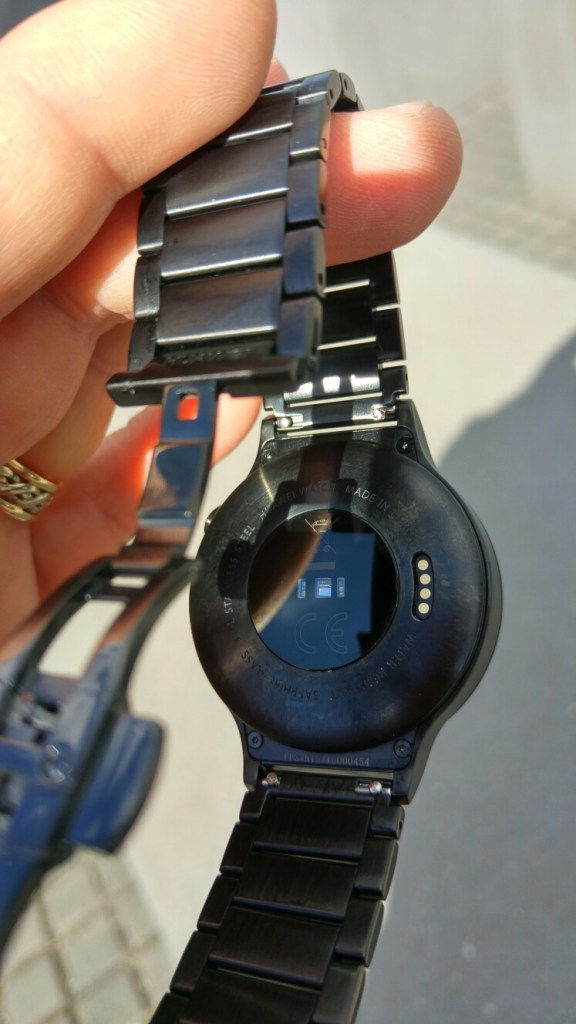
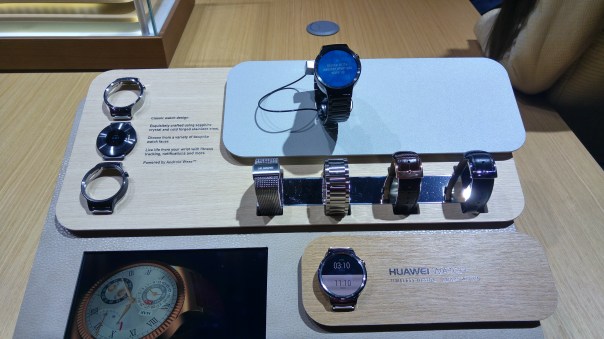
Huawei have gone to town to try and make their watch appear more like an expensive time piece with another of steel and leather straps on offer, as well as different steel coloured finishes. The screen is very clear, and this is aided by the sapphire coated screen. See below the range of finishes and casing. The straps have quick removal pins.
20150902_164941_HDR

20150902_164932_HDR

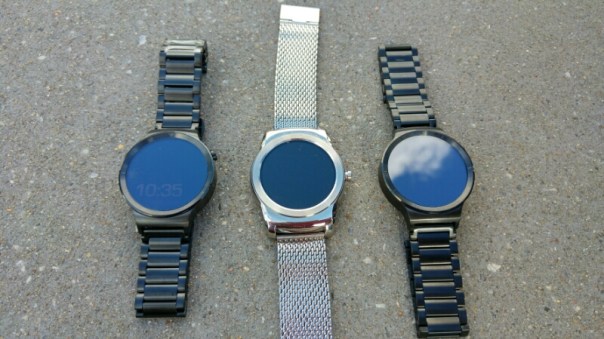
As a comparison, here are two Huawei Watches either side of the LG Watch Urbane.

wpid-wp-1441183029991.jpg

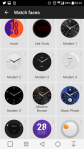
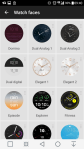
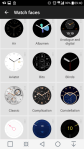
Huawei designed many top notch watch faces for the Huawei Watch. Tap on an image in the gallery to start viewing the options. Note there are some of my Watch faces included in this collection, but I really liked several of the Huawei designed faces.

However, at the heart of everything is Android Wear. Some people love Android Wear and its card based notifications, but compared to other watch operating systems it can feel left behind. Samsung introduced the Gear S2 based on Tizen. This is a slick watch operating system, probably with a deficit in third party apps. Apple Watch has all the apps, but not the range of watch faces available on android wear. Android Wear has all the watch faces but lacks the app integration of that provided by Apple. So there are pros and cons of each. The trick in my opinion is to have a smart watch look like a watch. And this is where Huawei succeed. In terms of battery life we are talking one to two days.

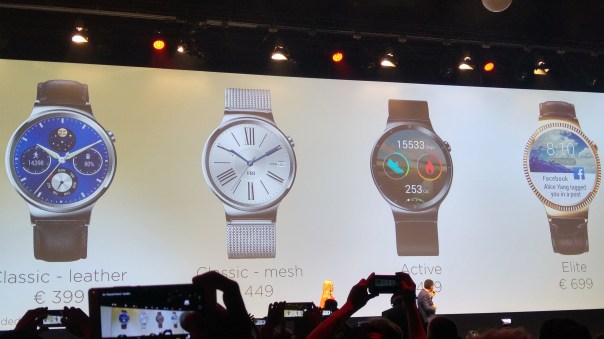
But what about pricing.

20150902_155456_HDR

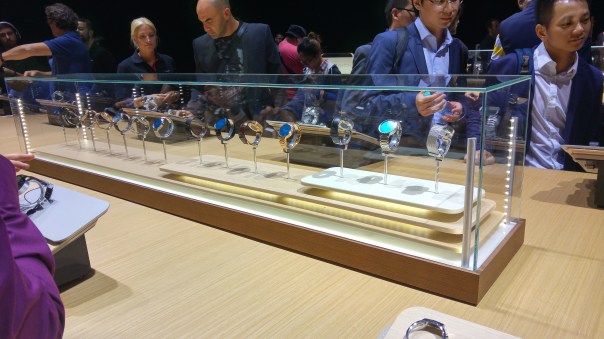
As you can see from the slide photo above, Huawei is pricing the watches at the mid to higher end.

Conclusion

Huawei have gone to town to make a smart looking watch, that runs android wear. To keep up this expensive or premium feel, the Huawei Watch is boxed in a luxury watch box too. The final decision is whether you want to outlay such an expensive on a watch running android wear, but then the same could ve said for those spending £10,000+ on the Apple Watch Edition!

The Features of iOS 9 Battery and Low Power Saving Mode

If you have an iPhone or iPad, I hope you have updated to the new iOS 9 as Apple has delivered on a number of improvements to battery performance and added a low power saving mode.

In my time with the iPhone 6 Plus, the one aspect that stood out was stunning standby time. Now with iOS 9 you get the following improvements.

– Apple have indicated that just by updating to iOS 9, you should get up to an extra one hour’s worth of battery. That’s really impressive if true.

– One way the battery is saved in iOS 9 is stopping the screen from turning on when notifications arrive. This is achieved by using the light and proximity sensors to determine the device is face down.

Now there is a Low Power Saving mode in the settings app. This should have been available a long time ago, but better late than never. This mode offers the following benefits –

– Limiting network activity
– Background downloads are stopped
– App background refreshes are stopped
– Animations are reduced
– Email is no longer fetched automatically
– Screen brightness is reduced

To ensure all of these new options are easier to find the settings app is now more visible instead of being in a sub menu where the battery details previously resided. The battery stats are now able to show battery stats in far shorter time frames instead of the previous last 23 hours.

All of these changes are a positive improvement and I look forward to testing the battery improvements and low power saving mode when I get the iPhone 6S Plus.

Special offers on Amazon! Plus buy anything on Amazon UK & help Gavin’s Gadgets at no extra cost to YOU! pls RT

Can you help Gavin’s Gadgets? Actually you can. If you decide to buy anything on Amazon, please use the special link below to visit Amazon UK. By using this link, you will help support Gavin’s Gadgets with all the running costs and more, and yet it won’t cost you anything when you shop on Amazon UK. That’s right the price you pay at Amazon is the same whether you use the link below or not.

GavGadgets@Amazon

Below are a few special deals or good value items that I have found 🙂

SanDisk 200GB Ultra Micro SDXC reduced from £209 to £105.42

All-New Amazon Fire TV with 4K Ultra HD for £79.99

New Amazon Kindle Fire Tablet, 7″ Display, Wi-Fi, 8 GB – Includes Special Offers only £49.99!!

Oppo PM-3 Classic Planar Magnetic Headphones – Black Finish £349 – My Fav Headphone

Oppo – HA-2 Portable Headphone/DAC – My Fav DAC/Amp £259

Oppo PM-2 Headphones – £699 – The best headphone IMO

Oppo HA-1 Headphone Amplifier / DAC £1,199 – I reviewed this and fell in love with its sound – somebody please buy this for me 🙂

Huawei Mate S – My review

Welcome to my review of the Huawei Mate S.

image

image

image

image

Basics and Interface

Specifications

– Display 5.50-inch 1080p, 73.9% screen to body ratio, Gorilla Glass 4
– Processor – HiSilicon Kirin 935, CPU Quad-core 2.2 GHz & quad-core 1.5 GHz,GPU Mali-T628 MP4
– RAM 3GB
– OS Android 5.1.1 with Emotion UI 3.1
– Storage 32GB, 64GB or 128gb with Force Torch only on 128gb
– Rear Camera 13-megapixel, 8mp front camera, OIS dual LED flash
– Battery capacity – 2700mAh
– Dimensions 149.8 x 75.3 x 7.2 mm (5.90 x 2.96 x 0.28 in)
– Weight 156 g (5.50 oz)
– Dual SIM or SIM plus up to 128gb micro sd card
– Fingerprint sensor, Accelerometer, gyro, proximity, compass
– Wi-Fi 802.11 b/g/n, hotspot
– Bluetooth v4.0, A2DP
– GPS Yes, with A-GPS, GLONASS/ Beidou (market dependant)
– NFC Yes
– Radio FM radio
– USB microUSB v2.0
– Extras – Active noise cancellation with dedicated mic, Xvid/MP4/H.265/WMV player, MP3/eAAC+/WAV/Flac player, Photo/video editor, Document editor

Let’s cut straight to the chase. The Huawei Mate S is a gorgeously made and great looking phone from whichever angle you glance at it. As this is manufactured by Huawei, the phone reception, in fact all the radios WiFi, Bluetooth, NFC and cellular are excellent at picking up and signal as well as clear voice calls. The Mate S is configured with a dual sim arrangement, which can use the second nano sim as a micro SD card slot unto 128gb. It is also dual 4G LTE. There are 3 versions, Standard 32gb grey or champagne colours, Premium 64gb which adds gold/pink colours and luxury is the 128gb Force Touch model which is finished in Prestige Gold. Just to be clear, the Force Touch is only available in the 128gb model. Pricing is 649 euros, 699 euros and even more for the Force Touch 128gb version! That is expensive. Viewing angles are excellent. AnTuTu scored 50,000 which is respectable. So does it live up to the premium flagship status? Read on!

Below is a video of me showing off the build of the Huawei Mate S.

The Fingerprint sensor is the fastest I have ever used. Totally instant. It uses the second generation sensor which gives 100% faster recognition speeds and sensitivity. Once unlocked you can use the fingerprint sensor to take photos, stop alarms, show notification panel or browse photos. It becomes a mouse pad. The interface skin is Emotion UI v3. See screen shots. This provides a host of features and no app drawer too. The phone has a wealth of settings, more than you could ever dream of. Click on the gallery of screen shots below to reveal all the options.

Force Touch – I spent time using this model as well as the 32gb version which I had for much longer. Huawei really have not got a clue what to do with this technology apart from weighing small fruit on the screen or zooming in on photos. In the Huawei press conference, they did mention they were hoping developers would create great uses and apps for this technology. Below is a short video of me using Force Touch.

Audio

I tested the loudspeaker, it is extremely clear but not very loud around 84db. I think Huawei went for quality over quantity. The headphone output is excellent and the phone plays back FLAC files with no issues. APT-X is supported along with USB Audio.

Camera

The 13mp camera is a 4 colour RGBW image sensor, with 1.2 degrees Optical Image Stabilisation, Sapphire Glass Protected but what really counts is the image quality. First let’s look at the camera app interface. As you can see a full range of modes from manual, auto, HDR, panorama, light painting modes, and more. The longest shutter speed is 8 seconds in manual mode. Supernightmode can take up to a minute. Colour reproduction was good. Panoramas were around 8mb in size and well stitched. The camera worked well except for low light shots. In a restaurant I photographed my friends opposite with the LG G4, iPhone 6 Plus and the Mate S. The best shot was by the G4, then iPhone 6 Plus and a really noisy shot by the Mate S. But if you can live with this weakness, the other shooting modes do make for a comprehensive camera app. The supernight mode is freaky good.

Below are screen shots from the camera app showing all the options. Click on a photo to open up the gallery.

I have uploaded around 20 shots to my dedicated Flickr album. Click here https://flic.kr/s/aHskj289sE
image

The colour reproduction is excellent. The Mercedes below was taken with the filter on prior to the shot.

image

image

image

The flower on the table is using the Supernight mode. Phone was on a mini tripod for this shot.

Wet leaves #Huawei #MateS

Another supernight mode shot.

Brandenburg Gate, Berlin #Supernightmode #Huawei #MateS

Using the light painting mode, you can have some fun.

Light painting #Huawei #MateS

image

Timelapse Mode

Part of the default camera app, below is a time lapse recording. Really good quality again.

Conclusion

The Huawei Mate S is the expensive flagship from Huawei. It is impeccably built. Gorgeous to look at. It does a lot really well but in my opinion is let down by the camera in lowish light. At flagship pricing it needs a flagship camera at the levels of the LG G4 or Samsung Galaxy S6. The camera modes like supernight mode and light painting make off for this deficit. At the end of the day, it really depends what YOU want from your phone.

iOS 9 and OS X integration – my next steps and feelings

So Apple released iOS 9 last night at 6pm UK time, and after a few glitches trying to download, iOS 9 had installed on my work iPad Air.

I then upgraded on my MacBook my iCloud storage plan and moved to the £0.79 per month 50gb capacity option. I am hoping this is enough, otherwise it will rise to £2.49 for the 200gb plan.

I had imported photos in to the Photos app going back from Feb 2015, around 400 shots in total. I now had around 4,000 photos and a selection of videos in my Photos app on my MacBook. I had gone through the collection and deleted several older shots or near duplicates to free up space.

So now I switched on iCloud Drive, iCloud Photos with Photostream and iCloud Photos being backed up and then all the other iCloud options. When I switched on the iCloud Photo option, I got a message saying referenced photos would not be uploaded, and these needed to be consolidated first.

WTF.

I had no idea what this meant, but a quick Google and my answer was found. These were all my new photos from this year that I had imported into the Photos app, but not into the Photos database. Make sense? So how do you discover all the photos that are referenced. Well, the Photos app now has smart albums, so simply create a smart album showing all referenced photos. I then highlighted the whole lot, went file, consolidate and 5 mins later the job was done.

I now have to see how long it takes for my photos to upload to iCloud. Once this is completed, I will have nearly everything in the iCloud.

And then my LG G4 shows I have a notification from Google Photos. A new story had been created of my trip to Berlin, completely automatically, adding full names of the places I visited and more. The story is so well put together, I could not have done it better myself. At IFA, Google Photos even identified which hall I was on when a photo was taken. Genius.

Someone tell me why I am moving to Apple again?

Updated – Well since 11pm (its now 6.07am) only 37 photos and 2 video clips have uploaded. Not even a dent on the 4,000 photos/videos needed to be uploaded!

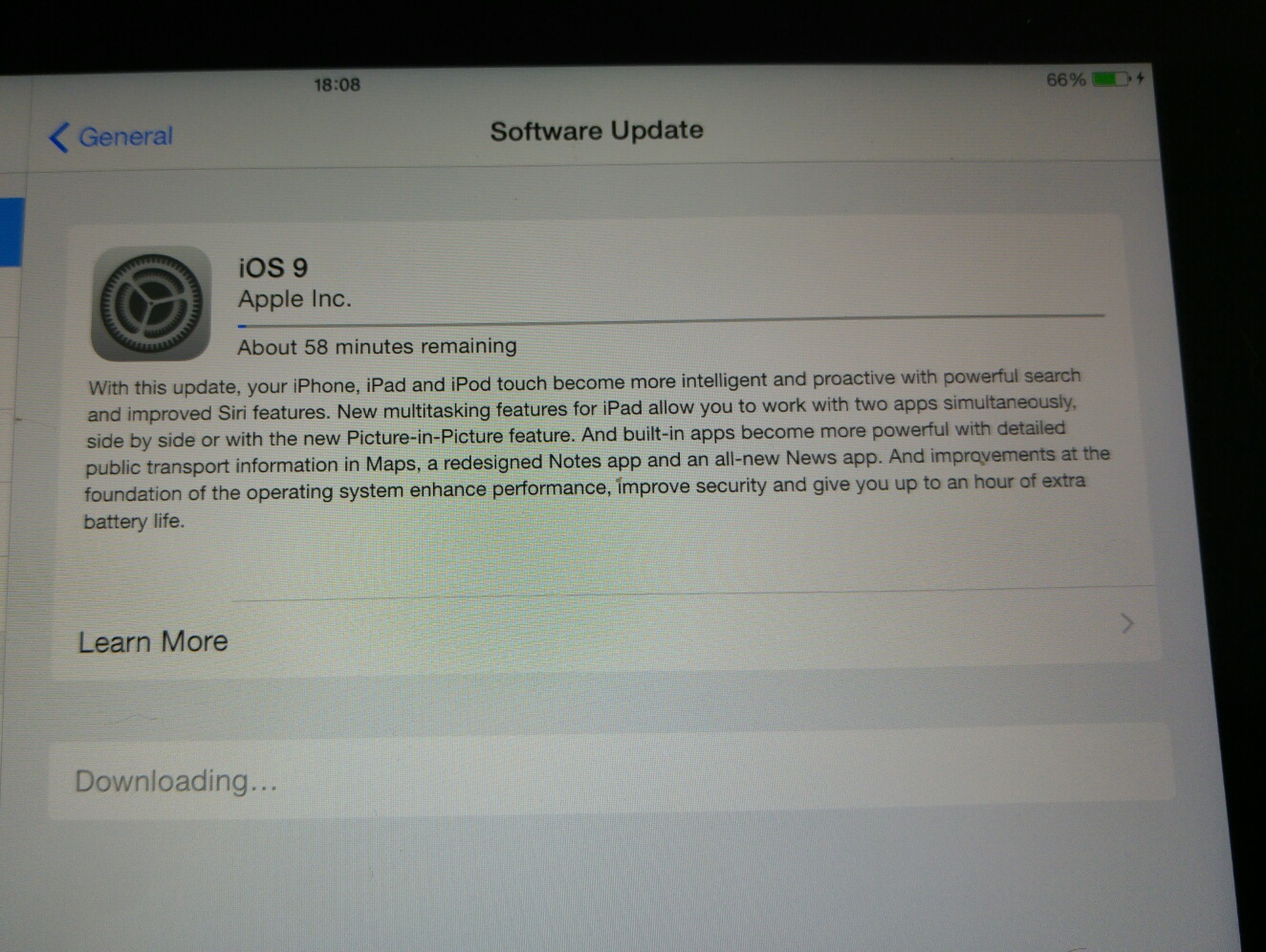
iOS 9 is available – errors and ways to succeed

image

If you have an Apple iPhone or iPad , iOS 9 is now available to download.

Head over to the settings app, general, software update to trigger release.

Except, you may get a software error message. So what do you do?

Fret not, keep trying and repeating process.  Make sure you device is charging and over 50% too.

In terms of how many times you’ll need to try to get download to work, maybe 10 times.

Or wait 24 hours and all will be fine.

Apple Photos app on the MAC – opinion

As part of my move to the new iPhone and looking at ditching Google for as much of my cloud services as possible, I spent a few hours last night downloading photos out of Google Photos and importing them into the new Photos app on the mac.

Well, what a difference the Photos app is compared to the old iPhotos app. Photos has totally grown up, the infrastructure is really logically from albums, folders, moments and events. Next I noticed it doesn’t create a brand new folder directory for imported photos. Finally. Then there is all the editing features that mirror the iPhone and iPad apps.

By turning on iCloud syncing, any photo edits done on the iPhone or iPad will be mirrored on my MacBook.

Sounds really good to me.