Tag Archives: Review

HTC One M8 – Daily Blog – In the Night

image

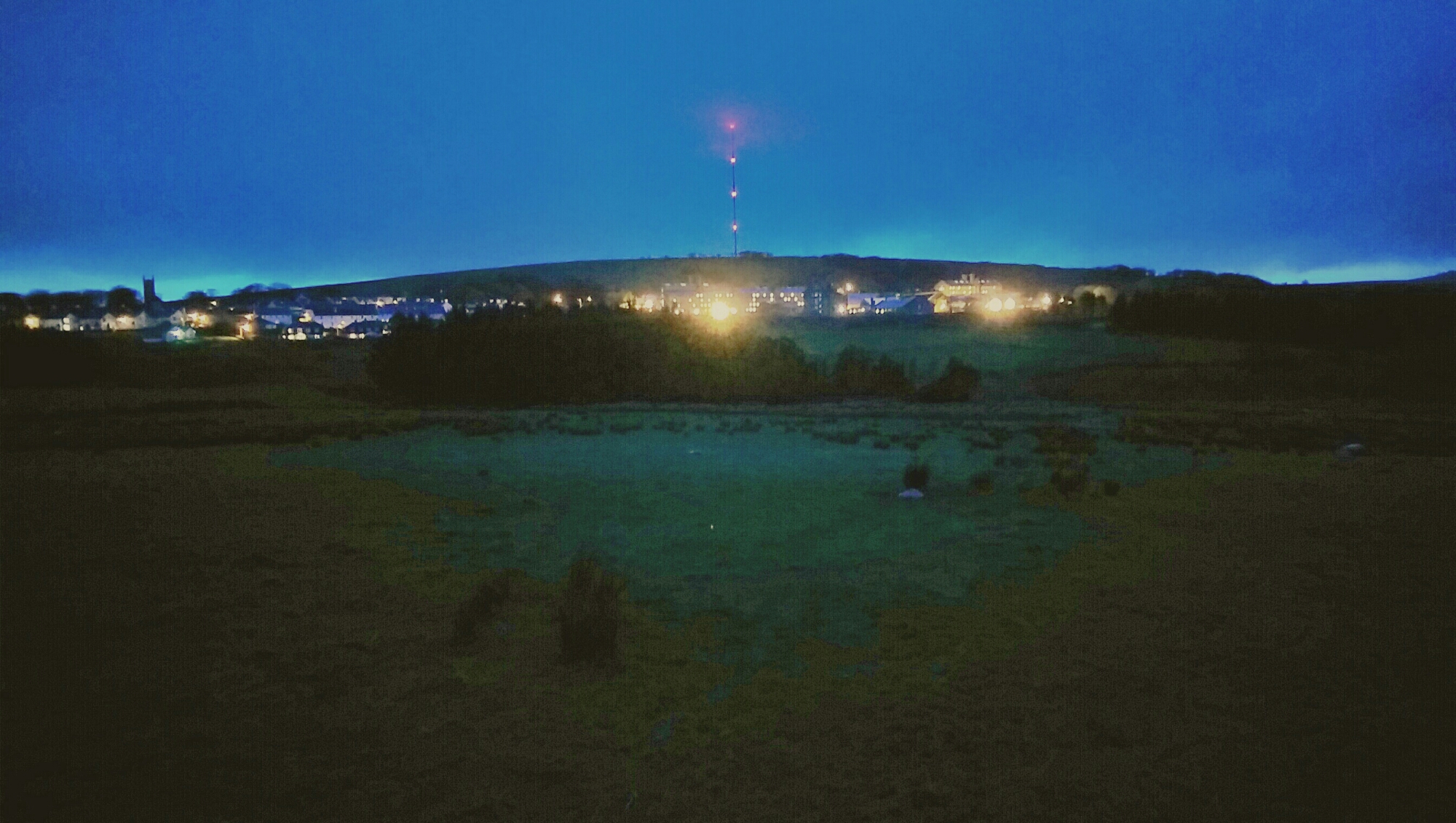
The above photo was taken when darkness was approaching. I used manual mode and a longer shutter time on the M8.

But even later in total darkness. The view is Dartmoor Prison. It’s raining. And there is fog. There is a large field before the prison too.

image

Now to give you an idea as to how much data got captured I quickly edited the photo.

image

Just shows you the amazing low light capabilities of the HTC One M8.

HTC One M8 – Daily Blog – Review – Another Day

Another day has passed and its been a roller coaster of a weekend. Why? Well, I got to play with the Samsung Galaxy S5 and that got me drooling after one. Luckily, this spell didn’t last long.

So back to happy days with the M8 and thinking about the little things on a phone that can make it really a big news item.

And the little thing is a button created on the HTC Watch Infra Red app called “Eject DVD”. You see, not only does the HTC IR blaster have a terrific range that also means it is not necessary to aim directly at the TV, it is also programmable, something that is missing from its competitors. My DVD player eject button stopped working several months ago and the DVD remote did not have an eject button on it. Luckily, I was able to buy an universal remote control that did have this option. But now by using the learning function, I have this option on my HTC One M8. Genius.

Another reason why I love the HTC One M8.
image

HTC One M8 – 7 Part Review plus Podcast

Over the last week I have written a daily blog of my thoughts on the HTC One M8. Below is links to all the articles with the finale tomorrow on Gav & Dave’s Tech Podcast.

Camera Theories of the 4mp<

Hello HTC One M8 – Day 1

HTC One M8 – part 2

HTC One M8 – part 3

HTC One M8 – part 4

HTC One M8 – part 5

HTC One M8 – part 6

HTC One M8 – part 7

HTC One M8 – part 8

HTC One M8 – Daily Blog – review – day 9

Today I am going to share my brief thoughts after just one week of ownership. On Sunday I will share my further views on my podcast I co-host with Dave Rich, Gav & Dave’s Tech Podcast . Dave also has the HTC One M8 so it will be an interesting discussion.

Camera – excellent. Best lower sharpening to minus 0.5. HTC over sharpen normally. More shots of pets and people obtained due to speed of camera launch and time to first shot taken. If a very bright day, switch to HDR, focus on sky, press and hold to lock AE/AF. Then take shot.

Sense – it makes sense. Designed properly. Feels stock but with some extras that feel smooth.

Sound – Boomsound – the best quality and loudest. Headphone amp so strong. I am finding I can use phone as standalone music player.

Hardware – drool worthy. Say no more.

Extras – free silicone case a decent freebie

Screen – find me a better one. Colours look natural and dont seem to strain eyes.

Speed – move over Ferrari

Upgradable – with ease as HTC apps in Play Store. I like the idea of not having to wait for firmware updates. Also, HTC have an app for new apps they introduce for your phone, thereby adding new features on the fly.

I was a bit worried about the low 4mp rear camera but based on the results I am pleasantly surprised. The wide angle lens is great too both on for the rear and front selfie camera.

Tune in for Sundays podcast where I will provide detailed examples of each of the above.

HTC One M8 – Daily Blog – Review – Day 8 – Ultrapixels

Following on from yesterday’s explanation of the camera modes, and the day before that explaining some of the effects, today I am going to explain my thoughts behind the Ultrapixel arrangement on this phone. I previously had the original HTC One, which based on my experiences of that phone and the new M8, helped me create this article.

The M8 has a Ultrapixel lens and a depth sensor lens. At 4.1mp it is definitely not the best camera on the market. Make no illusion about this point. The depth enabled shots that create a bokeh effect either work well, not so well or simply fail. But I am hoping with software updates and developers on board the potential is huge.

However, the Ultrapixel optics is good at picking up subtle differences within a range of lighting but it is poor at dealing with situations where there is a very wide range of lighting in a photo. Sky shots are a nightmare where there is bright sunlight and grey clouds.In my experience. HTC took the decision that this would be more of a social camera and therefore calibrated it to pick up subtle detail when lighting situations have a low level of variance. Eg inside a room for a constant light reading and subtle variances in the shot. Look at my table shot of the mugs yesterday. Great shot.

So what does this mean for outdoor bright shot. Tap on the screen and use a point where the lighting is slightly darker than it needs to be, unless you can find a perfect spot. It is easier to lighten a photo as the information already exists, but impossible to adjust an over brightened shot in the same way.

The HDR mode of the HTC One is far too bright. I am trying third party apps that have an HDR mode and so far the results have been better than the inbuilt camera app. In fact the best app so far is “A Better Camera”. But it is a close call sometimes between using the stock app.

So I mentioned HTC made this a social camera with lots of funky effects to show off to your friends on social media, video highlights of the events all created for you, so in reality the photos where this camera shines are quick snaps to capture that moment that other phones will have missed and in slightly lower but not total darkness lighting eg in a bar, at home early evening. Pets, people and relatively close up shots, macro and such like all work really well.

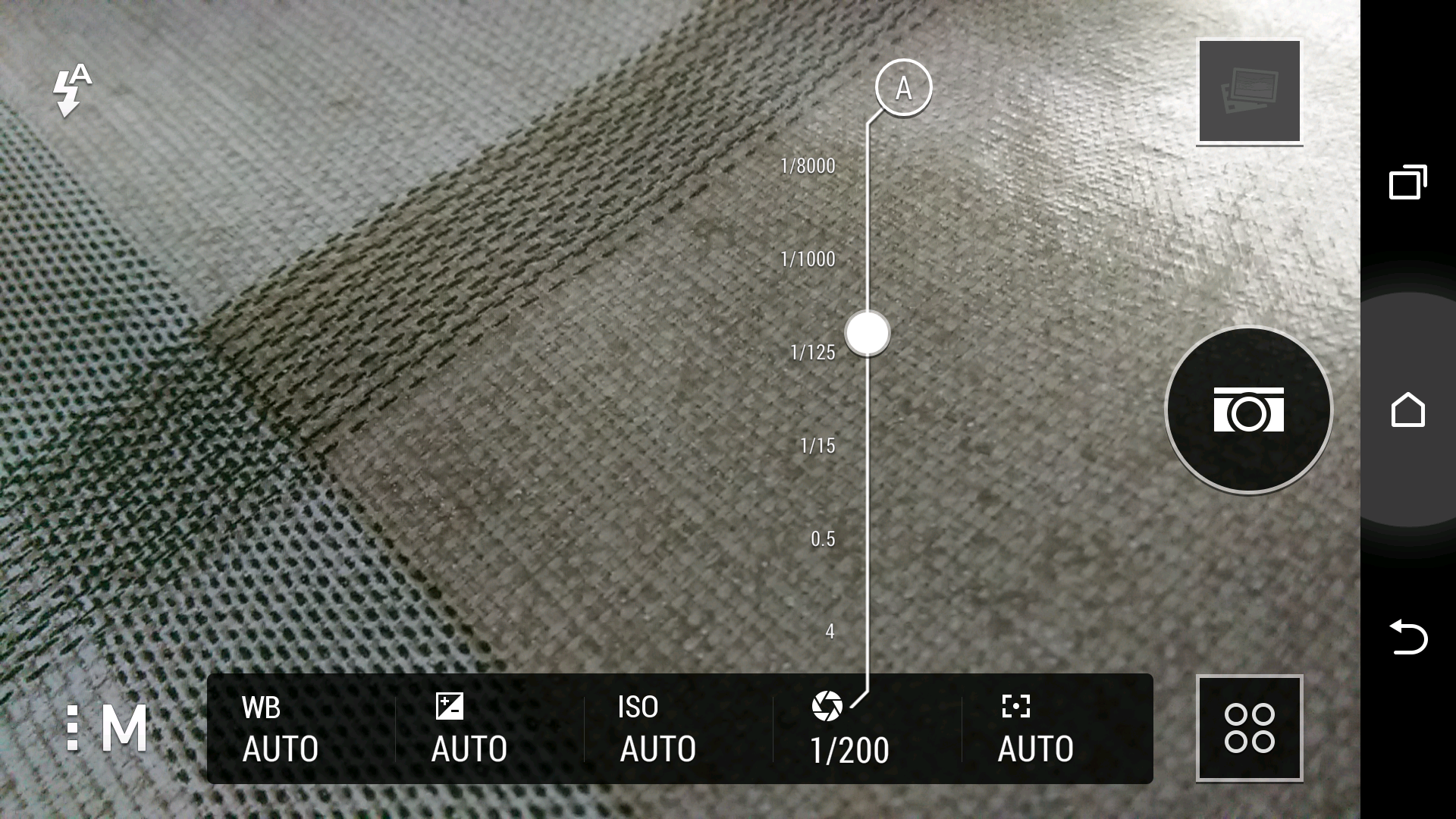
So is everything else is just average? I don’t think so. In fact, the photos I have captured look wonderful. There is even in manual mode shutter control, so you can set a longer shutter time if required.

See for yourself at a selection of 16 shots and decide for yourself. Click here for Flickr set.

https://www.flickr.com/photos/gavinfabl100/sets/72157643265004874/
image

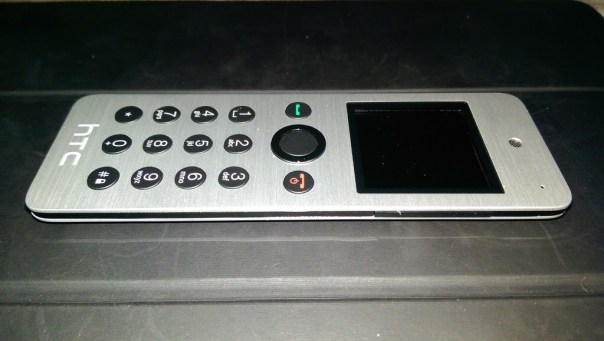
HTC Mini+ Review – a phone for your phone

20140402-053911.jpg

The HTC Mini+ icon and settings options appeared in the HTC One M8 so I was curious about it enough to see what all the fuss was about.

The official specs are –

– Size – 118.7 x 39.8 x 7.15mm
– Display – 1.5” white color 4 gray OLED, 128X128 resolution
– Features – Stay connected with calls, SMS, Notification,
– TV remote
– Facilitate presentation with remote control and laser pointer
Applications
– CIR/Sense TV
– PowerPoint controls
– Connectivity – Bluetooth® 2.1 + EDR and NFC Pairing
– Battery – 320 mAh
– Talk time: 9 hours
– Standby time: 95 hours

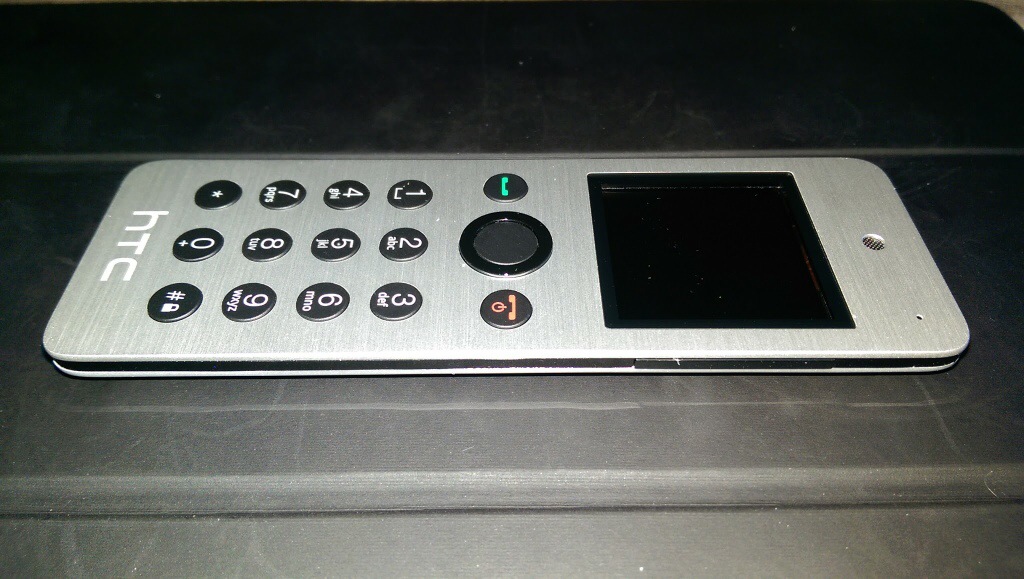
So, it arrives as it is slightly bigger than I thought it would be and not as slim. It has a slightly curved back which has a plastic feel to it, thus ruining the metallic front finish look.

In the box is the instruction, device and micro USB cable. First up you have to give it a full charge. Turn on and pair either via Bluetooth or NFC.

Functions. If a call arrives on your HTC One M8 it displays caller and vibrates but the Mini+ rings with the name in the display. You answer and talk away. Call quality was fine but even at full volume the ring volume isn’t that loud. You can do conference calls on this. This device is very light so if you do lots of calls you won’t end up with hand ache. You can make a call from the Mini+ either by scrolling through frequents or tapping the name out on the keyboard until the name appears on screen. This is actually very intuitive and uses a T9 logic so is very quick with few taps needed for most names.

The Mini+ can act as a remote for the camera shutter, even worked on third party camera apps eg a Better Camera, gallery app ( so if connected to the HTC Media Hub you can use it to remotely show your photos on the TV ), PowerPoint slide remote with laser pointer and TV remote control. You can also use it as a controller for your windows PC. It also acts as a remote for media playing on the HTC One and works for most media apps.

The TV remote option is cumbersome as you have to use text based options displayed on the screen and takes the info from the M8 TV app. It also only has limited options. Better than nothing I suppose.

Find My Phone. Press this and boomsound blasts your ringtone at full volume. You won’t take long to find your phone.

Notifications – shows details of missed calls, readable text messages and replying using the text templates from the HTC One M8 and a number of received emails. However, this is from the HTC Email app only and it’s just says emails with the number received. You cannot scroll to see who they are from. Rather pointless. And that is it for notifications. It does sync notifications so if you read a text it’s marked as read on the HTC One M8. Same for calls. Diary. You can view next events for the day.

But the screen goes black in standby so unless you heard you had missed a text etc.. you wouldn’t know to check the screen.

The HTC Mini+ came with software version 4.0 and according to HTC’s website there is a firmware update but you need a windows PC. Mac is not available.

My closing opinion is it’s cool to look at, a conversation piece, but debatable as to its usefulness.

Available from Clove Technology.

Hello HTC One M8 – daily blog and review part 1a

Following on from my camera samples, I thought I would not to a review or first impressions but cover off how I am getting on with the HTC One M8 every few days or so, or when something interesting happens.

First impressions. The phone looks fab. It feels great and solid in the hand. In the box is a groovy looking UK adapter and usb lead, headset, silicone case with flaps to protect the headphone and micro usb port and leaflets.

Before you setup the phone properly, go to the software update and check for an update. There is a 110mb update. This is an important update as it improves the camera and adds many features.

I am using the HTC Launcher for now and have setup Blinkfeed as my homepage. It certainly has improved since owning the original HTC One. You can add many services and search for new ones too. I have also installed 90 Apps/Games and have 4.83gb internal memory free.

I have encountered a few bugs with the camera and the refocusing feature, but I need to explore the camera more, read the manual over the weekend and then decide if it is user error or a bug. I have also noticed different file sizes on the camera photos from 1.2mb, 3mb and even as large as 7mb. I am still trying to work out what settings are providing the higher quality outputs.

I setup the TV remote last night. It was so simple vs the procedure on the Note 3. In fact, the HTC One is simpler and easier and faster at most things. Its speed is effortless. Its screen is beautiful. The TV remote app is far superior to that found on the Note 3 with a clear and more functional layout. I like the fact my favourite TV programmes will appear in my Blinkfeed as a warning to watch them nearer their start time. Also from the TV guide from within the app, sliding right to left pulls up trending info on the programme or film you are watching. Rather neat.

The motion controls are simple but effective too. Picking up the phone and double tapping unlocks the phone. With the screen off, slide your finger left to right or right to left and you launch Blinkfeed or your widgets.

Anyway, once I have got to grips with all the options I will report back. In the meantime, if you have any questions, please let me know.

And if you can support Clove Technology with any of your smartphone needs even better.

Samsung NotePRO 12.2 impressions

image

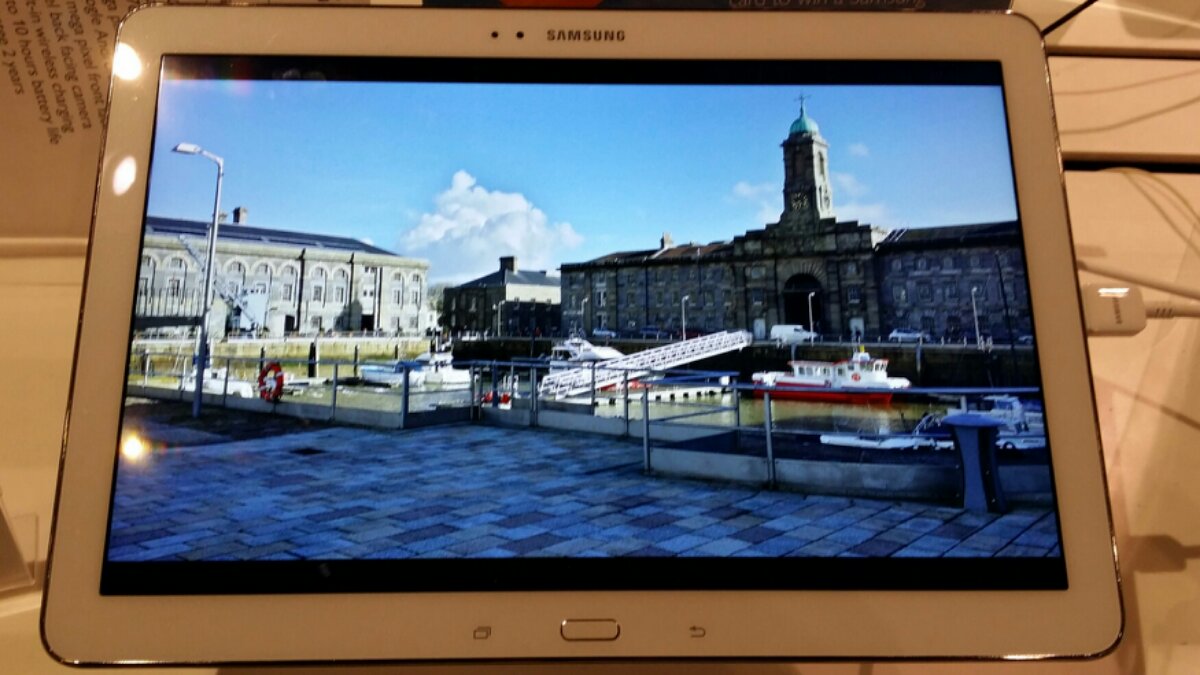
The Samsung NotePRO 12.2 tablet first impression is simply, it’s huge. It makes the iPad Air and Samsung 10.1 2014 Note Tablet seem small !

The rear of the NotePRO is a fake leather back, identical to that on the Note 3.

In fact everything about the tablet is very similar to the Note 3 just on a grander scale.  But it does feature the new Magazine UI launcher instead of Touchwiz.  The new launcher isn’t as in your face as touchwiz and appears slightly lighter in weight. 

The screen allows 4 apps to be open at the same time as well as using floating apps.  There is a much wider choice of floating apps versus the Note 3 selection. And as I said before its otherwise identical to the Note 3 just a lot larger.

The built in keyboard is excellent but at present there are no smart cases which would really be needed for a device like this.  I would rate it higher than that found on the iPad as it includes the numbers and other keys permanently. 

Weight.  It’s heavier than the iPad Air and this is noticeable even after an hour worth of use.  Strength. It doesn’t feel as solid as the iPad Air. But then again nothing does.  It feels a little flimsy even though it’s well made.

Photos.  The 8MP camera does a reasonable job but is not going to set the world alight for photography.

Screen.  It looks great.  It’s not the biggest resolution available but 12.2 inches doesn’t hurt ones eyes. In fact Web browsing is so enjoyable it begs the question whether you would even bother with a home computer if you had this tablet.

At £649 for the wifi only model it isn’t cheap.  And that will be one of the reasons it doesn’t sell by the bucket load.

Question is, would you buy one?

Sony Xperia Z1 Compact review

The Xperia Z1 just got smaller.

Sony has set a high standard with their Xperia Z range of phones. First the original waterproof Z, then the 20 MP camera in the updated Z1 and now the Z1 Compact.

As the name implies, the Compact is smaller in size than the Z1, but that is really where the differences end. The Compact has a smaller battery and a smaller lower resolution display but the same feature set.

The battery has dropped from 3,000 to 2,300 mAh and the screen is now 4.3” with a 1080 x 720 resolution, in comparison to the 5” 1920 x 1080 display of the Z1. Of course the physical size and weight has been affected too but more on that later.

More over at Clove Technology Blog.