Just a brief note.
It just works fairly well. Chrome seems to hog too much memory and causes a freeze every so often.
I used the S-Pen to write up a whole letter and that felt great.
Pleased with the tablet.
Just a brief note.
It just works fairly well. Chrome seems to hog too much memory and causes a freeze every so often.
I used the S-Pen to write up a whole letter and that felt great.
Pleased with the tablet.
First up the Gear S is very comfortable to wear. Second battery life is good enough for nearly 2 days or at least one full day. As I mentioned there is the cradle that acts as a portable battery pack to recharge the Gear S.
So I set off walking for nearly an hour and told the Gear S I was walking. As I walked my heart rate was visible when I checked along with other information like time taken and calories. As I haven’t got a micro sim for the Note 4 it wasn’t able to track my GPS movements. So this is what my results from the walk produced back on the Note 4. I need to establish if I need a certain setup with the Gear S.
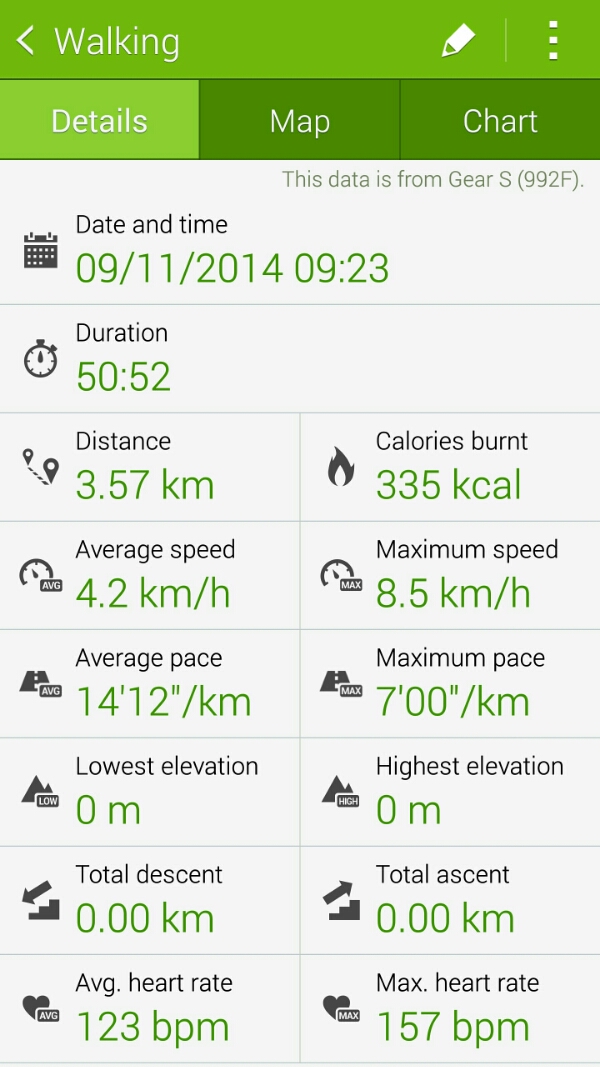
This is then included in my S Health main page as below.
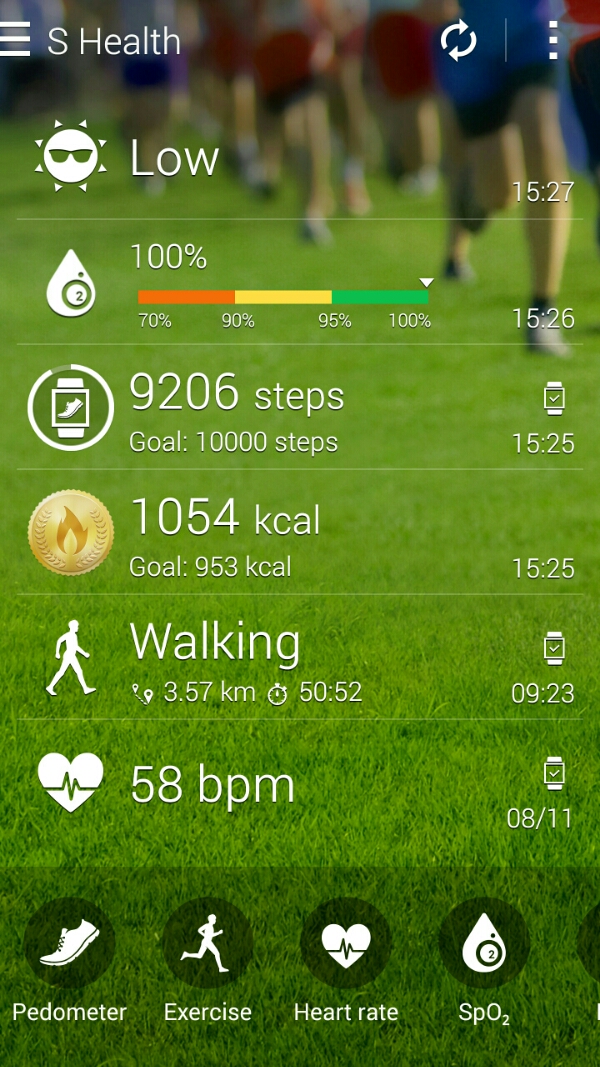
It’s 4pm on Sunday as I type this. The Gear S battery is at 75%.
I still think the cradle is a nightmare to remove versus other options but I do believe from what I’ve seen the Gear S is more accomplished than one thinks.
Just going back to the Note 4 sim and Gear S nano sim. This is what I understand so far.
You leave your house without your Note 4. The Gear S will disconnect its bluetooth connection to the Note 4. After a few minutes the Gear S does the following –
– It connects to the mobile network using its own nano sim
– It also sends a signal back to the Note 4 which initiates call forwarding and also sends all the notifications received on the Note 4 directly to the Gear S.
All this is achieved by signing into your Samsung account to get the remote access working.
Now if this happens correctly then that is very clever.
Ok, I got a chance to use the Note 4 some more and it started to grow on me just a little bit more than I expected. I got a chance to use the camera and even managed a shot of the moon. In contrast, the iPhone 6 Plus had to be fooled in to taking anything worth while and even then the end result was only 7.3kb in file size.
Below are some sample shots from the Note 4 taken at the weekend. What I have noticed compared to the Note 3 and Samsung S5 is there were hardly and wasted shots. The Note 4 got the shot first time and quickly from an off position. Annoyingly my iPhone uses a nano SIM and I didn’t get a chance to get a micro sim at the weekend. This meant not being able to use all of the Note 4 features.
Some shots. All unedited. Not full size. Click through to flickr, change settings to original to view full size version.

Another.

Action shot.

And one last thing. That screen and S Pen and S Health. And the fingerprint scanner actually works every time.
As you know, I co-host a bi-weekly podcast with David from UKMobileTech called Gav & Dave’s Tech Podcast. It is a light hearted tech podcast broadcast bi-weekly. To subscribe click here for iTunes or copy and paste this link into your favourite podcast app.
Episode 27 is now live for your listening pleasure. Today we discuss the new Samsung Gear S, the Note 4, Note Pro and much much more.
If you have enjoyed the podcast, please leave a 5 star review in iTunes. It helps others find our podcast. Go now and leave a review !
If you have any comments, questions or feedback, please drop a line at feedback@gdtpodcast.com .
Last night there was a relatively clear shot of the moon. Some cloud but I wondered using the default camera apps which phone would snap the best shot. Both shots below have been cropped to a 1:1 aspect ratio. The Note 4 after cropping creates a 8mp shot from the 16mp, so it seems a fairish comparison with the 6 Plus photo.
First up is the iPhone 6 Plus.

And now the Note 4.

So which is best?
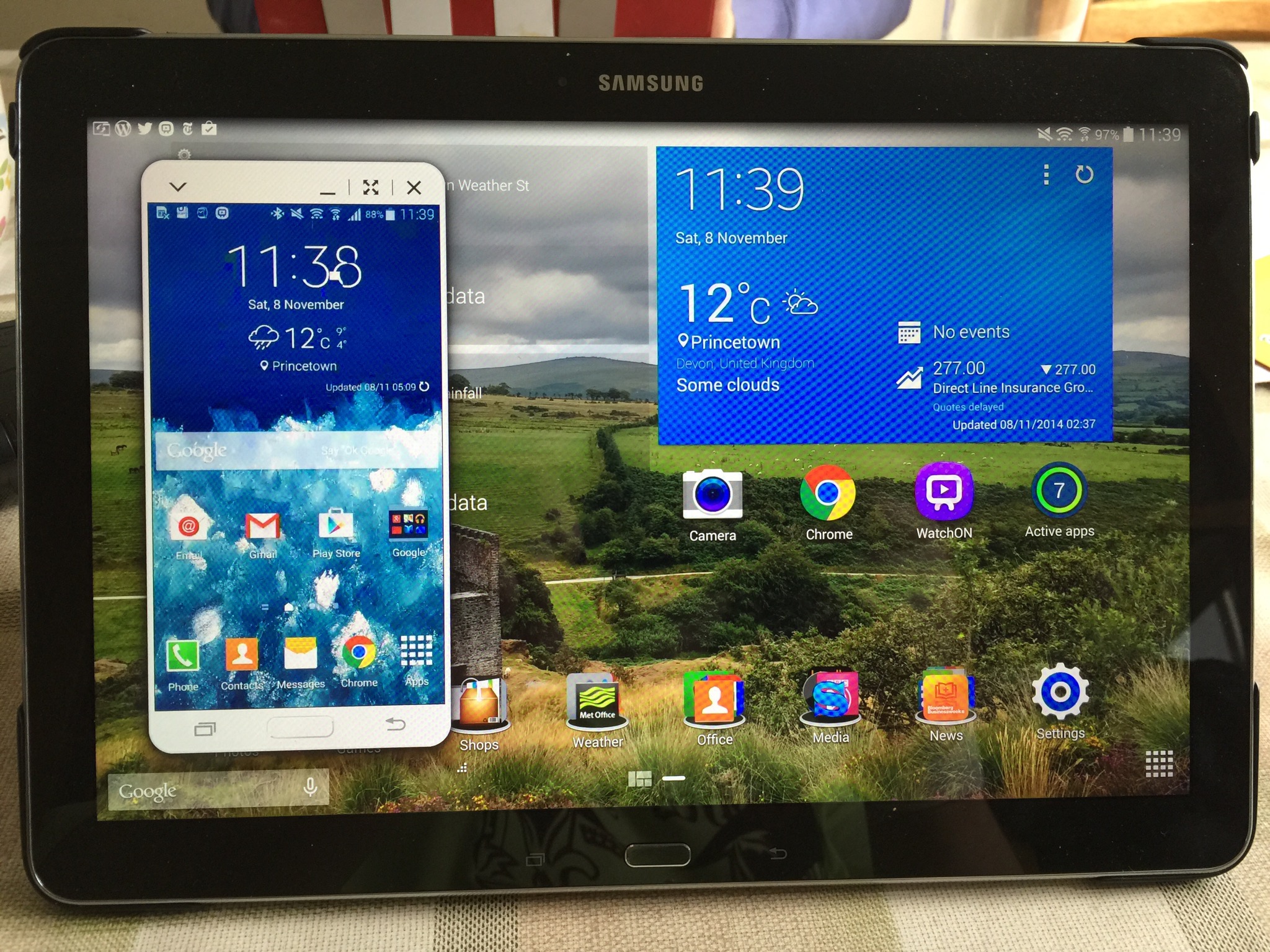
So I’m working on the NotePro tablet and managing the Samsung Note 4 at the same time using the Samsung SideSync 3 app.
Great feature.
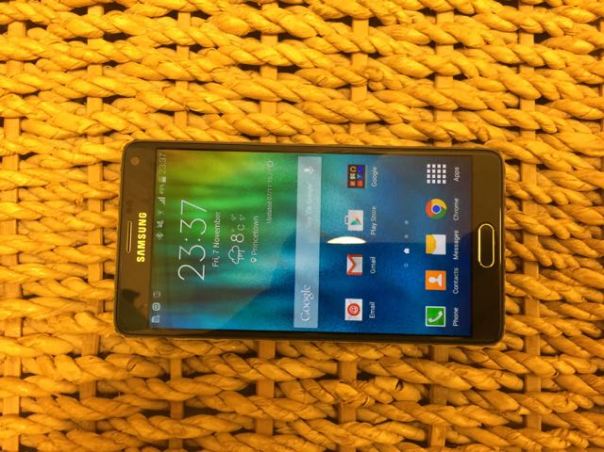
Samsung Galaxy Note 4
These are my initial findings and thoughts on the Note 4. Opening the box, it does not look anything wow, but it does look considerably better than the Note 3 (which I liked a lot). Before I started setting it up, I fully charged the phone. And that is when I got a glimpse of what the screen was going to look like when the battery indicator appeared. That was a small wow moment. In rapid time, the Note 4 was charged to 100%. The charge time was quick and that is thanks to the Fast Charge technology built in to the Note 4. I will address this again later on. So turning on after charging, a few passwords entered and voila. Note 4 was ready to rock. First thoughts. The screen is fabulous and is worth the change from the Note 3 for that alone. I have briefly tested the camera, S Health, music playing via the loudspeaker and bluetooth headphones, general usage of the phone, connected the Gear S and a few bits more. I need to get a micro sim today at some point. I added my 64gb micro sd card and that is working just fine.
My first few gripes are the bluetooth stereo. It was suffering from dropouts or stuttering every now and then. The audio quality was IMO disappointing versus the iPhone 6 Plus. I had connected my Philips Fidelio M1BT which have APT-X. The Note 4 has APT-X which is a high quality music codec. The iPhone 6 Plus does not have this codec support, yet sounds much better! Loudspeaker on the Note 4 is poor.
The design of the Note 4 now incorporates a metal band around the edge of the phone, but it is not a tight fit and it allows for expansion. This in turns means dust can drop along the gap between the edge and the glass. On one of the edges I was able to insert a piece of paper. It may not amount to anything but time will tell.
There was one software update. This installed in less than 10 minutes. There were a number of app updates but overall the process was over and done with quickly.
I tried out the S Health application, used the heart rate monitor, Oxygen Level monitor and Ozone monitoring. These all seemed to work just fine. Also, by logging back in to my Samsung Account, my S Health data was restored. In fact, I think the S Health application by Samsung is really good.
Camera. I took a number of shots and compared them with those from the iPhone 6 Plus. This could be a interesting shootout. In very low light the 6 Plus definitely has the edge. As to other conditions I will let you decide as I take more and more shots to compare, weather permitting 🙂
Battery. The first day always puts a strain on a device. The Note 4 made it to midnight from 10am with 40% charge left. That was impressive. More impressive was the fast charging. I need to time it but it really is an OMG moment when you witness the speed of recharging the phone. So 5 hours on standby and its loss 12% battery. That’s worrying as I have not yet installed all my normal apps. As a comparison, the iPhone 6 Plus after 5 hours on standby loses nothing on the battery and has 200 apps installed.
I also experimented with the S Pen. This again is a marked up improvement from the Note 3 and really really works beyond what you imagine possible. Recognition of handwriting and shapes and more is awesome.
It is early days with the Note 4. It seems to be a really good phone so far, but I have found an issue with bluetooth stereo music playing. Also the loudspeaker is poor. And then there is the comfort holding the device. Its defined edges make for an uncomfortable grip, but it is grippy. So a pay off I suppose.
Speed. It flies. Not seen any lag period. The Snapdragon 805 really powers the Note 4 smoothly. That’s it for now. More next week in more depth plus whether it is worth the premium price tag.
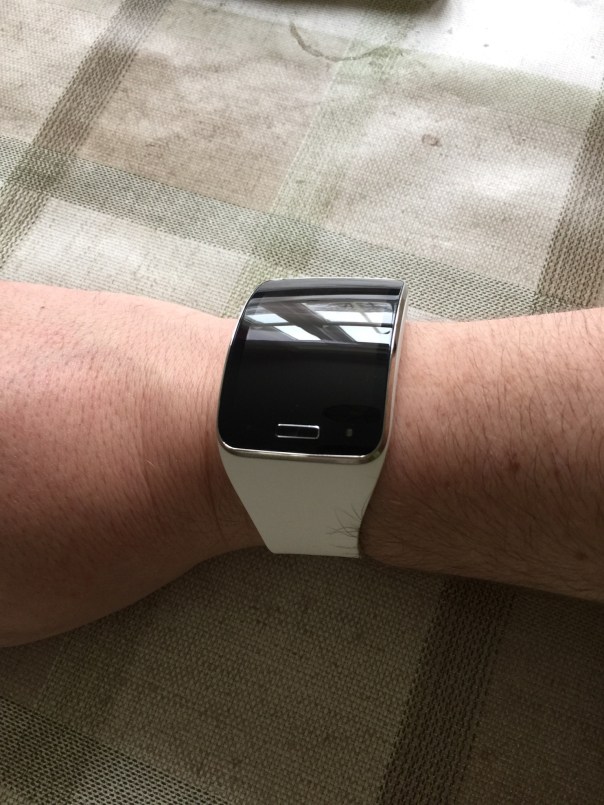
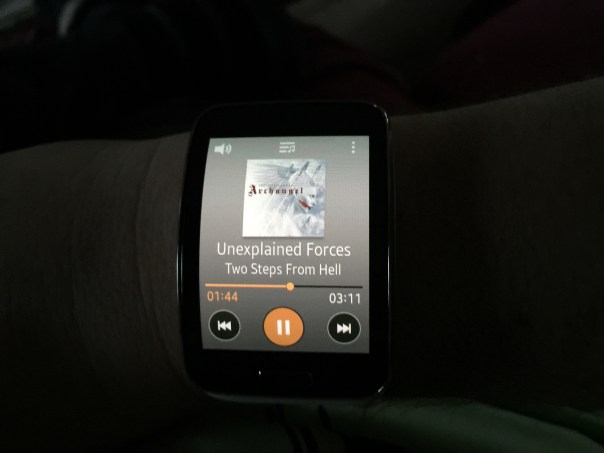
These are my first day observations with the Samsung Gear S.
Out of the box I loved the bold and size of the Gear S. Mark my words it is massive, really massive but I personally think that is a selling point and style point alone which I really like.
I have set up the Gear S with my Note 4 and tested most of the functions. I am pleased to report the battery ended day 1 at 44%. The battery cradle also acts as a power pack so if you are away for a couple of days you can snap on the cradle and it will charge the Gear S. However, compared to the LG G Watch, the battery cradle is a PITA to attach and detach. The LG G Watch has a magnetic base that just pinged together as easy as ABC with its magnets.
The curve of the Gear S is lovely. The screen is responsive and all the functions work as advertised. I inserted a nano sim and made a few phone calls without using the Note 4. First up, the loudspeaker of the Gear S is not loud enough for my ears, so a bluetooth headset will be needed.
I wanted to test the in built music player so I moved my music across from the Note 4 to the watch using the Gear Manager on the Note 4. This process is done via bluetooth and take ages. Next problem is the music quality is just average via bluetooth headphones. In my mind it is not really worth the aggravation of using the Gear S as an mp3 player unless you really wanted to. S Voice worked fine. Notifications seem to work fine, but only after the second software update. Before that I don’t think I was getting any notifications.
Clock faces. There are some great clock faces, but in my mind not enough decent ones to choose from. I wish it was possible to change the background colour on some of these. I need to explore the situation of the nano sim and micro sim of the Note 4. Apparently, according to Carphone Warehouse it is possible to get a duplicate sim with your same number for the watch.
As I have owned the original Gear, Gear 2 and Gear Fit the Gear S held no surprises. It all worked as advertised.
More next week plus my thoughts on the Gear S and Note 4 combination and whether these devices are worth their mustard. Plus my views versus smart watches like Pebble and LG G Watch which I have both owned.
I have run out of time today, so just a quick note to say this is by far the most useful and pleasurable tablet I have owned. I am really pleased I sold my iPad Air to buy this. In fact the money raised by selling the iPad Air was £5 more than the NotePro cost to buy from Expansys who have a special price at the moment. Details http://www.expansys.com/s.aspx?search=samsung%20note%2012.2 .
Happy days.
Just a really quick photo comparison. Don’t worry there will be plenty more and more evenly taken.
I’m not into pixel peeking too much just which phone can take the best shot. The 6 Plus is up first as is 4:3 ratio versus the Note 4 that snaps in 16:9.
So which do you prefer?
And now the Note 4. Full resolution.