Category Archives: Tech News

Fight – Apple vs Samsung Eco Systems

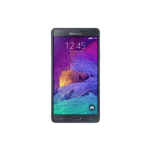
In my left corner, I have the Samsung NotePro 12.2 inch tablet, Samsung Note 4 and Samsung Gear S.

uk_SM-R7500ZWABTU_000259274_Front_whiteuk_SM-N910FZKEBTU_000258012_Front_blackuk_SM-P9000ZWABTU_004_Front3_white_10039907131921

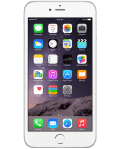
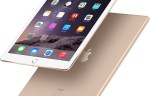
Preparing to take aim in the opposite corner is the iPad Air 2, iPhone 6 Plus and Apple watch. Of course we can also include the MAC. Since the Apple Watch isn’t available I will have to make some assumptions based on leaked information and that provided by Apple.

iphone6-plus-box-silver-2014_GEO_EMEA_LANG_ENipad-air2-overview-bb-201410og_apple_watch

So for the next 2 weeks or so, I am running an experiment. I will have the Samsung tablet, watch and phone working together and see how everything compares to the Apple experience. I will also produce a brief price chart to compare the cost versus the experience.

Any thoughts?

Samsung offers a number of free gifts and limited trials with Note 4 and Note Edge Phones

Samsung has opened up its new offers for the Note 4 and Note Edge phones. Be careful, if you have ever used some of these offers before e.g. Dropbox, unless you use a different name you may not get the promotion.

The master list –

– Audible — Free 3 month subscription to Audible
– The Wall Street Journal — Free 6 month subscription to The Wall Street Journal
– Kindle for Samsung —1 free eBook per month through Samsung Book Deals
– NYTimes – Breaking News — Free 12 week subscription to NYTimes – Breaking News
– Bloomberg Businessweek+ — Free 1 year subscription to Bloomberg Businessweek+
– OnLive — Free 3 month subscription to OnLive
– 100% Games — 3,250 free gems in Dungeon Hunter 4 game
– Diddeo — Free unlocked frame feature on Diddeo
– AmpliTube LE — Free unlocked features on AmpliTube LE
– SketchBook for Galaxy — Free unlocked professional-grade paint and drawing software with Pro features
– Parallels Access — Free 6 month subscription to Parallels Access
– ArtRage — Free download of ArtRage
– Dropbox — Free 50 GB of Dropbox space for 2 years for new users
– RealPlayer Cloud — Free 6 month premium membership to RealPlayer Cloud
– Pocket — Free premium subscription to Pocket for 6 months
– Hancom Office 2014 — Free download of Hancom Office’s Office Editor for unlimited period
– Magisto — Free 3 months of Magisto Premium
– CameraAce — Free 6 months of premium features from CameraAce – Photo Slideshow
– Perfect365 — 8 premium animation effects on Perfect365
– PayPal —Visit http://www.paypal.com/samsung to get access to special deals from some of your favorite online stores. Consumers can shop using a variety of offers with a combined savings of $50 or more.
– Life360 — Free 6 months of Life360 premium service
– Workout Trainer — Free 6 months of Workout Trainer Pro+
– TripAdvisor — Exclusive functionality for users

Source: Samsung – http://www.samsungmobilepress.com/2014/11/05/Expansive-Lifestyle-Galaxy-Gifts-Package-for-Samsung-Galaxy-Note-4-and-Galaxy-Note-Edge-1

Samsung Galaxy NotePro 12.2 Tablet – first impressions

image

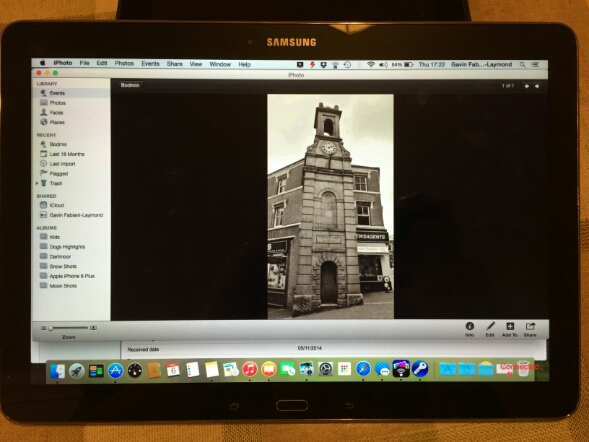
Don’t be confused, it is Yosemite running on the Samsung NotePro 12.2 tablet but it’s using the free software Remotepc that Samsung provide. It’s seems really good too and it has a file explorer allowing the transfer of files from your computer to tablet  The above photo demonstrates just how big the tablets screen is.

Anyway, last night after allowing the tablet to charge, then spending the next hour or so downloading all the app updates from Google Play store and the Samsung App store plus the installation of 2 OTA firmwares the tablet was ready to rock 

First impressions are that it is huge. It is heavier than any tablet I have held in years. But it is also the biggest tablet screen size I have used too. In fact the screen is fabulous,  as is the default on screen touch keyboard. I have typed this post on it.

Several apps look like stretched phone apps, but on the whole the rest looked fine. The S-Pen is included and is more suitable for such a large screen for note taking and such like. Handwriting recognition appears to be really good so far. Samsung include many business type apps which I will cover off in more detail. Multitasking with 4 windows open is slick, but it is better to have 2 as the size of the windows is 6 inches a piece. This is the first Samsung product that includes a brilliant infra red software app. Very pleased about this as the dvd software includes the eject button. My dvd player eject button doesn’t work anymore and the official remote does not have an eject button either. 

If Apple release a 12 or 13 inch ipad,  the experience will be fantastic. I hope they include allowing more than one app to be displayed on the screen. Photos just shine on this tablet. In fact, they look better than on my ancient macbook. If my macbook dies I could just use this tablet.

Lag. It’s Samsung. It lags. Slows down at times. But in reality it doesn’t matter that much. There is also the magazine UI powered by Flipboard which also adds some HTC Blinkfeed options too.

I still have a lot to setup and discover. I will also be using this tablet with the Samsung Note 4 and Gear S. First impressions will be on Sunday hopefully on my podcast .


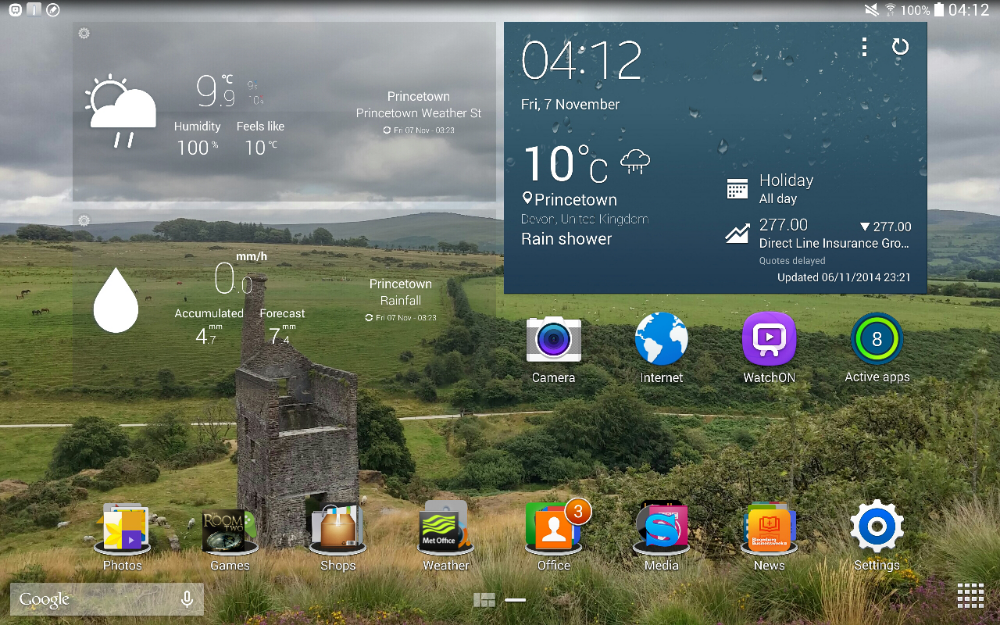
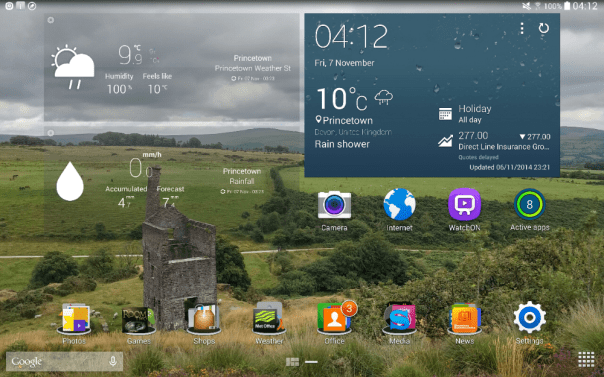
In the meantime below are a few screen shots. First my current home screen. The time is correct.
image

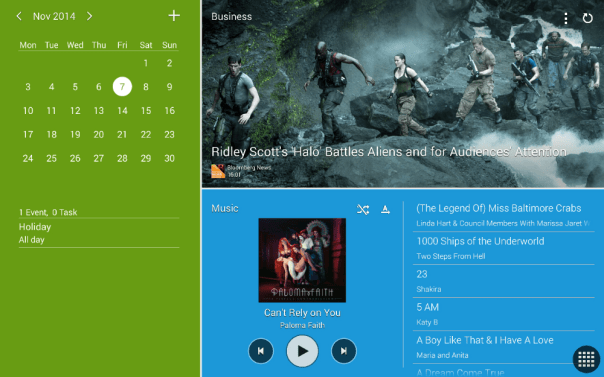
Next up is a screen shot with the Magazine UI.
image

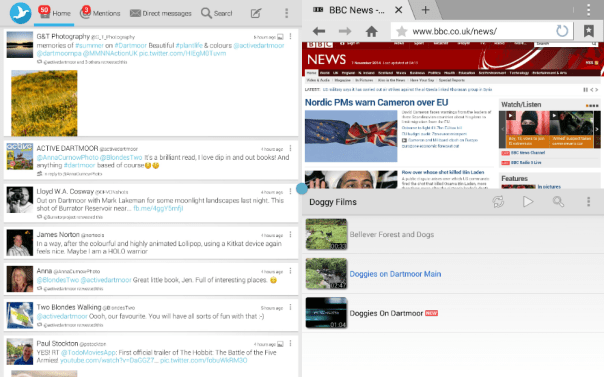
You can make the tiles smaller in the above shot, so if you wanted you could have 6 items per page. Next this is Multitasking done properly.
image

The above screen shot shows 3 screens open. 4 is the maximum in multi window. As I mentioned above, having 2 windows open side by side is really useful and manageable.

More soon…. questions please ask.
Samsung partners with West Yorkshire Police using the Note 3

London UK – 3rd November, 2014 – Samsung Electronics today announced that it has partnered with West Yorkshire Police to help the force lead the way in one of the biggest technological advancements in modern policing.

4,000 Samsung Galaxy Note 3 devices are being issued to front line officers and staff, replacing traditional pocket note books. The mobile devices contain online ‘apps’ which allow officers to record a crime without having to return to a station, reducing admin and spending more time on the front line.

West Yorkshire Police, Assistant Chief Constable, Andy Battle said it means more time spent in communities:

“This initiative will exploit technology to maximise the capability and effectiveness of policing at the front-line. It will potentially lead to 7,000 front line officers and staff using the devices. As a result of this project, there will be an increase in the amount of time they are able to spend on the streets, dealing with crime and public safety. The device includes an e-notebook which will enable us to record information and make intelligence submissions via secure mobile police apps.

Officers will be able to enter electronic witness statements and complete missing person forms without having to put pen to paper back at base. Similarly, the device will allow users to view and update incidents whilst on the beat, increasing our visibility, responsiveness and presence on the streets.

According to a national audit conducted in 2012 which looked at mobile working in policing across the UK, an average of 18 minutes of additional time on the streets was generated. From a West Yorkshire perspective, one minute of extra time on the street per officer, per day equates to a million pounds worth of additional policing annually.”

This is a good use of technology and providing the Note 3 phones don’t break too often this could be a success

Helpful features in OS X Yosemite

Apple added a few nifty features in Yosemite. Below are ones I have found and used.

1. QuickType anywhere by pressing the ESC key while writing in any Apple app. This will bring up next word suggestions.

2. I quite like this one. If you want to move the dock from the bottom to the side then shift-click the divider bar on the dock to move it to one of the other sides of your screen.

3. Messages app has a mute options just like on iOS 8. Select details and then do not disturb.

4. It’s possible to remotely close tabs using Safari for your other devices like an iPad. From Safari on the Mac select new tab page, and click the X next to any tabs you want to close. You will see other tabs open on your other devices.

5. Spotlight does many more new things. It also does currency conversion. Just type what you need to do.

6. Sign your signature using the trackpad. Just open your document in Preview, click the signature button, and choose the trackpad option. Neat.

7. Need to help your friend with tech advise. Screen sharing is made easy via messages. So long as you both have messages running, hit details and then the screen sharing icon.

8. If you are a night owl, then Yosemite has a dark mode. System Preferences, General, Dark Menu on.

So have you any more that you would like to share?

LG and Google have entered into a 10 year cross licensing agreement- details

Via LG

SEOUL and MOUNTAIN VIEW, Calif., Nov. 5, 2014 — LG Electronics Inc. (LG) and Google Inc. have entered into a long-term patent cross-licensing agreement covering a broad range of products and technologies. The agreement covers the two companies’ existing patents as well as those filed over the next 10 years.

“We’re pleased to enter into this agreement with a leading global technology company like LG,” said Allen Lo, deputy general counsel for patents at Google. “By working together on cross-licenses like this, companies can focus on bringing great products and services to consumers around the world.”

This agreement builds on the long-standing strong alliance between Google and LG Electronics, the companies said.

“LG values its relationship with Google, and this agreement underscores both companies’ commitment to developing new products and technologies that enhance consumers’ lives,” said J.H. Lee, executive vice president and head of the LG Electronics Intellectual Property Center.”

This is great news for consumers. I wonder what implication this will have with Samsung

Jawbone announces the UP3 – A Smart Wearable Band with loads of sensors

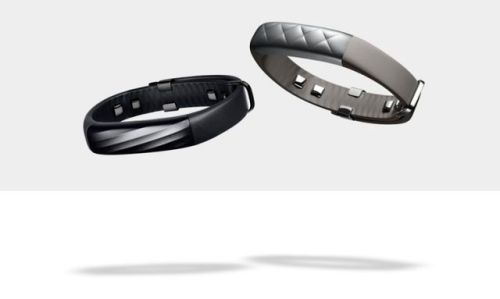
up3

Jawbone has announced it new smart band, the UP3. It comes packed with a host of new sensors including –

1) Bioimpedance sensors which enables the UP3 can use a slight electrical current to obtain lots of data on your body from your heart rate to when you wake up. The sensors monitor Heart rate,Respiration,
Galvanic Skin Response (GSR), Skin temperature and Ambient Temperature.

2) A tri-axis accelerometer which lets the device intelligently guess and graph when you’re doing things like running, playing tennis, or hiking

3) The previous UP bands tracked sleep and noted how much of your sleep was light sleep vs deep sleep. By combining the aforementioned bio/accelerometer sensors, the UP3 can now graph how much of your night was spent not just in deep sleep but in full-blown REM.

4) The UP3 is water resistance up to 10 meters. Made from Anodized Aluminum, TiN coated Stainless Steel, and TPU.

5) Jawbone UP3 battery life is 7 days per charge. Rechargeable Lithium-Ion Polymer, 38 mAh Battery
Charge time approximately 100 minutes via magnetic USB charging cable.Bluetooth® 4.0 BTLE.

6) Price starting from $180 or £149.99 and available later this year. Black at launch and other colours in 2015.

I have to say, if this band does what it says on the tin, this is something I would love to use.

Source – http://jawbone.com/store/buy/up3

Amazon launches Prime Photos for its Prime members – details

Amazon increases its Prime offering to include Prime Photos.

This will now enable Prime members to:

-Upload photos from their iOS and Android devices, Fire tablets and Fire phone, and Mac and Windows computers—and have them stored for free in the Amazon cloud.
-Access their photo collections at any time from nearly any device—including the big screen using Amazon Fire TV or the newly announced Fire TV Stick, as well as PlayStation 3, PlayStation 4, and select LG and Samsung smart TVs.
-Add photos to Cloud Drive in their original version so customers never have to worry about losing the full resolution image.
-Rest easy knowing that their photos are protected in the Amazon cloud.

For more info – http://phx.corporate-ir.net/phoenix.zhtml?c=176060&p=irol-newsArticle&ID=1985413

Microsoft and Dropbox announce strategies partnership – full info

Microsoft and Dropbox announced a new partnership, that was somewhat surprising to say the least. This means the following –

Dropbox and Microsoft users can now do the following:

Access Dropbox from Office apps to get to their files and folders faster.

Edit Office files directly from Dropbox and sync them across devices.

Share new or edited files from the Office apps using simple Dropbox sharing functionality.

The functionality will first be included in the next updates to the Office apps for iOS and Android, coming in the next few weeks. The Web integrations between the Dropbox website and Office Online will be available in the first half of 2015. Dropbox will also make its application available on the Windows Phone and Windows tablet platforms in the coming months.

These capabilities will be available to all Office users with a Dropbox account. Dropbox for Business customers will need an Office 365 subscription. More information can be found by visiting the Dropbox blog at https://blog.dropbox.com/2014/11/dropbox-microsoft-office-partnership and the Office blog at http://blogs.office.com.

Via – http://news.microsoft.com/2014/11/04/microsoft-and-dropbox-announce-strategic-partnership-to-give-people-more-freedom-in-how-they-work-2/

Will Apple have to recall all 128gb iPhone 6 and 6 Plus phones?

Macrumors reports the following –

A number of iPhone 6 and 6 Plus owners have been reporting an issue with the device that causes it to crash and remain stuck in a boot loop following a restart. The issue appears to primarily affect 128 GB models, particularly those with larger app libraries, and some suggest it may be a hardware problem associated with the increased storage available on that device.

The only recourse for owners experiencing this boot loop is to bring their phone back to Apple and request a replacement. Some in the industry point out that considering that technical defects mainly occur in the 128GB version of the iPhone 6 Plus, there might be a problem in the controller IC of triple-level cell (TLC) NAND flash.

As numerous reports of low read performance of the Samsung SSD 840 and 840 EVO using TLC NAND flash have surfaced on the Internet, a problem in the controller IC is considered to be the more likely cause of the defects.

The report says Apple could be facing a “huge potential recall” to address the issue, but the claim is purely speculative given that the prevalence of the problem has not been established and an exact cause remains undetermined.

All I can say that I have not experienced anything like this and have a daily backup of my phone. So should a problem arise, the beauty of an Apple product is a quick 10 min visit to the Apple Genius and then a full restore via iTunes to bring back your phone as previous.