Category Archives: Tech News

Acer C720 ChromeBook review

image

For the last 2 weeks I have been using 3 different laptop type devices. My ageing MacBook Pro, an Acer C720 ChromeBook and an Acer V15 Nitro Windows 8.1 laptop to see which one I will opt for once my MacBook dies completely, which won’t be long.

image

But what I am going to do today, is write my thoughts down on the Acer C720 ChromeBook,the Acer V15 Nitro in a different post, and then on a mini comparison between all 3 devices.

image

image

image

First lets have a look at the specifications of the Acer C720 Chromebook.

– 11.6″ 1366×768 TN display
– 1.4GHz dual-core Intel Celeron 2955U processor
– Intel HD graphics
– 16GB SSD
– 2GB DDR3 RAM
– 1x USB 2.0, 1x USB 3.0
– HDMI output
– SD card reader (up to 32GB)
– 720p webcam
– Bluetooth 4.0
– 3.5mm headphone minijack
– Dimensions: 288x202x19mm
– Weight: 1.25 kg

Nothing spectacular in the specifications except for the choice of processor which helps provide long battery life of 8.5 hours. Other aspects of the specifications include a 7 second boot up time, Solid State Drive memory and free 100 GB of Google Drive cloud storage for 2 years. The C720 is also available in 32 GB SSD and another version which has a touch screen. The 16gb memory can be expanded by the of an SD card.

Those are the specs but what do I think of the Acer Chromebook. Well, this is my first ever chromebook that I have used and it has been a revelation. My MacBook Pro is toast. Why? Well, the Acer chromebook only takes 7 seconds to boot up, and in reality it takes longer for you to enter your password than it does boot up! The battery life lasts far longer than my MacBook Pro. I recall one day of usage from 9am to 5pm on a Sunday. I had been using it constantly and looked at the battery life to find it was only at 29%. It is also lightweight enough to be great to lug around as well.

But let me step back to the very first powering on. The Acer C720 just required my Google email and password and that was it. All my music, photos, files and documents were at my finger tips. The chromebook also has a guest mode, or if I decided to upgrade or sell the device on, all you have to do is go into settings, select “powerwash” and in a few minutes the device is cleaned and ready for its next owner. You can also speed up the entering of your password, by enabling smart unlock in the settings using your android phone. If it detects your phone is nearby it unlocks the chromebook.

The Acer C720 has built in loudspeakers which were clear and concise. I plugged in my headphones and was very happy with the sound quality. In usage the machine is fast, really fast. Everything is smooth and I really have not enjoyed using a device so much in ages. I have not touched my Samsung Tab S since using the chromebook, and the Acer C720 has been most impressive in its endurance, speed and reliability. Printing. Fortunately I have a HP wireless printer that comes with cloud printing out of the box so there was no issues getting documents printed from the Acer Chromebook. Cloud Printing uses your printers unique email address to send files for printing. I wanted to transfer photos from my smartphone to Chromebook. I found that the easier wireless method was using an app on my android phone called Photosync (the app has versions for ios too) and opening a special http page on Chrome was able to see my directories with photos and copy them across. This was the only item that required a bit of a workaround. Other than that I have had no issues with productivity using the Chromebook.

Based on my few weeks use I highly recommend this device is you are using Google services. It just works so effortlessly and has been a competent machine too. My thanks to Acer for the review unit too.

Nvidia Shield Tablet – 7 Part Review

Below are all the review posts I have written covering the Nvidia Shield Tablet.

Nvidia Shield LTE 32gb Tablet – First Impressions

Nvida Shield Tablet – more impressions

Nvidia Shield Tablet – hardware and cover review

Nvidia Shield Tablet – Battery and Games Testing

Nvidia Shield Tablet – console mode and game recording

Nvidia Shield Tablet – the negatives and bugs

Nvidia Shield tablet – cracking post tomorrow

Cayin C5 -Portable Headphone Amplifier – Review

image

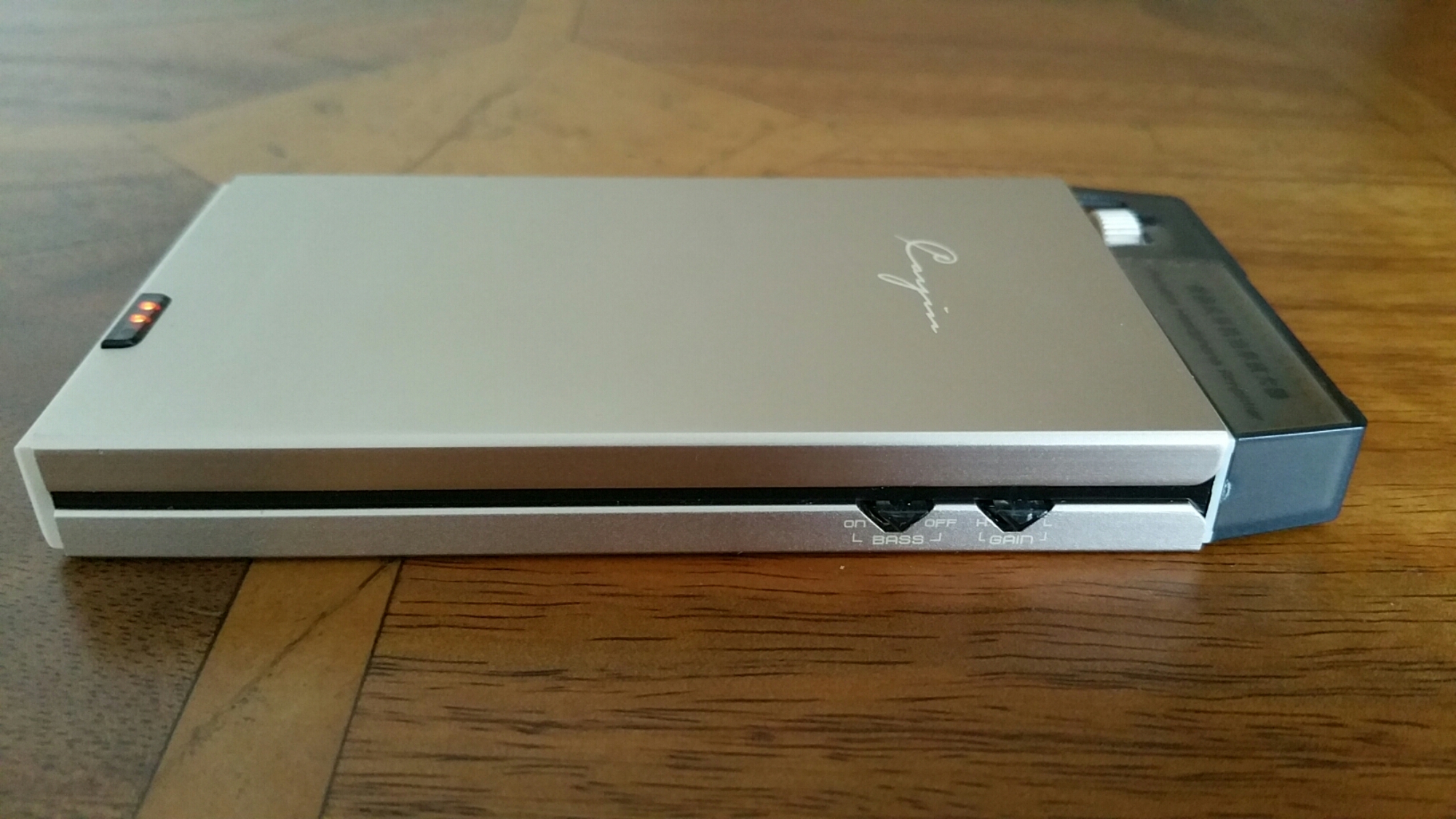
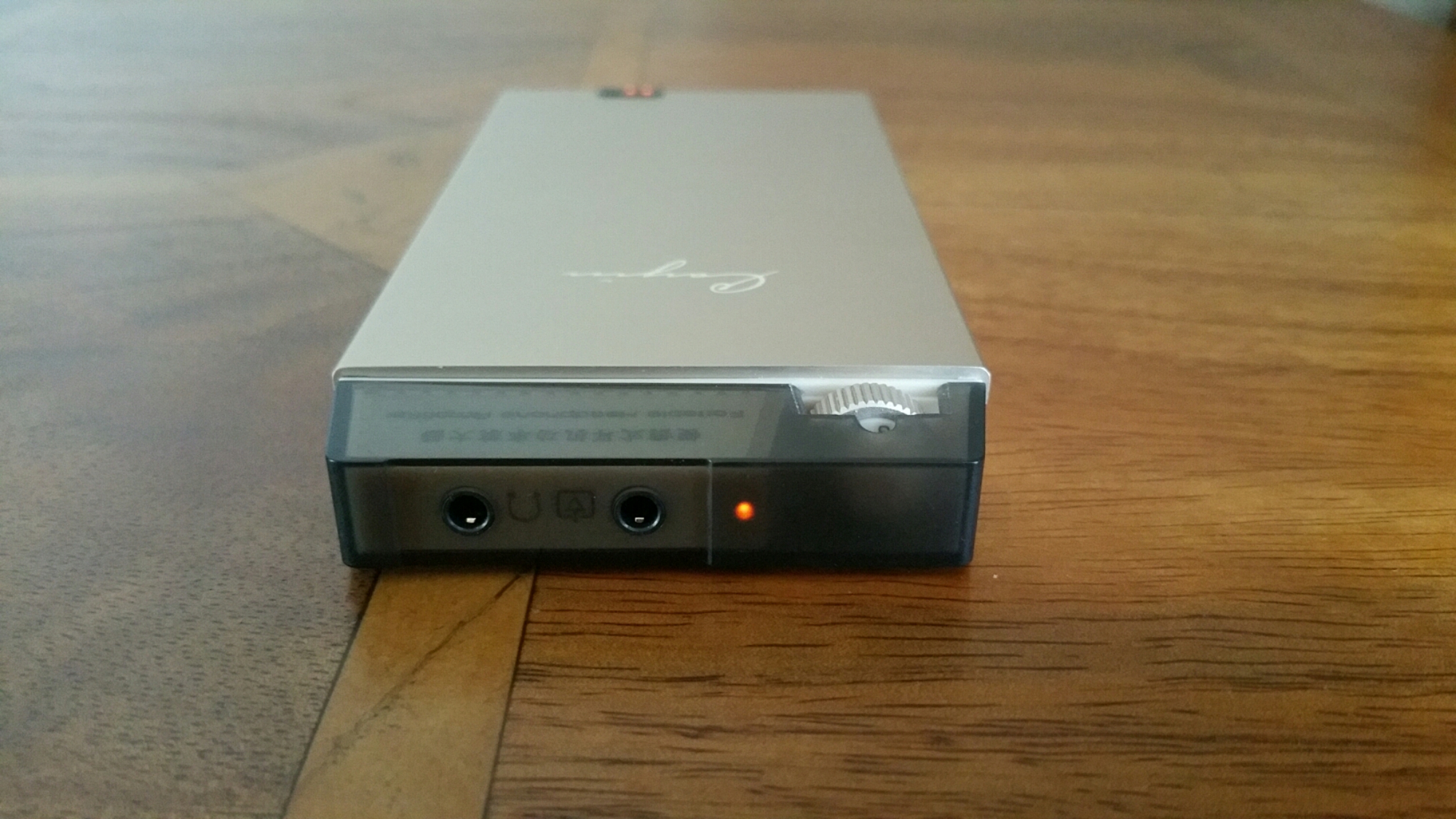
The Cayin C5 is a portable headphone amplifier that has a lovely sound signature and is capable powering many headphones. It is made from a brushed aluminium alloy. It has a battery level indicator. But what provides it sound is the use of dedicated high performance audio op amp OPA134 and LME49600. In addition Japanese original ALPS volume potentiometer is used too. The Cayin C5 is handy as it can be used as a mobile power source to charge other mobile devices. If you like more bass in your music it has a high and low end bass switch. It also has shielding to prevent interference affecting the music.

image

image

Technical Parameters:

– Rated output power: 800mW + 800mW (32 ohm load) SNR: ≥101dB (A-weighted)
– Life time: about 12 hours (32ohm load)
– Frequency response: 20Hz-100kHz (+- 1dB)
– Sensitivity: ≤500mV (gain H) Charge limit voltage: 12.6V
– Charging time: about 4 hours (off state, the use of DC5V / 2A charger)
– Total Harmonic Distortion: ≤0.02% (1kHz)
– Lithium battery capacity: 1000mAh / 11.1V
– Size: 136x63x15mm Weight: about 185g

So in English what does all the above mean. This amplifier has nearly 1 Watt of power at 32 ohms driving your headphones. With that much power the volume can obviously go very high but it more about the control of musicality that this amp brings to your music. The amp creates a huge 3D sound stage, which lets the mids shine out. Bass is controlled with excellence depth and dynamics. The treble is fantastic too, never too bright but very concise. The Cayin C5 is also capable of driving IEMs through to full size headphones.

This is one musical beast of an amp and seriously good value for money at it price. It is available from Amazon via EA Audio. This is where I bought mine from and using EA Audio too.

Link to Cayin C5 at Amazon via EA Audio

Yotaphone 2 – Review – Conclusion

YOTAPHONE2 Image 5
Today I am going to cover off my final thoughts on the Yotaphone 2.

The Yotaphone is without a shadow of a doubt one of the coolest piece of tech I have reviewed in ages. It is novel, different and caused huge debate with my friends whilst out at a restaurant. My friends were fascinated with the rear e-ink screen.

The rear e-ink display is not just about battery life. It is also about having an always on display for vital information. Perfect daylight visibility. And if your battery is about to die, you can take a screen shot of some information you will need later in the day, and it will be left on the rear e-ink display. And finally, the e-ink display is better for your eyesight.

The camera and audio aspects of the phone were reasonable. The competition includes phones with better sound and cameras. But in reality if photos are shared on social media, does it matter what the camera quality is like?

If you want something different and are the sort of person that needs the unique selling points of the Yotaphone 2 then its a match made in heaven. But the competition is fierce and there are many other options to consider too. Personally, this phone is staying in my collection. It is too cool not to have!!

Samsung releases more information/photos/videos on the Samsung Galaxy S6

Samsung has started to release more information on its Samsung Galaxy S6.

Below are a selection –

Samsung Note 4 – Qialino Luxury Leather case

They say pictures can say a thousand words. Below are photos showing the Qialino leather case for the Samsung Note 4.

image

image

image

image

Now without cheating, how expensive do you think this case is? Now you have made a guess, click on the ebay link – http://www.ebay.co.uk/itm/Original-Qialino-Real-Leather-Rivet-Back-Cover-Case-for-Samsung-Galaxy-Note-4-/261754207755?pt=LH_DefaultDomain_3&hash=item3cf1c43e0b

Yotaphone 2 – Review – Part 3 – Camera, Audio and More

image

Welcome back to part 3 of my review on the Yotaphone 2.

Today I am going to cover off the camera and audio aspects and any other titbits.

First up lets talk audio or sound. The loudspeaker is on the bottom edge, goes reasonably loud but is a little tinny. The sound through the wired headphones is not so hot. For some people it would be fine, but not for me. However, as soon as I connected my bluetooth headphones it was a different story. The music was so much better and a joy to listen to. But what about USB Audio. Using my USB Sabre DAC and USB Audio Player Pro app I was able to get USB Audio to work just fine.

The camera. 8mp on the rear, 2.1mp on the front. And being dual displayed comes with a few extra features. Firstly, the camera app is the default Google Camera app, so don’t expect any surprises. But don’t let the low resolution of the front camera put you off. Why? Well you can use the rear camera to take a selfie as the e-ink display will show your face to help take the shot. Also, when using the rear camera normally, 2 eyes appear on the e-ink display or a fake camera as shown above. Clearly Yotaphone have a sense of humour. There are other software novelties that appear when using a range of other apps. But what about the quality of the shots. Well on Sunday, I went out walking my 3 dogs. The lighting was poor and overcast so I did not expect brilliant shots. When I got home and examined them I was pleasantly surprised as they were better than expected. There are plenty of better cameras available but the f/2.0 clearly helped with my running dogs. I have created a Flickr album for the YotaPhone 2. Click here – https://www.flickr.com/photos/gavinfabl100/sets/72157650816294865/

In the meantime, below are some camera shots taken with the phone. Most are completely unedited.

Early Cols and Overcast Morning by Windy Post on Dartmoor with the Doggies #Yotaphone2

Early Cols and Overcast Morning by Windy Post on Dartmoor with the Doggies #Yotaphone2

Early Cols and Overcast Morning by Windy Post on Dartmoor with the Doggies #Yotaphone2

Early Cols and Overcast Morning by Windy Post on Dartmoor with the Doggies #Yotaphone2

The Myths of High End Audio Fidelity Blown Apart – Plus Photos of a £100,000 system

2011-12-29 11.30.19

From today onwards there will be a few more posts covering audio components and headphones. I am going to speak from my 20 plus years of experience in the high end audio through to my more extreme budget set up. Jumping back in history to my bachelor days I loved music and audio equipment. My flat had a lounge/dining room. It had one sofa on one side of the wall and the other side was 3 racks of equipment, and speakers as tall as myself. Married life and modern living and common sense later, that outrageous set up is long gone. The photo above was from about 5 years ago when I tried tube amps. I used the direct line out of the iPod Classic and amplified it into a Little Dot Tube amp and then connected some 600 ohm Beyer Dynamic headphones. This set up looked good and sounded amazing especially when I used a pair of Sennheiser HD600 headphones. That experience was frighteningly good. But alas, along came some sprightly labradors and delicate tube amps were not ideal. Just as a side step, the Little Dot tube amps were not an expensive option at the time. Before I started Gavin’s Gadgets I wrote a review of the Little Dot Tube amp which I have published today.

On twitter recently, there was a thread providing a link to a £1,000 cable. FLAC sound files were played and no difference could be heard from their iPhone by one of my friends. One is assuming a dedicated app was used to play these files, but what I am unsure about is whether a dedicated and separate USB DAC was used along with a headphone amplifier. But what is my point here?

Simply this, for some people better sound quality is irrelevant. They might be able to hear a better sound if you gave them different audio setups, but in reality they could not care less. Then you get the next level, people that can and do care but don’t want to spend the earth and then you have people who spend more and more and more.

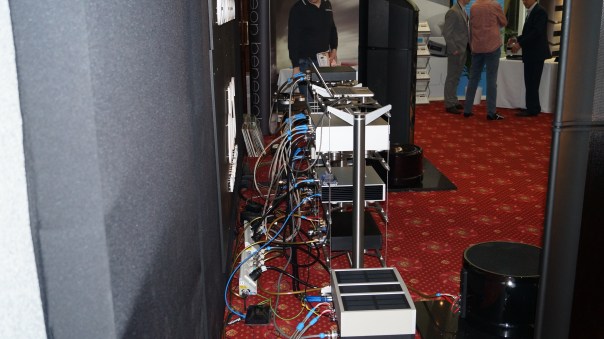
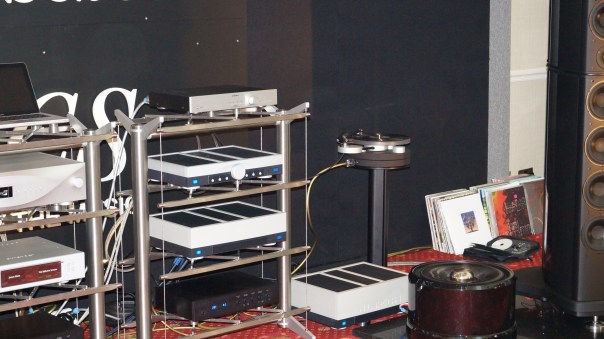
If you spend £100 on a few components to upgrade the sound, spending £1,000 will not give you ten times the improvements, maybe just 10-15%. And if you spend £10,000 plus you might get 10 times the improvement of a £100 set up but in reality what you should get is beautifully made products too. I can compare it too driving a Mini Metro and a Ferrari. Both will get you from A to B, but one will do it in more style and cost you a bomb. Below are 2 photos I took at a Hi-Fi Audio show a few years ago. What you are seeing is £100,000 of equipment. I leave you make your own comments about this system yourself!

2013-02-22 10.49.09

2013-02-22 10.47.12

Sometimes, spending less can be more fruitful too. This is because of technology and the improvements it can bring also reduces costs too. If you use your phone to play music, typically it is broken down in stages. The phone acts as a music transport to play music, that is sent into a DAC (digital to analogue converter) that is then amplified out in to your headphones. As DAC’s improve it is not unreasonable to expect in the future that a phone can have a superb sound without the need of all the extra pieces. Wolfson DAC’s for example are found in several smartphones and do a stellar job.

If you do decide to try out different audio components it can become an expensive hobby. It is also about balance. If you only use MP3 recordings at say 320 bitrate, then spending £10,000 on a system is overkill by miles. Other factors that you need to take in to account are the headphones you are going to use. You can of course use different types of audio files like FLAC. Problem with these is that will the quality is above CD’s the downside is that you need 1 GB for a typical album! Next week I am reviewing 3 different pairs of headphones. One of these is the well established Sennheiser HD518. These have been made by Sennheiser for years and well before portable audio quality became more mainstream. So they have an impedance of 50 ohms. Sennheiser are now making trendier looking headphones that are much easier to drive direct from a phone’s headphone jack.These new breed are anything from 16 to 32 ohms and as the impedance is lower, are much easier to drive. Whilst the HD518 can be connected to say your iPhone, these headphones only sound their best when amplified.

So where am I with all this. I have decided that the best solution is one that can fit in my pocket and that is truly portable and works off batteries. It is cheap as they come but provides that 10% increase in performance. It is a set up that can power most headphones so that they reach their best performance nearly. It is also all in balance in terms of price too. I use my Note 4 to store the music, USB Audio Player Pro app to play the sound into a HiFiMe DIY Sabre Android USB DAC which then connects to a Cayin C5 portable headphone amplifier. The Cayin C5 can also act as a battery back and recharge your phone or other device too. This all costs in total around £130. I use this set up as I prefer over the ear headphones.

However, if you used in ear canal type headphones you could remove the headphone amplifier and just spend £26 on the USB DAC as that is powerful enough normally to drive in ear canal headphones.

Everything is about balance, and also about whether you can hear the difference or whether you want the hassle of extra components. It also is about deciding if you want something stylish. But never get fooled in to thinking spending guarantees a better audio fidelity.

HiFiMeDIY Sabre Android USB DAC – Review

image

Today I am going to be reviewing the HiFiMEDIY Sabre Android USB DAC. This will form part of another 2 reviews, one covering the Cayin C5 portable headphone amp (live tomorrow) and another post blowing apart the myths on high end audio fidelity.

The HSAUD has DIY in its title for a reason. It has high end components inside, but housed in a cheap DIY plastic box thing to reduce the price down as low as possible. The Sabre ES9023 dac chip that is located inside this plastic box is found in more expensive DAC’s costing hundreds and even thousands of pounds.

Specifications –

-Sabre DAC Technology, Sabre ES9023 dac chip
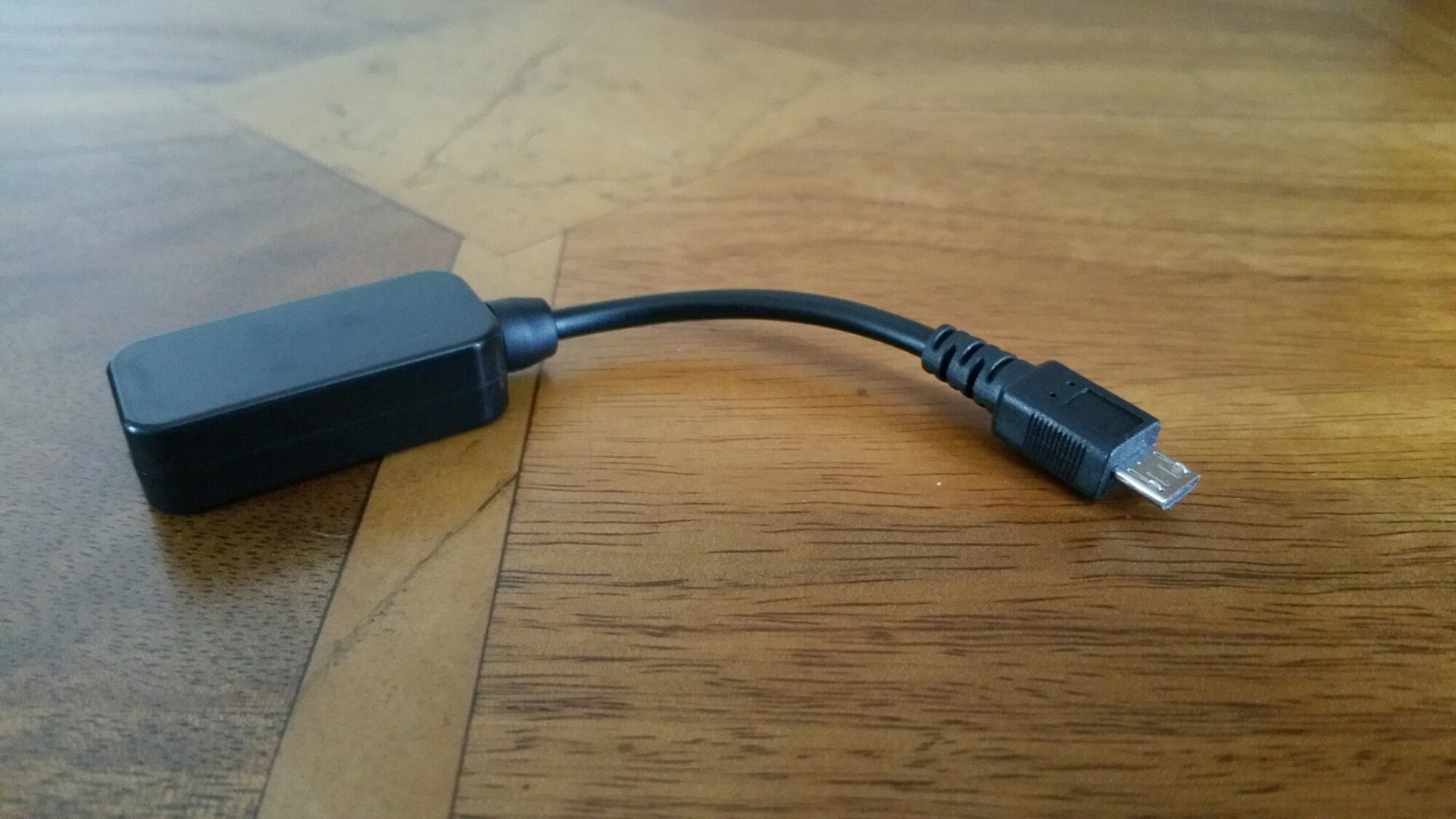
– Connects directly to microUSB connector on Android phones
– Works with some phones only! USB OTG support required and Android 4.2+
– No external power needed. Dac draws minimal power (30mA)
– Output using a 3.5mm headphone jack

As android phone vary so much in terms of their internal specifications there is a warning about which android phones will work with this DAC. HiFiMe has tested it and confirmed it works with the following models include: Samsung Galaxy Note 2 running newest software update, Samsung Galaxy Mega running Android 4.2.2, Samsung galaxy S3 with newest software Samsung Galaxy S4 with Android 4.2.2 LG Optimus G Pro 4.1.2+ Possibly works with most Android phones running android 4.2.2 Does not seem to work with Cyanogenmod software. I have tested it with the Samsung Note 4, Honor 6 and Yotaphone. All work with this device using an app called USB Audio Player Pro.

So what is special about the DAC used. The Sabre ES9023 dac chip allows the sound to go straight out of the DAC chip and into your headphones or amplifier. It is not needed that the sound signal go through a capacitor to remove a DC voltage, there is no DC voltage to remove! This omits the need of a colouring cap which adds costs and reduces sound quality. – Jitter Eliminator! The ES9023 utilised patented HyperstreamTM architecture and Time Domain Jitter Eliminator. – 112db DNR USB (receiver) PCM2706: – Accepts up to 48Khz/16bit Output levels: Open 2.2Vrms 4.7Kohm 2.1Vrms 1.8Kohm 1.9Vrms 510ohm 1.5Vrms 330ohm 1.3Vrms 30ohm 1Vrms Note: Normally amplifier inputs are from 10K to 100K ohm. Normal headphones are from 32 ohm to 300ohm. Sound alien to you.

Don’t panic. This DAC is an upgrade to what your phone is using. It helps alot to have mp3 or similar at 320mp3 bitrate. The higher the bitrate the better and FLAC files help again. If you play mp3 or FLAC files straight from your android phone into the HiFiMeDIY DAC without using a proper app like USB Audio Player Pro, then there is no point even bothering to go down this route.

What is the difference using this method. You lose the convenience of just plugging your headphones into your phone and listening to anything via any app. You need the music stored on your phone and use a dedicated app. You gain huge improvements in everything to do with your music. It is like cobwebs are blown off the tracks. It really will make that much of a difference unless the actual recording is crap. Crap in and crap out.

The other beauty of this DAC is it can power many portable type headphones without the need of a portable headphone amplifier.

All in all I highly recommend this USB DAC.