
As I’m using my LG Watch Urbane, my Fitbit Charge HR has been in the drawer for over a week.
Guess what. The battery is just getting low and in a remarkable way, Fitbit emailed me to let me know.
I thought that was pretty cool.
As I’m using my LG Watch Urbane, my Fitbit Charge HR has been in the drawer for over a week.
Guess what. The battery is just getting low and in a remarkable way, Fitbit emailed me to let me know.
I thought that was pretty cool.
Sony announced a few ago the Xperia Z3+ for Europe, declaring we won’t make a 1080p screen. But wait what happened a few hours ago is going to frustrate anyone who has preordered the Z3+.
Verizon have announced the Sony Xperia Z4v. This phone is 90% the Xperia Z4/Z3+, but changing the name makes it ok for Sony to hash the specs over it just announced other flagships.
So it has the same Snapdragon 810 SoC, 20.7-megapixel camera, instead of 1080p screen, it now has a lovely QHD screen.
The Z4v is also slightly thicker going from 6.9mm to 8.6mm and increasing its weight from 144g to 160g. This makes room for a slightly larger battery at 3,000mAh. The Z4v adds support for wireless charging, supporting both Qi and PMA protocols.
So why didn’t Sony release this true flagship elsewhere?
HTC confirmed that it is bringing ads and sponsored content to BlinkFeed. Users in certain markets will begin to see promotions from partners like Yahoo, Twitter, and HTC itself — and the company promises that you will only see limited numbers of them.
When you browse BlinkFeed to check the news over morning coffee, then, you’re going to start seeing ads alongside new stories. They will look just like other BlinkFeed content, rather than traditional popups or banner ads (so you’re more likely to tap on them thinking they are regular posts).
Initially, the adverts will appear in the U.S., the U.K., Germany, Taiwan, and China.
I am not surprised, but adverts on a phone that you have paid £500 plus for is not on. This is surely commercial suicide. Maybe HTC’s finances are so dire, anything will be tried to turn a profit! I do not agree with this move.
Source – http://www.cultofandroid.com/73978/htc-confirms-ads-are-coming-to-blinkfeed/
DoubleTwist have launched Cloud Player.
CloudPlayer is a next-generation music player that can manage and stream your personal music collection no matter where it’s stored. It supports hi-fidelity lossless audio, and universal casting to Chromecast and AirPlay devices. For example, you can stream a song from your Google Drive, OneDrive or Dropbox to your Apple TV or Chromecast. You can even link multiple cloud services, which comes in handy when you have a large music library or wish to listen to music uploaded by another family member.
CloudPlayer features a snappy material design UI, premium sound, lossless audio, bass boost, 10-band EQ, ability to select songs and playlists for offline playback, and built-in AirPlay and Chromecast support.
This sounds like a good idea if own vasts amounts of music and want to use dropbox and onedrive.
Some of you may be undecided whether to buy the Pebble Time, but Michael Fisher of pocketnow.com has produced another superb video, this time of the Pebble Time. It is a quick unboxing and hands on. Personally, after owning the LG Watch Urbane that looks stylish, I am not sure I could wear such a plastic toy like design, like the Pebble Time. What about you?
Yesterday, LastPass released a statement that it had been the target of a hack that they discovered on Friday, and that the hack had accessed its users’ email addresses, encrypted master passwords, and the reminder words and phrases that the service asks users to create for those master passwords. This is really worrying trend that a security company that manages passwords got hacked. Many of you will use LastPass but I choose MSecure and the cloud file is stored on your own Dropbox account.
“We are confident that our encryption measures are sufficient to protect the vast majority of users. LastPass strengthens the authentication hash with a random salt and 100,000 rounds of server-side PBKDF2-SHA256, in addition to the rounds performed client-side. This additional strengthening makes it difficult to attack the stolen hashes with any significant speed.
Nonetheless, we are taking additional measures to ensure that your data remains secure. We are requiring that all users who are logging in from a new device or IP address first verify their account by email, unless you have multifactor authentication enabled. As an added precaution, we will also be prompting users to update their master password.
An email is also being sent to all users regarding this security incident. We will also be prompting all users to change their master passwords. You do not need to update your master password until you see our prompt. However, if you have reused your master password on any other website, you should replace the passwords on those other websites.
Because encrypted user data was not taken, you do not need to change your passwords on sites stored in your LastPass vault. As always, we also recommend enabling multifactor authentication for added protection for your LastPass account.”
Source – https://blog.lastpass.com/2015/06/lastpass-security-notice.html/
Despite all my photos snapped over the years, I have never used RAW. Sure I tried it once or twice over the last 5 years, but just failed to see the logic when working with JPEGs seem so much easier and meant handling smaller file sizes.
Well, the G4 allows photos to be snapped in RAW. Also one of my favourite apps Camera FV-5 just received an update to support the LG G4. In addition, I have kept my eye on 2 pieces of desktop software. Adobe Lightroom 5 (I would like to use Adobe Lightroom 6, but my MacBook is too old and doesn’t have the necessary grunt) and Photomatix by HDRSoft.
Last night, I took 3 bracketed shots using Camera FV-5 with an exposure variation of -2, 0 and +2. This created 6 files. 3 jpegs and 3 raw DNG files. I copied the files across to my MacBook. I examined all 3 jpeg’s and then I imported the raw files into Photomatix and created a new HDR jpeg. The difference is unbelievable. Off the charts better. I would love to share the photo I captured, but it was just inside my living room and not very exciting. So what I will promise to do, is capture some more interesting photos and share with you the difference of RAW vs JPEG.
The next piece of the puzzle is exploring taking photos using a ND Filter kit. I bought a low cost set comprising of full and graduated colour/ND filter kit along with a pack of rubber bands. The rubber bands are going to be used to hold the filters more securely to the G4. Thanks to Paul Garner for the rubber band tip.
I am also going to have to invest is some desktop software and will be exploring the trials versions of these over the next few weeks or so. The G4 really does open up the photography options and I for one am looking for to the journey.
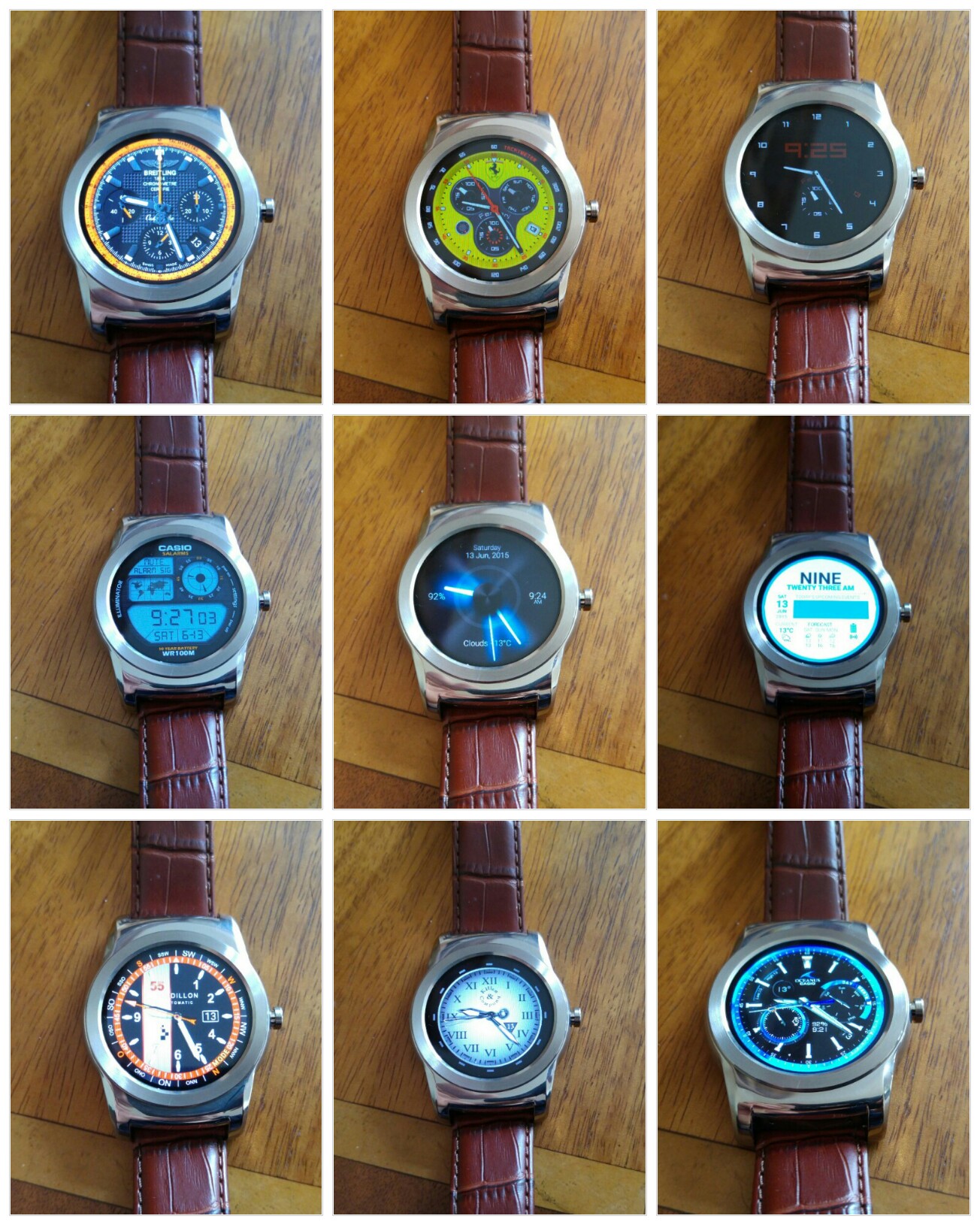
Above and below are all the watch faces I have installed using an app called Watchmaker Premium. The app comes in a free and premium offering. For the value and benefits it provides I spent the price of a coffee on the app. Apart from importing watch faces, you can edit and design your own watch faces using the app.
Looking at the first collage shot, and going from left to right, these are the names of each watch faces – Breitling Chronomat 44 Raven, Ferrari Watch, Dimmed Mode sample (after a few seconds all these watch faces offer an always on watch face, but one that uses slightly less battery, sometimes the dimmed mode option is better than the actual watch face) , next row left to right – Casio Illuminator, Hansglo 2, Material, Raidillon igu, Reapur, Casio Blue. With all these watch faces there are normally extra functions too accessed by tapping the watch faces in certain spots.

The next collage, left to right – Core Sport 4 Function Modded, Sicura no bezel, IWC Aquatimer, river watch o&b, Longines OH V2 igu, Paneraix, Omega Chrono GMT, Military Digital V3.2 pro and Breitling Emergency.
The below gif was produced courtesy of Google Photos:)
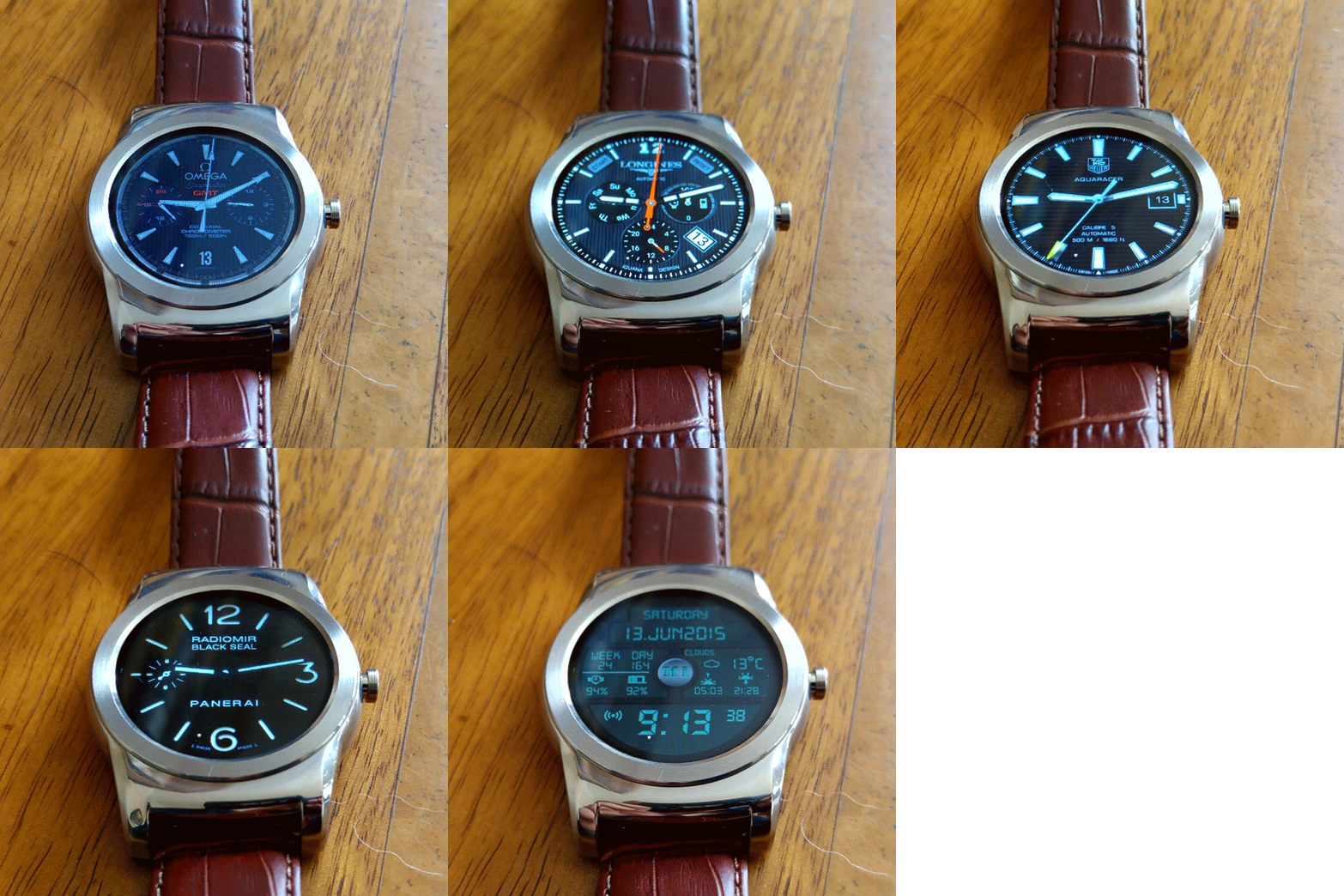
I have other watch faces installed, but these are my favourites.
In addition, LG provide a wealth of watch faces as shown below –
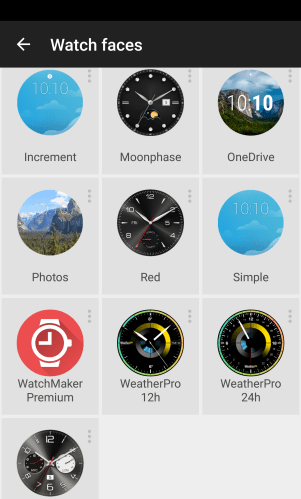
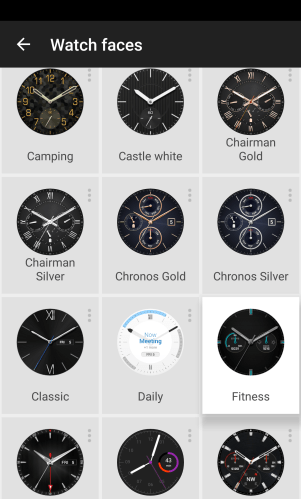
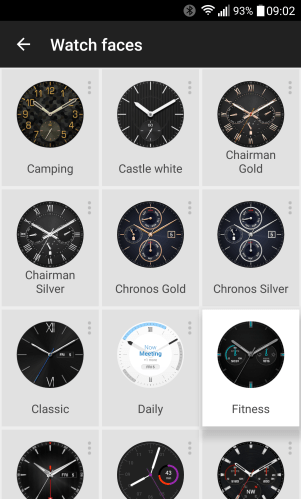
Not a bad selection on offer!

The above and below photos were taken with my LG G4. To manage a 30 second shutter time at ISO 50, I used a ND filter which I had adjusted in strength. Without the filter only 8 seconds would be possible without making the shot too bright.
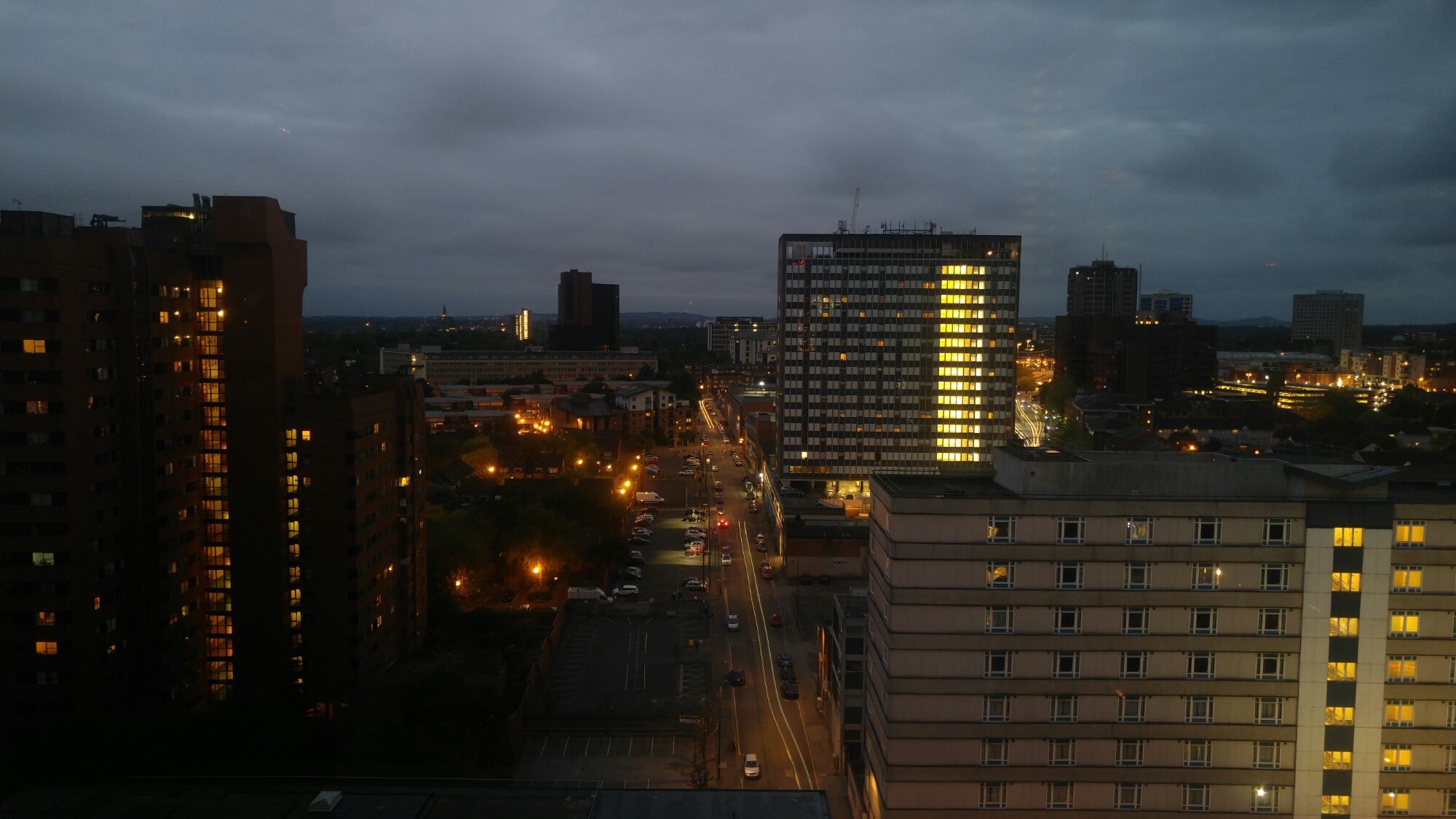
I just need to establish a secure method of attaching the ND filter to the G4. For information the G4 was up against double glazed windows. The ND filter was one used for a DSLR and was a variable ND filter.
If you tap on photo to enlarge you will see the light trails more clearly.
As you know, I co-host a monthly podcast with David Rich called Gav & Dave’s Tech Podcast. It is a light hearted tech podcast broadcast.
Episode 37, “Apple WWDC 2015 Special ” is now live for your listening pleasure. Head over to http://www.gdtpodcast.com or listen in your favourite podcast app.
If you have any comments, questions or feedback, please drop a line at feedback@gdtpodcast.com or in the comments below.
And finally, our thanks to Audible as today’s podcast is supported by Audible- get a FREE audiobook download and 30 day free trial at http://www.audibletrial.com/GavDave . Over 150,000 titles to choose from for your iPhone, Android, Kindle or mp3 player. No obligation.
It’s a free trial so give it a go if you haven’t already.

