Plenty more reviews incoming this month.
These are –
1) Samsung Note Edge
2) V-moda Crossfade M-100 Headphones
3) Plantronics Backbeat Pro Bluetooth headset
4) HiFiMeDIY Sabre Android DAC
5) Cayin C5 Headphone amp
6) Mipow Playbulb Rainbow
Plenty more reviews incoming this month.
These are –
1) Samsung Note Edge
2) V-moda Crossfade M-100 Headphones
3) Plantronics Backbeat Pro Bluetooth headset
4) HiFiMeDIY Sabre Android DAC
5) Cayin C5 Headphone amp
6) Mipow Playbulb Rainbow
Below are the links to the posts written about the Philips Fidelio M1BT Headphones.
Philips Fidelio M1BT Headphone review
3 way Fight – AKG K845bt vs Sennheiser Momentums vs Philips Fidelio M1BT
Below are the links to the posts I’ve written about the AKG K845 Bluetooth headset/headphones.
3 way Fight – AKG K845 vs Sennheiser Momentum vs Philips Fidelio M1BT

News will be late today. Why?
Because of the Note Edge arrival.
Stay tuned.
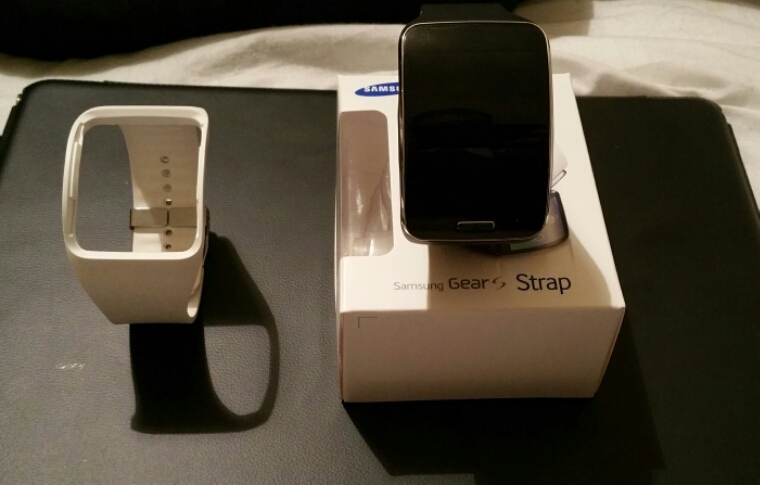
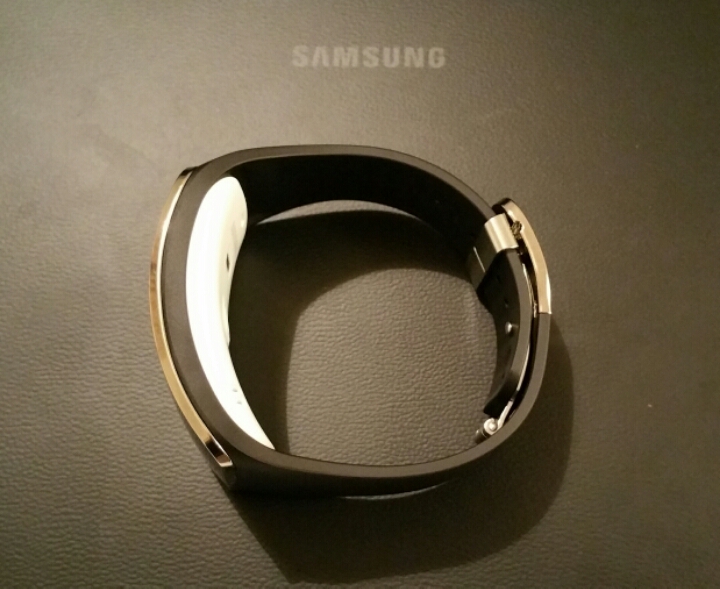
Samsung have produced alternative straps for the Gear S. I bought my Gear S is white. I must admit the blue/black strap is rather nice. The only point worth noting is the underneath is still white.
Apart from this colour Samsung has red, brown , blue and bangle style straps in white and black.
Arstechnica examined the dangers of using the Samsung Gear VR headset. The dangers were provided by Samsung. Here goes –
“Before purchasing the Innovator Edition from Samsung’s website, you have to certify you’ve read a 1,000-word set of “Gear VR Product Use Warnings”
1) You should take a break of at least 10 to 15 minutes after every half-hour of use, Samsung warns, “even if you do not think you need it.” In addition, children under the age of 13 shouldn’t use the unit at all, and older children should be monitored by adults and play only for limited amounts of time to avoid adverse symptoms.
2) Stop using Gear VR immediately if you experience “seizures, loss of awareness, eye strain, eye or muscle twitching, involuntary movements, altered, blurred, or double vision or other visual abnormalities, dizziness, disorientation, impaired balance, impaired hand-eye coordination, excessive sweating, increased salivation, nausea, light-headedness, discomfort or pain in the head or eyes, drowsiness, fatigue, or any symptoms similar to motion sickness.
3) Prolonged use of the Gear VR and input devices (e.g. controllers) can make your muscles, joints, or skin hurt” or lead to “tingling, numbness, burning, or stiffness.
4) The risk doesn’t stop after you’re done using Gear VR either. Samsung’s warning compares some of these symptoms to those experienced after getting off a cruise ship, in that they “can persist and become more apparent hours after use. You could see “excessive drowsiness and decreased ability to multi-task” after using the Gear VR and shouldn’t drive, operate heavy machinery, or undertake “visually or physically demanding activities that have potentially serious consequences” until those symptoms go away.
5) Because the Gear VR requires “an unimpaired sense of motion and balance,” it shouldn’t be used “when you are tired, need sleep, are under the influence of alcohol or drugs, are hung-over, have digestive problems, are under emotional stress or anxiety, or when suffering from cold, flu, headaches, migraines, or earaches, as this can increase your susceptibility to adverse symptoms.” The Gear VR should always be used while sitting, far away from “other people, objects, stairs, balconies, windows, furniture” that can be bumped. It should also never be used when in a moving vehicle, which Samsung warns could increase the adverse symptoms.
6) Do not handle sharp or otherwise dangerous objects while using the Gear VR. Never wear the Gear VR in situations that require attention, such as walking, bicycling, or driving.”
7) Aside from affecting you, using the Gear VR can also affect the performance of the Galaxy Note 4 strapped inside in the short-term. When used for a long time in the Gear VR, the phone “may become hotter than normal,” leading to “degraded” application performance or outright termination”
Based on all of the above warnings, I’ve decided for the time being not to buy this product and wait to see the side effects suffered by those that use it first. I also don’t fancy my Note 4 being terminated!
Before I start this post, let me state this is not an iPhone bashing exercise. It is merely my reasons for choosing the Note 4 over the iPhone 6 Plus.
Some background. I’ve owned the iPhone 6 Plus since 25th September and the Note 4 from 6th November 2014. My views on the iPhone 6 Plus. It is the best iphone ever produced by Apple. A decent 1080p screen panel, reasonable loudspeaker, good battery life and camera but too slippery. It needs a case. Fortunately Apple sell 2 cases, a silicone and leather. The Apple leather case really makes it feel great in the hand and grippy. The other positive aspect of the 6 Plus is beautiful designed apps, many of which work in landscape too. Running iOS 8, it is a fairly smooth affair but not without bugs and odd crashes. However, for most people this is a perfect phone.
But not for me. After a while the 6 Plus becomes boring. I can’t change the icons or home screen layout. I can’t add the odd useful widget or two. But I can with the Note 4. So what else about the Note 4 made me keep it over the 6 Plus? Let’s create a short list as to why :-
1) the Note 4 has a better screen resolution and a better screen for all scenarios and lighting. Bright sunlight visibility is beyond amazing. Nightime reading is a joy as the screen goes really dark. The QHD makes everything a joy to use
2) Customisable in every way possible. Different launchers, icons, widgets and more. The most common button on my infra red remote software is the dvd open/close button. This single button is added to my second home screen as a widget icon for speed.
3) Camera – the Note 4 camera produces better quality shots period. Then there is 4K video. 1080p video stabilises better on the Note 4 too.
4) S Pen and the feature set of software included. Use it daily and love it.
5) USB OTG, USB peripherals all work great on the Note 4 . This extends to my recent article about using an USB DAC for amazing music reproduction.
6) Moga game Controller. Better supported on android, period. Game emulators also supported.
7) Multitasking with 2 apps on screen. Other Multitasking options.
8) Loudspeaker – it’s not the loudest but it’s very clear with voice so ideal for spoke navigation or podcasts.
9) Infra red blaster. I use it and it replaces the need for all my remotes.
10) Proper communication standards and support. Eg full access to NFC, bluetooth profiles, usb, file sharing, wifi direct and more.
11) Selection of default apps. Eg browser or email client.
12) Grips better in the hand without the need for a case.
13) Already has support for android wear wearables, other wearables and Samsung smart watches like the Gear S which is at the bleeding edge of technology. And let’s not forget support for the Samsung VR headset.
14) Fast charging support. Ultra Power saving mode. Both of these modes are excellent in their own rights. Having a low battery is never a concern as you can either fast charge it or switch to the ultra power saving mode. Of course, the battery is removable so you could just swap batteries.
15) Memory card support up to 128gb.
16) Fingerprint scanner works well and with apps like PayPal. Internet passwords can be replaced using the fingerprint scanner too.
17) S Health features. Heart rate scanner. Oxygen levels scanner. UV sensors and many other sensors.
18) During a phone call recent email or messaging activity or if there is a birthday is displayed.
19) Adaptive sound. To setup adaptive sound the Note 4 takes you through a 5 min hearing test. With your headset or headphones on you listen for tones in each ear and confirm yes or no if you can hear anything. The sound curve is then adjusted to create a linear response. This works with music playback as well. You also also confirm which ear you answer calls with. You can save different profiles for each headphone or situation as well.
20) Contact grouping. You can create groups for your contacts and easily see who is in each group. With various services like LinkedIn , Google+ and others you have the option of adding the contact data in to your contacts.
I could go on but these are the main reasons. My next dilemma will be chosing between the Note 4 and the Note Edge. The Note Edge is expected to arrive end of next week.
If you have a Samsung Note 4 you can at a relatively low cost create a very decent audio experience.

So lets take the wired option. The Note 4 supports USB Audio. That means you can connect a digital to analogue converter straight into the phone with no special permissions needed. Now if you have an iPhone this won’t work unless it is a MFI approved accessory by Apple. This means the price is elevated before you even try to do something this simple by quite a significant margin. This Apple margin adds around £300.
The first piece in the picture is a HiFiMeDIY Sabre Android USB DAC, Android Digital to Analog Audio Converter. This costs around £26 depending on where you buy it. You can buy this on Amazon Prime.
So this tiny piece is the key to incredible quality music. The Note 4 merely acts as a digital transport, the Note 4 sends the digital signal to the DAC. You can plug your headphones directly into the DAC without the headphone amplifier that is shown above. More information on the DAC.
“It uses a PCM2706 USB receiver chip and the Sabre ES9023 dac chip. Highlights about Sabre ES9023 dac chip: – The sound go straight out of the DAC chip and into your headphones or amplifier. It is not needed that the sound signal go through a capacitor to remove a DC voltage, there is no DC voltage to remove! This omits the need of a coloring cap which adds costs and reduces sound quality. – Jitter Eliminator! The ES9023 utilISed patented HyperstreamTM architecture and Time Domain Jitter Eliminator. – 112db DNR USB (receiver) PCM2706: – Accepts up to 48Khz/16bit Output levels: Open 2.2Vrms 4.7Kohm 2.1Vrms 1.8Kohm 1.9Vrms 510ohm 1.5Vrms 330ohm 1.3Vrms 30ohm 1Vrms Note: Normally amplifier inputs are from 10K to 100K ohm. Normal headphones are from 32 ohm to 300ohm.”
The enclosure is basic plastics. It is not encased in some fancy metals to save costs. The chip used is found in many high end options. One word of warning. The DAC needs about 5 hours burn in. So plug it in, play some music and leave it alone for 5 plus hours. It also works with many other android phones but not all.
Next in the loop is the Cayin C5 headphone amp. I have used the Fiio headphone amps previously but whilst the Fiio E12 or similar have more power, the Cayin has more finesse. And it is so worth it weight in gold. Any headphone in this setup will shine like never before. The Cayin C5 is available from an Amazon market seller EA Audio who are approved resellers of a few brands including Fiio. The Cayin C5 costs around £99. So for a small extra investment you can have a truly stunning audio setup.
Some technical information on what makes the Cayin C5 so good –
” The Cayin C5 is a portable headphone Amplifier that has a dedicated high-performance audio op amp OPA134 and LME49600 buffer composed of dedicated headphone amplifier, low noise, and a strong Driver. It has Japanese original ALPS volume potentiometer, and is durable and reliable. The Amplifier has build-perfect protection circuit, with the midpoint of drift. It can be used as a mobile power source to charge other mobile devices, for emergency standby use. With its durable aluminum shell, it keeps the internal workings safe and effectively shields interference. The Cayin C5 has a high and low gain bass switch, to meet the various needs of the headphones Technical Parameters: Rated output power: 800mW + 800mW (32 ohm load) SNR: ≥101dB (A-weighted) Life time: about 12 hours (32ohm load) Frequency response: 20Hz-100kHz (+- 1dB) Sensitivity: ≤500mV (gain H) Charge limit voltage: 12.6V Charging time: about 4 hours (off state, the use of DC5V / 2A charger) Total Harmonic Distortion: ≤0.02% (1kHz) Lithium battery capacity: 1000mAh / 11.1V Size: 136x63x15mm Weight: about 185g American TI company specializing in Hi-Fi Headphone Power Driver IC German company’s top Hi-Fi WIMA capacitors Japan’s top ALPS Hi-Fi level potentiometer Japan’s Fujitsu’s top-level Hi-Fi relay”
So to recap, the Note 4 is being used as a digital transport. The digital to analogue conversion is carried out by a small USB DAC and then the sound is amplified by a portable headphone amplifier.
But what if you want the freedom of no wires. The Note 4 has a high quality bluetooth codec called APT-X. I recently came across the Plantronics BackBeat Pro headphones which have the decoders on board. These headphones can be used wired as well so you could use them with the equipment shown above.
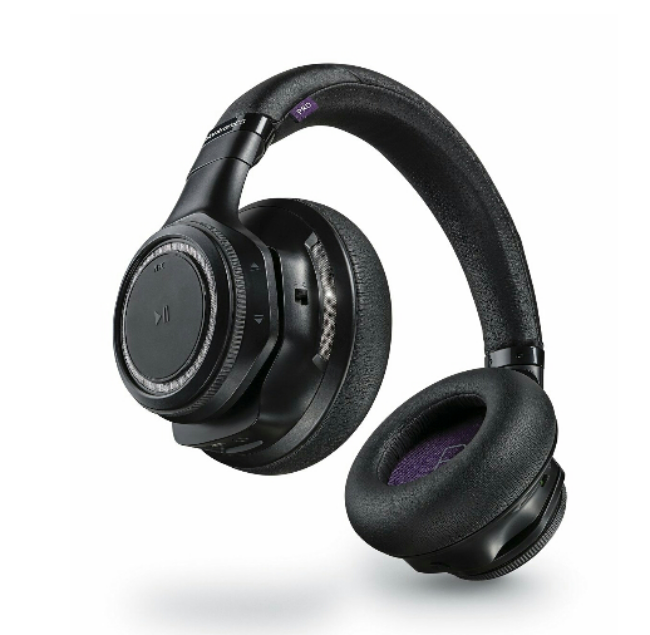
I will write another article about the Plantronics but with a 24 hours battery life, noise cancellation and active sensors that stop the music for example when you take them off your head, and start again when back on, this is an example a high quality wireless audio solution.
The Samsung Note 4 is a fabulous piece of kit for audio lovers.

Only been used for nearly 22 hours. Over 2 days and 9 hours standby. Battery only half depleted.
Food for thought?
Many people don’t like Touchwiz on Samsung phones due to the lag it often introduces. On the Note 4 there really isn’t any lag. Below are 2 setups on my Note 4. First up are screen shots using Touchwiz. Then from Nova Launcher. Whenever you use a third party launcher you lose some of widgets like the monthly calendar and location widgets shown below that I really like.


The above screen is a left swipe on the Touchwiz home screen. You don’t get this when using Nova Launcher. Now below is Nova Launcher.

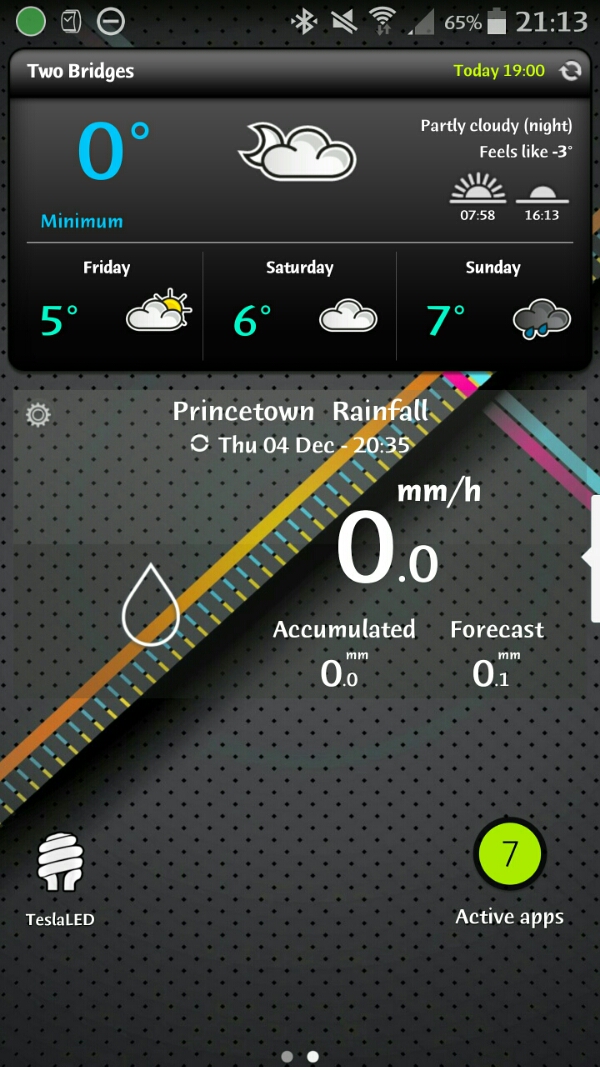
So which style do you prefer?
 Gavin's Gadgets & Photography