Category Archives: Reviews

HTC Mini+ Review – a phone for your phone

20140402-053911.jpg

The HTC Mini+ icon and settings options appeared in the HTC One M8 so I was curious about it enough to see what all the fuss was about.

The official specs are –

– Size – 118.7 x 39.8 x 7.15mm
– Display – 1.5” white color 4 gray OLED, 128X128 resolution
– Features – Stay connected with calls, SMS, Notification,
– TV remote
– Facilitate presentation with remote control and laser pointer
Applications
– CIR/Sense TV
– PowerPoint controls
– Connectivity – Bluetooth® 2.1 + EDR and NFC Pairing
– Battery – 320 mAh
– Talk time: 9 hours
– Standby time: 95 hours

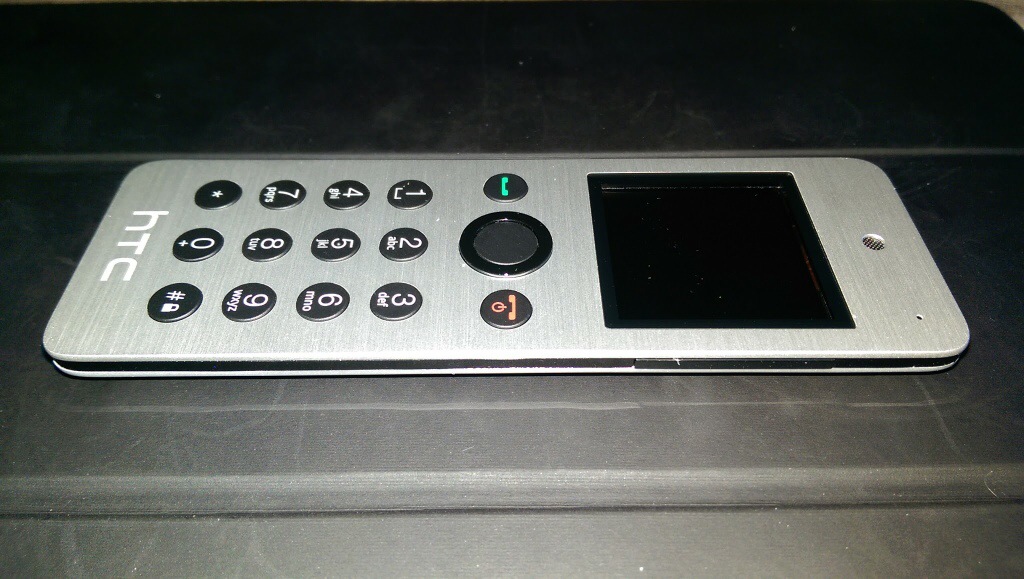
So, it arrives as it is slightly bigger than I thought it would be and not as slim. It has a slightly curved back which has a plastic feel to it, thus ruining the metallic front finish look.

In the box is the instruction, device and micro USB cable. First up you have to give it a full charge. Turn on and pair either via Bluetooth or NFC.

Functions. If a call arrives on your HTC One M8 it displays caller and vibrates but the Mini+ rings with the name in the display. You answer and talk away. Call quality was fine but even at full volume the ring volume isn’t that loud. You can do conference calls on this. This device is very light so if you do lots of calls you won’t end up with hand ache. You can make a call from the Mini+ either by scrolling through frequents or tapping the name out on the keyboard until the name appears on screen. This is actually very intuitive and uses a T9 logic so is very quick with few taps needed for most names.

The Mini+ can act as a remote for the camera shutter, even worked on third party camera apps eg a Better Camera, gallery app ( so if connected to the HTC Media Hub you can use it to remotely show your photos on the TV ), PowerPoint slide remote with laser pointer and TV remote control. You can also use it as a controller for your windows PC. It also acts as a remote for media playing on the HTC One and works for most media apps.

The TV remote option is cumbersome as you have to use text based options displayed on the screen and takes the info from the M8 TV app. It also only has limited options. Better than nothing I suppose.

Find My Phone. Press this and boomsound blasts your ringtone at full volume. You won’t take long to find your phone.

Notifications – shows details of missed calls, readable text messages and replying using the text templates from the HTC One M8 and a number of received emails. However, this is from the HTC Email app only and it’s just says emails with the number received. You cannot scroll to see who they are from. Rather pointless. And that is it for notifications. It does sync notifications so if you read a text it’s marked as read on the HTC One M8. Same for calls. Diary. You can view next events for the day.

But the screen goes black in standby so unless you heard you had missed a text etc.. you wouldn’t know to check the screen.

The HTC Mini+ came with software version 4.0 and according to HTC’s website there is a firmware update but you need a windows PC. Mac is not available.

My closing opinion is it’s cool to look at, a conversation piece, but debatable as to its usefulness.

Available from Clove Technology.
HTC One M8 – Daily Blog – Day 5 – review – photo editing effects

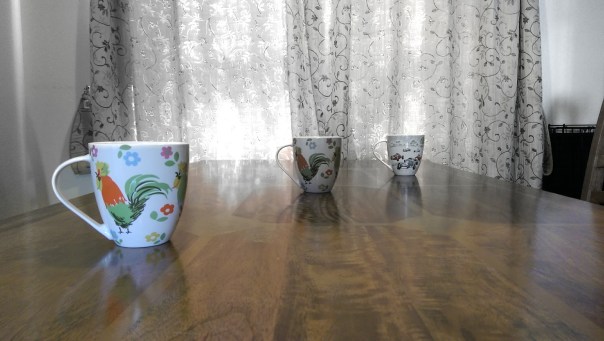
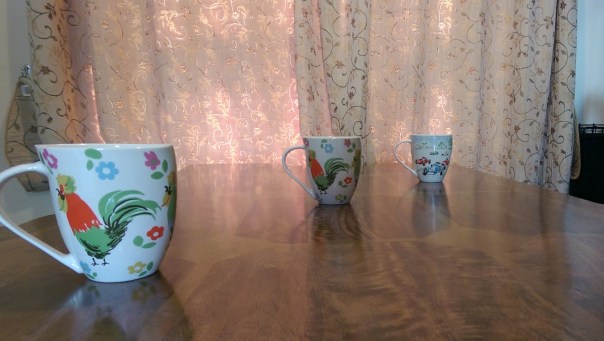
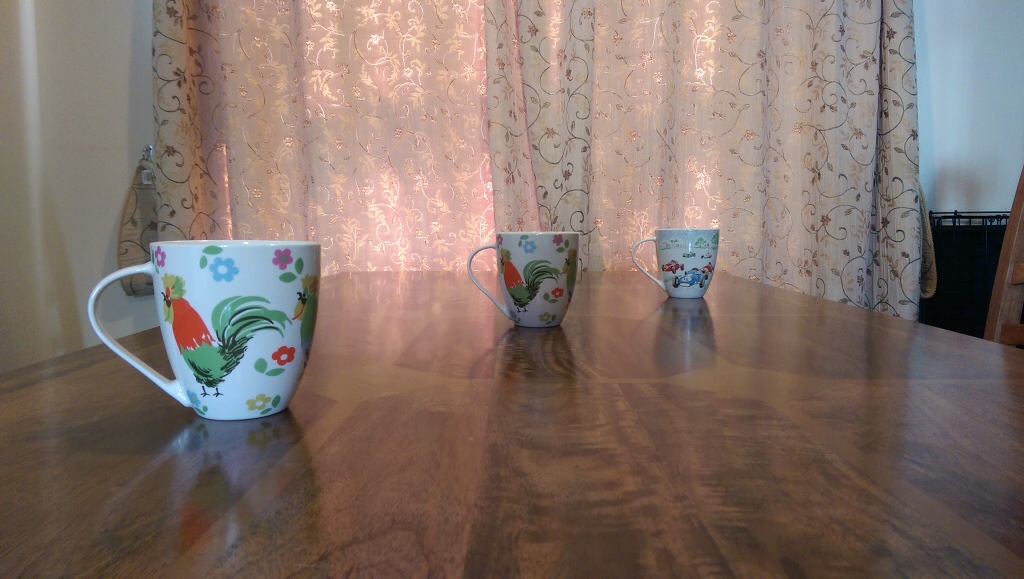
Today I am going to look at the results from the camera and the post editing that is possible. So I took the photo below. This is in full auto using no special photo shooting mode or pre applied effects. It is important to work in this way, otherwise you cannot use any of the fun post editing options. So let’s start.

20140330-133807.jpg

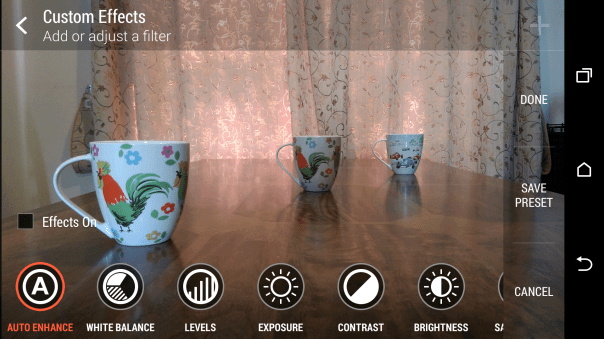
Now with the HTC One M8 and it’s dual rear camera lenses I have a photo with lots of additional exif data that will enable me to continuously re edit the photo as often as I like. So after taking the photo I jump into the gallery app, and hit edit.

20140330-134447.jpg
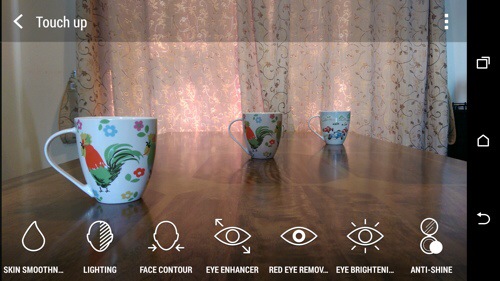
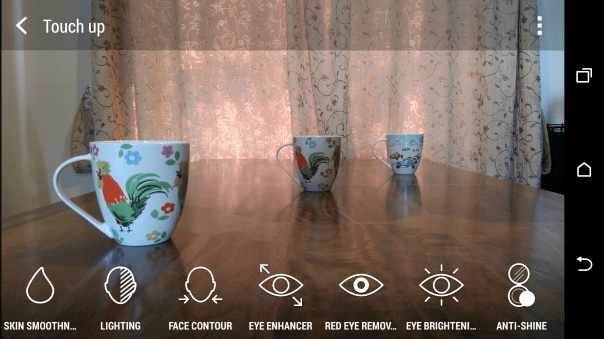
There is one more option for editing peoples faces in the menu.

20140330-134533.jpg
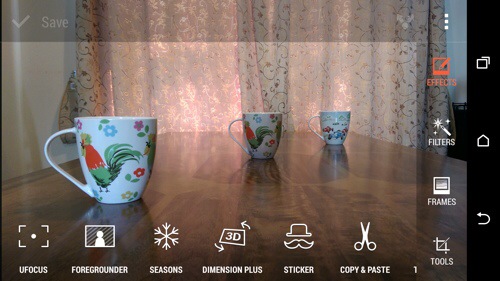
Anyway, first up we will hit in the effect “UFocus”. This allows for the focus point to be changed after the shot has been taken and as many times as required. So first up, I altered the original photo on the front mug.

20140330-134854.jpg

And now by tapping on the mug in the middle the focus point is changed and a new photo is created. It is not perfect but it is great fun.
IMG_0647
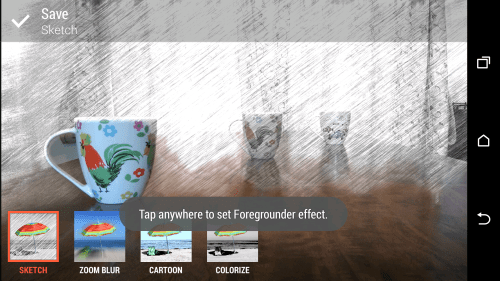
So if we start with the original photo again, effects and select “Foregrounder” we can start to change the effects based on the focus depth point selected. The options within Foregrounder are Sketch, Zoom Blur, Cartoon and Colorize. Using the middle mug as the focus point this is what sketch does. Out of all the effects I was least impressed with this. Maybe over time as HTC tweak the software and the third party developers bring out cool new apps we will see the full potential of this second lens on the rear.
IMG_0662
IMG_0648

And now with Zoom Blur applied with the focus point the rear mug. I quite like this one.
IMG_0649

Next up is the Colorize effect using the front mug as the focus point.
IMG_0650

And finally the Cartoon effect.
IMG_0651

Another one of the effect that uses the data from the second lens is Dimension Plus. From here you rotate or swivel the phone to adjust how the items move around in the photo. You can then save what you see as a fixed photo or a Dimension Plus photo so you can keep playing around moving the mugs into different angles. Below is fixed photo.
IMG_0654

Seasons is another effect. Here you can superimpose snow or leaves onto the photo. You decide when to freeze and save the shot or create a video. Photo below of leaves.
IMG_0652

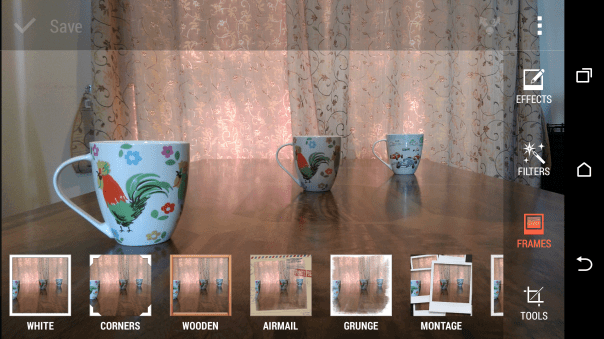
Hopefully, you should be getting the picture that this phone is full of effects. You can adjust peoples faces, add objects like hats or sunglasses to photos, cut and paste people out of one photo and move into another and so on. You also have the normal editing tools like cropping, straighten, auto adjust, exposures, white balance, contrast and so on. There is also a menu for adding frames.
IMG_0660

IMG_0661

IMG_0663

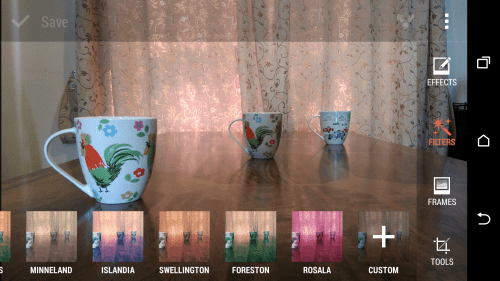
And then there are filters.
IMG_0657

A few examples of the original photo with filters applied.
IMG_0655

IMG_0656

Now you can do all of the above using the original shot, and after the event, and keep editing it to your hearts content. As a mentioned before, if you take a shot using the camera in a different camera mode you cannot use the focus changing type effects.

However, there is still a whole chapter on the camera modes and what can be achieved if you don’t want to use AUTO.

Tune in for more tomorrow.

HTC One M8 Daily Blog – Day 4 – Review

Welcome back everyone. Here I am at day 4. I’ve had the weekend to use the HTC One M8 more as a phone and camera. I’ve also been reading the debate on the internet over the 4.1mp ultrapixel rear camera. And it’s getting boring. HTC take on cameras is most photos never leave the phone or end up getting shared on Facebook, twitter or Instagram. So what you have is a camera that takes photos in all lighting conditions and really fast. It then allows you to worry about the editing effects afterwards with special effects and filters.

So what does that actually mean? Well it equates to me snapping a photo of my 3 dogs so fast I captured the moment all 3 had their heads facing me. It was only a split second. But the M8 captured the memory. It was also a lovely shot and I used some of the editing tricks to make it even better. It was also in low light indoors. I tried to take a similar shot with the Note 3 and every time it missed getting all 3 dogs in the frame or the shot had blurred dogs. I was hoping to upload some more photo samples which use the second camera but man flu and the weather has prevented that.

However, I have had a message pop up in the camera saying it was switching back to using phone storage and not the sd memory card as the memory card was not saving the shots fast enough. And that is with a Class 10 micro sd card. And that gives you an idea as to how fast this HTC camera performs. Fortunately, after shooting photos, I move the saved ones to the memory card, and guess what as the lens is 4.1mp the file sizes are so small using phone storage isn’t a problem.

With previous android phones I normally switch to an alternative launcher like Nova or Apex. If you buy this phone, then it’s important to remember that I recommend you don’t install these. In fact, you need to keep HTC Sense otherwise you will lose too much of the HTC experience. I know some of you will install your favourite launcher immediately. Hold fire for at least a few weeks. What I have found that even after 4 days the user experience keeps improving. The interaction of the software and hardware is phenomenal. It’s better than iOS 7. And that’s a bold statement as iOS 7 is awesome in its own right.

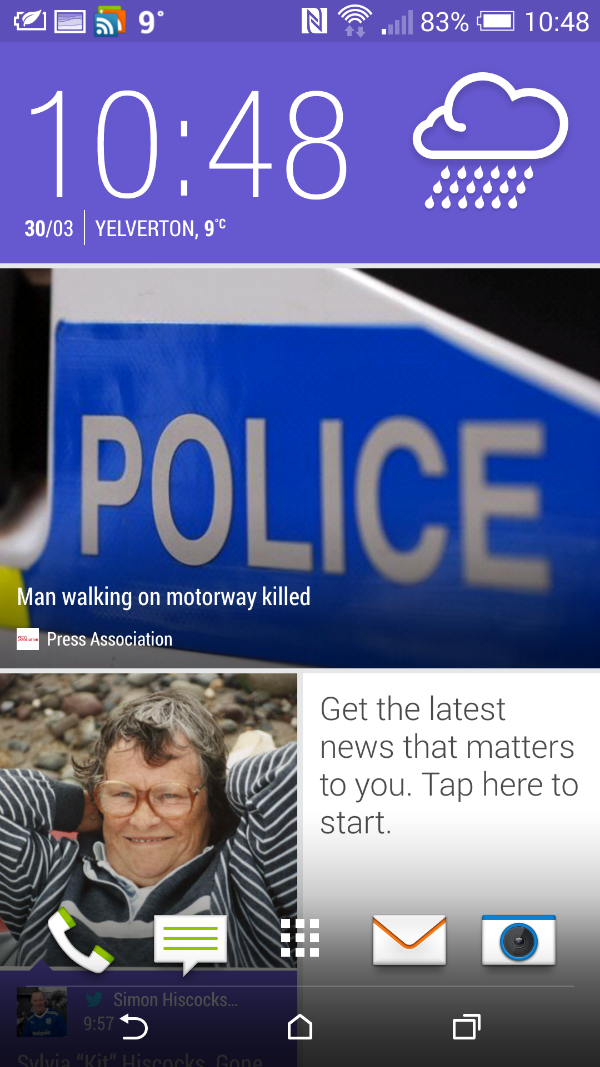
Blinkfeed. For the first time I don’t think I would want anything else as my main home screen. It just keeps impressing me more and more. It combines items of interest I’ve selected from the internet and my chosen social media along with local content on the phone. So on Saturday, at around 6pm when I went to get a pizza from Dominos, Blinkfeed had restaurant recommendations that were within a few miles of my current position. Now I had selected in the options for restaurant recommendations but it was great to see it in action. Information is pulled from Foursquare. I don’t use this service but information was still provided by it. Later my TV reminders were pulled into Blinkfeed. Then yesterday, my calendar entries were showing along with a F1 news item. You can also theme Blinkfeed. Go into settings, personalisation, themes and select one of the current 4 themes.
image

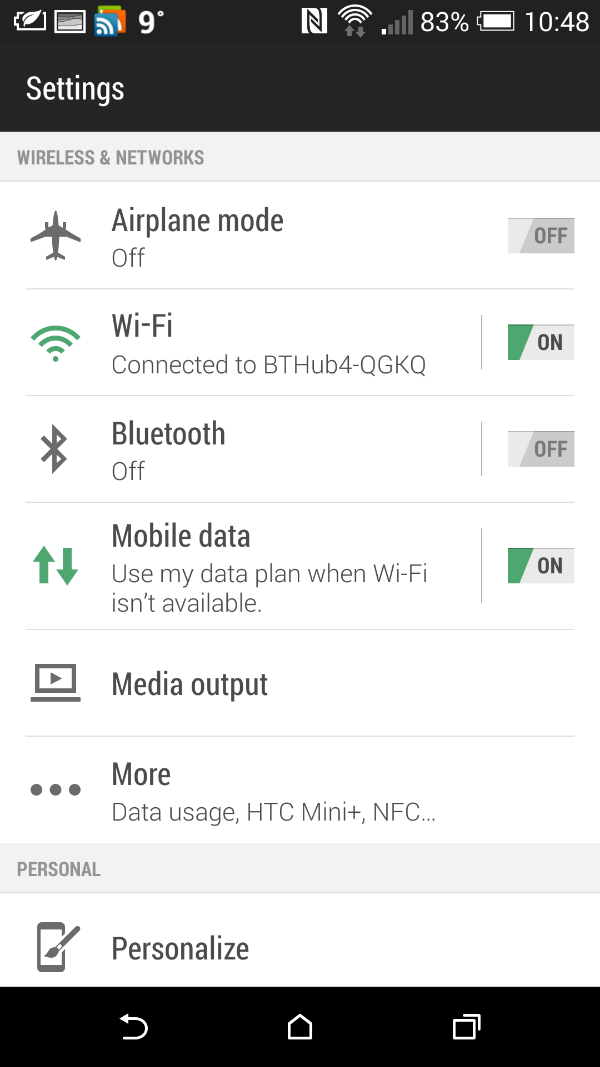
The themes also change everything throughout the device not just Blinkfeed. Some screenshots below of how the changes look.

image

image

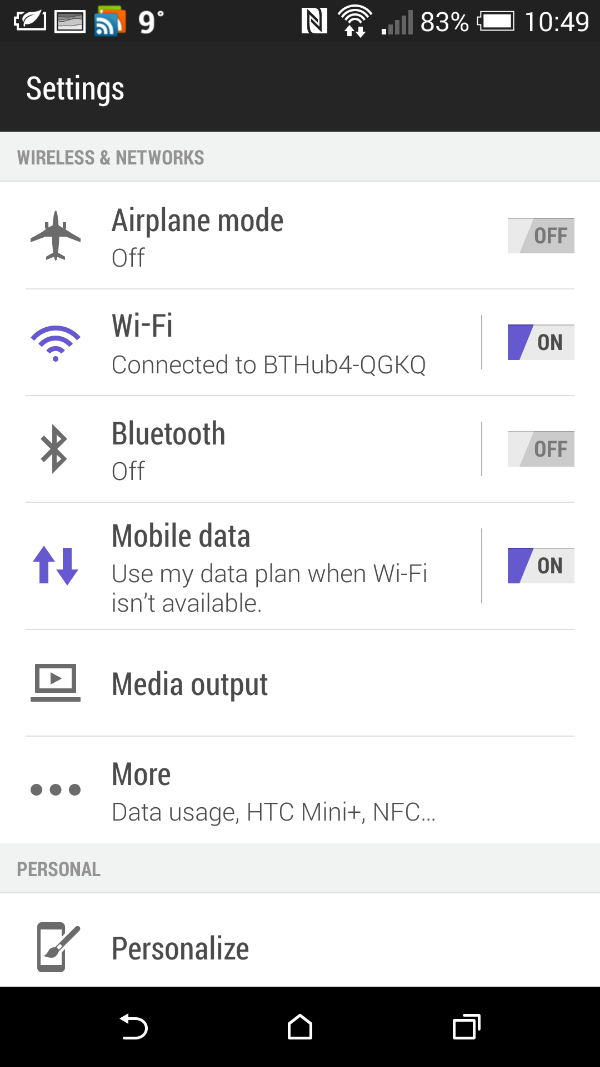
And now with a green theme.
image

image

The themes change everything throughout the device. Even the highlights on the keyboard. You can still have your own wallpaper if you don’t like the theme wallpaper.

More tomorrow.

Reminder – Go listen now to Gav & Dave’s Tech Podcast

As you know, I co-host a weekly podcast with David from UKMobileTech called Gav & Dave’s Tech Podcast. It is a light hearted tech podcast broadcast bi-weekly. To subscribe click here for iTunes or copy and paste this link into your favourite podcast app.

Episode 11 is now live.

If you get a moment and have enjoyed the podcast, please leave some feedback in iTunes. Thanks.

All the Latest Reviews, News, Podcasts by Gavin’s Gadgets – Please RT

It’s Sunday, so put your feet up, and catch up on all the reviews of the latest phones.

The HTC One M8 review is already at part 4. Click here for all the sections written so far.

Of course you may be wondering how the new HTC One M8 compares to the original HTC One. Well, I’ve got that covered. Click here for my 20 part review!

Still want more. Well catch up on the reviews of over 25 phones by clicking
here. Reviews include the new Sony Z Ultra, Sony Z1 Compact and Samsung Note 3 and many more.

Still want some more. Click here for reviews on the new wearables – Samsung Galaxy Gear and Pebble Smart watch. Also read the new Sony SBH80 Bluetooth NFC headset review, along with reviews for many other headphones and accessories.

Eyes feeling tired now. I’ve got that covered. Go and listen to all 11 episodes of my podcast I co-host with Dave Rich. Click here.

And if you feel like knowing the weather for Princetown, Dartmoor, Devon then head over to the dedicated weather page. Click here.

And for your tech shopaholics check out a few companies I recommend. Click here.

So I hope you had a good weekend. See you all tomorrow.

HTC One M8 – day 2 – review – battery, audio, directions, motions

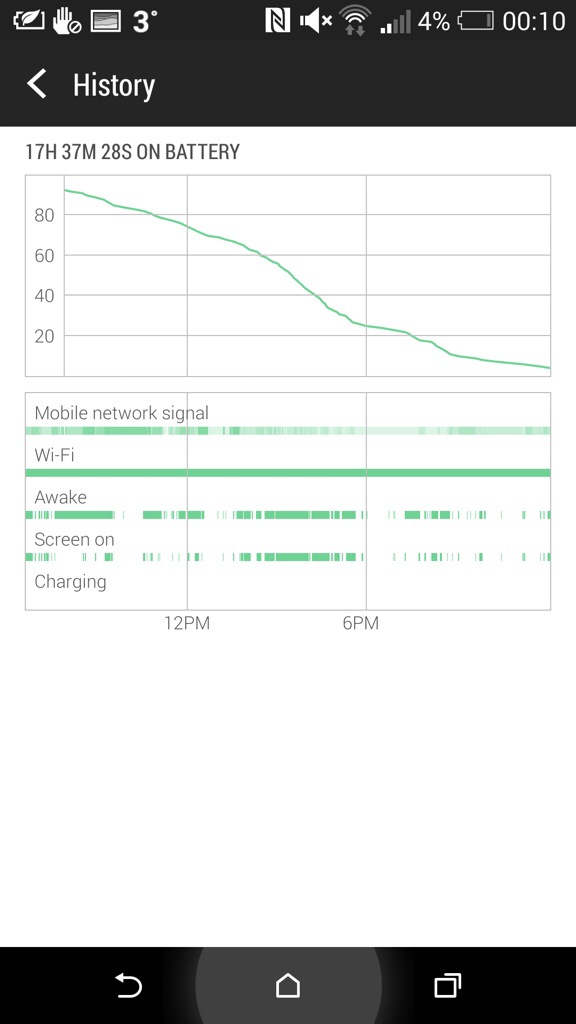
From 6.30am yesterday the HTC One M8 came off the charger. It managed 17 hours and 37 mins and then when it reached 3% I put it into extreme power saving mode. It’s still going. Now I would be considered a power user as I had several email accounts on push, listened to podcasts in the car and used Google Maps. Also used Google Play Music. Watched several YouTube videos. Downloaded apps and app updates. I have 90 apps including social media all working in the background.

I would say that the battery life in real use did really well.

I mentioned app updates. Some of these were the core HTC apps including HTC Gallery. This is superb as this means a full blown firmware update isn’t needed to correct or improve the HTC Apps. And this in turn means HTC can fix their apps without needing to wait for the carrier approval.

Audio. I had more time to use the Bluetooth audio, headphone jack audio and loudspeakers. One word. Freaking awesome. The Boomsound speakers sound so much better. I was listening to BBC Friday Night Comedy and the podcast was really clear, loud and not tinny. Bluetooth audio doesn’t use boomsound but does use AptX. Very clear and powerful sound with my Sony SBH80. Next, I plugged in several headphones. Omg. The headphone amp on this phone is obscene is a good way. So gutsy but neutral too. Plenty of clarity. It drove a full size pair of headphones better than anything I have used with them before.

The setup app appeared in the notification centre. I tapped on this and it opened up the HTC Setup app. You are given a web address with a code to enter. After doing this you can use the computer to effortlessly setup and personalise your HTC One. I had setup my phone on the phone itself so didn’t bother continuing.

Motion controls. I spent some time last night mastering the motion controls. With the screen off, lift phone and if you :-

1) swipe up it will unlock phone
2) swipe down will activate voice dial
3) swipe right to left opens phone in Blinkfeed
4) swipe left to right opens widget screen
5) lift up in horizontal position and press volume down key. Camera opens.

All these work really well and quickly.

HTC Car Mode. This uses HTC’s own voice app. And it’s not as good as Google. So in the help menu it says as an example ” Find a gas station “. So I asked it to find a gas station. Luckily I was low on fuel and it came up with a gas station nearby. According to Google Maps I would be there in no time, in fact just a mere 5 days and 32 minutes. In that period I would be somewhere in the heart of Europe. With my fuel gauge reading 5 miles I’m not sure I would make it that far!

So I tried the same thing but asked “find me a petrol station”. Slightly nearer, this time only a mere 86 miles away. So as a recommendation don’t use HTC Voice Car mode if you are low on fuel.

I also had a proper look at the camera and camera settings along with the video highlights. The camera and editing options are impressive and I have been pleased with the results so far. I managed last night in dim light to capture my 3 dogs. For privacy reasons I can’t show this but it was very good.

On Monday I will add part 3.

20140329-001722.jpg

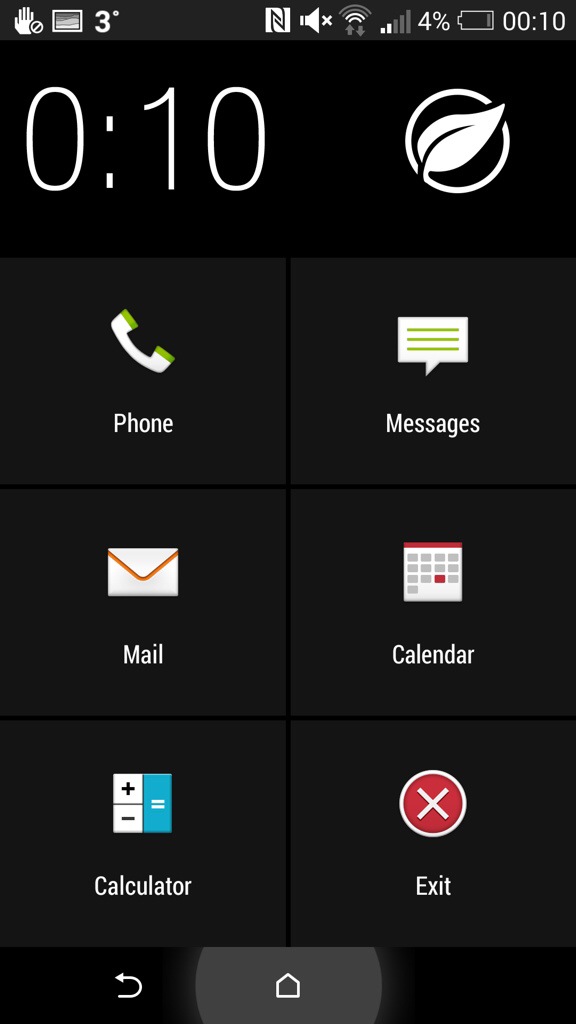
Above. Screen shot of battery stats. Below. Screen shot of extreme power mode. These are the only apps available during this function.

20140329-001826.jpg

Hello HTC One M8 – daily blog and review part 1a

Following on from my camera samples, I thought I would not to a review or first impressions but cover off how I am getting on with the HTC One M8 every few days or so, or when something interesting happens.

First impressions. The phone looks fab. It feels great and solid in the hand. In the box is a groovy looking UK adapter and usb lead, headset, silicone case with flaps to protect the headphone and micro usb port and leaflets.

Before you setup the phone properly, go to the software update and check for an update. There is a 110mb update. This is an important update as it improves the camera and adds many features.

I am using the HTC Launcher for now and have setup Blinkfeed as my homepage. It certainly has improved since owning the original HTC One. You can add many services and search for new ones too. I have also installed 90 Apps/Games and have 4.83gb internal memory free.

I have encountered a few bugs with the camera and the refocusing feature, but I need to explore the camera more, read the manual over the weekend and then decide if it is user error or a bug. I have also noticed different file sizes on the camera photos from 1.2mb, 3mb and even as large as 7mb. I am still trying to work out what settings are providing the higher quality outputs.

I setup the TV remote last night. It was so simple vs the procedure on the Note 3. In fact, the HTC One is simpler and easier and faster at most things. Its speed is effortless. Its screen is beautiful. The TV remote app is far superior to that found on the Note 3 with a clear and more functional layout. I like the fact my favourite TV programmes will appear in my Blinkfeed as a warning to watch them nearer their start time. Also from the TV guide from within the app, sliding right to left pulls up trending info on the programme or film you are watching. Rather neat.

The motion controls are simple but effective too. Picking up the phone and double tapping unlocks the phone. With the screen off, slide your finger left to right or right to left and you launch Blinkfeed or your widgets.

Anyway, once I have got to grips with all the options I will report back. In the meantime, if you have any questions, please let me know.

And if you can support Clove Technology with any of your smartphone needs even better.

Hello HTC One M8 – daily blog and review part 1

I know I said I wasn’t going to get one but I did. I must point out I was led astray by the HTC One M8. So as a warning, do not enter a store where they can let you hold and feel this phone in your hand. It is just incredible to behold. Yes, I’m on the honeymoon period but nonetheless there is not a single phone built currently that looks so good, especially in gun metal.

Anyway, below are some quick camera samples. No staging just very quick snaps.

image

image

image

image

image

When I get some time over the weekend, I will upload these to Flickr and provide the links as probably these might be a little compressed. On my PC screen these all look good.

So what do you think ?

Sony Bluetooth NFC Headset SBH80 – review

As much as I like my phones, I also like headphones. I have reviewed several pairs already on here. Go to menu, reviews, accessories, headphones. I have owned far a fairly broad selection of headphones, so feel free to ask for a comparison to another make if necessary.
image

First up the official specifications –

– Bluetooth 3.0, NFC, Multipoint connectivity
– HD Voice, Noise cancellation
– AptX audio enhancement (must have)

Box Contents

– SBH80 unit
– Sony AI-1000 cicroUSB charging cable
– Earbuds (3 sizes)
– Documentation (useless)

Supported Bluetooth Profiles:

-Handsfree profile (HFP) v1.6 (HD ready)
-Advanced Audio Distribution Profile (A2DP) v1.2
-Audio Video Remote Control Profile (AVRCP) v1.4 – Control and Target role
Acoustic:

Speaker type: 5.8 mm dynamic
Ear coupling: In-ear canal
Nominal Impedance: 15 Ohm
Frequency response: 10Hz … 20000Hz, (diffuse field oriented mid-high range).
Max SPL: 100dBA (EN 50332-1)
Total harmonic distortion: <0.5% (100Hz .. 10000Hz @ 100dBSPL)
Microphone: Dual MEMS

Controls:

-Power key
-Answer/Call end
-Play/Pause music key
-Next/Previous track keys

Connectors: Micro USB charger connector

Battery Capacity:

Standby time: (up to) 400 hours
Talk time: (up to) 8 hours
Stream time: 8 hours
Battery: 115 mAh
image

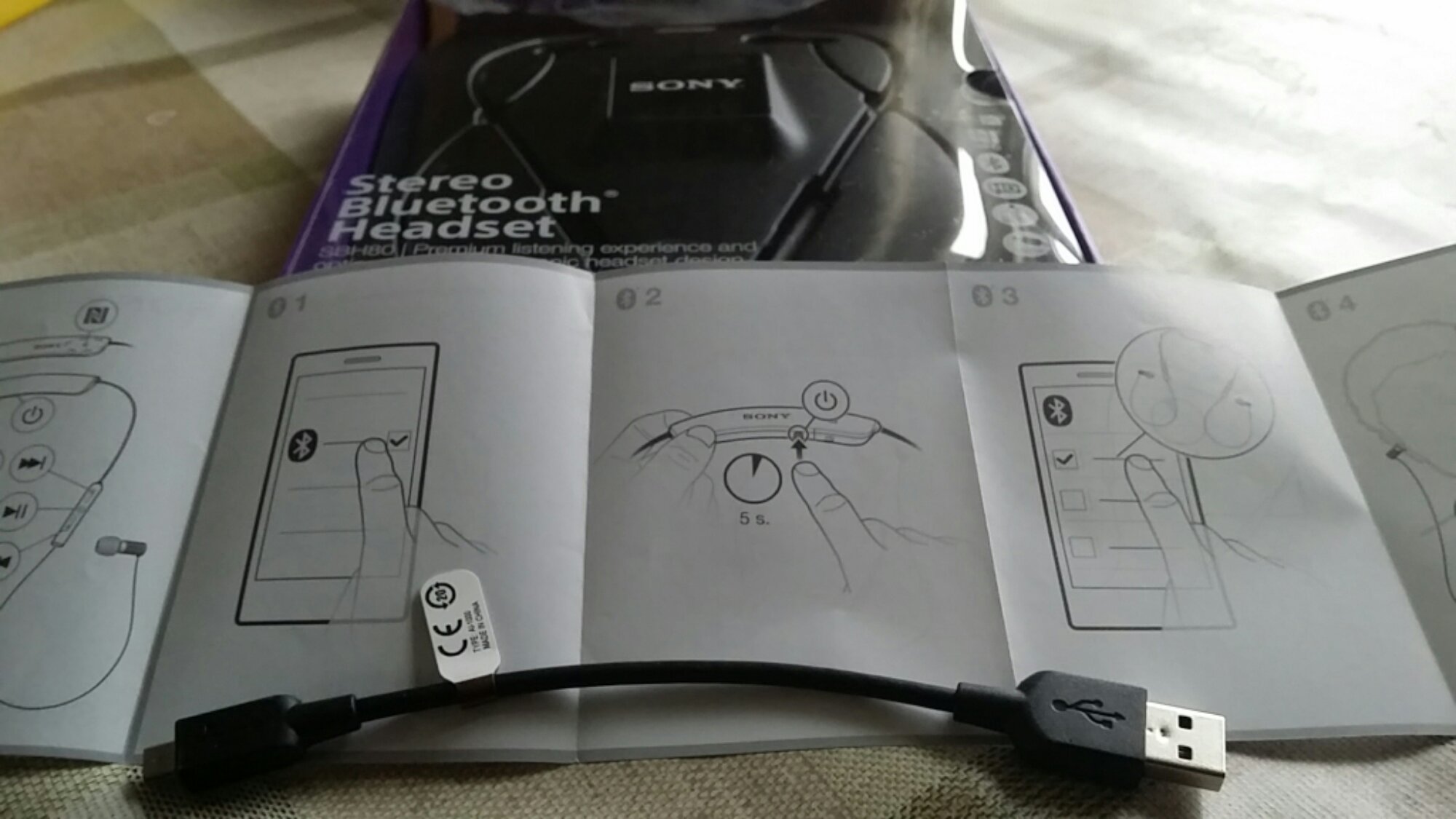
First up, the enclosed documentation is rubbish. The manual or quick start pamphlet is all full of meaningless pictures. So head over to the online user guide by Sony. Click here. There is also a link to the PDF manual.

Sony advertise the headset as splash proof, so if it rains there is nothing to worry about. However, there appears to be no official IP rating so I would be a little careful.

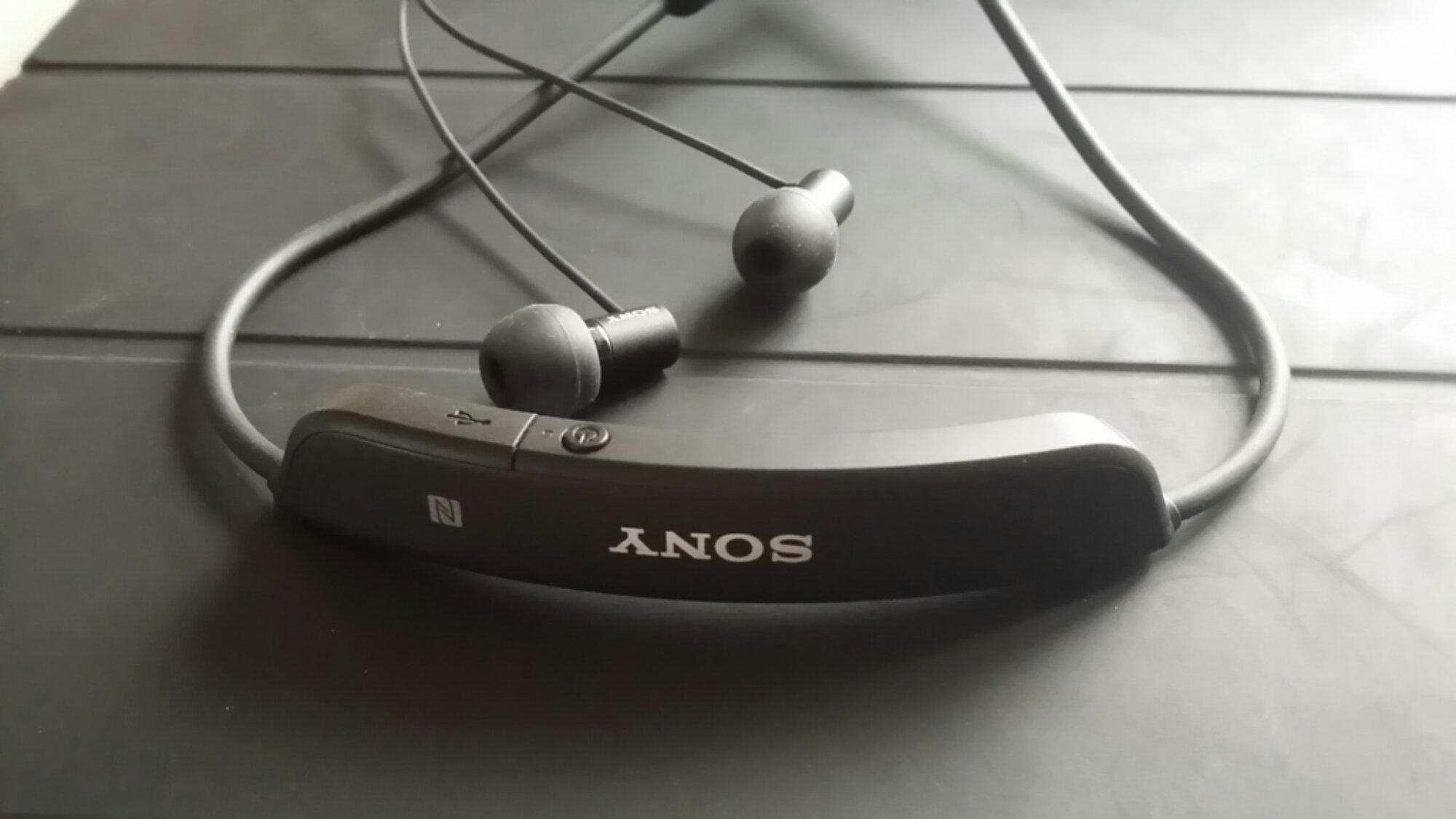
Pairing was simple. I fully charged the headset, and pressed the tiny button to switch on. It takes 2.5 hours to charge the band for 8 hours usage. Then using the NFC from the headset and the Note 3 paired the two together. The headset allows for 2 devices to be paired.
image

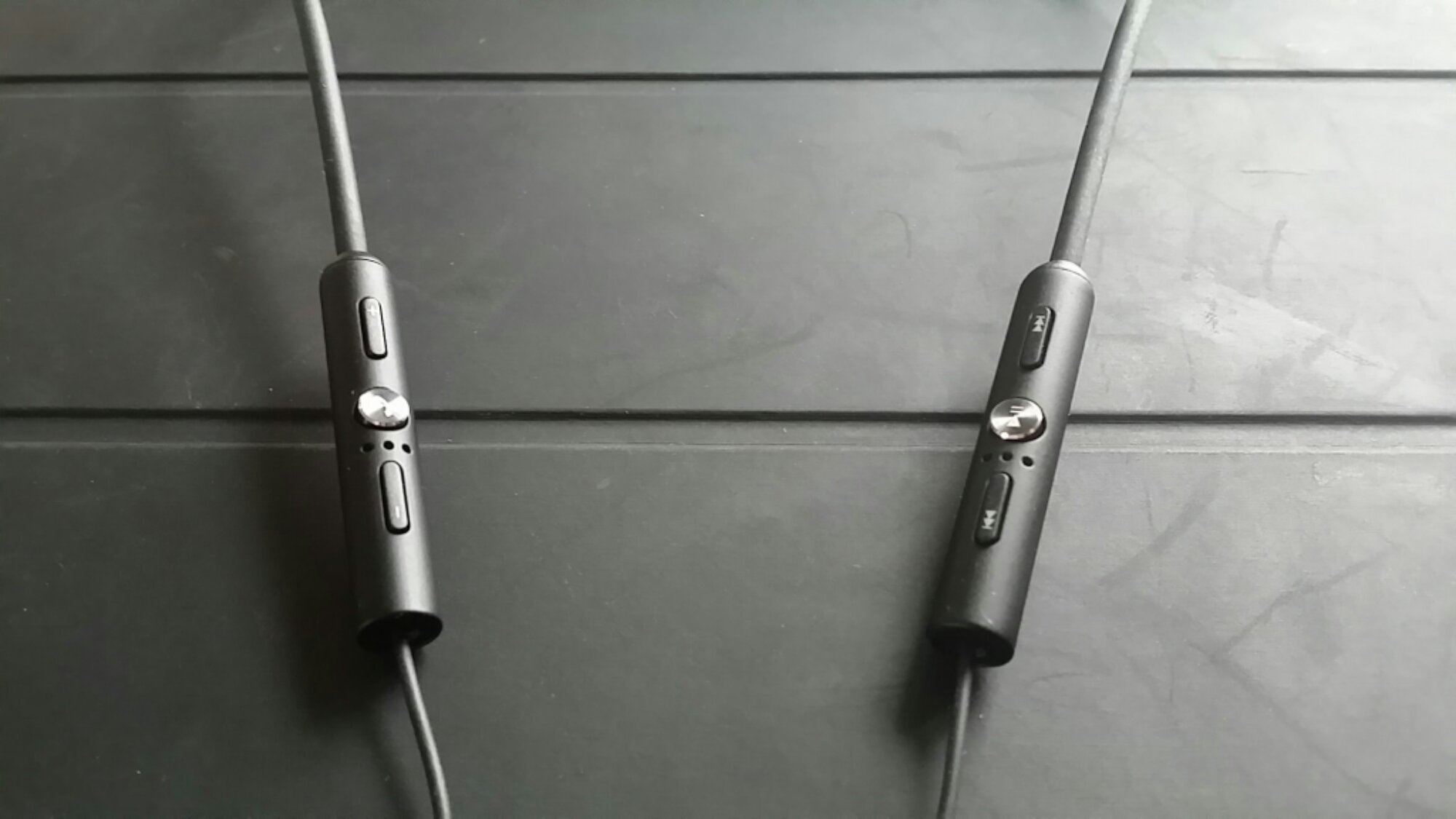
So the million dollar question. What are they like to use? And what do they sound like? The band sits on your neck, and once there you won’t know it’s still on your neck. It also takes the strain off the ear buds which is important since the cable from the band to the ear buds is rather thin. This in turn takes the weight off your ears. These in ear buds are so comfy. The band has the flap concealing the micro USB slot and the on / off switch. On the left hand side is the control for the volume up and down and phone. Press the phone button to accept the call. Press and hold to reject call. During the call, pressing the phone button mutes the mic, pressing and holding rejects a call whilst on a call. Whilst on a call, if another call comes in, you can switch back and forth between the calls. The right side has the music controls. Play/Pause. Track rewind and fast forward. Holding down the music controls scrolls forward or back along the track. The band also contains a tiny notification light -:

-Flashing red light: battery level is between 0% and 4%.
-Yellow light: battery level is between 5% and 29%.
-Green light: battery level is between 30% and 100%.
-Flashing cyan-coloured light: headset is in pairing mode.
-Flashing purple light: a call is coming in.

If you have a Sony smartphone like the Xperia Z1 or upcoming Z2 you can set to receive a notification when the headset battery is critically low. The main antenna for the device rests on the right cable, so it’s best to have your phone on the same side to ensure perfect sound without any drop outs in sound. In the time I’ve used the headset I’ve not suffered from this.

Sound and call quality. Making and receiving calls, peoples voices were crystal clear. The sound quality as a music player was very good but not as good as say the Sony XBA-H1 or anything more expensive. There is sub bass attack if the tracks include it, and at sometimes this might feel too much, but it’s a fairly neutral musical sound in the mid and treble. In fact, the overall presentation is fairly neutral with a slight hint of bass at times, although some bass driven tracks will explode with bass and muddle the midrange. It’s an odd experience at times. The soundstage is slightly closed in, but separation is reasonable. The presentation is trying to be too accurate at times, and the the treble is the weakness in this setup. But I am being super analytical. Overall it’s a great all round package. The sound is private so I didn’t get any complaints that the sound was leaking and in the same light I couldn’t hear anyone either. In terms of volume I’ve not had issue with the sound volume not being loud enough.

These are very popular headphones/headset and if you want to know more headover to Amazon’s Deal on the Sony SBH-80 Stereo Bluetooth Headset

If you have any questions, please leave a question in the comments section.