Category Archives: Reviews

HTC One M8 – Daily Blog – Death on the Nile

So many of you were expecting an upbeat article today, but alas the reason there was not an update yesterday was due to an apparent failure of my One M8.

In an nutshell the GPS tracking just stopped. No matter what I did nothing worked and I was constantly being asked to re route. Now I was using the highest GPS/location settings. I did reset the phone, then at Carphone Warehouse Geek Squad (or whatever name they call their technical people) a hard reset was performed.

Nothing could resurrect the M8 to get the GPS positioning working again. So a swap was organised, only to find they had no stock. So reluctantly, I am left with a Samsung Galaxy S5 for the time being.

I will share my first impressions of the S5 in the next article today.

PS. Since writing this article I have discovered I was not alone in having GPS problems with the HTC One M8.

Fight – HTC One M8 vs Nokia Lumia 1020

image

I recently read a camera comparison of the HTC One M8 vs Nokia Lumia 1020 and it really was biased and didn’t cover any of the strengths of the HTC One M8 over the 1020. So today, let’s put the balance back.

Round 1. Capture the Biker. – above shot from HTC One M8. The M8 took over 20 shots using long press of the shutter in a second or two. A quick edit using sequence shot and above shot created. I would post the Lumia 1020 shot but the camera is still firing up .

Winner Round 1 – HTC One M8

Round 2. HDR mode.

image

In Round 2 we test the HDR mode of both cameras. Of course this is a standard camera mode found in all cameras. Shot above from the HTC One M8 using the HDR mode. I can’t show the shot from the 1020 as it doesn’t have a HDR mode.

Round 2 – Winner – HTC One M8

Round 3 – Macro mode

image

Macro shot from the HTC One M8. Hang on the Lumia 1020 doesn’t have a macro mode.

Round 3. Winner. HTC One M8.

Overall winner – HTC One M8.

Now in case you think I’ve been unfair, I could have selected at least another 10 types of shots where the HTC One M8 would have won.

Disclaimer – the 41mp Nokia Lumia 1020 is a great camera phone providing you’re capturing static shots, grave yards and non moving things. Also worth noting that the image the 1020 uses for sharing is 5mp versus a 4mp file from the HTC One M8.

However, in many situations the HTC will achieve what you need better than the 1020 due to it’s speed, creativity, and the endless options of editing the photos afterwards. In other words, it is not necessary to select the camera shooting mode first. Plus you get a video highlight of your event created automatically. It’s the perfect camera for capturing people, pets, kids and movement. And if you are still unsure have a look at 36 photo samples from the HTC One M8 on Flickr. Due to privacy reasons, some of the best photos taken from the M8 are of my pets and kids and therefore cannot be shared.

HTC One M8 – Daily Blog – In the Night

image

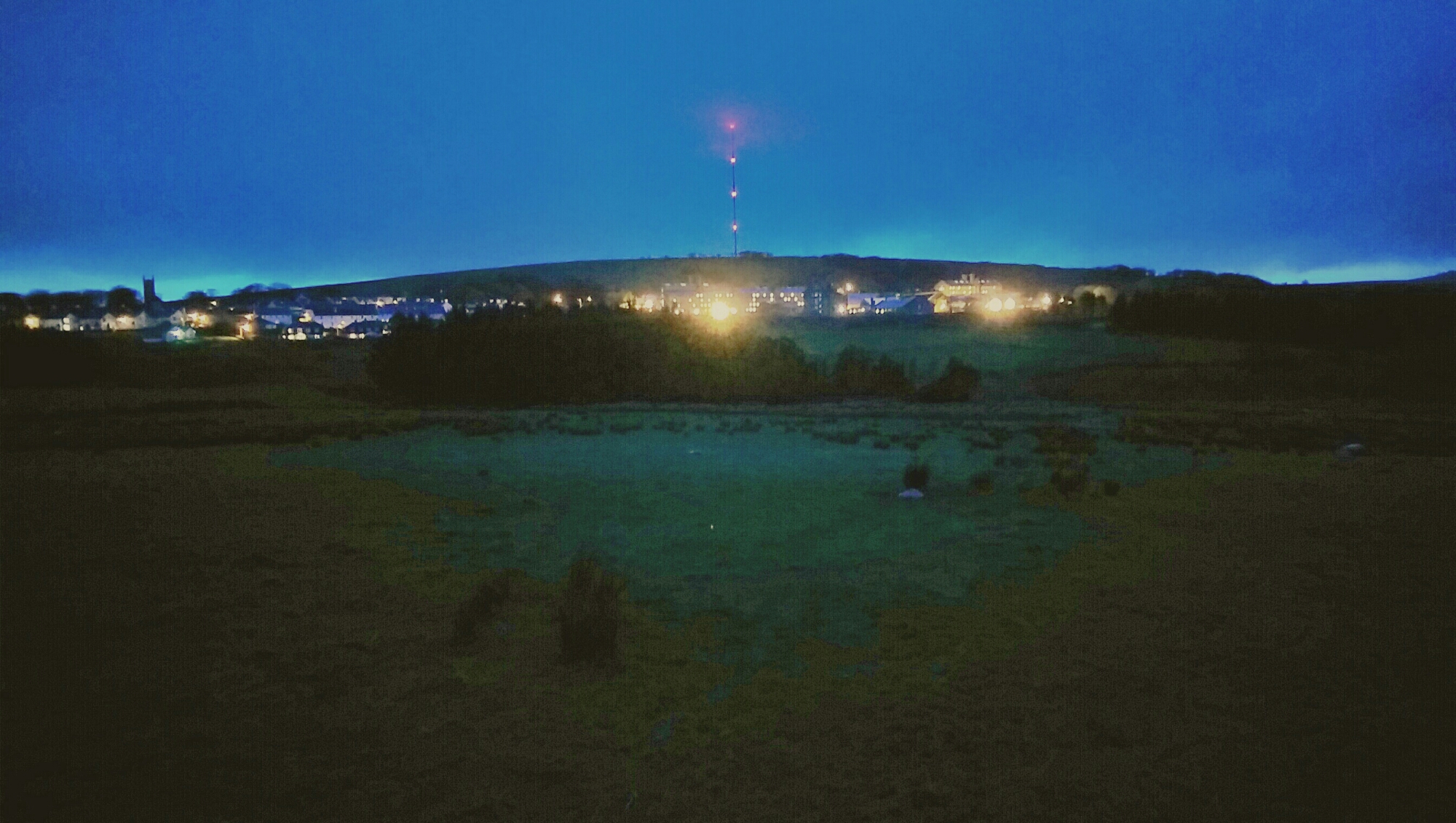
The above photo was taken when darkness was approaching. I used manual mode and a longer shutter time on the M8.

But even later in total darkness. The view is Dartmoor Prison. It’s raining. And there is fog. There is a large field before the prison too.

image

Now to give you an idea as to how much data got captured I quickly edited the photo.

image

Just shows you the amazing low light capabilities of the HTC One M8.

HTC One M8 – Daily Blog – Review – Another Day

Another day has passed and its been a roller coaster of a weekend. Why? Well, I got to play with the Samsung Galaxy S5 and that got me drooling after one. Luckily, this spell didn’t last long.

So back to happy days with the M8 and thinking about the little things on a phone that can make it really a big news item.

And the little thing is a button created on the HTC Watch Infra Red app called “Eject DVD”. You see, not only does the HTC IR blaster have a terrific range that also means it is not necessary to aim directly at the TV, it is also programmable, something that is missing from its competitors. My DVD player eject button stopped working several months ago and the DVD remote did not have an eject button on it. Luckily, I was able to buy an universal remote control that did have this option. But now by using the learning function, I have this option on my HTC One M8. Genius.

Another reason why I love the HTC One M8.
image

Episode 12 – Gav & Dave’s Tech Podcast is now live Please RT

As you know, I co-host a weekly podcast with David from UKMobileTech called Gav & Dave’s Tech Podcast. It is a light hearted tech podcast broadcast bi-weekly. To subscribe click here for iTunes or copy and paste this link into your favourite podcast app.

Episode 12 is now live.

If you get a moment and have enjoyed the podcast, please leave some feedback in iTunes. Thanks.

Its alive – Gav & Dave’s Tech Podcast – Episode 12 – Please Share & RT

As you know, I co-host a weekly podcast with David from UKMobileTech called Gav & Dave’s Tech Podcast. It is a light hearted tech podcast broadcast bi-weekly. To subscribe click here for iTunes or copy and paste this link into your favourite podcast app.

Episode 12 is now live.

If you get a moment and have enjoyed the podcast, please leave some feedback in iTunes. Thanks.

HTC One M8 – 7 Part Review plus Podcast

Over the last week I have written a daily blog of my thoughts on the HTC One M8. Below is links to all the articles with the finale tomorrow on Gav & Dave’s Tech Podcast.

Camera Theories of the 4mp<

Hello HTC One M8 – Day 1

HTC One M8 – part 2

HTC One M8 – part 3

HTC One M8 – part 4

HTC One M8 – part 5

HTC One M8 – part 6

HTC One M8 – part 7

HTC One M8 – part 8

HTC One M8 – Daily Blog – review – day 9

Today I am going to share my brief thoughts after just one week of ownership. On Sunday I will share my further views on my podcast I co-host with Dave Rich, Gav & Dave’s Tech Podcast . Dave also has the HTC One M8 so it will be an interesting discussion.

Camera – excellent. Best lower sharpening to minus 0.5. HTC over sharpen normally. More shots of pets and people obtained due to speed of camera launch and time to first shot taken. If a very bright day, switch to HDR, focus on sky, press and hold to lock AE/AF. Then take shot.

Sense – it makes sense. Designed properly. Feels stock but with some extras that feel smooth.

Sound – Boomsound – the best quality and loudest. Headphone amp so strong. I am finding I can use phone as standalone music player.

Hardware – drool worthy. Say no more.

Extras – free silicone case a decent freebie

Screen – find me a better one. Colours look natural and dont seem to strain eyes.

Speed – move over Ferrari

Upgradable – with ease as HTC apps in Play Store. I like the idea of not having to wait for firmware updates. Also, HTC have an app for new apps they introduce for your phone, thereby adding new features on the fly.

I was a bit worried about the low 4mp rear camera but based on the results I am pleasantly surprised. The wide angle lens is great too both on for the rear and front selfie camera.

Tune in for Sundays podcast where I will provide detailed examples of each of the above.

HTC One M8 – Daily Blog – Review – Day 8 – Ultrapixels

Following on from yesterday’s explanation of the camera modes, and the day before that explaining some of the effects, today I am going to explain my thoughts behind the Ultrapixel arrangement on this phone. I previously had the original HTC One, which based on my experiences of that phone and the new M8, helped me create this article.

The M8 has a Ultrapixel lens and a depth sensor lens. At 4.1mp it is definitely not the best camera on the market. Make no illusion about this point. The depth enabled shots that create a bokeh effect either work well, not so well or simply fail. But I am hoping with software updates and developers on board the potential is huge.

However, the Ultrapixel optics is good at picking up subtle differences within a range of lighting but it is poor at dealing with situations where there is a very wide range of lighting in a photo. Sky shots are a nightmare where there is bright sunlight and grey clouds.In my experience. HTC took the decision that this would be more of a social camera and therefore calibrated it to pick up subtle detail when lighting situations have a low level of variance. Eg inside a room for a constant light reading and subtle variances in the shot. Look at my table shot of the mugs yesterday. Great shot.

So what does this mean for outdoor bright shot. Tap on the screen and use a point where the lighting is slightly darker than it needs to be, unless you can find a perfect spot. It is easier to lighten a photo as the information already exists, but impossible to adjust an over brightened shot in the same way.

The HDR mode of the HTC One is far too bright. I am trying third party apps that have an HDR mode and so far the results have been better than the inbuilt camera app. In fact the best app so far is “A Better Camera”. But it is a close call sometimes between using the stock app.

So I mentioned HTC made this a social camera with lots of funky effects to show off to your friends on social media, video highlights of the events all created for you, so in reality the photos where this camera shines are quick snaps to capture that moment that other phones will have missed and in slightly lower but not total darkness lighting eg in a bar, at home early evening. Pets, people and relatively close up shots, macro and such like all work really well.

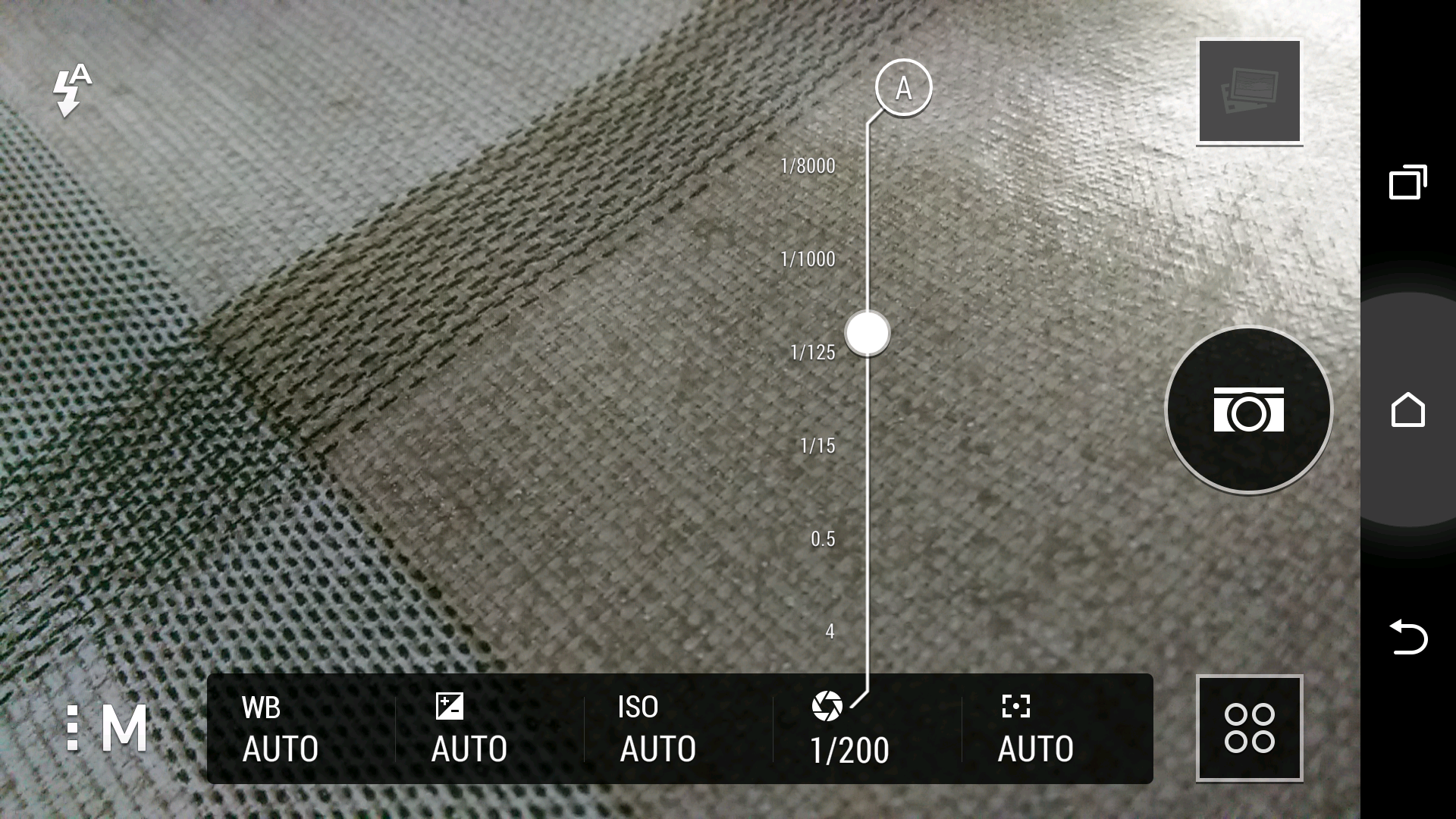
So is everything else is just average? I don’t think so. In fact, the photos I have captured look wonderful. There is even in manual mode shutter control, so you can set a longer shutter time if required.

See for yourself at a selection of 16 shots and decide for yourself. Click here for Flickr set.

https://www.flickr.com/photos/gavinfabl100/sets/72157643265004874/
image