Category Archives: Reviews

LG G3 – Review – Part 1

image

I have now had the LG G3 32gb/3gb version for nearly 2 weeks and in that time I have been using this phone exclusively. It certainly has been a different experience to that of any Samsung, Sony, HTC, Nokia and iPhone experience.

First up lets have a look at the official specs. Just a short note, I have the 32gb storage/3gb ram and not the 16gb storage/2gb ram version, so it is quite likely that the extra storage and 3gb ram have helped improve my overall experience with this phone.

Specifications –

– Networks 2G Network GSM 850 / 900 / 1800 / 1900, 3G Network HSDPA 850 / 900 / 1900 / 2100, 4G Network LTE 800 / 1800 / 2600 / 2100
– SIM Type – Micro-SIM
– Dimensions – 146.3 x 74.6 x 8.9 mm
– Weight – 149 g
– DISPLAY – True HD-IPS + LCD capacitive touchscreen, 16M colours,1440 x 2560 pixels, 5.5 inches 534 ppi p
– Protection – Corning Gorilla Glass 3
– MEMORY – Card slot microSD, up to 128 GB
– Internal – 16 GB, 2 GB RAM or 32 GB, 3 GB RAM
– DATA GPRS Class 12 (4+1/3+2/2+3/1+4 slots), 32 – 48 kbps
– EDGE Class 12
– Speed HSDPA, 42 Mbps; HSUPA, 21 Mbps; LTE, Cat4, 50 Mbps UL, 150 Mbps DL
– WLAN Wi-Fi 802.11 a/b/g/n/ac, dual-band, Wi-Fi Direct, DLNA, Wi-Fi hotspot
– Bluetooth – v4.0, A2DP, LE
– NFC – Yes
– Infrared port Yes
– USB microUSB v2.0 (SlimPort), USB On-the-go, USB Host
– CAMERA Primary 13 MP, 4160 x 3120 pixels, phase detection/laser autofocus, optical image stabilisation, dual-LED (dual tone) flash
– Features 1/3” sensor size, simultaneous video and image recording, geo-tagging, face detection, HDR
– Video 2160p@30fps, 1080p@30fps, optical stabilisation, HDR, stereo sound rec, Secondary 2.1 MP,1080p@30fps
– FEATURES OS Android OS, v4.4.2 (KitKat)
– Chipset Qualcomm MSM8975AC Snapdragon 801
– CPU Quad-core 2.5 GHz Krait 400
– GPU Adreno 330
– Sensors – Accelerometer, gyro, proximity, compass
– Messaging – SMS(threaded view), MMS, Email, Push Mail, IM, RSS
– Browser – HTML5
– Radio – Stereo FM radio with RDS (D855 model only)
– GPS – Yes, with A-GPS, GLONASS
– Java – Yes, via Java MIDP emulator
– Colours Metallic Black, Silk White, Shine Gold, Moon Violet, Burgundy Red
– Active noise cancellation with dedicated mic
– SNS applications
– MP4/DviX/XviD/H.264/H.263/WMV player
– MP3/WAV/FLAC/eAAC+/WMA player
– Photo viewer/editor
– Document viewer
– Organizer
– Voice memo/dial/commands
– Predictive text input
– BATTERY – Li-Ion 3000 mAh battery
Stand-by Up to 565 h (2G) / Up to 553 h (3G)
Talk time Up to 19 h (2G) / Up to 21 h (3G)

So those are the official specs. Now just one last point to highlight, I am reviewing the European D855 model.

Some of the standout features for me of the LG G3 are the Qi Wireless charging built in, Infra Red Blaster for controlling your TV etc, the comfortable design for holding in your hand, the 2.5k screen with 534 pixels per inch, the audio quality via headphones, overall well designed software and hardware integration, the simple effective camera and strong battery standby time.

I am going to work through over the next few days, maybe weeks, describing each aspect of this phone. I will say from the outset that I recommend you read the manual with the G3 next to you to make sure you understand all its unique features. I will also document some tricks not found in the manual as well.

Today, I will cover off the camera. It is a 13mp affair, with optical image stabilisation and comes with a laser auto focus system. LG have also provided a default easy mode. Just tap screen to focus and picture is taken instantly. And based on all the photos I have taken in all lighting conditions, I am really pleased with the G3’s overall photo quality. Lower light, night time, macro, people, dogs, bright light and more all have produced very acceptable images. So out of all the smartphones I have used this year, the G3 is my favourite smartphone camera. The G3 can snap panoramas up to 70mb in size which is far greater than the Samsung Galaxy S5.

So how simple is the LG G3 camera app? This simple, see below.
Screenshot_2014-07-20-11-43-58

In this mode, you just tap the screen to focus and take your shot. Just in case anyone is wondering what is in the camera viewfinder, it is my finger over the lens, pressing the power button and volume down to take the screen shot. Lets say however, you prefer a more traditional layout. LG has you covered. See below.
Screenshot_2014-07-20-11-44-15

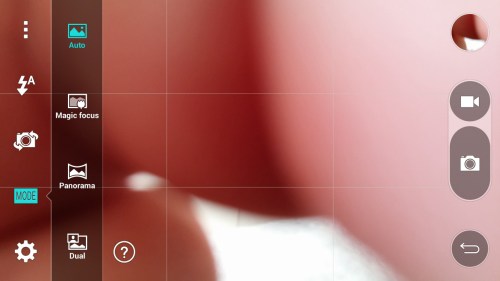
To keep matters simple, LG has included only a few shooting modes as shown below. I will cover off each mode as well.
Screenshot_2014-07-20-11-44-30

If you tap the settings icon, you have a few more options, but not many to choose from. These are HDR on/off/auto, MP size/aspect ratio, voice control, timer, grid lines and storage options.

Screenshot_2014-07-20-11-44-42

The final screen shots shows you the various photo and video options, including 4K video recording and 120fps slow motion.

Screenshot_2014-07-20-11-44-52

Lets look at some of the camera options in more detail. First up, the LG G3 has no hardware buttons on the sides. They are all on the rear of the phone, which are easy to adjust too. One of the options when the phone is off, is too long press the volume down key to launch the camera app. Selfies – these are easy to take, as all you need to do is raise your hand, clench into a fist and a countdown timer appears. Magic focus mode lets you change the focus after taking the shot (bokeh style). Only issue is once focus mode is selected and saved, you cannot re-edit the shot. Dual mode uses both the front and rear cameras at the same time. You will see your face in the shot in a little rectangular box which is moveable. Panoramic shots are fantastic with file sizes up to 70mp possible. You can use your voice to take a photo. Commands accepted are cheese, smile, whiskey, LG, and kimchi. For me kimchi worked the best.

The timer option gives you 3 or 10 seconds or off. The G3 has up to 8 times digital zoom. I found this works fairly well up to about 3-4 times zoom. Clearly not optical zoom but better than nothing. If you have recorded video at 4K, whilst in the LG video playback mode, go into settings and turn on screenshots. Now you can take photo stills of your video footage. This can be done at any resolution of video. The G3 also supports dual play over 2 screens using miracast or using the slim-HDMI port on the phone.

If you are shooting video, you can take photos at the same time. Whilst playing back your video, you can live zoom in to the video. In terms of picture quality, do keep looking back at the LG G3 flickr album which will increase over the next few weeks in content. Currently 19 shots. Flickr album link https://www.flickr.com/photos/gavinfabl100/sets/72157645618979801/

But what if the LG G3 camera app is too simple. Well I have the Google Camera and A Better Camera app installed. It seems that LG have allowed access by Third Party camera apps to the manual options within the camera. As I have more time, I will test these apps further, but initial results over the last few weeks have been fine. But being honest, the G3 camera app just works really well for most shots, so this is getting used the most.

So I am sure you all want to know how does the G3 compare to other current top tier smartphones. Lets start with the Lumia 925 and 1020. Both the optics on these phones have the ability to take better quality shots but not all the time. They are let down by software and processor strengths. The G3 takes higher resolution shots than the HTC One M8, so it has the edge. The Z2 has the ability using manual settings to take some very good photos but in auto mode the G3 wins. However, the Z2 does have some snazzy camera modes but be warned it can get too hot so may shutdown the camera. The Samsung Galaxy S5 – if the weather is lovely bright sunshine and HDR is used or macro, then the S5 wins. However, the G3 shoots photos in all conditions, so really is the better option. G3 vs iPhone 5S. Winner here is the G3. It provides the iPhone’s simplistic user experience but with better quality photos. However, the iPhone 5S is no slouch, in fact it’s one of the strongest features of the phone.

I want to reserve my judgement on the G3 camera until I have had at least one month using it. I found with the Samsung S5 my shots improved considerably after 3-4 weeks as I was becoming very familiar with the software/hardware limits.

That’s all for now, but if you have any further questions on the camera please let me know.

Part 2 coming soon.
Other reviews incoming over the next few weeks

Apart from the LG G3, LG G3 official accessories , LG G Watch and an update on the Samsung Galaxy K Zoom reviews coming up next week, I also have a few other reviews on the horizon.

On the headphone front the AKG K845 are being reviewed. At the time of being reviewed they were compared head to head with the Sennheiser Momentums Over The Ears. Expect big surprises from these AKG cans.

Don’t forget to look at the accessories reviews sections for previous reviews on the Sony SBH80, Sony XBA-H1, Logitech UE 6000 and Audio Technica ATH-900x headphones. Click here to jump to accessories review page https://gavinsgadgets.wordpress.com/reviews-accessories/

This also includes reviews of other accessories, including Wearables from Pebble , Samsung and LG.

Samsung Galaxy K Zoom – The Final Part – Part 1

This is the final part of my review on the K Zoom. Final Part 1 since a newer firmware might change things for better or worse later on in the future.

In my last post https://gavinsgadgets.wordpress.com/2014/07/15/why-the-samsung-galaxy-k-zoom-is-winning/ I mentioned the K Zoom was winning. It still is, but it no longer used as my main device/phone. This duty has moved to the amazing LG G3.

However, the K Zoom is still carried with me at all times. It compliments the LG G3 due to the optical zoom, xenon flash and wide angled lens, plus it runs android so connects to my G3 as easy as ABC.

Continuing the easy as ABC theme, because it runs android kitkat, you have a full feature Google Play app store at your disposal, along with the Samsung Camera and Studio Editing apps, with simplicity at the fore front.

For example, the camera has many modes and creative options. So if you are visiting a waterfall, just select waterfall mode. There are other modes like fireworks, indoor party, night, HDR, snow, sunset and so on and on. With all its modes, it makes it so easy to always capture that moment in front of you regardless of the conditions. It is not DSLR quality but at least I know I have never not been able to capture something. In fact I have used Shot and More mode, then the Drama selection many times and all to great success.

I even considered at one point changing the K Zoom for a dedicated compact zoom camera but there is nothing quite like the K Zoom. It is already fairly compact, has the advantage of android kitkat and if I so desired I could put my micro sim back into it and use it happily as a standalone smartphone.

However, at the moment, it is used as a connected camera and this shall be the case for the future months and years.

LG G3 Official Accessory Reviews – Upcoming details

Apart from the main review of the LG G3, I will also be reviewing some of the new official cases and accessories from LG for the LG G3.

These include –

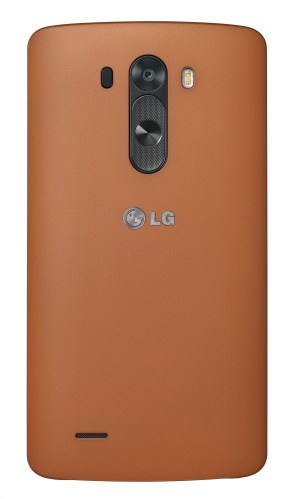
1) LG Premium Hard Case in Tan Brown
lg-slim-hard-case-for-lg-g3

This case is a leather effect for extra grip, replacement back cover for the LG G3.

2) LG QuickCircle Cover Case

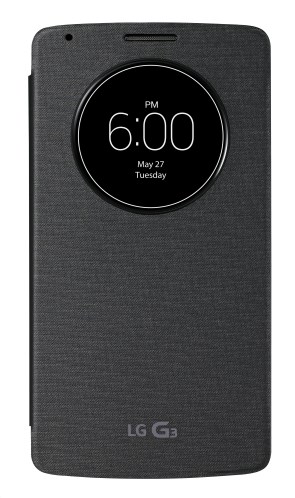
lg-quickcircle-cover-for-lg-g3

This is LG’s case which offers the most protection. You can still use your G3 whilst still protecting its screen, customise the clock and 6 applications you want to use directly in the “Circle Window” when the cover is closed. The case is ultra-thin and replaces the back cover of your phone. Available in the same colour as the G3 and compatible with inductive charging. If ordering this you need to be careful as there are several versions of this case, one of which does not replace the back cover.

3) LG Slim Guard Case
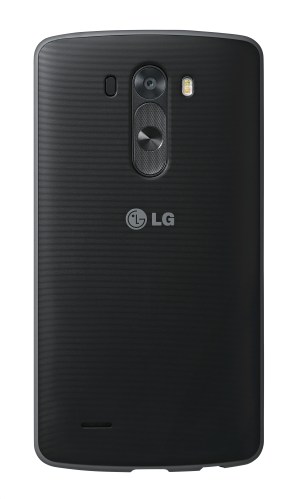
lg-slim-guard-case-for-lg-g3

This is a strengthened shock control with rubber material around the edge. This case is fitted by removing the original battery cover and replacing it with this case. Made with double moulding polycarbonate and rubber materials. Resulting in the slimmest protective case.

4) LG Wireless Charger WCD-100

official-lg-wcd-100-qi-wireless-charger-p46198-300

Qi Wireless charger, Sleek design,Portrait and landscape position for viewing content hands-free, Portable fold away design.

Again, if there is anything specific you would like to know, let me know.

LG G3 – review update

I have posted a few articles already on my daily thoughts with the LG G3. I will write a full review, once I have got to grips with all the features and quirks of this phone.

It has a lot to offer and is certainly worthy of a top spot in any phone awards at the moment.

It is the first phone in ages that “feels” good to use, that provides a “happy” emotion when using it and that does not take over your life, but simply slots in.

If you have anything particular you would like me to cover, please let me know.

LG G Watch – just over a week later – update – plus some new apps

So I have had the LG G Watch just over a week so far. In fact it is nearly 10 days. My thoughts and experiences on this device have changed since using it.

After just a few days, I really thought this smart watch would be returned as I was thinking it is simply an overpriced piece of plastic that does nothing useful.

Fortunately, I have been really busy with my day job, so I have not been able to give the G Watch any specific time, and that is actually why I am loving it now.

It has simply just slotted into my life, providing useful information in a timely manner and nothing too excessive. Each day, I find another handy thing to do with it without too much fuss.

It does help that I like the look of the white/gold finish as well. It has also saved me time as I have not had to pull my smartphone out of my pocket that much, meaning that at the end of a working day, I still have 90% battery left on my G3.

It is sad however, the it needs a charge daily, although that does not take too long and the charging cradle is magnetic making it a breeze to drop on and off.

As time moves on it will be interesting to see what improvements are made to the Android Wear firmware and apps.

Now just a quick note of a couple of new apps that I have installed –

Android Wear Calculator – https://play.google.com/store/apps/details?id=rocketstartups.wearcalculator
A calculator on your watch and on the square LG G Watch is simple and easy to use.

Wear Camera Remote – https://play.google.com/store/apps/details?id=net.dheera.wearcamera
This is an awesome app. It is a remote camera shutter for your phone, but you also got a preview on the watch.

And another called IFTTT. I’m not going to say anything about this app. Just install it and get blown away at what can be done. Eg. Use your watch to turn the lights on. Silence your phone. Or turn volume to full. And another 100 options.

The annoying part of the Android Wear apps is Google’s own list is missing over 100 apps. So it is a search and search again at the moment.

Why the Samsung Galaxy K Zoom is winning

With the LG G3 in the house fighting for top spot, I have been wondering why the K Zoom is winning.

For a start it has issues. Less since the software update. But it is fat and needs to go on a diet. It has a bulge sticking out for the zoom lens.

And yet I have no desire to sell or return the phone to Samsung, not that I can anymore either.

So why is it front of house? Simply, it is running android which has an excellent selection of apps. Samsung include a superb array of editing apps too and a huge selection of camera shooting modes to ensure you always will photograph the view in front, from action shots, panoramic, HDR, creative shots, waterfalls, light traces, fireworks and more. It takes the pain out of any guesswork.

But what else, well it has a full suite of connectivity options from WiFi, Bluetooth, DLNA and more. It is also a phone. The photos it takes are not class leading, but they are on the whole really excellent and shots I would not have been able to shoot on any other smartphone.

So the K Zoom is a winner.

LG G3 in harmony with the LG G Watch

Just a quick update on my experiences of the 2 devices from yesterday.

It was a good day. Both devices got used a lot and I started to find more uses for the LG G Watch. My notifications were less, so battery at 8pm was around 51%. Still really a daily charge for this wearable.

The LG G3 really is outstanding. With the screen off, music playing and all the other apps running in the background, it hardly uses the battery. So much so, that my work BlackBerry Curve (due to high security this is a mandatory use device) was the one that needed the car charger!!

So referring back to my other post today, do I keep the LG G3/G Watch combo or the Samsung Galaxy K Zoom?

Answers on a postcard please 🙂

LG G Watch – update after a few days

I’ve had the G Watch after a few days. I’ve been out in public with several people asking if it’s a smart watch. And everyone asked if it was a Samsung. Nobody had heard of LG.

I’ve started to use it a bit more in its natural format. I was shocked to find at 6pm a low battery card. The battery was at 14%  – the watch wasn’t even going to make it till the end of the day!

Unless some decent updates arrive soon I just worry that it’s battery life will hamper its usefulness.

In summary at the moment it’s an expensive bit off plastic with potential. 

LG G3 – quick thoughts

I’ve been really busy so not had as much time yet to spend with the G3 as I would have wanted.

My thoughts so far. 32gb storage available on my phone is bliss. I have endless space.

The camera. So far it’s been ace. Lots of indoor shots with people and really smashing results. Outdoor shots are equally good. Even low light. I still want more time with the camera though to give my final verdict.

The feel and software. The LG feels different to everything I’ve used in a long while. Consequently, I need to experience it’s character for longer to come to any conclusions. But I’m liking the experience more than the Samsung Touchwiz.

My main dilemma is still would I chose the G3 over the Samsung Galaxy K Zoom. Answer. No comment.