Category Archives: Apple

Andy shares his views after moving from Android to the Apple iPhone 6

Andy Dean asked me if I could share his thoughts on moving from android to an Apple iPhone 6 and then his change to an Apple iPhone 6 Plus. It makes a great read and one that resonates with other people that have switched platforms

The last time I used an iPhone was with a 3GS !!!! I’ve been through so many Android phones since then from every manufacturer (my favorite’s have been Xiaomi, OPPO and Moto). I have probably changed phones about 3 times a year in this time possibly more. Always finding something not quite right or some annoyance (which I have tried to get around / fix).

So with the New Year and new job I decided to give the iPhone 6 ago. It was refreshing just to be able to plug the phone in and come back 40-50 minutes later everything restored, including messages call logs and passwords for apps that needed them. This is quite refreshing after using Android. Xiaomi comes the closest to this experience but it still leaves a lot to be desired when compared to the process of restoring an iPhone.

With having the iPhone 6 my biggest concern was the battery life; after being brained washed by the Android requirement for a huge battery. I would normally have to charge my Android phone mid afternoon (OPPO R7s) when it was down to 30% this had a 3000mah battery compared to the iPhones measly little thing. The battery didn’t appear to drain on the iPhone…I wasn’t using it less either. I returned home with 29% left at 19:04; it was taken off charge at 05:30 in the morning. It had also managed 5 hrs and 30 minutes of SOT (Screen on time) The holy grail for Android devices. I was impressed and it continued like this for the rest of the week. One particular day I managed 8hrs 26mins of SOT and 22% battery left at 21:54 at night. I was seriously impressed with this battery life and especially the screen on time. I was using the phone more and well it was lasting longer than my recent android phones I’d used.

I have since upgraded to the plus version and have now completed my 1st 24hrs with this at work.

The first thing I noticed with plus version is how AMAZING the screen is, sure you can get 2k / 4k screens on Android and amoled ones but the screen on the plus is just amazing, perfect colour reproduction and not washed out at high brightness.

Moving form the 6 to the 6plus took less than 60 minutes. Doing a similar move on Android would have taken longer and a lot more hand holding. I was expecting great things from the battery and this didn’t disappoint!!! I used the phone more listening to music on the way in to and on the way home from work about a 75-90 minute journey one way. I also used the phone as much as I could just to see how much the battery would actually drain. It managed 6hrs 5mins of SOT and 12 hrs 27mins of standby and still had 53% battery left!!!!! I think this is amazing given how much larger the screen is in comparison to the 6.

I have got use to the size of it after 3 days of use. Helped by the thinness, rounded corners and general quality.

Some might be wonder about the software experience as the hardware is so old and low specked…… HaHa this thing has only lagged about once a day for a split second, it’s smooth and fluid, something lacking on the android experience. It’s nice to be able to click on links in emails and open the app up rather than chrome and the sites webpage. The back “button” I actually prefer on the iPhone as it will take you back to the previous app as opposed to previous screens in the current app. It is also nice having the facility to go back in the app by swiping from left to right. Apps are more polished, uniform and overall work better. It’s somehow less hard work to get things done. Sure sharing isn’t the same as it is on Android and you have to adjust your thinking, but it actually makes sense and I’ve been able to get as much sharing done as before just differently.

Camera is excellent, I will say it’s not as good as a Nexus 6p in low light conditions but is on par / better for the point and shoot aspect of things. It seems to be able to nail a quick photo with more accuracy and focus than Android phones do. It’s nice to have playlists in the car again and album art work which I’ve never got with any of the Android phones.

I’m trying to think of things I miss on Android customization a little sure, though I didn’t do much really. However, I am happy with this “sacrifice” for the amazing battery life, app experience and camera and just overall polished uniform OS.

Something, which Android is lacking in, is the ability to manage children’s accounts. It was just easier to get setup on iOS, create iCloud account and designate it for a child. This now enables me to track the kids, confirm or deny their purchases. Phones backed up effortlessly.

Sure some may label me as an Apple fan boy, I have persisted for years with Android. Nothing comes close to the battery life on either device. Sure Android might have “better” hardware but the experience is still lacking that polish and Android does get sluggish / pause for no apparent reason, I have experienced this on all the Android phones I’ve owned. The speed to iOS does make it feel a better specked hardware device. The other thing that’s nice is software updates are rolled out across the board for all hardware that is supported. Sure Nexus devices get this, but not as long as on Apple hardware.

The daughter now has a 5S she doesn’t really use it much but even it has managed 5hrs 14mins SOT and 157 standby with 11% left.

So yes I’m very pleased with the move to Apple and iOS. My head is still trying to get around how good the battery is on both devices but especially the plus device.

Thanks again to Andy for sharing his thoughts on his move from android to iOS.

Source – Andy Dean

Note Tapper for Apple Watch – complete with keyboard

Sometimes the best ideas are the simplest. Note Tapper for Apple Watch came to my attention as a solution I needed when adding notes via Siri wasn’t private enough or suitable. 

What makes Note Tapper unique is that it takes notes using its own keyboard. So let’s step back. You first install the app from the App Store. Click HERE.

After installing the app on your iPhone it installs on your Apple Watch. If you open the app on your iPhone it provides instructions on how to use the app on your watch. 


Above and below are screen shots of the instructions. 


So let’s have a look at how the app looks on the Apple Watch. Below are screen shots from the Apple Watch. 


Nice and bold. Just press the plus to add a new note. Above are your existing notes. 


And the keyboard continues by sliding up or down the screen to reveal the other keys. 
 

Adding text or numbers is a breeze. Instead of squinting at a small keyboard, the developer decided to make it easier to enter text by sliding up and down to reach other aspects of the keyboard. It makes for more accurate data entry. 


Adding a date or part date to a note is possible too. Tap on the field(s) required and use the watch crown to rotate to your desired selection. 

And that is it. A simple, easy and private way of taking notes. Currently, notes are only stored on the watch. I did get in contact with the developer and he informed me that iCloud sync is being planned for the next update. 

For 79p this is a no brainier app for the Apple Watch. 

Note Tapper for Apple Watch

My Notification Widgets on my iPhone 6S Plus 

Pulling down the notification centre on your iPhone reveals your widgets and notifications. 

I decided to use the widgets from the apps as shown below. These widget options are available for some of the pre installed apps or when you either install apps from the App Store. 

  
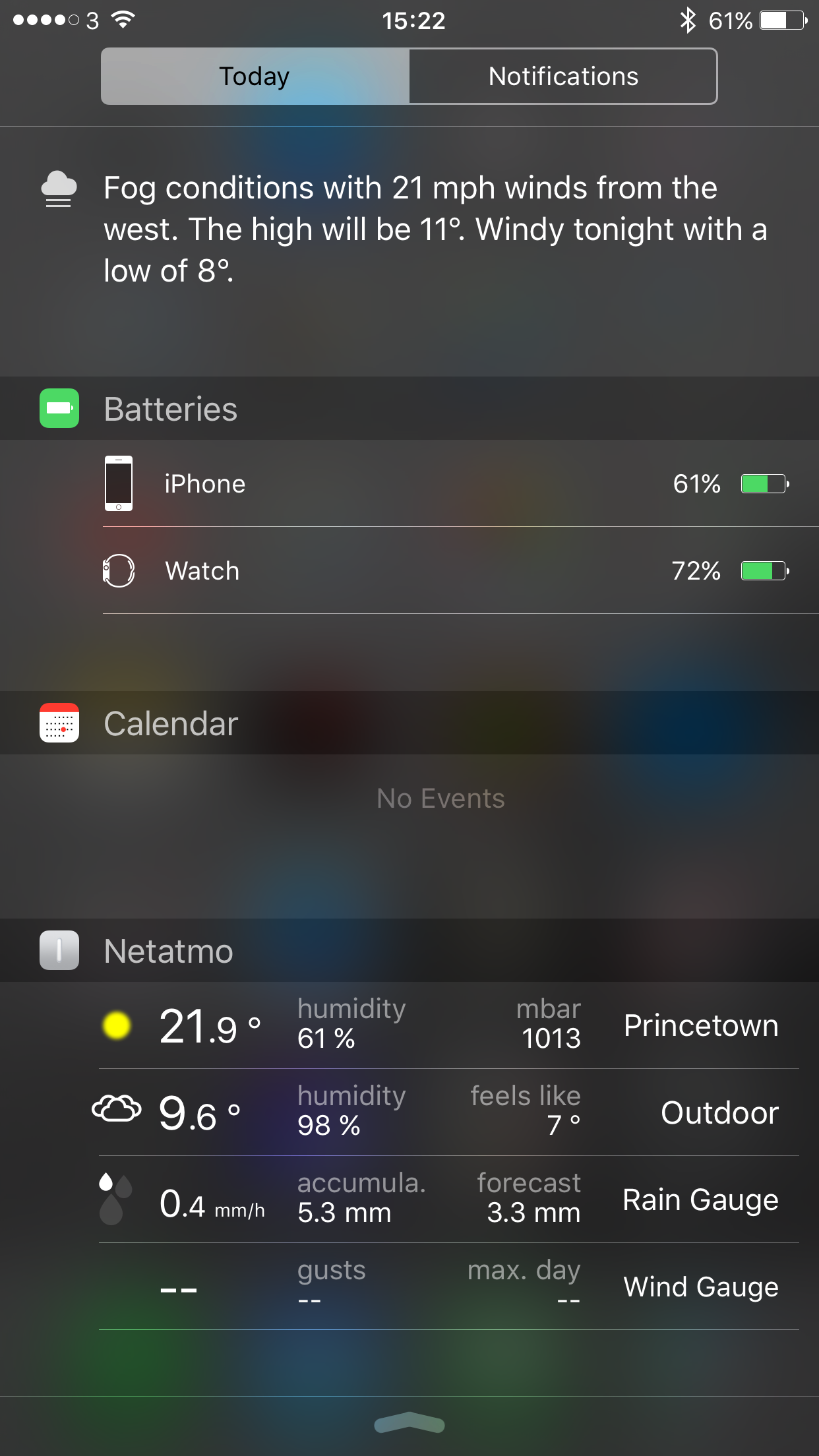
So after I selected my preferred options the widgets appeared displaying useful information. 

  
At anytime I can slide across to view my app notifications. The Netatmo widget shows information from the Netatmo Urban Weather station. 

  
The Google Maps widget scans your location to provide public transport information. On a Sunday we have no buses but during the week it shows the next bus and its number , when it’s due and where the bus stop is in our village. 

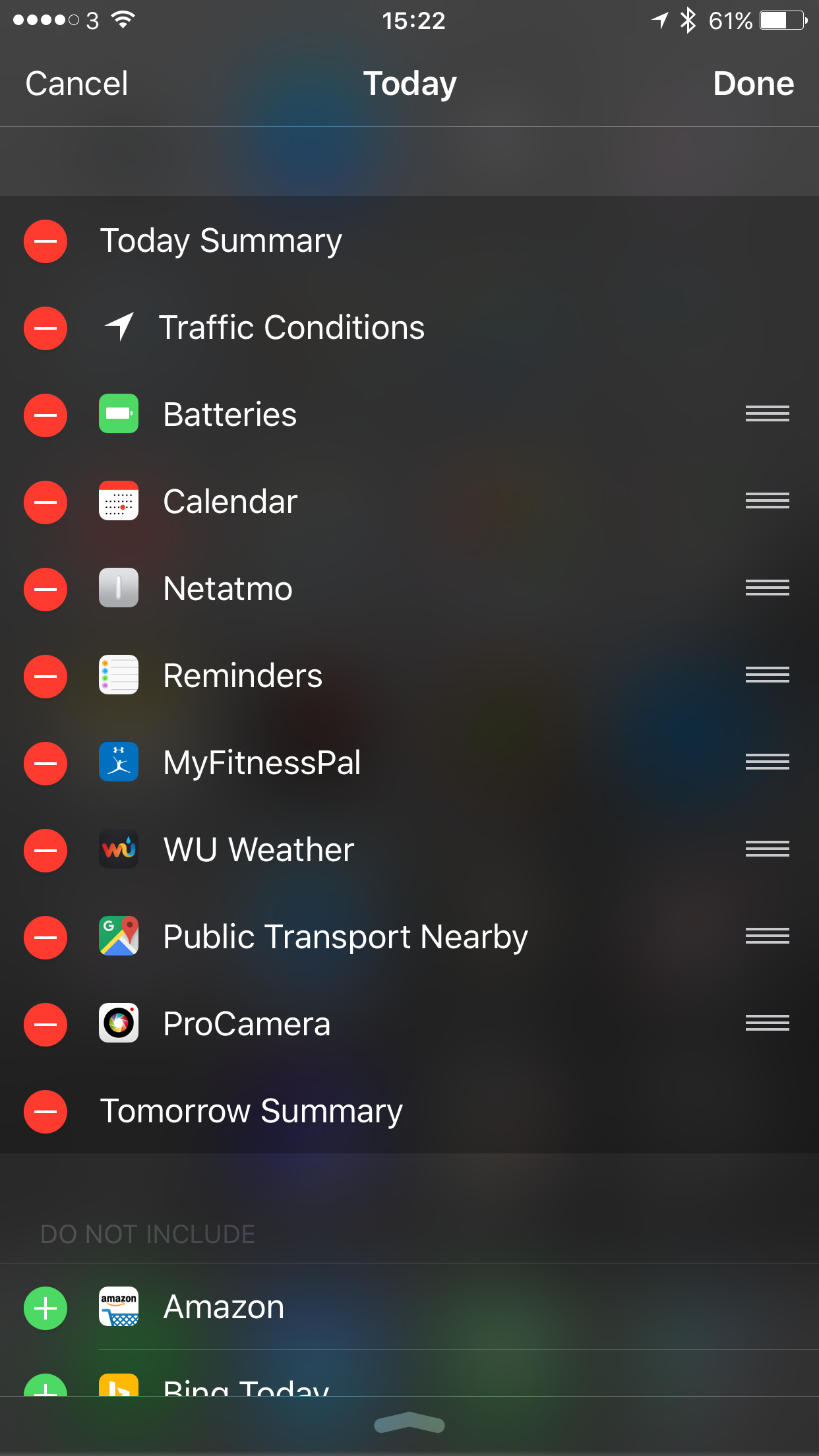
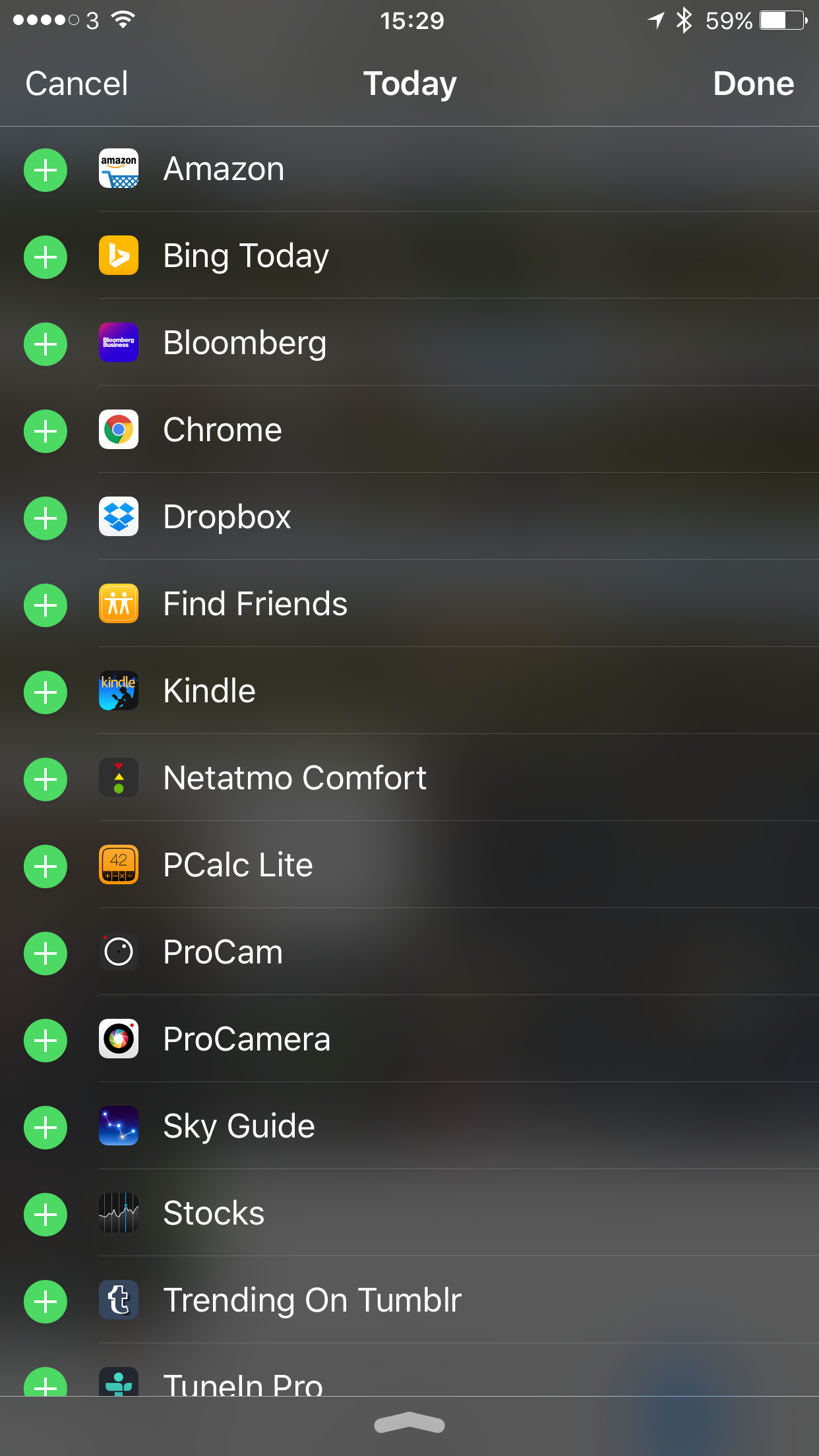
Below are some of the widgets are could have activated. 

  
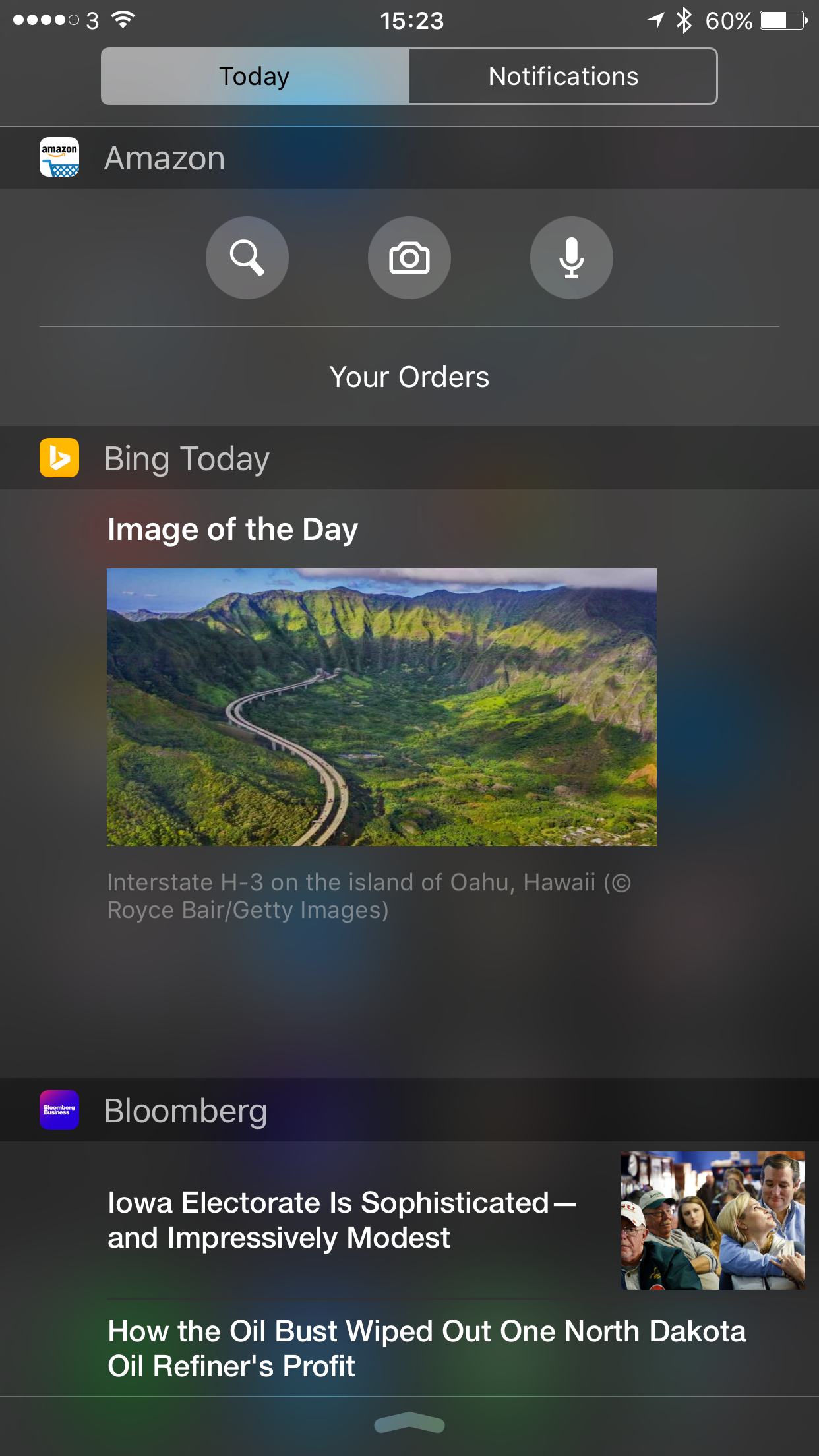
So what do some of these widgets look like. Let’s have a look. 

  
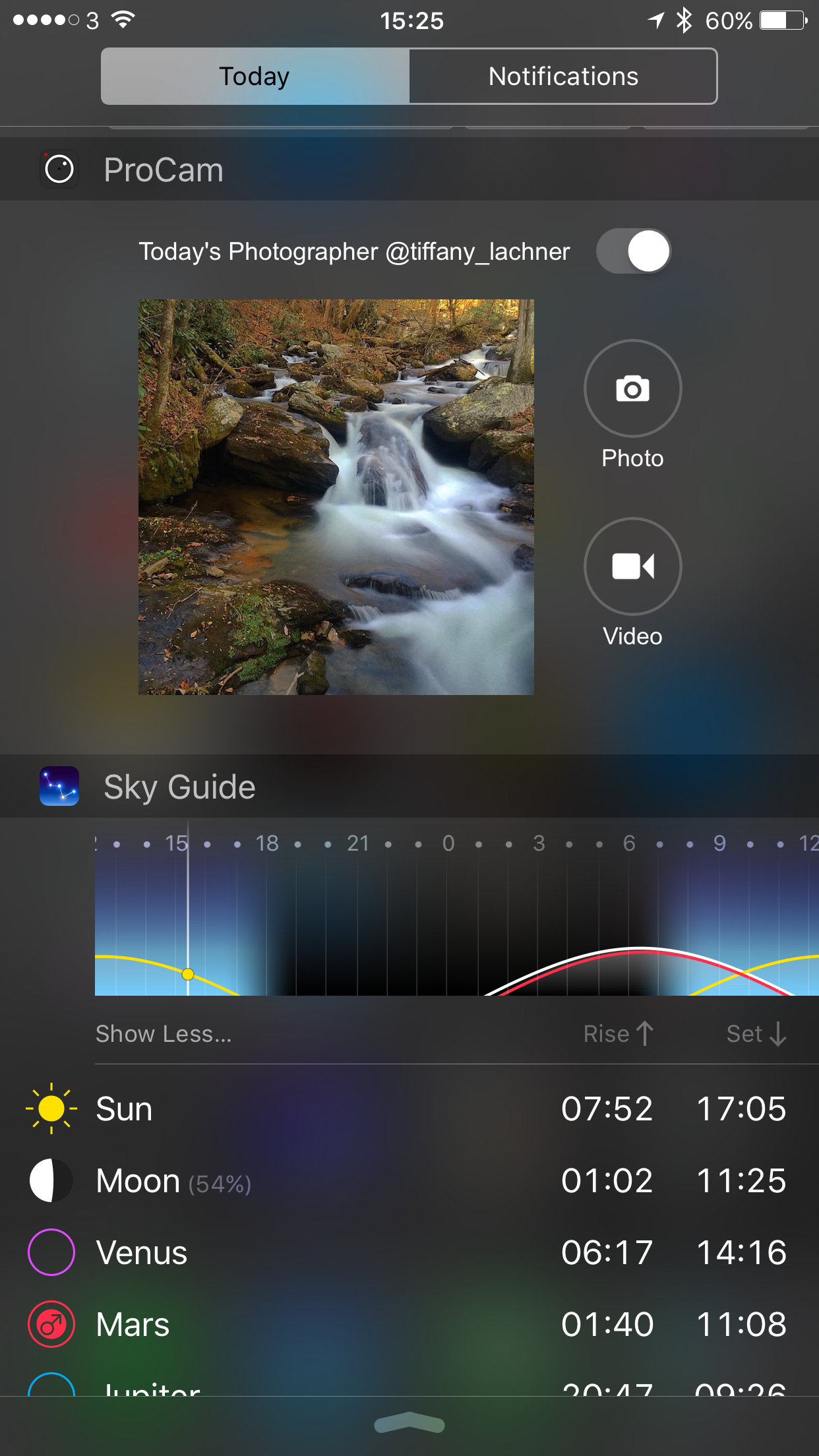
You get a host of interesting information and remember all this is available with a simple swipe down from the top of the screen. 

  
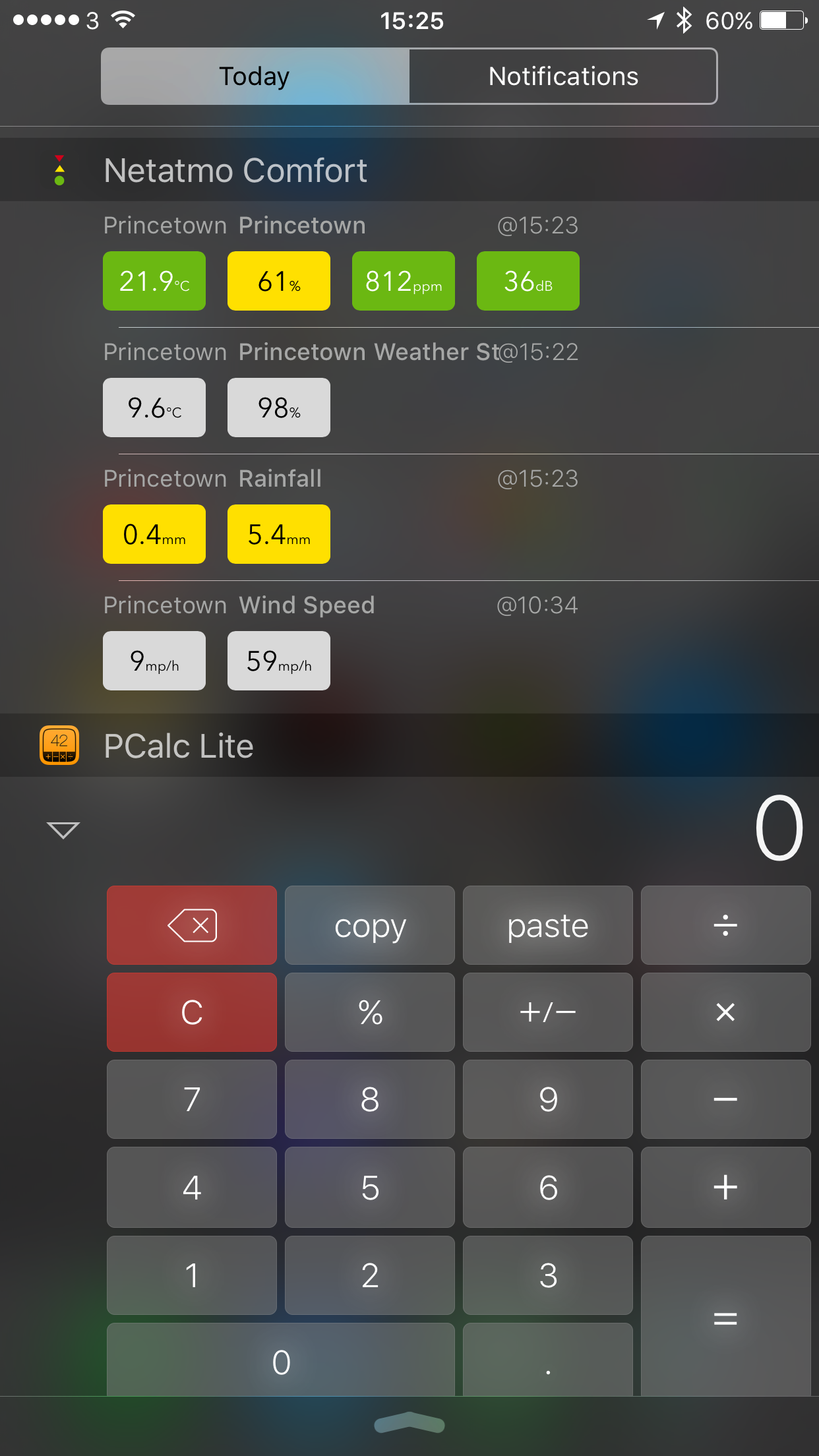
Netatmo Comfort is a third party app for the Netatmo Weather station and has the same data available for the Apple Watch along with Apple Watch complications. Really cool stuff. 

Pcalc brings a calculator ready to use in the notification centre. It also provides a calculator for the Apple Watch. 

  
As you can see dependant on your apps installed also depends on what you can include in the notification centre. 

Scrolling to the bottom of the notification centre shows “edit”. Click on this to add or remove items and move the order sequence to your liking. 

All in all the notification centre can be tailored to your hearts content. 

So have you got any preferred apps?

Shot & Edited on an iPhone 6S Plus – plus details of apps used to create footage

Below is a one minute 47 second video, filmed and totally edited on the iPhone 6S Plus. 

4 apps in total were used to record and edit this footage. First up the default camera app on the iPhone was used. Before using the camera app, I went into the iPhone’s main settings app, Photos & Camera and changed the video setting to 4K at 30 frames per second. 1 minute of 4K video needs 375mb of memory. 

Whilst walking towards Foggintor Quarry which is located in Princetown, Dartmoor, Devon, UK, I used the following camera modes – photo, burst, video and panarama. The weather conditions were walking with a wind chill of -4°C. 

Below is one of the panarama shots. 

Panoramic shot en route to Foggintor Quarry, Dartmoor #iphone6splus

When I got home, I viewed all the photo photos. I deleted the unwanted burst shots and the odd dodgy photo. I then used the Photos app and cropped a few shots as required. Then I used an app called Snap Still which takes video and allows you to extract photo stills. With 4K video, each photo extracted is at 8mp. I like Snap Still as it scans your video and highlights the best frames to save. Tap on the highlighted frame(s) and save to your camera roll. Below is a 8mp extracted photo from 4K video. 

George sprinting on track bed from Foggintor Quarry, Dartmoor #iphone6splus #8mp4Kframe

Finally, I use iMovie on iOS to combine everything together and create the video below. Using iMovie on iOS you can upload directly to YouTube and at the maximum 4K resolution. Currently, this is the only way from an iPhone to upload to YouTube in 4K. 

So now enjoy the spectacular views en route to Foggintor Quarry along with my Labradors , George, Fury and Tiggy. 

My Apple iPhone 6S Plus Home screens 

  
A few people have asked me recently how I organise my home screens on my iPhone 6S Plus. 

Well I have apps on the first screen. Each folder has apps positioned carefully so more frequently used apps are on the right side inside the folder. With iOS Reachability I can double tap the home button to drop the screen to reach the top section faster. 

And the second screen I fill this with games. 

If you would like to know anymore about any of the apps then just ask. 

I intend to do a post of my photography apps shortly. 


The New iPad Air 3 – Editorial

Apparently according to loads of rumours Apple is about to launch is March 2016 the next instalment of the iPad Air, the iPad Air 3.

The new specifications steer towards having the following improvements –

– 4gb ram
– 4K screen
– Stereo Speakers
– Better Camera with flash

– Apple Pencil support 

Are these features enough to make you want to upgrade your current iPad or tablet? For me I am going to say they are not enough but what about yourself?

Apple’s First Quarter Results – Editorial

APPLE just announced its first quarter results.

CUPERTINO, California — January 26, 2016 — Apple® today announced financial results for its fiscal 2016 first quarter ended December 26, 2015. The Company posted record quarterly revenue of $75.9 billion and record quarterly net income of $18.4 billion, or $3.28 per diluted share. These results compare to revenue of $74.6 billion and net income of $18 billion, or $3.06 per diluted share, in the year-ago quarter. Gross margin was 40.1 percent compared to 39.9 percent in the year-ago quarter. International sales accounted for 66 percent of the quarter’s revenue.

Apple achieved some huge numbers but despite the massive amounts of profit, it also represented the slowest amount of growth for the iPhone since it launched in 2007. Also adding to the concern that sales of the iPhone have plateaued is that Apple said revenue for the next quarter would be between $50bn and $53bn, lower than the $58bn it reported for the same period last year. The initial growth spurt in China of 70% last year was only 14% this year. None of this is surprising. At some point what goes up must come down. Is it all doom and gloom? Actually these results represent the largest quarter profit in history ever made by any company.

What is clear from these iPhone numbers is that Apple is going to face a decline in iPhone sales, which is also impacting many other smartphone manufacturers.

So where is Apple going to make up the shortfall. Well Apple TV, iPads, Beats headphones and the Apple Watch are all lumped into the Other category. Revenue in this section rose from $1.6 billion to $4.3 billion. Was this growth down to the Apple Watch? Or the new Apple TV? Nobody knows and Apple is keeping quiet about this figure. It is likely that Apple Watches were bought as Christmas presents and if so there may be a decline in this category for the next quarter.

Either way, Apple makes no bones that the trading environment for 2016 will be challenging. Even if sales decline slightly, Apple will more than likely still make more profit than any other smartphone manufacturer!

Is Windows Phone in Trouble – Head of Windows Phone uses an iPhone

The face of Windows Phone, Joe Belfiore tweeted the above photo whilst on holiday. If you check the tweet data, it was tweeted from Twitter for iPhone.

Subsequently, to tweeting this photo and getting loads of media attention, Joe Belfiore even took the trouble to respond to the reason why he was using an iPhone. His reasoning was that in order to create great products across all platforms, he had to use the respective devices. He also explained he was on a 7 month sabbatical so taking a break from work and using work devices.

Whilst all the above is a valid statement to make, I don’t buy it. What it highlights is that key employees of Microsoft would rather use an iPhone when on holiday. How much longer before Microsoft is all about services and apps for iOS and android only!

HeartWatch for iOS – One of My Favourite Apps for Apple Watch – Mini Review 

HeartWatch for iOS is a stunning app and highlights why iOS has the edge on apps over other platforms due to the extensive range across all categories along with depth and breadth of features in apps. 

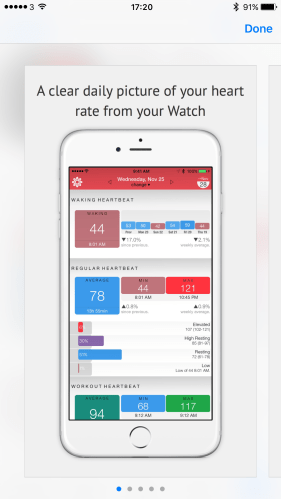
Due to privacy issues, I am not sharing my heart rate data, but merely the screen shots from the App Store. However, the level and depth of data is exactly the same as shown below.

img_2555

For ages one of the aspects of the Apple Watch that annoyed me was the overall level of data provided on your heart rate especially considering the fact it is monitoring it constantly.

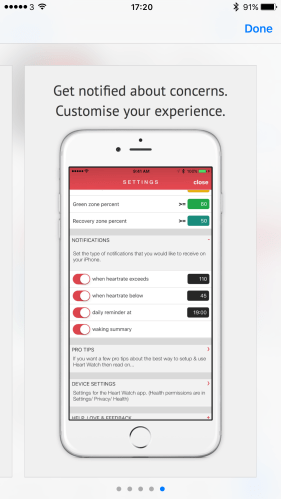
Heartwatch for iOS is able to extra all the data and display it is a superb manor. You can also setup notifications as shown above. So in theory it could be the app that tells you something is wrong with your heart before the doctor since you can get notified if your heart rate goes below or above a certain point. The triggers are set by yourself. You can also get other notifications too.

img_2552

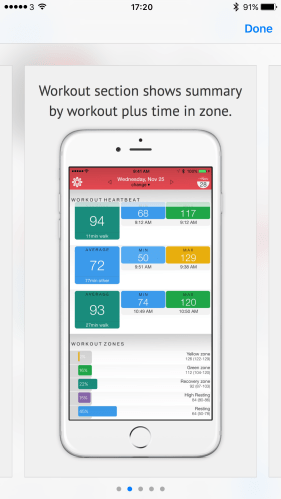
The Activity app on the iPhone only provided one data point for your heart rate after a workout had completed. Now you can see a lot and the different times you were in the zone. It really is incredible how much data got pulled off the Apple Watch. Not only that, but after installing the app, it populated a considerable amount of historical data. In my case it pulled 2.5 months of historical data.

img_2554

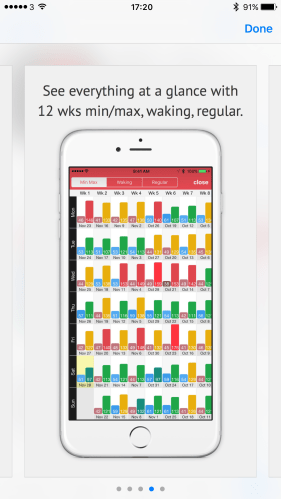
Then there is the stats to show the data on one screen over a longer period.

img_2551

Daily stats provide a much clearer picture of how you performed over the day.

img_2553

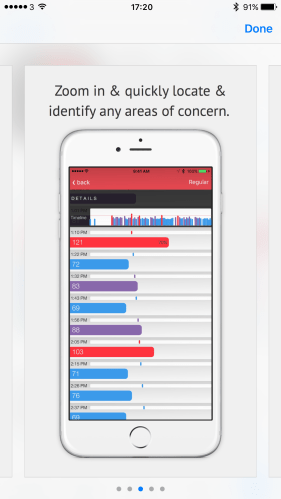
What I also like is that on any screen you can drill down further too.

Overall this is a really cool app and makes the Apple Watch that extra bit more useful from a health and fitness angle. Currently the app costs £1.49 which in my opinion is worth every penny.

Apple iPhone 6S Plus vs LG V10 vs Asus Zenfone Zoom – Camera Shootout

Finally, three top class smartphones and time to compare some photos. 

The weather in the UK is no so good so this is a quick initial comparison. 

First up lets have a look at what the Apple iPhone 6S Plus can achieve. 

  
The colours are well balanced on the iPhone. You can crop a reasonable amount too. I must admit I don’t like the 4:3 aspect ratio anymore especially as when viewing on the iPhone screen it looks odd with black spaces either side of the photo. 

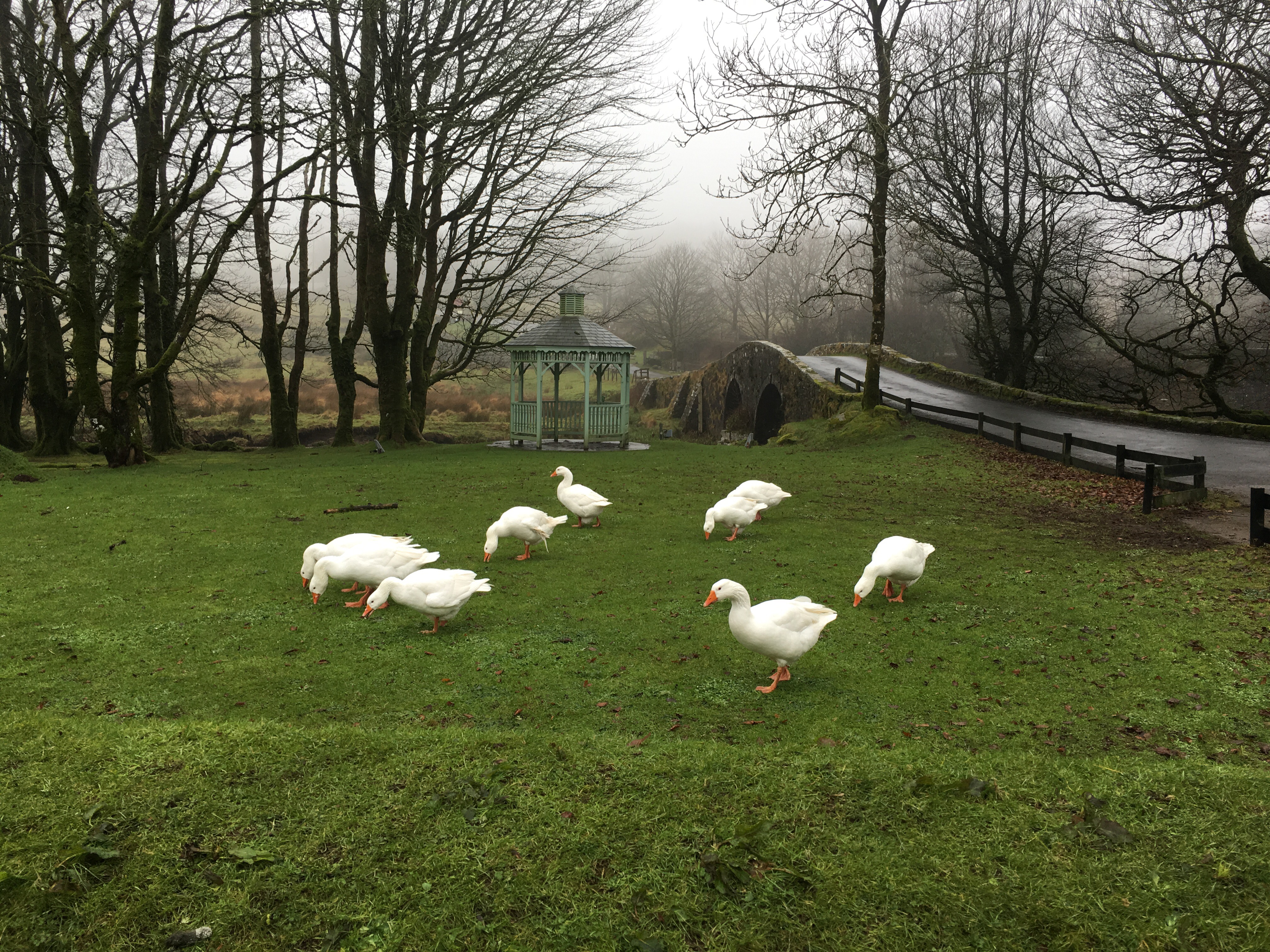
Next from the iPhone, some angry geese. These things attack. 

  
Now the next shots are from the Asus Zenfone Zoom. 

  
And using 2 x optical zoom you can get a lovely close up without being attacked by these angry creatures. 

  
So this is the shot of the gazebo from the Asus Zenfone Zoom. 

  
And using 3 x optical zoom on the Asus Zenfone Zoom. 

  
Now to the LG V10. The gazebo shot first. 

  
And a shot of the geese. All three phones were used in auto mode. To be honest due to the speed the geese were moving that was the only option available. 

  
I tried cropping these shots to see how the LG V10 and iPhone compared to the Zenfone Zoom optically zoomed shots. The V10 overall shoots great quality photos. The optical zoom on the Zenfone Zoom is good too. The iPhone shots are consistent. 

Now obviously there is a lot more to each phone and their respective cameras but I thought I would give you something to look at for the time being.