Quickoffice owned by Google is now free on both iOS and android. If you download by 26th September you are meant to get an extra 10gb of storage free for 2 years.
I’ve downloaded the app but not sure I’ve got any more storage.
Quickoffice owned by Google is now free on both iOS and android. If you download by 26th September you are meant to get an extra 10gb of storage free for 2 years.
I’ve downloaded the app but not sure I’ve got any more storage.
With O2, don’t bother queuing tomorrow morning for the new iPhone 5S.
O2 have confirmed they have no stock for tomorrow so it’s online ordering at home or in the store.
Australia has opened its doors for sales of the new iPhones.
Only one problem. Several Apple stores have no stock of gold 5S iPhones.
Stock of the 5S is generally dire.
My advice is don’t queue just order online. The fact I’m leaving shortly to head near an Apple store is just a coincidence!
Even though I have not got any more iOS devices, I still have been updating my extensive iOS apps and games on iTunes. It has been interesting reading the new update descriptions.
Developers have been making their apps more iOS 7 in appearance, while adding in extra compatibility and or functions. I imagine, if I was to buy an iOS device and reinstall my apps I would be shocked at the difference.
And then it got me thinking. iOS really does have a better selection of apps and games than any other platform. Android is catching up rapidly, but it still does not have the breadth and depth. This gap is even more noticeable with tablet apps. In addition, iOS apps generally look better presented.
You can see why people stick to the Apple brand and their iPhones, iPads and iPod Touch’s.
However, despite my findings I decided not to buy a new iPhone but a Sony Xperia Z1. I simply prefer a larger screen than the 4 inches of the iPhone.
To recap on all the earlier articles and sample photos click here.
In this article I am going to discuss the settings and options using the QX10 from within the Sony Playmemories app. And to be honest there isn’t many. Sony clearly wanted this used in auto mode. Maybe the app will get updated with more features. However, I think Sony wanted the QX100 to be more complex and keep the QX10 simple.

When the app fires up ready for snapping photos this is all you see. Top right is the mode selector and just below you get little icons appearing warning that you might need a tripod, or your shaking the lens too much and the scene it has selected.

Tapping top right reveals the 3 modes. Program mode only gives you control of exposure and white balance.

The white balance options are as below.

Tapping the mode top right reveals a choice between photo or video.

The settings icon pulls up a menu as follows.
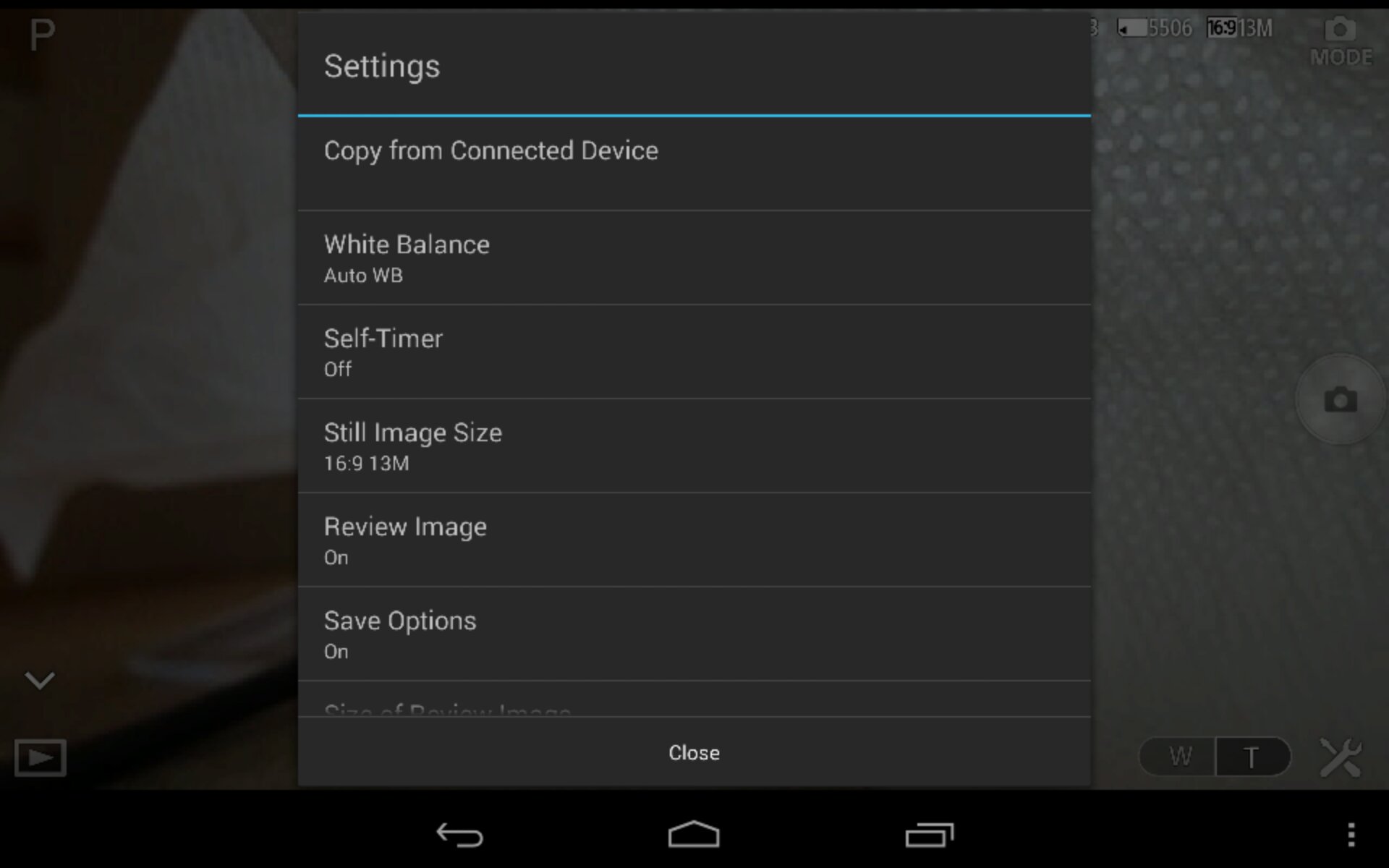
There is also format memory card. Most of the settings options are self explanatory. You get an option to set the size/resolution of photos.

The option to select whether the camera copies the photo to the device and the file size. Either 2mp or full size.

The other options is the zoom in and out. Represented on bottom right with the W and T. These buttons are also on the lens itself to use without the phone. The lens also has a shutter button.
And that is all you really get in terms of control from within the app.
I do recommend the following. Download and install the app. Turn the app on and lens. Enter the lens password found on the manual front cover book. Wait for connection to finish. Exit app. Turn lens off. Reboot your phone. This will ensure smooth operation.
If you have a Z1 or Z phone , Sony will soon be releasing a dedicated case to attach the lens to your phone. The SPA-ACX2 for the Z1 and the SPA-ACX1 for the Z. If you use this special case you can remove the bottom clamp attachment. The clamp stretches to a width of 75mm.
I’ve used the QX10 successfully with my Nexus 4 and new Nexus 7 2013. These worked fine but after configuring app I had to reboot both devices to ensure a smooth operation. With both these devices you did get occasional lag on the screen when moving the lens. With the Sony Xperia Z1 I have not witnessed any lag.
There are many uses for this lens. It can sit flat on a table and then be operated remotely. You can hold it and put it in tight positions. It has good low light and zoom capabilities. And it is hassle free to use.
I like it a lot. And don’t forget you can use the lens with your iPhone and android phone.
The latest iOS software update to version 7 happens today.
So have you updated, and what are your thoughts?
And one last thing.. read the update description on some of the game updates.. support for game controllers has started appearing!
Issues? Are you having problems downloading app updates. Update is showing as available but doesnt download?
iPhone 5S and 5C reviews are appearing. Highlight of top writers views noted here http://allthingsd.com/20130917/inevitable-iphone-review-roundup/
However, Myriam Joire at Engadget has written a fairly balanced review of the iPhone 5S and 5C (www.engadget.com). The 5S review with sample photos from the camera has convinced me if you have a 5 it is not worth upgrading to the 5S just for the camera.
Yesterday, I received the Sony QX10 lens. As my Sony Xperia Z1 was not due to arrive until this morning, I gave the QX10 a short blast with my Nexus 4.

The official specifications of the QX10 are –
-Imaging Sensor : 1/2.3″ (7.76mm) Exmor R® CMOS sensor, 18.9mp, Bionz image processor
-Color Filter System : RGB primary color mosaic filters
-AF Modes : Multi Point AF / Touch AF
-Memory Stick Micro / microSD Memory Card / microSDHC Memory Card supported
-Still Image Size 16:9 : L:13M (4,896 x 2,752) S:2M (1,920 x 1,080
-Still Image Size 4:3 : L:18M (4,896 x 3,672) S:5M (2,592 x 1,944)
-Video Mode : MP4: 12M (1440 x 1080, 30 fps)
-Microphone/Speaker : Built-in Stereo Microphone
-Still Image File Format : JPEG (DCF, Exif, MPF Baseline) compliant, DPOF compatible
-Image Stabilization : Optical SteadyShot(TM) image stabilization
-Priority Setting for Face Detection up to eight faces max
-Battery Type : InfoLITHIUM® NP-BN (3.6V)
-Number of Still Images approx 200 images
-Metering Modes : Multi Pattern, Exposure Compensation : +/- 2.0 EV, 1/3 EV step
-Exposure Settings : [Still] Superior Auto, Intelligent Auto, Program Auto, Movie Mode
-ISO : [Still Image] ISO100-3200(iAuto), ISO100-12800 (Superior Auto), ISO100-1600(Program Auto)
-White Balance Mode : Auto / Daylight / Shade / Cloudy / Flourescent White Balance 1 / Flourescent White -Balance 2 / Flourescent White Balance 3 / Incandescent,ISO Sensitivity (Movie) : [Movie] Auto (ISO 100 – 1000 level)
-Lens Type : Sony G® Lens
-Aperture (Max.) : F3.3 (W), F5.9 (T)
-Optical Zoom : 10x (Optical Zoom during movie recording)
-Focal Length (35mm equivalent) : [Still Image 16:9] f = 27.5-275mm [Still Image 4:3] f= 25-250mm [Movie -16:9] f = 27.5-275mm (SteadyShot Standard), f = 27.5-385mm (SteadyShot® Active Mode) [Movie 4:3] f = 33.5–335mm (SteadyShot® Standard), f = 33.5-469mm (SteadyShot Active Mode)
-Lens Construction : 9 elements in 7 groups (including 4 aspheric elements)
-Clear Image Zoom : 10x
-Self-timer : 10 sec. / 2 sec.
-Shutter Speeds : iAuto (4 – 1/1600) / Program Auto (1 – 1/1600)
-NFC : Yes (NFC forum Type 3 Tag compatible)
-Wi-Fi : Yes
-USB Port(s) : USB 2.0 Hi-speed
-A/V Remote Terminal : Multi/Micro USB Terminal, Hi-Speed USB (USB2.0)
-Tripod Mount : Yes
-Dimensions (Approx.) : 2 1/2” x 2 1/2” x 1 3/16” (62.4mm x 61.8mm x 30.0mm)
-Weight (Approx.) : With Battery and Memory Stick_micro 0lb 3.7oz. (105.0g)
-Weight(Approx) (Main unit only) : 0lb 5.8oz. (165g)
The QX10 arrived in a circular box.
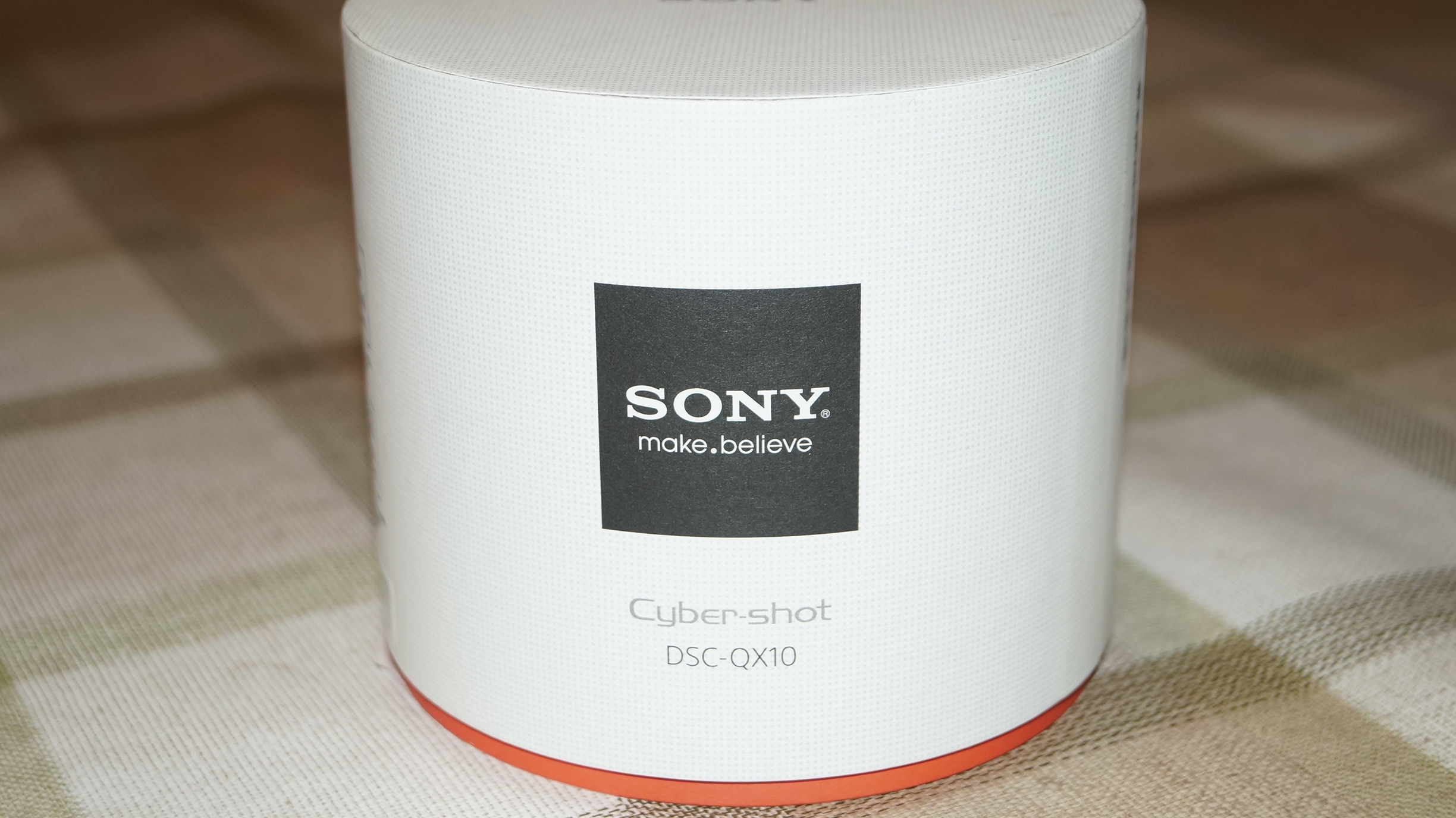
Opening the box revealed the lens itself. As you can see the box is huge versus the size of the actual lens.

Inside the box was a very chunky manual, rather more like a start up guide in loads of languages, several leaflets, a battery, lanyard, micro usb lead and the circular base. First up, you have to put the battery in to the lens as shown. Insert your micro sd card or Sony M2 memory stick in the slot just below. The tripod mount is positioned below the memory card slot as per photo.

Next connect the circular base plate. This enables the lens to be clamped on to most android or iphones. 75mm is the widest point the clamp can officially open up to. Now the hard part. Go charge the battery using the micro usb lead. It the hard part because the temptation is to try and use it straight away.
As the QX10 works with iPhones or android, you need to download the PlayMemories Mobile app from the respective app stores. Open the app, turn the QX10 on by pressing gently down on the power button. Enter the password which is printed on the quick start user manual and voila. Your phone is now acting as the viewfinder.
So far it has been a blast, but I have only had limited time with it. Also the weather has been constant rain and fog. Photo samples on next article. A full review will appear over the next few weeks along with the Sony Xperia Z1. So far I am very impressed. Makes me wonder just how much better the QX100 will be.
Following on from my last post on the QX10, below are a few samples, unedited and taken in the most dreadful conditions.
The outdoor shots were taken with heavy rain and fog, and the photo of my dogs was snapped in very low light indoors. The indoor shot was then cropped to focus on the dogs to give you some idea of the level of detail.
The other fun part of the dog photo, was the lens was left on the table opposite, while I used my Nexus 4 6 feet away to operate it. The scenic landscape was taken using the QX10 without the Nexus 4. This is possible as the QX10 has its own shutter button.
The photo below is at 8 x zoom.

This is the cropped dogs in low light.

And finally taken without the Nexus 4, just using the QX10’s own shutter. Also snapped blind as no viewfinder.

If you want a full size sample of extreme low light and zoom, go to this photo on my flickr account http://www.flickr.com/photos/gavinfabl100/9788380273/
A more indepth review and more photo samples will appear on the next few weeks along with the Sony Xperia Z1.
18th September 2013 – tomorrow Apple will update your iPhone, iPod Touch or iPad if on the compatibility list to iOS 7. Today, be sure to run a backup and update any apps as required. Then be prepared for all the new look and features of iOS 7. It you are unaware of the new features coming check them out at Apple.
20th September 2013 – This Friday both new iPhones will be available to purchase from an Apple store. The 5S will also be available to pre order online from 12.01am on the 20th, and this should be for the UK too.
Apple stores in the UK are scheduled to open their doors at 8am.
15th October 2013 – This is the day Apple should announce new iPads and any updates to their iPod range.
Bump announced on its blog it has been acquired by Google.
I wonder what plans Google has for this service and app? After Waze, all these good little apps are slowly been bought out and then disappearing.
 Gavin's Gadgets & Photography