Category Archives: Android

App Stores – how much have you spent?

I decided to be brave and pull up my Google Play and iTunes purchase history.

iTunes purchases started from 20th June 2009. This was the time when I got an iPod Touch 2g for my birthday. It was also my first Apple device. Google Play purchases started from August 2008, although it was not called Google Play back then, and the early purchase transactions are in a mix of dollars, euros and British Pounds.I also have a US iTunes account. This is used to rent films way ahead of release in the UK and to watch some great American TV Shows. UK TV is dreadful with everything repeated so many times.

My Google Play total is £250. This includes a few music singles and albums, but no hardware is included. Purely media, music, films, apps and games.

My UK iTunes account for a year shorter period in duration, amounts to £832. But my US iTunes which is mainly TV shows and 10% films equates to a total of £1,500 approximately. It is approximate due to the conversion rate changing.

Just for the record, my Windows Phone market place apps and games total £32.

One thing I have noticed, is that the apps were generally a lot less on Google than Apple. Also, media content was easier to download and view on Apple devices. And this explains why developers seem happier to develop first on iOS, as iOS users spend more on content.

So what do you reckon you have spent on media?

First Impressions and Review Part 1 of the Sony Xperia Z1

My Sony Xperia Z1 has just arrived. I bought it from Clove Technology .Over the next few weeks I will be writing a daily review of the Z1, along with the QX10, and the Sony Z1 accessories as they become available. If you would like to know anything just ask in the comments.

image

And unlike some reviews, this is not a loan device but my own that I bought with my hard earned money.

Anyway, the official specifications of the Z1 are –

– Operating system – Google™ Android™ 4.2.2 (Jelly Bean)
– Processor 2.2 GHz Qualcomm MSM8974 Quad Core
– GPU Adreno 330

– Size 144 x 74 x 8.5 mm, Weight 170 grams
– Available colours – Black, Purple, White, SIM card Micro SIM
– Screen Size 5.0 inches, Resolution 1920×1080 pixels
– Type 16,777,216 colour TFT
– multi-touch, up to 10 fingers supported

– Memory RAM 2 GB, Flash memory, Up to 16 GB (11.7gb free
– microSD™ card, up to 64 GB (SDXC supported)

– Camera Resolution 20.7 MP, Digital zoom 8x
– Front Camera 1080p for video chat and 2 MP for camera capture
– Photo light  Pulsed LED
– Video recording HD 1080p

– Sensors, Accelerometer, Ambient light, Proximity, Magnetometer
– And Gyroscope

– UMTS – HSPA+ 850 (Band V), 900 (Band VIII), 1700 (Band IV),1900 (Band II), 2100 (Band I) MHz
– GSM – GPRS/EDGE 850, 900, 1800, 1900 MHz LTE (Bands 1, 2, 3, 4, 5, 7, 8, 20)
– 4G- (Bands 1, 3, 5, 7, 8, 20)

– Battery 3000 mAh minimum
– Talk time (GSM) Up to 830 minutes, Standby time (GSM) Up to 880 hours, Talk time (UMTS) Up to 900 minutes, Standby time (UMTS)
Up to 850 hours, Standby time (LTE) Up to 760 hours

– Music listening time Up to 110 hours
– Video playback time Up to 400 minutes

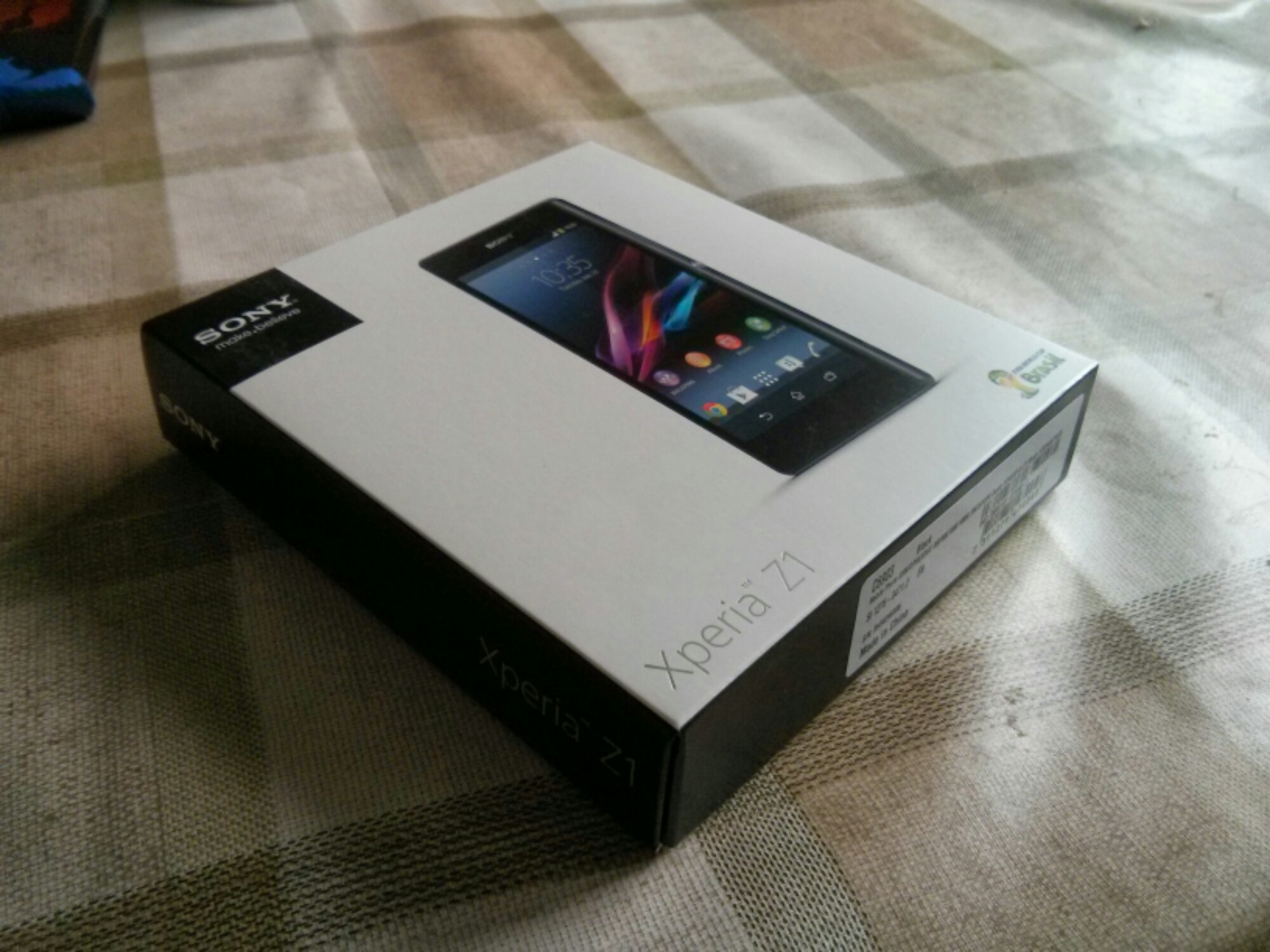
The Z1 came boxed as below with the following contents- USB cable, UK plug, some leaflets including a quick start guide. It also came with a front screen protector. Nice touch.

Below is some photos of the device. It sure looks lovely in the flesh. It feels solid in the hand and built to exacting standards.

Now the first thing the manual says is charge the phone for 30 mins. Please be assured I followed this point. Then insert your micro sim and micro SD card. I put my new 64gb card in the slot. All going really well so far. Power on and start following the start up guide, entering email accounts and so on. I already had a Sony account from my time when I had the Z Tablet, so it added the Z1 to my profile. After finishing the setup, I noticed Google was starting to restore my apps. I immediately stopped that process as you never know what you may need or not need on a new device. After a few existing apps had updated I with 10.72gb free internal memory.

Whatever you do, do not accept the 30 day unlimited music offer in the walkman app. Go to the Sony Privilege app. Within this app is a 60 day trial, 5 free films to download too. As I have bought games from PlayStation Mobile store, these are also available for to download. Sony also allows for a PS3 dual shock controller to connect to the Z1, so expect comment on this in later review sections.

A little surprise, after first setup, my Z1 has my Dartmoor scenic shot as the background. No idea if that was Google or Sony.

So, the phone is gorgeous to hold and look out. Lovely screen too but not as bright as the HTC One. So far I have taken a few photos. Some are good, some in low light were not so good due to being too noisy. I have tried the QX10 with the Z1 and it works really effortlessly. The Z1 camera is really fast. The shutter button is great.
z1 1

The loudspeaker is above average in quality and sound but not at HTC One quality. I am yet to test the audio quality via the headphones.

I connected the Z1 via USB to my Mac. The Z1 then asked if I wanted to install Sony Bridge for Mac which I did. This is a great piece of software. I have installed 1,000 photos selecting my events in iPhoto. The software also allowed me to import photos I had taken too back into iPhoto. I also copied 4,000 songs across which did take a few hours.

I still have plenty of exploration of all the apps and services available. I also need to fully install the balance of my apps and games.

Over the next few weeks, I will be looking at every aspect of the Z1 including the official accessories as they become available.

Now its time for more playtime with the Z1.

Just a quick thank you for Clove Technology for such a great service. They also have one of the best deals. Phone, Sony Smartwatch 2 and £110 Sony Entertainment media.

Review of the Sony QX10 lens

To recap on all the earlier articles and sample photos click here.

In this article I am going to discuss the settings and options using the QX10 from within the Sony Playmemories app. And to be honest there isn’t many. Sony clearly wanted this used in auto mode. Maybe the app will get updated with more features. However, I think Sony wanted the QX100 to be more complex and keep the QX10 simple.

image

When the app fires up ready for snapping photos this is all you see. Top right is the mode selector and just below you get little icons appearing warning that you might need a tripod, or your shaking the lens too much and the scene it has selected.

image

Tapping top right reveals the 3 modes. Program mode only gives you control of exposure and white balance.

image

The white balance options are as below.

image

Tapping the mode top right reveals a choice between photo or video.

image

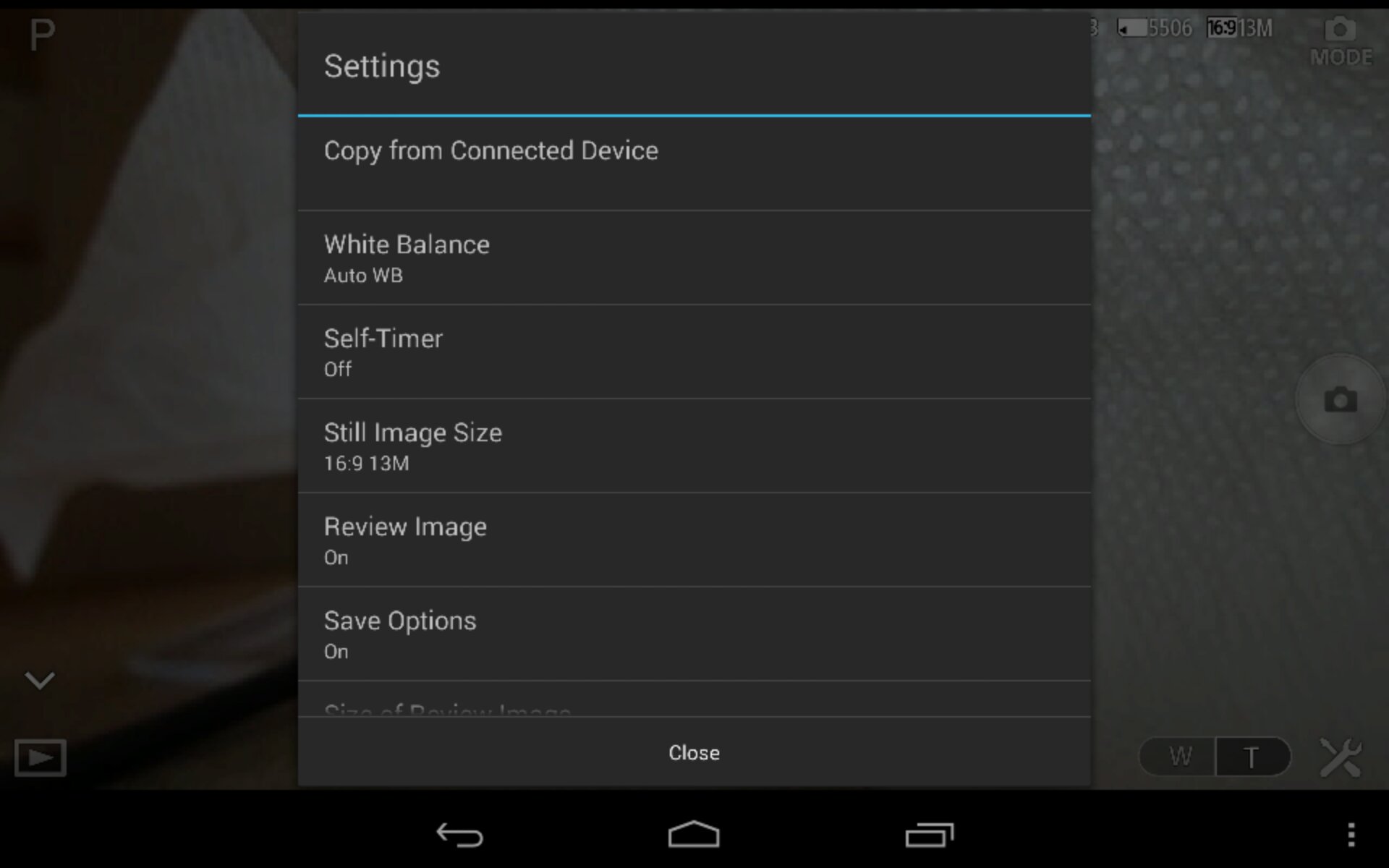
The settings icon pulls up a menu as follows.
image

There is also format memory card. Most of the settings options are self explanatory. You get an option to set the size/resolution of photos.

image

The option to select whether the camera copies the photo to the device and the file size. Either 2mp or full size.

image

The other options is the zoom in and out. Represented on bottom right with the W and T. These buttons are also on the lens itself to use without the phone. The lens also has a shutter button.

And that is all you really get in terms of control from within the app.

I do recommend the following. Download and install the app. Turn the app on and lens. Enter the lens password found on the manual front cover book. Wait for connection to finish. Exit app. Turn lens off. Reboot your phone. This will ensure smooth operation.

If you have a Z1 or Z phone , Sony will soon be releasing a dedicated case to attach the lens to your phone. The SPA-ACX2 for the Z1 and the SPA-ACX1 for the Z. If you use this special case you can remove the bottom clamp attachment. The clamp stretches to a width of 75mm.

I’ve used the QX10 successfully with my Nexus 4 and new Nexus 7 2013. These worked fine but after configuring app I had to reboot both devices to ensure a smooth operation. With both these devices you did get occasional lag on the screen when moving the lens. With the Sony Xperia Z1 I have not witnessed any lag.

There are many uses for this lens. It can sit flat on a table and then be operated remotely. You can hold it and put it in tight positions. It has good low light and zoom capabilities. And it is hassle free to use.

I like it a lot. And don’t forget you can use the lens with your iPhone and android phone.
First Impressions and Specifications of the Sony QX10 Lens

Yesterday, I received the Sony QX10 lens. As my Sony Xperia Z1 was not due to arrive until this morning, I gave the QX10 a short blast with my Nexus 4.
DSC00832

The official specifications of the QX10 are –

-Imaging Sensor : 1/2.3″ (7.76mm) Exmor R® CMOS sensor, 18.9mp, Bionz image processor
-Color Filter System : RGB primary color mosaic filters
-AF Modes : Multi Point AF / Touch AF

-Memory Stick Micro / microSD Memory Card / microSDHC Memory Card supported

-Still Image Size 16:9 : L:13M (4,896 x 2,752) S:2M (1,920 x 1,080
-Still Image Size 4:3 : L:18M (4,896 x 3,672) S:5M (2,592 x 1,944)
-Video Mode : MP4: 12M (1440 x 1080, 30 fps)
-Microphone/Speaker : Built-in Stereo Microphone
-Still Image File Format : JPEG (DCF, Exif, MPF Baseline) compliant, DPOF compatible

-Image Stabilization : Optical SteadyShot(TM) image stabilization
-Priority Setting for Face Detection up to eight faces max

-Battery Type : InfoLITHIUM® NP-BN (3.6V)
-Number of Still Images approx 200 images

-Metering Modes : Multi Pattern, Exposure Compensation : +/- 2.0 EV, 1/3 EV step
-Exposure Settings : [Still] Superior Auto, Intelligent Auto, Program Auto, Movie Mode
-ISO : [Still Image] ISO100-3200(iAuto), ISO100-12800 (Superior Auto), ISO100-1600(Program Auto)
-White Balance Mode : Auto / Daylight / Shade / Cloudy / Flourescent White Balance 1 / Flourescent White -Balance 2 / Flourescent White Balance 3 / Incandescent,ISO Sensitivity (Movie) : [Movie] Auto (ISO 100 – 1000 level)

-Lens Type : Sony G® Lens
-Aperture (Max.) : F3.3 (W), F5.9 (T)
-Optical Zoom : 10x (Optical Zoom during movie recording)
-Focal Length (35mm equivalent) : [Still Image 16:9] f = 27.5-275mm [Still Image 4:3] f= 25-250mm [Movie -16:9] f = 27.5-275mm (SteadyShot Standard), f = 27.5-385mm (SteadyShot® Active Mode) [Movie 4:3] f = 33.5–335mm (SteadyShot® Standard), f = 33.5-469mm (SteadyShot Active Mode)
-Lens Construction : 9 elements in 7 groups (including 4 aspheric elements)
-Clear Image Zoom : 10x

-Self-timer : 10 sec. / 2 sec.
-Shutter Speeds : iAuto (4 – 1/1600) / Program Auto (1 – 1/1600)

-NFC : Yes (NFC forum Type 3 Tag compatible)
-Wi-Fi : Yes
-USB Port(s) : USB 2.0 Hi-speed
-A/V Remote Terminal : Multi/Micro USB Terminal, Hi-Speed USB (USB2.0)

-Tripod Mount : Yes

-Dimensions (Approx.) : 2 1/2” x 2 1/2” x 1 3/16” (62.4mm x 61.8mm x 30.0mm)
-Weight (Approx.) : With Battery and Memory Stick_micro 0lb 3.7oz. (105.0g)
-Weight(Approx) (Main unit only) : 0lb 5.8oz. (165g)

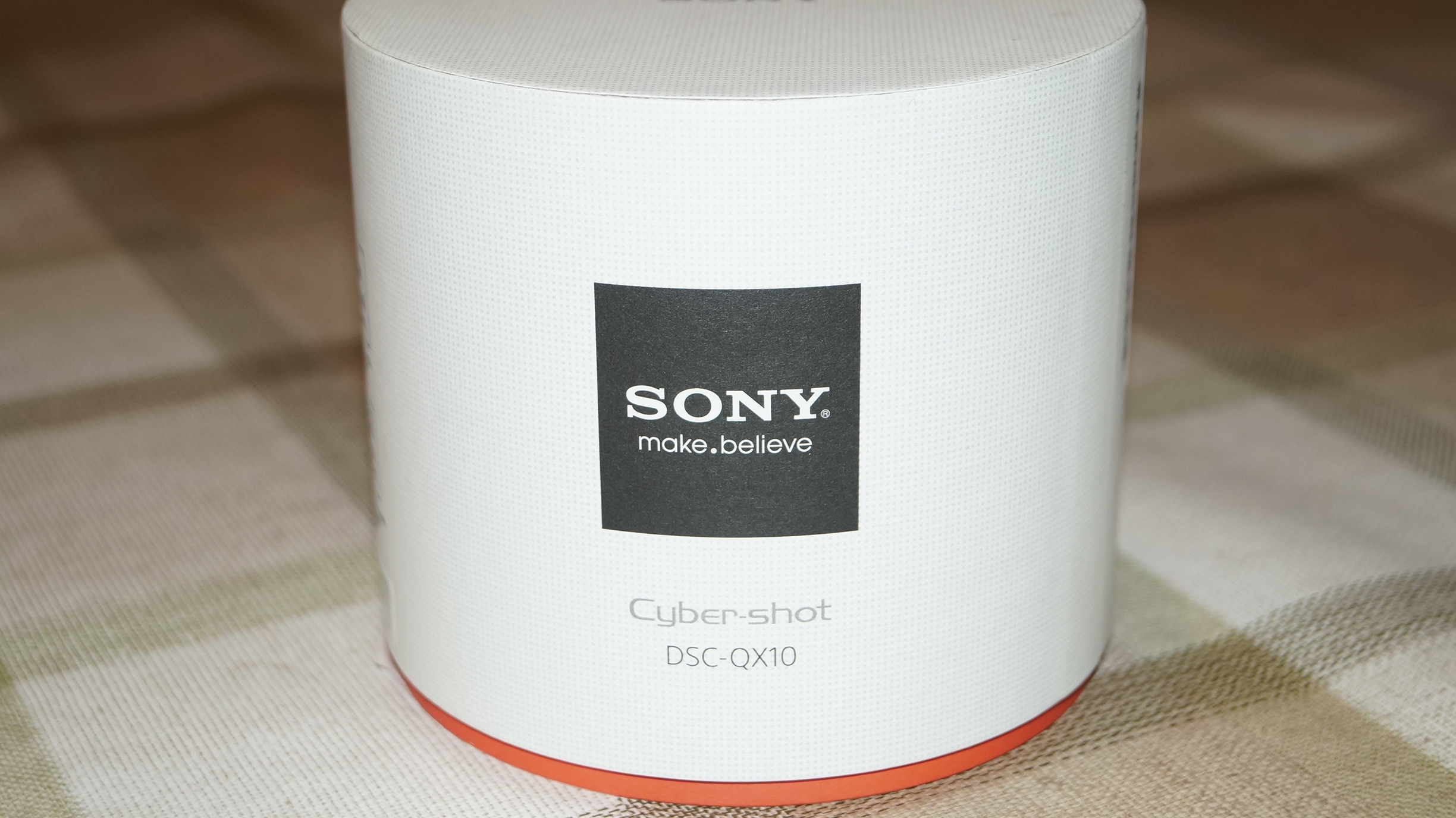
The QX10 arrived in a circular box.
DSC00835

Opening the box revealed the lens itself. As you can see the box is huge versus the size of the actual lens.
DSC00825

Inside the box was a very chunky manual, rather more like a start up guide in loads of languages, several leaflets, a battery, lanyard, micro usb lead and the circular base. First up, you have to put the battery in to the lens as shown. Insert your micro sd card or Sony M2 memory stick in the slot just below. The tripod mount is positioned below the memory card slot as per photo.

DSC00831

Next connect the circular base plate. This enables the lens to be clamped on to most android or iphones. 75mm is the widest point the clamp can officially open up to. Now the hard part. Go charge the battery using the micro usb lead. It the hard part because the temptation is to try and use it straight away.

As the QX10 works with iPhones or android, you need to download the PlayMemories Mobile app from the respective app stores. Open the app, turn the QX10 on by pressing gently down on the power button. Enter the password which is printed on the quick start user manual and voila. Your phone is now acting as the viewfinder.

So far it has been a blast, but I have only had limited time with it. Also the weather has been constant rain and fog. Photo samples on next article. A full review will appear over the next few weeks along with the Sony Xperia Z1. So far I am very impressed. Makes me wonder just how much better the QX100 will be.

Sample photos from the Sony QX10

Following on from my last post on the QX10, below are a few samples, unedited and taken in the most dreadful conditions.

The outdoor shots were taken with heavy rain and fog, and the photo of my dogs was snapped in very low light indoors. The indoor shot was then cropped to focus on the dogs to give you some idea of the level of detail.

The other fun part of the dog photo, was the lens was left on the table opposite, while I used my Nexus 4 6 feet away to operate it. The scenic landscape was taken using the QX10 without the Nexus 4. This is possible as the QX10 has its own shutter button.

The photo below is at 8 x zoom.
DSC00006

This is the cropped dogs in low light.
DSC00007

And finally taken without the Nexus 4, just using the QX10’s own shutter. Also snapped blind as no viewfinder.
DSC00010

If you want a full size sample of extreme low light and zoom, go to this photo on my flickr account http://www.flickr.com/photos/gavinfabl100/9788380273/

A more indepth review and more photo samples will appear on the next few weeks along with the Sony Xperia Z1.

HTC One goes larger with the HTC One Max

More and more information is leaking out regarding the 5.9 inch phablet from HTC, called the HTC One Max. It looks identical to the HTC One, except is bigger in all dimensions.

The HTC One Max has 5.9-inch 1920×1080-pixel display, 1.7GHz processor Snapdragon S4 Pro according to a previous rumours, although it could be a Snapdragon 600 as well, 2GB RAM, 5-megapixel camera with UltraPixel tech, 16GB of storage, a 3,300mAh battery, and Android 4.3 Jelly Bean.

Looking at the specs it seems HTC are selling this somewhat short. All new phones are now being released with the new Snapdragon 800, which not only is more powerful, but has better battery life. In addition, the Max only comes in 16gb, whereas the smaller HTC One has 32 or 64gb. The only increase appears to be a 5mp camera up 1mp from the 4mp found on the HTC One.

There is also a rumoured fingerprint scanner on the rear, although I am not so sure about this being true.

So, is this phone for you?

Pricing and stock differentials

As I get closer to buying my new phone, I have been looking around at the various deals and stock due dates.

The Sony Xperia Z1 is a classic example.

Clove Technology is offering the Z1 for around £565. This includes the Sony Smartwatch 2 and £100 of media content from Sony.

Sonymobile part of Sony UK is offering the Z1 for £599 and throwing in free delivery. But no watch and no media pack.

Sony UK is offering the above too but has a different range of accessories for the Z1.

Amazon UK is just offering the Z1 for £599 with no offers and delivery on the 20th September.

Sony and Sonymobile  has delivery for the end of September.

Clove Technology will be posting the black version out today.

OK, so this is the online options. Let’s have a look at the high street stores. My local Sony Centre in Plymouth offers excellent customer service and knowledgeable staff. They were offering the Z1 with a Sony Smartwatch 2 at half its normal price. They then offered me a deal buying the Z1 sim free with £75 voucher for the watch or the QX10 or off the QX100 lens hub. Only one slight problem, they couldn’t tell me the sim free price of the Z1. Just I could get £75 off one of the accessories if I ordered today. Not only that they had no stock demos of the Z1 or QX10.

In several phone shops the Z1 was available to look at and use. So I got to see the white and black version. The O2 stores had the Z1 and a QX10 lens and I got to see both in action. The staff at the Sony Centre were very disgruntled over not having any demo stock. To add insult to injury the Sony rep had been in Plymouth visiting the phone shops leaving demo stock but not Sony’s own centres.

So the moral of the story. Buy from Clove Technology. Have a free smartwatch and £110 worth of media and get the black Z1 posted from today instead of waiting 2 to 3 weeks longer and paying a lot more.

Crazy state of affairs.

Google’s Nexus 4 Smartphone is sold out but ….

The Nexus 4 is now sold out completely in the US, and in the UK the 8gb model is too. It won’t be long for the 16gb model to be sold out as well.

I bought the 16gb model, more information here https://play.google.com/store/devices/details/Nexus_4_16GB?id=nexus_4_16gb&hl=en , when the new Nexus 7 appeared in the UK store a few weeks ago. I bought it as a spare device to use while I waited for the next new crop of smartphones to be made available. So in a week or two I should have my next new phone.

Therefore, I will be selling my nearly new 16gb Nexus 4, with receipt, box and contents, official Nexus 4 bumper case and screen protectors fitted front and back for the same price of £199 which will include delivery to the UK.

If you are interested, let me know in the comments or on twitter.

So just to recap – the Nexus 4 was bought on 28th August 2013. You get the phone as new, with box, contents and receipt, the official bumper, and fitted with screen protectors. I should have some spare front and back screen protectors and maybe another case lying around for it too. All of these extras with postage would normally cost £230. But you will only be paying £199 which includes the delivery within the UK.