Category Archives: Android

Reminder – Gav & Dave’s Tech Podcast is alive – Please RT

As you know, I co-host a weekly podcast with David from UKMobileTech called Gav & Dave’s Tech Podcast. It is a light hearted tech podcast broadcast bi-weekly. To subscribe click here for iTunes or copy and paste this link into your favourite podcast app.

Episode 14 is now live for your listening pleasure. So if you haven’t had a listen please do.

Moto X – Quick Impressions

Firstly,  thanks to Clove Technology for sending the Moto X for reviewing.

image

image

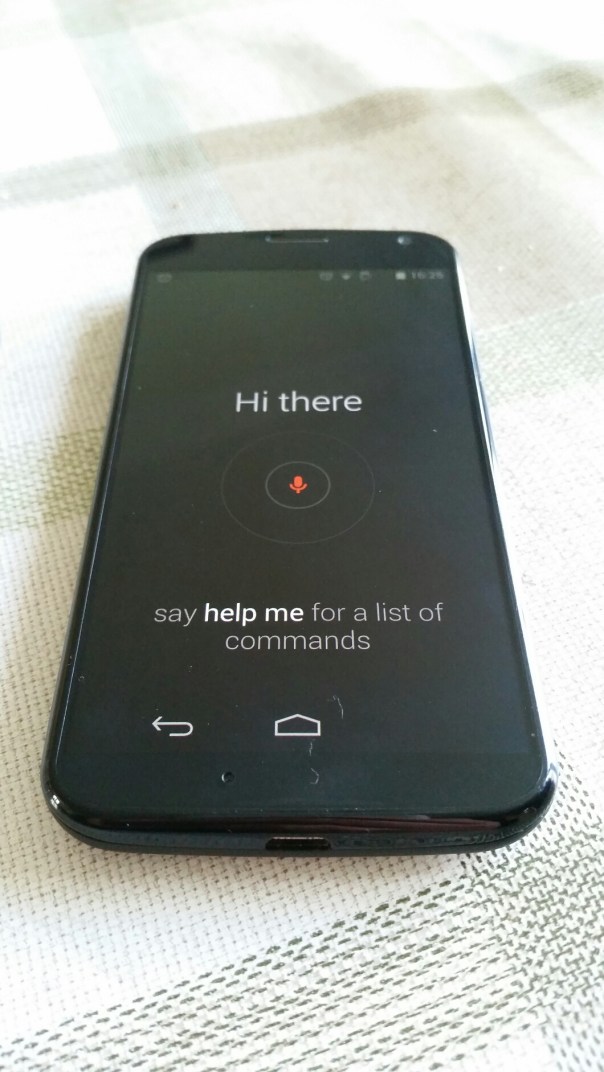
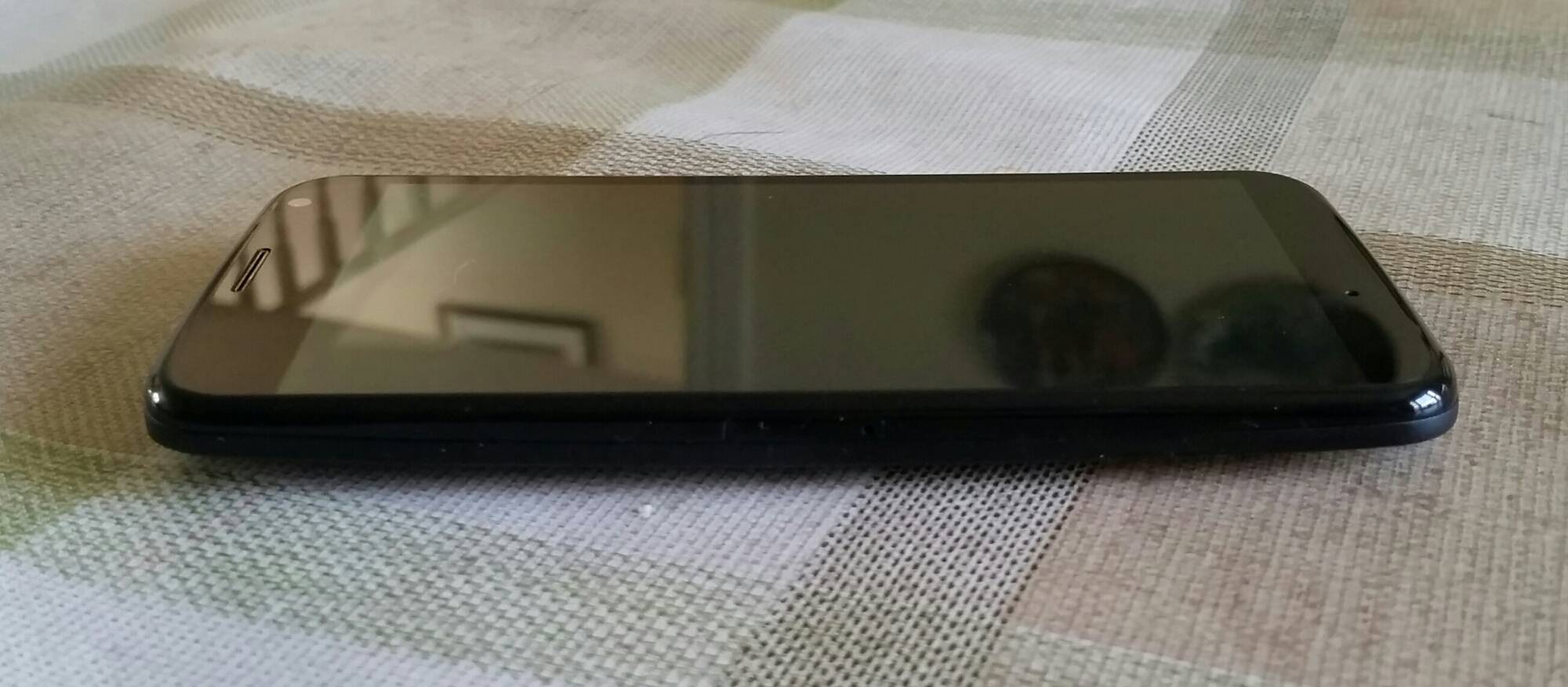
It’s quite a good sized phone which feels wonderful in the hand.  It is has always on Google Now voice activation even when the screen is off.
image

The basic specifications of the Moto X are –

Processor – Motorola X8 Mobile Computing System which includes a software optimised Qualcomm Snapdragon S4 Pro (1.7GHz Dual-Core Krait CPU, quad-core Adreno 320 GPU), a natural language processor and a contextual computing processor

Memory – 2 GB RAM, 16 GB standard. 2 years 50 GB storage free on Google Drive. Offer must be redeemed within 30 days of activation.

-Bluetooth® technology – 4.0 LE + EDR

-Wi-Fi – 802.11a/g/b/n/ac (dual band capable), mobile hotspot

-Cellular – 2G/2.5G GSM/GPRS/EDGE bands 850/900/1800/1900 GSM/GPRS/EDGE -UMTS/HSPA + up to 42 Mbps – 4G LTE
3G UMTS bands 850/900/1800/1900/2100 , 4G LTE bands 800/1800/2600MHz (B20/B3/B7)

-Display – 4.7″ AMOLED (RGB) / HD 720p

– Android™ 4.4, KitKat®

– Size (H x W x D) Width 65.3mm; Height 129.4mm
– Weight – 130G

– Battery – 2200 mAh. Mixed usage up to 24 hours

– Camera -Front Camera 2MP 1080p HD video, Rear Camera 10MP CLEAR PIXEL (RGBC) – Quick Capture – LED flash – 1080p HD video (30 fps) – 4X digital zoom – Slow motion video – Burst mode – Auto HDR – Panorama – Control focus/exposure

So what does all the above specs mean. So far a rather smooth, really easy to hold in one hand phone, that due to the always on voice activation means less actual picking up the phone to carry out actions. Other touches included with the Moto X are Motorola Connect that links the phone to Chrome so that you can see who has texted or called you and reply via the Chrome web browser. Motorola Assist is rather neat and sets actions up when you for example sleeping or driving. So when asleep the phone does not disturb you. On the off chance you had a previous Motorola if offers a wireless migration service of all your data. Similar to the Nokia Lumia Glance screen, the Moto X provides this information too.

But another funky feature is twist and shake from standby to turn the camera on. You feel a little vibration as you do this, and voila the camera is ready to capture that first shot.

So what else? It is a pure Google android experience otherwise, running the latest version of android too. No bloatware, no lag and so far a really super quick experience. And for once a phone that is not oversized and is very comfortable to hold and use.

And the voice activation is excellent. So first up you train the phone to recognise you saying “Ok Google Now” three times. Thereafter, you can control it as you wish, using the normal Google Voice commands. My wife also tried to see if she could trick the system, but clearly as her voice was different it would not respond when she said “Ok Google Now”.

I tried the camera out quickly, but despite its claim of a super 10mp camera it takes as far as I can tell just average shots in low light. Tomorrow if it isn’t raining I will try some more shots to see how the turn out.

Clove Technology currently have the Moto X price at £225.00 plus VAT and for that price it does seem like a good deal.

More updates soon as I get to spend more time with this phone.
Hudl versus Kindle Fire – Let the Battle commence

Tesco has announced that it is releasing later on this year an update to its popular Hudl tablet. Tesco also announced it was bringing out its own smartphone with specs to rival the Samsung S5 but for around £250.

In similar news Amazon will be doing exactly the same.

So what we are seeing is round one of a battle for the mobile shopper between 2 giants. Clearly, Amazon have a head start as they already have had Fire tablets in production for several years. But then Tesco has actual physical shops.

Amazon and Tesco are both investing in their media services – Amazon Prime and Tesco Blinkbox. So will their be a winner and loser. Time will tell but competition should hopefully create more choice for the consumer.

Concerns over the new Samsung K Zoom camera

I was re reading the specifications of the upcoming Samsung K Zoom versus the Samsung Galaxy S4 Zoom and despite the K Zoom increasing the camera to 20.7mp versus 16mp on the S4 Zoom, I noticed more information on the camera.

The K Zoom pixel size is smaller than the S4 Zoom at 1.12 microns. That is the same size as the pixels in the S5 smartphone.

I really hope low light shots don’t become a disaster. Anyway, this video by Samsung does make it very compelling.

LG G Flex – More Impressions

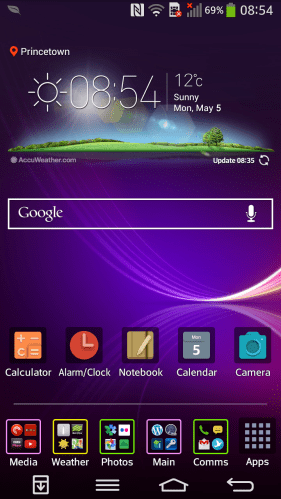
2014-05-05 08.54.27

The LG G Flex comes with two homescreens types. The one above is the standard affair that everyone would be used to. With this option you can add widgets and folders and more. The folder colour can be changed, as can the whole theme. Additional themes as mentioned are available from LG Smart World. I installed a few and like the results. But what if you are novice. LG include an Easy Mode.
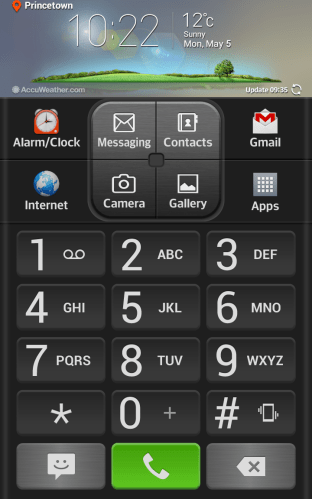
2014-05-05 10.22.26

I thought the Easy mode was one of the best I have seen with everything on one page.

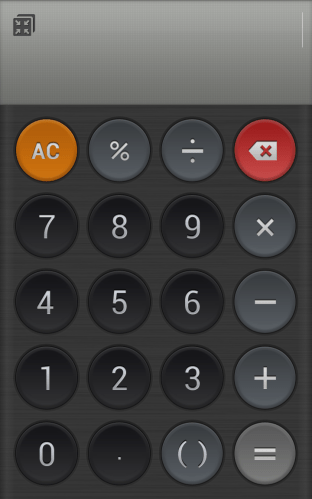
LG include a number of custom apps from a Calculator, Alarm Clock, Memo (sync to Google Drive), Calendar. Displays lots of info. Quick Theatre – shortcuts to photos, video, YouTube, video.
2014-05-05 14.56.49

The loudspeaker was of a reasonable volume and clear. The audio quality via the headphones was good too. Other software included Quick remote, FM radio, music, life square, task manager, update centre , lg backup, gallery, file manager, Polaris viewer , notebook, box, tasks, email, contacts, weather and a few more smaller apps.

I will cover off the camera tomorrow.

So the whole experience of this phone has been rather pleasurable. When it cost over £800 was it worth it. Absolutely not. At £379 it represents a very good phablet.

Samsung Galaxy S5 and Wireless Charging – the cold hard facts

For me it’s an experience not worth the effort. And this is all due to Samsung cutting corners. So read on.

First up you need the official Samsung wireless back cover that replaces the one that comes with the phone. This includes the Qi technology and waterproofing seals. As a warning do not use the wireless cards that slide inside the non wireless Samsung back cover as you will not have an ip67 phone. And this has been tested. Just head over to YouTube and watch a S5 get ruined for life.

So I thought it would make sense to get a Samsung Wireless charging pad. The first one was faulty. The second one was fine but stopped charging at 100% which is the correct behaviour. Due to some wake locks that meant at 6am my battery level was at 85%. In any event, the S5 standby time is not as good as the competition.

So I thought I would try the Zens QI wireless charging pad. This stops charging at 100% and starts automatically at 95%. By accident I ordered the eu plug version, so that got returned for the UK plug version. This has arrived except it doesn’t work as advertised.

Basically it doesn’t turn off at 100% so the battery is being overworked and it seems to warm for my liking.

So, I think I’m going to resort back to opening that flap on the bottom and using a normal micro USB lead to charge the S5.

However, I thought I would ask Zens if they knew about any issues with the S5. They replied –

“Dear Gavin,

Thank you for your email and interest in ZENS. Sorry for the late reply. The new S5 was a good choice.

We designed our wireless charger with sustainability in mind. Most of our own products, but also for example the Nokia 820/920/1020 will shut down after the phones are fully charged.
The ZENS Single charger was there before the S5. We had no influence on the design of the S5, so you are correct that the LED will stay on after your S5 has been charged.
However like with a normal adapter it won’t harm your device. The designers of the S5 did not integrate software to stop charging after your S5 is 100% charged.

Please do not hesitate to get in touch if we can be of further help.

Your sincerely

Team ZENS

http://www.makezens.com”

So there we have it. Samsung omitted the necessary extra circuitry and software and this explains why there new pad just stops charging instead of turning off and then coming back on again.

What should have been a great charging method is ruined.

LG G Flex – First Impressions

So currently I have the Samsung Galaxy S5 which I like a lot. However over the weekend, whilst browsing I noticed the LG G Flex had been reduced considerably at Asda Direct to £379, so I decided it was worth seeing what all the fuss was about and whether it was a novelty or useful piece of tech.

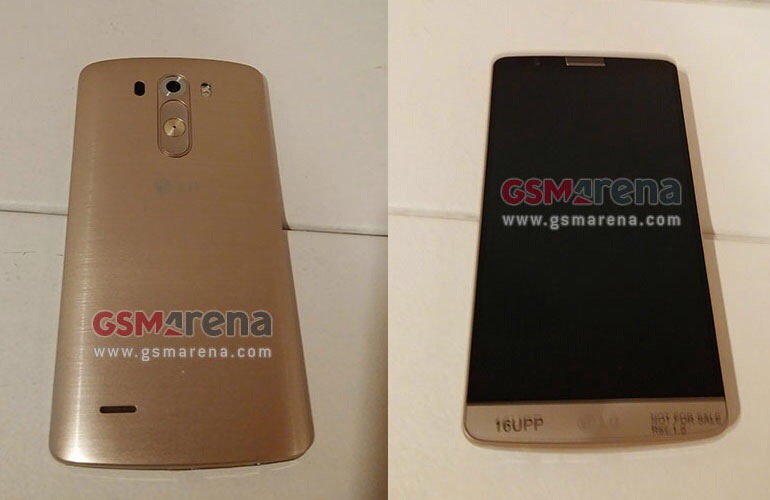
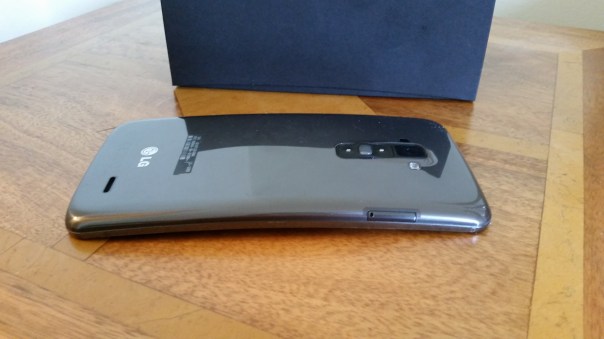
So, after ordering it arrived the next day in the post. The box is curved inwards at the topside which is a neat touch highlighting the fact that you are about to hold your first curved phone, that is able to bend and has a self healing back. And before anyone asks, it does go flat. Freaky or what.
2014-05-05 14.28.08

The next oddity is the physical buttons. They are on the back. Sounds weird and for the first hour they are oddly placed, but I grew to find them really handy and easy to use. It meant that despite the large screen size I didn’t have to fumble to a button on the top.
2014-05-05 14.28.32

These buttons on the back have the volume up and down keys, power and notification light built into the power key. Screen shots are really simple too as you hold down the power and volume down key together. If you are taking a selfie using the rear camera, the notification light changes colour when your face is lined up properly.

The G Flex does not have android kitkat yet, although it is due to roll up in about 3-4 weeks time. The differences are minor but it will still be worth updating.

The screen is only 720p for a 225ppi resolution. If you have the Samsung S5 next to you, then the difference is obvious. But like anything you soon get used to the screen. LG have a custom skin and launcher which can be themed to your hearts content by accessing a number of free themes in the LG Smart World. You can also get themes to change the look of the LG Keyboard. At the bottom you have soft menu keys. Again, you can change the positioning and have either 3 or 4 on screen menu keys. Then there are the quick apps, small apps that you can have floating on the screen. You can also have up to 3 apps just swiped off to the side using 3 fingers, ready to bring back as and when needed.

The LG G Flex also has double tap to unlock and lock. Kit kat update adds code unlock.

The LG built in keyboard was very good, with optional swipe too and a permanent row for the numbers. Symbol shortcuts were also possible on a number of the keys.

That curve. My wife said it looks like you have had an accident and bent your phone. And if you did not know any better then you would think that. But it weirdly does makes media more engaging. Even games felt great on that large screen.

The 32gb G Flex has 24gb user storage available. Despite such a large amount taken for all the LG skinning, the Flex is super nippy. I could not slow it down so far, despite installing loads of apps and games. The G Flex has a snapdragon 800 processor and 2gb ram, and a standby battery that seems to last me nearly 2 days. Crazy good.

The infra red blaster in on the back next to the camera module. So just hold your phone upright and use the remote software on screen to control your TV etc… And the Quickremote app works very well and it feels far more logical and easier to lift phone upright slightly to operate your devices.

So far so good and all I can think is at £379 this is a great value 6 inch smartphone, that happens to have a flexible screen and body and a self healing back. Also, with this phone there is no reason to opt for a tablet as well. But when it cost £800 it was not worth that amount of money.

Samsung Galaxy S5 Camera lag and tips for a fast response

I have had the S5 for 3 weeks plus and the one thing that really annoys me is the random lag. Sometimes it takes ages for the camera to fire up and shoot its first shot, by which time the moment is lost.

So I have been experimenting with various combinations to try and get the quickest first shot time. So what you have to do is install nothing. Well, it felt like that at first.

So, first up, in home screen, press recent apps list and select close all. In settings, lockscreen remove the weather, help, pedometer options and anything else which will need the phone to find other information from other apps. Under security select no security, swipe. Select include camera shortcut in lockscreen. Now this isn’t ideal having no security so in the long term this is not really recommended.

Open camera, press home key. Make sure camera is in auto mode with HDR off and the same for picture stablisation. You can always turns these back on.

Now, from the lock screen you can swipe the camera shortcut, and 9 times out of 10, the camera will be open and focused in less than a half a second.

Episode 14 – Gav & Dave’s Tech Podcast is alive – Please RT

As you know, I co-host a weekly podcast with David from UKMobileTech called Gav & Dave’s Tech Podcast. It is a light hearted tech podcast broadcast bi-weekly. To subscribe click here for iTunes or copy and paste this link into your favourite podcast app.

Episode 14 is now live for your listening pleasure.