Tag Archives: Reviews

Living the dream – Samsung Note 4, Gear S and Note Pro 12.2.

So its another 24 hours later. This time I have used the S-Pen to write this entire post. t have managed to write this fairly easily on the Notepro and even easier on the Samsung Note 4. I am left with the original niggle from yesterday over the cell signal. Do I hope that Samsung eventually improve this with an update. I hope so, as I prefer the Note 4 over the iPhone. The 6 Plus is a nicer piece of kit. It just becomes less exciting to use overtime and isn’t as flexible as a device as I would personally prefer.

In terms of using the S-Pen it seems far simpler to use on the Note 4 if you are holding the Note 4 in the hand to the stylus. I will be honest though and say that using swipe is fastest method of data entry. However , using the pen is a lovely feeling.

I’ve realised that the Gear S battery is good for 2 days. It is without a doubt the best watch for my needs that I have used so far.

In terms of overall package the three devices are a good combination providing you need the pen. S Health is also excellent but the main problem is the competition are catching up.

Below is a sample note that you can create.

image

Living the Samsung Nightmare – Note 4, Gear S and NotePro 12.2

Some balance to all the glow from the last few days and for some you may not like reading my comments below. But unlike some reviews, I am not in the pockets of the manufacturers so will say it how it is.

Before I get to the Note 4, I used the NotePro 12.2 with Chrome and the Internet Browser both open in multitasking mode side by side, so I could compare images of 2 different vehicles. The iPad really needs some form of multi window.

The Gear S has been faultless. Battery at the end of the night before bedtime was at 65%. I have also discovered that call forwarding charges vary from network to network. Three UK don’t charge. They simply take the cost from your allowance. EE charge through the roof unless a business customer. I believe the charge is around 60p per minute. I will double check this cost again from EE as it seems totally out of sync with Three UK.

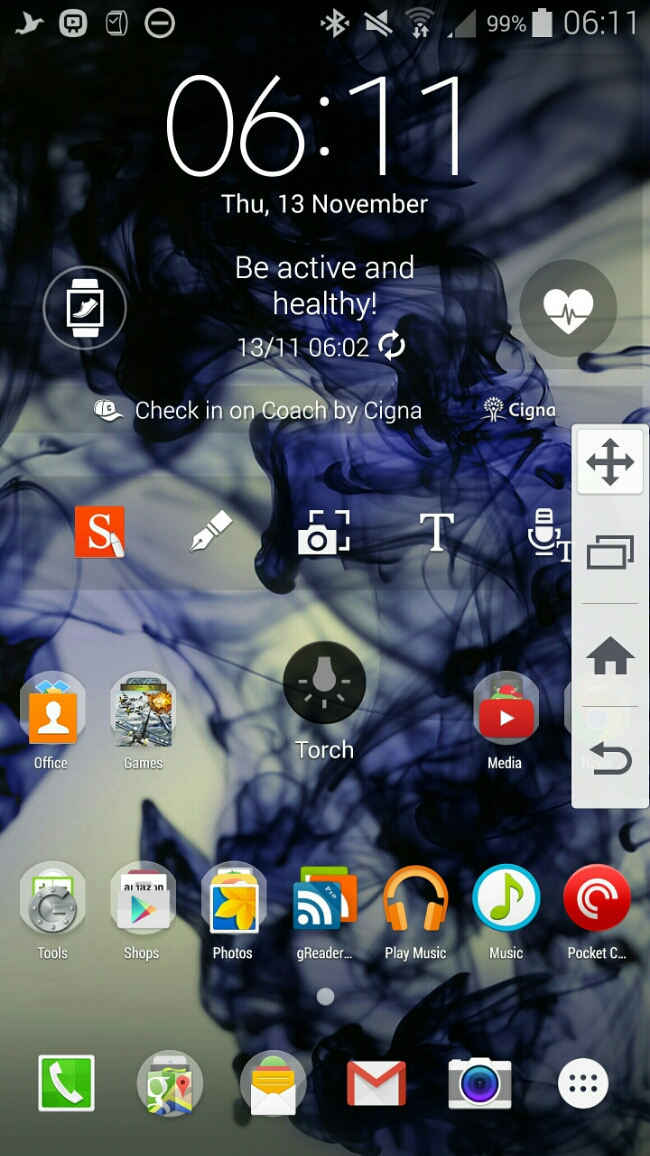
And now to the nightmare scenery with the Note 4. To recap it has sensors galore – heart rate, oxygen levels, UV. A very good camera. S-Pen. Multitasking. QHD screen. And so much more. In fact it’s removed the toolbox gimmick found on the S5 and replaced it with Side Key Panel. See screen shot. Basically you get the bottom capacitive and home key on the left or right edge. It hides when not in use. Flick to bring out. You can move it to your preferred position.

image

But stripping it back to basics it still is a phone that can send SMS messages. And this is where it fails miserably. It has really poor signal strength. I live in a rural location. Reception downstairs has always been flaky on Three UK but it for the iPhone 6 Plus it was still able to make/receive phone calls/SMS. The BlackBerry Passport had no issues with grasping on the reception. And now to the Note 4. Downstairs the Note 4 “cannot” make or receive any phone calls or SMS. It cannot pull a signal. I have noticed in many different areas outside of my house, weaker cell coverage too. Problem is if I cannot get the basics from the Note 4, I will have to return it along with the Gear S, as the Gear S only works with a Samsung phone.

Some background. I have been with Three UK for quite some time. I have tried O2, Vodafone and T-Mobile and all were rubbish. However, reader “Jah” suggested I look into EE and I got hold of a EE pay as you go sim to test. Low and behold the Note 4 did have signal downstairs, albeit at the lowest signal thresholds. EE could be a solution, so long as call forwarding is not charged at 60p per minute when calls get forwarded from the Note 4 to the Gear S.

Just to make sure my signal issues weren’t unique to myself, I started a thread on XDA Developers and it appears many people are also experiencing poor signal strength. Maybe we shouldn’t have asked Samsung to build a metal phone!

Update – I went online and chatted to EE who stated call forwarding is not charged. Uses your allowance.

Living the Samsung Dream – Note 4, Gear S and Samsung NotePro 12.2 Tablet

Another day and a load more thoughts, issues and observations. So lets start with the least used item today, that being the NotePro tablet. That is mainly as I have been busy with work, and the time I have had outside of work has been exploring the Note 4 and Gear S, and do you blame me!

So the Samsung NotePro 12.2 seems to have a memory issue. Web browsing whether via Chrome or Samsung’s own internet app, just stops after 30 mins or so and freezes. Normally takes a reboot or clear all running apps. Weird. Not a deal breaker but it is there. It does not always happen either. Maybe tech websites are heavy on graphics? Apart from that the only other aspect I have noticed is its general speed. It is no iPad Air 2 switching between apps. I think we call this lag. But then once you’re in the app do you care!

Screenshot_2014-11-11-19-55-10

So next lets talk about the Note 4 and Gear S. Above is screenshot from my Note 4. I have settled for just one home screen. And Touchwiz is crap on the Note 4 with its QHD screen. Such a waste of space. Don’t get me wrong, I really like Touchwiz but there was too much free space. Anyway, Apex launcher is installed. From top to bottom. Samsung clock widget, Coach Pedometer widget, S-Note widget, middle is the torch widget and then a load of apps and folders. Everything now is in its neat place. During the night I setoff 40 of my android games to install and for some reason every few minutes or so the Note 4 screen kept turning on. This was after all the games installed too. The Note 4 was on charge using the fast charger. But before you ask, I did disconnect the charger but the screen kept popping on. Annoying in a dark room. I will try again tonight to see if the same thing happens. I also had the Gear S monitoring my sleep overnight. I have to say the Gear S battery really isn’t too shabby considering everything it does. I have had loads of notifications pour through and taken several calls via the watch. And I cannot stress how comfy I have found the Gear S. One useless feature of the Gear S is the UV sensor. Yes, aim your watch at the sun, and it will tell you if you need to cover up and more. Or option B, using your common sense. However, joking aside, it is still a feature that may be useful for some. This UV sensor also exists on the Note 4.

What I am noticing with the Note 4 is that I am activating apps on the edge of the screen too much. No wonder touchwiz left large gaps. Also, coming from the iPhone 6 Plus I really do miss the swipe up from the bottom for control centre. That is such a logical place and having quick access to items like the timer, camera, torch and calculator make perfect sense. Just look at the torch widget on my home screen. It is so ugly. And I also miss Touch ID. Apple really nailed the secure way to access your phone. The Note 4 fingerprint scanner works 95% of the time and I am even able to get one handed operation 60% of the time. Maybe next week I will be able to unlock my Note 4 with no hands. Well, maybe that’s coming in the Note 5. But thanks to Jeff’s comment yesterday, the Note 4 does allow access to “OK Google” all the time including the lock screen. Just turn it on in Google Now settings. Neat! I hope Google updates “OK Google” to be better than Siri and Cortana. I now have all my photos, music and videos on the Note 4. For my music I used iSyncr to copy music across from iTunes. 1,000 songs transferred over in 5+ mins. Seemed much quicker than other devices. Videos and photos I used a memory stick. Copied everything from my mac to the memory stick. The using the USB OTG cable, connected the memory stick to the Note 4 and copied across all the photos and videos.

So my final paragraph for today. Is the music quality through the headphone port any good. Is it better than the iPhone 6 Plus? First up the iPhone 6 Plus has excellent audio quality and a decent loudspeaker. The 6 Plus can also power all my big over the ear headphones and sounds excellent over bluetooth even though it doesn’t have APT-X high quality bluetooth codec which is present in the Note 4. So I am sure we all know the Note 4 loudspeaker is lame. But it is clear, just lacks volume. Despite that I was able to conduct a phone call in the car using the loudspeaker and my friend Dave of UKMobileTech was able to hear me just fine. The bluetooth sound is excellent and uses the APT-X codec. I had a problem initially with bluetooth music dropping out occasionally. That was day one. Since then it has not re-appeared. Plugging in headphones using a cable and its OMFG. Well nearly. The Note 4 doesn’t have such a powerful headphone amp as the iPhone 6 Plus, but what is pumps out is of a much higher quality. In fact, I have been listening to my music via the Note 4 as I typed this post. The musicality, separation, soundstage and overall presentation is such a delight. Your choice of headphone is going to be important though. A too demanding headphone will need a headphone amp. I have connected the Note 4 into my car sounds system and its such a full clean sound. For guidance, all my music is ripped at 320mp3 bit rate.

And that’s it folks for today. Any questions please fire away 🙂 Tomorrow’s post is entitled living the Samsung Nightmare. In this post I will describe a massive flaw with the Note 4.

And one last thing. The screen didn’t keep turning on during the night. I used the Gear S charger as though. However, blocking mode still allowed the notification led to blink.

Living the Samsung Dream – Note 4, Gear S and Samsung NotePro 12.2 tablet

Today I’m not going to talk about each device separately but how the work in unison with each other.

First up its Monday night and I’m typing my thoughts for this post using the NotePro tablet and it really is a joy with its large on screen keyboard and display. I won’t get much time with it otherwise so there isn’t much to say except it was on standby for 15 hours and lost 18% battery.

So today at lunchtime I was able to sort out moving my sim from my iPhone 6 Plus to the Note 4 and getting a nano SIM for the Gear S. Fortunately, there was a Samsung expert in the Three store helping flog Samsung phones for the Three store staff. He also new exactly how to setup the Note 4 with the Gear S. So my main sim went into the Note 4 and a Three pay as you go 321 or 123 sim went into the Gear S.

But before I get to the master setup, I wore the Gear S last night and turned on the sleep mode. During sleep mode, the watch also activates do not disturb mode . This means no bright screens awakening your partner. The sleep data is synced across to the Note 4. It showed my total sleep was 6 hours and 10 minutes and that I was motionless for 94% of the time, that is for 5 hours and 47 mins. I intend to wear this every night now so I can build up average sleep data patterns. Now, the Gear S was at 50% at the end of Sunday evening, so while I went to the bathroom I quickly charged the watch up to 75%. While I am typing this I have put it back on  charge. It’s 8pm and the battery including tracking me while I slept and all the way to 8pm had only dropped to 51%. Not bad. During the day notifications have been pumping out of the Gear S and I can honestly say reading them on a 2 inch screen is great on the eyes. Also, if you select clear all notifications it also clears them on the Note 4. S Voice works really well on the Gear S. S Voice was able to recognise correctly all the commands and people’s names that I asked it to dial. I had my mum call me and took the call on my Gear S using its loudspeaker. It’s not very loud but I suppose that is a good point in some ways in that the whole world won’t get to hear your conversation.  But in a noisy room it may be difficult to use in this way. Bluetooth headphones might come in useful. I asked my mum if she could hear me on her end. She had no trouble hearing me.

I then asked my mum to call me again. This time I started the call on the watch and pressed the on screen button to transfer call back to the Note 4. That worked just fine. Just clarifying how the relationship between the Note 4 works with the Gear S. Standard use is via a bluetooth connection. In this mode notifications are received over bluetooth from the Note 4 to the Gear S. Phone calls and text messages placed from the watch use the Note 4 to activate the call. Now, with a nano SIM in the Gear S and allow remote access ticked in the Gear Manager app, the following is possible. You decide to leave the Note 4 at home. As you exit your home, the bluetooth connection is broken between the Note 4 and Gear S. The Gear S switches over to being it’s own phone. It also pings a command back to the Note 4 which activate call forwarding to the Gear S. Notifications from the Note 4 are also sent to the Gear S. For this to occur you have to be signed in to your Samsung account.

So how was the Note 4 now that it has my main sim in use. The screen has been the standout feature all day. And yesterday the S Health app has been good too. Fingerprint scanner works really well, but Apple’s Touch ID is still the best. I have now managed one handed unlocking on the Note 4. When locked with fingerprint security I cannot use S Voice or Ok Google unless I have unlocked the phone. As an example with the iPhone 6 Plus plugged into a charger I can say “hey siri ” and then “any notifications “. Siri will then read all my notifications. Can’t do that on the Note 4. Also, Touch wiz only allows 21 icons on a screen. The iPhone 6 Plus can show many more. It seems to maximise the screen I am going to have to use Nova or Apex launcher but at the cost of losing some of the Samsung widgets. I seem to be suffering from wifi dropping out from time to time. Might be because there is a storm outside or its not working correctly. Cell signal seems fairly strong on par with the iPhone 6 Plus.

So that’s all to report today. More tomorrow.

PS. Don’t forget to read my other post today about how to get the Mont Blanc digital content for free.

Samsung Note 4 – First Impressions

IMG_1276

Samsung Galaxy Note 4

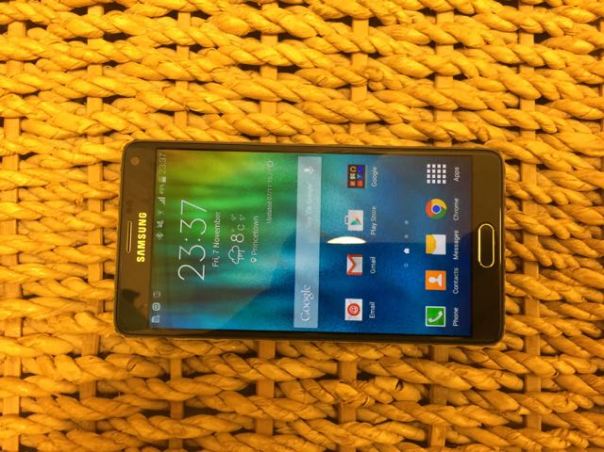
These are my initial findings and thoughts on the Note 4. Opening the box, it does not look anything wow, but it does look considerably better than the Note 3 (which I liked a lot). Before I started setting it up, I fully charged the phone. And that is when I got a glimpse of what the screen was going to look like when the battery indicator appeared. That was a small wow moment. In rapid time, the Note 4 was charged to 100%. The charge time was quick and that is thanks to the Fast Charge technology built in to the Note 4. I will address this again later on. So turning on after charging, a few passwords entered and voila. Note 4 was ready to rock. First thoughts. The screen is fabulous and is worth the change from the Note 3 for that alone. I have briefly tested the camera, S Health, music playing via the loudspeaker and bluetooth headphones, general usage of the phone, connected the Gear S and a few bits more. I need to get a micro sim today at some point. I added my 64gb micro sd card and that is working just fine.

My first few gripes are the bluetooth stereo. It was suffering from dropouts or stuttering every now and then. The audio quality was IMO disappointing versus the iPhone 6 Plus. I had connected my Philips Fidelio M1BT which have APT-X. The Note 4 has APT-X which is a high quality music codec. The iPhone 6 Plus does not have this codec support, yet sounds much better! Loudspeaker on the Note 4 is poor.

The design of the Note 4 now incorporates a metal band around the edge of the phone, but it is not a tight fit and it allows for expansion. This in turns means dust can drop along the gap between the edge and the glass. On one of the edges I was able to insert a piece of paper. It may not amount to anything but time will tell.

There was one software update. This installed in less than 10 minutes. There were a number of app updates but overall the process was over and done with quickly.

I tried out the S Health application, used the heart rate monitor, Oxygen Level monitor and Ozone monitoring. These all seemed to work just fine. Also, by logging back in to my Samsung Account, my S Health data was restored. In fact, I think the S Health application by Samsung is really good.

Camera. I took a number of shots and compared them with those from the iPhone 6 Plus. This could be a interesting shootout. In very low light the 6 Plus definitely has the edge. As to other conditions I will let you decide as I take more and more shots to compare, weather permitting 🙂

Battery. The first day always puts a strain on a device. The Note 4 made it to midnight from 10am with 40% charge left. That was impressive. More impressive was the fast charging. I need to time it but it really is an OMG moment when you witness the speed of recharging the phone. So 5 hours on standby and its loss 12% battery. That’s worrying as I have not yet installed all my normal apps. As a comparison, the iPhone 6 Plus after 5 hours on standby loses nothing on the battery and has 200 apps installed.

I also experimented with the S Pen. This again is a marked up improvement from the Note 3 and really really works beyond what you imagine possible. Recognition of handwriting and shapes and more is awesome.

It is early days with the Note 4. It seems to be a really good phone so far, but I have found an issue with bluetooth stereo music playing. Also the loudspeaker is poor. And then there is the comfort holding the device. Its defined edges make for an uncomfortable grip, but it is grippy. So a pay off I suppose.

Speed. It flies. Not seen any lag period. The Snapdragon 805 really powers the Note 4 smoothly. That’s it for now. More next week in more depth plus whether it is worth the premium price tag.
Moga Game Controllers – Reviews for Pro Ace, Pro and Power Pro

I’ve previously reviewed the Moga Pro Ace (iOS) game controller. I am expecting soon the Moga Pro Power (android) game controller and will review this with the original Moga Pro. I will also add the review to this page, which can also be found under the Menu, Reviews, Accessories.

Moga Pro Ace – iOS – Game Controller Review Links

Part 1 – https://gavinsgadgets.com/2013/11/23/review-coming-soon/ – with photos

Part 2 – https://gavinsgadgets.com/2013/11/26/moga-ace-power-game-controller-for-ios-review/

Part 3 – https://gavinsgadgets.com/2013/12/13/moga-ace-power-ios-game-controller-review-update-plus-list-of-games/

Moga Pro and Moga Pro Power (android) Game Controller Review – coming soon. If you have any questions on these please ask.

LG G3 in harmony with the LG G Watch

Just a quick update on my experiences of the 2 devices from yesterday.

It was a good day. Both devices got used a lot and I started to find more uses for the LG G Watch. My notifications were less, so battery at 8pm was around 51%. Still really a daily charge for this wearable.

The LG G3 really is outstanding. With the screen off, music playing and all the other apps running in the background, it hardly uses the battery. So much so, that my work BlackBerry Curve (due to high security this is a mandatory use device) was the one that needed the car charger!!

So referring back to my other post today, do I keep the LG G3/G Watch combo or the Samsung Galaxy K Zoom?

Answers on a postcard please 🙂

Samsung Galaxy Tab S – Impressions

tabs

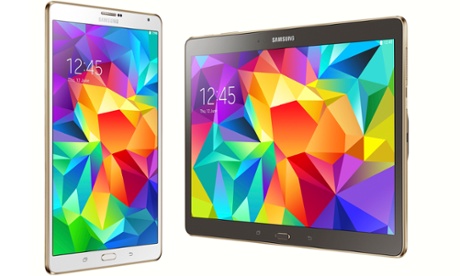
Samsung have just launched a week or so ago another tablet. I must admit their range of tablets is rather confusing, but as of today’s date the Tab S is their flagship tablet, coming in 2 sizes, 8.4 and 10.5 inch screens. Each size has the option of white/gold or bronze/gold and with wifi only or wifi plus cellular. Apparently there will be 2 storage sizes, 16 and 32gb plus a memory card slot.

So what is all the fuss about this new tablet. Its the new amoled screen and its 6.6mm thickness.

I have not bought one of these tablets, I merely spent some time in a store using both the 10.5 and 8.4 inch versions. Firstly, the bronze finish is fantastic. I would not waste my time with the white colour unless white is your fad. It is incredible thin, and the overall profile is stunning. And then the screen. Everything does pop out at you. Luckily, the iPad Mini retina was next to it so I could compare the screens. And you know what, despite the Tab S clearly having a more saturated screen and looking better when you first use it, the iPad Mini screen felt more natural to look at photos, and even though the Tab S had a better pixel resolution, the iPad screen just looked more natural and overall the difference was minimal.

In fact, whilst the Tab S is impressive, I was a little disappointed. Now if this had the stylus, then this is a unique USP for Samsung. Sadly, this is not the case with the Tab S. It’s a good offering from Samsung, but it is not leap years ahead of any iPad. In fact, due to iOS iPad specific apps, it is probably still wiser to purchase an iPad for the broader range of tablet apps.

Wearables – Google’s Android Wear Apps and Hardware are incoming fast

At Google I/O a few weeks ago, Android Wear Google’s wearable platform was announced in more detail. LG and Samsung have just released their android wear smart watches. But for these devices to work you first need to download the Android Wear app.

Link to Google Play Store – https://play.google.com/store/apps/details?id=com.google.android.wearable.app

Also, you will need the latest version of Google Play Services v5.0. Again this is available via the Play Store, but you should find your android phone has the latest version by now.

Next have a browse of the dedicated Android Wear section on the Google Play Store. Link https://play.google.com/store/apps/collection/promotion_30008f2_io_android_wear

And if you have not seen the new smartwatches, again have a look on the Play Store under devices. Or click here https://play.google.com/store/devices/collection/promotion_500013a_android_wear_gb

If you already have either of the above smart watches, expect software updates before Monday 7th July.

The LG G Watch review is incoming soon too.