Tag Archives: Review

Oneplus One – review

image

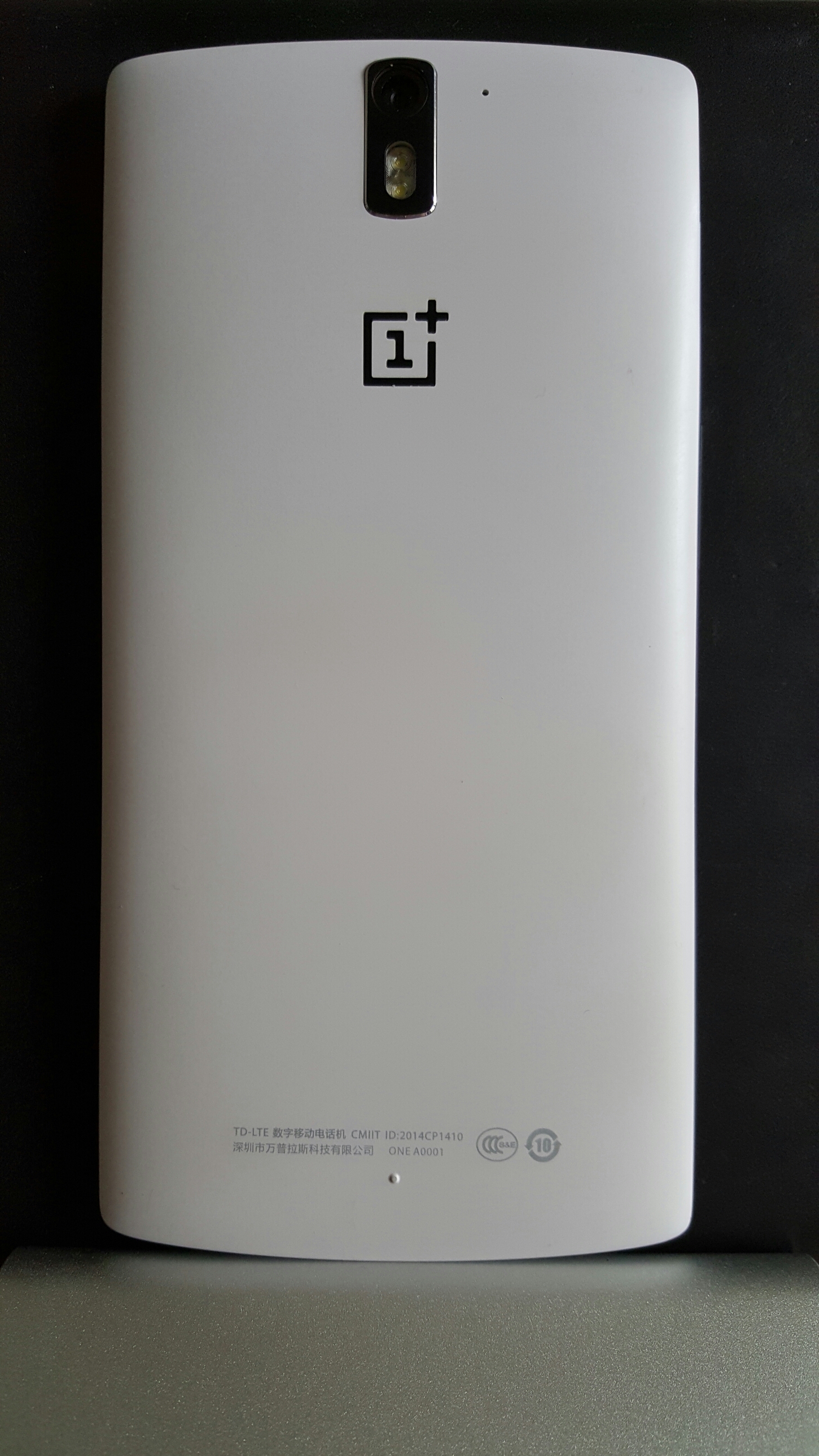
Welcome to my review of the Oneplus One.
image

In my review, I am going to cover off all the different sections of the phone but first let’s take a look at the official specs.

– Dimensions – 152.9 x 75.9 x 8.9 mm
– Weight – 162 g
– SIM Micro-SIM
– DISPLAY LTPS LCD capacitive touchscreen, 16M colors
– Size – 5.5 inches (71.9% screen-to-body ratio)
– Resolution – 1080 x 1920 pixels (401 ppi pixel density)
-Multitouch – Yes, up to 10 fingers
– Protection -Corning Gorilla Glass 3
– CyanogenMod 12 (after SW update)
– Snapdragon 801, CPU Quad-core 2.5 GHz Krait 400,GPU Adreno 330
– MEMORY Card slot – No
– Internal – 16/64 GB, 3 GB RAM
– CAMERA – Primary 13 MP, 4128 x 3096 pixels, autofocus, dual-LED flash, check quality
– Features – Geo-tagging, touch focus, face detection, panorama, HDR + more after update
– Video -2160p@30fps, 2160p(DCI)@24fps, 1080p@60fps, 720p@120fps, HDR, stereo sound rec, 4K after update
– Secondary -5 MP, 1080p@30fps
– SOUND – Alert types Vibration; MP3, WAV ringtones
– Loudspeaker -Yes, dual mono speakers
– 3.5mm jack – Yes
– COMMS WLAN -Wi-Fi 802.11 a/b/g/n/ac, Wi-Fi Direct, DLNA, hotspot
– Bluetooth v4.1, A2DP
– GPS with A-GPS, GLONASS
– NFC – Yes
– USB – microUSB v2.0, USB Host
– Sensors -Accelerometer, gyro, proximity, compass
– Messaging -SMS (threaded view), MMS, Email, IM, Push Email
– Browser – HTML5
– ANT+ support
– Active noise cancellation with dedicated mic
– MP4/H.264/WMV player
– MP3/eAAC+/WMA/WAV/FLAC player
– Document viewer
– Photo viewer/editor
– Voice memo/dial/commands
– BATTERY – Non-removable Li-Po 3100 mAh battery
– Colours – Silk White, Sandstone Black

First Impressions
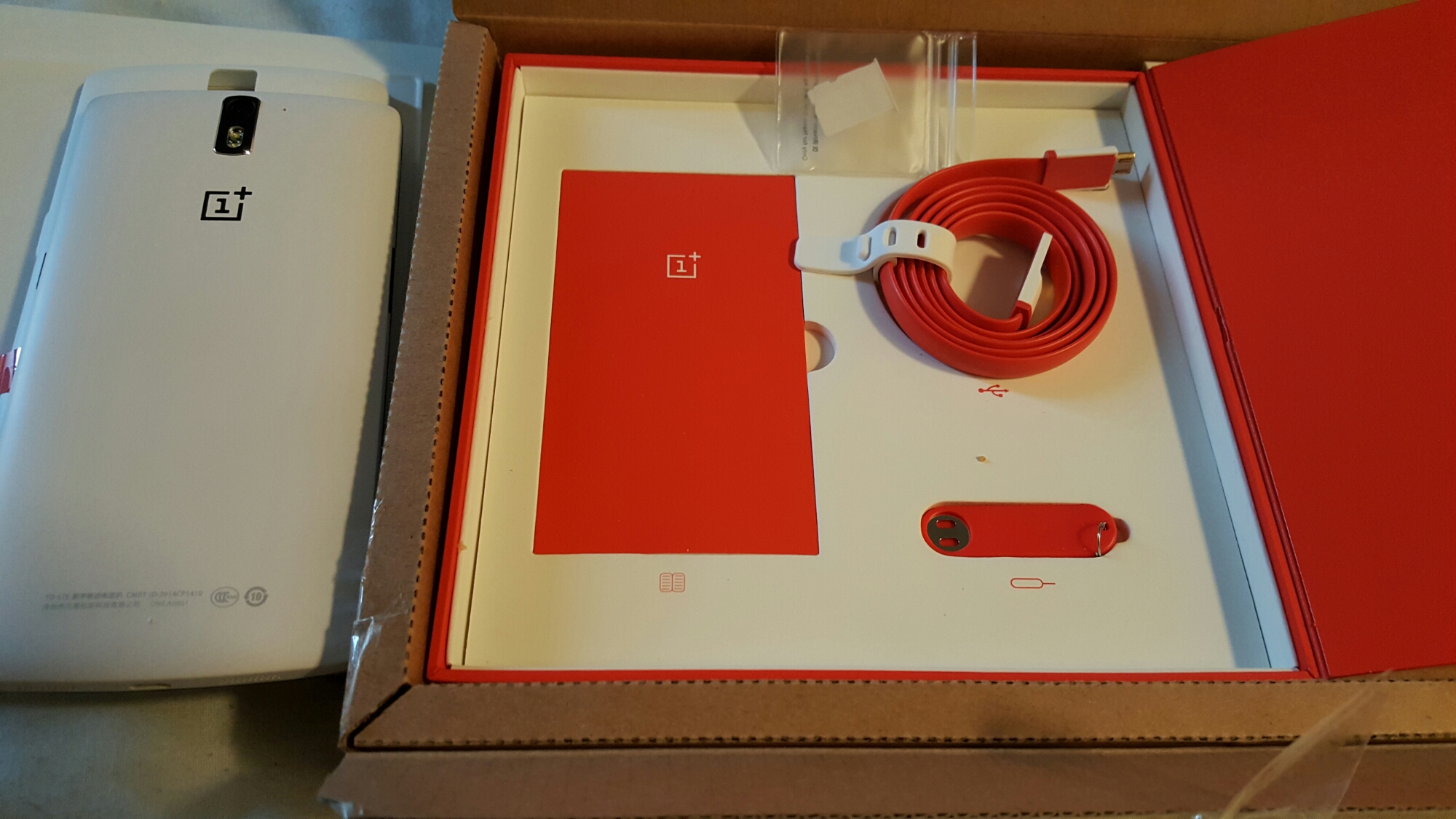
wpid-20150430_201143-1.jpg

wpid-20150430_201316.jpg

As you can see a lot of attention went to the quality of the contents and it does look really superb. If you have a nano sim it even comes with a nano sim to micro sim adapter. 

The phone either comes in 16gb or 64gb storage with no micro SD card slot. I have the 16gb white and am managing just fine. Despite being a 5.5 inch screen phone it is comfortable to hold due to it’s curved back. So once I opened the box it was time to charge the phone and then I updated Cyanogen from CM11 to CM12. CM12 is a lollipop rom and it improves performance according to many threads on several forums. In fact if you head over to XDA Developers or Oneplus’s own forums there are thriving threads offering so many different tweaking options. This may sound like a complex thing to do, but the Oneplus One is a tweakers dream and many options are simple and as quick as taking a few minutes. Of course, get it wrong and you could brick your phone. 

I mentioned in my first impressions that the firmware options seem to take 3 paths. Cyanogen which in my mid offers an incredible firmware, Color OS and Oneplus’s new firmware offering Oxygen OS.  If you stick with Cyanogen you will have one of the best roms, just take a look at the screen shots at the end of this article.

Audio

The Oneplus One has dual mono speakers located on the bottom edge producing a healthy 87db. Excellent for podcasts. The headphone sound is nothing short of a miracle. It includes MaxxAudio as its EQ option. With this on, a flat EQ but just tweaking the bass and treble controls if you need too, the output is powerful and superb to listen too. The most powerful headphone amp I have heard on a phone which was able to power my AKG K702 effortlessly. In terms of audio quality it is very good, just slightly behind that of the Samsung Galaxy S6. And that is impressive!

Camera

So what is the camera like. Well below are camera samples from the default camera app.

Random photos around Princetown, Dartmoor with the #OneplusOne

Random photos around Princetown, Dartmoor with the #OneplusOne

Random photos around Princetown, Dartmoor with the #OneplusOne

Random photos around Princetown, Dartmoor with the #OneplusOne

Random photos around Princetown, Dartmoor with the #OneplusOne

Random photos around Princetown, Dartmoor with the #OneplusOne

Random photos around Princetown, Dartmoor with the #OneplusOne

Random photos around Princetown, Dartmoor with the #OneplusOne

The photos look just ok but remember this is in poorish lighting conditions being somewhat overcast. In good lighting the camera performs slightly better. However, it’s weakness is lower lighting or indoors. Shutter speeds drop and so does the quality and noticeably too.This is the real weakness of the whole phone. Indoor shots are poor. Also on the odd occasion I had a couple of issue with anti banding when filming up against florescent lights. It didnt happen all the time, just twice in 5 hours of using the camera. To counter it’s sub par photo quality, it does have endless options from shutter control up to 8 seconds. Installing Camera FV-5 will give you shutter control up to 60 seconds, so light trails and more are possible with this phone. So while low light can be a weakness, it is possible to take long night exposures and get a result just not top notch quality. The Samsung Galaxy S6, HTC One M9 or LG G4 will totally outclass the Oneplus’s camera quality. 

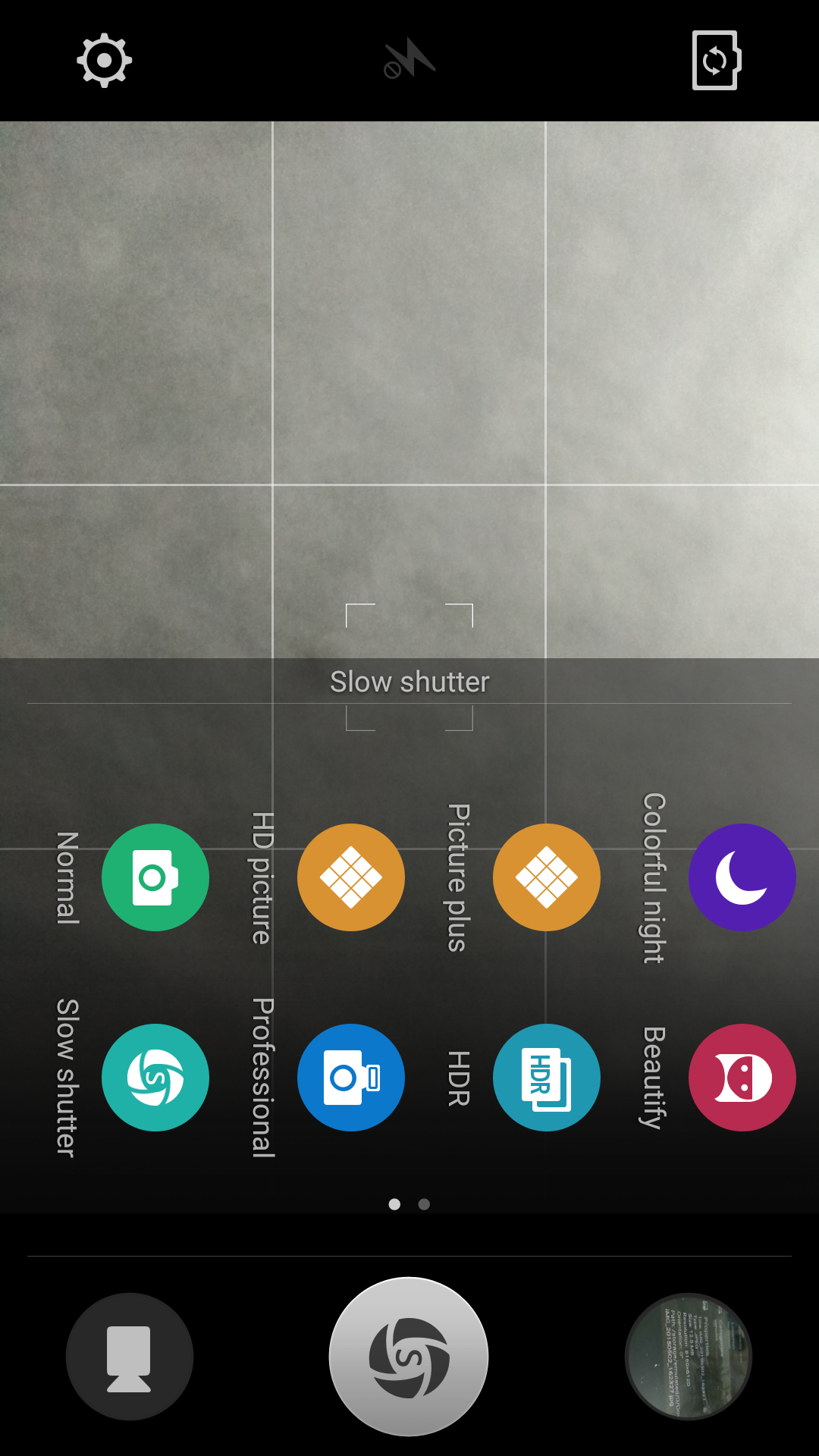
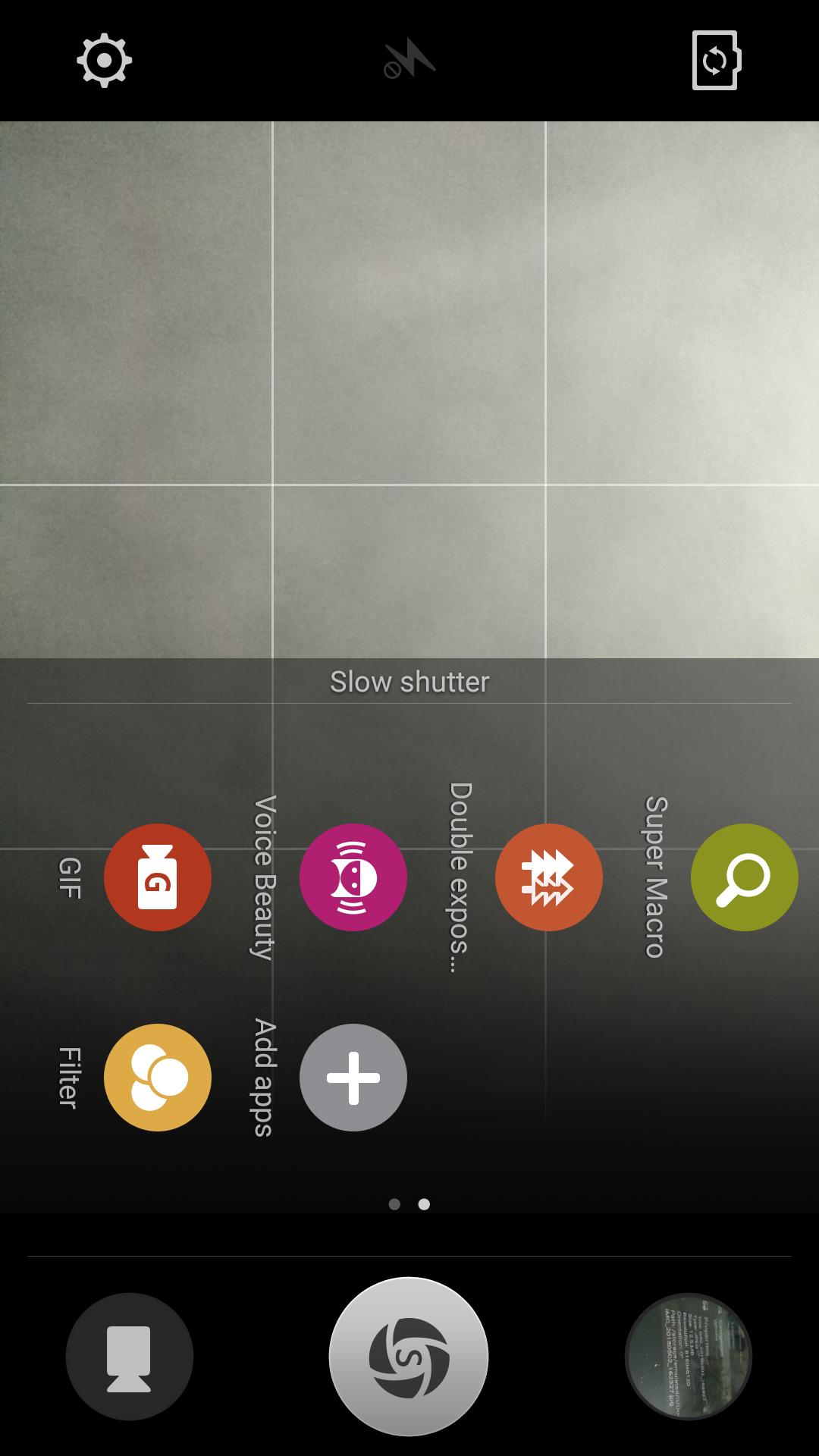
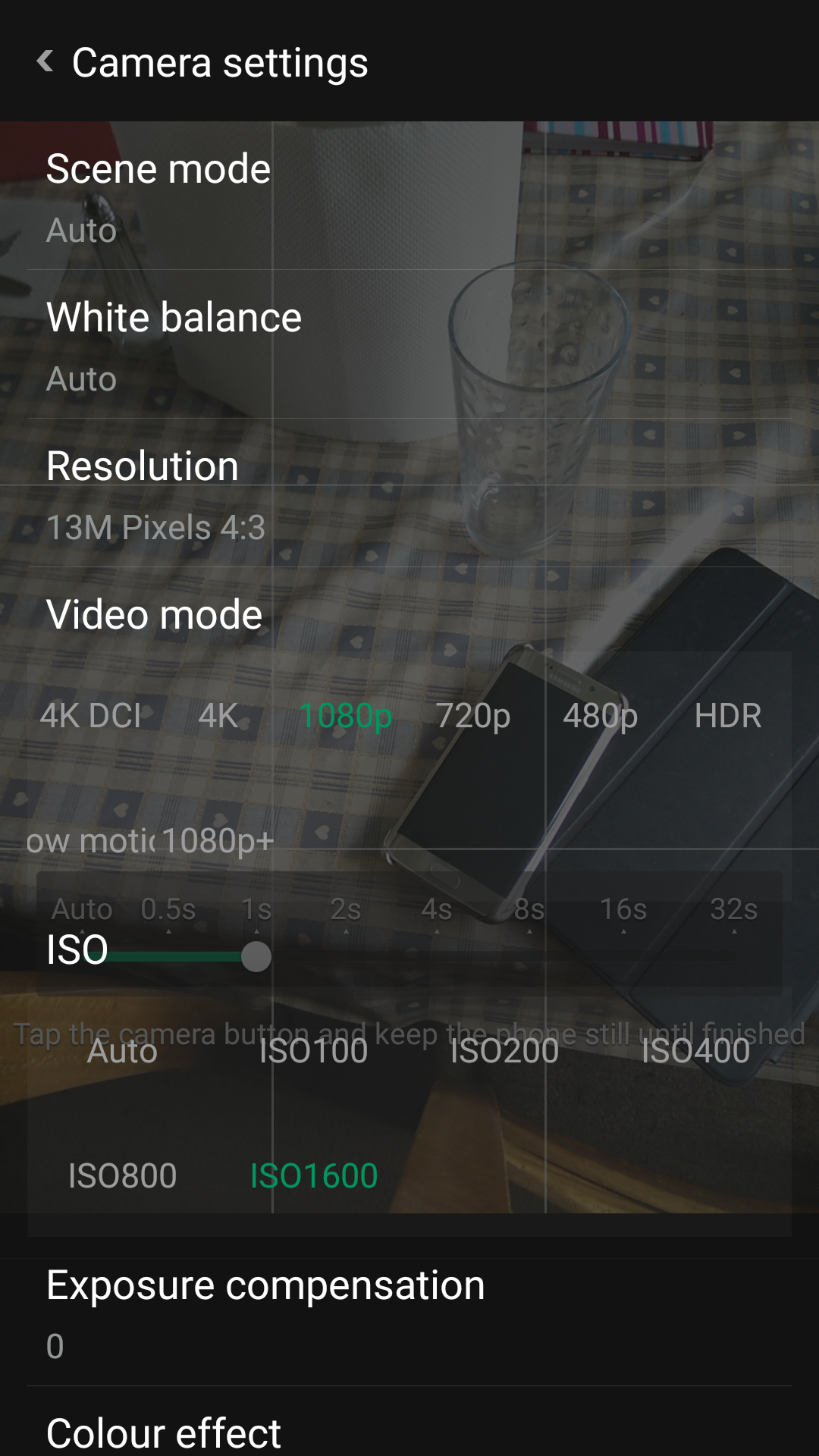
However this being a developers dream phone there are many apps available that offer a better camera performance including the camera app from Color OS and the Oppo Find 7. Just look at the camera options available from the Oppo camera app.
image

image

image

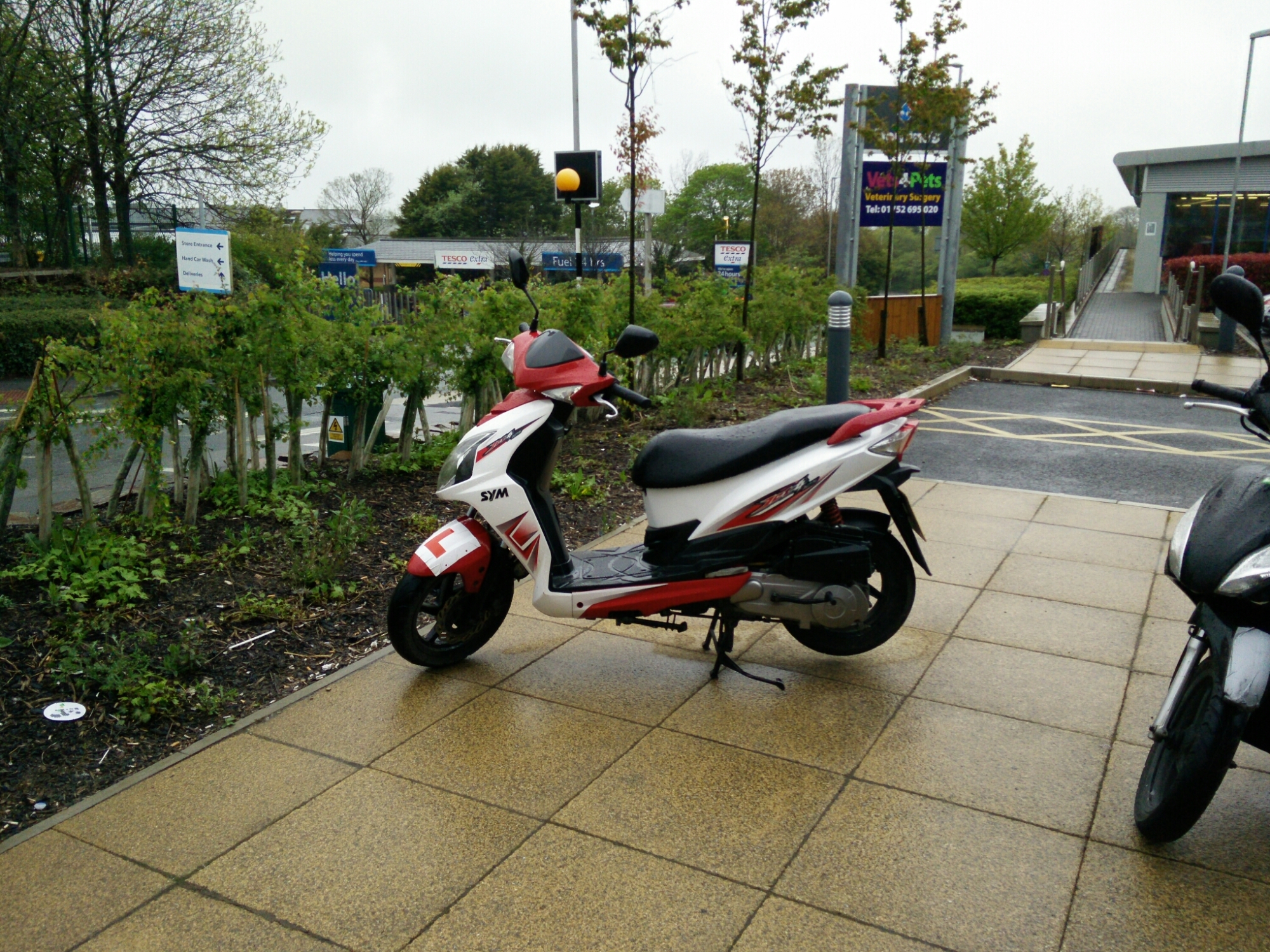
Below is a HQ shot at 13mp in file size instead of the 4mp. However, I cant see the extra quality with the HQ shot.The super macro mode is insane and combines digital zoom to take some close up shots. But I’ll repeat my point above. In anything but good lighting the quality does drop compared to the top end flagships and even mid range phones. Software does compensate a little (but is no cure) and in other ways offers some artistic creations. 
image

Performance

image

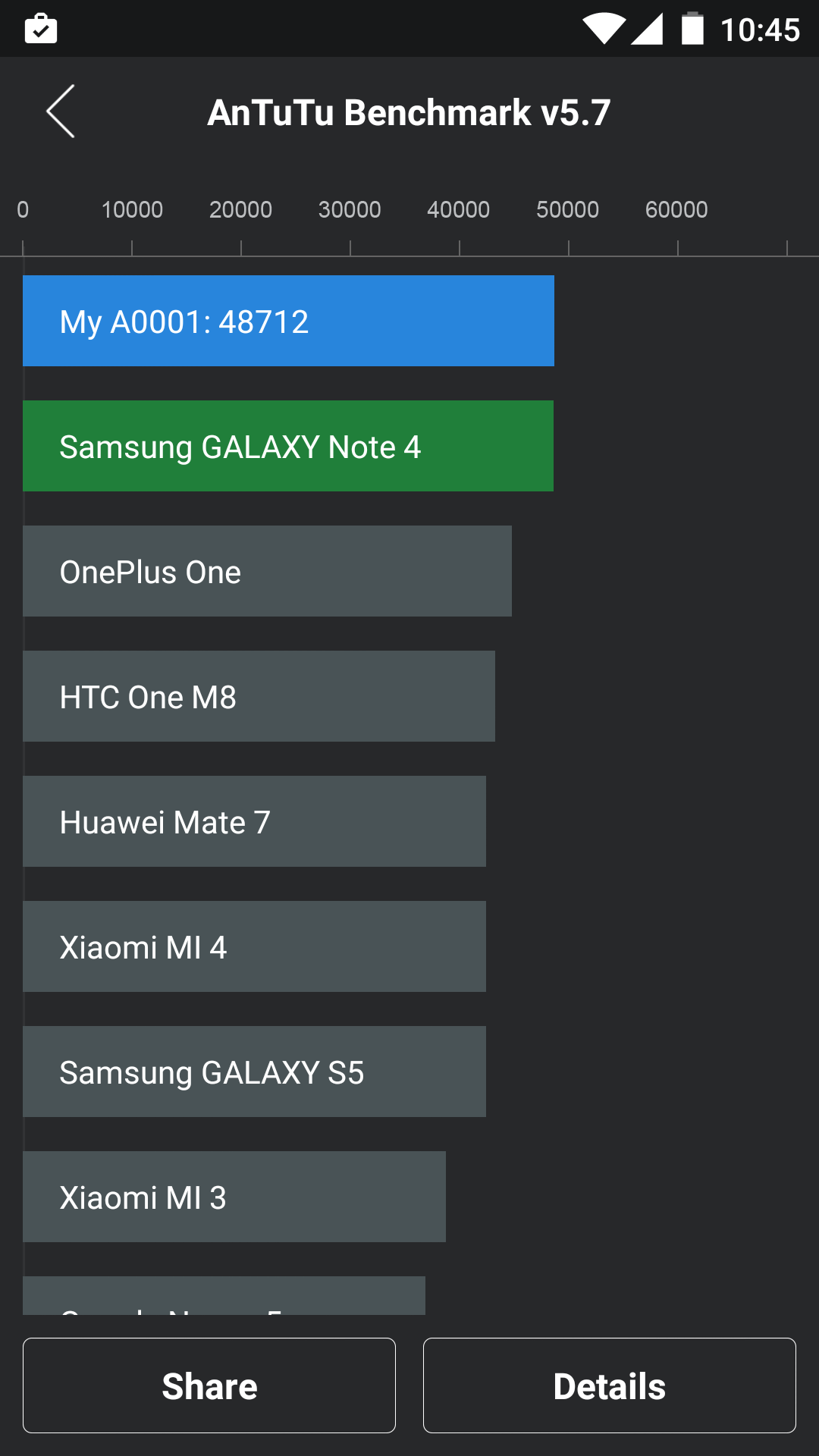
Whilst I don’t care for benchmarks, the Oneplus One really does fly around the apps and the operating system and this is backed up by the AnTuTu score. The phone comes with a 3,100maH battery which seems to last forever versus my Samsung Galaxy S6 Edge. The S6 Edge manages a screen on time of 3 hours, while the Oneplus One clocked in at nearly 6 hours screen on time. 

Basics

Phone calls and cellular reception were good on the Oneplus One. WiFi and Bluetooth worked fine too. At the end of the day, it is a phone too!

All the Rest

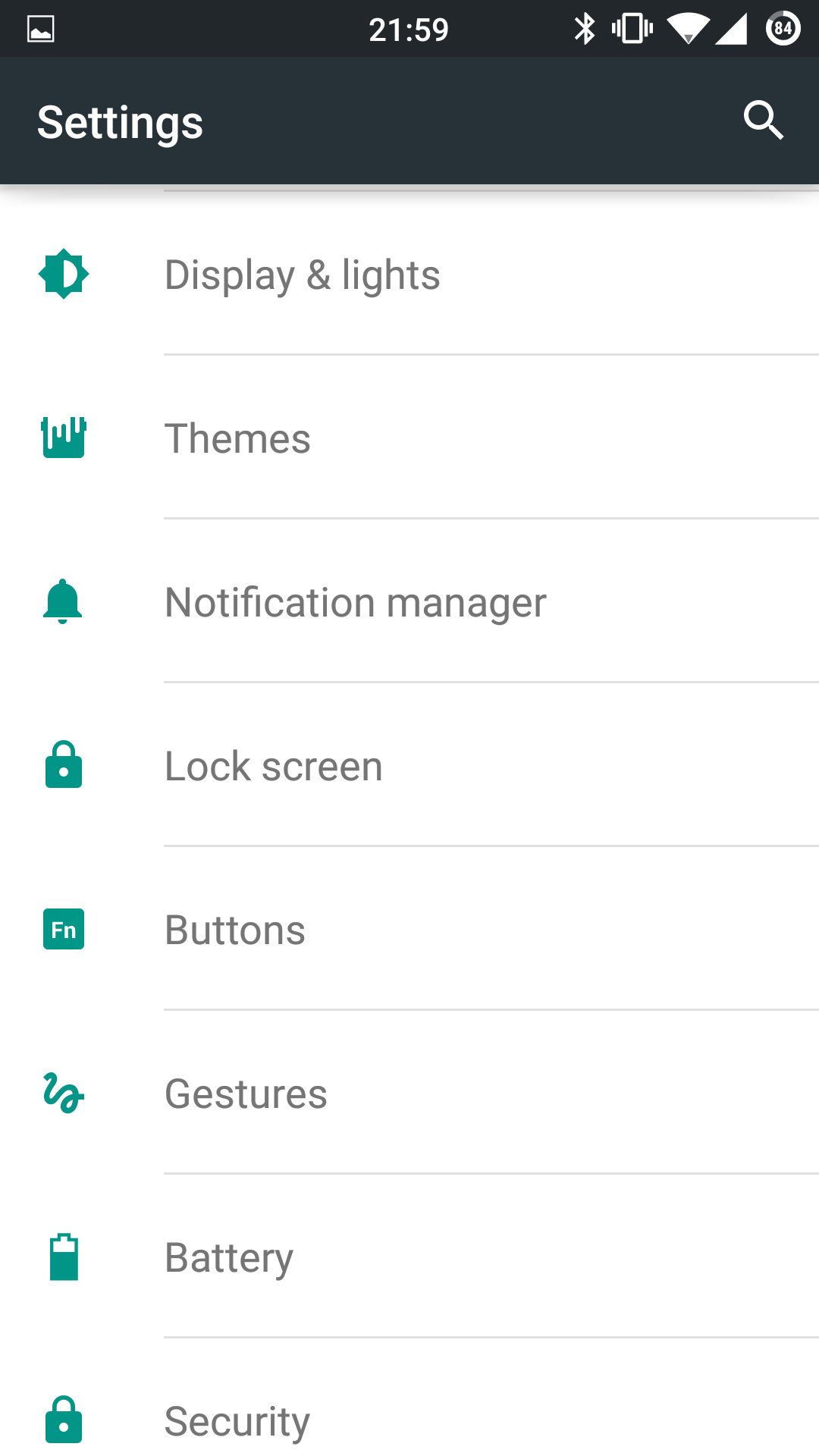
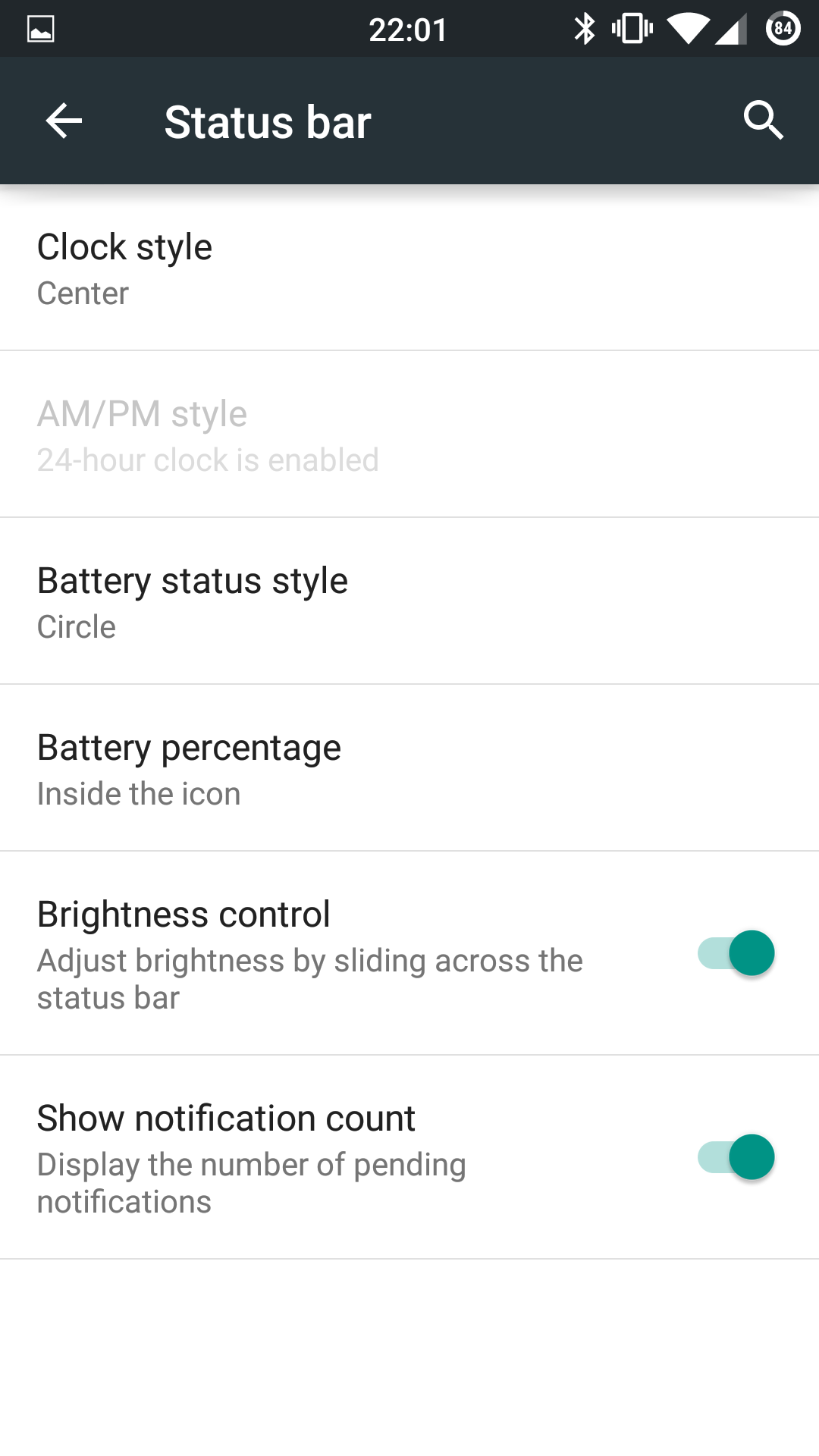
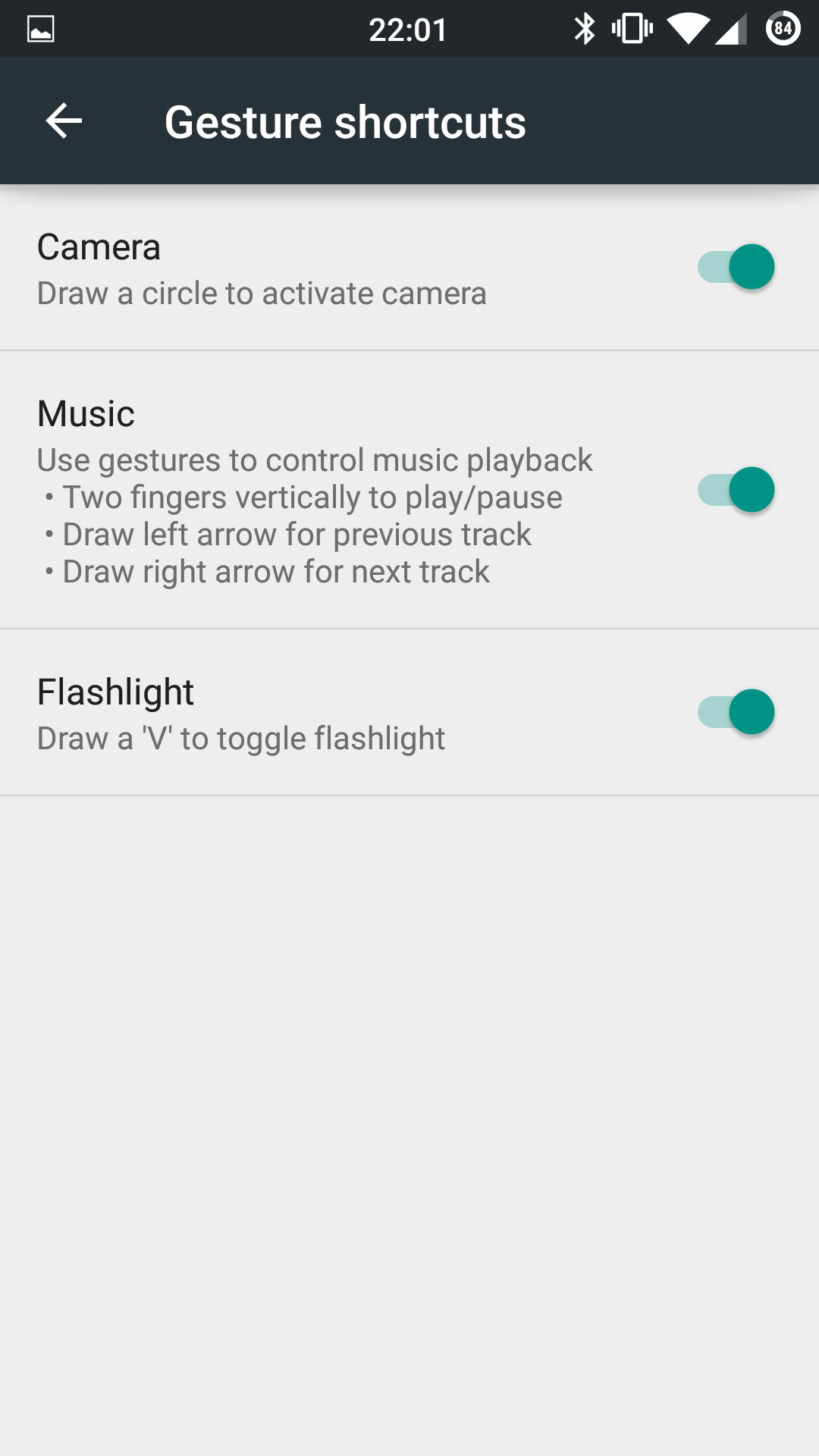
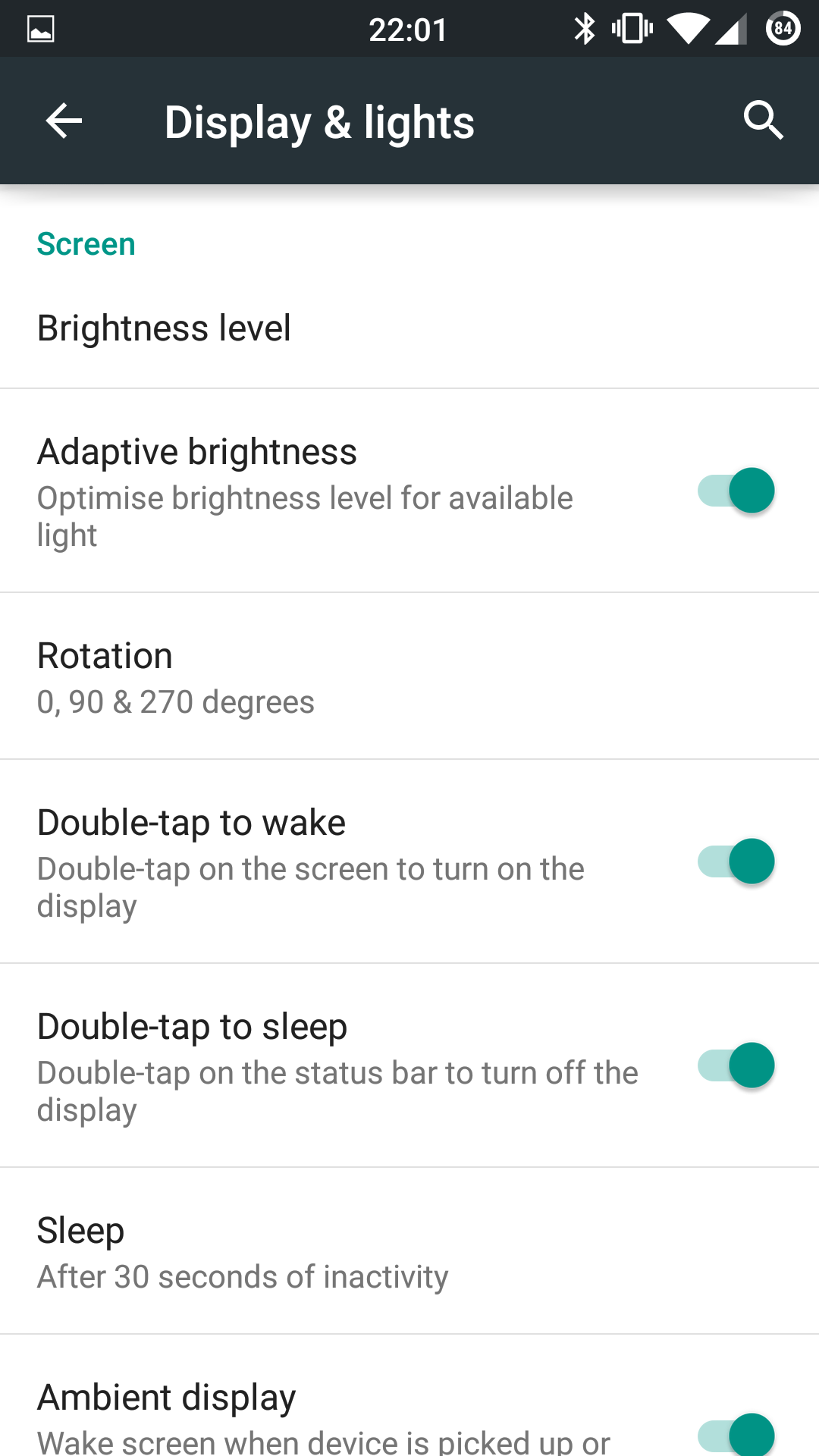
The display is a 1080p affair and with CM12 offers adaptive display, screen colour calibration from hue, saturation, contrast and intensity, sunlight increased visibility mode, adaptive backlight and more. Tap to turn the phone on is present and tapping the status bar will turn it off. The status bar is configurable in the settings, as is pretty much everything on this phone. Cyanogen and Oneplus did a cracking job with this handset. If you like themes Cyanogen has you covered. Gestures are also included although I didn’t find them that useful other than drawing a V when the phone is off to enable the torch. 

Conclusion

Just ask me again how much this phone doesn’t cost! It offers so much as such a small premium. Great sound, excellent headphone audio with only the camera offering a weaker performance than the top flagships that costs £600 upwards. Not bad for a £250 phone!

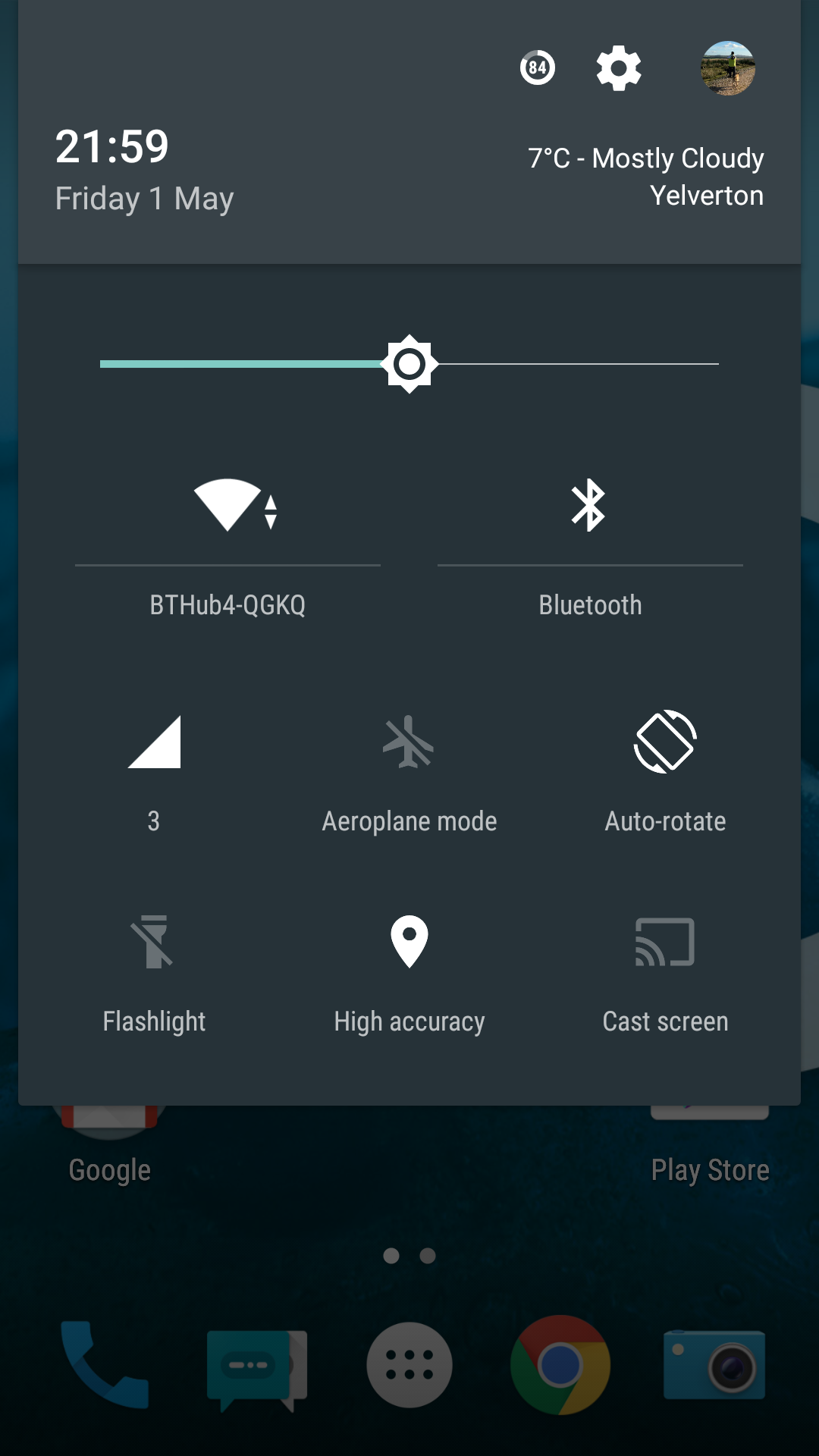
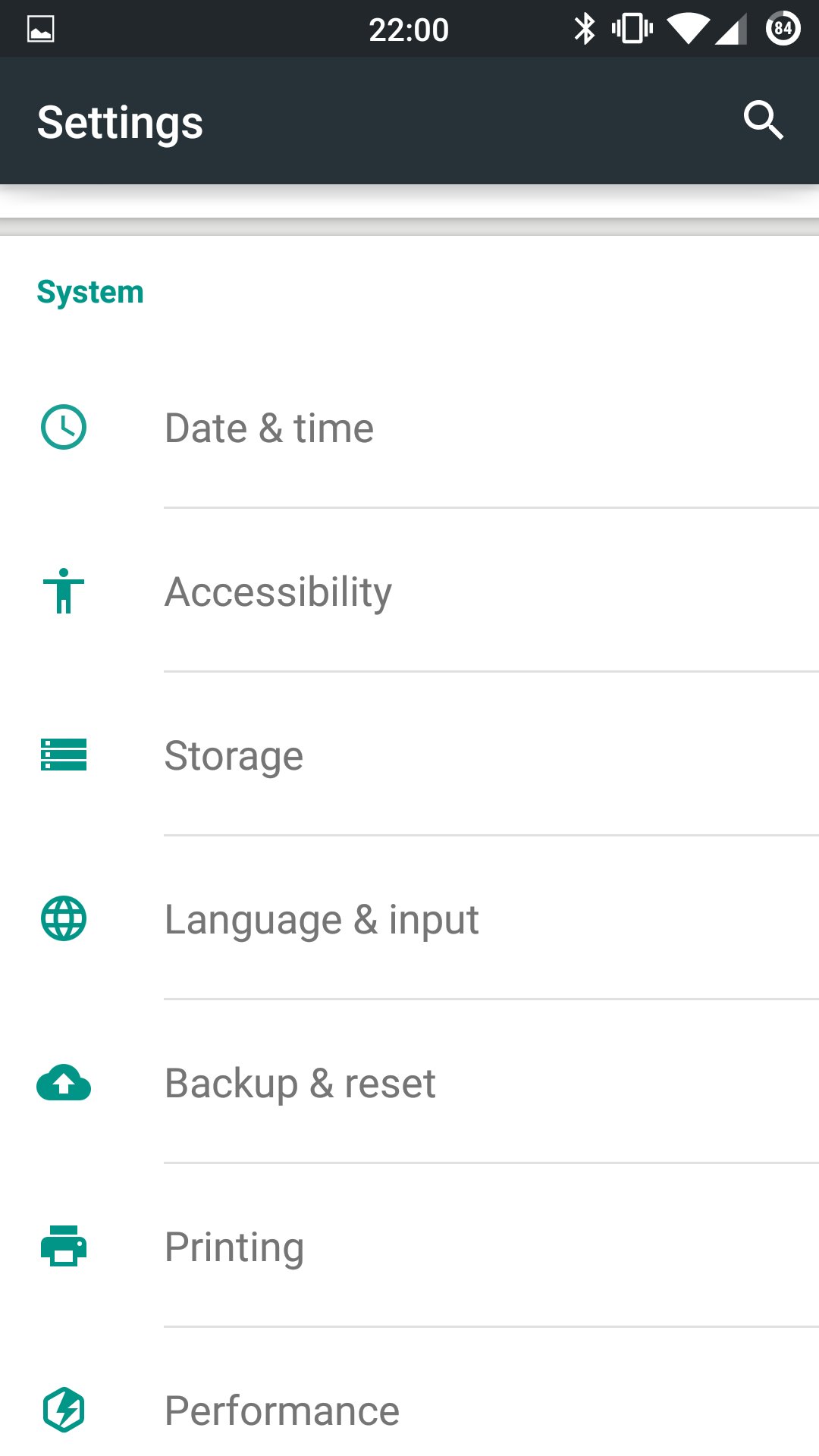
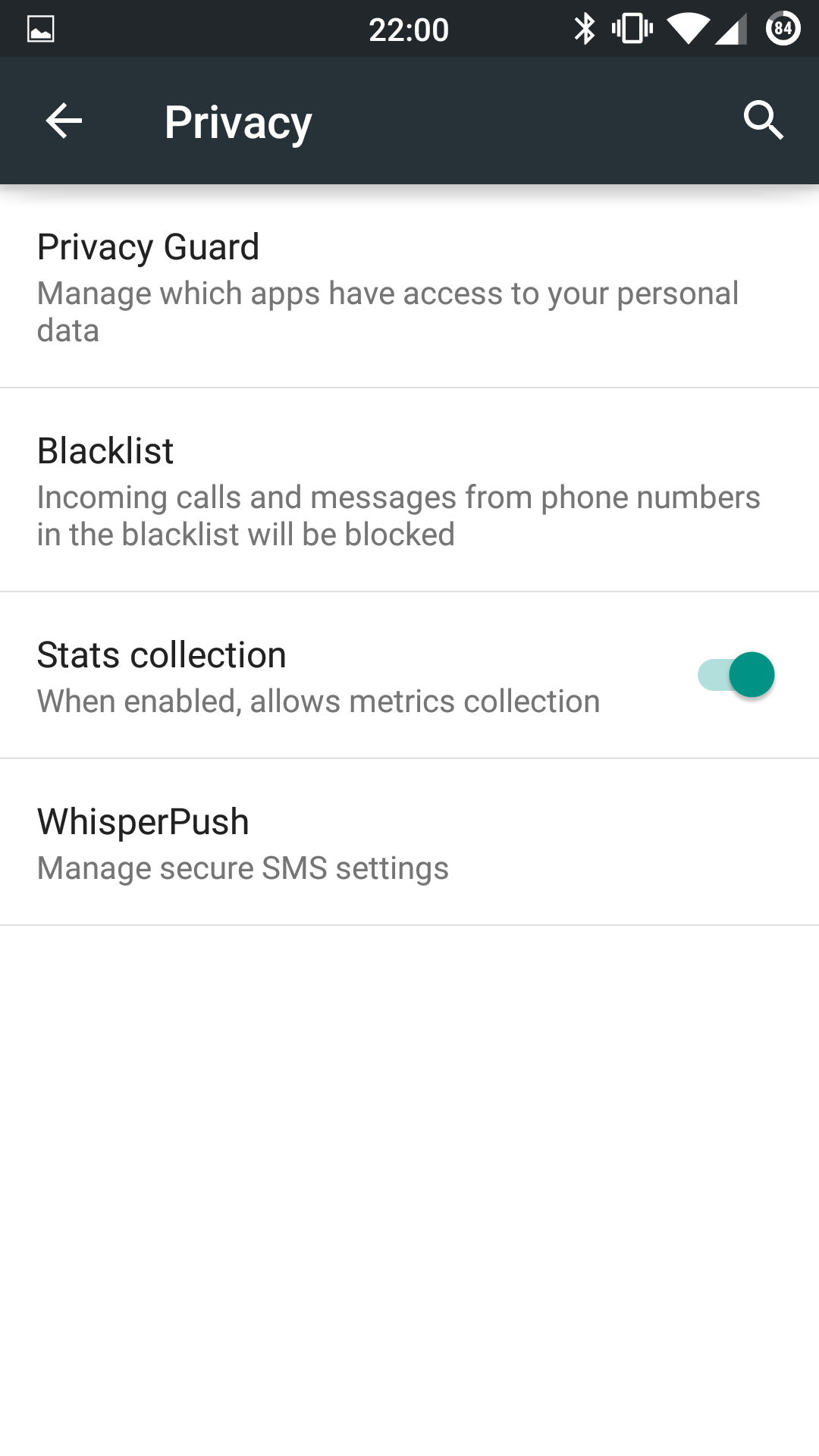
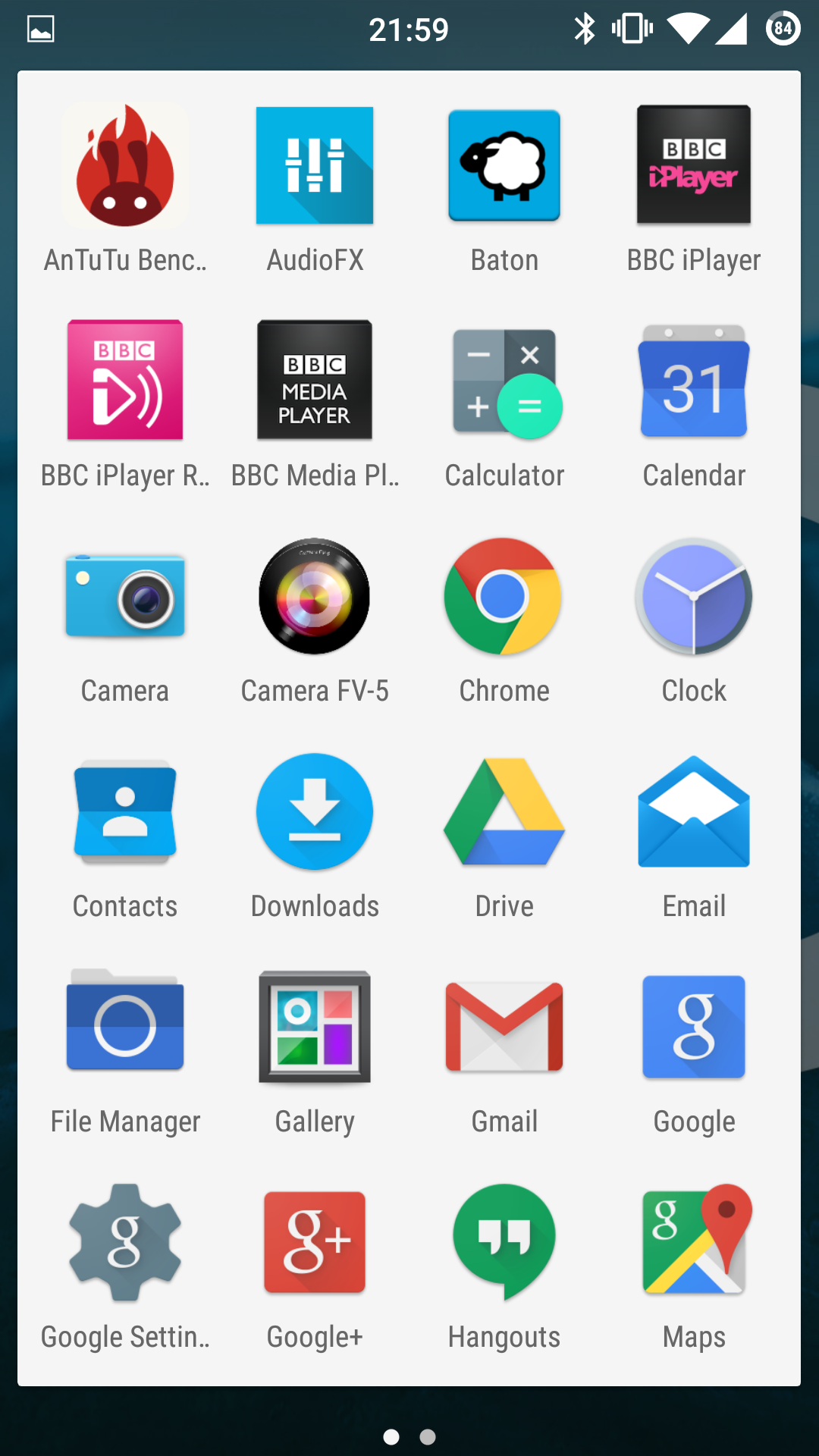
Finally, I thought it would be good to leave you with some screenshots to give you a feel for lollipop (CM12) on the Oneplus One.
image

image

image

image

image

image

image

image

image

image

image

image

Oneplus One Camera Samples

My main review of the Oneplus One should be live at some point tomorrow. In the meantime, have a look at some of the camera shots taken using the default camera app.

There is another camera app available (plus a few others) that helps improve the quality. But just to get you started take a look at the below. The weather was poor for taking these shots as well.

Random photos around Princetown, Dartmoor with the #OneplusOne

Random photos around Princetown, Dartmoor with the #OneplusOne

Random photos around Princetown, Dartmoor with the #OneplusOne

Random photos around Princetown, Dartmoor with the #OneplusOne

Random photos around Princetown, Dartmoor with the #OneplusOne

Random photos around Princetown, Dartmoor with the #OneplusOne

Random photos around Princetown, Dartmoor with the #OneplusOne

Random photos around Princetown, Dartmoor with the #OneplusOne

Oneplus One – Update

image

So it’s been just under a day with the Oneplus One. And it’s been a remarkable day. First up this is the 16gb version running CM12 (android 5.0.2) which provides a slick and speedy user experience. When I first powered up the One it was running CM11 based on android 4.4.4. So I quick download later, into the recovery menu and a flash of the new firmware and voila. 

My thoughts are that the speed of the phone jumping between all the various screens is really smooth. Double tap to wake up works well. Themes are present and offer a nice touch. CM12 offers endless settings tweaks to really create the experience you desire eg Gestures to activate the camera, control music and operate the flashlight. The status bar is customisable too. See photo above and note the circular battery icon and time in the middle of the status bar. These are just two of the items that can be tweaked in terms of style and text options.

So what else have I noticed. The One comes with AudioFX which is an Equaliser powered by MaxxAudio. This is one monster of an EQ and means the phone can power a wide range of headphones really well and also produces excellent music over Bluetooth. Booming sound!

The screen is reasonable. Not a patch on the Samsung Galaxy S6 but then the pay off is crazy good battery life. After starting at 7am it’s only dropped 30% and has apparently 20 hours still left. 

I haven’t tried using the camera properly, but I did notice the default camera app allowed shutter control up to 8 seconds. After installing Camera FV-5 this extended the shutter setting to 60 seconds and a quick as 1/5000. ISO control ranges from 100 to 3,200. It will be interesting to see how good the long shutter photos turn out. As a comparison the Samsung Galaxy S6 can only offer a longest shutter speed of 1/7s. Tonight I shall be filming midnight exposures. 

I have also have had a brief look at various roms and there seems to be a few to choose from. Color OS for example apparently offers a superb camera experience and has better post processing software than that from Cyanogen CM12. There is also Oneplus’s own Oxygen OS to try out as well. 

So this is not only a tweakers dream device, but also a durable, competent and surprising low priced reasonable phone based on my first day experiences. 

To recap my first impressions click here – https://gavinsgadgets.com/2015/04/30/oneplus-one-first-impressions/

To be honest, I acquired the Oneplus One to review and then sell on. Not sure I want to sell it now😄
image

Samsung Galaxy S6 – The Camera and Sample Shots – My Views

Flower Power snapped with the awesome #Samsung #Galaxy #S6

The above shot is one of several shots taken randomly. There was no effort involved in taking this shot. The Galaxy S6 just delivered. The S6 was in Auto HDR mode too. These are unedited shots. If you want to see the full resolution just click on the photo or jump to my Samsung Galaxy S6 Flickr album – https://www.flickr.com/photos/gavinfabl100/sets/72157651896189926/

Doggies Day Out on Dartmoor #Samsung #GalaxyS6 #AutoTracking

Now the above shot was taken using the Auto Tracking option. I have tried it several times and it seems to work well when the objects are well defined and not too far away. Below is another shot taken using the Auto Tracking option. Just to set the scenes my dogs were sprinting at crazy speeds, so I was impressed that the S6 kept up and in focus.

Doggies Day Out on Dartmoor #Samsung #GalaxyS6 #AutoTracking

So what have I observed so far? Well the S6 camera is designed to be used in auto mode. It is taking the error made by humans out of the equation. The Pro Mode lacks shutter control and I could not see the touch to focus option. I need to spend some more time with camera so I will update this post over the next few days. I did use the Pro Mode but so far the Auto mode is stunning.

A few more samples. Don’t forget, click on the photo to head over to the full resolution or click here to see my S6 Flickr album, which will increase daily – https://www.flickr.com/photos/gavinfabl100/sets/72157651896189926/

Flower Power snapped with the awesome #Samsung #Galaxy #S6

Flower Power snapped with the awesome #Samsung #Galaxy #S6

Flower Power snapped with the awesome #Samsung #Galaxy #S6

Flower Power snapped with the awesome #Samsung #Galaxy #S6

If for any reason you have problems with the photos not all displaying, then just head over to my Flickr S6 Album. And do check back for updates on this post over the next week or so.

Just as a last point, I have used the HTC One M9 and I know some of you will ask me which is better. If you always shoot in Auto, then the S6 is King. However, due to the extensive manual controls provided by HTC for the One M9, it is possible to obtain the odd shot that the S6 would not be able to achieve. However, this is a rarity, and in my mind the Galaxy S6 kills the M9 in sheer quality.

HTC One M9 – Master Review

Welcome to my review of the HTC One M9.

image

image

First let’s look at the hardware. Whether you like the two tone silver and gold finish is a personal decision but I do adore the two tone finish. Naturally other finish options are available too. In terms of grip, the One M9 is easier to hold on to than last years One M8. The One M8 was the first phone to slide out of my hand and fall to the ground.

image

image

In terms of button layout, the power button is now in the side instead of being on the top as was the case with the One M8. This is a much better position but I do occasionally catch the power button when picking up the M9 off the table.

Overall, I really like the new small changes HTC made to the M8 to create the M9. Before we delve deeper into the phone, let’s take a look at the specifications.

The official specifications are –

– Size 144.6 x 69.7 x 9.61 mm
– CPU Speed Qualcomm® Snapdragon™ 810, octa core 64-bit, 4 x 2.0GHz + 4 x 1.5GHz
– Memory ROM: 32GB / RAM: 3GB, Extended memory: microSD™ up to 2 TB
– Sensors Ambient light, Proximity, Accelerometer,Compass, Gyro, Magnetic, Sensor Hub
– Camera Main camera: 20MP with sapphire cover lens, auto-focus, BSI sensor, f/2.2, 27.8mm lens, 4K video recording, Front camera: HTC UltraPixel™, BSI sensor, f/2.0, 26.8mm lens, 1080p video recording
– Dual-tone metal unibody – other finishes available
– Extras – Themes ,HTC Sense™ Home,One Gallery ,Photo Editor
– Weight 157g
– Platform Android Lollipop HTC Sense™
– Network 2G/2.5G – GSM/GPRS/EDGE:850/900/1800/1900 MHz, 3G UMTS: 850/900/1900/2100 MHz,4G LTE:FDD: Bands 1,3,5,7,8,20,28
– Connectivity NFC, Bluetooth® 4.1 Wi-Fi®: 802.11 a/b/g/n/ac (2.4 & 5 GHz),DLNA® HDMI MHL 3.0,CIR
– 3.5 mm stereo audio jack, micro-USB 2.0 (5-pin) port, FM Radio with RDS
– Multimedia Audio supported formats:Playback: .aac, .amr, .ogg, .m4a, .mid, .mp3, .wav, .wma, .flac, .ac3, .ec3, .eac3,Recording: .aac Video supported formats:Playback: .3gp, .3g2, .mp4, .wmv, .avi, .mkv
Recording: .mp4
– Display 5.0 inch, Full HD 1080p
– SIM Card Type nano SIM
– GPS Internal GPS antenna + GLONASS
– Sound HTC BoomSound™ with Dolby Audio™
-Battery Capacity: 2840 mAh Talk time: Up to 25.4 hours for 2G/ 21.7 hours for 3G Standby time: Up to 391 hours for 2G/ 402hours for 3G
image

image

image

In terms of Sense UI, see the screen shots of what is included. HTC’s Sense UI is one of the best android experiences and a joy to use. The skin is consistent throughout the phone and that also makes it easier to flow from one activity to another.
image

image

This year HTC have added location aware services in Blinkfeed eg. a recommending a restaurant near your current location and there is a widget that is supposed to provide the apps you need at the time of day you require them. In addition, there is a folder of app suggestions. These new options are somewhat hit and miss and maybe over time they will improve. Blinkfeed is one of my favourite home screen widgets providing news I want to read on the topics I have selected, updates on my social media, location based information and local device information. Just going back to the skin, theming is now included. You can point the camera at anything eg a shirt or an object, and the One M9 will use the colours from the shirt or object to create a new theme. I had a lot of fun with this mode.
image

image

Audio is HTC’s claim to fame and the One M9 does not disappoint. Amazing quality sound from the front facing stereo speakers and awesome headphone output both in terms of quality and volume level too. Better than my Samsung Note 4 I might add. USB Audio is supported too. A FM Radio is included with RDS. The M9 speakers now feature Dolby Surround Sound but let’s get realistic. The speakers are tiny so don’t expect miracles. However, I would repeat that it is by far one of the best quality loudspeaker experiences on a phone and if you watch movies, YouTube or anything with sound the experience provided by better speakers is second to none. Add to the fact there is a FM Radio with RDS too, something not found on any Samsung or iPhone, and this completes a rather good audio experience.

Other hardware inclusions are a decent infra red blaster with good software provided to control your TV and more. You might think having an IR Blaster on your phone is pointless, but I won’t keep a phone unless it has this feature. With the IR Blaster you can control your TV, DVD, Apple TV box and so much more.

image

Camera/photo editing/Zoe and Video Highlights. Below are screen shots of the various apps and options.  Plenty of editing and sharing options for your photos and social media.  The camera app is one of my favourite camera apps. I find the options, settings and controls ideally positioned for taking photos and making any small adjustments on the fly. Another factor, and one which is very important to note, is speed of response when tapping the screen. The M9 is zippy fast, holding shutter for burst shots is instant practically so you won’t miss the moment.

image

image

image

image

image

HTC are due to release an update to the camera app to allow RAW photos. This is a good move allowing Photoshop users to extract and create the best possible final product. With the One M9, HTC changed the 4mp UltraPixel found on the One M8 to a 20mp lens. The good news is the 4mp Ultrapixel lens from the One M8 got moved to the front for high quality selfies and in my testing this arrangement works just fine. So over to the rear, how does this fair in use. Let’s look at some camera shots.

HTC One M9 Camera shots - a selection of photos from the M9.

And then cropping in on the above photo, you get this.

HTC One M9 Camera shots - a selection of photos from the M9.

HTC One M9 Camera shots - a selection of photos from the M9.

And a crop of the above to highlight the detail.

HTC One M9 Camera shots - a selection of photos from the M9.

HTC One M9 Camera shots - a selection of photos from the M9.

HTC One M9 Camera shots - a selection of photos from the M9.

HTC One M9 Camera shots - a selection of photos from the M9.

HTC One M9 Camera shots - a selection of photos from the M9.

And a crop of the shot above.

HTC One M9 Camera shots - a selection of photos from the M9.

HTC One M9 Camera shots - a selection of photos from the M9.

Really accurate representation of the colours captured by the M9.

HTC One M9 Camera shots - a selection of photos from the M9.

And this is my all time favourite shot I have taken of Dartmoor Prison. I prefer this over all the other phones that I have used to snap this shot.

HTC One M9 Camera shots - a selection of photos from the M9.

HTC One M9 Camera shots - a selection of photos from the M9.

HTC One M9 Camera shots - a selection of photos from the M9.

The shot below is an edit using the Gallery app and one of its effects. Love what it did to the original shot.

HTC One M9 Camera shots - a selection of photos from the M9.

In my opinion the photos are good in good daylight, macro control was much better than expected, and really excelled at times. A few shots suffered from over exposure issues along with some poor dynamic range at times and some of the colours on a few shots were inaccurate. However, just by using some of the manual controls and saving them as a new camera mode, and using this new mode along with some of the included options and it is not too difficult to take a decent shot. With all the updates and RAW coming, it could be quite ironic if HTC had the last laugh on camera quality! As there is no optical image stabilisation camera shake and consequently blurring of photos is more likely to happen, and more often especially as the level of lighting drops. And that moves me on to low light shots which were poor until you take it out of auto mode, switch to manual and change the ISO yourself. Low lights shots were the One M9’s weakness. These can be further improved by the use of a tripod and using manual controls but when the competition doesn’t need to do this why should you need to on the One M9. And who carries a tripod with them! To be honest it not all doom and gloom. You can use the front 4mp Ultrapixel lens for low light shots! However, I do feel that the camera is an improvement over last years One M8. I was comparing my One M8 photos to the One M9 and could see overall I was getting better shots. See end of article for links to my Flickr One M8 and One M9 photo albums. Further software updates are scheduled and this should continue to improve the camera. At the end of the day, after you use HTC’s photo editing app which has loads of options, see below, and then upload to Twitter or Facebook, I don’t think anyone is going to be any the wiser as to which phone took that shot. I also think using third party photo editing apps like Camera360, Adobe Photoshop Express, Snapseed and VSCO Cam will make any photo looks fabulous and in turn hide any flaws. Plus, the controls that HTC’s camera app provides really allows for some creative photography. HTC’s Gallery app also produces video highlights of an event automatically from your photos and video snapped, which you can tweak too with one of several included effects/music.

image

image

image

image

image

As this is created automatically, it makes magical memories to share and look back on afterwards. Last Christmas, at a large family gathering, I ended up showing a number of video highlights from the One M8 and One M7 that I had created and saved, and it was the highlight of the evening. Memories are precious!

Battery and heat. The new Snapdragon 810 is meant to be a faster processor with better battery life. It’s definitely faster at times. But better battery life. Not so sure on that but I did manage a days usage out of the phone. Fortunately, there are 2 different power saving modes, one of which is an aggressive ultra power saving option. I did notice a correlation between the phone getting warm and the battery level dropping faster. Thermal throttling is being used here which only becomes more noticeable during intensive gaming. The One M9 does support Quick Charging 2 but HTC did not include a quick charger in the box which is disappointing. Using a quick charger and the phone at the same time, produced more heat on the rear of the phone than expected, too much for my liking.

So what’s my overall verdict. If you are after a taste of the HTC experience which includes one of the best audio experiences, Sense UI skin and theming, extensive photo editing/video highlights on the fly, a comprehensive camera app which produces good camera shots from the rear and front cameras, all packaged in a lovely two toned body, then its a match made in heaven.

However, one cannot ignore the competition and their offerings. This year HTC really has a battle on their hands with new phones from Samsung, Honor, Sony, LG, Apple and others. And last but not least, HTC’s own One M8 is a decent challenger to the One M9.

Links –

My HTC One M9 Flickr Album – https://www.flickr.com/photos/gavinfabl100/sets/72157651403658570/

My HTC One M8 Flickr Album – https://www.flickr.com/photos/gavinfabl100/sets/72157643265004874/

My HTC One M7 Flickr album – https://www.flickr.com/photos/gavinfabl100/sets/72157644039700054/

Nexus 9 – First Impressions

I received the Google Nexus 9 a few days ago. I will be writing a more detailed review shortly but in the meantime here are my initial thoughts.

This is the 16gb storage version. This had around 8gb storage free. I am not sure why the storage is so low, considering this is meant to be a “pure” Google build. It runs Lollipop.

The Nexus 9 is made by HTC. The Nexus 9 is a 8.9 inch Android Tablet with a 64-bit NVIDIA Tegra K1 2.3GHz, 2GB RAM. It weighs 426g and the battery is meant to last 9.5 hours. HTC’s trademark “Boomsound” front facing speakers are also present.

This is my first Lollipop device and pure Google Experience. Starting up for the first time, the new Lollipop setup menus seemed simpler and more logical. I was up and running in no time. I was excited by the fact that the processor was a Nvidia Tegra K1, meaning all the games I bought specifically for my Nvidia Shield Tablet would work on this tablet. Not so. Only T.E.C. 3001 worked and 3 other games had trouble running. Clearly these games needed updating. T.E.C. 3001 was absolutely brilliant on the Nexus 9, played using the Moga Pro Power Game Controller.

Battery. I need more time, but it does seem to zap juice under certain circumstances eg playing T.E.C. 3001. I will keep an eye out on actual run time to see if I can get around 9.5 hours. It is a shame this isn’t higher, especially as the tablet weighs 426g. It feels slightly heavier than other tablets I have used recently and yet it is lighter than say the Samsung Galaxy Tab S 10.5. But the illusion of weight does gives it a sturdy feel.

Smoothness. On the whole the Nexus 9 is a nimble affair. Typing on the on screen keyboard is very fast. I have experienced a few redraws of the home screen was pressing the home capacitive button.

And finally for now my lasting impression is those front facing Boomsound loudspeakers. The extra quality makes movies, YouTube and everything else a pleasure.

If you have any questions you would like answering for the main review, please let me know.

Samsung Galaxy A5 – The Trendy Selfie Phone

image

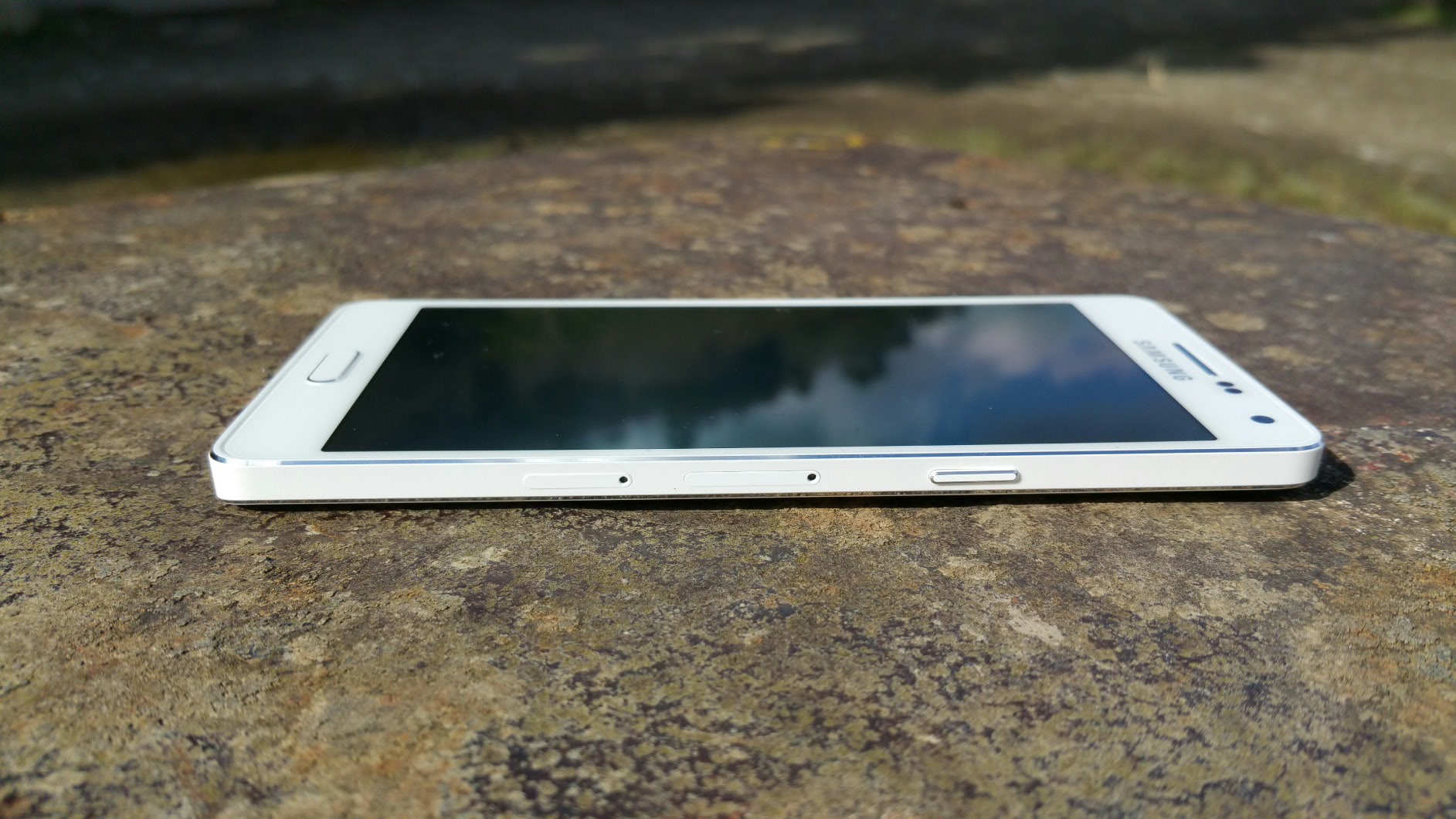
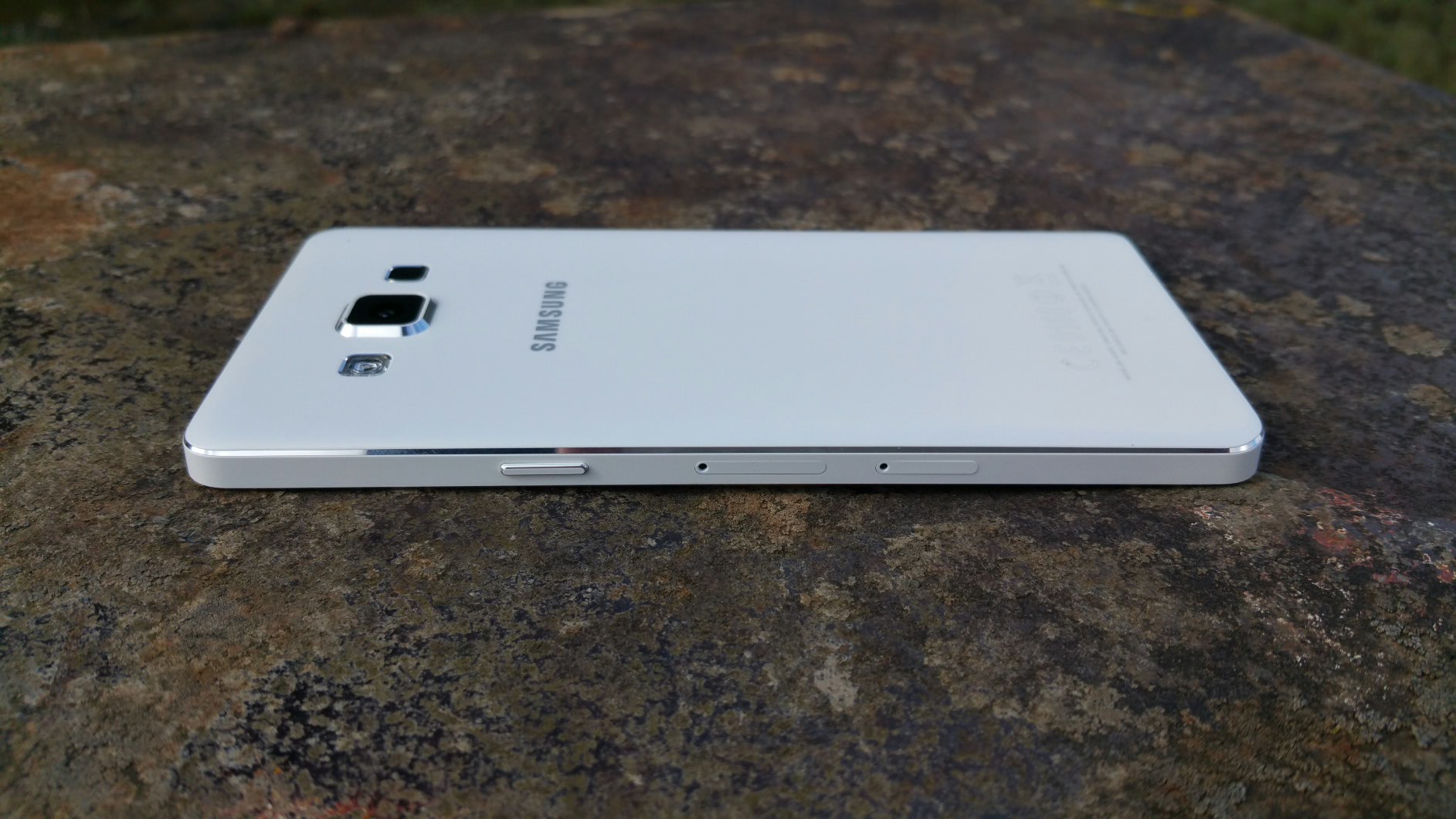
The Samsung Galaxy A5 is 6.7mm thin. It is a solid unibody design that looks gorgeous. Just look at the photos.

image

image

When Samsung announced the all new metal unibody Galaxy A5 along with the smaller A3, I was really keen to try the Galaxy A5 in particular. I had had a blast using the Samsung Galaxy Alpha but the A5 took the materials to the next level over the Galaxy Alpha. It’s a very solid phone, which doesn’t bend! At 6.7mm thin it fits in all my pockets, shirts and jeans with ease. I’m fact, I enjoyed using this phone so much due to its performance, size, camera and finish. Out and about with friends we spent hours taking endless selfies!

As this is a Samsung, the Galaxy A5 comes equipped with an lovely Super AMOLED display and Adaptive Display technology which as expected produces wonderful images.

The Galaxy A5 proved to be a hit taking selfies. The camera has a Wide Selfie (like a panoramic selfie), Palm Selfie (just hold your palm in front of screen to get 2 sec countdown), Animated GIF, Beauty Face Features (3 different adjustments – beautify, thinner cheeks, eyes) and Rear-Cam Selfie, which enabled me and my friends to capture great selfies in high resolution. Again using the Rear Selfie mode, you got a beep to say locked on to our faces, then countdown beeps before taking the selfie.

image

The Galaxy A5 was really quick at automatically detecting and focusing on a person’s face. In low light or outdoors my friends and I took some smashing photos. This phone has been clearly tuned for decent selfies and this really surprised me.

The Samsung Galaxy A5 comes with LTE Category 4 which is handy for quick uploads and sharing of photos and videos, to Twitter and other social media websites.

image

I thought the camera took some great photos too.

image

image

In some of the specialist modes like night mode and HDR, the 13mp resolution is dropped to 8mp.

One of my favourite features is Ultra Power Saving Mode. One evening, just before 11pm and with just a few percent battery remaining, I turned on Ultra Power Saving Mode which gave me enough juice for another 25 hours basic phone usage.

The key remaining specs are as follows –

Samsung Galaxy A5 Specifications

– Processor 1.2GHz Quad-Core Processor
– Display 5.0” HD Super AMOLED
– OS Android 4.4 (KitKat)
– Camera Rear: 13MP AF with LED Flash, Front: 5.0MP
– Camera Features – Wide Selfie, Rear-cam Selfie, Beauty Face
– Ultra Power Saving Mode
– Changeable Theme (Natural, Classic, Casual, Romantic),
– Private Mode, Multi Screen, Quick Connect
– Wi-Fi: 802.11 a/b/g/n
– Bluetooth: 4.0(BLE, ANT+)
– NFC (LTE version only)
– A-GPS/ GLONASS
– Sensors – Accelerometer, Proximity, Geo-magnetic, RGB ambient light, Hall Sensor
– Memory 16GB Internal memory + micro SD slot (up to 64GB)
– 2GB RAM
– Dimension139.3 x 69.7 x 6.7mm, 123g
– Battery 2,300 mAh
– Gorilla Glass 4

I tested the loudspeaker which is next to the camera on the rear. As the camera is slightly raised it doesn’t get muffled. It’s a clear loud sound. Headphones sound good via the headphone jack too. USB Audio is not supported.

Touchwiz now has themes which add a lovely bit of personalisation.

But the real takeaway for me and my friends was how solid, stylish and slim the all metal unibody design felt, the fast speed of operation, and how much fun is was to use the Galaxy A5 to snap selfies using the front or rear camera, and then share them quickly using 4G internet speeds.

To find out more on the Samsung Galaxy A5 and current offers head over to Amazon UK
image

HTC One M9 – All the Reviews

HTC One M9 Review embargoes have lifted and all the major websites have released their review of the One M9. The camera came under fire in most, as did the battery life. However, like every other previous HTC phone, the camera is a social camera, and therefore Michael Fisher of Pocketnow made a specific point of all the fun options that come with the camera software. These seem to have been glossed over by many of the reviews. ZDNet created a Flickr album comparing the M9, M8, Z3, and iPhone 6 Plus with a few Blackberry Passport shots. Worth viewing those shots as this is a more realistic comparison than most. Only one website highlighted the fact the M9 had the best audio quality experience both from its speakers and headphone output. So are you waiting to order the new HTC One M9

http://www.anandtech.com/show/9102/the-htc-one-m9-review-part-1/

http://gizmodo.com/htc-one-m9-review-a-great-phone-that-cant-keep-up-1692880041

http://www.engadget.com/2015/03/22/htc-one-m9-review/

http://www.technobuffalo.com/reviews/htc-one-m9-review/

http://www.theverge.com/2015/3/22/8272727/htc-one-m9-review

HTC One M9 review

http://www.gsmarena.com/htc_one_m9-review-1230.php

http://www.phonearena.com/reviews/HTC-One-M9-Review_id3956

http://www.stuff.tv/htc/one-m9/review

http://www.zdnet.com/article/htc-one-m9-review-iconic-metal-dual-tone-design-with-focus-on-personalization/

HTC One M9 review

http://www.trustedreviews.com/htc-one-m9-review

http://www.techspot.com/review/980-htc-one-m9/

http://www.slashgear.com/htc-one-m9-review-counting-on-quality-22374718/

http://pocketnow.com/2015/03/22/htc-one-m9-review

http://www.pocket-lint.com/review/133290-htc-one-m9-review-distracted-by-refinement

http://www.androidcentral.com/htc-one-m9-review

Acer Iconia 8 Tablet (A1-840) – Review

image

Welcome to my review of the Acer Iconia 8 Tablet. This comes with a 8 inch screen and 16gb storage/1gb ram all wrapped in a aluminium body. The build quality is one of the first things that you notice about this tablet. Just look at the photos.

image

image

Due to its size and slight curves, the tablet fits nicely in your hand. For times when you need a camera, it comes equipped with dual cameras and microSD™ card slot, dual speakers, producing a good sound experience. The Intel® Atom™ processor with 7.5 hours of battery life has allowed me to use this all day and with a reasonable nippy response when jumping from app to app.

Key Specifications –

– Android™ 4.4.4
– Intel Atom Z3735G Quad-core 1.33 GHz
– DDR3L SDRAM
– Micro SD card support
– 20.3 cm (8″) WXGA (1280 x 800), Active Matrix TFT Colour LCD
– Wi-Fi
– 1 GB ram, 16 GB Flash Memory
– Connectivity – GPS, WiFi, LAN, IEEE 802.11b/g/n, Bluetooth 4.0, Microphone
– Battery – 4,600maH, Video playback 7.5 hours
– 2MP Front camera, 8MP rear camera
– HDMI (mini) port

The screen is only WXGA and I can notice the lack of resolution compared to some far more expensive tablets that have 1080p and above screens, but then again those tablets costs a lot more money. For many people the WXGA won’t matter. It does mean however, that there are less pixels to push so the tablet generally runs fairly fast in use. Rather unusual is a separate connection for a mini hdmi port as shown in the photos.

The Acer Iconia 8 is based on a near stock experience, but it does have some software tricks for turning on the device. Laying all 5 fingers on the screen allows you to turn on device or turn on with a selected app of your choice. You can do the same thing using 2 thumbs. Both these features can be turned off too. The tablet also features a split screen mode which is so simple to use. Say your using Chrome, tap the split screen icon bottom and the you can choose from a number of apps which support this mode. There were a decent selection of apps supported too from Chrome, Play Store, all Acer apps, accuweather, Amazon, audible, Amazon app store, astro file manager, calculator, eBay, email, Gmail, Evernote, maps, people, play books, officesuite, play movies, play music and youtube. Another neat option is Acer Intellispin. This makes rotation smarter. When you rotate the tablet the screen image can automatically rotate to match the new orientation, even if the tablet is lying flat. In addition you can add users which each have their own profile.

Acer installs many apps as standard. All those mentioned above and Acer cloud apps for docs, files, music, photos, and videos. By installing the same apps on your home computer you can access everything via the cloud on the tablet. Acer assessories, Acer portal, Acer suggests, Amazon Kindle, Amazon Local, Amazon Music, barcode scanner, booking.com hotels, Wild Tangent games portal, istorytime, Skype, top HD games, Tunein Radio and Zinio are also installed. Apart from that it is a near stock experience. The keyboard is Google Keyboard. You can uninstall several of the apps and or disable them if you want.

It is also preloaded with far too much extra software in my opinion. Some of it is useful, but perhaps Acer would have been better to include optional download links. The 16 storage model have just under 9gb free to the user. The loudspeaker goes fairly loud. Sound through the headphones is reasonable too. The camera takes ok photos in good light but does have many options from picture collage, various capture modes (normal, HDR, continuous, panoramic, presentation capturing), scenes (barcode, fireworks, landscape, night, night portrait, sports), white balance, timer, EV, ISO (auto, 100-800), metering, scale, resolution, Touch shutter, camcorder settings include time lapse, mute, 1080p, 720p & 480, storage, location, grid and a tutorial. In fact there are so many options in the camera that you should be able to photograph many scenarios.

The Acer Iconia 8 is available from Amazon currently for £139.58, Acer Iconia Tab 8 deal at Amazon UK which makes it fairly good value.