Tag Archives: Review

Acer Liquid J Smartphone – review

Acer-smartphone-Liquid-Jade-Z-Black-main

Welcome to my review of the Acer Liquid J Smartphone. This is a slightly more expensive budget style phone from Acer compared to my recent review of the Acer Go (Liquid Z220), retailing around £149.

Specifications

– MediaTek MT6732 Quad-core 1.50 GHz
– 5″HD (1280 x 720) screen
– 13 Megapixel (Rear Camera) f/1.8, 5 Megapixel f/2.2 (Front Camera)
– 8gb storage, 1 GB RAM
– Sensors – Ambient Light Sensor, G-sensor, Proximity Sensor, eCompass
– Dual SIM Size – Nano or Nano/Micro SD combination
– FM Radio include
– Micro SD up to 32gb
– Android 4.4 KitKat
– Cellular – GPRS,HSPA+, LTE
– Bluetooth 4.0
– Wireless LAN
– Battery 2,300mAh
– Battery Talk Time 7 Hour, Battery Standby Time 400 Hour
– Dimensions – Height 143.5 mm, Width 69.8 mm, Depth 7.9 mm
– Weight (Approximate) 110 g

Profile Shots

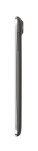
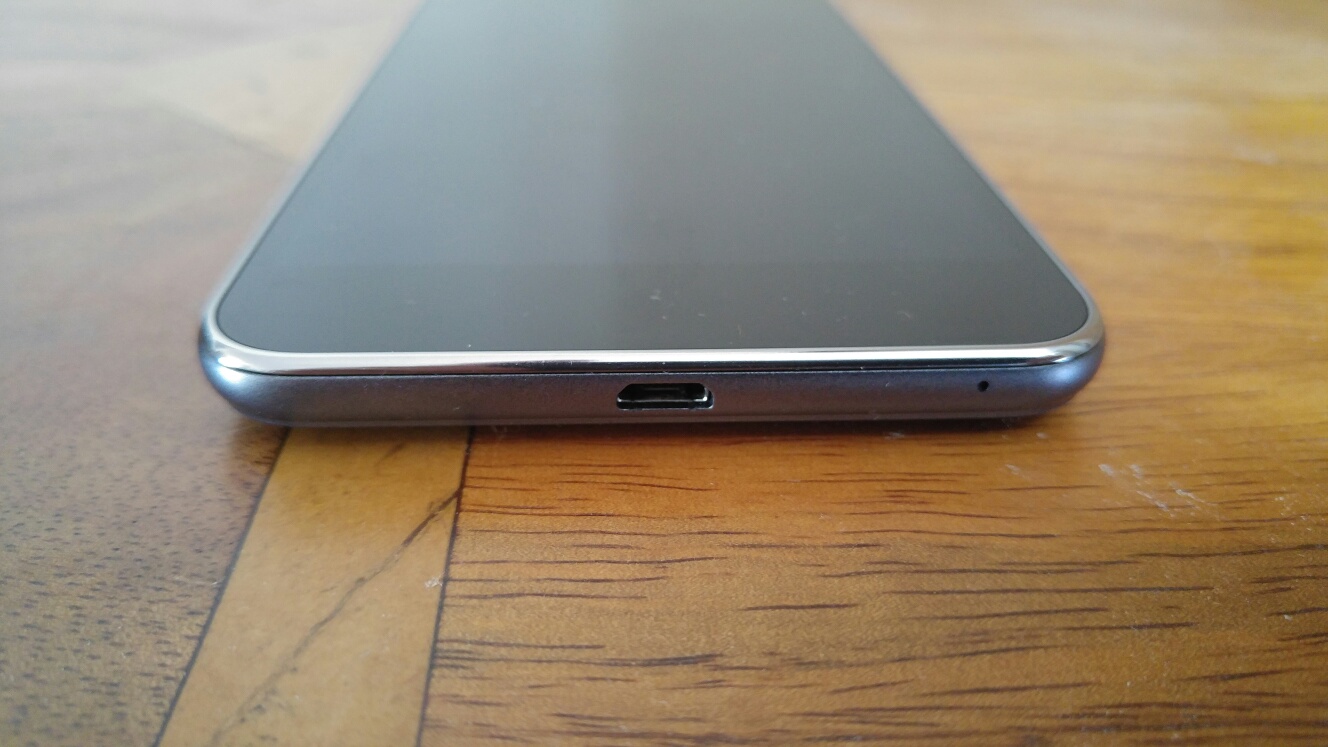
Below are profile shots of the phone. Click on a photo to enlarge image. Due to the design of the phone, the depth of 7.9mm often looks even slimmer. The profile equates to a phone that is really great to hold in the hand and use one handed.


Phone Basics

The Acer Liquid J is running android 4.4.4. The Acer skin is using a relatively stock Google experience but Acer does add to this in many ways. Acer adds 13 of its own apps in to the equation including abDocs, abFiles, abMusic, abPhoto and abVideo. These 5 apps allow you to access media and files on your computer and stream them to the phone. AcerExtend is an app that allows you to view and control your Acer phone from your computer via USB or WiFi. Other Acer apps include Acer SnapNote, Easy hotspot, LiveScreen, Quick Mode, System Doctor and Quick Guide. AcerNav is a offline turn by turn navigation app, with the service and maps by TomTom. Other useful apps included are a FM Radio, Flashlight, File Manager, Quick Mode for changing to an easier to use home screen layout and then there are the bloatware apps. Bloatware includes the following – Skype, Real Football 2015, Puzzle Pets, Polaris Office 5, eBay, Clean Master, Acer Suggests, Amazon Appstore, Barcode Scanner, 50+ games and Booking.com.

In terms of the phones radios, WiFi, Bluetooth and cellular all worked well. Call quality and the 720p screen visibility, viewing angles were all reasonable. The screen features zero air gap technology which is similar to that used on the iPhone. This means that the screen on the Acer is pretty decent.

Like all manufacturers today, there is a race to produce slimmer phones. And the Liquid Jade Z is super thin at the expense of battery life. I managed to last a day but only just. However, I can’t deny the slim design and profile was comfortable to hold in the hand, and at 110g is extremely light.

Performance. The Liquid Acer Jade Z was nimble and smooth phone in use. This was replicated by an AnTuTu score of 30,831. The phone comes with 1gb ram and 8gb storage, which is as really low. A better option would have been 2gb/16gb storage in my opinion. Fortunately, you can add a micro SD card up to 32gb. If you don’t need to use the micro SD card slot, you can add another sim card.

Camera and Audio

Below is a sample HDR shot from the rear 13mp f/1.8 camera. The photos generally were better than most phones around this price point. This is helped by its f/1.8 rear camera but it is not at the level of the Samsung Galaxy S6 or LG G4.

Acer Liquid Jade Z HDR

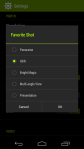
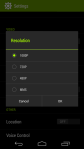
The camera interface is fairly straightforward, with other options available by hitting the settings icon. See screen shots below.

The loudspeaker is on the rear and projects a clear undistorted sound maxing out at 80db. This is not as high as other phones I have recently tested which as an average maxed out at around 83db – 88db. Headphone output is good and you can tailor the sound using the DTS Audio options. USB Audio is not supported. A FM Radio is included.

Conclusion

The Acer Liquid Jade Z feels great to use with just one hand, due to its slim profile and narrow width. Acer install a lot of useful apps but then ruin the experience slightly with a large amount of bloatware. I found it was possible to uninstall some of these apps but not all of them. You could disable the remaining apps in the phone settings, which made them no longer visible in the app drawer. 1gb ram and 8gb storage have the potential for performance/memory issues further down the line. At a suggested retail price of £149, the Acer Liquid Jade J has fierce competition. I was surprised to see that this phone is running android 4.4.4 which and not android lollipop. Its dual sim setup is handy but overall its a crowded market place around the £150 and there are some better alternatives at this price point although none are as slim as the Acer Liquid Jade J. So if overall thinness is a key consideration then maybe take a look at this phone.

More info – http://www.acer.co.uk/ac/en/GB/content/series/liquidjadez
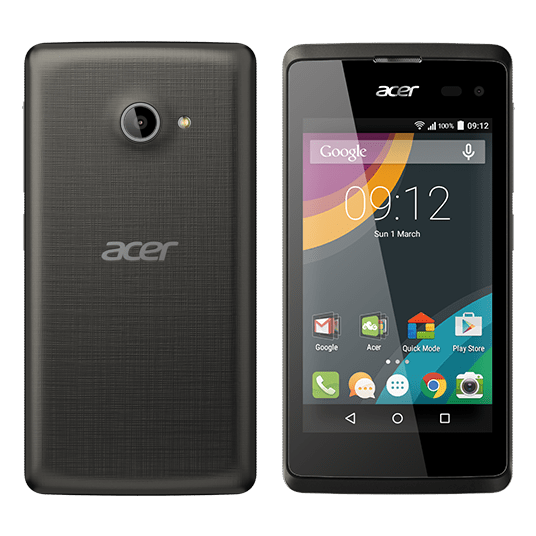
Acer Go (Liquid Z220) – Review – The £49 Smartphone

Acer-smartphone-Liquid-Z220-Z100-Black-main

Welcome to my review of the Acer Go, also known as the Acer Liquid Z220. Three UK have this phone currently as an exclusive, and are selling it for £49 on PAYG.

Specifications

– 4 inch WVGA screen
– 8gb storage (4.2gb usable), 1gb rom
– 3 Home Screen Modes – Standard, Easy (larger icons), Basic (less menu options)
– 5mp Auto Focus rear camera, 2mp 89 degree front camera, LED Flash and Exposure Control
– Android 5.0 Lollipop
– 1.2 GHz dual core processor
– Talk time: Up to 250 minutes, Standby: Up to 300 hours
– Removable 1300 mAh battery
– Height: 125 mm, Width: 64 mm, Depth: 9.6 mm, Weight: 120 g
– 3G, Wi-Fi,GPS, Bluetooth® 4.0
– Micro SD card support up to 32gb
– Micro Sim

Phone Basics

I must admit being a little skeptical as to what a £49 phone could achieve but as you would expect it is not flagship material, but it is fine as a starter phone or for somebody that just wants a cheap no frills phone. In fact it is really usable, which is surreal when you consider its price of just £49.

In daily use, I have had no serious issues using this phone. I used it with my main sim installed. Occasionally, I had the odd slow up in terms of speed, but other than that it has been a relatively smooth affair. The screen is low res compared to the highest QHD screens on the market. It is also readable in sunlight and being low res helps it through a working day with regards to battery life. Talking about the battery, it is removable too! This is accessed by removing the plastic back cover. The 8gb storage is expandable for media using a micro Sd card up to a maximum size of 32gb.

Wi-Fi and cellular radios reception worked reasonably well too. Calls were clear.

The phone runs android 5.0, and is as near to a stock Google Android experience as it gets with just a few extras from Acer to improve upon the experience. This probably explains why the phone performs relatively smoothly during day to day use. The extras included by Acer include Quick Mode for activating the 3 home screen modes. Standard, Easy which enlarges the icons, and Basic which hides all the unnecessary menus. These simpler modes are ideal for someone new to android or an elderly person. Acer adds the following apps – Acer Portal, eBay, Barcode Scanner, System Doctor, Quick Mode and as this is a Three UK phone, there are 3 apps from Three UK. And the rest of the phone is pretty much stock android! In terms of AnTuTu it scored 15,154.

Camera and Audio

Below is a shot from the 5mp camera. Perfectly fine for sharing on social media. In low light, the Acer Go does struggle to take shots, but for its intended purpose and price it is absolutely fine. Overall the camera quality is satisfactory. In fact, there are a number of different modes and options that help extract the most out of the camera.

wpid-acer-z220-hdr.jpg.jpg

Camera interface. Despite the rear camera only being 5mp, the camera app does include many options including the ability to lock AE and AF. You can also change the exposure and focus point. Other options include 4 shooting modes including HDR, Gourmet and Sports. Several scene options are available from night to landscape and more.

image

Audio. No surprises that USB Audio is not supported, nor is the APT-X bluetooth codec. The loudspeaker maxed out at 83db but did sound thin. However it is positioned on the front of the phone. In terms of headphone quality it did seem to emphasise the bass slightly. A rather pleasing sound overall. A FM radio is included too with RDS.

Conclusion

I still can’t believe this phone costs £49. If you had this phone you wouldn’t worry about a case and would find it does exactly what you need too. It also shows how for relatively low specs and only £49, you can buy a fairly good smartphone experience.

Available from Three UK – http://www.three.co.uk/Discover/Devices/Acer/Go?featuretab=Design&memory=8&colour=Black

Vodafone Smart Ultra 6 – review

image

Welcome to my review of the Vodafone Smart Ultra 6.

image

The phone is manufactured using plastic and glass for the screen. The plastic feels cheap.  As you can see from the photos it a non offensive design. 

image

image

The only criticism I have is the loudspeaker placement being on the rear, meaning it is easy to cover the speaker by accident and that often the true volume of the device gets hidden. Despite its low cost, it has a micro SD slot for your, photos, media and documents. 

The Vodafone Smart Ultra 6 (VSU6) costs £125 on pay as you go and is unlockable for a few pounds using eBay. So with this price in mind, let’s look at what you get for your money. First up, take a look at the specifications. 

Specifications

– Dimensions (mm) 154 x 77 x 8.35
– Weight (g) 159
– Operating system Android 5.0.2 (Lollipop)
– Screen 5.5 inch 1080p, 441 ppi, Touchscreen, IPS Quantum, 70.3% screen to body ratio,
– Camera 13 megapixels, 4x digital zoom, LED flash, 5mp front
– 2G standby time (hours) 240
– 3G talk time (hours) 15
– Processor – Snapdragon 615, 64 bit,Quad-core 1.5 GHz Cortex-A53,quad-core 1.0 GHz Cortex-A53,Adreno 405
– SIM type NanoSIM
– Internal memory 16GB, 2gb ram
– Memory card type MicroSD
– Connectivity
– Network region LTE FDD 2600/1800/900/800 Mhz,
UMTS 2100/900 Mhz,
GSM 900/1800/1900 Mhz
– Bluetooth v4.0, A2DP
– FM Radio included
– Wi-Fi, Wireless tethering
– Battery 3,000mAh
– Micro USB 2

Phone Basics

The beauty of this phone is that it runs near stock android lollipop 5.0.2. Vodafone have added a few of their apps that can on the whole be uninstalled or frozen. In terms of radios, the phone has all the usual wifi, Bluetooth and 4G LTE. NFC is included too which works really well. 

Extra tricks included with this phone are adaptive brightness, double tap to wake and on the home screen the ability to open an app of your choice when you swipe right. The phone also has a notification light. Casting the screen is also possible.  USB OTG is supported.

But the phone is not about the tricks, it comes with a decent level of hardware components. The 1080p screen offers average viewing angles and is visible in sunlight. The phone radios connected with ease and the call quality was ok too. 

The built in video app is neat too. Whilst playing a video, sliding up or down on the left side of the screen adjusts brightness, volume is controlled on the right side, and if you slide your finger across the video you can scrub forward or back accordingly. 

The battery is a decent 3,000mAh and the fact it’s only powering a 1080p screen equates to a proper days use, maybe 2 with light use. 

Operation. The Snapdragon 615 handles most things really well. However, heavy media and gaming will take a hit with the game frame rates. The AnTuTu score is only 26,199. But the upside is a phone that does not get too hot and maintains decent battery life.

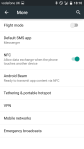
Below some screen shots of the settings and home screen. 

Camera Interface and Samples

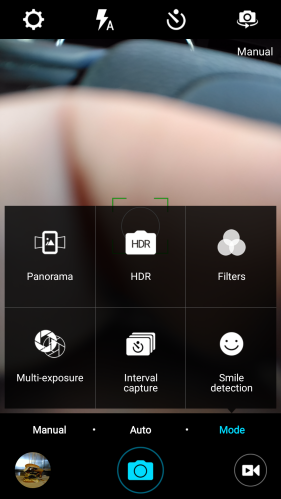
The camera app is a simple affair with more options than you would expect. Settings in auto for timer, flash, full screen on/off, shutter sound on/off, location tags, review photo on/off and storage location options. The volume keys act as zoom controls. You can use your fingers to achieve a max of 4 x zoom. Camera modes include filters, smile detection (this works as an option when using the front camera), time lapse with either a 30 or 60 second interval, HDR, panorama and multi exposure. The multi exposure allows for a lot of photo trickery with different options from simple, background, collage, brightness and darkness. For example the simple option allows you to merge to photos. The front camera doesn’t include beautify options, but the quality is reasonable. 

Screenshot_2015-08-08-18-16-10

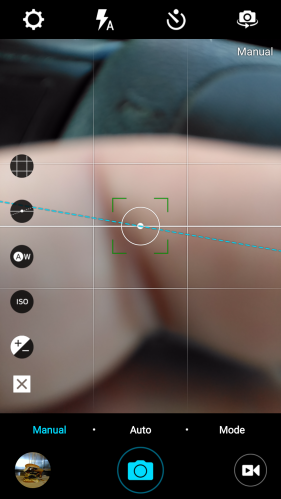
Even a manual mode is included. The grid option provides nine grids or golden spiral. The level guide is self explanatory. White balance options are incandescent, daylight, fluorescent and cloudy. ISO ranges from 100 to 1,600. Exposure from -2 to +2.  There is no shutter control option. 

Screenshot_2015-08-08-18-16-01

Low Light Shot

The Expendable Burger - testing the low light performance of the £125 Vodafone Smart Ultra 6

The VSU6 really does not like low light from the rear camera. Loads of noise. On the plus side, the Expendable Burger was magnificent. Auto mode used for this shot. But again this is a £125 phone. 

Close Up

The Green Shot - testing the Vodafone Smart Ultra 6 - macro type shot

The lighting was good for this shot, but the result was just passable. Auto mode.

Landscape Shot

The Landscape Shot - Auto mode on the Vodafone Smart Ultra 6

Good daylight, and a reasonable photo. I would be happy to share this. Snapped in auto mode.

The Famous Church Shot

The Church Shot - Auto mode using the Vodafone Smart Ultra 6

I always take a photo of my local church with nearly every phone. That way it is easier to compare phone from phone. This is a much better result, although the sky is blown out by the sun. Taken in auto mode.

The Famous Church Shot – HDR

The Church Shot v2 - HDR mode - Vodafone Smart Ultra 6

The resolution drops in HDR, and personally I have not liked any of the other HDR shots snapped on this phone. Avoid using HDR on this phone.

Audio Performance

Surely a £125 will sound rubbish. Wrong actually. Bluetooth apt-x is included. USB Audio is supported only using USB Audio Player Pro app. I honestly didn’t expect USB Audio to be available at all at this price point. The loudspeaker is a bit thin and harsh but the sound level knocked out an astonishing max of 88db. Headphone output was loud and reasonable too. Bluetooth audio is reasonable too. In fact I’m writing this while listening to my music connected via Bluetooth from the VSU6. As I mentioned before, it is a shame the speaker placement is on the rear. 

Conclusion

At £125 this is a great value phone and the fact it can be unlocked so easily makes it a steal. Great specification and extra functionality across the board. One of the best budget phones I have reviewed to date!

Vodafone Smart Ultra 6 Smartphone Touchscreen Pay As You Go deal on Amazon UK

Vodafone Smart Ultra 6 – Camera Samples with my views

Over the weekend I have been putting the £125 Vodafone Smart Ultra 6 through its paces. My review will be live on Monday.

In the meantime, below are some camera samples with my views on each photo.

Low Light Shot

The Expendable Burger - testing the low light performance of the £125 Vodafone Smart Ultra 6

The VSU6 really does not like low light from the rear camera. Loads of noise. On the plus side, the Expendable Burger was magnificent. Auto mode used for this shot.

Close Up

The Green Shot - testing the Vodafone Smart Ultra 6 - macro type shot

The lighting was good for this shot, but the result was just passable. Auto mode.

Landscape Shot

The Landscape Shot - Auto mode on the Vodafone Smart Ultra 6

Good daylight, and a reasonable photo. I would be happy to share this. Snapped in auto mode.

The Famous Church Shot

The Church Shot - Auto mode using the Vodafone Smart Ultra 6

I always take a photo of my local church with nearly every phone. That way it is easier to compare phone from phone. This is a much better result, although the sky is blown out by the sun. Taken in auto mode.

The Famous Church Shot – HDR

The Church Shot v2 - HDR mode - Vodafone Smart Ultra 6

The resolution drops in HDR, and personally I have not liked any of the other HDR shots snapped on this phone. Avoid using HDR on this phone.

Again, remember this is a £125 phone. The camera does have a wealth of extra modes which I will cover off in the main review.

Vodafone Smart Ultra 6 – Initial Views

image

The Vodafone Smart Ultra 6 is a ZTE manufactured phone for Vodafone based on the ZTE Blade S6 Plus.

The specifications are –

– Dimensions (mm) 154 x 77 x 8.35
– Weight (g) 159
– Operating system Android 5.0.2 (Lollipop)
– Screen 5.5 inch 1080p, 441 ppi, Touchscreen, IPS Quantum, 70.3% screen to body ratio,
– Camera 13 megapixels, 4x digital zoom, LED flash, 5mp front
– 2G standby time (hours) 240
– 3G talk time (hours) 15
– Processor – Snapdragon 615, 64 bit,Quad-core 1.5 GHz Cortex-A53,quad-core 1.0 GHz Cortex-A53,Adreno 405
– SIM type NanoSIM
– Internal memory 16GB, 2gb ram
– Memory card type MicroSD
– Connectivity
– Network region LTE FDD 2600/1800/900/800 Mhz,
UMTS 2100/900 Mhz,
GSM 900/1800/1900 Mhz
– Bluetooth v4.0, A2DP
– FM Radio included
– Wi-Fi, Wireless tethering
– Battery 3,000mAh
– Micro USB 2

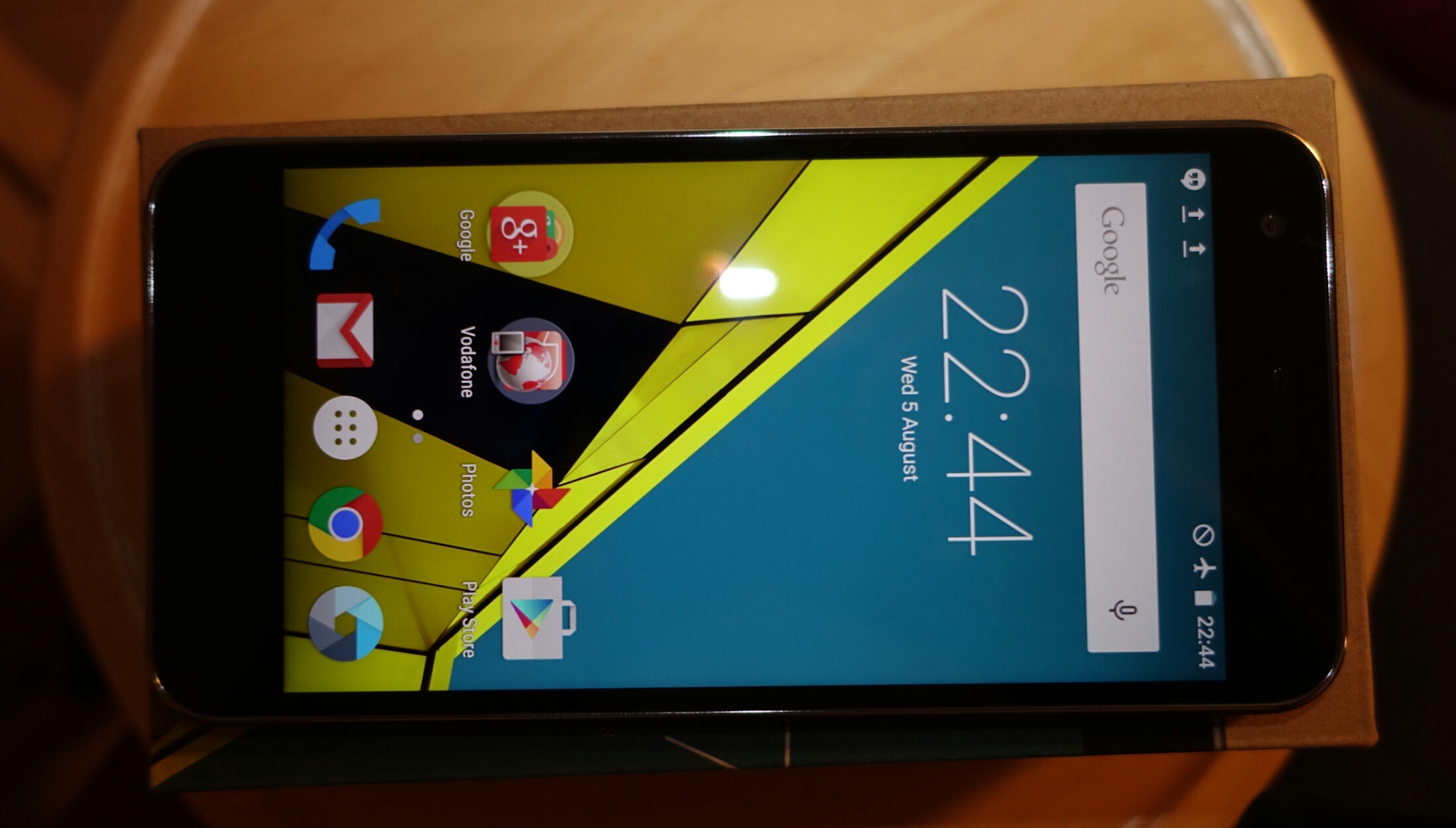
Photo from the rear camera below taken yesterday.

wpid-wp-1438792468191.jpg

As you can read, you seem to get a decent level of specifications for your money, £125 on pay as you go, with Vodafone. It is locked to Vodafone, but if you search on ebay it costs around £3 to unlock.

The phone runs near stock android except for a few Vodafone apps, most of which can be uninstalled, or frozen, or hidden in a folder if necessary. The build is cheap plastic and I do worry how long the buttons will last over time. I have the anthracite colour. It is also available in white/silver.

After installing all the app updates and a 40mb software OTA update, the phone had 9.46gb free. This included space for my default Google apps and the respective data for each app.

Compared to my LG G4, the Smart Ultra 6 is the same width but slightly taller. Speed – jumping between screens and apps seems fairly fluid. The camera so far is ok. More testing needs to be done on everything, so these are just my initial thoughts. The 5.5 inch 1080p screen looks good with reasonable viewing angles. Brightness seems around 500 nits. AnTuTu scored 26,199 which is lower than the Nexus 5, LG G3 and Samsung Galaxy S5 which are around 38,000+.

However, so far so good. More soon.

Oppo HA-1 Headphone Amplifier, DAC & Pre-Amplifier – review

HA-1-Black-Front

Welcome to my review of the Oppo HA-1. The Oppo HA-1 is terrific headphone amplifier, with its own DAC. It can also be used as a pre-amplifier. For the purpose of this review, I used my Oppo PM-2 Planar Magnetic headphones, the special Oppo balanced headphone cable along with the HA-1. The Oppo HA-1 retails for £1,199, the PM-2 headphones £699 and the Oppo Balanced Cable £149.

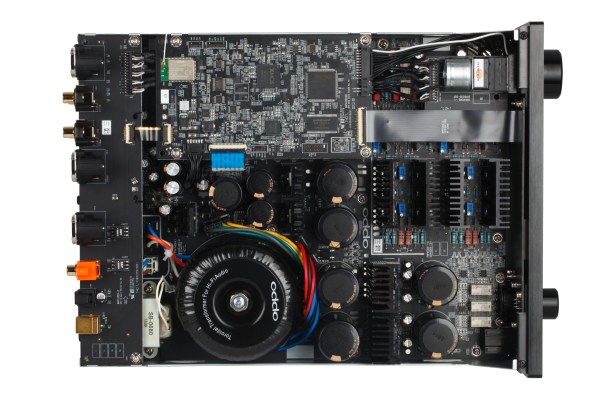
From the moment you lift the Oppo HA-1 out of its box, you begin to appreciate the quality workmanship of this piece of hardware. Below is a photo of the internal construction. What is striking is just how neat and precise everything is assembled. The front of the HA-1 has connectors for a standard 6.3mm headphone socket, XLR balanced connector, the infra red receiver, power, source and volume controls. It also has a USB input for iOS devices. The HA-1 is approved by Apple in the MFI program. This means that via the lightning cable, it can extract the digital data from your iPhone or iPad and use the Oppo DAC instead.

HA-1-Black-Back

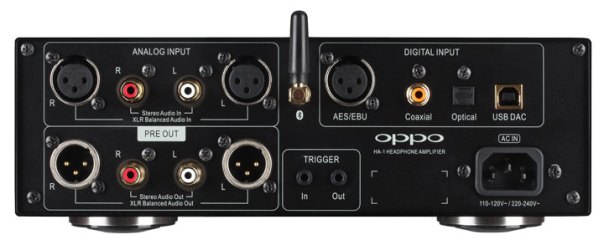
The rear panel has you covered for many different types of connections.

Internal Layout

Oppo have designed the HA-1 so that the analog audio section is a fully balanced design with a focus on keeping the audio signal in the analog domain once it leaves the DAC. The HA-1 uses a huge toroidal power transformer, linear power regulators, filters with custom made capacitors that ensure that the headphone amplifier has a clean power source with plenty of reserve energy. The fully balanced Class A power amplification section has hand-picked and paired discrete components to ensure symmetry, with a motor-driven precision volume control knob that allows for both manual and remote control volume adjustment while keeping the audio in a pure analog audio path.

HA-1-Inside

Official Specifications

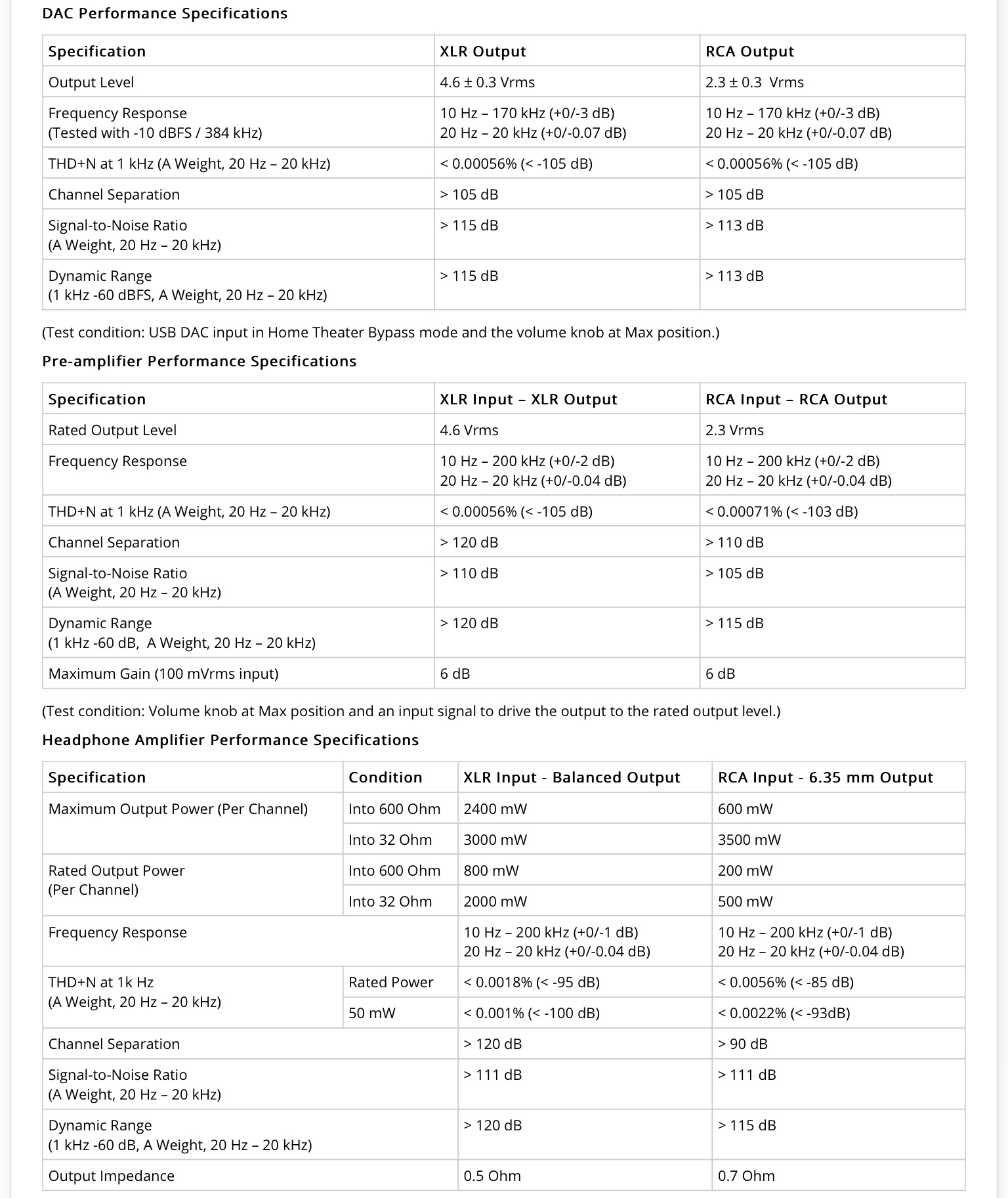
The specifications are lengthy, so I have extracted these direct from the manual –


image

Design and Engineering

The HA-1 uses an analog potentiometer (volume knob) to control the volume. This avoids re-digitising the audio signal for volume adjustment. In turn this allows for a clean signal path for the audio. At the same time, Oppo have built this for the 21st Century. A remote-controlled motor turns the volume knob and a 10-bit analog-to-digital converter samples the signal to display a numeric dB level.

headphone-amplifier-ha-1_screenshots

The HA-1 passes Apple’s “MFi” certification and is compatibile with the latest iPod, iPhone and iPad to be used as the digital audio output accessory of these devices. By tapping directly into the digital audio signal of these devices and converting the audio to analog using the high performance SABRE32 Reference DAC, the music sounds spell binding. So so good.

The HA-1 supports Bluetooth Advanced Audio Distribution Profile (A2DP) with both the standard and aptX® high quality codec. I paired my phone with the HA-1 and listened wirelessly. Again incredible sound quality.

The Oppo HA-1 can bypass the low fidelity, poor quality DACs of your computer sound card. The HA-1 turns any computer into a high performance multi-media source by converting digital audio to analog through the ESS Sabre32 Reference DAC. The asynchronous transfer mode uses the high precision clock inside the HA-1 to drive the audio signal, not relying on the clock quality of the computer. HA-1’s USB DAC input supports PCM up to 384 kHz 24-bit and DSD up to 12 MHz (DSD256).

The headphone power amplifier has an adjustable gain setting. For optimal sound quality and to best match your headphones’ sensitivity, you can choose between Normal and High for the Headphone Gain setting.

The HA-1 is housed in a brushed aluminum chassis. The Class A amplifier is designed with ample ventilation and built with the finest components to ensure long term stability and performance. The photo of the internal components highlights this point.

The HA-1 doubles as a high fidelity stereo pre-amplifier with both RCA and XLR output ports. A special “Home Theater Bypass” mode can be assigned to any input source, making it very easy to integrate the HA-1 as a stereo pre-amplifier into a home theater sound system.

The HA-1 features 12V trigger input and output. When used as a stereo pre-amplifier, the trigger output can turn on your power amplifiers automatically when the HA-1 is turned on. You can also turn on the HA-1 automatically by connecting its trigger input to the trigger output of a source device or a surround sound processor.

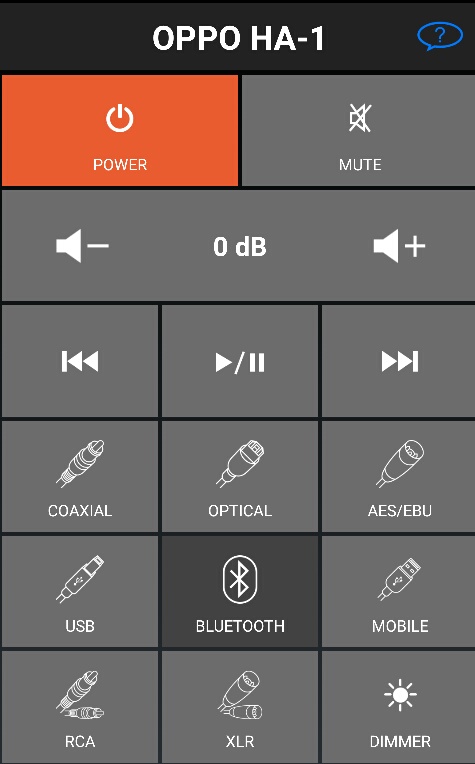
The HA-1 comes with a remote control that provides volume control, direct source selection and even playback control for digital audio sources. A remote control app is available for both Apple’s iPhone and Android-based smartphones. The app works over Bluetooth and offers the same functionality as the physical remote control. The supplied remote control is made of aluminium too.

image

The Important Part – Sound Quality and Experience

Wow. Simply stunning. Phenomenal.

I hope you get the message by now. In my entire audio experience, I have never heard such an amazing setup. The Oppo HA-1 performs “magic with music.” It oozes musicality, separation, impact, slam, control, finesse and more. You feel the music. I tried as many different genres as possible and nothing phased it. The Oppo PM-2 headphones with the balanced cable are a real gem and work incredible well in partnership.

In previous audio setups, the compromise with high end audio equipment can be the lack of options. This is not the case with the HA-1. The HA-1 has many different connection options. It can be used as a pre-amplifier, connected to via Bluetooth and even comes with a remote control. Or you can use its android or iOS app.

I connected my iPad, my wife’s iPhone 5S and my android phone (LG G4) via USB and bluetooth. In all cases, the mind blowing sound and theatrical music performance was off the charts “brilliant”.

The HA-1 will extract information from tracks that you never knew existed. I also discovered a whole new level of performance from my Oppo PM-2 headphones.

Final Words

This is a phenomenal piece of kit from Oppo and priced extremely competitively too. Highly recommended.

More info and deals on the Oppo HA-1 Headphone DAC Amplifier at Amazon UK

Evolve Audio Soundbar SB-2501 – review

image

Welcome to my review of the Evolve Audio Soundbar SB-2501. Evolve Audio are a relatively new brand, owned by Janky Inc, one of the world’s largest manufacturers of satellite products.

The Evolve Audio Soundbar is designed to provide a much better audio experience with your TV. The SB-2501 looks stylish and a quality item from the moment you unbox it. The soundbar itself is made from a brushed aluminium cabinet that houses the latest audio technology. Its 49mm slim profile adds to the entire image.

Evolve Audio have created some unique selling points with their SB-2501. In terms of the technology they have incorporated their unique ‘Definitive Surround Sound’. In addition, the box includes the EVO-1 integrated,rechargeable, wireless headphones which are handy to use when others around you do not want to be disturbed. Evolve Audio have also designed the headphones so that anyone who is hard of hearing can use the Evolve’s EVO-1 wireless headphones at the same time with the soundbar but with their own required volume. But that is not all. The technology included continues as below –

The official technical specifications –

-40mm 8ohm High Efficiency Acoustic Driver x4 
-40mm 4ohm High Efficiency Acoustic Driver x2
-60 Watts Power Output
-Built-In 16-bit Audio DSP 
-2.4ghz Digital Wireless Audio Transceiver 
-24-bit Audio Codec 
-APT-X Bluetooth Streaming
-Brushed Aluminum Cabinet 
-Evolve Wireless Headphone Compatible 
-Dimensions: L-820mm x H-583mm xD-490mm
-Power input: DC 12V

Box Contents:

– Ultra-Slim Brushed Aluminium Soundbar
– Wireless Subwoofer (Pre-Paired With Soundbar)
– One Pair EVO-1 Wireless Rechargeable Headphones (Pre-Paired with Soundbar)
– Full Function Remote Control including Battery– Battery Type 3V Lithium CR2032
– Optical Cable (Toslink)
– RCA Cable
– 3.5mm Mini-jack To RCA Cable
– 12V AC/DC Adaptor (For Soundbar)
– 15V AC/DC Adaptor (For Subwoofer)
– USB Charger Cable (For Headphones)
– User Manual
– Quick Start Guide

The Evolve SB-2501 includes 4 EQ settings (music, movies, sports, news), independent bass control, touch sensitive LED display, full function remote and integrated wall mount brackets. It uses less than 0.5W in standby so it is energy efficient.

The Wireless HD Subwoofer

The Wireless Subwoofer incorporates wireless HD Lossless Technology. The subwoofer is fairly compact, measuring approx 250mm wide by 336mm deep. The wireless HD technology utilised by Evolve Audio is a digital wireless and lossless non-compression audio transmission technology that is significantly more efficient than Bluetooth. This has the added benefit of providing more audio detail. Using this wireless lossless technology also delivers real time sound from your TV ensuring no lip-sync issues. It also has a USB socket for recharging the EVO-1 headphones. For ease of setup, the subwoofer is pre paired too.

The EVO-1 Headphones

image

The headphones deserve a further mention as they are a welcome addition to the offering by Evolve Audio. The EVO-1 headphones use atom drivers. These are extremely powerful neodymium magnets made with rare-earth material and are twice as powerful as regular ferroferric oxide magnets. Apart from making these sound good, they are also lightweight and energy efficient. Recharging the headphones is a breeze as the subwoofer has a USB socket for recharging them. Of course, you can use the provided micro USB cable to recharge the headphones on another USB socket. Using the headphones couldn’t be simpler. Press the power on button to turn on or off, and use the volume controls to decrease or increase the sound. These are clearly marked and easy to feel. To change the input source simply use the remote. Again, like the subwoofer, the headphones are pre paired ready to use out of the box.

EVO-1 Headphone Specificiations

-40mm 8ohm High Efficiency ATOM Drive x 2
-24-bit Audio Codec
-Three Dimensional Head Fitting Adjustment
-Integrates with Evolve Audio Soundbars
-8-10 hours playback time from one full charge
-USB Charging Port

image

The Remote Control

The remote control is a cracking piece of kit and clearly designed by somebody who watches movies and thought “What would be really useful to include on a remote control”. So from the remote control you can adjust the volume, bass level, mute, 3D DSS mode, effects, input, screen dimming level and bluetooth. The screen can be dimmed and switched off too. If you want to pair a bluetooth device eg your iPhone it’s a one touch operation of pressing the bluetooth icon on the remote. In use, this remote control makes life so fast and fun to operate the soundbar.

The Soundbar

The soundbar has all the connections on the rear. This includes the power switch and connector, 3 AUX jacks one of which is digital. All the respective leads are provided in the box too. See main specifications.

Evolve Audio have integrated UniPhase into the soundbar. This is a frequency separation technology that delivers a consistent audio wave form from all drivers, without discrepancy or interference. This translates into a high quality music listening experience.

The soundbar has 2 rubber feet that are screwed onto the bottom. This allows it to rest on a flat surface, but these can be removed and used as the wall mounting bracket.

image

The main screen is touch controllable so if your remote control has temporarily vanished, all is not lost.

The Experience

The first challenge of any new product is the setup. Evolve Audio provide a Quick Start guide and a full manual. The Quick Start guide was clear and concise and made the whole process effortless. Added to the fact that all the cables are included, the remote control battery is also included and the headphones and subwoofer come pre paired, it is one of the easiest systems I have connected. And so few wires too!

In use the standout was the quality of the sound. I connected my mobile phone in seconds via bluetooth and boom, the SB-2501 was pumping out great sounding music tunes. Time to watch a movie, and once again great sounding music. Switching back to using my TV speakers was a harsh experience as you realise just how awful they are. The remote control is fantastic. Flipping between the different effects was easy. Muting, dimming, or changing the input so quick. Bass to heavy, just press the bass minus button. Turn on the EVO-1 headphones and the soundbar mutes automatically. Power off the headphones, and the soundbar goes automatically into mute. This prevents accidental blasting out of music late at night.

Conclusion

I really enjoyed using the Evolve Audio SB-2501 soundbar. It is easy to setup. Even easier to use with some real life thought gone into making the operation a breeze. Includes wireless headphones and subwoofer. Incorporates tons of technology which in layman terms equates to good quality music reproduction.

Impressive piece of kit and recommended.

For the latest deals at Amazon UK on the Evolve Audio SB-2501 Soundbar System click here

Amazon Fire TV Stick – Impressions

Fire

Following the Amazon Primeday sale, my Fire TV Stick arrived. Before the Fire TV Stick, I had been using the Amazon app on my TV which was slow and cumbersome. I also have a Chromecast and Apple TV 2nd Gen. It seems crazy having all the dongles and black boxes but sometimes to watch the show you want, you need to make sure you have access to as many options as possible.

So what was the Fire TV Stick like to setup? A breeze. No matter how little you knew about technology, the setup is made idiot proof. Plug the Fire TV Stick into a HDMI port, plug the power in, switch the TV to the AUX input if needed, and follow the on screen instructions. It first asks you to enter your Wi-Fi router password. Next to confirm it is your name and account to be associated with this device. Then you watch a video showing where everything is and how everything works. And that’s it.

In use streaming a TV series was smooth and faultless and it plays the next episode without any wait for buffering. Amazon called this ASAP—ASAP learns what Amazon movies and TV episodes you’ll want to watch and buffers them for playback before you hit play. It really works!

I found there was a reasonable selection of apps, and tomorrow I am going to try and connect my Moga Pro bluetooth game controller. The interface is big and bold and again simple to use. I installed the Fire TV remote app on my LG G4 and that worked perfectly too. Voice operation was remarkably accurate from the app.

Overall, I am left impressed. However, if you’re not a Prime member then the Fire TV Stick represents less value.

Fire TV Stick – Full Details on Amazon UK

Xiaomi Mi Band – First 10 days review

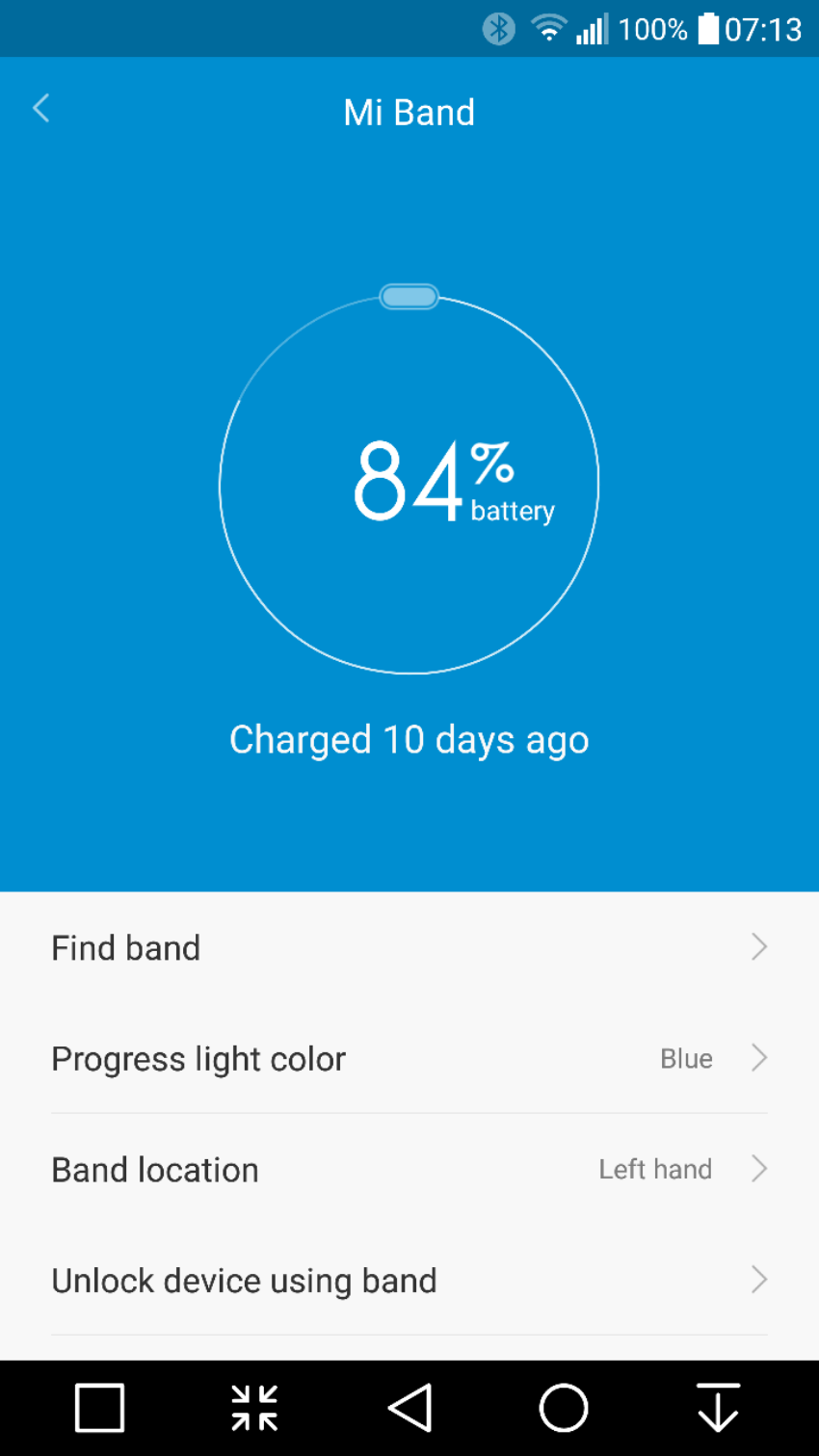
So it’s now been 10 days using the Mi Band. The standout feature has to be the battery life. It is still on its first charge and it’s only lost 17% after 10 days. At this rate it will last nearly 60 days on a single and its first charge.  This in turn means that I will only ever have to recharge it 6 or 7 times in a year.

image

Now it is possible to have a more frequent battery recharging if you start using all the notifications, sleep alarms and other third party apps that can integrate notifications and use the LEDs. This reduces apparently the battery life to a mere 30 days. 30 days at worst case scenario. Wow. 

If there is one reason alone to get this, it is its stand out battery feature. My Fitbit Charge HR needs charging every 2-3 days. My LG Watch Urbane gets charge daily. 

The Mi Band syncs with Google Fit if required and also WeChat. It doesn’t integrate with anything else. It tracks steps and sleep automatically. It has graphs showing you what steps you walked each day. And not much else. However, there are 2 versions of apps/firmware. If you use the Chinese app you will get a lot more functionality but no syncing to Google Fit. The Google Fit sync version gets updated regularly so hopefully in time the two apps will has less difference in features. 

Price. Cheap. £20 maximum. Depends on currency and where you buy. Value. Bargain. 

Negatives so far. On my first day wearing it, I was walking on Dartmoor and my rucksack straps caught the tracker module without me realising when I took my rucksack off and pulled it out of the band. I realised it was missing and spent 10 minutes trying to find it on Dartmoor. I did find it but I was lucky. I have had the band itself come off my wrist as well. So my advice is to be aware that it might de clasp itself or you could lose the module. 

There is an optional leather band which is far securer as it uses 4 screws to lock the module in. 

Overall, it’s ability to not need a recharge every few days is fantastic and it does what is says on the tin. 

image