Which is better? The Samsung Note 4 or Galaxy S6 Fingerprint unlock

As you are probably all aware, my long standing device is the Samsung Note 4. I also have under review the new Samsung Galaxy S6. Both have finger print home buttons that unlock the phones.

So which is better?

Well, you may think the answer is obviously the S6, and it is but in my real life testing, but it is not a total wipeout victory. The Note 4 requires a swipe down over the home button. The S6 is a touch and hold method.

First lets talk about my real life experiences using the Note 4. It is a large device, so is mostly used with 2 hands. This makes a swipe down over the home key more logical and works 9 times out of 10. My Note 4 security is using the finger print option. I find it dependable and reliable and consistent.

On the other hand the Samsung Galaxy S6 should be easier with a touch and hold. But I am finding issue with it. I have deleted and relearnt my finger prints twice now. But unlocking with my right hand in particular is not consistent, with 7 out of 10 times successful. Sometimes lower. When it works, it is excellent and a true one handed operation. And that is the advantage of the Note 4, one handed unlocking and usage of a phone.

However, I am going to relearn my finger prints again on the S6, and hopefully this will help me with the one handed unlocking procedure.

So have you faired any better with the S6?

Update – based on all the comments clearly holding it wrong! I will add I also get messages saying if finger print scanner continues to fail to reboot phone.
Samsung Galaxy S6 – camera shots including low light part 2

Following on my post yesterday here are some more shots. I have uploaded the originals into this post.

image

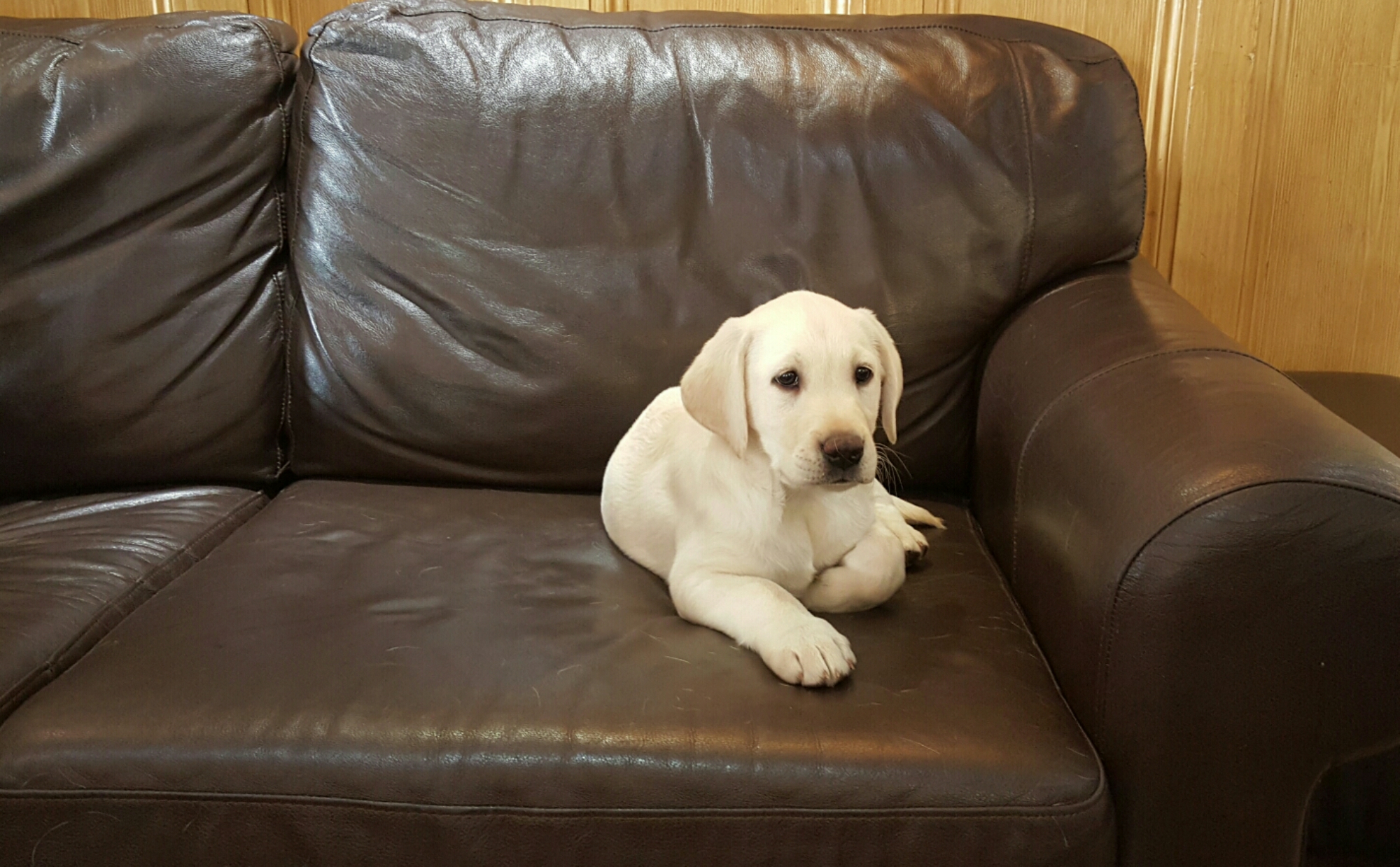
This shot taken inside a pub. The owners new puppy. Staff were trying to take photos on their smartphones but were moaning it was too dark. I just said, step aside and took 2 shots of Duke. Perfect shots. I’ve even cropped in slightly to show the clarity.

image

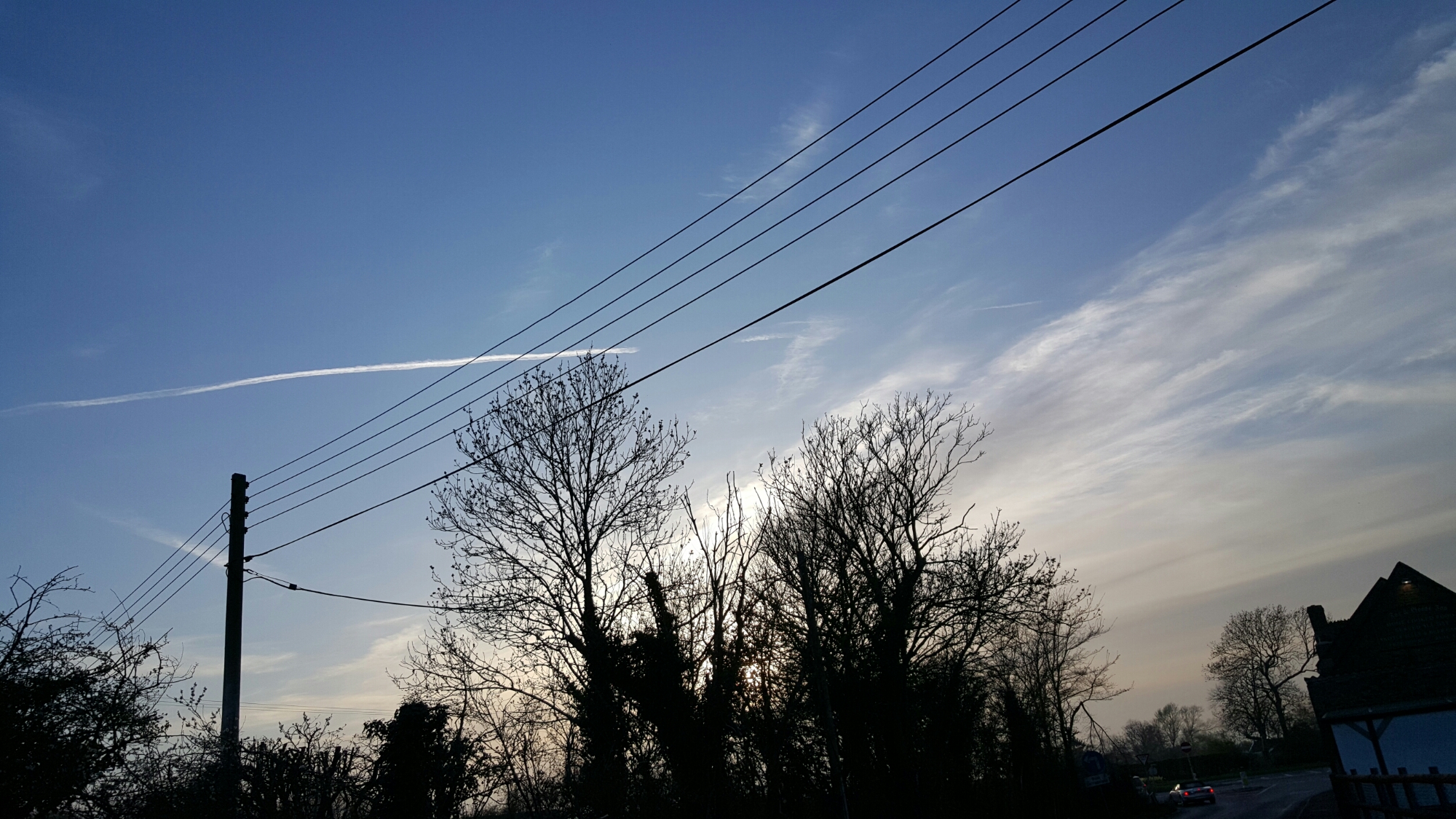
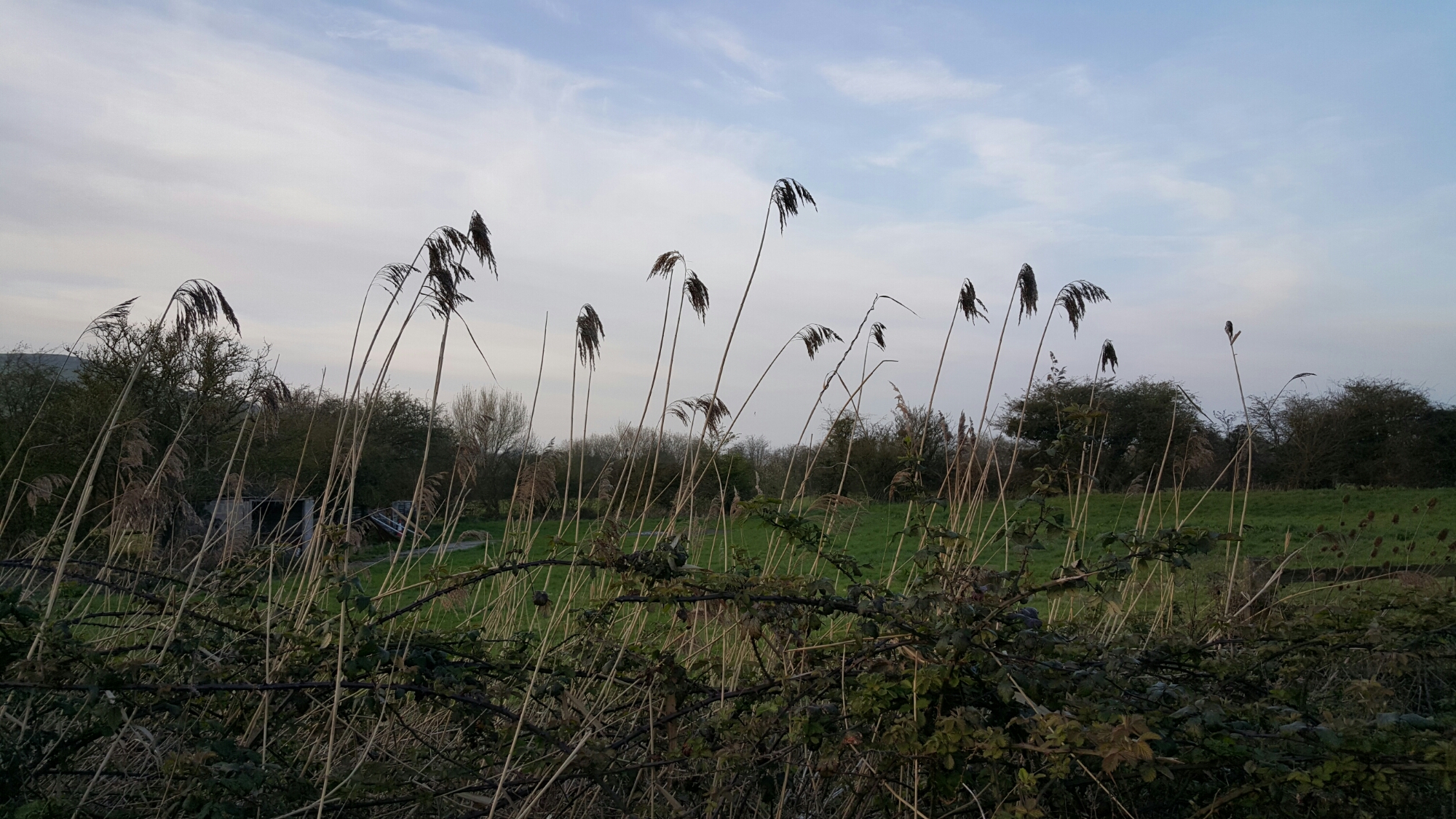
Above. Sun disappeared now. Beyond dusk but not dark. Again I’m happy with this shot.

image

Moody shot.

image

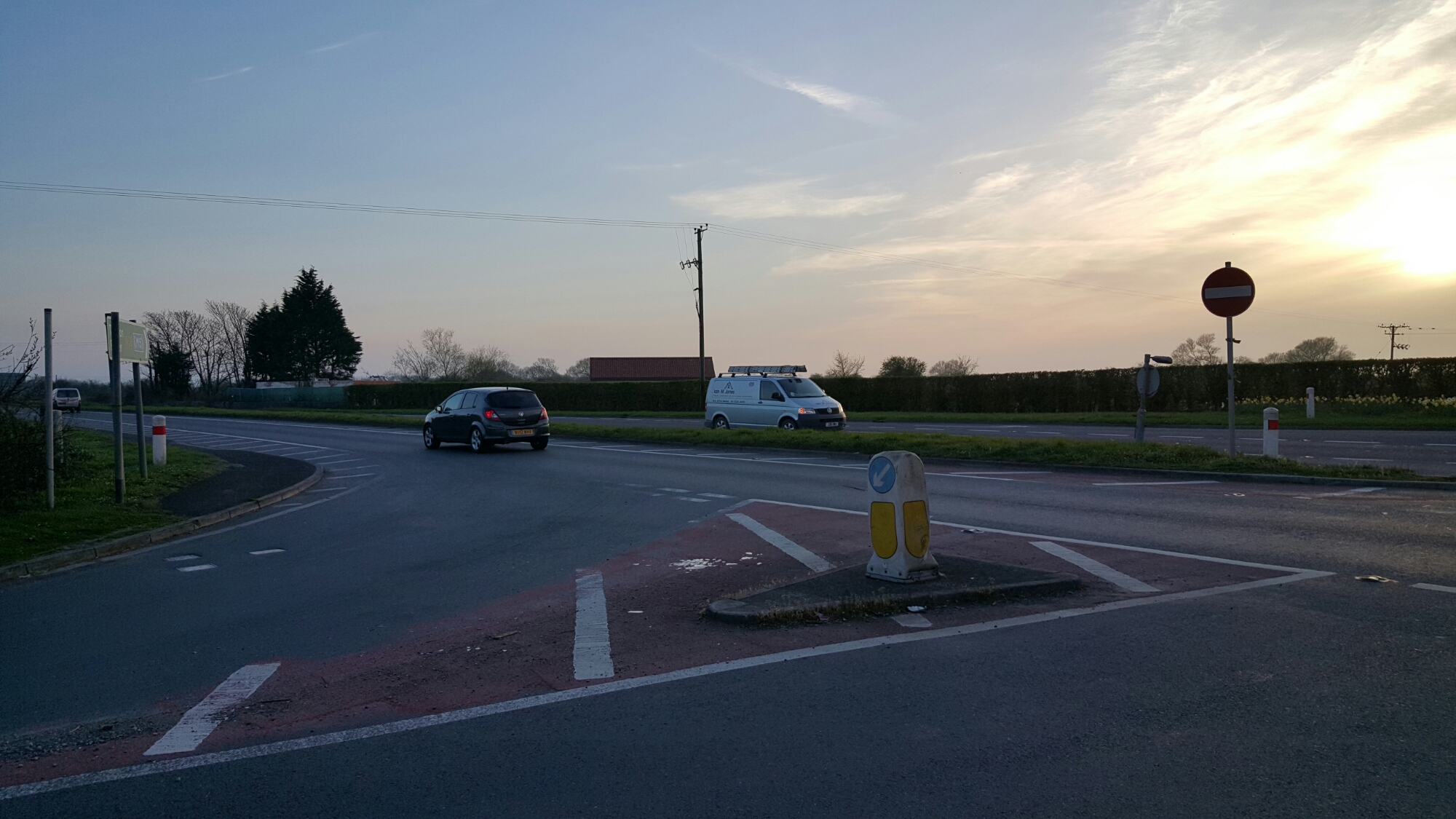
Whilst not a pretty scene, the result is remarkable. With Auto Tracking on the white van in Low light . Really impressive.

image

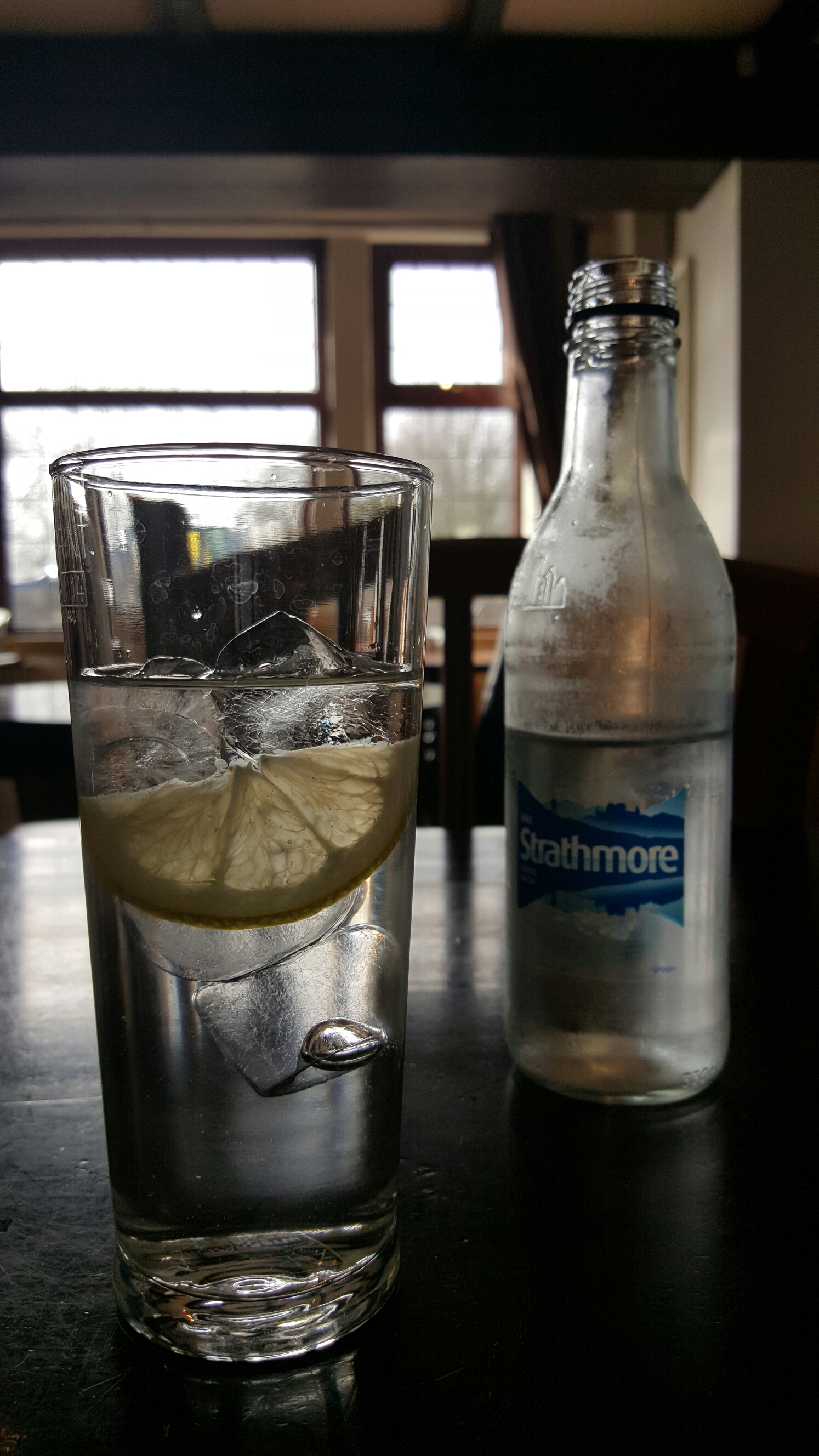
Above. Inside pub. Glass of water. Looks great and into the sunlight pouring through window.

All in all rather neat photos.

Samsung Galaxy S6 – The Camera and Sample Shots – My Views

Flower Power snapped with the awesome #Samsung #Galaxy #S6

The above shot is one of several shots taken randomly. There was no effort involved in taking this shot. The Galaxy S6 just delivered. The S6 was in Auto HDR mode too. These are unedited shots. If you want to see the full resolution just click on the photo or jump to my Samsung Galaxy S6 Flickr album – https://www.flickr.com/photos/gavinfabl100/sets/72157651896189926/

Doggies Day Out on Dartmoor #Samsung #GalaxyS6 #AutoTracking

Now the above shot was taken using the Auto Tracking option. I have tried it several times and it seems to work well when the objects are well defined and not too far away. Below is another shot taken using the Auto Tracking option. Just to set the scenes my dogs were sprinting at crazy speeds, so I was impressed that the S6 kept up and in focus.

Doggies Day Out on Dartmoor #Samsung #GalaxyS6 #AutoTracking

So what have I observed so far? Well the S6 camera is designed to be used in auto mode. It is taking the error made by humans out of the equation. The Pro Mode lacks shutter control and I could not see the touch to focus option. I need to spend some more time with camera so I will update this post over the next few days. I did use the Pro Mode but so far the Auto mode is stunning.

A few more samples. Don’t forget, click on the photo to head over to the full resolution or click here to see my S6 Flickr album, which will increase daily – https://www.flickr.com/photos/gavinfabl100/sets/72157651896189926/

Flower Power snapped with the awesome #Samsung #Galaxy #S6

Flower Power snapped with the awesome #Samsung #Galaxy #S6

Flower Power snapped with the awesome #Samsung #Galaxy #S6

Flower Power snapped with the awesome #Samsung #Galaxy #S6

If for any reason you have problems with the photos not all displaying, then just head over to my Flickr S6 Album. And do check back for updates on this post over the next week or so.

Just as a last point, I have used the HTC One M9 and I know some of you will ask me which is better. If you always shoot in Auto, then the S6 is King. However, due to the extensive manual controls provided by HTC for the One M9, it is possible to obtain the odd shot that the S6 would not be able to achieve. However, this is a rarity, and in my mind the Galaxy S6 kills the M9 in sheer quality.

Apple Watch – My 15 mins Hands On Experience

During my lunch break, I ventured out of the office to grab a sandwich and happened to trip in to the Apple Store.

Inside, behind glass on one of the tables, were a large selection of the different Apple Watches/strap combos with one side showing the larger 42mm Apple Watch options and then the other side the smaller 38mm sized Watch.

In person the Apple Watch looks really elegant up to a point. As I was browsing I was approached by an Apple employee who asked if I would like to try on some of the watches. The sales assistant explained that there was a 15 min time limit and that at present the wait would be no more than 5 mins before a time slot would be free. So reluctantly, I said yes.

For starters the smaller Apple Watch did not suit my wrist, but it was still a positive step to see an option for those that don’t want a huge chunk on their wrist. I thought the larger Apple Watch was a decent size and actually did not look too big. I tried the Apple Watch Sport first of all. This was the black strap with a grey aluminium shell. Gorgeous piece of technology and out of all of these options, this is the version I would choose, if I was buying one. I would also add a white sport band strap which cost an extra £39 on top of the £339. The other straps that I really liked were the leather loop and milanese loop. I actually preferred the Apple Watch with a stainless steel casing but at around £500 this becomes to expensive, especially as I would then choose the leather loop strap which takes the price to £599. The metal straps were not my cup of tea.

All the Apple Watches were in a demo mode, so I did not get to actually try using one for real. However, some of the screens and watch faces looked stunning. The taptic feedback is simple but genius as only you would know of new notifications ,and not the whole world if it worked using vibrations.

But my overall takeaway was how well executed/designed/manufactured the new Apple Watch was, along with the huge wealth of options. My only problem is that I don’t have an iPhone but I can tell you this, seeing the Watch in person really makes you want one, even if there is no real reason for one. It is probably the ultimate gadget.

As the Apple Watch was running in demo mode, I have answered questions still exist around what will be battery life be and how smooth will it be to operate the Watch. Also of a surprise was how many free try on areas were empty. Plus my 15 mins did extend slightly longer, not that I was complaining.

Samsung Galaxy S6 – It’s arrived

Just a quick heads up that I now have a Samsung Galaxy S6 in black. I have not had a chance to do much with it other than charge it to 100%. It is now downloading a 249mb software update.

Later on in the week I will provide some more feedback, but in the meantime do let me know what questions you would like answered.

However, I did sneak in a quick low light shot and then take the same shot with my Note 4. All I will say based on this single shot I took, the S6 took a much better shot than the Note 4.

Samsung Note 4 – Camera shots

Below are similar shots taken in the same place as the Nokia Lumia 830. It is not fair to totally compare them as the sunlight was vastly brighter and the sky bluer when I took the shots on the Note 4. With the Lumia 830 the sunlight was a little hazy. Again the Note 4 shots are unedited apart from framing them.

Anyway, below are the photos. Let me know what you think.

Flowering Gorse on Dartmoor #Note4 #unedited

Bank Holiday Monday on Dartmoor near South Hessary Tor with some Dartmoor Ponies #Note4 #unedited

Bank Holiday Monday on Dartmoor on route to Burrator Reservoir #Note4 #unedited

Bank Holiday Monday on Dartmoor with stunning views of Burrator Reservoir #Note4 #unedited

Bank Holiday Monday on Dartmoor on route to Burrator Reservoir #Note4 #unedited

Bank Holiday Monday on Dartmoor by "The Cross"  on route to Burrator Reservoir #Note4 #unedited

The "Hounds of Dartmoor" by "The Cross" on route to Burrator Reservoir #Note4 #unedited

Bank Holiday Monday on Dartmoor.  View of South Hessary Tor #Note4 #unedited

LG G4 – massive details get revealed of LG’s next flagship by LG Korea – photos galore

LG-G4

lg-g4-leak39

LG Korea, a short while ago revealed a fair amount of information about the LG G4, before being taken down.

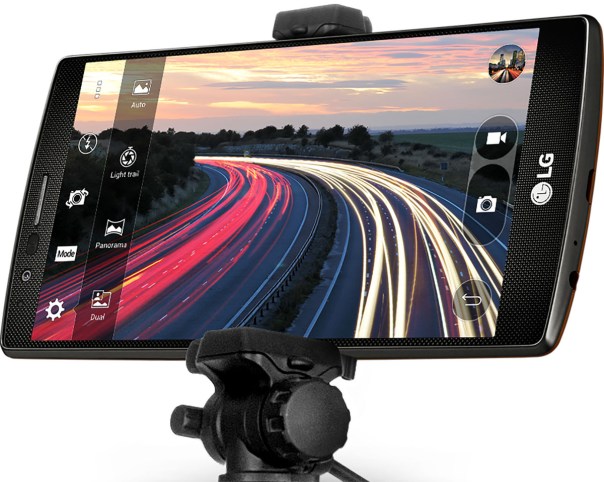
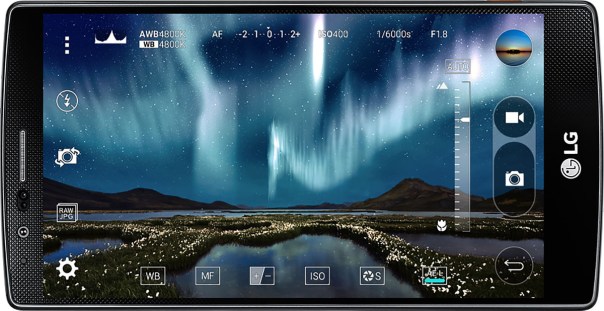
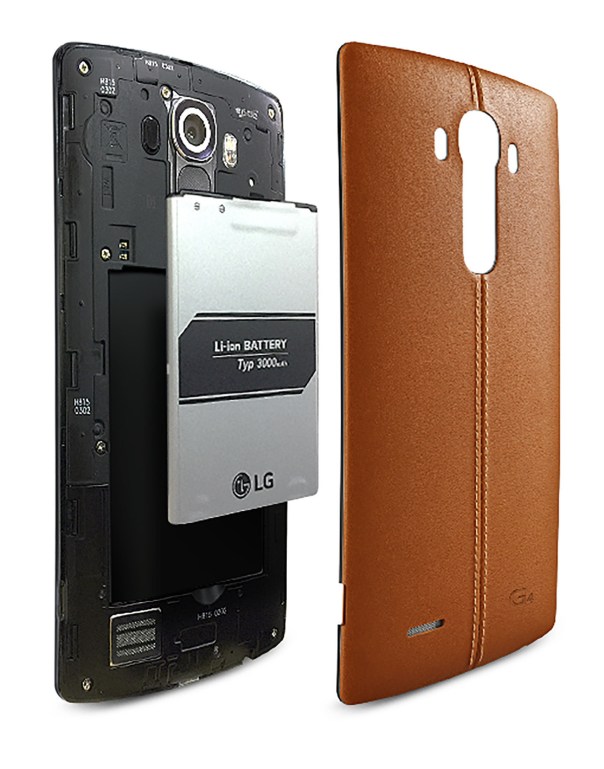
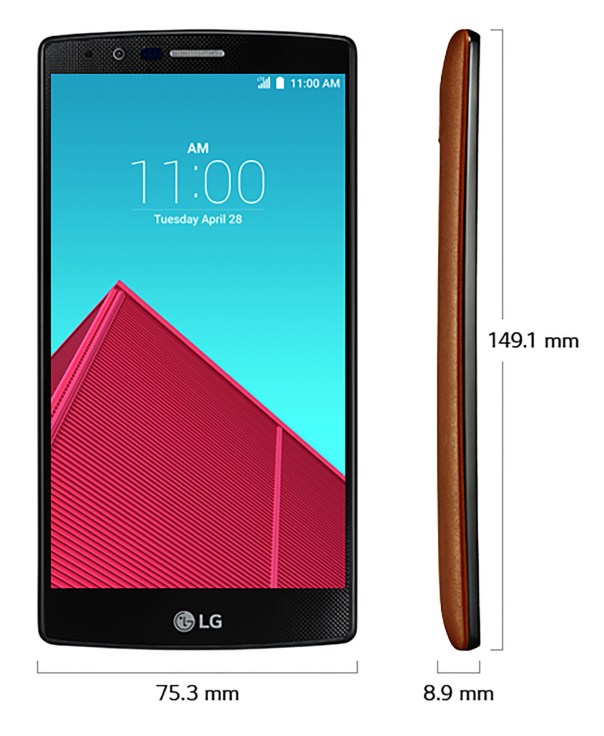
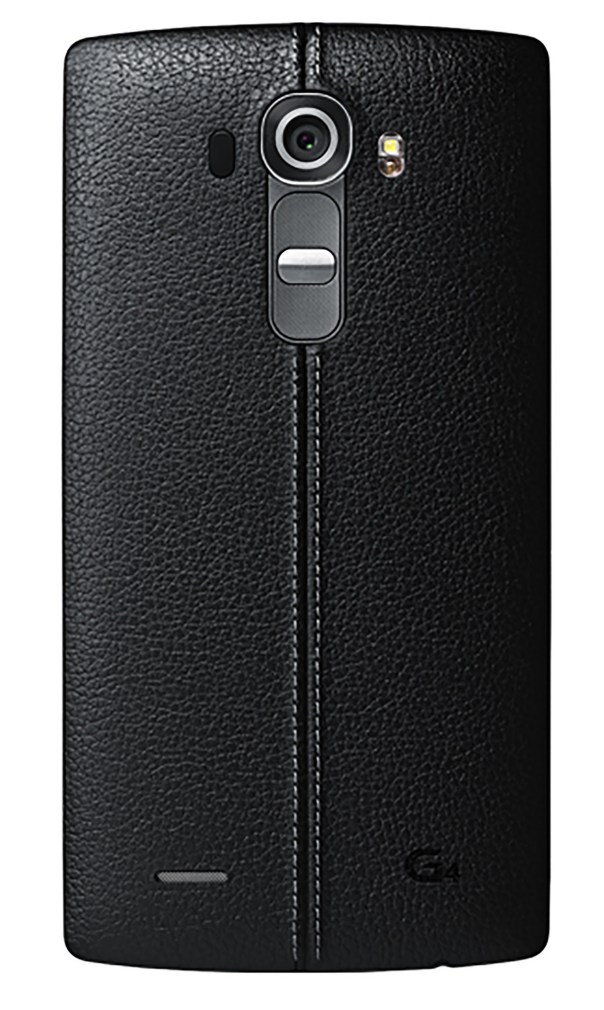
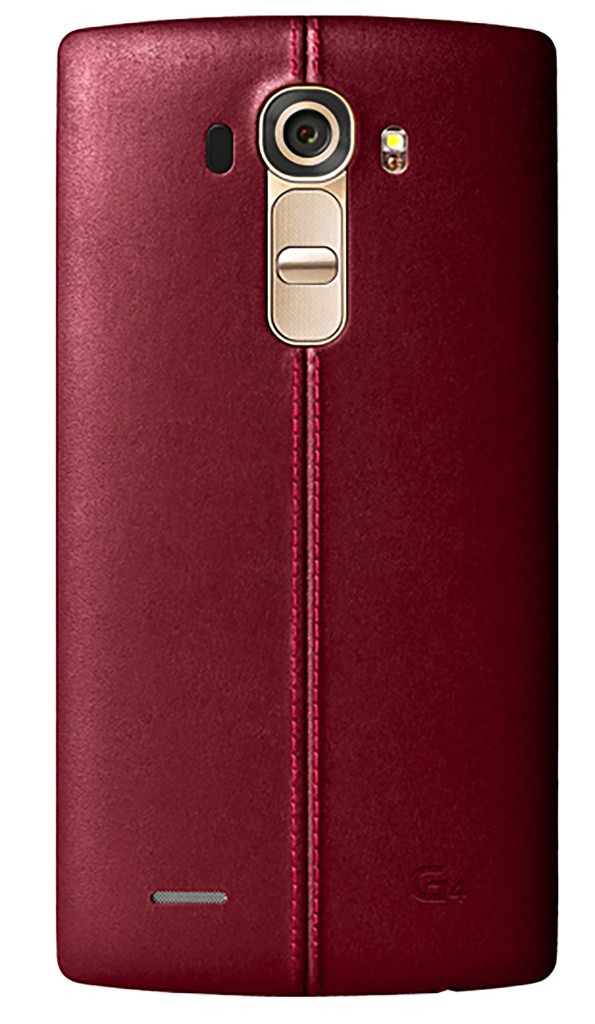
It revealed that the LG G4 will have leather backed options, similar to the Moto X. Other hardware specs got revealed too, from a 5.5-inch QHD screen, f/1.8 aperture lens with a 16 megapixel count, confirmation of a removable battery and SD card slot. LG is doubling down on camera software, as the site listed tons of camera features including a manual mode and OIS v2.0. This could be the flagship phone to buy for the camera alone!

lg-g4-leak22

lg-g4-leak23

lg-g4-leak26

lg-g4-leak38

lg-g4-leak41

lg-g4-leak42

lg-g4-leak43

Of course, this supposed mistake by LG Korea was unlikely to have been a mistake, more a ploy to stop and make people wait before ordering the new Samsung Galaxy S6/S6 Edge.

Source – @evleaks / http://www.androidcentral.com / LG Korea

Samsung Note 4 – 4K Video Capture – The Results

I’m not really into videoing events,  but this morning I used 4K Video mode on the Note 4 and captured the following video. In fact, I normally would not even use the 4K video mode as it uses so much space, and my ancient MacBook struggles to process it without crashing.

Using the inbuilt Video app from Samsung to playback, whilst playing back, goto settings and turn on capture and playback speed. You can now tap screen and hit capture button to snap a 8mp photo from a frame. If you hit pause,  you can skip back or forward one frame at a time using the on screen icons. Using this mode, I was able to get superb stills of my 3 labradors jumping and playing over and around the leat by Windy Post on Dartmoor.

Below is the 4K Video, weighing at around 230mb in file size for just a few minutes recording, and below are a selection of the captures. Head over to http://www.flickr.com/photos/gavinfabl100 if you want to see all 16 captures from this one video. I could have extracted so many more shots of the dogs at different intervals too. It is also possible to crop in on the photos too.

And now here are the frame captures, a very small selection too of possible frames, from the 4K video.

George, Fury and Tiggy jumping over the leat by Windy Post on Dartmoor #Note4 #unedited #4KVideoCapture

George, Fury and Tiggy jumping over the leat by Windy Post on Dartmoor #Note4 #unedited #4KVideoCapture

George, Fury and Tiggy jumping over the leat by Windy Post on Dartmoor #Note4 #unedited #4KVideoCapture

George, Fury and Tiggy jumping over the leat by Windy Post on Dartmoor #Note4 #unedited #4KVideoCapture

George, Fury and Tiggy jumping over the leat by Windy Post on Dartmoor #Note4 #unedited #4KVideoCapture

George, Fury and Tiggy jumping over the leat by Windy Post on Dartmoor #Note4 #unedited #4KVideoCapture

George, Fury and Tiggy jumping over the leat by Windy Post on Dartmoor #Note4 #unedited #4KVideoCapture

Going forward, I am always going to use 4K Video for capturing the action!

Samsung Galaxy S6 – review update

I have already posted my hands on impressions with my video on the S6 and S6 Edge here – https://gavinsgadgets.com/2015/03/19/my-hands-on-experience-with-the-samsung-galaxy-s6-and-s6-edge-plus-camera-shots/

Unfortunately, Amazon Germany have totally ruined my shopping experience. I had pre ordered a S6 Edge in 128gb , which at the time of pre ordering showed a delivery between 11th-13th April. Well, it turns out Amazon had zero stock and any of the new phones regardless of storage option too. The larger capacity is available directly from Samsung Germany but they won’t ship to the UK.

Anyway, cut a long story short, I have a S6 32gb arriving hopefully by Monday. This will enable me to see how the phone performs and even decide if it’s worth keeping my pre order for the Edge. For the record, the S6 Edge is way more stylish than the standard S6. 

As some of you will know, I prefer my phones in white. My Note 4 is white. But for some reason, the gold S6 whilst it looks amazing, reflects too much light with the screen on, and therefore I chose black. White looked dull this time, and the black has a shimmer of blue in it, making it much nicer. 

By Amazon/Samsung delaying the delivery of the larger storage option, it will mean other flagships will be available too and there is a possibility of leaving the Samsung brand.