Category Archives: Tech News

Setup your Apple TV with your iPhone – here’s how

The easiest way to set up an Apple TV 3rd generation only, is with an iOS device. To use this easier setup mode, you’ll need an iPhone 4s or newer, third generation iPad or newer, iPad Mini or fifth generation iPod Touch. Whichever iOS device you use must be running iOS 7.

When the Apple TV is first powered on, it will boot up to a setup screen. Make sure the iOS Device is connected to the wireless network that you want the Apple TV to connect to. Then use Control Center to turn on Bluetooth. Then you just need to touch your iOS device to the Apple TV.

Once you touch the iOS device to the Apple TV, a pop-up appears on the iOS device. When the pop-up appears you can remove the iOS device from the top of the Apple TV. Enter your Apple ID and password in the prompt to continue the setup.

After entering in your Apple ID and password, the next prompt asks if you want the device to remember them, so when you purchase any music, TV shows or movies from the Apple TV you will not have to re-enter in the password each time.

The Apple TV then connects to the wireless network, activates, connects to the iTunes store and welcomes you to the main page.

Firefox OS gets updated to v1.1

If you were brave enough to buy the ZTE Open and keep it you might be pleased you did. It’s just got an update which will make it a lot better.

1)MMS support: you can send and receive pictures, audio and video files via MMS (Multimedia Messaging Service).

2) Push Notifications API: developers can make use of push to deliver timely notifications to apps and reduce overall battery consumption.

3) Adaptive app search is now front and center on the home screen, making it easier and faster to find the content you want.

4) Contact Management enhancements:
Gmail and Hotmail contact import: it’s now even easier to get your contacts onto a Firefox OS phone. We’ve now added the ability to import your existing contacts from either Gmail or Hotmail, in addition to the existing Facebook or SIM card import options.

5) Add to contacts: You can easily add any phone number or e-mail address to your contacts that is listed in your call log, SMS messages or e-mail. Simply long tap the relevant information to directly create a new contact or add information to existing contacts.

6) Dialer suggestions: Start entering phone numbers or names into the Dialer to quickly find a specific contact.
Performance improvements: Experience faster application load times and smoother scrolling.

7) Firefox browser downloads: Save images, audio and video from the browser with ease

8) Keyboard improvements: Auto correction fixes words that you accidentally misspell.

9) E-Mail enhancements:
Draft Mode: Automatically save in-progress e-mails offline so you can finish and send them later.

10) Download audio and video attachments: Save audio and video e-mail attachments in addition to image files to your gallery.

11) Sending image attachments: Attach and send Gallery images directly within the e-mail application.

12) Music Search: Finding a favorite song is easy with the new music search functionality, simply swipe down from the top of the Music app to reveal a search bar and find music by artist, album or song title.
13) Calendar enhancements:
Direct event creation: Just tap on the desired time slot to create a new calendar event.

14) Calendar event reminders: Set reminders to be notified of calendar events.

15) More than 15 languages supported.

Question really is how will this operating grow against the current crop?

Samsung Note 3 has measures to detect if phone was ever rooted to deny warranty claims

Samsung has been going out of its way to annoy customers and XDA members with some very anti-user Galaxy Note 3 behavior. First there was is the sim regional locking the handset against SIMs from afar.

And now Samsung is using permanent eFuses to record incidents of rooting/flashing and using that info to deny Note 3 owners the warranty service they’re owed.

I wonder if this is going to be a trend by Samsung to prevent rooting and buying phones from a different region, or using a sim from a different region as well.

The secret formula for smart watches

Samsung has released in a rush its own smart watch the Galaxy Gear. The majority of the reviews slate it for poor execution. Pebble has its own smart watch and it works well, except it just doesn’t look sexy enough. Apple has still to reveal its hand.

But what all of the watches need is voice control, like Siri or Google Now. Samsung’s S Voice is too clinical and doesn’t work properly enough. Google Now is probably the most accurate. Siri is the best for conversational type commands.

So how would you feel about talking to your watch?

The wait for the new iPads is nearly over

Apple has made it know to All Things Digital, that it will hold an event on 22nd October announce the new updated iPads. There will also be a slot for the new Mac Pro and OS X Mavericks.

The fifth generation iPad is expected to feature a thinner, lighter design akin to the iPad mini’s, and run Apple’s new 64-bit A7 chip. The fifth generation iPad is expected to feature a thinner, lighter design akin to the iPad mini’s and an improved camera. It will run Apple’s new 64-bit A7 chip. The second-generation iPad mini will be upgraded with a retina display and also see the A7 incorporated into its innards.

Sony QX100 lens review

Below is my review of the Sony QX100. I already have reviewed the QX10 and yesterday did a photo comparison between the QX10 and QX100. Click this link https://gavinsgadgets.wordpress.com/?s=QX10&submit=Search to get access to the previous articles.

DSC00841

In this review, I am going to cover off what the QX100 adds over the QX10. I am not going to repeat any of the basics, so please read the QX10 review first.

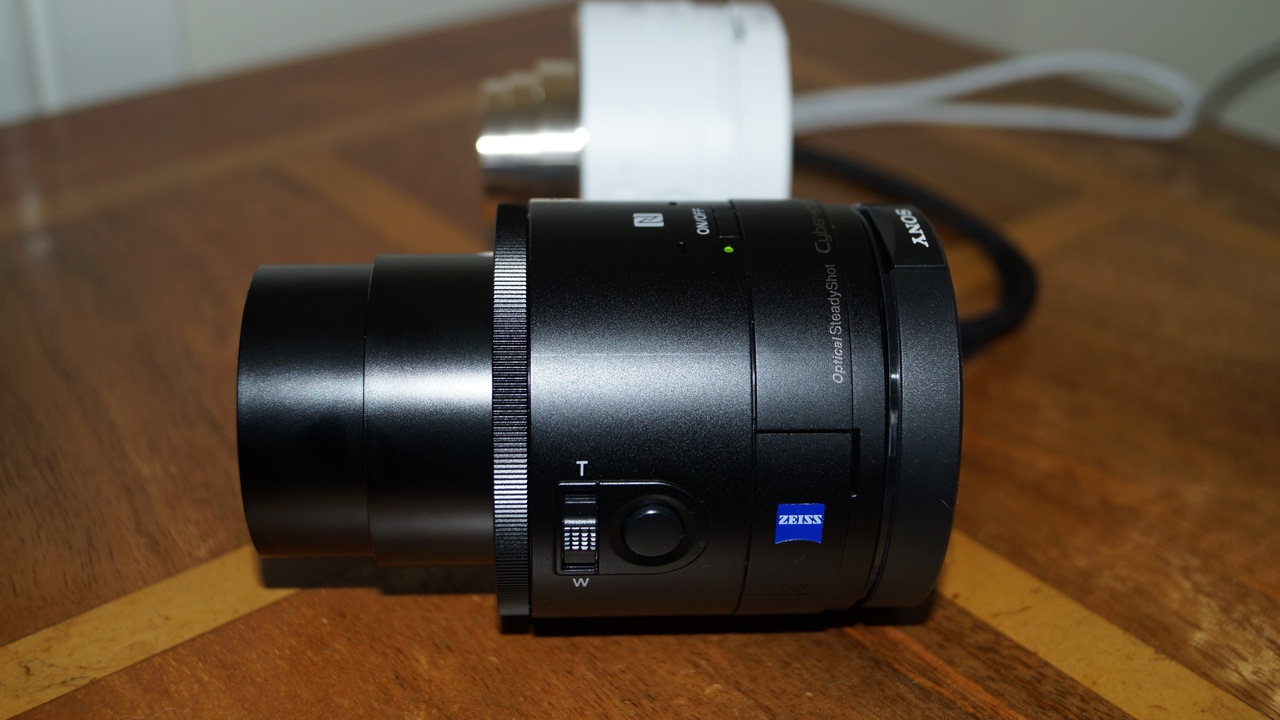
First up the QX100 is a 1 inch Carl Zeiss® Vario-Sonnar T* RS Exmor CMOS 20.0mp lens with 3.6 x optical zooming during photo and video mode. It comes with Optical Image stabilisation and features the same lens from the Sony RX100 award winning camera. It features the following –

-Metering Modes : Multi Pattern
-Exposure Compensation : +/- 3.0 EV, 1/3 EV step
-Exposure Settings : [Still] Superior Auto, Intelligent Auto, Program Auto, Aperture Priority, Movie Mode
-ISO : [Still Image] ISO160-6400(iAuto), ISO160-25600(Superior Auto), ISO160-3200(Program Auto), ISO160–3200(Aperture Priority)
-White Balance Mode : Auto / Daylight / Shade / Cloudy / Incandescent / Fluor (Warm White) / Fluor (Cool –White) / Fluor (Day White) / Fluor (Daylight) / Flash / C. Temp., Filter / Custom
-ISO Sensitivity (Movie) : [Movie] Auto (ISO 160 – 3200)

-Focal Length (35mm equivalent) : [Still Image 3:2] f = 28-100mm [Still Image 16:9] f = 29-105mm [Still —Image 4:3] f= 30-108mm [Still Image 1:1] f = 36-127mm [Movie 16:9] f = 29-105mm (SteadyShot Standard), f = 33-120mm (SteadyShot® Active Mode) [Movie 4:3] f = 36-128mm (SteadyShot® Standard), f = 41-146mm —–(SteadyShot Active Mode)
-Lens Construction : 7 elements in 6 groups (4 aspheric elements including AA lens)
Aperture Blade : Iris diaphragm (7 blades)

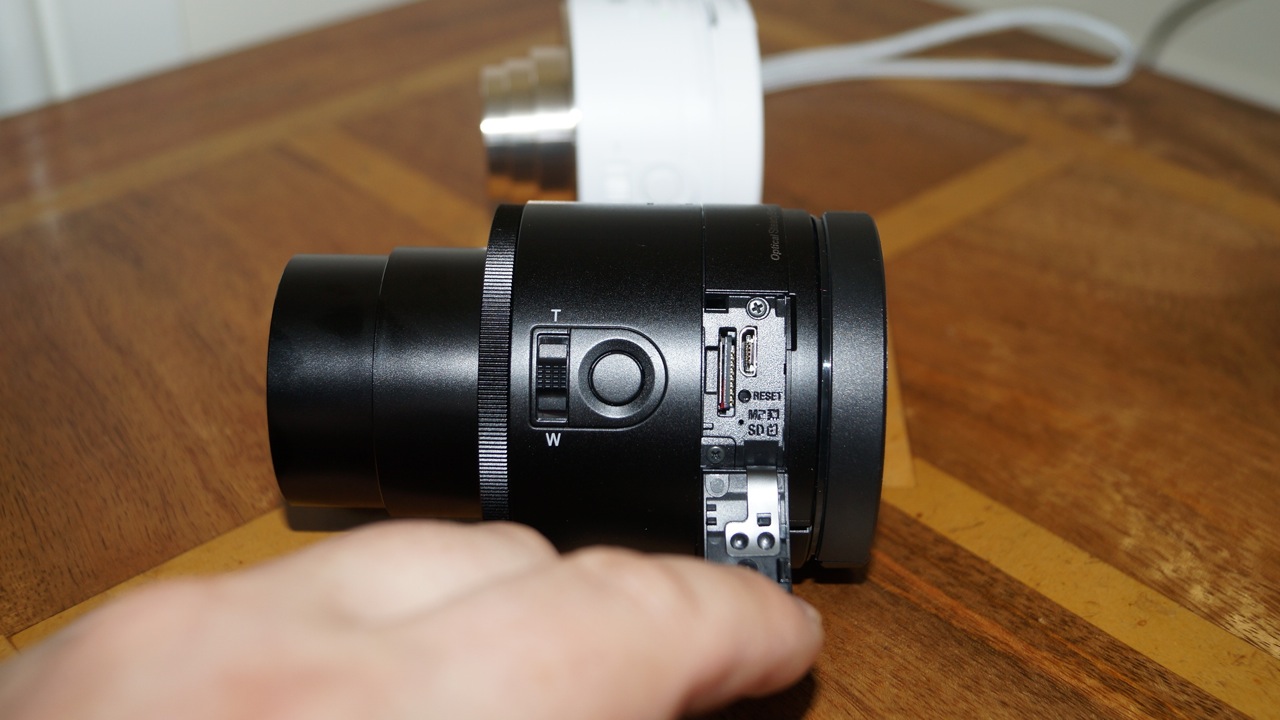
It weighs approximately 180g vs the QX10 at 105g. On the QX100 the memory card and micro usb is accessible without having to remove the clamp section and lift the battery cover.

DSC00842

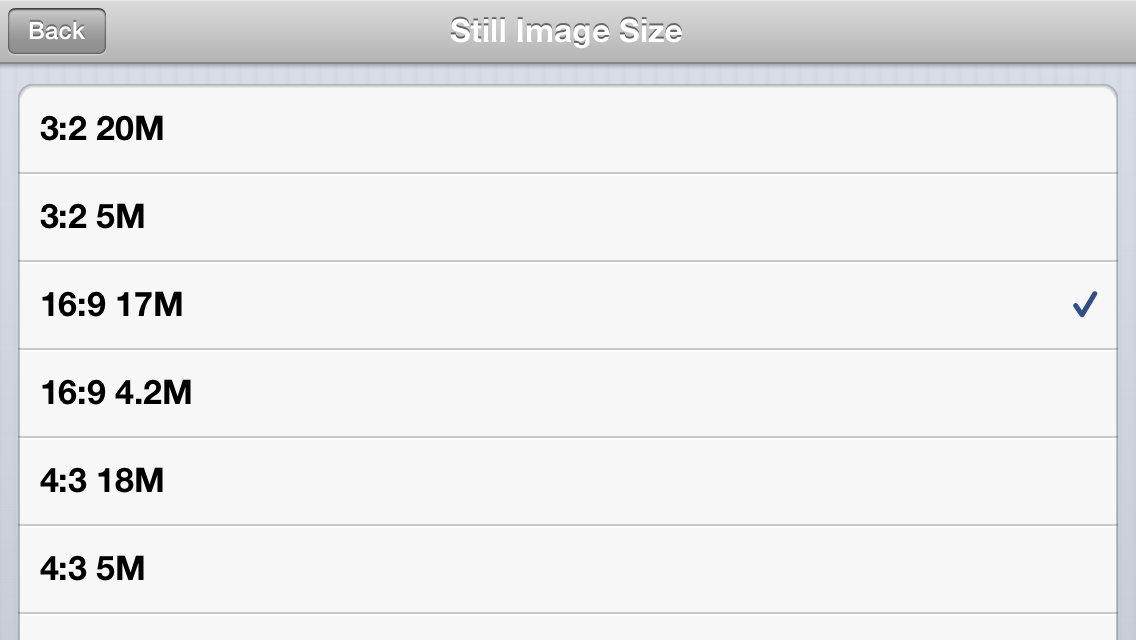
Apart from that the QX100 has a zoom control ring on the lens itself. The Playmemories app provides a few more settings. A choice of AF-S or manual focus. More file size outputs.
IMG_0716
The last two file size options are 1:1 at 13mp and 1:1 at 3.7mp.

Finally the shooting modes reveal other options.
IMG_0718

The Program reveals a new manual setting as below –
IMG_0719

And Aperture Priority as you would expect adds one other manual setting control –
IMG_0720

To be honest, the manual controls are limited on the QX100. Although the QX10 is near auto everything.

The clamp fitted really well around my iPhone 5S with the fitted leather Apple case. The lens also worked well connected to my tripod. The Playmemories app did freeze twice in 3 hours. Sony is working on an update soon to be released to improve the connection. It is not a problem though just something to be aware of. You simply close the app and restart it if you have an issue.

There is a bug with the QX100. It reads the time and date when connected via wifi. Except it does not do this on the QX100 as it should. So the date starts from 1st January 2013. The QX10 did not have this bug. I have written to Sony, and will update you when I receive a response regarding this. And low and behold the Playmemories app received an update yesterday and fixed this bug.

If you look back at the article yesterday comparing the photos from the QX100 and QX10, the QX100 does take considerable better quality snaps and for me it is a keeper.

Why I choose an iPhone 5S over the Samsung Note 3 or Sony Xperia Z1

As I write this there are only 3 phones in my opinion worth considering. Well 4 actually if you prefer colour. These are the Apple iPhone 5S and 5C, Samsung Note 3 and Sony Xperia Z1.

These 4 phones all offer something special. The iPhones offer an unparalleled experience in a one handed form factor backed up with the best eco system on the planet. The Samsung Note 3 is the ultimate large screened phone with a stylus running android 4.3 and Samsung’s Touchwiz. And then there is the gorgeous looking and I mean stunningly good looking Sony Xperia Z1, which is both waterproof and dustproof along with a supposed 20.7mp camera.

You may have noticed there are no Windows Phones in this list. Well, the Nokia Lumia 1020 would have featured in 5th position if you are interested. It has the best camera on a smartphone but does have a weakness in breadth and depth of apps compared to the other phones running iOS or android. So, is it worth discarding this phone? No, providing you have all the apps you require. And remember there are aspects of the Windows Phone experience unique to the platform.

So why did I discard the Z1. Simply, at the time I had mine, I had a faulty camera module plus the software Sony released at launch was far from perfect. I believe Sony has released several software updates already, but really, the phone should never have been launched this way. This meant, the photos the phone took were poor and filled with noise. However, it did have one of the most stunning finishes of glass front and back with an aluminium side frame, fantastic sound quality via headphones or bluetooth stereo, and lots of great Sony extras. It was also nearly as big as the Note 3.

So moving on to the Note 3. A fantastic phablet from Samsung and Samsung’s best phone irrespective of size. But in reality, using it one handed is not as easy as the iPhone. Also, the s-pen or stylus does not speed up data entry, it actually slows it down. It has 25gb internal memory available for apps and games which is a lot better than the S4 they released in the UK with 9gb free. It also has a micro sd slot for storing photos and your own music. It also comes with a battleship of future proof specs but I wonder if anyone really needs them or will ever use them. But it does comes with the most amazing screen. Samsung also have introduced regional sim locks on their supposed sim free unlocked phones. This did not appeal to me to be honest. But don’t let this put you off the device. It really is magnificent. Another negative for me was the Sony QX10 and QX100 lens cameras did not fit the width of the N3.

Then there is the iPhone 5C and its choice of colours. I loved this iPhone but as a true geek I always want the best. So I had to get a gold iPhone 5S. But why the 5S?

Well, actually I had not considered using iOS again as my main phone. I had sold my iPhone 5 back in March 2013 and moved to the HTC One. I kept the HTC One for 3 months and loved it. I was slightly disappointed by the 4.2.2 update which lowered the loudspeaker volume. The Boomsound speakers were its strong selling point for me. I then had several other android phones most of which had issues. So to tide me over until the new wave of phones arrived in the last quarter of year, I got the Nexus N4 for £199. And what a steal that was. It was an excellent phone apart from sound quality and camera, 2 features most important to me. But it did make £500-£600 phones outrageously overpriced. I then decided to get the new Nexus 7 tablet and make the switch completely to android by selling my iPad Mini.

And then my plan disintegrated. My wife had an old 3GS. This was her third phone. She previously had 2 Nokia basic phones for around 10 years, so moving to the 3GS was quite a jump. She bought the 3GS not on specifications but on style. She preferred the curved back over the 4 and 4S. Anyway, for some reason all my discussions regarding the new gold colour iPhone 5S and 5C, led her to want to upgrade her 3GS. She was also disappointed she would not be able to upgrade it to iOS 7. So my wife had decided she either wanted a pink 5C or a gold 5S. I explained that the only way to secure one without waiting weeks or even a month was by queuing on the 20th September. So that is what we both did. I queued so one of us could get a 5S and the other a 5C just in case it was only one phone per person. Sadly, even though we were not too far down the queue, they were no gold 5S, so we chose a silver one instead and a pink 5C. Once inside the Apple store, my wife realised she did not like the salmon pink colour of the pink iPhone, and that she preferred the silver 5S over the gold version. Anyway, we had bought the 5S and gave back the 5C ticket. Then we got Apple to switch her sim to a nano sim and re setup her new 5S. Three UK’s phone lines were busy, so it took a whole hour to sort the sim swap. By then all the early morning queuers had left the Apple store, and new stock was appearing. I quickly asked if there were any more 5S and luckily I had a choice of space grey and silver. I choose silver. I did this as I realised that my wife would have had a better phone than me if I hadn’t bought a 5S. Anyway, that is how I ended up with an iPhone.

So there I was back home with my iPhone 5S 64gb running iOS 7. I had not used the iOS 7 betas so this was my first insight. And OMG did it feel alien at first. For the first 2 days I had to work out where and how things functioned. Closing running apps did not feel fluid. But, I had 64gb of memory to do as I pleased. I could use all of it to install apps, unlike android that has its memory allocated for different uses. Internal memory is for apps, games and everything. Apps and games do not install on a memory card with android. Back to my 5S. I could now sync across all my photos and music with ease from iTunes. My photos and music are perfectly arranged, so everything is really tidy on my iPhone 5S. Then I had a few days away from home on business and FaceTime was used. Video calling made easy. I have even used FaceTime audio which is ideal. iMessage and all the Apple features in iOS 7 make keeping connected with my wife really fun and simple. My parents are soon to move to iOS. My brother has an iPhone 5. TouchID made using security a breeze. The 5S camera really is fantastic at taking top notch photos and with ease. Photostream and folder sharing is a breeze and automatic. The extra horse power of the processor, M7 coprocessor and having well designed, good featured apps back with iOS felt a relief. One handed use was back too. Game controllers are just around the corner too. The sound quality from the loudspeaker and via headphones is phenomenal. In fact the headphone amp section is the best yet from any Apple product. Google’s own apps work even better on iOS than android. Go figure that one. So what the iPhone 5S represents with iOS 7 and Apple’s eco system is one of the simplest, yet most powerful devices. I am finding it an incredible user experience. So smooth yet refined.

And that is why despite my best intentions I am back with iOS for the time being….until I buy something else 🙂
Samsung releases curved screen phone the Galaxy Round – details and full specs

SAM_8899_eng-623x424_large

The Galaxy Round was just made official by Samsung. It’s a 5.7-inch Note 3-like device with a curve right down the middle of the device. Samsung is claiming they’ve made some specific software adjustments to make use of the curvature, such as showing certain notifications when the phone is tilted to the side while laying flat, and gesture based actions in the applications in the software. I’m skeptical about this design and the practicalities at the moment.The curve might make it more comfortable to hold in the hand, but my concerns are over fitting in a pocket, car cradle etc.

The specs are just about identical to the Note 3, excluding the S Pen. It’s got a 1080p screen, 3 GB of RAM, a quad-core processor, and a 13 megapixel camera. Samsung add that as a result of its unique curved design, users can take advantage of round integration experiences like the Roll Effect that enables user to check information such as date, time, missed call and battery easily when home screen is off, and the Gravity Effect for creating visual interaction with the screen by tilting the device. For music, the Bounce UX enables users to control their music. When the GALAXY ROUND’s display is off while the music player is running, a short press to the left of the device will play the previous track while a short press to the right will play the next track. For pictures and videos, the Side Mirror feature enables users to gain access to list of the album content with a left and right tilt.

It should cost around 1,000 dollars and if you want one you best fly to Korea to pick one up.

So what do you think?

For peace of mind the official specs are –

GALAXY ROUND Product Specifications

-Network -LTE 150/50M bps
-Processor – MSM 8974 (Quad Krait 2.3 GHz)
-Display -5.7” Full HD Super Flexible AMOLED
– Memory – 32 GB + microSD (up to 64GB)3GB RAM
-Camera – 13 MP AF w/Flash + 2MPCamera Mode: Drama Shot, Sound & Shot, Animated Photo, Eraser, Best Photo, Best Face, Beauty Face, HDR (High Dynamic Range), Panorama, Sports, Golf, Surround shot, Live effect
OS
– Android 4.3 (Jelly Bean)
– Connectivity – Wi-Fi a/b/g/n/ac, WiFi Direct, BT 4.0 (BLE), USB 3.0, GPS+GLONASS, NFC
– Additional Features – Group Play: Share Music, Share Picture, Share Video, Share Document, Play Games
– Story Album, S Translator
– Samsung Smart Scroll, Samsung Smart Pause, Air Gesture, Air View
– Samsung Apps, Samsung Hub, ChatON (Voice/Video Call, Share screen, 3-way calling), Samsung WatchON
– S Voice™ Hands Free, S Health
– Samsung Adapt Display, Samsung Adapt Sound
– Auto adjust touch sensitivity (Glove friendly)
– Samsung Link, Screen Mirroring
– Safety Assistance, Samsung KNOX
– Dimension 151.1ⅹ79.6ⅹ7.9mm, 154g
– Battery – 2,800mAh

One incredible specification not declared by Apple about the iPhone 5S

The iPhone 5S looks identical to the iPhone 5. It only has a beefier 64bit processor and M7 co-processor, Touch ID and an improved camera to start off with. But it also has something else that wipes the floor with the 5 and older 4S/4 iPhones.

The iPhone 5S has a new audio codec and class D amplifier by Cirrus Logic. This incorporates the digital to audio conversion of the MP3 tracks and then powering your headphones or the inbuilt speaker.

The difference in sound quality is night and day with superb range, dynamics, punch, separation and clarify.