Category Archives: Tech News

Amazon invests in Yodel

Via The Guardian.

“Amazon acquire 4.2 percent of the UK’s least popular parcel delivery service for £8.7 million. While Yodel is now the second biggest service of its kind behind recently-privatized Royal Mail, customers haven’t been so supportive, putting the company at the bottom of the delivery polls for the second year running”

Question is will this investment make it any better?

HTC One M8 – Daily Blog – Day 5 – review – photo editing effects

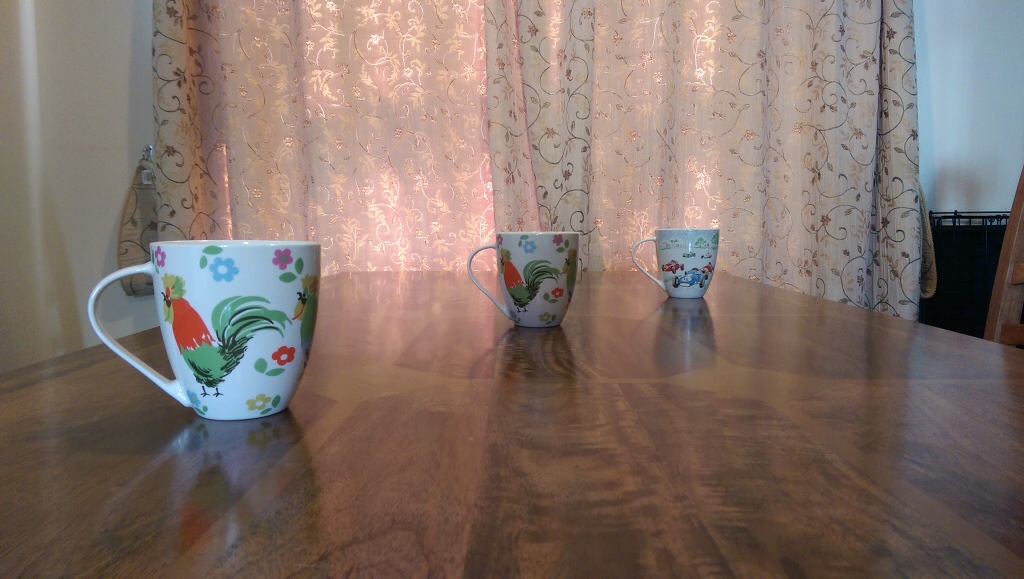
Today I am going to look at the results from the camera and the post editing that is possible. So I took the photo below. This is in full auto using no special photo shooting mode or pre applied effects. It is important to work in this way, otherwise you cannot use any of the fun post editing options. So let’s start.

20140330-133807.jpg

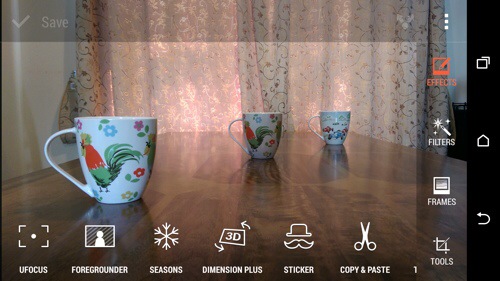
Now with the HTC One M8 and it’s dual rear camera lenses I have a photo with lots of additional exif data that will enable me to continuously re edit the photo as often as I like. So after taking the photo I jump into the gallery app, and hit edit.
20140330-134447.jpg
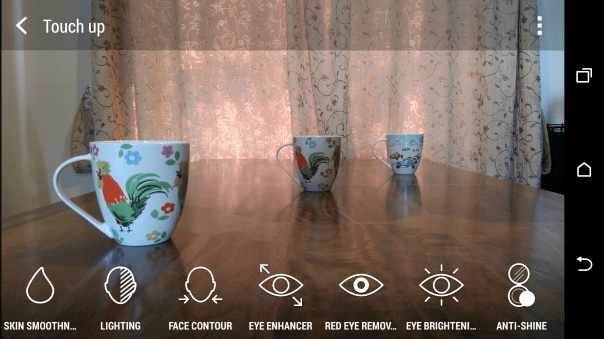
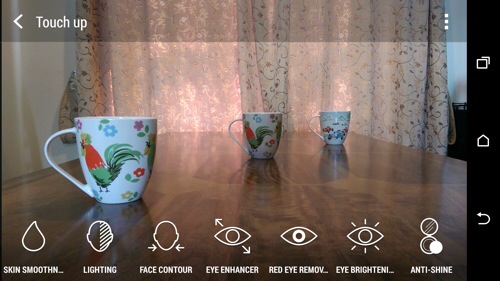
There is one more option for editing peoples faces in the menu.
20140330-134533.jpg
Anyway, first up we will hit in the effect “UFocus”. This allows for the focus point to be changed after the shot has been taken and as many times as required. So first up, I altered the original photo on the front mug.

20140330-134854.jpg

And now by tapping on the mug in the middle the focus point is changed and a new photo is created. It is not perfect but it is great fun.

IMG_0647
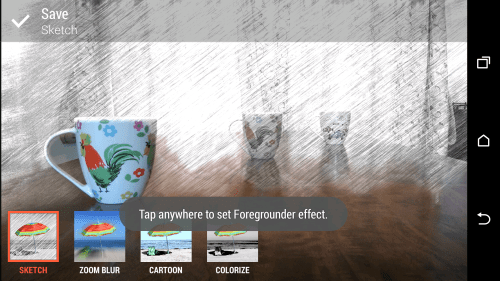
So if we start with the original photo again, effects and select “Foregrounder” we can start to change the effects based on the focus depth point selected. The options within Foregrounder are Sketch, Zoom Blur, Cartoon and Colorize. Using the middle mug as the focus point this is what sketch does. Out of all the effects I was least impressed with this. Maybe over time as HTC tweak the software and the third party developers bring out cool new apps we will see the full potential of this second lens on the rear.
IMG_0662
IMG_0648

And now with Zoom Blur applied with the focus point the rear mug. I quite like this one.

IMG_0649

Next up is the Colorize effect using the front mug as the focus point.
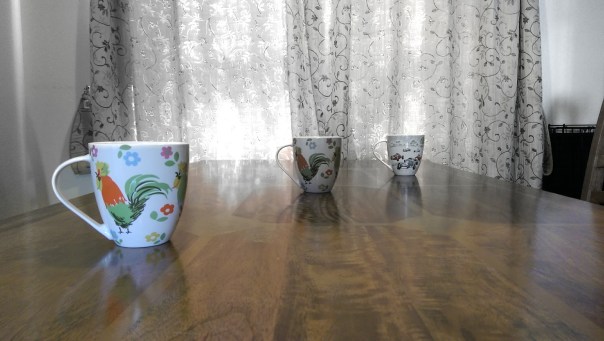
IMG_0650

And finally the Cartoon effect.
IMG_0651

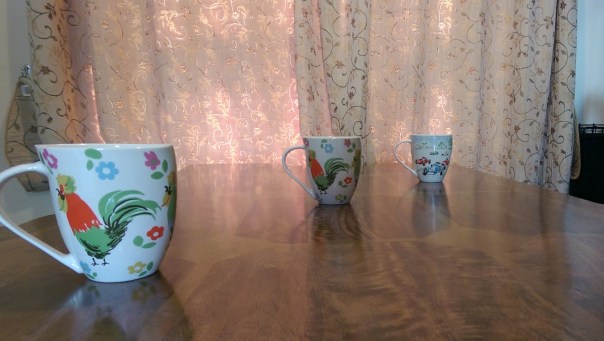
Another one of the effect that uses the data from the second lens is Dimension Plus. From here you rotate or swivel the phone to adjust how the items move around in the photo. You can then save what you see as a fixed photo or a Dimension Plus photo so you can keep playing around moving the mugs into different angles. Below is fixed photo.
IMG_0654

Seasons is another effect. Here you can superimpose snow or leaves onto the photo. You decide when to freeze and save the shot or create a video. Photo below of leaves.

IMG_0652

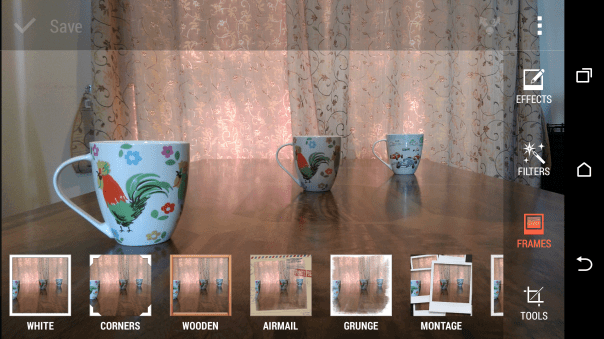
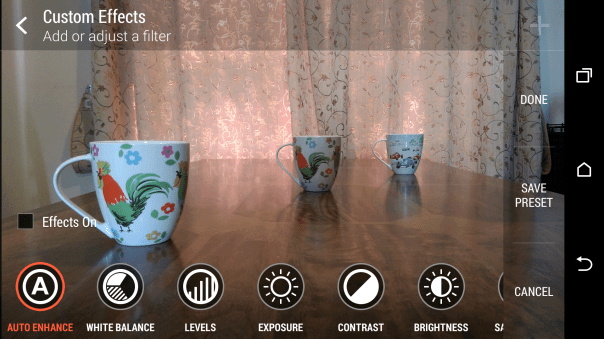
Hopefully, you should be getting the picture that this phone is full of effects. You can adjust peoples faces, add objects like hats or sunglasses to photos, cut and paste people out of one photo and move into another and so on. You also have the normal editing tools like cropping, straighten, auto adjust, exposures, white balance, contrast and so on. There is also a menu for adding frames.
IMG_0660

IMG_0661

IMG_0663

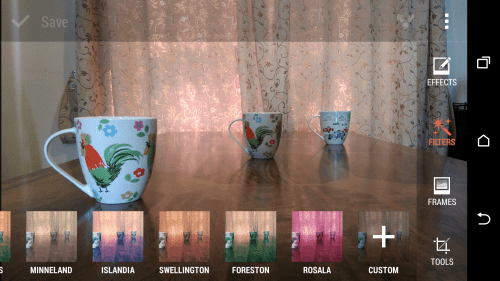
And then there are filters.
IMG_0657

A few examples of the original photo with filters applied.

IMG_0655

IMG_0656

Now you can do all of the above using the original shot, and after the event, and keep editing it to your hearts content. As a mentioned before, if you take a shot using the camera in a different camera mode you cannot use the focus changing type effects.

However, there is still a whole chapter on the camera modes and what can be achieved if you don’t want to use AUTO.

Tune in for more tomorrow.
Yahoo aiming at YouTube for a service of its own

Via Recode.

Yahoo has had a real change since CEO Marissa Mayer took the over the top job.

Recode reports that the company has been working on a new initiative to lure away prominent YouTube stars and networks with the simplest incentive of all: more money. Yahoo hopes that offering better ad revenue, guaranteed ad rates, and increased marketing will peel some of those content creators away from the current web video giant.

This is good news for everyone.

BlackBerry loses $5.9bn

Via the BBC.

“Troubled smartphone maker Blackberry has reported a net income loss of $5.9bn (£3.5bn) for 2013.

In the fourth quarter the firm made a loss of $423m, compared with a loss of $4.4bn in the previous quarter, and against a year-earlier profit of $98m.

The company said it was pleased with its fourth quarter performance, and that it was on “a path to returning to growth and profitability”.

Boss John Chen said the firm was moving to a “sounder financial footing”.

Blackberry devices have generally lost the high-end smartphone market to Apple’s iPhone and phones powered by Google Android operating system.

As part of its turnaround plan the firm is focusing on its services arm, and is also putting renewed emphasis on its keyboard devices.”

Seems like a huge loss. Maybe too much in the long run.

HTC One M8 Daily Blog – Day 4 – Review

Welcome back everyone. Here I am at day 4. I’ve had the weekend to use the HTC One M8 more as a phone and camera. I’ve also been reading the debate on the internet over the 4.1mp ultrapixel rear camera. And it’s getting boring. HTC take on cameras is most photos never leave the phone or end up getting shared on Facebook, twitter or Instagram. So what you have is a camera that takes photos in all lighting conditions and really fast. It then allows you to worry about the editing effects afterwards with special effects and filters.

So what does that actually mean? Well it equates to me snapping a photo of my 3 dogs so fast I captured the moment all 3 had their heads facing me. It was only a split second. But the M8 captured the memory. It was also a lovely shot and I used some of the editing tricks to make it even better. It was also in low light indoors. I tried to take a similar shot with the Note 3 and every time it missed getting all 3 dogs in the frame or the shot had blurred dogs. I was hoping to upload some more photo samples which use the second camera but man flu and the weather has prevented that.

However, I have had a message pop up in the camera saying it was switching back to using phone storage and not the sd memory card as the memory card was not saving the shots fast enough. And that is with a Class 10 micro sd card. And that gives you an idea as to how fast this HTC camera performs. Fortunately, after shooting photos, I move the saved ones to the memory card, and guess what as the lens is 4.1mp the file sizes are so small using phone storage isn’t a problem.

With previous android phones I normally switch to an alternative launcher like Nova or Apex. If you buy this phone, then it’s important to remember that I recommend you don’t install these. In fact, you need to keep HTC Sense otherwise you will lose too much of the HTC experience. I know some of you will install your favourite launcher immediately. Hold fire for at least a few weeks. What I have found that even after 4 days the user experience keeps improving. The interaction of the software and hardware is phenomenal. It’s better than iOS 7. And that’s a bold statement as iOS 7 is awesome in its own right.

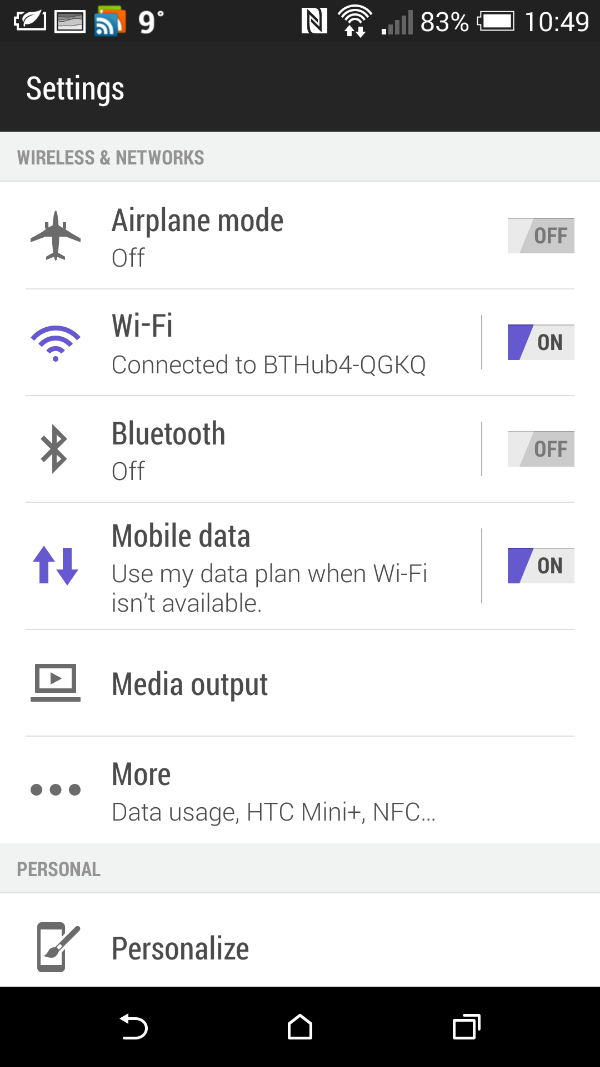
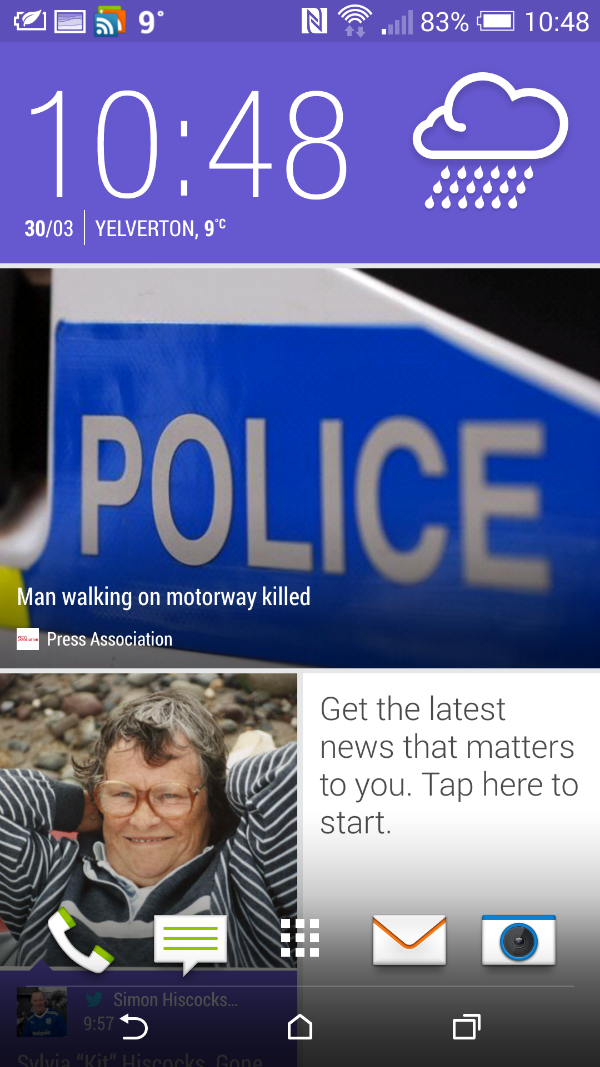
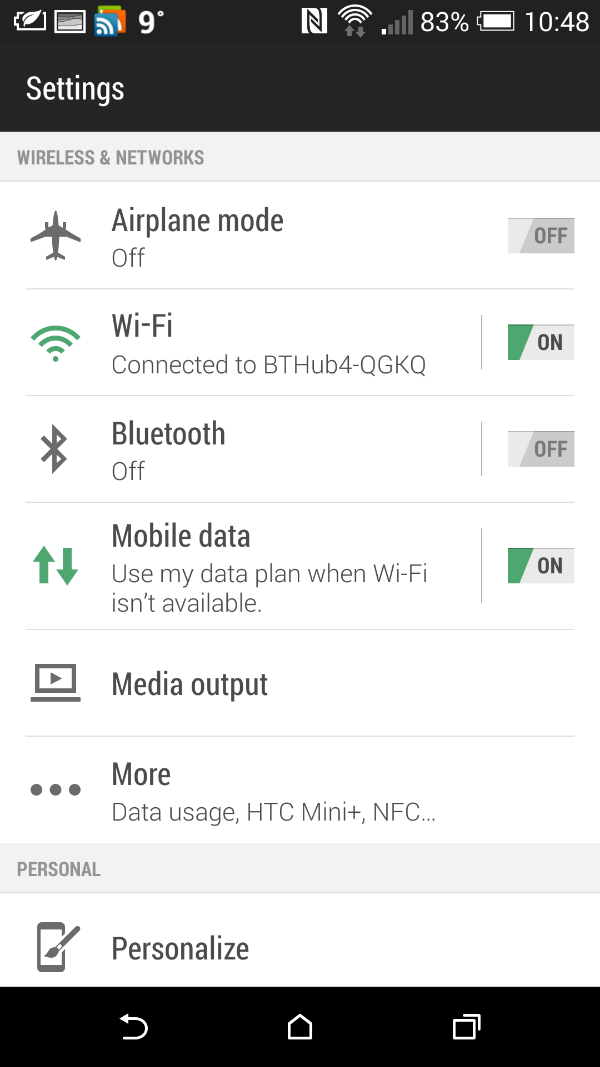
Blinkfeed. For the first time I don’t think I would want anything else as my main home screen. It just keeps impressing me more and more. It combines items of interest I’ve selected from the internet and my chosen social media along with local content on the phone. So on Saturday, at around 6pm when I went to get a pizza from Dominos, Blinkfeed had restaurant recommendations that were within a few miles of my current position. Now I had selected in the options for restaurant recommendations but it was great to see it in action. Information is pulled from Foursquare. I don’t use this service but information was still provided by it. Later my TV reminders were pulled into Blinkfeed. Then yesterday, my calendar entries were showing along with a F1 news item. You can also theme Blinkfeed. Go into settings, personalisation, themes and select one of the current 4 themes.
image

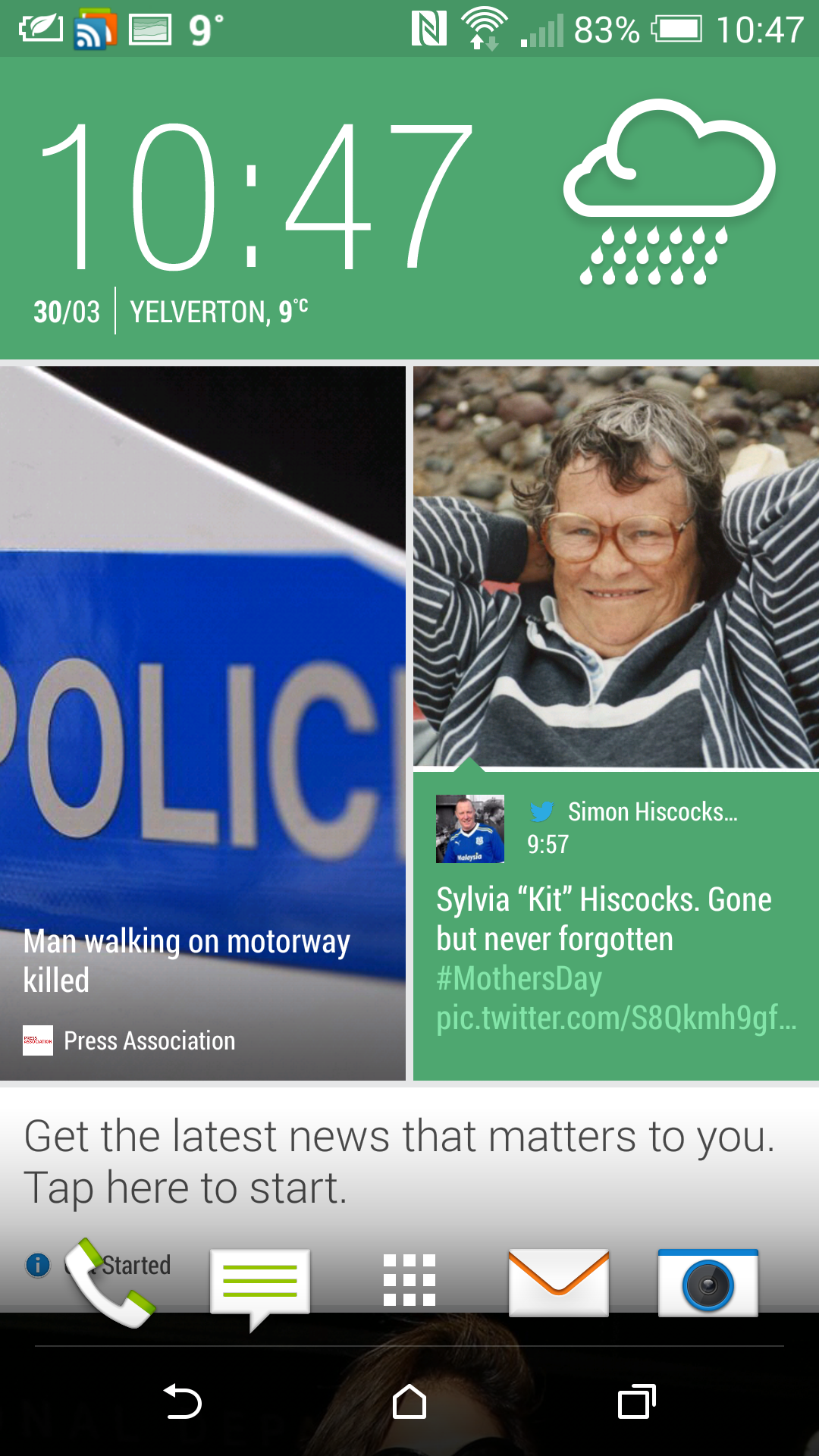
The themes also change everything throughout the device not just Blinkfeed. Some screenshots below of how the changes look.

image

image

And now with a green theme.
image

image

The themes change everything throughout the device. Even the highlights on the keyboard. You can still have your own wallpaper if you don’t like the theme wallpaper.

More tomorrow.

HTC One M8 – Dot View Case – How to recreate the screen effect

htc-dot-view-multi-color-slide-01

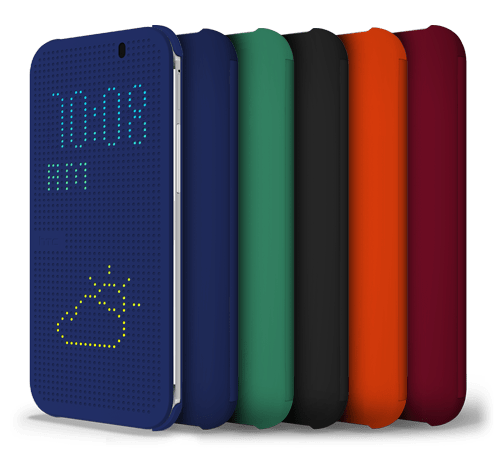
If you have bought the HTC One M8, you can also get a special Dot View case from HTC. It is unique in that it shines dots through the case to bring up information.

So how does it work. Basically with a magnet. So if you got a magnet, a placed it botton left just above the HTC logo you will recreate the dot screen on your HTC One M8.

It looks really cool.

Reminder – Go listen now to Gav & Dave’s Tech Podcast

As you know, I co-host a weekly podcast with David from UKMobileTech called Gav & Dave’s Tech Podcast. It is a light hearted tech podcast broadcast bi-weekly. To subscribe click here for iTunes or copy and paste this link into your favourite podcast app.

Episode 11 is now live.

If you get a moment and have enjoyed the podcast, please leave some feedback in iTunes. Thanks.

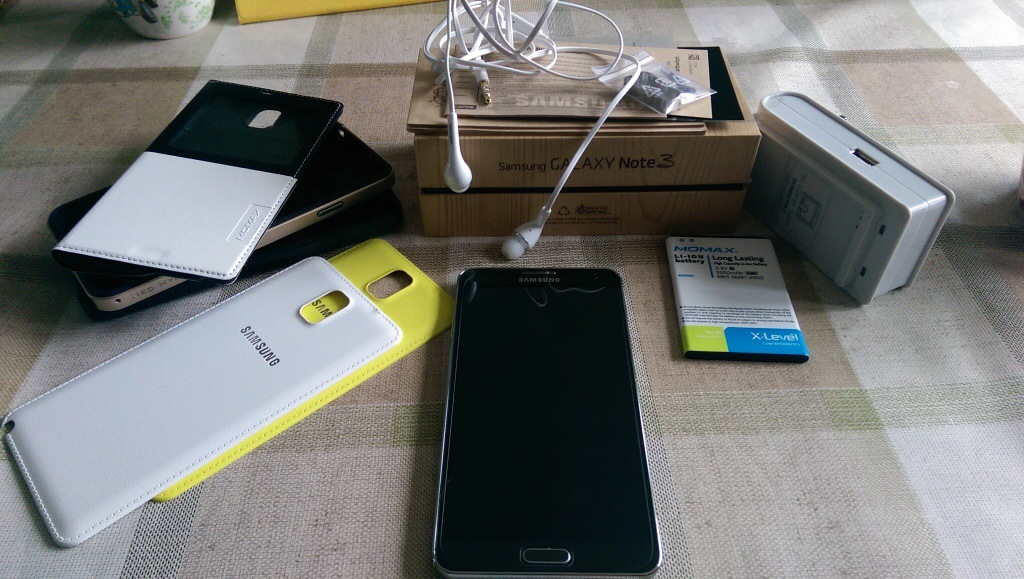
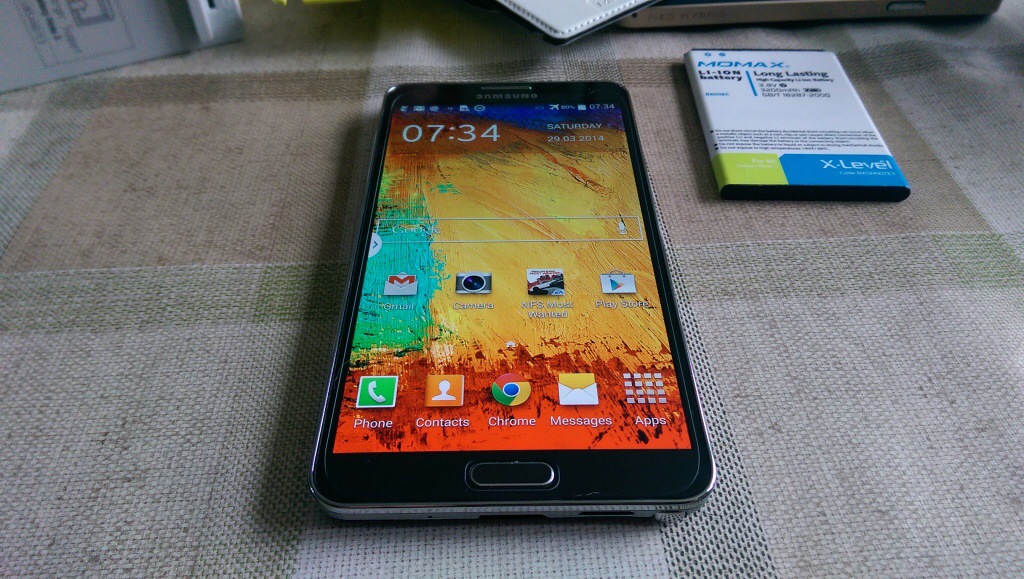
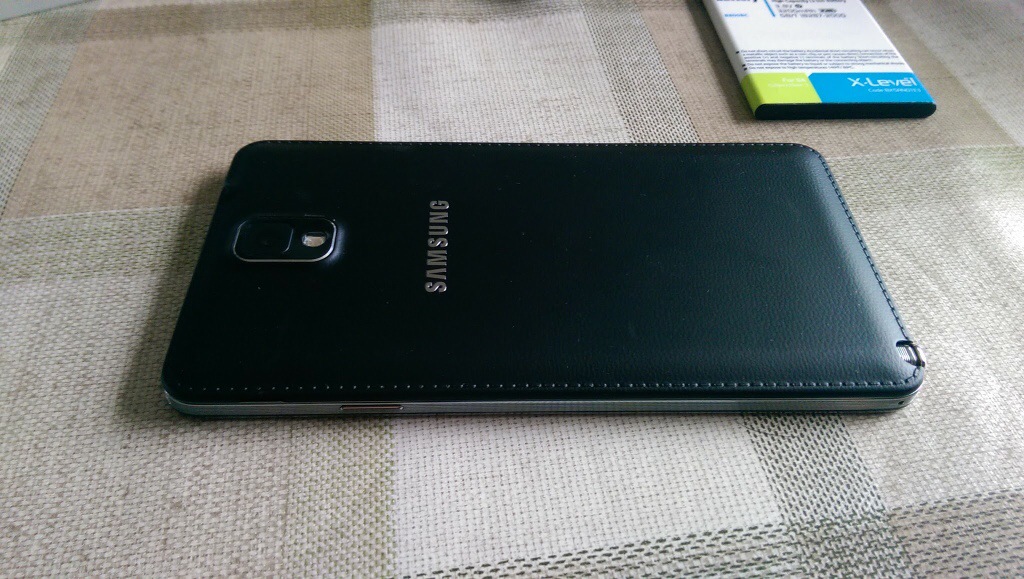
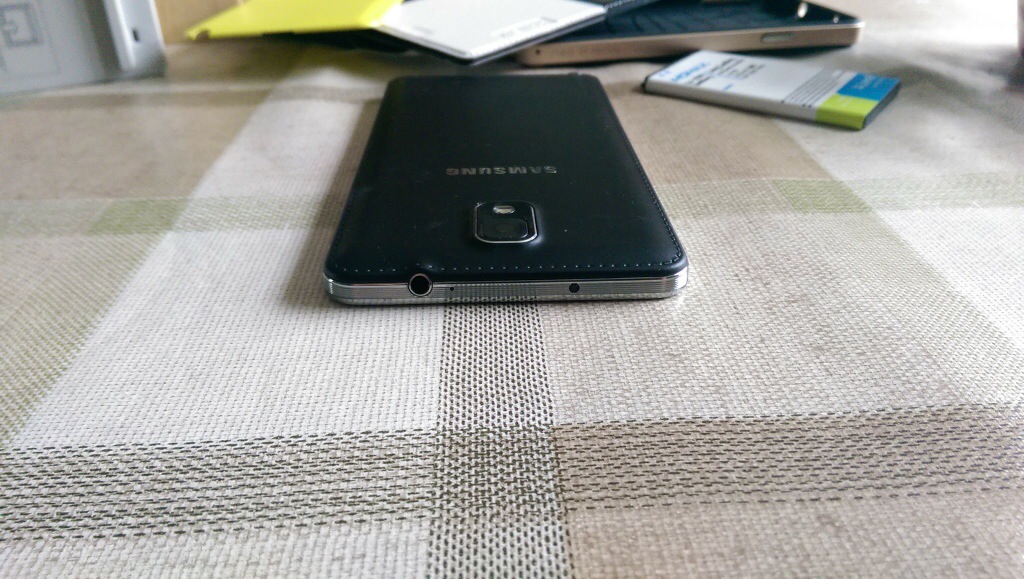
My Samsung Note 3 with box & contents as new plus £119 accessories for sale – Please RT

20140329-080311.jpg

I bought my Samsung Note 3 from Amazon UK at the end of December 2013. So I’ve had the phone 3 months. I’m only selling this as I bought the new HTC One M8.

20140329-080515.jpg

Included is the receipt from Amazon UK, the Note 3 plus box, all the leaflets, headset, Samsung UK charger adapter, USB 3 Samsung lead, the Note 3 is fitted with a tempered glass screen protector so I will leave that on. The phone cost just under £500 from Amazon.

Also included is a Momax spare battery, and spare battery charger which can also charge your phone at the same time.

3 cases. A Momax flip cover. A black dual layer case. The official Spigen sGP Neo case in champagne.

2 replacement backs. Also included are a yellow and white official Samsung. Back covers.

These accessories total new approximately £119. If you need any more info just ask.

I am selling everything as a package at a mere £399. Payment via bacs.

Will be posted Royal Mail special delivery as that is included in price.

Contact me using the menu, donations form or via twitter @gavinfabiani.

20140329-081054.jpg

20140329-081100.jpg

Phone is no longer available.

HTC One M8 – day 2 – review – battery, audio, directions, motions

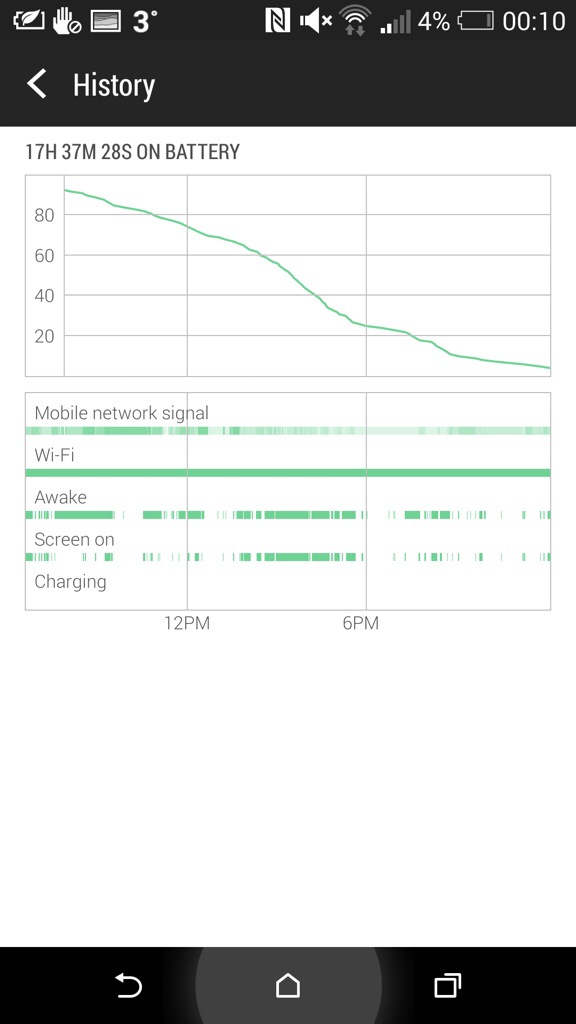
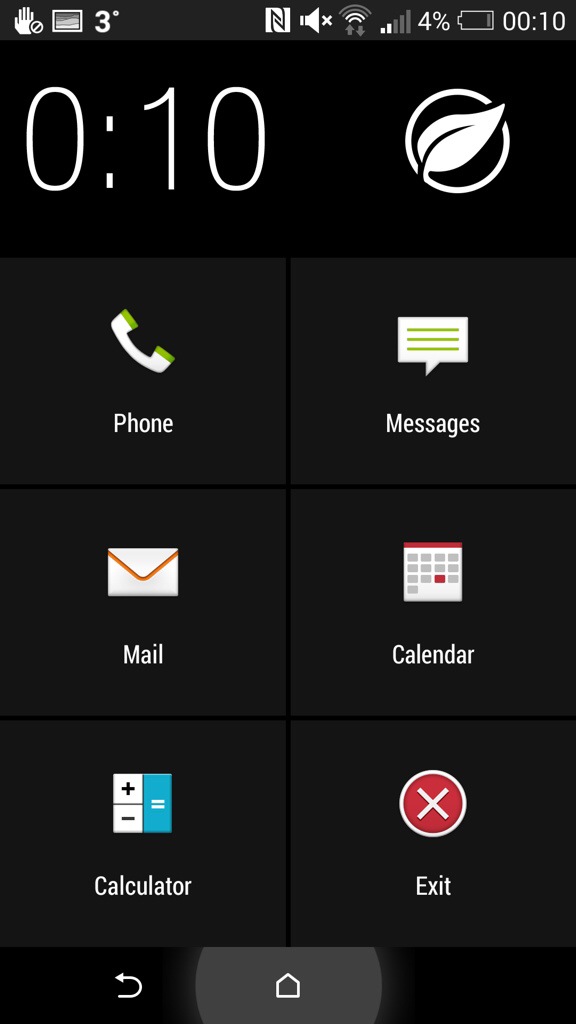
From 6.30am yesterday the HTC One M8 came off the charger. It managed 17 hours and 37 mins and then when it reached 3% I put it into extreme power saving mode. It’s still going. Now I would be considered a power user as I had several email accounts on push, listened to podcasts in the car and used Google Maps. Also used Google Play Music. Watched several YouTube videos. Downloaded apps and app updates. I have 90 apps including social media all working in the background.

I would say that the battery life in real use did really well.

I mentioned app updates. Some of these were the core HTC apps including HTC Gallery. This is superb as this means a full blown firmware update isn’t needed to correct or improve the HTC Apps. And this in turn means HTC can fix their apps without needing to wait for the carrier approval.

Audio. I had more time to use the Bluetooth audio, headphone jack audio and loudspeakers. One word. Freaking awesome. The Boomsound speakers sound so much better. I was listening to BBC Friday Night Comedy and the podcast was really clear, loud and not tinny. Bluetooth audio doesn’t use boomsound but does use AptX. Very clear and powerful sound with my Sony SBH80. Next, I plugged in several headphones. Omg. The headphone amp on this phone is obscene is a good way. So gutsy but neutral too. Plenty of clarity. It drove a full size pair of headphones better than anything I have used with them before.

The setup app appeared in the notification centre. I tapped on this and it opened up the HTC Setup app. You are given a web address with a code to enter. After doing this you can use the computer to effortlessly setup and personalise your HTC One. I had setup my phone on the phone itself so didn’t bother continuing.

Motion controls. I spent some time last night mastering the motion controls. With the screen off, lift phone and if you :-

1) swipe up it will unlock phone
2) swipe down will activate voice dial
3) swipe right to left opens phone in Blinkfeed
4) swipe left to right opens widget screen
5) lift up in horizontal position and press volume down key. Camera opens.

All these work really well and quickly.

HTC Car Mode. This uses HTC’s own voice app. And it’s not as good as Google. So in the help menu it says as an example ” Find a gas station “. So I asked it to find a gas station. Luckily I was low on fuel and it came up with a gas station nearby. According to Google Maps I would be there in no time, in fact just a mere 5 days and 32 minutes. In that period I would be somewhere in the heart of Europe. With my fuel gauge reading 5 miles I’m not sure I would make it that far!

So I tried the same thing but asked “find me a petrol station”. Slightly nearer, this time only a mere 86 miles away. So as a recommendation don’t use HTC Voice Car mode if you are low on fuel.

I also had a proper look at the camera and camera settings along with the video highlights. The camera and editing options are impressive and I have been pleased with the results so far. I managed last night in dim light to capture my 3 dogs. For privacy reasons I can’t show this but it was very good.

On Monday I will add part 3.

20140329-001722.jpg

Above. Screen shot of battery stats. Below. Screen shot of extreme power mode. These are the only apps available during this function.

20140329-001826.jpg