Category Archives: Reviews

Yotaphone 2 – Review – Conclusion

YOTAPHONE2 Image 5
Today I am going to cover off my final thoughts on the Yotaphone 2.

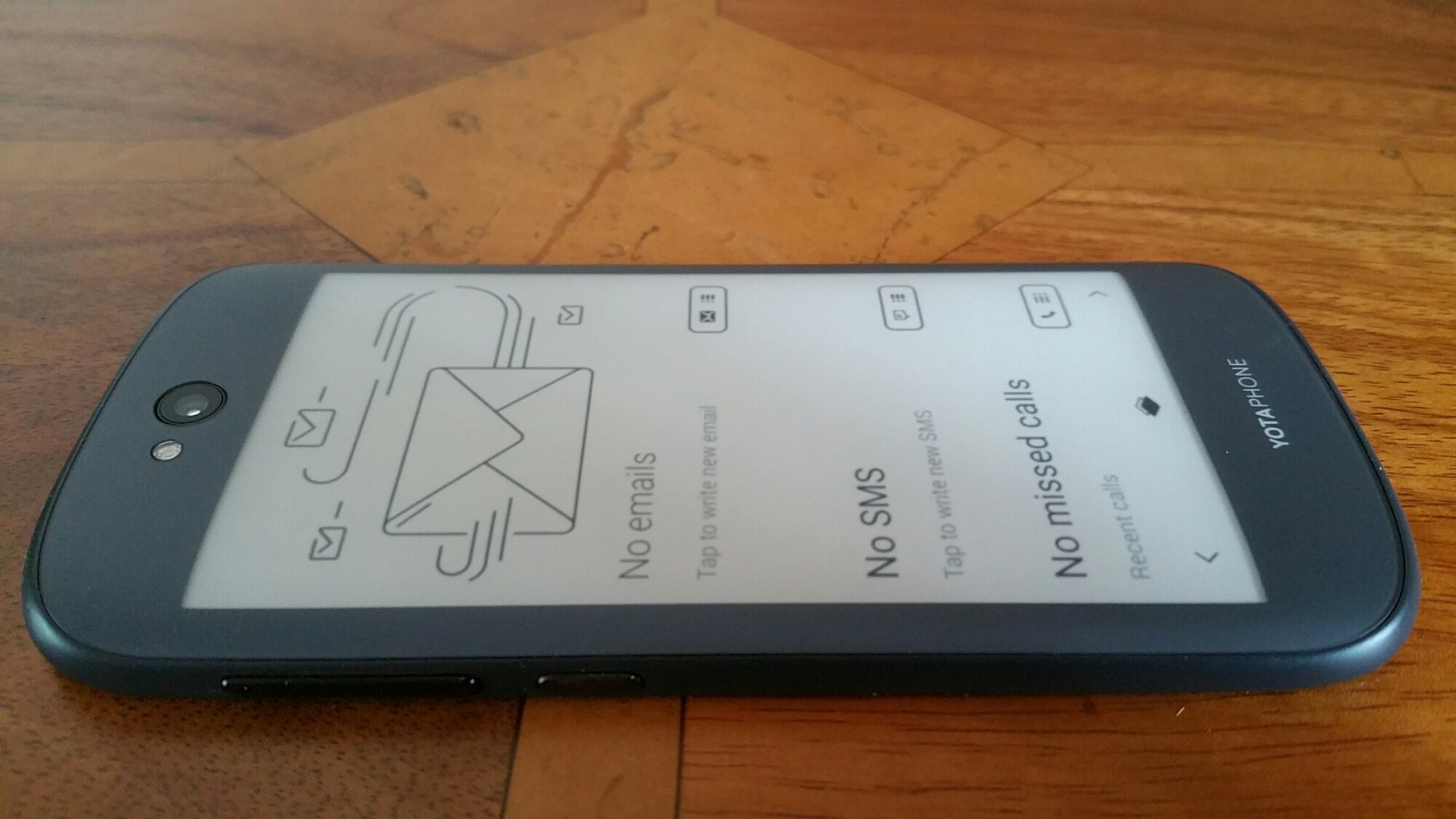
The Yotaphone is without a shadow of a doubt one of the coolest piece of tech I have reviewed in ages. It is novel, different and caused huge debate with my friends whilst out at a restaurant. My friends were fascinated with the rear e-ink screen.

The rear e-ink display is not just about battery life. It is also about having an always on display for vital information. Perfect daylight visibility. And if your battery is about to die, you can take a screen shot of some information you will need later in the day, and it will be left on the rear e-ink display. And finally, the e-ink display is better for your eyesight.

The camera and audio aspects of the phone were reasonable. The competition includes phones with better sound and cameras. But in reality if photos are shared on social media, does it matter what the camera quality is like?

If you want something different and are the sort of person that needs the unique selling points of the Yotaphone 2 then its a match made in heaven. But the competition is fierce and there are many other options to consider too. Personally, this phone is staying in my collection. It is too cool not to have!!

Cayin C5 -Portable Headphone Amplifier – Review

image

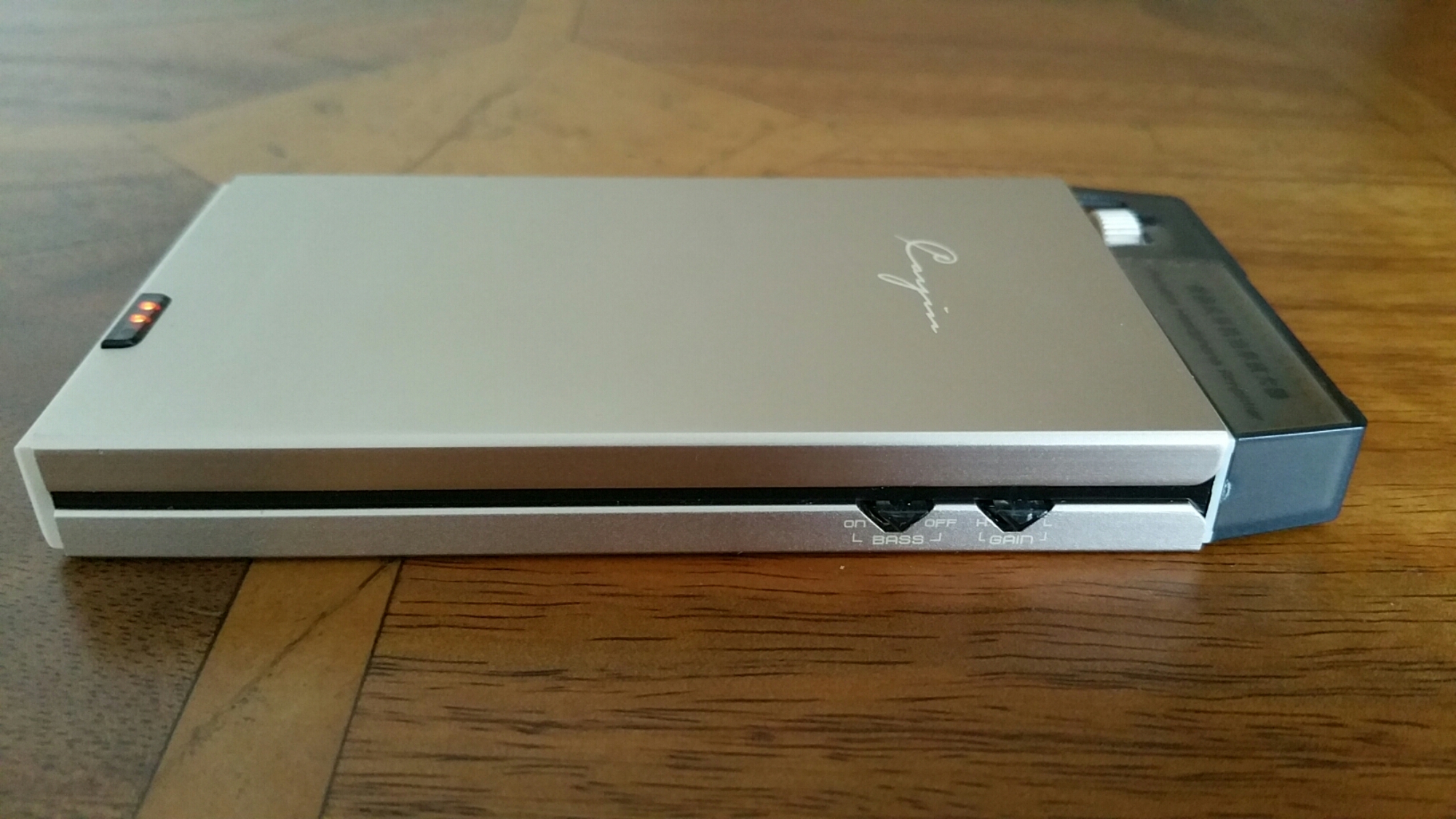
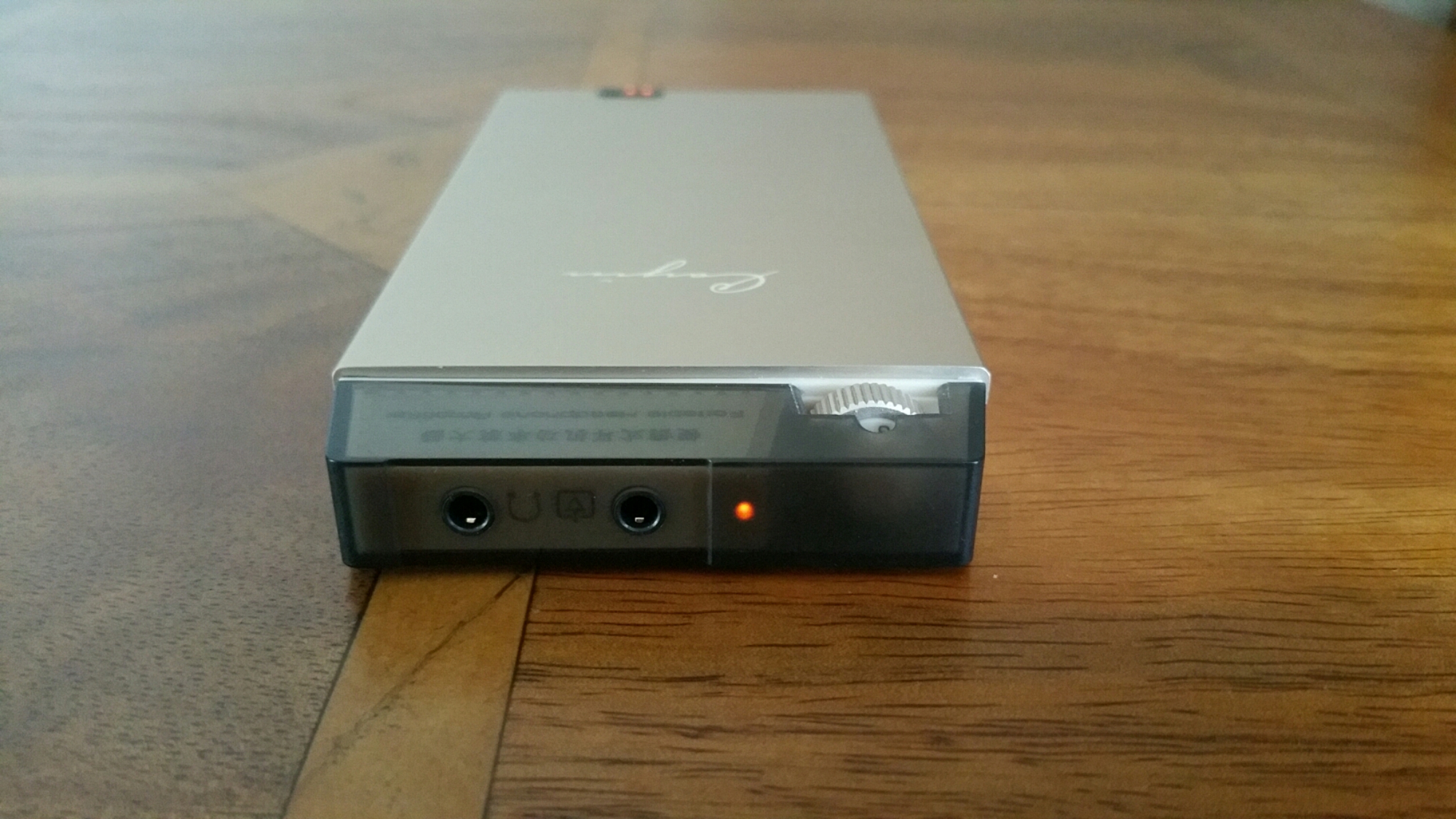
The Cayin C5 is a portable headphone amplifier that has a lovely sound signature and is capable powering many headphones. It is made from a brushed aluminium alloy. It has a battery level indicator. But what provides it sound is the use of dedicated high performance audio op amp OPA134 and LME49600. In addition Japanese original ALPS volume potentiometer is used too. The Cayin C5 is handy as it can be used as a mobile power source to charge other mobile devices. If you like more bass in your music it has a high and low end bass switch. It also has shielding to prevent interference affecting the music.

image

image

Technical Parameters:

– Rated output power: 800mW + 800mW (32 ohm load) SNR: ≥101dB (A-weighted)
– Life time: about 12 hours (32ohm load)
– Frequency response: 20Hz-100kHz (+- 1dB)
– Sensitivity: ≤500mV (gain H) Charge limit voltage: 12.6V
– Charging time: about 4 hours (off state, the use of DC5V / 2A charger)
– Total Harmonic Distortion: ≤0.02% (1kHz)
– Lithium battery capacity: 1000mAh / 11.1V
– Size: 136x63x15mm Weight: about 185g

So in English what does all the above mean. This amplifier has nearly 1 Watt of power at 32 ohms driving your headphones. With that much power the volume can obviously go very high but it more about the control of musicality that this amp brings to your music. The amp creates a huge 3D sound stage, which lets the mids shine out. Bass is controlled with excellence depth and dynamics. The treble is fantastic too, never too bright but very concise. The Cayin C5 is also capable of driving IEMs through to full size headphones.

This is one musical beast of an amp and seriously good value for money at it price. It is available from Amazon via EA Audio. This is where I bought mine from and using EA Audio too.

Link to Cayin C5 at Amazon via EA Audio

Yotaphone 2 – Review – Part 3 – Camera, Audio and More

image

Welcome back to part 3 of my review on the Yotaphone 2.

Today I am going to cover off the camera and audio aspects and any other titbits.

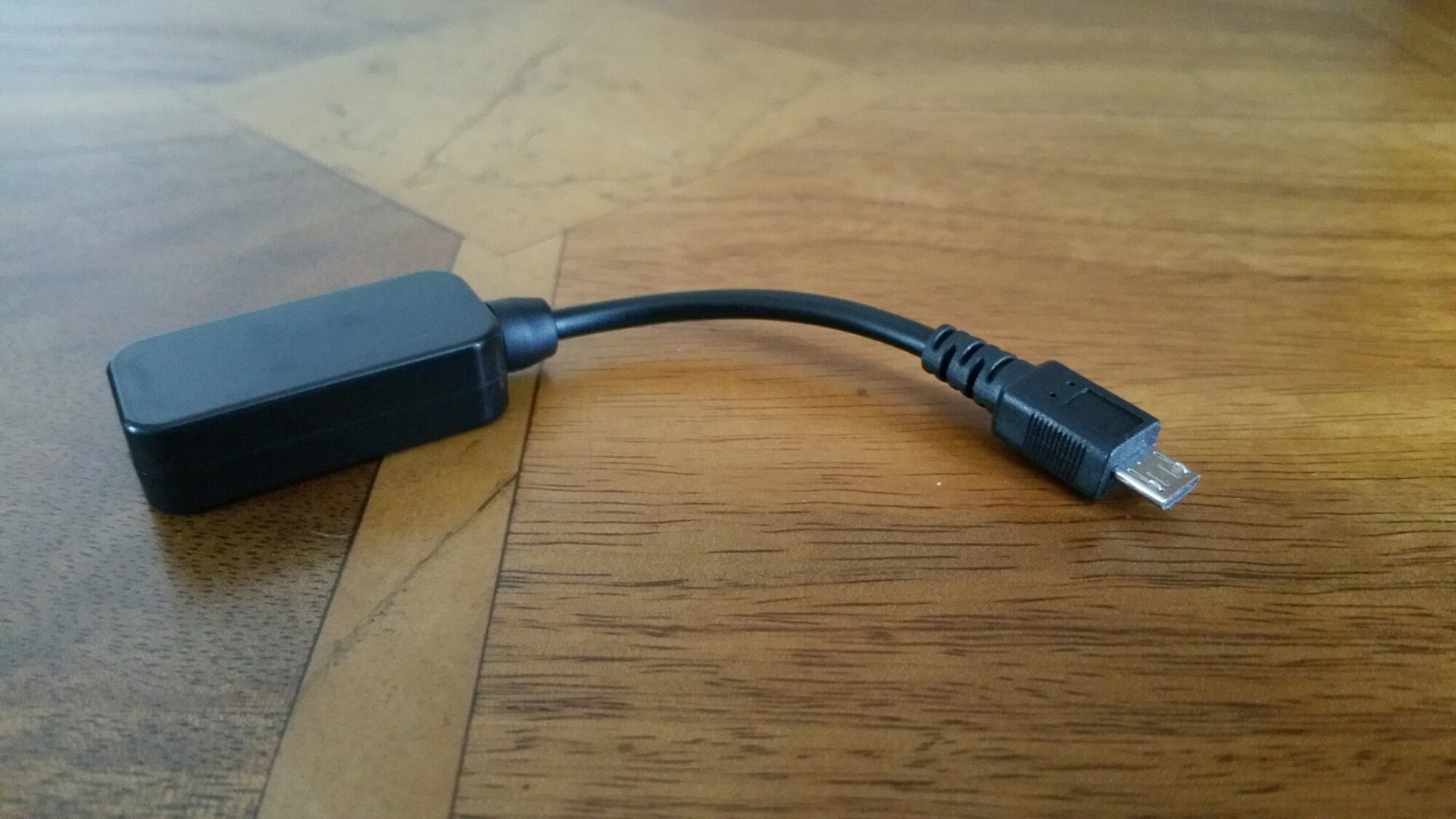
First up lets talk audio or sound. The loudspeaker is on the bottom edge, goes reasonably loud but is a little tinny. The sound through the wired headphones is not so hot. For some people it would be fine, but not for me. However, as soon as I connected my bluetooth headphones it was a different story. The music was so much better and a joy to listen to. But what about USB Audio. Using my USB Sabre DAC and USB Audio Player Pro app I was able to get USB Audio to work just fine.

The camera. 8mp on the rear, 2.1mp on the front. And being dual displayed comes with a few extra features. Firstly, the camera app is the default Google Camera app, so don’t expect any surprises. But don’t let the low resolution of the front camera put you off. Why? Well you can use the rear camera to take a selfie as the e-ink display will show your face to help take the shot. Also, when using the rear camera normally, 2 eyes appear on the e-ink display or a fake camera as shown above. Clearly Yotaphone have a sense of humour. There are other software novelties that appear when using a range of other apps. But what about the quality of the shots. Well on Sunday, I went out walking my 3 dogs. The lighting was poor and overcast so I did not expect brilliant shots. When I got home and examined them I was pleasantly surprised as they were better than expected. There are plenty of better cameras available but the f/2.0 clearly helped with my running dogs. I have created a Flickr album for the YotaPhone 2. Click here – https://www.flickr.com/photos/gavinfabl100/sets/72157650816294865/

In the meantime, below are some camera shots taken with the phone. Most are completely unedited.

Early Cols and Overcast Morning by Windy Post on Dartmoor with the Doggies #Yotaphone2

Early Cols and Overcast Morning by Windy Post on Dartmoor with the Doggies #Yotaphone2

Early Cols and Overcast Morning by Windy Post on Dartmoor with the Doggies #Yotaphone2

Early Cols and Overcast Morning by Windy Post on Dartmoor with the Doggies #Yotaphone2

The Myths of High End Audio Fidelity Blown Apart – Plus Photos of a £100,000 system

2011-12-29 11.30.19

From today onwards there will be a few more posts covering audio components and headphones. I am going to speak from my 20 plus years of experience in the high end audio through to my more extreme budget set up. Jumping back in history to my bachelor days I loved music and audio equipment. My flat had a lounge/dining room. It had one sofa on one side of the wall and the other side was 3 racks of equipment, and speakers as tall as myself. Married life and modern living and common sense later, that outrageous set up is long gone. The photo above was from about 5 years ago when I tried tube amps. I used the direct line out of the iPod Classic and amplified it into a Little Dot Tube amp and then connected some 600 ohm Beyer Dynamic headphones. This set up looked good and sounded amazing especially when I used a pair of Sennheiser HD600 headphones. That experience was frighteningly good. But alas, along came some sprightly labradors and delicate tube amps were not ideal. Just as a side step, the Little Dot tube amps were not an expensive option at the time. Before I started Gavin’s Gadgets I wrote a review of the Little Dot Tube amp which I have published today.

On twitter recently, there was a thread providing a link to a £1,000 cable. FLAC sound files were played and no difference could be heard from their iPhone by one of my friends. One is assuming a dedicated app was used to play these files, but what I am unsure about is whether a dedicated and separate USB DAC was used along with a headphone amplifier. But what is my point here?

Simply this, for some people better sound quality is irrelevant. They might be able to hear a better sound if you gave them different audio setups, but in reality they could not care less. Then you get the next level, people that can and do care but don’t want to spend the earth and then you have people who spend more and more and more.

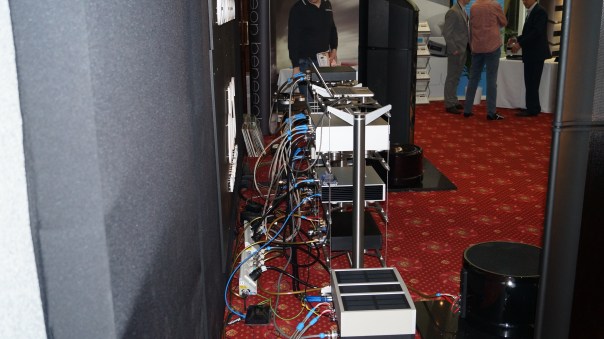
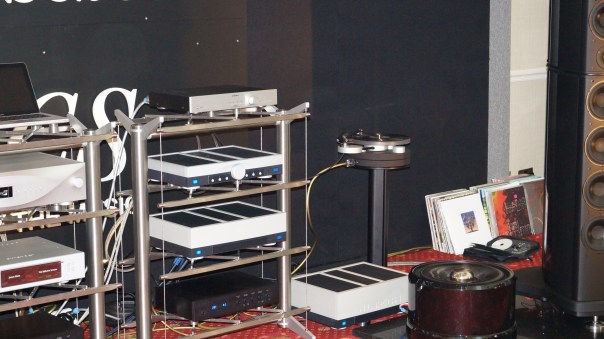
If you spend £100 on a few components to upgrade the sound, spending £1,000 will not give you ten times the improvements, maybe just 10-15%. And if you spend £10,000 plus you might get 10 times the improvement of a £100 set up but in reality what you should get is beautifully made products too. I can compare it too driving a Mini Metro and a Ferrari. Both will get you from A to B, but one will do it in more style and cost you a bomb. Below are 2 photos I took at a Hi-Fi Audio show a few years ago. What you are seeing is £100,000 of equipment. I leave you make your own comments about this system yourself!

2013-02-22 10.49.09

2013-02-22 10.47.12

Sometimes, spending less can be more fruitful too. This is because of technology and the improvements it can bring also reduces costs too. If you use your phone to play music, typically it is broken down in stages. The phone acts as a music transport to play music, that is sent into a DAC (digital to analogue converter) that is then amplified out in to your headphones. As DAC’s improve it is not unreasonable to expect in the future that a phone can have a superb sound without the need of all the extra pieces. Wolfson DAC’s for example are found in several smartphones and do a stellar job.

If you do decide to try out different audio components it can become an expensive hobby. It is also about balance. If you only use MP3 recordings at say 320 bitrate, then spending £10,000 on a system is overkill by miles. Other factors that you need to take in to account are the headphones you are going to use. You can of course use different types of audio files like FLAC. Problem with these is that will the quality is above CD’s the downside is that you need 1 GB for a typical album! Next week I am reviewing 3 different pairs of headphones. One of these is the well established Sennheiser HD518. These have been made by Sennheiser for years and well before portable audio quality became more mainstream. So they have an impedance of 50 ohms. Sennheiser are now making trendier looking headphones that are much easier to drive direct from a phone’s headphone jack.These new breed are anything from 16 to 32 ohms and as the impedance is lower, are much easier to drive. Whilst the HD518 can be connected to say your iPhone, these headphones only sound their best when amplified.

So where am I with all this. I have decided that the best solution is one that can fit in my pocket and that is truly portable and works off batteries. It is cheap as they come but provides that 10% increase in performance. It is a set up that can power most headphones so that they reach their best performance nearly. It is also all in balance in terms of price too. I use my Note 4 to store the music, USB Audio Player Pro app to play the sound into a HiFiMe DIY Sabre Android USB DAC which then connects to a Cayin C5 portable headphone amplifier. The Cayin C5 can also act as a battery back and recharge your phone or other device too. This all costs in total around £130. I use this set up as I prefer over the ear headphones.

However, if you used in ear canal type headphones you could remove the headphone amplifier and just spend £26 on the USB DAC as that is powerful enough normally to drive in ear canal headphones.

Everything is about balance, and also about whether you can hear the difference or whether you want the hassle of extra components. It also is about deciding if you want something stylish. But never get fooled in to thinking spending guarantees a better audio fidelity.

HiFiMeDIY Sabre Android USB DAC – Review

image

Today I am going to be reviewing the HiFiMEDIY Sabre Android USB DAC. This will form part of another 2 reviews, one covering the Cayin C5 portable headphone amp (live tomorrow) and another post blowing apart the myths on high end audio fidelity.

The HSAUD has DIY in its title for a reason. It has high end components inside, but housed in a cheap DIY plastic box thing to reduce the price down as low as possible. The Sabre ES9023 dac chip that is located inside this plastic box is found in more expensive DAC’s costing hundreds and even thousands of pounds.

Specifications –

-Sabre DAC Technology, Sabre ES9023 dac chip
– Connects directly to microUSB connector on Android phones
– Works with some phones only! USB OTG support required and Android 4.2+
– No external power needed. Dac draws minimal power (30mA)
– Output using a 3.5mm headphone jack

As android phone vary so much in terms of their internal specifications there is a warning about which android phones will work with this DAC. HiFiMe has tested it and confirmed it works with the following models include: Samsung Galaxy Note 2 running newest software update, Samsung Galaxy Mega running Android 4.2.2, Samsung galaxy S3 with newest software Samsung Galaxy S4 with Android 4.2.2 LG Optimus G Pro 4.1.2+ Possibly works with most Android phones running android 4.2.2 Does not seem to work with Cyanogenmod software. I have tested it with the Samsung Note 4, Honor 6 and Yotaphone. All work with this device using an app called USB Audio Player Pro.

So what is special about the DAC used. The Sabre ES9023 dac chip allows the sound to go straight out of the DAC chip and into your headphones or amplifier. It is not needed that the sound signal go through a capacitor to remove a DC voltage, there is no DC voltage to remove! This omits the need of a colouring cap which adds costs and reduces sound quality. – Jitter Eliminator! The ES9023 utilised patented HyperstreamTM architecture and Time Domain Jitter Eliminator. – 112db DNR USB (receiver) PCM2706: – Accepts up to 48Khz/16bit Output levels: Open 2.2Vrms 4.7Kohm 2.1Vrms 1.8Kohm 1.9Vrms 510ohm 1.5Vrms 330ohm 1.3Vrms 30ohm 1Vrms Note: Normally amplifier inputs are from 10K to 100K ohm. Normal headphones are from 32 ohm to 300ohm. Sound alien to you.

Don’t panic. This DAC is an upgrade to what your phone is using. It helps alot to have mp3 or similar at 320mp3 bitrate. The higher the bitrate the better and FLAC files help again. If you play mp3 or FLAC files straight from your android phone into the HiFiMeDIY DAC without using a proper app like USB Audio Player Pro, then there is no point even bothering to go down this route.

What is the difference using this method. You lose the convenience of just plugging your headphones into your phone and listening to anything via any app. You need the music stored on your phone and use a dedicated app. You gain huge improvements in everything to do with your music. It is like cobwebs are blown off the tracks. It really will make that much of a difference unless the actual recording is crap. Crap in and crap out.

The other beauty of this DAC is it can power many portable type headphones without the need of a portable headphone amplifier.

All in all I highly recommend this USB DAC.

Little Dot MKIV Headphone Amp – review

Below is the review of the Little Dot Tube amp that I wrote in November 2011. As I mentioned it in another article I thought it would be good to include it today.

image

Little Dot MKIV Headphone Amp – Review by Gavin Fabiani-Laymond


Date of Review – 16th September 2011

Available from – http://www.littledot.net


Price – $289 plus shipping

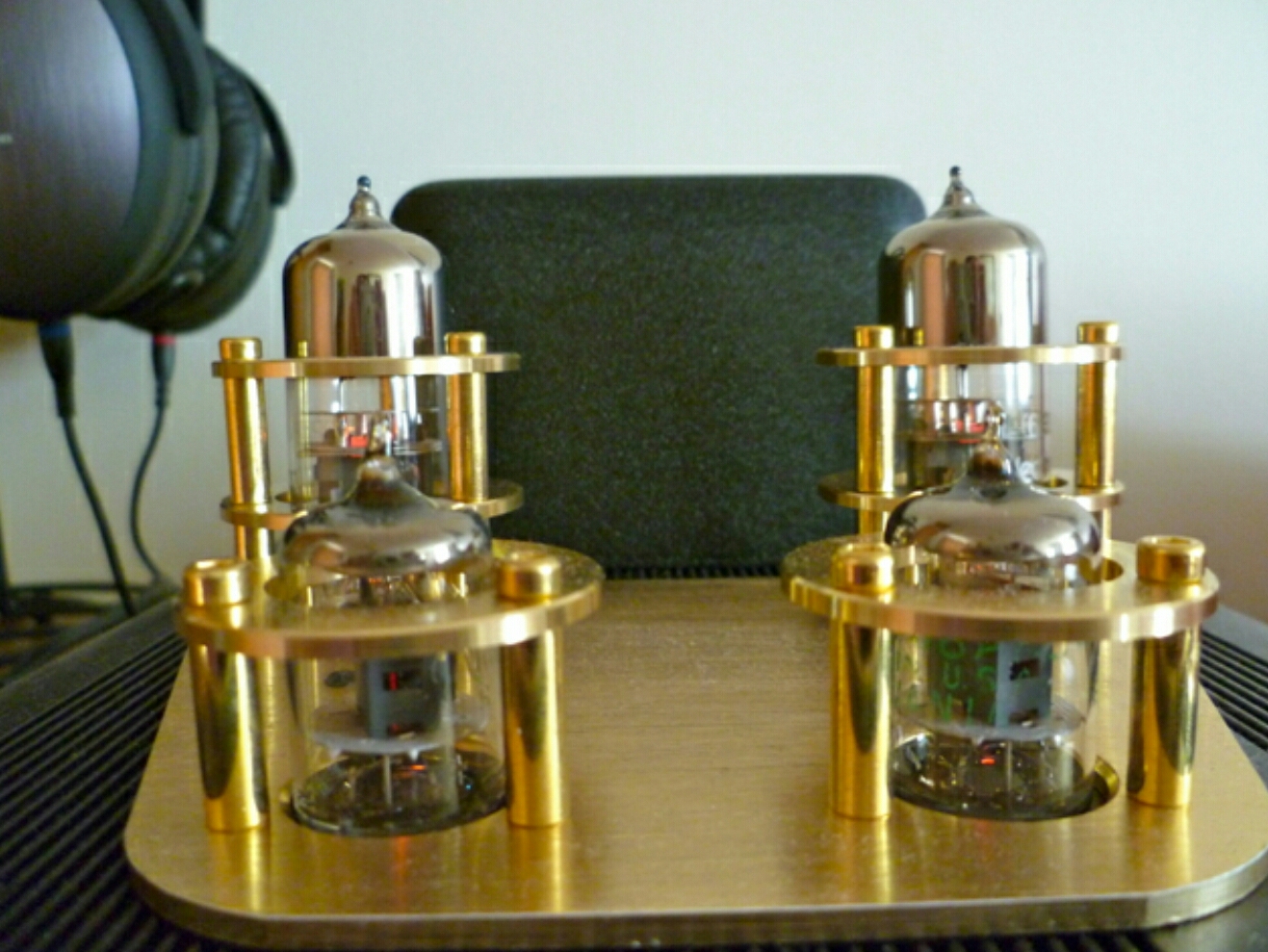
Pros – Luxury quality looking headphone amp, with the oomph and sound experience to match. Plus look at those valves!


Cons – You might need to replace the valves. Once a year you need to pull the valves out and clean the valve pins. Easy to do though.


I don’t know if many of you have recently visited HMV or your equivalent store, but the other day I was in HMV, and 20% of the sales area was devoted to headphones, along with 3 large tables where you could listen to any of the headphones with a variety of music genres, or plug in your own iPod or iPhone. In fact even more startling was the number of headphones costing around £300. With the rise in quality headphones has risen the number of affordable headphone amplifiers. Even Amazon has a Headphone store now. In fact you can spend thousands on headphones. So with the growing number of portable devices, comes a market to cater for people who need to listen in private without disturbing others around them.


Today, I am reviewing the Liitle Dot MKIV Headphone Tube Amp. This is their flagship single-ended headphone amplifier/pre-amplifier in the Little Dot MK-series. Boasting a SEPP (OTL) in Class-A circuit design with high quality components such as an ALPS-27 potentiometer, Nichicon, Rubycon, and German WIMA/ERO capacitors. Regardless of whether your headphones are 32 ohms or 600 ohms, the Little Dot MK IV can drive them easily with effortless dynamics (45Vp-p!) , subterranean bass, cavernous soundstage, and precise 3-D imaging. The Little Dot MK IV also adds in options such as two gain switches to delivery maximum compatibility with all your headphones, regardless of impedance or sensitivity. Also available for the very first time in a Little Dot amplifier, and an internal jumper to allow use with a wider range of driver tube-rolling, including the EF92, CV131, WE403A/B, GE5654, M8100, CV4010, EF95, 6JI as well as all equivalents, derivatives, and direct replacements to these vacuum tubes.


Technical Specifications:


SEPP (Singled-ended Push Pull) OTL in Class-A

Frequency response: 10 hz~100 Khz (-1dB)

THD+N: 0.1% (100 mW @ 300 ohm)

Power Output:

500 mW @ 300/600 ohm

300 mW @ 120 ohm

100 mW @ 32 ohm

Power Consumption: 30W (228V x 0.133A)

Variable Gain: 3,4,5, or 10x

Recommended Load Impedance: 32 ohm~600 ohm

Input Impedance: 50K ohms

Pre-Amplifier Output Impedance: 600 ohms

Pre-Amplifier Gain: 3-10x (also controlled via gain switches)

Pre-Amplifier Voltage: 10V RMS

Pre-Amplification circuit includes both driver and power tubes

Driver Tubes: 2x JAN 5654

Power Tubes: 2x Soviet 6H30EH

High quality aluminum chassis

Neutrik Headphone Jack

Dimensions (Metric): 320mm deep by 220mm wide by 143mm high

Weight: 3.5 Kg or 7.7 lbs

1 Year Little Dot Warranty, available in either 120VAC or 220VAC


Some might say, what is this product and how do I use it. Simply, you can either connect your PC/laptop or iPod to the headphone amp, and then connect your headphones into the amplifier. For the best results, connect your PC digitally into a Digital to Analogue Converter, then connect the DAC into the Little Dot. If you didn’t want to use headphones, you can use the Little Dot as a pre-amp, connecting the amp to a power amp and then a set of speakers. The other connection method is using an iPod or similar. Connect using the dock connector cable in to the rear of the amp. You can buy special cables for this.  Below is a picture of my setup. I use a Musical Fidelity V-DAC (digital to analogue converter) with its dedicated power supply V-PSU. The V-DAC then connects in to the Little Dot. My MacBook is sending the sound digitally using the optical out to the V-DAC. You can also use USB out on most PC’s.

image

So what is special about this headphone amp. Well if you haven’t noticed by now, it’s the valves or tubes (4) protruding from the casing. These provide the power and sound. During use these glow lightly orange, more visible in the dark and obviously get do become hot.  See close up photo below. The slight glow of each tube is just about visible. These valves are about 60 years old by the way!


The other special feature of this amp is the sound. Valves provide a warm and enjoyable listening experience. Also, a Class A amp has tons of oomph to drive any headphone. To help tailor the experience, there are gain switches under the device, offering a multitude of options. As this is Little Dot’s flagship amp, it is designed to be paired with a certain breed of headphone. It works really well with all types, but if you are only going to have a low cost headphone, you could buy a Little Dot MKI Hybrid amp which will work for you. Let me explain further. When you look at the technical specs of a headphone, there is the ohms figure, typical 32 ohms is ideal for portable devices as they can be driven with ease. Then there is the Sound Pressure level db. The higher this is the better for portable devices. So a 32 ohm, 110 db headphone won’t need a strong amp to drive it. The Liitle Dot MKI Hybrid is a perfect option for these easy to drive headphone as it designed to provide the most energy at this lower level, but as soon as the ohms increase it doesn’t have enough voltage. The LD MKIV amp is designed to provide high voltage as the ohms increase. Once the ohms are over 300 ohms, this is the point it provides its best sound possible. As an example, Sennheisers’ flagship headphones are 300 ohms, HD600, HD650 & HD800. Beyerdynamic offer a number of headphones at 600ohms. A portable device like an iPod would struggle to get the best out of these high ohm headphone. Sounds complicated but it really is simple.

image

So, how does the Little Dot MKIV sound. Audio heaven is a good description. I have 2 headphones, the Sennheiser HD600 and Fischer Audio Master Series FA-003. Both sound the best they ever have. The HD600 are 300 ohms and FA-003 only 64 ohms. With the HD600 it doesn’t matter what your genre of music is. Everything is stunning. Sound stage is wide, instruments precisely placed, vocals so real you believe the artist is next to you, power and attack arrives instantly due to the Little Dot’s power and voltage reserves.  Plus there is no sharpness or brittle effects in the music. I was listening to Melody Gardot, and it was giving my shivers it was so real. Queen was awesome, the realism of the vocals, and instruments. I wish you all could hear what I can hear. Classical is spellbinding at times. You can listen for hours. In fact I do!


Summary


A beautiful piece of equipment to behold, and provides audio pleasure only to dreams are made of.


Score 97%.

FitBit Charge HR review – Including using it with MyFitnessPal

image

Today, I am going to review the FitBit Charge HR with comparisons to all the other wearables I have used, including the FitBit Flex, see link https://gavinsgadgets.com/reviews-accessories/ to read up on all the other smartbands, watches and fitness devices already reviewed on Gavin’s Gadgets.
image

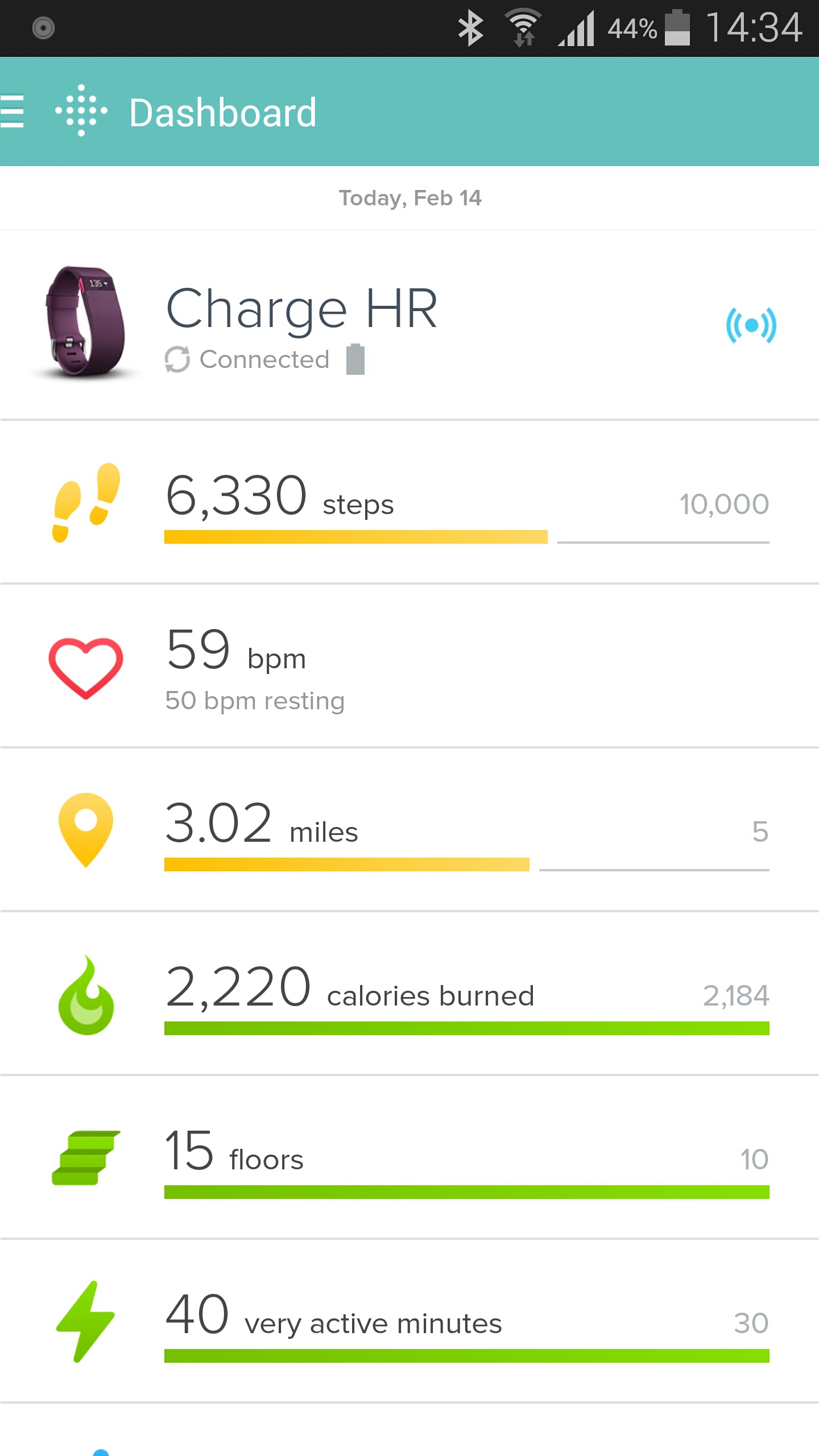
Charge HR builds on last year’s Flex fitness band with a bright blue OLED display, advanced sensors which include an altimeter for counting stairs climbed and optical heart rate monitor dubbed “PurePulse.” The FitBit Charge HR tracks steps, distance, calories burned, and floors climbed, It also takes into account motion and heartrate in its sleep analytics, meaning you don’t have to press or tap anything to tell it you’re about to go to sleep. It is water resistant—that is, sweat, rain, and splash-proof but not waterproof. Below are the home screen layouts for the Fitbit app on android. This looks the same whether on iOS or windows phone.

image

image

What makes the Charge HR special is its real-time heart monitoring capability. This means it knows if your in fat burn, cardio or peak zones when exercising. When you have told it you’re in exercise mode the heart rate measurements are taking every second. The FitBit has three special heart icons displayed next to the pulse rate readout which displays which mode your in – fat burn, cardio or peak zones.

When you have not activated exercise mode the Charge HR takes readings at five-second intervals throughout the day and this can be analysed later on a graph. There is also the ability using the app to adjust the heart rate banding in the different zones. This could be if you are a super athlete with significantly different bandings for your heart rate in the respective zones.

The Charge HR has an OLED screen. One press shows me the time and date (this is customisable), next press is steps, then current heart rate, distance travelled and calories burned. And that is all it does. It can vibrate for call notifications and sms, and for silent alarms. I do not use these features at all.

My wife has the previous generation of FitBit, the Flex. The Flex does not have a heart rate monitor or OLED display. The Flex has an different strap which is not as easy to remove or attach and could come off by accident. It also does not know when you are sleeping, or in a particular zone. You have to tap it to activate sleep mode. The sleep mode is not as accurate as the Charge HR. However, the Flex does have loads of replacement bands available from third party companies. My wife bought a pack of 10 different coloured straps for £12. With my wife using the Flex and myself on the Charge HR, there is no way in a million years that I would consider buying the Flex. The Charge HR is so much better.

The expression it does what it says on the tin is very true with the Charge HR. It makes walking, exercising and sleeping a breeze. It just happens in the background. It enables me to see how I can improve my fitness and more. But as this is a FitBit it also integrates into other third party apps. I am using MyFitnessPal to help me lose some pounds.

image

The Fitbit talks to MyFitnessPal and then MyFitnessPal converts the steps into additional calories that is added on to my total for the day. See above. However, if I was having a lazy day, MyFitnessPal deducts calories.

Using the Charge HR and MyFitnessPal in my current situation is a dream machine. It is also the best combination of any smart or fitness device I have used to date. Highly recommended.

Yotaphone 2 – Review – Part 2

YOTAPHONE2 Image 5

Welcome back to part 2 of my Yotaphone 2 review. Today I am going to take a closer look at the special software and other aspects of the phone.

I was asked if I could provide the AnTuTu and Geekbench 3 scores for the Yotaphone 2. Personally, I don’t like these scores as they can mean nothing in real life. But as a few of you asked for the information, here is the highlights. AnTuTu scored a respectable 39,878. Geekbench 3 produced the following scores 895 for the Single Core and 2661 for the Multi Score. To give you a comparison the Samsung Galaxy S5 is similar to the single core and multi core scores of the Yotaphone 2.

Considering the Yotaphone 2 uses a Snapdragon 801 processor the above scoring is totally in the range I expected.

image

Anyway back to the Yotaphone 2 and its secondary display. When you first power up the phone for the very first time, you are guided through a tutorial which explains how to use the display. Useful. One feature I really liked was the Yota Mirror function that allowed you to send the display from the front to the rear. This is not simply switching displays but also converting the display to the lower e ink resolution. It is worth noting that the e-ink rear display is slower to use, has much longer refresh rates and ghosting does appear. However, it is totally usable and in many situations really superb to use.
image

image

image

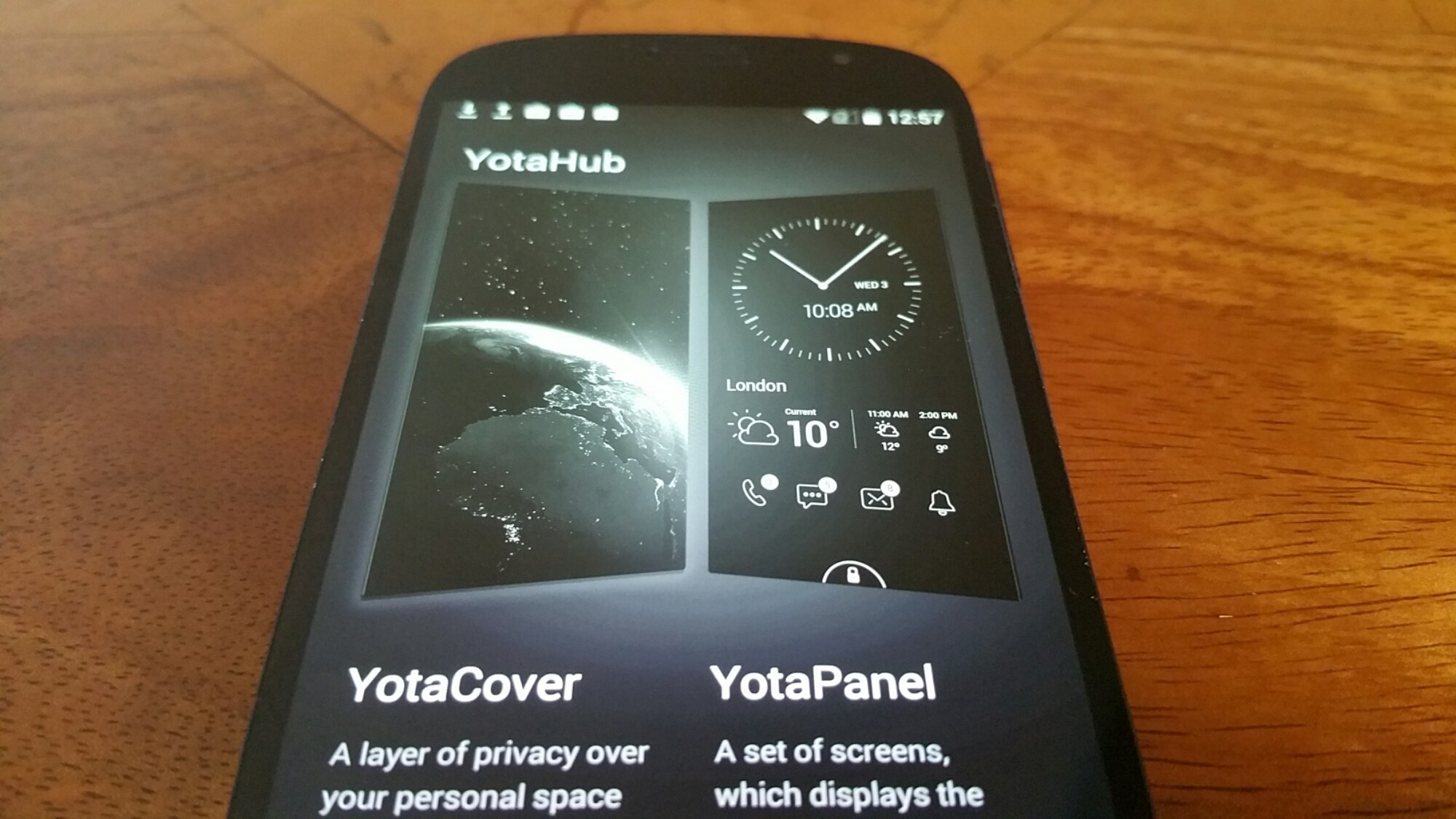
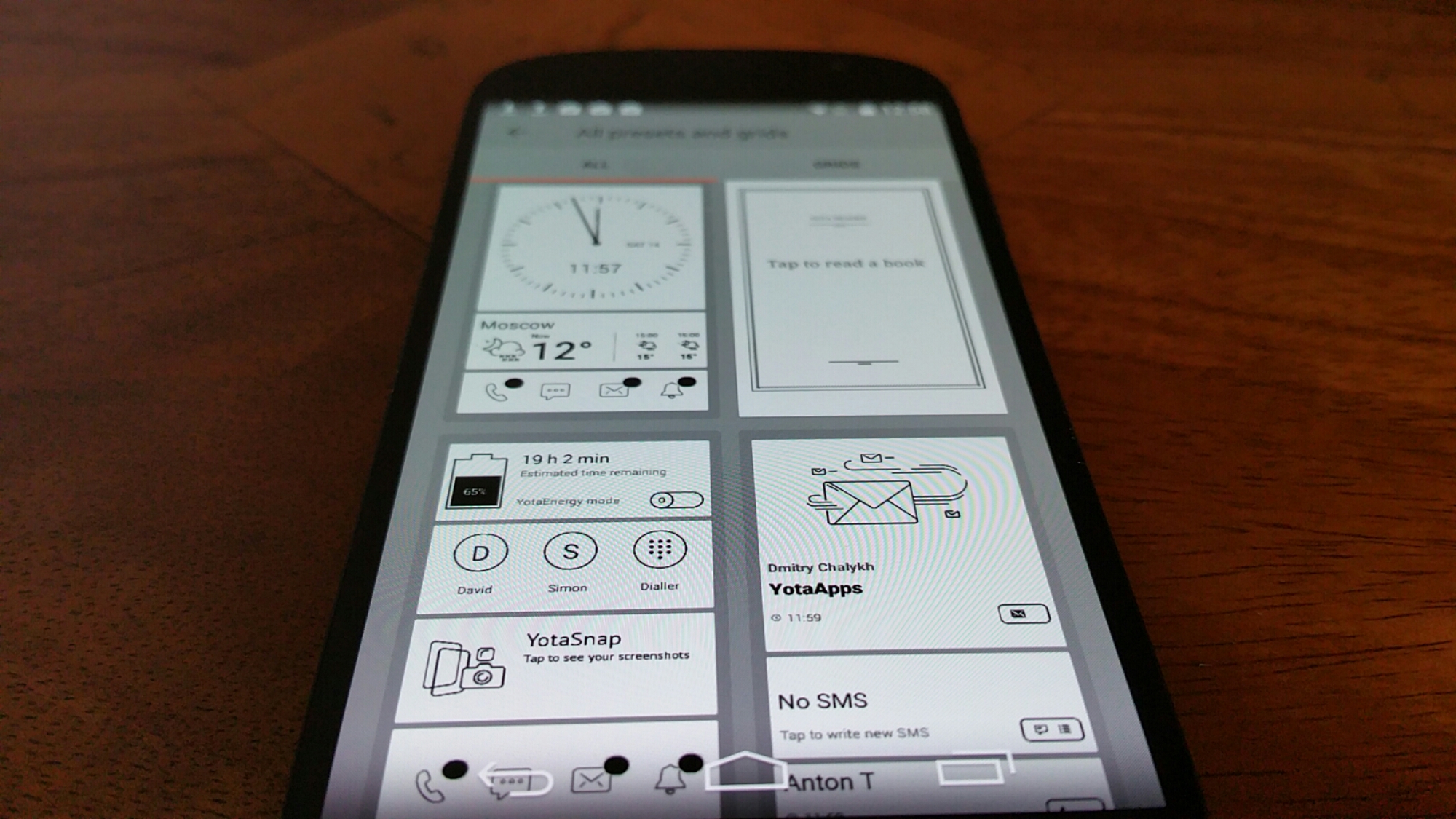
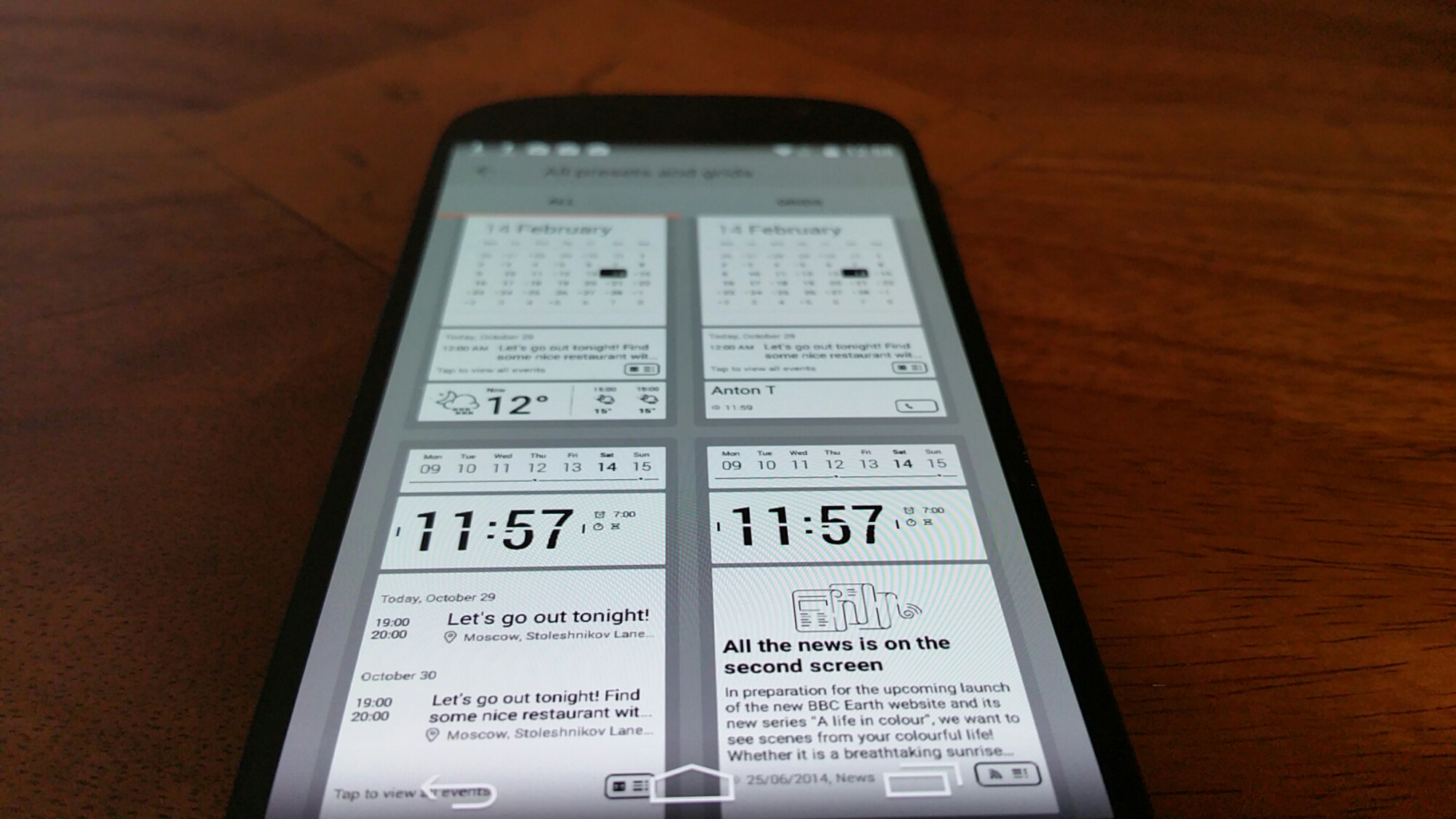
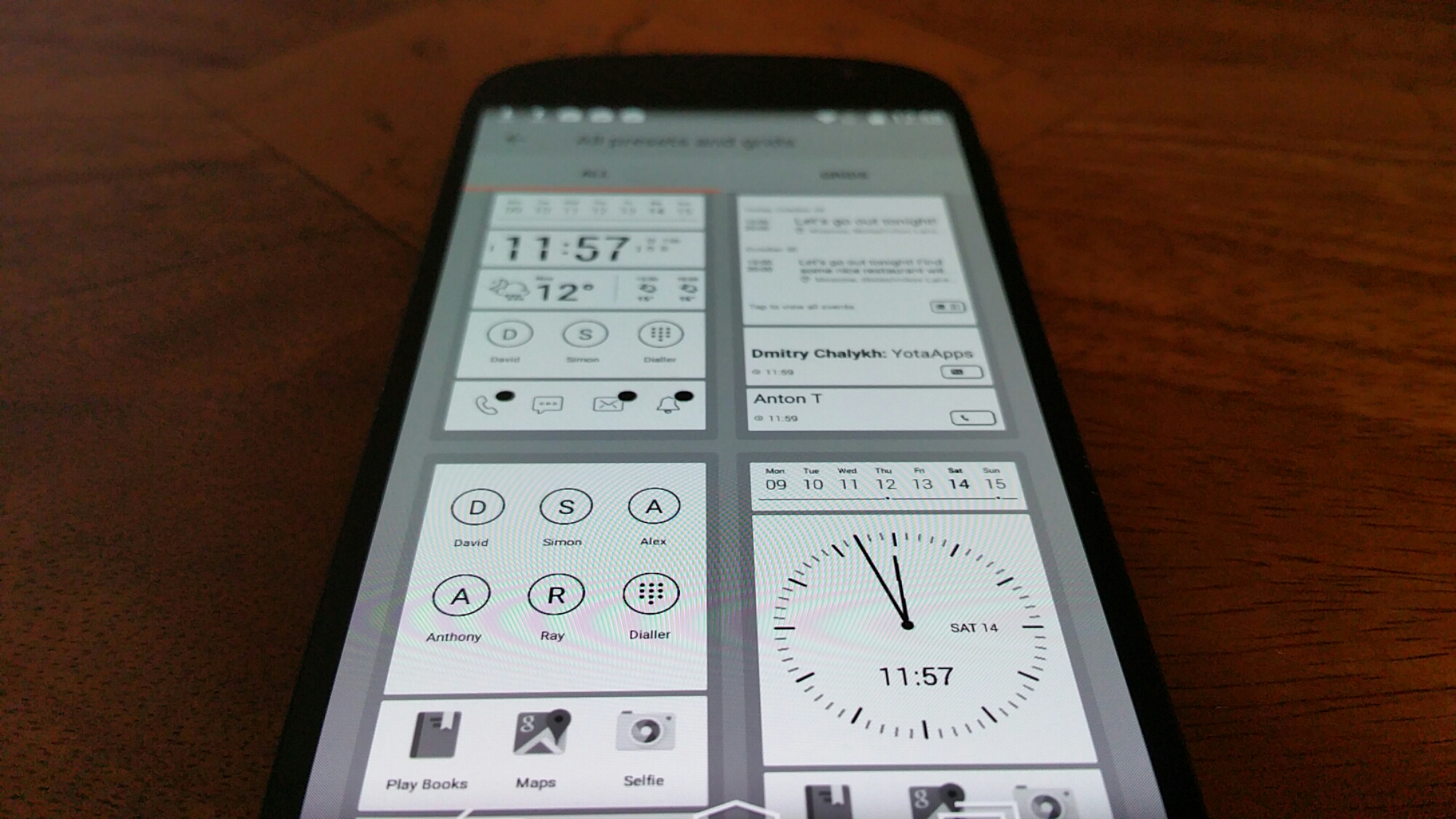
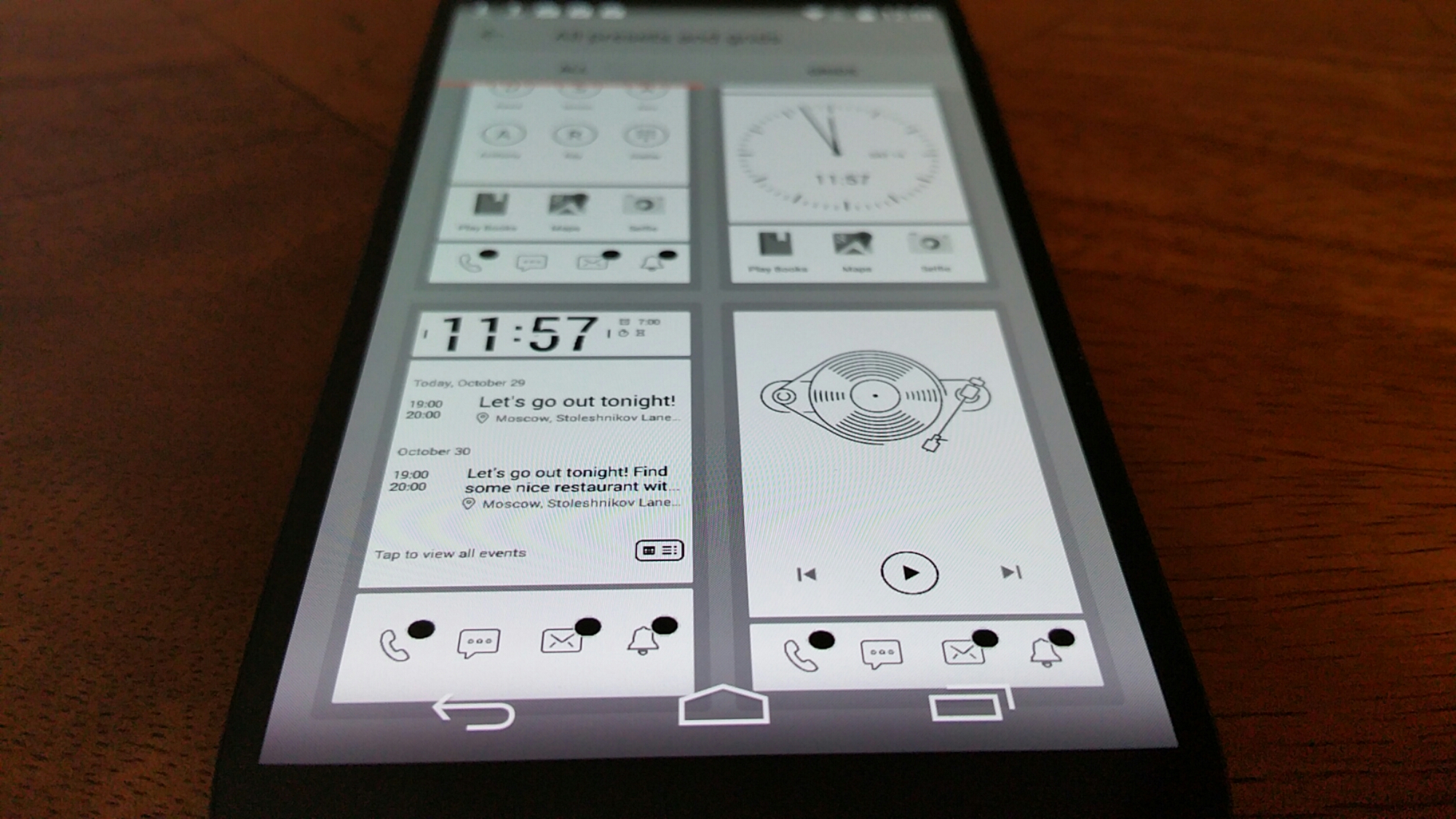
Yota provide 2 extra pieces of software on top of the Yota Mirror. These are YotaCover and YotaPanel which are managed by the YotaHub app. The YotaCover is the lockscreen for the e ink display. Yes a lockscreen to protect your private content if you so wish. It can also have notifications for email etc Here you can have a static or moving image. YotaPanels are up to 5 bespoke screens/panels of information that you can switch between. The recent firmware update increased the panels from 4 to 5 and also provided a white screen theme as shown in the photos. You can use the pre designed panel layouts or create your own. Some of the widgets which come in various sizes include a clock, battery, music player, calendar, appointments, app launcher and notifications. It is really customisable and clearly a lot of thought has gone into this section.
image

But what else is included. Well lets just step back a moment. The Yotaphone 2 has a near stock android experience which is a good thing as it makes for a snappy device. But Yotaphone did include some apps and games to improve matters. I mentioned yesterday YotaSnap but it also has a powerful battery saving mode called YotaEnergy. You can preselect at what battery percentage you would like this to be activated or turn on manually. This has a number of options to decide whether you want wifi, bluetooth or other options turned off. YotaReader allows you to import books, (you could of course mirror Amazon Kindle app), YotaRSS uses Feedly, games included are Chess, Checkers, Sudoku and 2048, all of which are ideal to be played on the e ink display.

Tomorrow, I will look at the camera and audio/loudspeaker. If you have any questions, please let me know.

image

image

Honor Holly – The New Phone from Huawei where you can set the price

20150215_092309

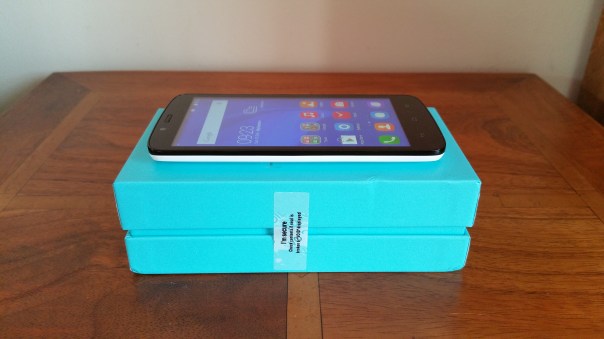
Huawei recently announced the Honor Holly. The Honor Holly 5 inch IPS screen phone with a quad-core 1.3GHz chip, 16GB of expandable storage, and 1GB of RAM. The rear camera is 8MP and the front is 2MP and both are BSI modules with f/2.0. It features dual sims and a micro SD slot. It’s powered by a 2,000mAh battery, and will run Android 4.4.2 with Emotion UI. A 48 hours battery life is claimed.

So what is the price. Well that is up to you to help set. By registering online and you can vote for a lower price with the final revealed on February 23rd. After that, you will have until the 26th to purchase one online. For more details on this click here – http://www.hihonor.com/en/pages/campaigns/pricehacker

My review of the Honor Holly will go live next week. If there is anything you would like to know about this phone or covered in my review please let me know.

Yotaphone 2 – Review – Part 1

image

image

Good morning or evening or afternoon everyone, depending on which part of the world you are reading this from. This is my first part of the Yotaphone 2 Smartphone review. If you look at the photos of the Yotaphone 2 it is a decent sized phone, solid and comfortable to hold.

But before I delve deep in to the phone review, lets take a look at the specifications.

The technical specifications of the Yotaphone 2 (model YD-201) are –

-OS: Android™ 4.4.3
-CPU: Qualcomm® Snapdragon™ 801 2.2 GHz quad-core
-Form Factor: Monoblock with full touch capacitive screens on the front and back
-Dimensions: 144.9 x 69.4 x 8.95mm
-Weight: 145g
-Screen: 5”AMOLED Full HD 1920×1080,16M colours,full capacitive touch,442ppi,Corning® Gorilla® Glass 3
-Always-on Display: 4.7” Electronic Paper Display 960×540,16-level gray scale,full capacitive touch, 235ppi, Corning Gorilla Glass 3
-Network: GSM/EGPRS 850,900,1800,1900 MHz, WCDMA,DC HSDPA (rel. 8,cat.24), HSUPA(rel.7, cat7) bands 1 (diversity),2, 5 and 8, LTE (rel. 9,cat 4) bands 3, 7 and 20, VoLTE
-Memory/Storage: 2GB RAM,32GB eMMC
-CAMERA: Main: 8MP AF,LED Flash ,Front: 2.1MP
-Sensors: Accelerometer, compass, gyroscope, proximity sensor, amibient light sensor
-Connectivity: Wi-Fi 802.11 a/b/g/n/ac ,Wi-Fi Direct®, Wi-Fi CERTIFIED Miracast®
-MicroUSB 2.0 (SlimPort®)
-Bluetooth® 4.0 ,Bluetooth profiles: Advanced Audio Distribution Profile (A2DP), Audio/Video Remote
Control Profile (AVRCP), Device ID Profile (DID), File Transfer Profile (FTP), HID over GATT Profile (HOGP), Human InterfaceDevice Profile (HID), Headset Profile (HSP), Message Access Profile(MAP),Object Push Profile (OPP), Personal Area Networking Profile (PAN),Phone Book Access Profile (PBAP),Scan Parameters Profile (SCPP), Serial Port Profile (SPP)
-NFC
-GPS: A-GPS,A-GLONASS, BeiDou
-Nano-SIM
-VIDEO: Full HD 1080p 30fps
-Video formats/codecs: H.263,H.264 AVC,MPEG-4 SP,VP8. Supported file types/container formats: 3GPP (.3gp), MPEG-4(.mp4),MPEG-TS(.ts),WebM(.webm),Matroska(.mkv).
-Audio: 3.5mm AV connector,FM radio
-Audio formats/codecs: AAC LC, HE-AACv1 (AAC+),HE-AACv2(enhanced AAC+),AAC ELD,AMR-NB, AMR-WB, FLAC, MP3,MIDI,Vorbis,PCM/WAVE.Supported files types/container formats:3GPP(.3gp),MPEG-4(.mp4,.m4a), ADTS raw AAC (.aac), MPEG-TS (.ts), 3GPP(.3gp),FLAC (.flac),MP3(.mp3),MIDI Type 0 and 1 (.mid,.xmf,.mxmf), RTTTL/RTX(.rktl,.rtx), OTA(.ota),iMelody(.imy),Ogg(.ogg),Matroska(.mka),WAVE(.wav)
-Battery: 2500mAh built-in battery
-Qualcomm® Quick Charge™ 2.0
-Wireless charging
-Operating Times:
Stand-by 2G, mobile data off up to 16.5 days(397 hours)
Stand-by 3G, mobile data off up to 17 days (406 hours)
Talk Time 2G, up to 41.8 hours 3G up to 26.0 hours
Talk Time audio call over Skype or LTE) up to 13.7 hours, video call over Skype or LTE up to 1.8 hours
Reading with Yota Reader on 3G up to 109.3 hours
Video streaming playback on LTE up to 5.5 hours , via WiFi up to 5.8 hours
Audio playback via headset: up to 92.0 hours and via loudspeaker up to 62.4 hours
Web browsing LTE up to 4.5 hours or 4.4 hours via WiFi

I do suggest you have a look at all the specifications as I was surprised by some of them. First up this is a 5 inch Amoled 1080p 442 ppi screen on the front and a 4.7 inch E Ink screen on the rear. Wireless charging is included along with Qualcomm Quick Charge 2. It also has a Snapdragon 801 processor and 32gb storage of which about 24gb is available. The Yotaphone runs a near stock Android experience with the addition of the following apps and games: 2048, ABBYY Lingvo, Checkers, Chess, LitRes (for adding ebooks), Movie Studio, OfficeSuite 8, Sudoku, Tutorial, Twitter, Yota Reader, YotaHub, YotaRss and YotaEnergy. The rear 8mp camera is simple to use but in early testing seems fairly reasonable. I will cover the audio and camera with camera samples in a dedicated review section. Other aspects on the specifications worth noting are that it has LTE, WiFi Direct, Miracast and the USB 2 port is also a SlimPort.

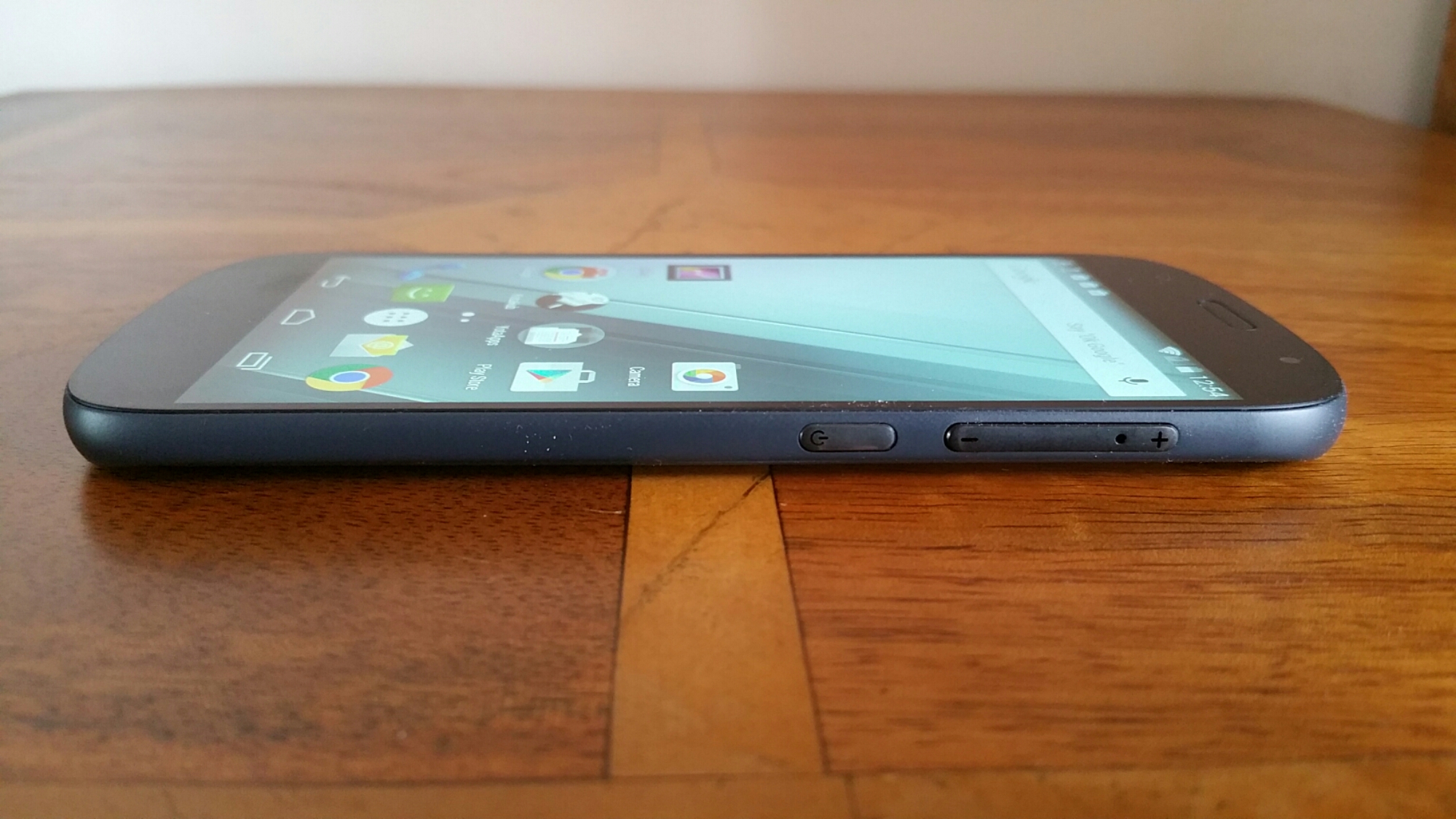
So what is the phone like to hold. Comfortable. It is gently curved on the edges but also narrow. The power and volume controls are on the right edge making it for easy reach. The headphone socket is on the top and micro usb port on the bottom along with the loudspeaker grills. In fact everything is in the correct place for easy operation.

Part of the unique selling point of the Yotaphone 2 is the E-Ink display on the rear. Yotaphone have done a good job implementing the usage of this panel with some bespoke software and panels. One of the benefits of using the E-ink display is the battery consumption is significantly less or is supposed to be. In my usage, I am achieving 2 days real life from one charge. But in my mind improved battery life is not just what it is all about. I love the always on display with a full 4.7 inch screen displaying the time, notifications and other information as I have customised via the YotaHub. The YotaHub provides up to 5 different panels (screens) for the rear that are customisable. By having an always on screen I have reduced the amount of times I have picked up the phone and checked what was happening in my world. Then there is the reduced eye strain of using an E-Ink display!

Other uses of the screen are as an ebook reader. In theory you could go away on a weeks holiday, put phone in flight mode, and read your book for the entire week on one battery charge. But another function or bonus is readability in bright sunlight. It is incredible. So following maps, reading the screen and more is a breeze. However, at night, you will either need a light or have to switch to the amoled 5 inch screen. When your battery is about to end, you can take a snapshot of the screen and leave that as the display. The E-ink screen will keep that vital information always on its display irrespective if the battery has died. Ideal if you needed a flight pass to scan at the airport, as a flat battery with the Yotaphone would not be an issue. Obviously when using the E-ink display is not as nippy as using the front side. But that clearly is the compromise.

Another neat trick with this phone is the volume controls actually hide the nano sim tray. So neat. You actually eject the tray with the buttons attached. At first, I was wondering where on earth is the sim tray!

Anyway, tomorrow I will try and cover off more of the software tricks and other findings. So far the Yotaphone 2 is seriously cool and one of the most fascinating phones I have ever reviewed so far.