Category Archives: Reviews

Sphero 2B robotic ball – details

20140110-081147.jpg

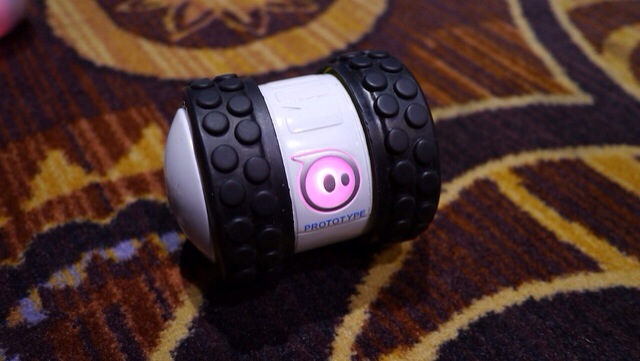
I recently reviewed the Sphere Ball. Refer to index in review tab above for details. Sphero 2 is currently the latest incarnation but at CES 2014, Sphero 2B is the new robot toy from Orbotix that can move as fast as 14 feet a second. That’s supposedly the equivalent of a 6 minute mile and twice as fast as the Sphero 2.0. The spinning tube has comically rugged tires that allows it to adorably jolt out at breakneck speeds and tackle any surface.

The Sphero 2B is controlled by your iOS or Android device, has a few accessories (like new wheels) and can be programmed so you can create your own robot army. It due on in September 2014.

I will be honest after a few weeks I lost interest in my Sphero Ball and so did my 3 dogs.

Camera shootout – Samsung Note 3 vs iPhone 5S

And the winner is neither.

I own both these phones and use them extensively to take photos.

Below is a brief overview of each and what you should expect.

Speed – From startup to capturing the moment goes to the iPhone 5S. And then the 5S burst mode of 10 photos per second at full resolution all the way up to 999 photos as a burst is out of this world. I’ve tried it and it works. It does take a while longer than normal to analyse 999 photos and give you the best but it’s still quick.  Meanwhile the Note 3 only takes 20 shots on burst but it’s very quick once it starts. From holding the shutter button down seems to have a delay of 1- 2 seconds before the burst mode starts.

Panoramic – this goes to the 5S as it auto adjusts exposure as you pan. But both are good at this mode. And both can take some fantastic shots. With the Note 3 be sure to hold phone vertically to get a real large photo.

Low light or indoors – this is a close draw. Both have strengths and weaknesses here. The Note 3 uses the flash more often whereas the 5S tries to avoid using the flash. On scenic non moving night shots the Note 3 using a tripod will outperform the 5S.

Good light – both take excellent photos. The 5S has an uncanny way of making sure the photos are very natural in their colour reproduction. But the Note 3 has higher mega pixel lens. And it shows. I actually prefer the Note 3 results slightly.

Macro – a close match. But the Note 3 wins. It’s one of its strengths.

Software – the 5S is limited and is really a “just press the shutter” whereas the Note 3 has comprehensive options. Depending on your needs depends on your winner.

Overall I prefer the Note 3 photos but I do miss that speed to first shot that the 5S achieves.

Samsung Note 3 – review – 3 months later – day 14

It’s been 2 weeks since I received the Samsung Note 3 again. With 7 firmware updates and countless app updates, the full software packages provided by Samsung, the Note 3 has been a different phone to the buggy disaster that was released at launch.

Some of the surprises and highlights has been the camera. The Note 3 camera has taken some awesome quality photos far above what I expected. At night time and with the use of my tripod I used an app called “A Better Camera” . In fact using this camera app with Samsung’s own default app provides a superb shooting experience. I found a tripod adapter for the Note 3 called iStabilizer from Amazon which allows for high quality night shots. Using voice to take photos removes the potential for camera shake. Photo editing is handled by several apps and the effects available are huge.

After 3 months the software is considerably bug free. There are a few bugs still remaining but nothing of any significance. So what I am getting is a smooth experience. In fact, the Note 3 has less bugs than the iPhone 5S which constantly reboots and has a battery not up to the task of a smartphone.

As a music player the Note 3 is fantastic. But it has USB Audio out so by connecting the Fiio E18 USB Portable DAC/Amp the improvement in audio enjoyment is off the charts.

And then there is the even more stark realisation. With the Note 3 not only have I left my iPhone in a bottom drawer, I am not using my iPad or computer. The Note 3 handles all the computing needs for me.

Until the next best thing arrives tomorrow, the Note 3 is my favourite phone.

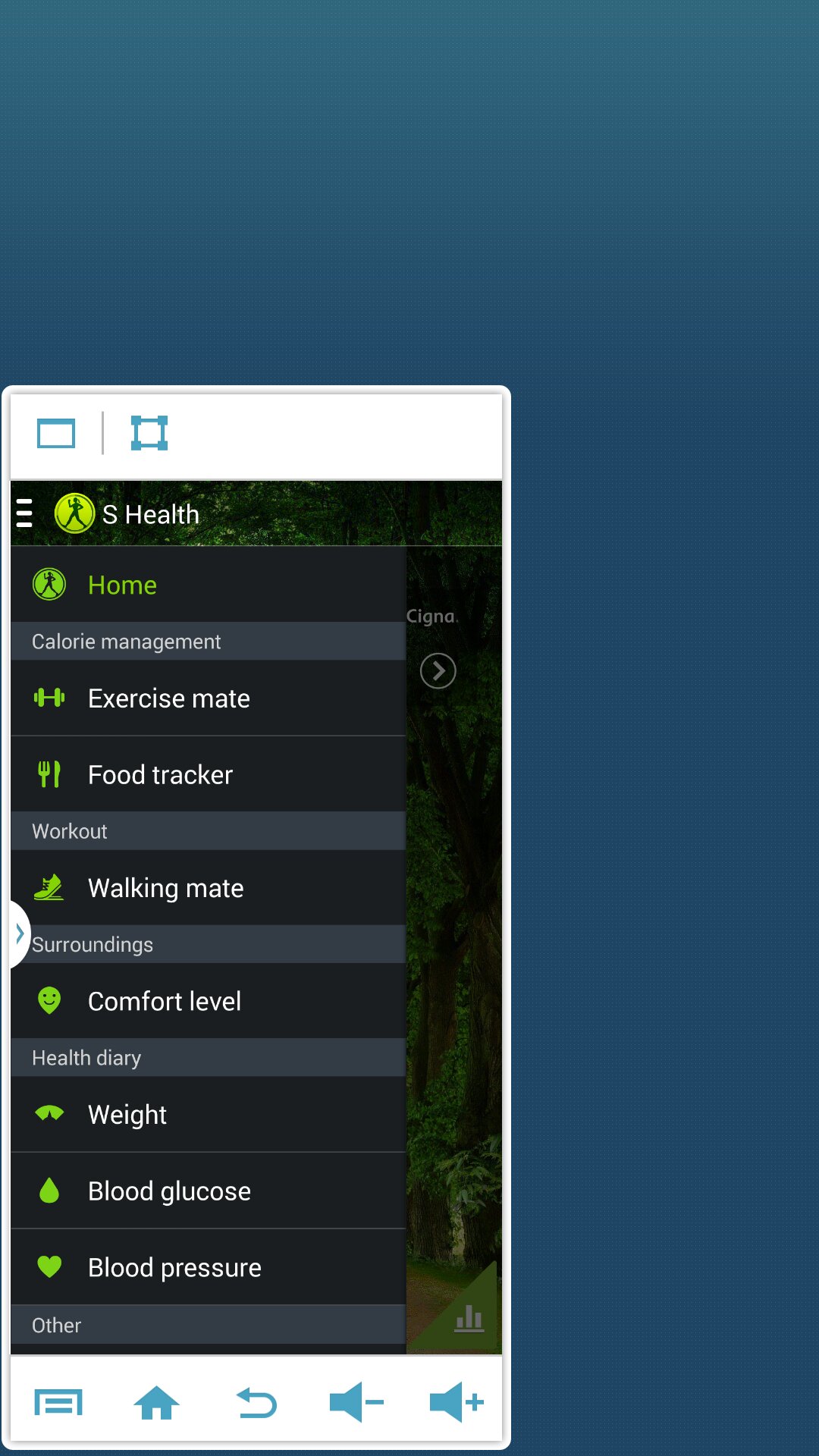
Samsung Note 3 – 3 months later – one handed use

One feature I like with the Note 3 is one handed use. Ideal when out and about and works really well.

First the keyboard can be shrunk for left or right handed use.
image

Then the phone dialer can be made smaller..
image

And if you really want extreme one handed use you can shrink the whole page. You can move the screen around and it comes complete with all the menu options.

image

Rather neat touches. The keyboard is especially handy when out and about in one handed mode.

Nokia Lumia 1520 – review – final thoughts

I’ve used the 1520 for just over a week now and it delivered one of the best window phones experience’s.

A superb camera in a huge 6 inch screened piece of stunning hardware.

The size is not for everyone. I did find the height of the 1520 too tall for my work shirts front pocket. Whilst the Note 3 sticks out a cm the 1520 protrudes by 3 cm making me think that if I bent over slightly it could fall out.

In some of my jackets I could sense the large bulk of the phone as well. But apart from that if was a pleasure to use.
Recommended if large phones is your preference.

Thanks to Clove Technology for sending the Lumia 1520.

Samsung Galaxy Note Official S-View Premium Cover – impressions

I received the official Samsung S-View Premium case at the weekend. This is the case that allows you to see and control a limited amount of actions on the Note 3 via the square clear window in the flip cover. It is very expensive at £34 approximately.

The case provides options on the colour of the window background. You have the option to see the time and missed notifications, walking steps, weather and sliding across the camera, music and action notes, without actually opening the flip cover. And that is it.

What you lose is the quick glance screen and the Watch On remote widget on the lock screen, which I have found more useful. Also the rear of this case replaces the current back cover. A good idea except its thicker than what it replaces. You can use the stylus on the cover window which is something. The camera function is weird. It takes a picture just fine but it is only a small square, similar size to the case window and not a full width shot. Another odd decision by Samsung IMO.

Some people will like this case, but for me it didn’t add any real advantages with the quick access information and in fact took away some functionality for me.

Nokia Lumia 1520 – review part 3 – camera

If you have read my earlier reviews on the Lumia 925 and Lumia 1020 you will be familiar with all the camera options. In essence, the 1520 is a 20mp Carl Zeiss lens with optical image stabilisation and 2 x lossless zoom. It has many pro camera settings for some great artistic tricks. But most people are just going to hit the shutter button or on screen button. Yes, unlike other phones, the Lumia range do have a dedicated camera hardware button on the edge.

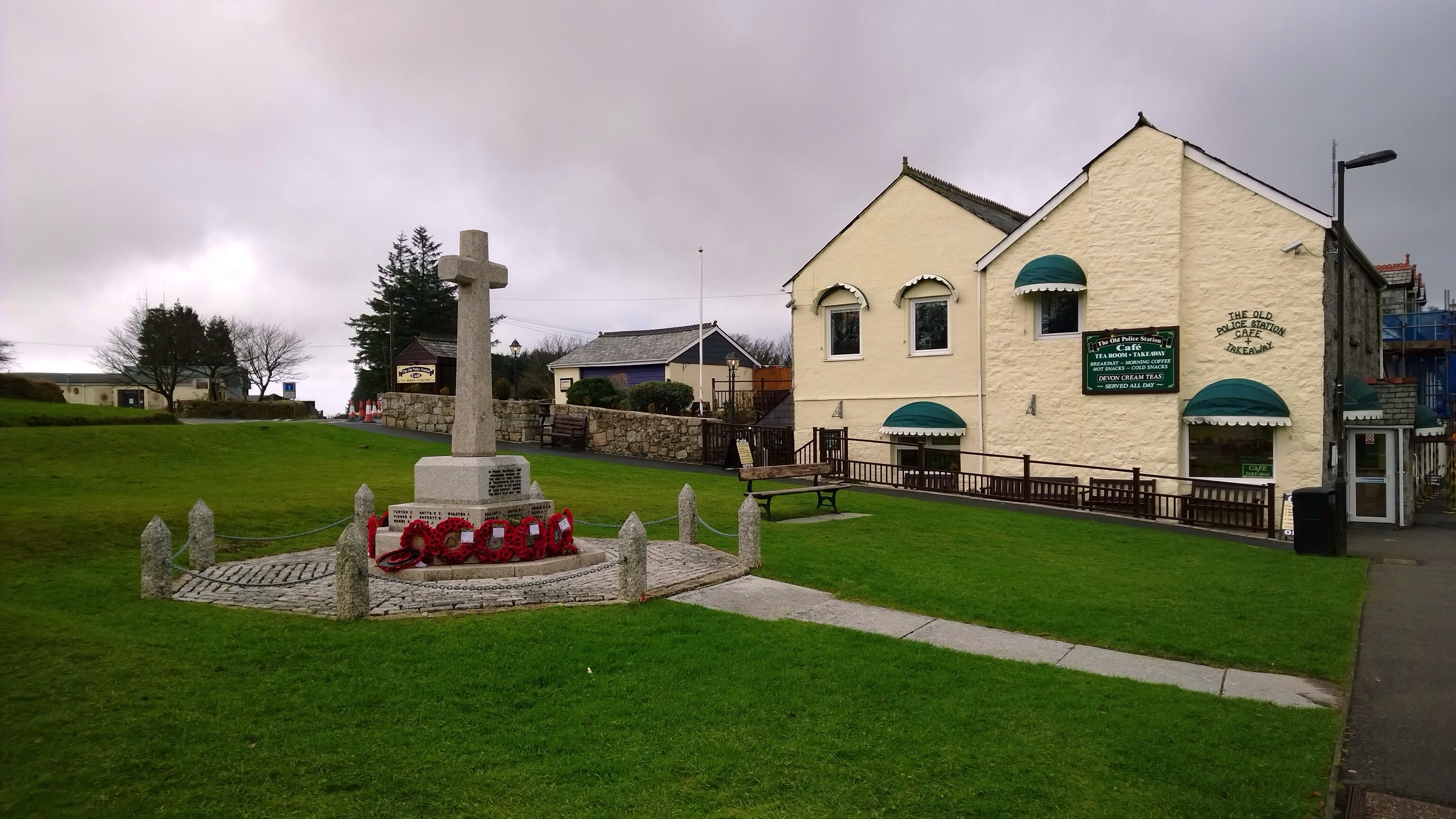
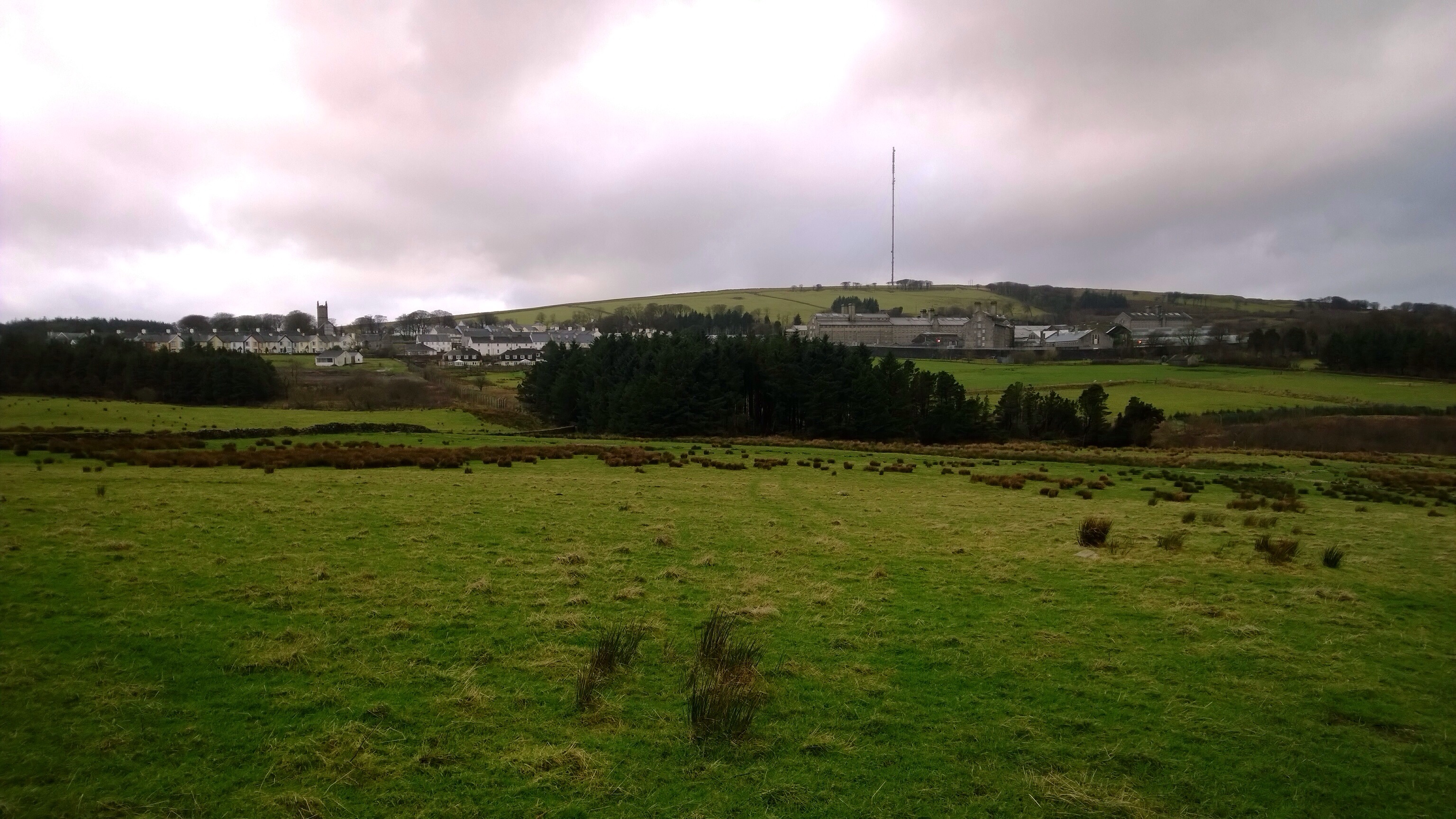
So I really wanted to test the optical image stabilisation and quality of the end results. So let’s set the scene. At 3am thunderstorms and gales arrived. At midday, it was just high winds with a piercing cold wind too. My eyes were watering from the cold, and I could hardly stand still as the wind kept moving me all over the place. As a comparison I took with me the Samsung Galaxy Note 3, but due to the wind all of the photos ended up being blurred.

First up the war memorial in Princetown, Dartmoor, Devon. The accuracy of the colours is phenomenal.

20140107-124105.jpg

Next is the Dartmoor Visitor Centre. Most phones would struggle to capture the whole building and lamppost.

20140107-124303.jpg

Next up is the view over to Dartmoor Prison, a famous Victorian prison. What’s great about this shot is once again the amount captured in the frame, but also the clarity of the church in the distance.

20140107-124455.jpg

And finally, I took this exposed to the wind with the 1520 actually shaking as I couldn’t hold it still enough. The optical image stabilisation worked a treat.

20140107-124647.jpg

Bear in mind the above are only the 5mp versions of the shot. The 1520 actually saves a hi resolution pureview shot at 20mp as well. With this you can use this to undertake some pro editing. Or using the Nokia Pro Cam camera app, reframe the shot you just took to create a different view. You can the save this and go back again into the original hi-res shot and repeat as often as you like.

Having used both the 1020 and now the 1520, I would personally choose the 1520. It has a faster processor and this is evident in shot to shot times being near instant.

If you would like one of these phones or something else head over to Clove Technology who will be happy to help you.

Motorola Moto G in the UK receiving android KitKat OTA

The Moto G devices in the UK are now receiving the latest verison of KitKat.

The update includes the smart dialer, Hangouts SMS as the default SMS handler, and printing support. Once the update takes, the build will be KLB20.9-1.10-1.9.

If you haven’t received the notification for the update yet you can go to Settings>About phone>System updates. .

Nokia Lumia 1520 – review part 2

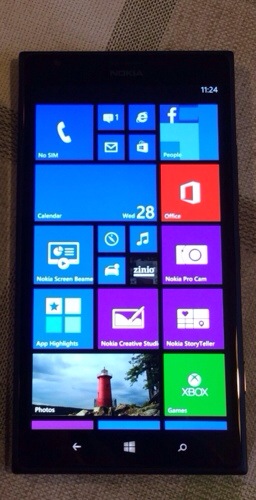
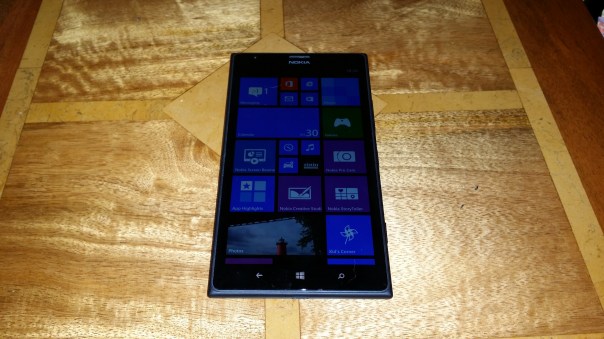
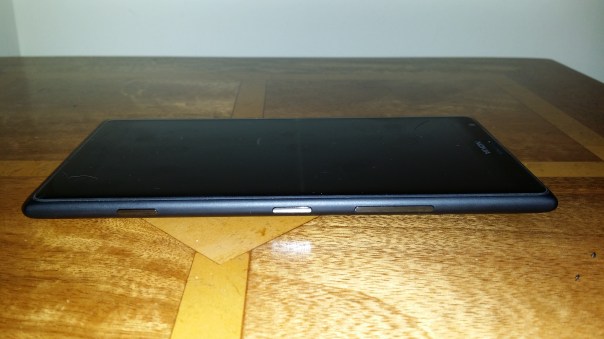
Everytime I pick up the 1520 it brings a smile to my face. It just feels substantial and looks stunning in black. Its physical size helps provide that feeling too.
2014-01-06 16.41.48

The way I see things at the moment, if you want the class leaders in each operating systems, it would have to be the 1520 for Windows Phone. But unlike android or Apple iOS, the 1520 packs a decent 20mp camera with 2 x the equivalent of optical zoom with Optical Image Stabilisation.

I cannot stress enough about the camera. The quality of the shots snapped even in low or lower light are simply stunning. The iPhone 5S or any android phone does not get close to the camera of the Lumia 1520. Add Qi Wireless Charging and a memory card slot for storing loads of photos, and this beast of a phone becomes a very attractive proposition.
2014-01-06 16.42.48

In the box you get the user startup guides, usb lead and UK adapter and a headset. There is also the sim ejector tool.

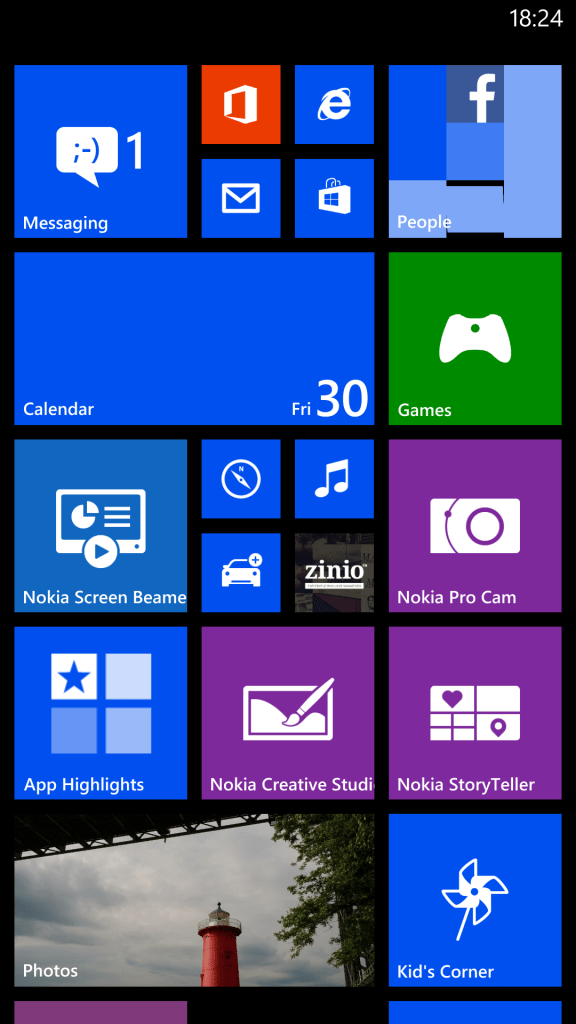
The software included within the 1520 is extensive. Some of the highlights are Bing Finance, News, Sport and Weather, HERE Drive+, HERE Maps, Internet Explorer, Nokia Music, Pro Cam, Cinemagraph, Creative Studio, Microsoft Office, One Note, Zinio, Games and Xbox Games. So being the typical Windows Phone from Nokia is has a suite of mapping and turnby turn navigation, an advanced camera shooting app, advanced photo editing apps, gaming, music, optional Nokia Radio for streaming and plenty of news and information apps all included as standard. Then Nokia integrates your email and social accounts into their People app. And all this is then backup using Microsoft Skydrive.

I simply love the extra screen real estate for the live tiles as well. For me, this Nokia Lumia phone is better than the Lumia 925 and 1020 as it offers a better all around package.
wp_ss_20130830_0001

Once the UK weather improves I will upload some photos. In the meantime, head over to Clove Technology for this phone and others.
Nokia Lumia 1520 – review – part 1

20140104-143225.jpg

The Nokia Lumia 1520 arrived at the weekend thanks to Clove Technology . If you order quickly and receive your 1520 before the 15th Jan 2014, you should be able to claim a £20 voucher towards the windows marketplace store. UK store that is. Well, I knew this phone was big, but OMG it’s a real wow moment taking it out of the box. Being honest, the actual box could do with a facelift as the hardware of this slab is stunning. The specs are –

– Windows Phone 8 (GDR3)
– 2.26 GHz Quad Core processor
– Snapdragon 800 with Adreno 330 GPU
– 20 MP PureView camera with 2x lossless zoom
– ZEISS optics with OIS, autofocus & LED flash
– 6 inch 1080p full HD LCD display
– Gorilla Glass 2
– 32 GB storage & up to 64 GB micro SDXC card
– NFC, BT 4.0 LE, A-GPS GLONASS,
– Wi-Fi 802.11 (2.4/5Ghz) a/b/g/n/ac
– 3,400 mAh battery with Qi Wireless Charging
– Nokia Camera app
– NANO SIM compatible

I got a black Lumia 1520 and it looks lovely in black. Nokia sure know how to manufacture solid feeling phones. Having grown used to the Note 3, the Lumia 1520 doesn’t feel that daunting. I have large hands, so had no issue holding the phone. Interestingly, the Lumia 1520 with its clear black screen technology looked better at full brightness compared to the Note 3. Photo below shows Lumia 1520 next to the Note 3.

20140104-144030.jpg

As you can see the Lumia 1520 is only a bit taller in size although it’s weight difference is noticeable as it is heavier by about 50g. However, I think it’s heft makes it feel like a quality product. The Nokia Lumia 1520 is running the very latest software and therefore has an extra column for the live tiles home screen which is useful along with a host of other improvements.

Well I couldn’t resist any longer so started to try out the 20mp Carl Zeiss camera with 2 x zoom and Optical Image Stabilisation. I was very impressed with the results and quality too. I will do a separate post for the camera shots.

All in all first impressions are very good. Great camera and hardware. Smooth silky operation and one of the best specification windows phone currently available. More soon as I get used to using the Lumia 1520.

And thanks again to Clove Technology.