Category Archives: Reviews

Samsung Gear 2 Neo – Impressions

image

The Gear 2 Neo arrived yesterday in the post, so last night it got fully charged and then synced to my S5. The process was rather simple. Download the Gear Manager from Samsung Apps. Install. Turn on Bluetooth. Open app. Press front home button to turn on the watch. Pairing process completes. And voila.

Next you are faced with 2 firmware updates for the Gear 2 Neo, which happen one after another. The Neo is the camera less version and full plastic but costs £80 less,than the full metal bezel and camera included version.

I had the original Galaxy Gear, and in my brief time I had the Gear 2 Neo it is a vast improvement from both the software and hardware. On the software side the watch runs Tizen. The hardware now has changeable straps, which Samsung has made easy with a pull spring mechanism inside the included strap.

Going back to the software, the Gear 2 Neo runs really smoothly. It has a built it music player to play back via Bluetooth headphones music direct from the watch, and many other refinements. Notifications are much better handled. S Voice on the watch is leaps ahead than on the phone. Extras from the heart rate monitor and TV remote blaster all make this a great watch….. Or do they?

First, the apps in Samsung’s app store were rather meagre vs the Galaxy Gear which whilst poor still , did have more options. Android Wear which is Google’s smart watch platform is about to go live and will offer far better app support. Developers are more likely to support this too.

Next and most fundamental, the strap did not fit me. I am a big guy and I imagine for most people it will fit just about. But to me that was an oversight.

However, it definitely was an improvement over the original Galaxy Gear so if you are a true all out Samsung fan person, then go for it.

Samsung Galaxy S5 – first month update – with new firmware update

So it’s been exactly one month with the S5.

20140511-130506.jpg

So what has the first month been like? Is the S5 a laggy nightmare? Do you need an alternative launcher to make it nippy to use?

20140511-130716.jpg

Firstly, I decided to use Touchwiz instead of Apex or Nova Launcher. I tried both but I missed some of the extra neat touches that Touchwiz provide from “My Magazine” , “Ok Google” voice activation from home screen without touching widget and other touchwiz widgets eg S Planner Month view which is on my last home screen.

20140511-130930.jpg

I also like the weather widget which now has transparency control. Also the variable coloured folders.

So what about lag. My initial posts mentioned lag. I now have none. No lag ever. In fact I have a fast supercharged S5, and I could make it faster. No lag when launching the camera either. How? First turn off S Voice launching as a double tap on the home button. Google Voice is active without touch so there really is no need for S Voice. Next. Lock screen. By default Samsung have many options active on the lock screen. Turn off the weather and pedometer. The difference is remarkable. Now if you want your S5 even faster you can activate developer mode, and turn off animations or reduce them. I haven’t as the speed is fast enough. Amazing what a firmware update can do to improve matters. Let’s hope it stays this good over time.

Battery. Check location services are using power saving mode and GEO news is not active. These 2 options hurt the battery. Otherwise, I don’t use any power saving options until I get to 3% or less. I easily get a full day or day and a half from the S5.

Bloatware or value added. I would say most of the S5 is value added. The S Health app is excellent. Samsung have also provided some additional software trials as long as a year in places. But you can manage just with S Health. If you don’t want to use any of the health options, just use the hide apps options. The point is the phone is designed for different people with different interests. You just select the suite of options you require. That’s value added.

Early adopters usually have software issues. The S5 is the first phone where I wasn’t waiting for an update to majorly fix or improve something. Everything is really well thought out. Simple things like plugging in your headphones and having a choice of 5 apps you might want to use with your headphones. The toolbox option is useful. But more importantly, everything just works which is a first for a phone just released.

Hardware. It’s plastic. Get over it. The HTC One M8 and Sony Xperia Z2 look better but I would want a case with them to stop them getting damaged or scratched. The S5 looks alright. I asked my wife for her opinion and she actually thought it look quite good especially the back. I am not using a case or screen protector. It’s lightweight and lighter than the competition. But more importantly if feels the best in the hand and the easiest to grip. In other words it’s a real world phone and great to use. It also has water and dust resistance built in like the Z2. And then there is the S5 screen. It’s brilliant and the best I’ve used ever. Whether in sun or at night the display adapts perfectly to the conditions.

Other extras. So apart from a full range of software services covering media, photos, business and tools, there is the hardware extras – finger print sensor, heart rate monitor and a 16mp camera. The Ultra Power Saving mode is a gem. One day I forget to charge the S5 overnight. I headed off at the start of the day with 40% battery. At 8.30pm I went out for the evening still forgetting to charge the S5. At 3% battery I activated it. And I still had 3% the next morning.

So is the S5 a good phone. Yes it is providing you spend the time learning it’s nuances and setting it up to your preferences. Now if you prefer hardware design then head over to the HTC or Sony options. There is plenty of choice. And if you don’t need all the fancy software and hardware just buy a Motorola G or X, or even a Nexus 5.

However, ask me how I “feel” about the S5 and my answer will be “disconnected” when using it.

Motorola Moto X – audio and other quirks

So if you scroll back to the 3 posts from the weekend you will have got some idea of the camera. Whilst it’s not the best out there, it is still surprisingly punching above its price tag. I took many shots of my dogs and cats and the majority were in focus despite being indoors or in overcast conditions. The scenic and macro shots also were not too bad. Sometimes, the colours were off key, but if you were really fussy just use a photo editor.

I was looking at my home screen and this critter creature appeared and started moving around the screen. I did not know what to think. This is what it looks like .

20140511-085242.jpg

Very small, but don’t forget it’s running across and all over the screen. This is part of the “spotlight” app. It’s the craziest thing I’ve seen ever on any phone. I will discuss this more on Sunday episode of “Gav & Dave’s Podcast”.

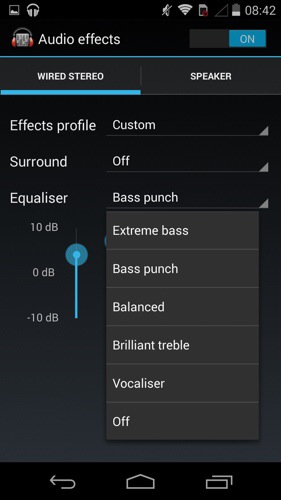
So what about the audio. Loudspeaker. It’s good. But not HTC One M8 Boomsound. You have some EQ options which don’t do too much other than reduce the treble.

20140511-085517.jpg

Listening via headphones is a different experience all together. In fact, I’m typing this whilst using the Moto X to listen to my music via headphones. The Moto X can power most headphones with a lot of guts and clarity. A decent sound in my book. Again there are a number of EQ options and they do make a difference. But even with the EQ off I loved the sound via my neutral fussy Sony MDR-1R headphones. My Sennheisers loved the Moto X too as did any other can. So it’s a thumbs up in this department from me.

20140511-085947.jpg

Battery life. Excellent. In 4 days I’ve only charged it twice. In fact at the moment I’m using it in to the third day and the battery is at 34%.

I was asked on Saturday would I choose this over the Moto G. I would. But is it worth the extra cash over the Moto G cost. That depends on what is more important to you. Do you want a better camera and audio experience a nicer feel in the hand?

Anyway, if you have any more questions, please let me know, and I will cover these off in the next episode of “Gav & Dave’s Tech Podcast ” along with my final conclusion.

Once again a big thanks to Clove Technology who are a super cool company to buy your smartphones and accessories from.

Part 2 – Moto X – Camera Samples vs Samsung S5

Ok. 3 more everyday type photos to compare. First photo is the S5 in each followed by the Moto X.

Breakfast.

image

image

I think the S5 wins by a huge margin. The plate was white!

Overcast outdoors. S5 first again.

image

image

This one is much closer. My view is S5 wins but do you agree ?

Outdoors again with trees and buildings. S5 first once again.

image

image

Close again but the S5 wins. Look at the sky. Difference worth noting is the Moto X has Auto HDR where as the S5 has to be turned on manually.

So do you agree?

For all your smartphone and wearable needs please check out Clove Technology. My thanks to Clove for loaning the phone too.

Reminder – Gav & Dave’s Tech Podcast is alive – Please RT

As you know, I co-host a weekly podcast with David from UKMobileTech called Gav & Dave’s Tech Podcast. It is a light hearted tech podcast broadcast bi-weekly. To subscribe click here for iTunes or copy and paste this link into your favourite podcast app.

Episode 14 is now live for your listening pleasure. So if you haven’t had a listen please do.

Moto X – Quick Impressions

Firstly,  thanks to Clove Technology for sending the Moto X for reviewing.

image

image

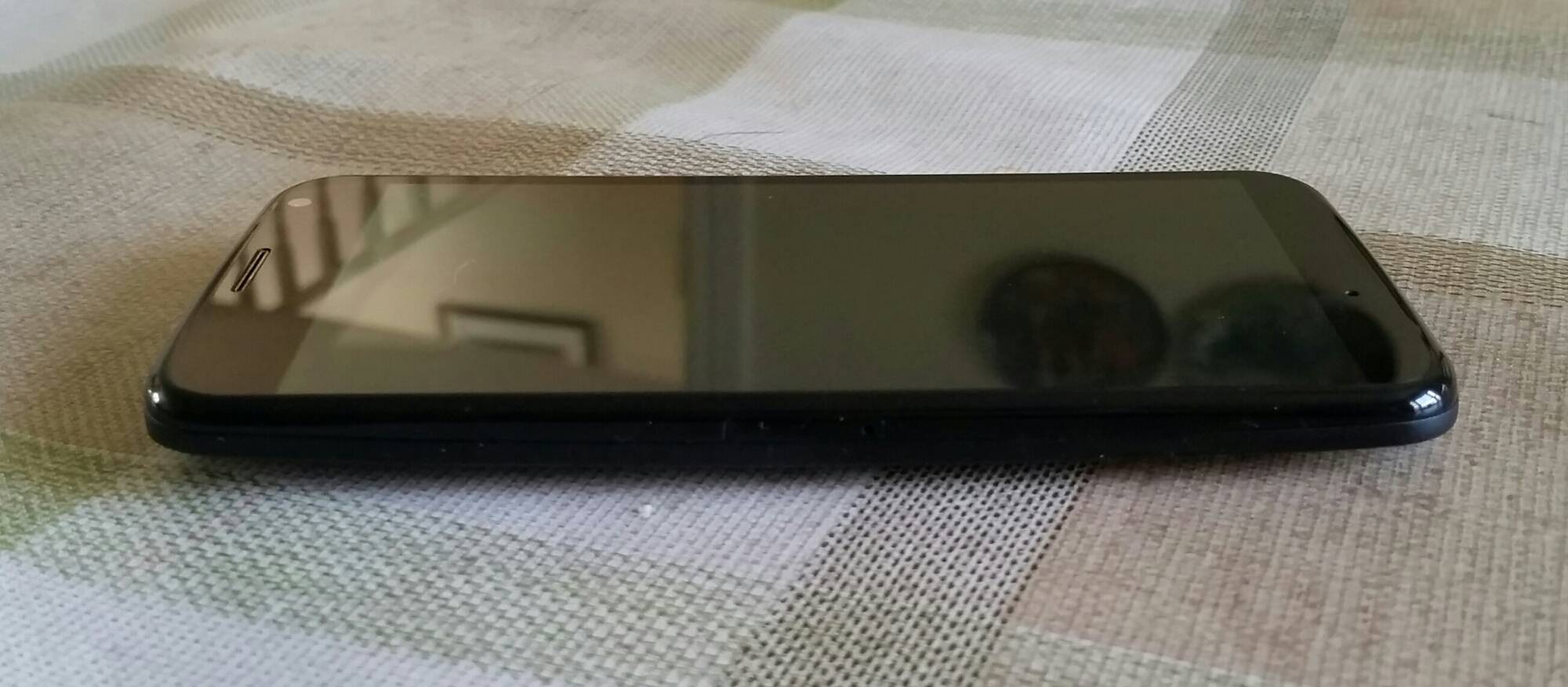
It’s quite a good sized phone which feels wonderful in the hand.  It is has always on Google Now voice activation even when the screen is off.

image

The basic specifications of the Moto X are –

Processor – Motorola X8 Mobile Computing System which includes a software optimised Qualcomm Snapdragon S4 Pro (1.7GHz Dual-Core Krait CPU, quad-core Adreno 320 GPU), a natural language processor and a contextual computing processor

Memory – 2 GB RAM, 16 GB standard. 2 years 50 GB storage free on Google Drive. Offer must be redeemed within 30 days of activation.

-Bluetooth® technology – 4.0 LE + EDR

-Wi-Fi – 802.11a/g/b/n/ac (dual band capable), mobile hotspot

-Cellular – 2G/2.5G GSM/GPRS/EDGE bands 850/900/1800/1900 GSM/GPRS/EDGE -UMTS/HSPA + up to 42 Mbps – 4G LTE
3G UMTS bands 850/900/1800/1900/2100 , 4G LTE bands 800/1800/2600MHz (B20/B3/B7)

-Display – 4.7″ AMOLED (RGB) / HD 720p

– Android™ 4.4, KitKat®

– Size (H x W x D) Width 65.3mm; Height 129.4mm
– Weight – 130G

– Battery – 2200 mAh. Mixed usage up to 24 hours

– Camera -Front Camera 2MP 1080p HD video, Rear Camera 10MP CLEAR PIXEL (RGBC) – Quick Capture – LED flash – 1080p HD video (30 fps) – 4X digital zoom – Slow motion video – Burst mode – Auto HDR – Panorama – Control focus/exposure

So what does all the above specs mean. So far a rather smooth, really easy to hold in one hand phone, that due to the always on voice activation means less actual picking up the phone to carry out actions. Other touches included with the Moto X are Motorola Connect that links the phone to Chrome so that you can see who has texted or called you and reply via the Chrome web browser. Motorola Assist is rather neat and sets actions up when you for example sleeping or driving. So when asleep the phone does not disturb you. On the off chance you had a previous Motorola if offers a wireless migration service of all your data. Similar to the Nokia Lumia Glance screen, the Moto X provides this information too.

But another funky feature is twist and shake from standby to turn the camera on. You feel a little vibration as you do this, and voila the camera is ready to capture that first shot.

So what else? It is a pure Google android experience otherwise, running the latest version of android too. No bloatware, no lag and so far a really super quick experience. And for once a phone that is not oversized and is very comfortable to hold and use.

And the voice activation is excellent. So first up you train the phone to recognise you saying “Ok Google Now” three times. Thereafter, you can control it as you wish, using the normal Google Voice commands. My wife also tried to see if she could trick the system, but clearly as her voice was different it would not respond when she said “Ok Google Now”.

I tried the camera out quickly, but despite its claim of a super 10mp camera it takes as far as I can tell just average shots in low light. Tomorrow if it isn’t raining I will try some more shots to see how the turn out.

Clove Technology currently have the Moto X price at £225.00 plus VAT and for that price it does seem like a good deal.

More updates soon as I get to spend more time with this phone.

LG G Flex – Camera Thoughts and Samples

So the G Flex has a 13mp camera but unlike the G2 it does not have OIS. However, I found it was able to take good shots of my black and dark brown labs. The shutter response was fast at times too. The quality however is not in the same league overall as the Samsung S5 for example. However the camera did not disappoint. I did notice the photos being slightly over exposed as well.
CAM00041

Camera – modes include normal, shot and clear, HDR, panorama , VR pano, burst, beauty, dual camera, time catch shot, intelligent auto, sports and night.

And below some sample shots.
2014-05-05 13.47.48

2014-05-05 13.50.29

2014-05-05 13.51.06

2014-05-05 13.51.40

2014-05-05 13.53.33

If you want to see the full res plus exif data go to my flickr album https://www.flickr.com/photos/gavinfabl100/sets/72157644114354349/

To be honest, I was rather surprised at the camera, as I thought it would be terrible but it was quite reasonable in the end.

And this surprise is the same for all aspects of the phone so much so that I’m now looking to sell my Samsung S5 and keep the G Flex.

LG G Flex – More Impressions

2014-05-05 08.54.27

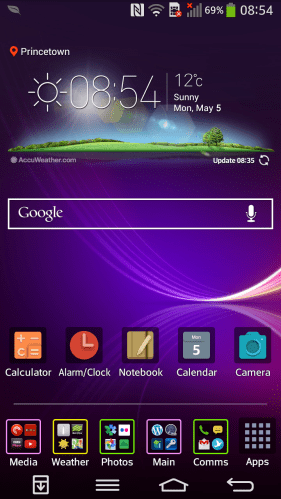
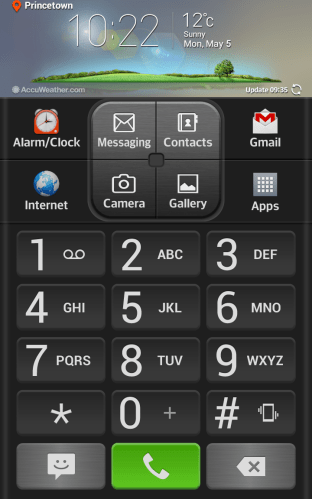
The LG G Flex comes with two homescreens types. The one above is the standard affair that everyone would be used to. With this option you can add widgets and folders and more. The folder colour can be changed, as can the whole theme. Additional themes as mentioned are available from LG Smart World. I installed a few and like the results. But what if you are novice. LG include an Easy Mode.
2014-05-05 10.22.26

I thought the Easy mode was one of the best I have seen with everything on one page.

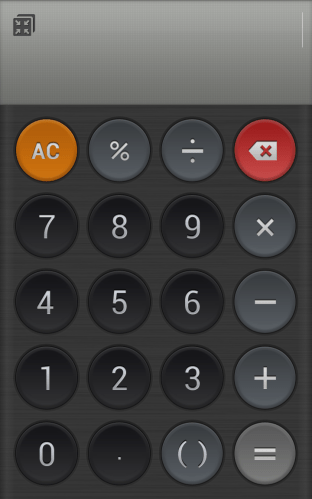
LG include a number of custom apps from a Calculator, Alarm Clock, Memo (sync to Google Drive), Calendar. Displays lots of info. Quick Theatre – shortcuts to photos, video, YouTube, video.
2014-05-05 14.56.49

The loudspeaker was of a reasonable volume and clear. The audio quality via the headphones was good too. Other software included Quick remote, FM radio, music, life square, task manager, update centre , lg backup, gallery, file manager, Polaris viewer , notebook, box, tasks, email, contacts, weather and a few more smaller apps.

I will cover off the camera tomorrow.

So the whole experience of this phone has been rather pleasurable. When it cost over £800 was it worth it. Absolutely not. At £379 it represents a very good phablet.

Samsung Galaxy S5 and Wireless Charging – the cold hard facts

For me it’s an experience not worth the effort. And this is all due to Samsung cutting corners. So read on.

First up you need the official Samsung wireless back cover that replaces the one that comes with the phone. This includes the Qi technology and waterproofing seals. As a warning do not use the wireless cards that slide inside the non wireless Samsung back cover as you will not have an ip67 phone. And this has been tested. Just head over to YouTube and watch a S5 get ruined for life.

So I thought it would make sense to get a Samsung Wireless charging pad. The first one was faulty. The second one was fine but stopped charging at 100% which is the correct behaviour. Due to some wake locks that meant at 6am my battery level was at 85%. In any event, the S5 standby time is not as good as the competition.

So I thought I would try the Zens QI wireless charging pad. This stops charging at 100% and starts automatically at 95%. By accident I ordered the eu plug version, so that got returned for the UK plug version. This has arrived except it doesn’t work as advertised.

Basically it doesn’t turn off at 100% so the battery is being overworked and it seems to warm for my liking.

So, I think I’m going to resort back to opening that flap on the bottom and using a normal micro USB lead to charge the S5.

However, I thought I would ask Zens if they knew about any issues with the S5. They replied –

“Dear Gavin,

Thank you for your email and interest in ZENS. Sorry for the late reply. The new S5 was a good choice.

We designed our wireless charger with sustainability in mind. Most of our own products, but also for example the Nokia 820/920/1020 will shut down after the phones are fully charged.
The ZENS Single charger was there before the S5. We had no influence on the design of the S5, so you are correct that the LED will stay on after your S5 has been charged.
However like with a normal adapter it won’t harm your device. The designers of the S5 did not integrate software to stop charging after your S5 is 100% charged.

Please do not hesitate to get in touch if we can be of further help.

Your sincerely

Team ZENS

http://www.makezens.com”

So there we have it. Samsung omitted the necessary extra circuitry and software and this explains why there new pad just stops charging instead of turning off and then coming back on again.

What should have been a great charging method is ruined.