Category Archives: Blackberry

Anniversary Special – Gav & Dave’s Tech Podcast – Please RT

As you know, I co-host a weekly podcast with David from UKMobileTech called Gav & Dave’s Tech Podcast. It is a light hearted tech podcast broadcast bi-weekly. To subscribe click here for iTunes or copy and paste this link into your favourite podcast app.

Episode 25 is now live for your listening pleasure.

This is an Anniversary Special. So enjoy 🙂

Our photo contest. First up is Dave’s shot of his dog.

IMG_0555.JPG

Next is mine of the Merrivale Stones on Dartmoor.

IMG_0100.JPG

Neither shot has been edited. Both taken using an iPhone 6 Plus. So choose your winner!

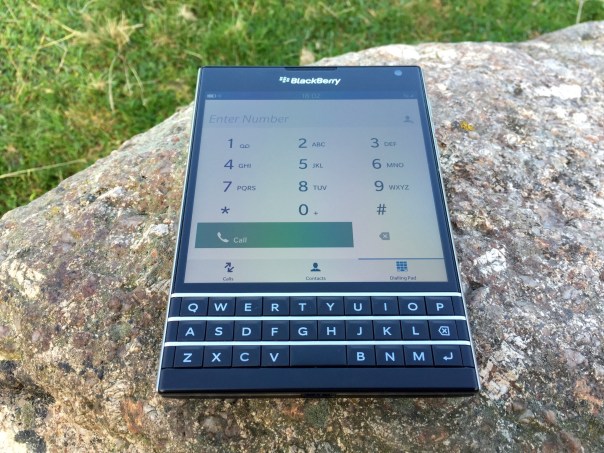
BlackBerry Passport – The Mammoth 10 Part Review

IMG_2818
Over the last 10 days I have written many posts covering my thoughts on the BlackBerry Passport. Below are the links to all the review sections. In addition, Episode 25 of Gav & Dave’s Tech Podcast, live tomorrow, will cover off my final thoughts on this piece of hardware. Link for podcast http://www.gdtpodcast.com or head over to your favourite podcast app or iTunes.

First Impressions – https://gavinsgadgets.wordpress.com/2014/10/03/blackberry-passport-first-impressions/

Part 1 – https://gavinsgadgets.wordpress.com/2014/10/06/blackberry-passport-camera-and-samples/

Part 2 – https://gavinsgadgets.wordpress.com/2014/10/07/blackberry-passport-gaming/

Part 3 – https://gavinsgadgets.wordpress.com/2014/10/07/blackberry-passport-second-impressions/

Part 4 – https://gavinsgadgets.wordpress.com/2014/10/08/blackberry-passport-impressions-part-4/

Part 5 – https://gavinsgadgets.wordpress.com/2014/10/09/blackberry-passport-impressions-part-5/

Part 6 – https://gavinsgadgets.wordpress.com/2014/10/10/blackberry-passport-impressions-part-6/

Part 7 – https://gavinsgadgets.wordpress.com/2014/10/05/blackberry-passport-compass-weather-and-maps/

Supplementary Review Sections –

a) Does the BlackBerry Passport Fit in a Pocket? – https://gavinsgadgets.wordpress.com/2014/10/06/does-the-blackberry-passport-fit-in-a-pocket/

b) Will the BlackBerry Passport BEND – https://gavinsgadgets.wordpress.com/2014/10/04/blackberry-passport-impressions-part-3-will-it-bend/

BlackBerry Passport – Impressions – Part 4 – music, audio and BlackBerry Assistant

So today I’m going to cover off my views on the BlackBerry Assistant and music app and audio.

One thing I will say is BlackBerry has not produced a lacking device in terms of hardware. NFC. Miracast. DLNA. Powerful built in speakers and a quad microphone system. The Passport features a “Natural Sound Technology” which adapts Wi-Fi and cellular call sound depending on phone position and background noise. In my phone call tests, my friends at the other end of the call were impressed by the clarity. I even tried making a call on a windy Dartmoor. Same clear call.

IMG_20141004_183732

So above you can see me calling my pet monster. And once you have created an action to a person, it shows that action again to help speed up calling that person again as shown below.

IMG_20141004_183746

If you tap the “i” for information, you get a list of all the options available. I ought to mention the BlackBerry Assistant is called up with a press on the button on the side, which sits in between the volume up and down keys. If you decide not to use the assistant you can remap it in settings to be a mute switch.
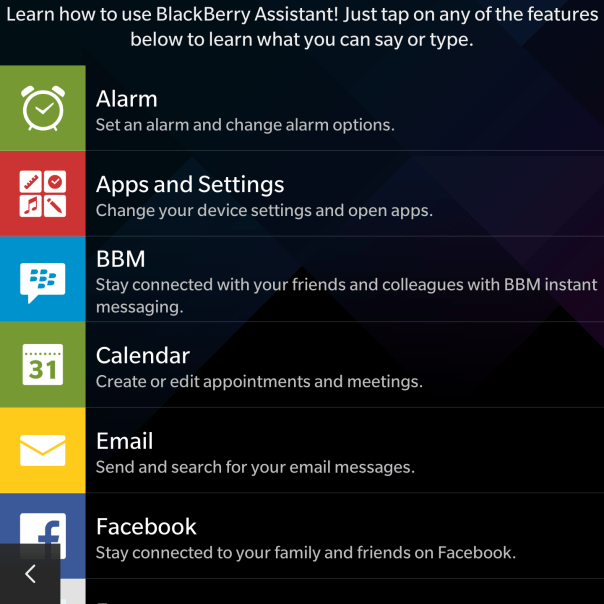
IMG_20141004_183755

As you can see there is a good selection of options available, and in my testing so far the BlackBerry Assistant was fairly accurate with the results.

IMG_20141004_183805

However, there is one aspect of the BlackBerry Assistant that blew me away. It is all very well testing the voice recognition in a quiet room, but I then tried it in the loud noisy environment and it was still able to pick up everything I had said. Truly remarkable.

IMG_20141004_183818

So moving on to the music app. My only gripe or wish was that the albums art could be displayed in a grid view like the Gallery app with the folder view. Otherwise, it is a no nonsense app.

IMG_20141004_181951

I did not realise there was a FM radio, but I found this in the app options as shown below.

IMG_20141004_182023

And as you can see I have a few radio stations setup.
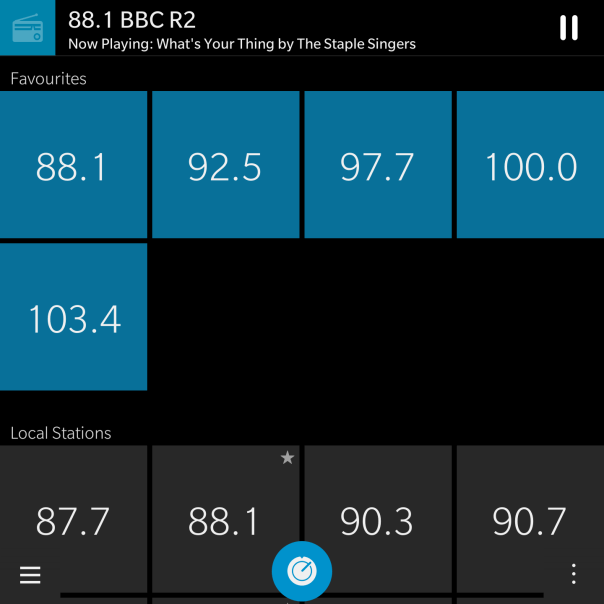
IMG_20141004_182313

But with all the options, the only thing that really matters is the audio quality. One word. Excellent. Really good via headphones whether connected via a wire or via bluetooth. The Loudspeaker is loud and effective too. FLAC support is natively supported and iOS Headphone controls work with the Passport!

More tomorrow.

BlackBerry Passport- Gaming

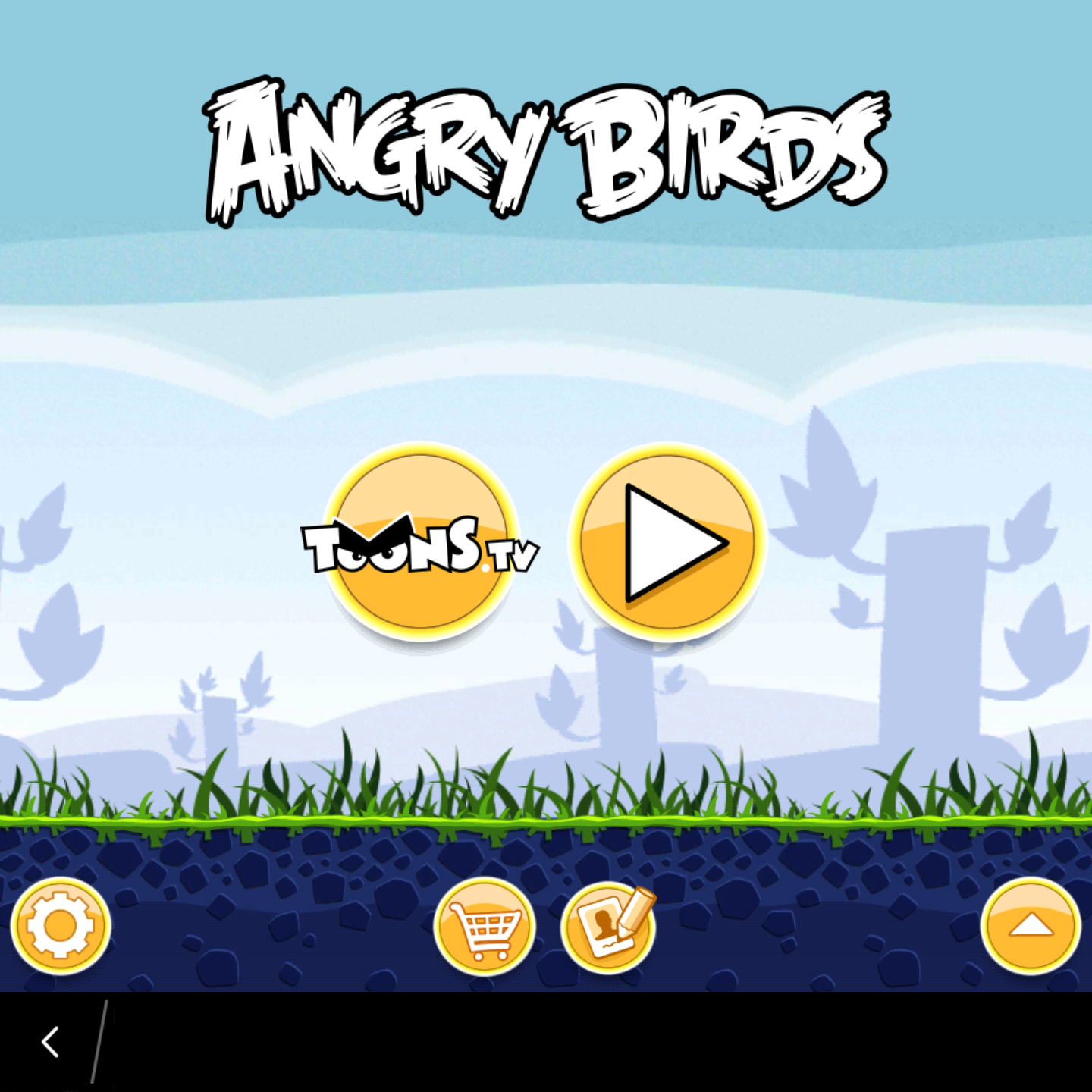
IMG_0352.PNG

Angry Birds works just fine. So do all the other games as per the below screen shot.

IMG_0353.PNG

But I have found plenty that aren’t working with the Passport square screen. So whilst gaming is possible on the Passport, you might want to check if you can play the types of games you prefer first or buy a different phone.

Also the top right of the phone got hot whilst playing many games.

To be honest I was expecting a greater number not to work with the square screen so I was overall pleased with the selection that I tried that ended up working.

BlackBerry Passport & BlackBerry Blend

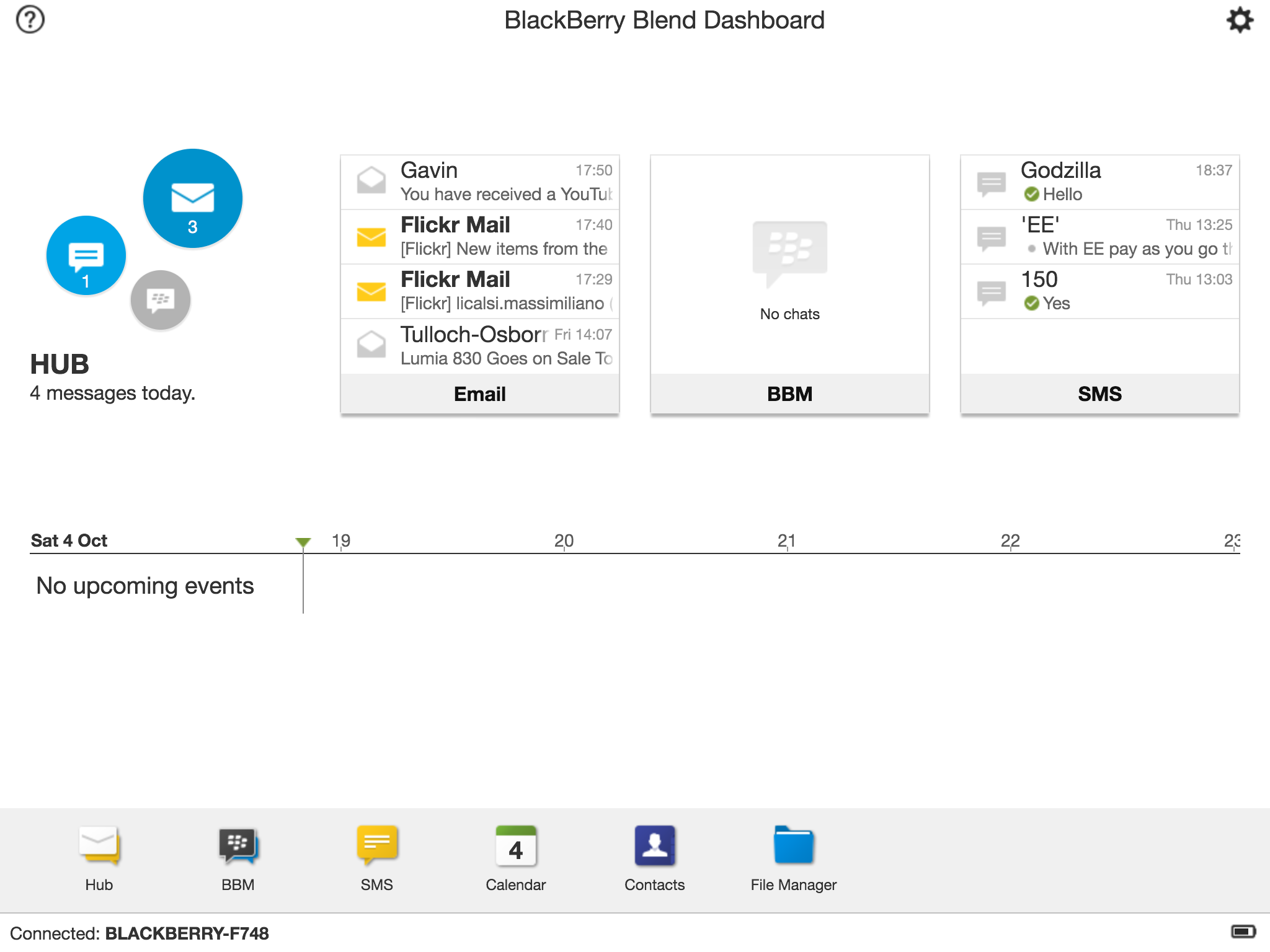
IMG_2821.PNG

Part of owning the BlackBerry Passport is using the BlackBerry Blend software. Above screen shot is from the iPad app! You can also set this up for your Mac or PC. Or even your android device.

BlackBerry® Blend is software you can download for your computer and tablet that seamlessly brings messaging and content that’s on your BlackBerry smartphone to your computer and tablet.

BlackBerry Blend brings all your BBM™ and text messages from your BlackBerry to the integrated messaging hub on your computer and tablet. Get instant notifications of new messages, and read, respond and create messages on any device to be more productive.

Forgot your BlackBerry smartphone at home? You can still get your BBM™ messages, emails and text messages from your BlackBerry on your computer or tablet through BlackBerry Blend, even when you don’t have your phone with you. This is super excellent.

Forget having to email files to yourself or using a USB stick to transfer important documents. Save files from your computer or tablet to BlackBerry Blend so they are accessible on any device connected to BlackBerry Blend – even when you don’t have your phone with you.

BlackBerry Blend does exactly what it says on the tin. It’s simple and I love it and it adds more value to the Passport offering.