Next week I am reviewing the Honor Holly which is a new dual sim phone from Honor.
I have found that the camera takes lovely photos. A few sample shots are shown below.


For a budget phone, the camera punches above its weight.
Next week I am reviewing the Honor Holly which is a new dual sim phone from Honor.
I have found that the camera takes lovely photos. A few sample shots are shown below.
For a budget phone, the camera punches above its weight.

For the last 2 weeks I have been using 3 different laptop type devices. My ageing MacBook Pro, an Acer C720 ChromeBook and an Acer V15 Nitro Windows 8.1 laptop to see which one I will opt for once my MacBook dies completely, which won’t be long.

But what I am going to do today, is write my thoughts down on the Acer C720 ChromeBook,the Acer V15 Nitro in a different post, and then on a mini comparison between all 3 devices.


First lets have a look at the specifications of the Acer C720 Chromebook.
– 11.6″ 1366×768 TN display
– 1.4GHz dual-core Intel Celeron 2955U processor
– Intel HD graphics
– 16GB SSD
– 2GB DDR3 RAM
– 1x USB 2.0, 1x USB 3.0
– HDMI output
– SD card reader (up to 32GB)
– 720p webcam
– Bluetooth 4.0
– 3.5mm headphone minijack
– Dimensions: 288x202x19mm
– Weight: 1.25 kg
Nothing spectacular in the specifications except for the choice of processor which helps provide long battery life of 8.5 hours. Other aspects of the specifications include a 7 second boot up time, Solid State Drive memory and free 100 GB of Google Drive cloud storage for 2 years. The C720 is also available in 32 GB SSD and another version which has a touch screen. The 16gb memory can be expanded by the of an SD card.
Those are the specs but what do I think of the Acer Chromebook. Well, this is my first ever chromebook that I have used and it has been a revelation. My MacBook Pro is toast. Why? Well, the Acer chromebook only takes 7 seconds to boot up, and in reality it takes longer for you to enter your password than it does boot up! The battery life lasts far longer than my MacBook Pro. I recall one day of usage from 9am to 5pm on a Sunday. I had been using it constantly and looked at the battery life to find it was only at 29%. It is also lightweight enough to be great to lug around as well.
But let me step back to the very first powering on. The Acer C720 just required my Google email and password and that was it. All my music, photos, files and documents were at my finger tips. The chromebook also has a guest mode, or if I decided to upgrade or sell the device on, all you have to do is go into settings, select “powerwash” and in a few minutes the device is cleaned and ready for its next owner. You can also speed up the entering of your password, by enabling smart unlock in the settings using your android phone. If it detects your phone is nearby it unlocks the chromebook.
The Acer C720 has built in loudspeakers which were clear and concise. I plugged in my headphones and was very happy with the sound quality. In usage the machine is fast, really fast. Everything is smooth and I really have not enjoyed using a device so much in ages. I have not touched my Samsung Tab S since using the chromebook, and the Acer C720 has been most impressive in its endurance, speed and reliability. Printing. Fortunately I have a HP wireless printer that comes with cloud printing out of the box so there was no issues getting documents printed from the Acer Chromebook. Cloud Printing uses your printers unique email address to send files for printing. I wanted to transfer photos from my smartphone to Chromebook. I found that the easier wireless method was using an app on my android phone called Photosync (the app has versions for ios too) and opening a special http page on Chrome was able to see my directories with photos and copy them across. This was the only item that required a bit of a workaround. Other than that I have had no issues with productivity using the Chromebook.
Based on my few weeks use I highly recommend this device is you are using Google services. It just works so effortlessly and has been a competent machine too. My thanks to Acer for the review unit too.
Below are all the review posts I have written covering the Nvidia Shield Tablet.

Today I am going to cover off my final thoughts on the Yotaphone 2.
The Yotaphone is without a shadow of a doubt one of the coolest piece of tech I have reviewed in ages. It is novel, different and caused huge debate with my friends whilst out at a restaurant. My friends were fascinated with the rear e-ink screen.
The rear e-ink display is not just about battery life. It is also about having an always on display for vital information. Perfect daylight visibility. And if your battery is about to die, you can take a screen shot of some information you will need later in the day, and it will be left on the rear e-ink display. And finally, the e-ink display is better for your eyesight.
The camera and audio aspects of the phone were reasonable. The competition includes phones with better sound and cameras. But in reality if photos are shared on social media, does it matter what the camera quality is like?
If you want something different and are the sort of person that needs the unique selling points of the Yotaphone 2 then its a match made in heaven. But the competition is fierce and there are many other options to consider too. Personally, this phone is staying in my collection. It is too cool not to have!!
Samsung has started to release more information on its Samsung Galaxy S6.
Below are a selection –
They say pictures can say a thousand words. Below are photos showing the Qialino leather case for the Samsung Note 4.


Now without cheating, how expensive do you think this case is? Now you have made a guess, click on the ebay link – http://www.ebay.co.uk/itm/Original-Qialino-Real-Leather-Rivet-Back-Cover-Case-for-Samsung-Galaxy-Note-4-/261754207755?pt=LH_DefaultDomain_3&hash=item3cf1c43e0b

Welcome back to part 3 of my review on the Yotaphone 2.
Today I am going to cover off the camera and audio aspects and any other titbits.
First up lets talk audio or sound. The loudspeaker is on the bottom edge, goes reasonably loud but is a little tinny. The sound through the wired headphones is not so hot. For some people it would be fine, but not for me. However, as soon as I connected my bluetooth headphones it was a different story. The music was so much better and a joy to listen to. But what about USB Audio. Using my USB Sabre DAC and USB Audio Player Pro app I was able to get USB Audio to work just fine.
The camera. 8mp on the rear, 2.1mp on the front. And being dual displayed comes with a few extra features. Firstly, the camera app is the default Google Camera app, so don’t expect any surprises. But don’t let the low resolution of the front camera put you off. Why? Well you can use the rear camera to take a selfie as the e-ink display will show your face to help take the shot. Also, when using the rear camera normally, 2 eyes appear on the e-ink display or a fake camera as shown above. Clearly Yotaphone have a sense of humour. There are other software novelties that appear when using a range of other apps. But what about the quality of the shots. Well on Sunday, I went out walking my 3 dogs. The lighting was poor and overcast so I did not expect brilliant shots. When I got home and examined them I was pleasantly surprised as they were better than expected. There are plenty of better cameras available but the f/2.0 clearly helped with my running dogs. I have created a Flickr album for the YotaPhone 2. Click here – https://www.flickr.com/photos/gavinfabl100/sets/72157650816294865/
In the meantime, below are some camera shots taken with the phone. Most are completely unedited.


Today, I am going to review the FitBit Charge HR with comparisons to all the other wearables I have used, including the FitBit Flex, see link https://gavinsgadgets.com/reviews-accessories/ to read up on all the other smartbands, watches and fitness devices already reviewed on Gavin’s Gadgets.

Charge HR builds on last year’s Flex fitness band with a bright blue OLED display, advanced sensors which include an altimeter for counting stairs climbed and optical heart rate monitor dubbed “PurePulse.” The FitBit Charge HR tracks steps, distance, calories burned, and floors climbed, It also takes into account motion and heartrate in its sleep analytics, meaning you don’t have to press or tap anything to tell it you’re about to go to sleep. It is water resistant—that is, sweat, rain, and splash-proof but not waterproof. Below are the home screen layouts for the Fitbit app on android. This looks the same whether on iOS or windows phone.
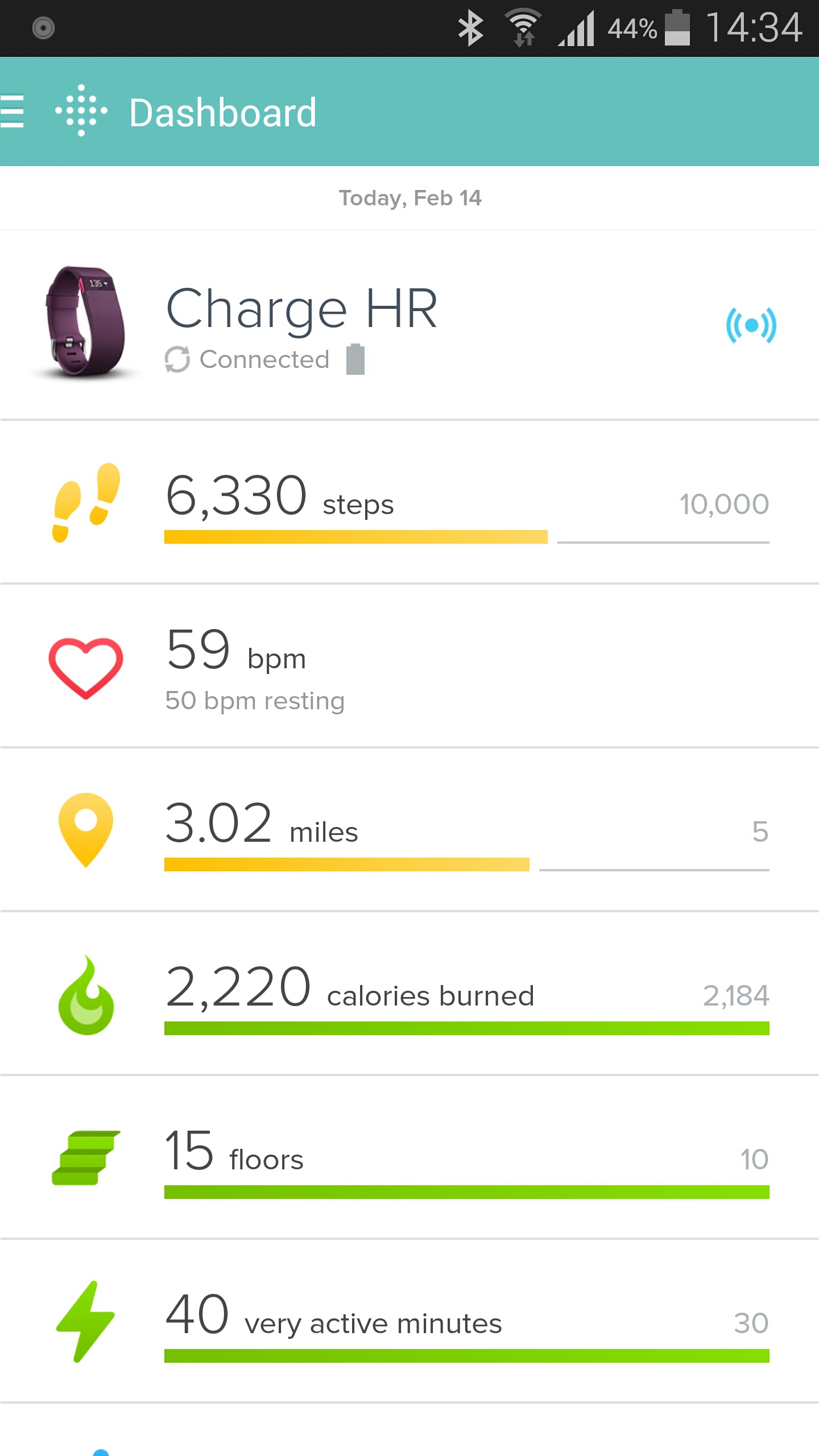

What makes the Charge HR special is its real-time heart monitoring capability. This means it knows if your in fat burn, cardio or peak zones when exercising. When you have told it you’re in exercise mode the heart rate measurements are taking every second. The FitBit has three special heart icons displayed next to the pulse rate readout which displays which mode your in – fat burn, cardio or peak zones.
When you have not activated exercise mode the Charge HR takes readings at five-second intervals throughout the day and this can be analysed later on a graph. There is also the ability using the app to adjust the heart rate banding in the different zones. This could be if you are a super athlete with significantly different bandings for your heart rate in the respective zones.
The Charge HR has an OLED screen. One press shows me the time and date (this is customisable), next press is steps, then current heart rate, distance travelled and calories burned. And that is all it does. It can vibrate for call notifications and sms, and for silent alarms. I do not use these features at all.
My wife has the previous generation of FitBit, the Flex. The Flex does not have a heart rate monitor or OLED display. The Flex has an different strap which is not as easy to remove or attach and could come off by accident. It also does not know when you are sleeping, or in a particular zone. You have to tap it to activate sleep mode. The sleep mode is not as accurate as the Charge HR. However, the Flex does have loads of replacement bands available from third party companies. My wife bought a pack of 10 different coloured straps for £12. With my wife using the Flex and myself on the Charge HR, there is no way in a million years that I would consider buying the Flex. The Charge HR is so much better.
The expression it does what it says on the tin is very true with the Charge HR. It makes walking, exercising and sleeping a breeze. It just happens in the background. It enables me to see how I can improve my fitness and more. But as this is a FitBit it also integrates into other third party apps. I am using MyFitnessPal to help me lose some pounds.

The Fitbit talks to MyFitnessPal and then MyFitnessPal converts the steps into additional calories that is added on to my total for the day. See above. However, if I was having a lazy day, MyFitnessPal deducts calories.
Using the Charge HR and MyFitnessPal in my current situation is a dream machine. It is also the best combination of any smart or fitness device I have used to date. Highly recommended.
Welcome back to part 2 of my Yotaphone 2 review. Today I am going to take a closer look at the special software and other aspects of the phone.
I was asked if I could provide the AnTuTu and Geekbench 3 scores for the Yotaphone 2. Personally, I don’t like these scores as they can mean nothing in real life. But as a few of you asked for the information, here is the highlights. AnTuTu scored a respectable 39,878. Geekbench 3 produced the following scores 895 for the Single Core and 2661 for the Multi Score. To give you a comparison the Samsung Galaxy S5 is similar to the single core and multi core scores of the Yotaphone 2.
Considering the Yotaphone 2 uses a Snapdragon 801 processor the above scoring is totally in the range I expected.
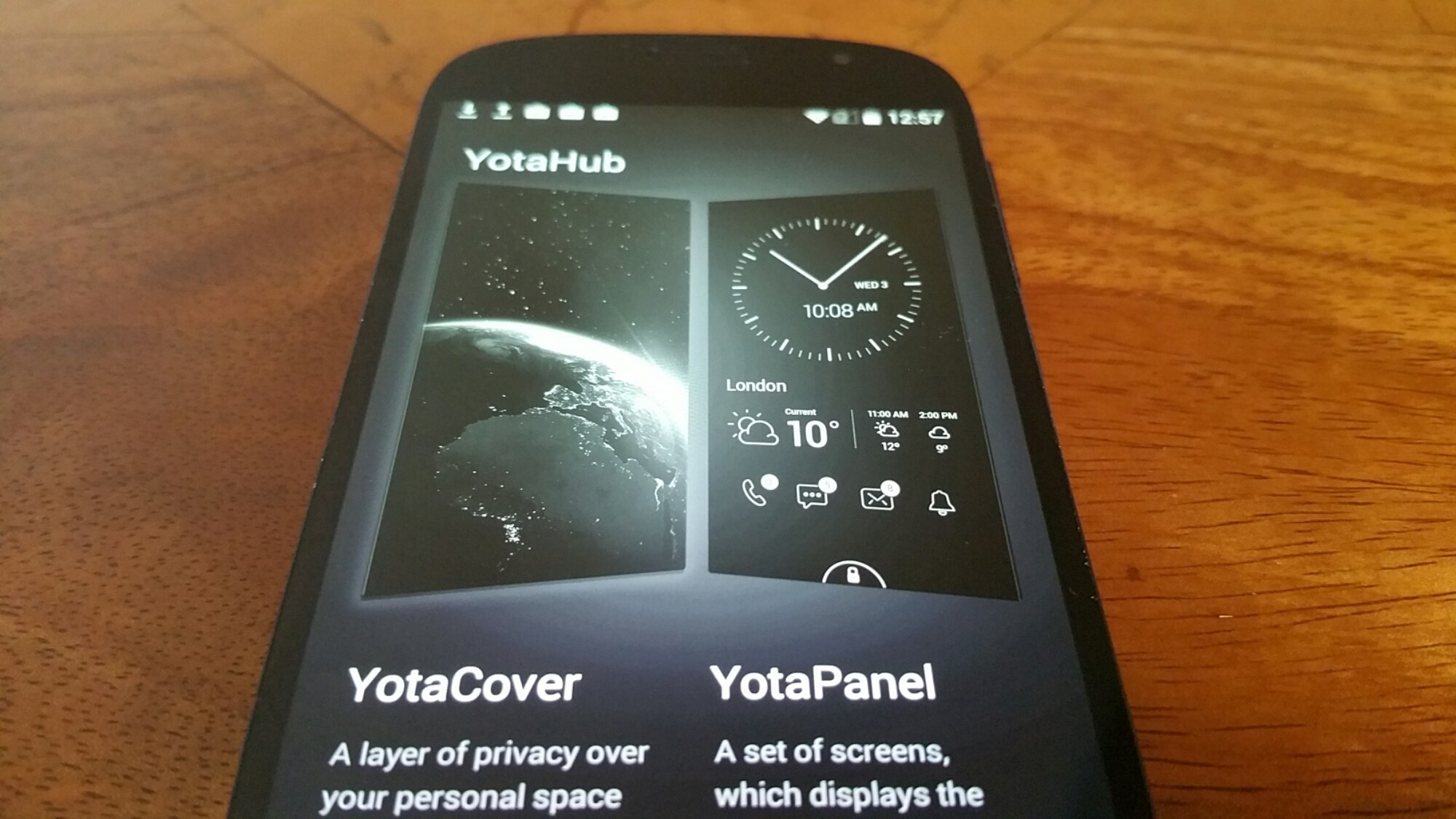
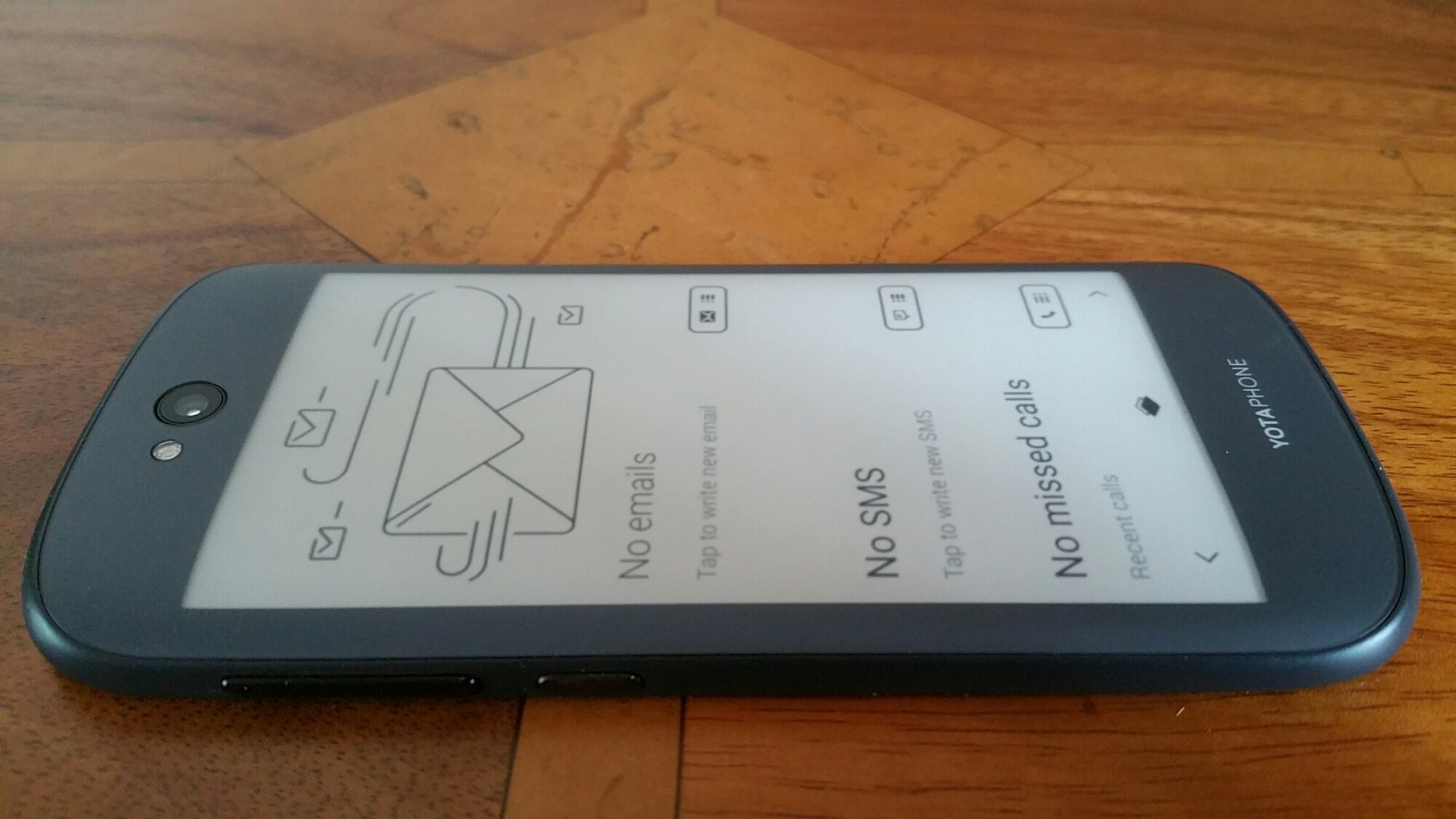
Anyway back to the Yotaphone 2 and its secondary display. When you first power up the phone for the very first time, you are guided through a tutorial which explains how to use the display. Useful. One feature I really liked was the Yota Mirror function that allowed you to send the display from the front to the rear. This is not simply switching displays but also converting the display to the lower e ink resolution. It is worth noting that the e-ink rear display is slower to use, has much longer refresh rates and ghosting does appear. However, it is totally usable and in many situations really superb to use.
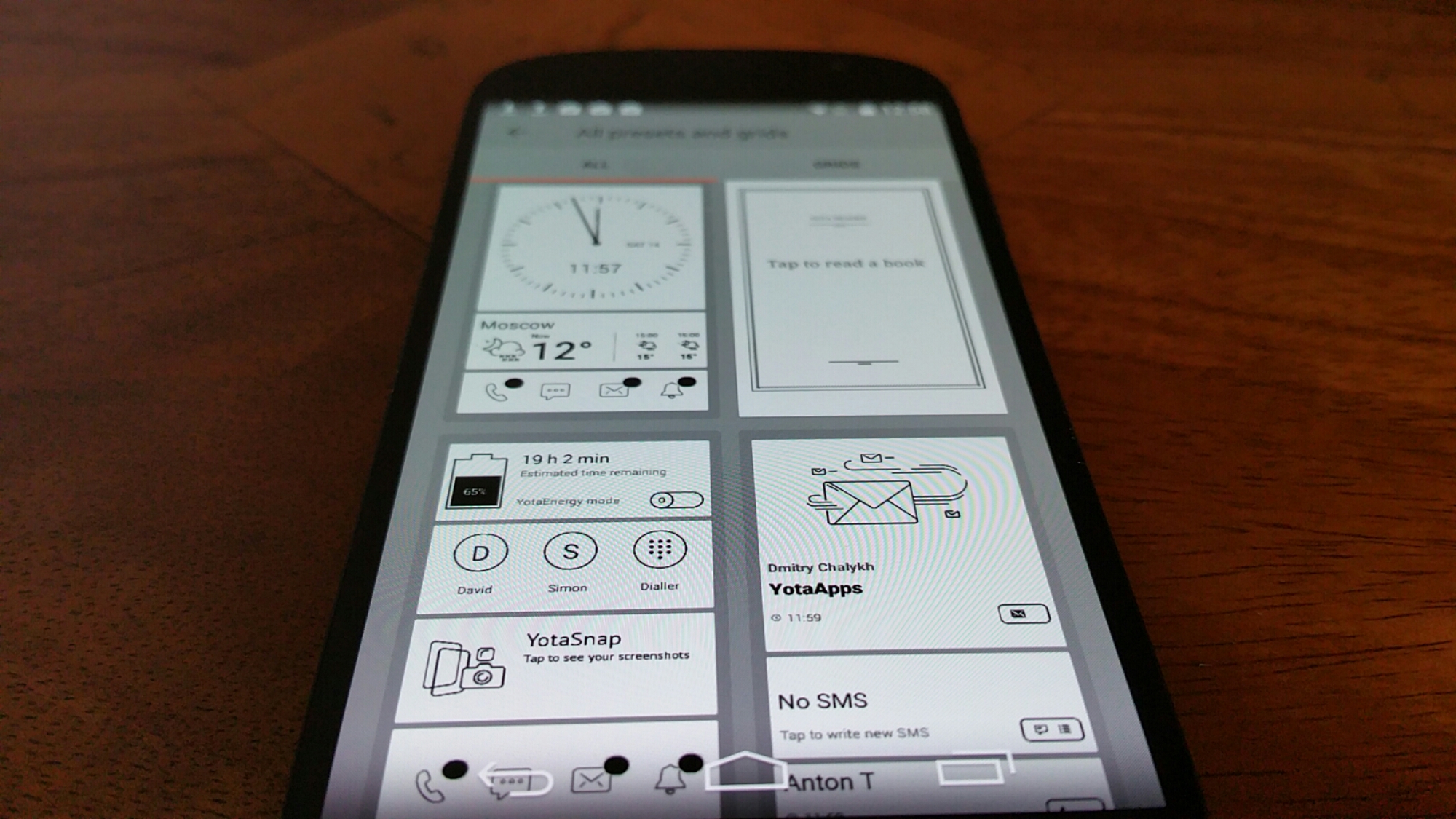
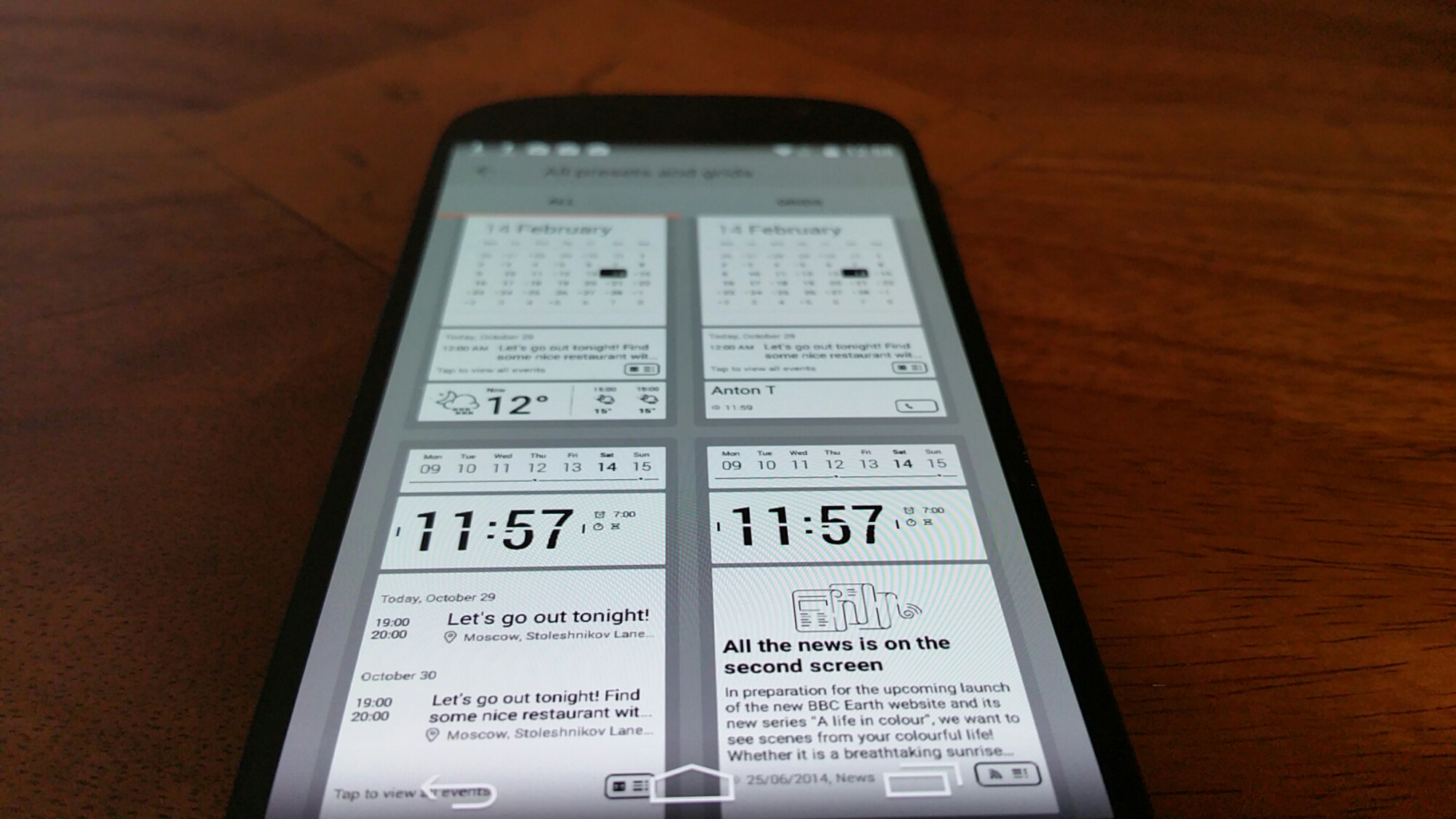
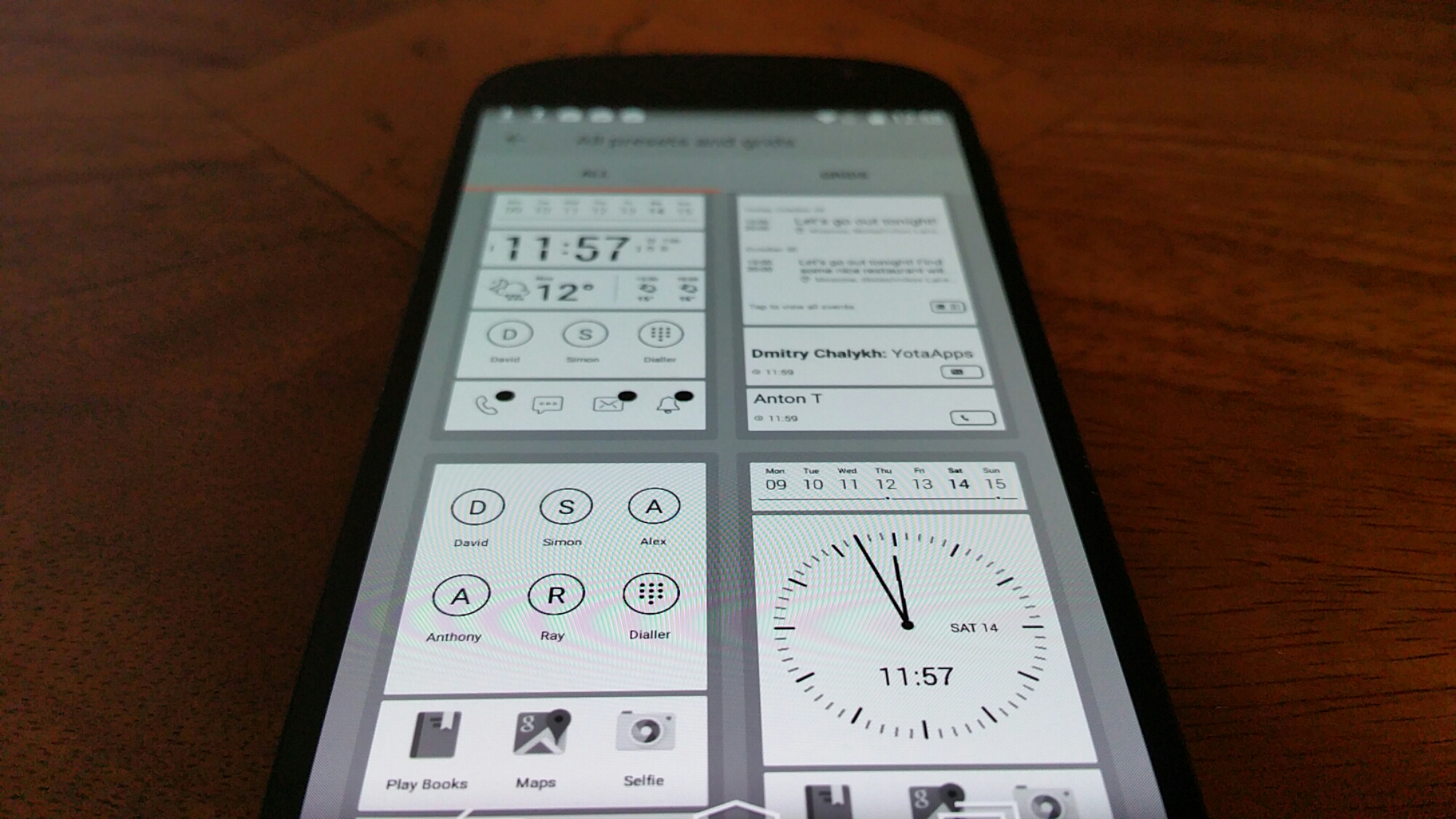
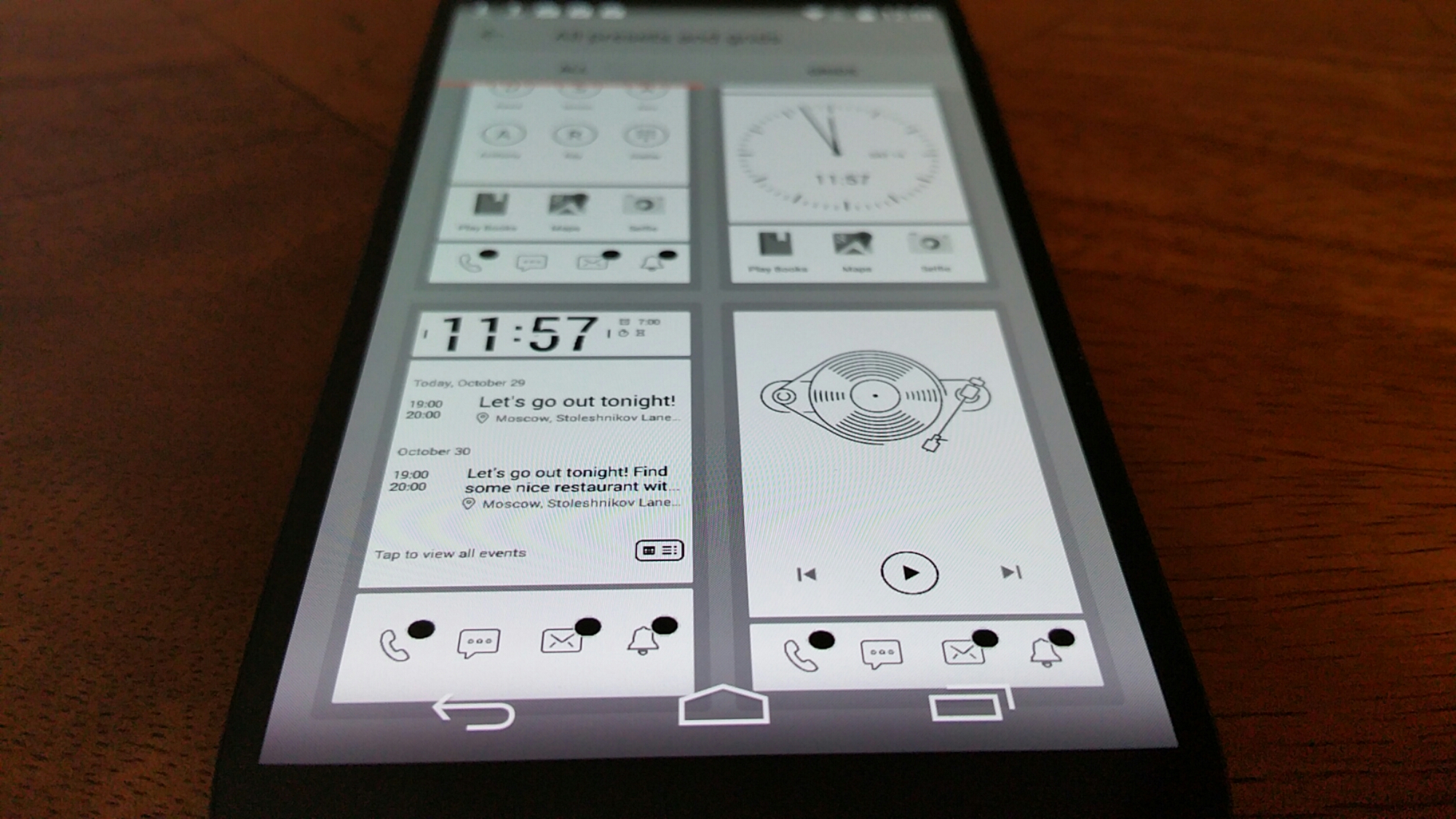
Yota provide 2 extra pieces of software on top of the Yota Mirror. These are YotaCover and YotaPanel which are managed by the YotaHub app. The YotaCover is the lockscreen for the e ink display. Yes a lockscreen to protect your private content if you so wish. It can also have notifications for email etc Here you can have a static or moving image. YotaPanels are up to 5 bespoke screens/panels of information that you can switch between. The recent firmware update increased the panels from 4 to 5 and also provided a white screen theme as shown in the photos. You can use the pre designed panel layouts or create your own. Some of the widgets which come in various sizes include a clock, battery, music player, calendar, appointments, app launcher and notifications. It is really customisable and clearly a lot of thought has gone into this section.
But what else is included. Well lets just step back a moment. The Yotaphone 2 has a near stock android experience which is a good thing as it makes for a snappy device. But Yotaphone did include some apps and games to improve matters. I mentioned yesterday YotaSnap but it also has a powerful battery saving mode called YotaEnergy. You can preselect at what battery percentage you would like this to be activated or turn on manually. This has a number of options to decide whether you want wifi, bluetooth or other options turned off. YotaReader allows you to import books, (you could of course mirror Amazon Kindle app), YotaRSS uses Feedly, games included are Chess, Checkers, Sudoku and 2048, all of which are ideal to be played on the e ink display.
Tomorrow, I will look at the camera and audio/loudspeaker. If you have any questions, please let me know.

 Gavin's Gadgets & Photography