Category Archives: Android

Google takes on Evernote with Google Keep

Google Keep is Google’s new note taking app.

Quickly capture what’s on your mind and recall it easily wherever you are. Create a checklist, enter a voice note or snap a photo and annotate it. Everything you add is instantly available on all your devices – desktop and mobile.
With Google Keep you can:
• Keep track of your thoughts via notes, lists and photos
• Have voice notes transcribed automatically
• Use homescreen widgets to capture thoughts quickly
• Color-code your notes to help find them later
• Swipe to archive things you no longer need
• Turn a note into a checklist by adding checkboxes
• Use your notes from anywhere – they are safely stored in the cloud and available on the web at http://drive.google.com/keep

It’s all very fancy but I use Google’s existing 2 way Note option using either the built in Notes program on iOS and syncing this with the Notes label in gmail or if on android using the free app called GNotes

Question everyone also might be asking after Google Reader, is Google Keep a keeper.

CyanogenMod’s team won’t be buying or supporting the Samsung S4

CyanogenMod’s custom Android ROMs won’t support the Samsung Galaxy S4 when it launches next month. CyanogenMod has confirmed that Team Hacksung, the group behind its Samsung ROMs, will not support the new flagship smartphone.

In a statement published on its website, CyanogenMod explains that Samsung devices are just too much of a pain to maintain. Furthermore, it says nobody in Team Hacksung plans to buy the new Galaxy S4:

Nobody at Team Hacksung (the team behind Galaxy S2, Note, S3, Note2, G Tabs… official CM ports) plans to buy it, neither develop for it. There are two variants which will be a pain to maintain, [and] the bugs we have on the S3 will probably be there on S4, too (camera), and we all know Samsung ability to release sources while staying in line with mainline. Yes Qualcomm releases sources, but Exynos sources we had were far from [working on] actual Galaxy products. I’m pretty sure the same will happen for this one.

I don’t blame them, especially after my Note 2 experience.

Update – following the publicity there might be a change of heart.

Samsung and Google to release a watch

Samsung has gone on record to state it is actively working on a watch, and hoping to beat Apple to the gate. My initial thoughts are plastic lovers rejoice.

However, since that statement Google has also gone on record saying it is looking at releasing the same.

Since smartphones have reached a peak in terms of performance or ground breaking changes, it makes sense that the next big thing is not a phone.

The US version of the Samsung Galaxy S4 is very fast – benchmark results

The U.S. version of the Galaxy S4 was put to the test by benchmark specialists Primate Labs. The Galaxy S4 scored a 3,163 on the standard Geekbench 2 speed test, nearly twice the iPhone 5′s score of 1,596. That score was also good enough to top the upcoming HTC One, the Nexus 4 and the previous-generation Galaxy S III. The chart below shows the Galaxy S 4′s results compared to other leading smartphones tested by Primate Labs.

Of course this is a brand new phone, so we will just wait for the iphone 5S with faster processor. Also whilst these tests are impressive, real life use is what counts.

Is Samsung poised to dump Google?

I always thought Samsung was trying to go it along, but never realised have far they have got to actually achieving this goal. Since owning my Samsung Galaxy Note 2 and watching the S4 launch, this is where Samsung has got –

1) it’s own app stores, film, music and more stores for purchasing content but in one convenient place and all nicely presented now.

2) The ability to upload your music to their cloud and stream songs back

3) S Voice was a joke, but it is now much more polished and works very well

4) Maps and Navigation – this is still Google

5) it’s has its own email app

6) it’s uses Chaton for communications like iMessage

7) It has a Learning Hub – a take on Apple’s education offering

8) S Heatlh – the beginning of offering accessories like the iPhone

9) Backup of key data to its servers and using Dropbox

10) and lastly its has its new Home Sync box to create an Eco system in people’s homes.

And all the services work a lot better or are new since I had the Samsung Galaxy S3 last year.

Day 3 Part 2 with the Samsung Galaxy Note 2

Let me remind everyone this is a huge phone. And to prove this point it broke my car mount this morning.

So what was today like? I got to use Google Maps Navigation and its so much better than that offered on iOS. And on the Note 2 the huge display makes it a stunning experience. In fact today was all about the huge display and how easy it was to read any text on my phone whilst driving. Actually, I didn’t have to read anything as I put the phone in driving mode. This is accomplished using the toggles in the notification centre, something that iOS really should have as standard. In driving mode voice control is active so that I can ask the phone to send messages and more. In fact when a message arrives, it reads it out aloud.

However, I found my first bug today. It is not possible to use voice control to update twitter. Apparently Samsung are working on a fix.

Google Now started working for me today. I had 2 cards at the end of the day. One showed my the stock prices of the company building I was visiting, and the other confirmed my route home had no traffic.

Some neat stuff today. However I encountered a major crippling problem. More tomorrow.

Are you thinking about the Samsung Galaxy S4 – here’s the main features

Just in case you need a reminder of why you might be looking to get the S4, below is a recap of its key selling points. Just wonder how many anybody will actually use though.

Air Gestures: Refers to hand movements made above the phone’s display, without coming into contact with the display, that controls the phone. Common gestures include waving your hand over the display to skip a track or waving left and right to switch between open web pages in the browser. These gestures only work with specific Samsung apps.

Air View: Like the stylus on the Galaxy Note 2, you can hover over the display with your finger to view information about certain pieces of content. For example, hovering your finger over an email shows you a longer preview without opening the message; hovering your finger over a date on the calendar shows you a quick view of what to expect on that day.

Drama Shot: Camera feature that shoots 12 photos at once and shows you a time-lapse of all the action in those photos combined into one picture.

Dual Camera: Activates both the rear camera and the front camera, so that the photographer can superimpose himself or herself into the subject of the photo. Samsung gave as an example someone watching football superimposing himself or herself into the game.

Dual Video Call: While video-chatting with someone, you can show them both your face and the view from your rear camera while you chat.

Group Play: Allows multiple Galaxy S4 owners in close proximity to join a private network in which they can, among other things, play a game.

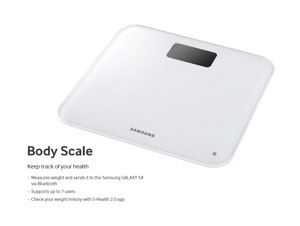
S Health: New app that acts as a fitness tracker and food diary. The Galaxy S4 has a built-in pedometer to count your steps, and you can take photos of your meals each day to keep count of your calories and eating habits. Samsung will also sell a fitness bracelet, a digital scale and fitness belt to measure blood pressure, pulse, glucose levels and weight for those interested.

S Translator: An app in which you can input any of 10 languages and receive a translation, either spoken or in text. Also works to translate text on your email, text messages and a few other Samsung apps.

S Voice Drive: New hands-free function for drivers that allows the driver to operate the phone with his or her voice.

Samsung Adapt Display: The Galaxy S4 “learns” what you are viewing and adjusts the display’s brightness accordingly. If the phone senses you are reading an article, for example, it will illuminate from a more muted brightness.

Samsung Adapt Sound: Similar to Adapt Display, your audio can adapt to the content you’re listening to (video, music, etc.) and optimize itself to that content.

Samsung Optical Reader: Camera feature that can snap a photo of a business card and import that information into a new contact in your phonebook. Was not working as of demo time, but Samsung reps assured me it would be fixed by the time it shipped to consumers.

Samsung Smart Pause: When watching a video, the front camera can sense when your eyes move away from the screen and pause the video automatically if you aren’t looking.

Samsung Smart Scroll: When you are reading an email or article on the web, you can scroll up and down by tilting the device up and down rather than swiping with your finger.

Samsung WatchON: A built-in IR sensor lets you control your television set with your smartphone. Comes with a standard remote and a program guide depending on your cable provider. Can also control certain cable boxes and DVD players.

Share Music: When linked with Group Play, multiple Galaxy S4s can work as surround sound speakers, all playing the same song at once.

Sound & Shot: Allows you to record up to nine seconds of audio at the time of taking each photo.

Story Album: Templates that allow you to create a digital photo journal or scrapbook from a certain event. You can also then order and print out that story album for a fee.