Category Archives: Android

Samsung Note 4 – crazy action shots of my dogs

I took my 3 labradors walking on Dartmoor early this morning. They run like the wind on Dartmoor. So I thought it would be an idea to see how the Note 4 managed to capture some action shots or my dogs. Normally if you take a 100 photos you should end up with a third that are usable. The rest on previous phones are a little blurry. But nonetheless previous phones like the LG G3 and Samsung Galaxy K Zoom have managed to take some decent motion photos.
So when I got home somehow I had 350 photos šŸ™‚ But the crazy thing was most were excellent. I counted 11 blurred shots. So now I am trying to decide which ones to keep and will publish these tomorrow.

In the meantime this is just an example.

image

The exif data for the above shot is ISO 80, f/2.2, 1/594 , flash off.

Part 2 is live. Click here.

Part 3 tomorrow.

Samsung Penvatars – new from Samsung for the Note 4 and Note Edge

w640-2

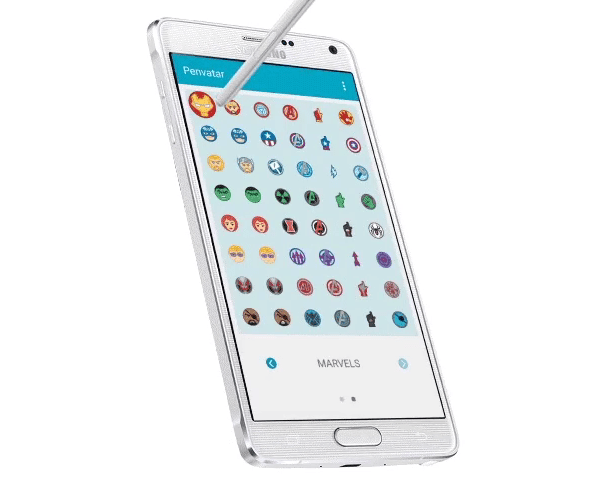
“When you use the S-Pen with your Samsung Galaxy Note 4 or Edge, by default you will have noticed that when you hover your S Pen stylus slightly above the screen, a pointer appears. Not the most exciting thing according to Samsung who is hoping to spice things up with its new Penvatars.

Penvatars is the name Samsung has chosen for its upcoming app for S-Pen devices that will allow you to customise these pointers.

The screen shot above features Marvel Comics character.

Personally, I turn the pointer off in settings as it drives me mad. So this app is pointless for me but would you like something like this?

Source – @SamsungMobile

Android App Permissions – Google simplified them but was that enough?

A few days ago, I reviewed USB Audio Player Pro app for android. Link to review https://gavinsgadgets.com/2015/01/08/usb-audio-player-pro-app-on-android-what-a-difference/

Reader Ziontrain made the following comments –

“One should also note that this program is likely collecting your personal information. Accirding to google play, the permissions required to install this program (ā€œUSB Audio Player Proā€) are:
ā€œThis app has access to:
– Photos / Media / Files
(Uses one or more of: files on the device such as images, videos or audio, the device’s external storage)
– Device ID & call information
(Allows the app to determine the phone number and device IDs, whether a call is active and the remote number connected by a call)ā€

One can understand the first permission. But the second one? Uh no – not necessary at all.”

Following Ziontrain’s comment a debate ensued. So it was decided to contact the developer and discover why the following permissions are used. And this is the reply from developer, Davy Wentzler of eXtream Software Development.

“Hi Gavin,

Thanks for the purchase and review!

We use the READ_PHONE_STATE permission so we can mute audio if you’re in the middle of a call. This is according to Android API requirements and nothing special. Top apps like Neutron, PowerAmp, Pandora, Spotify, etc all need the permission. Of course we don’t query your phone number, you are invited to come over to our office and inspect our code! šŸ™‚

Kind regards,

Davy
eXtream Software Development”

So nothing sinister just Google still not really having clear enough explanations of the permissions used by various apps.

And one last point. If you use a Gmail or email people who use a Gmail account, Google probably has a 6 foot high stack paper mound of data on you already.

USB Audio Player PRO app on android – what a difference !

USB Audio Player PRO (Google Play link) is one awesome app if you are into using your android phone as a high quality audio music transport system.
image

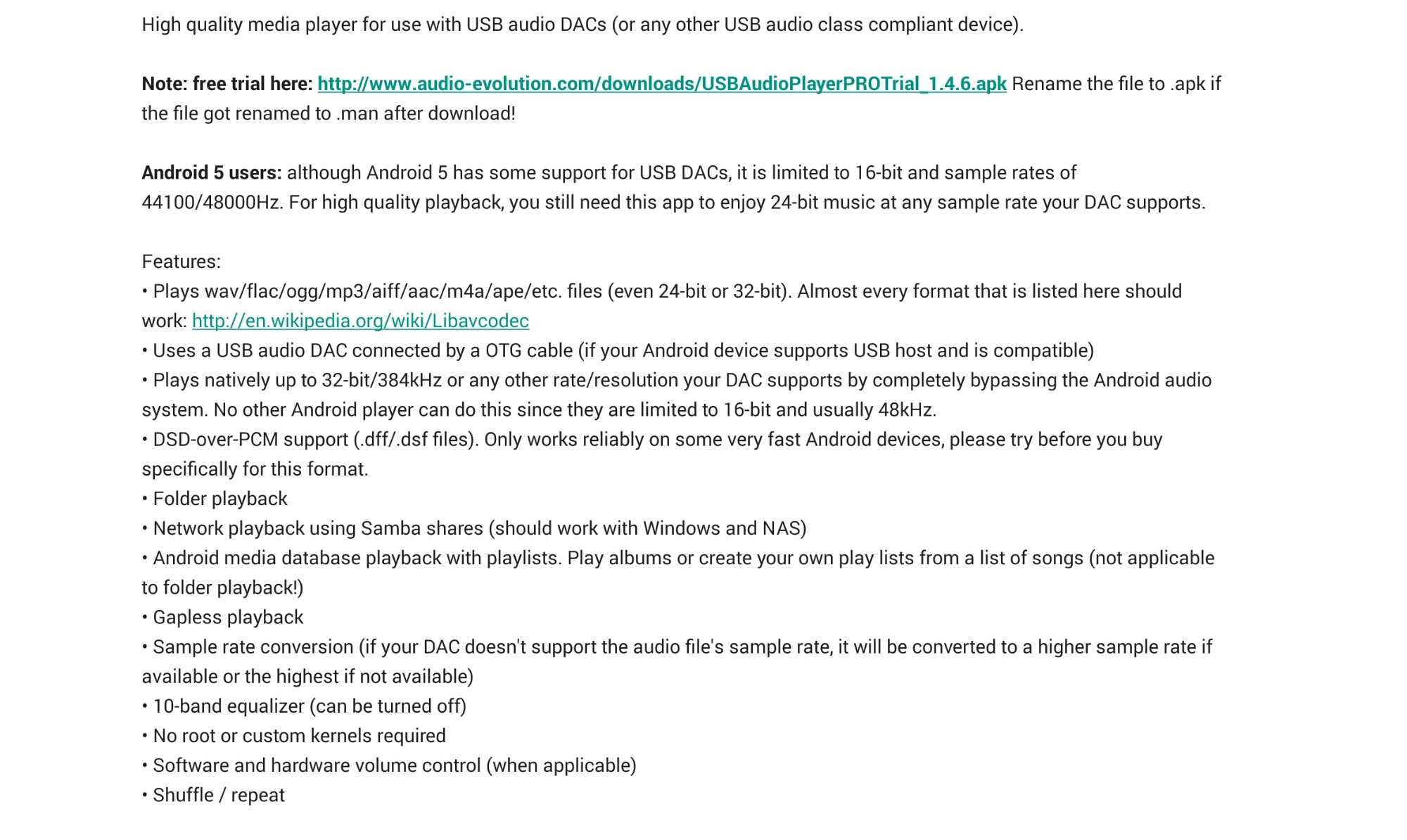
The developers provide the following description of this app as follows –

image

The above may sound rather technical but all it does is provide astonishingly good playback in to a connected USB DAC. Let me explain further. I use my Note 4 in this setup. I’ve copied my music from iTunes on to a large micro sd card. The music has to be stored on the device and there is no compatibility with Google Play music. If you wanted to use music stored on your network this is possible via Samba shares, windows or a NAS.Ā 

Connected to my Note 4 is a HiFiMeDIY Sabre Android USB Dac which then connects to a Cayin C5 Portable HiFi headphone amplifier. But the key part of this chain is the USB DAC. So prior to using USB Audio Player PRO app for android,Ā  I was simply using either Google Play music, deezer or the Samsung Music app to feed the USB DAC. As I discovered it wasn’t a totally smooth affair. So I installed the trial version of this app which is time limited but still offers plenty of time to evaluate and test the app will work with your phone.

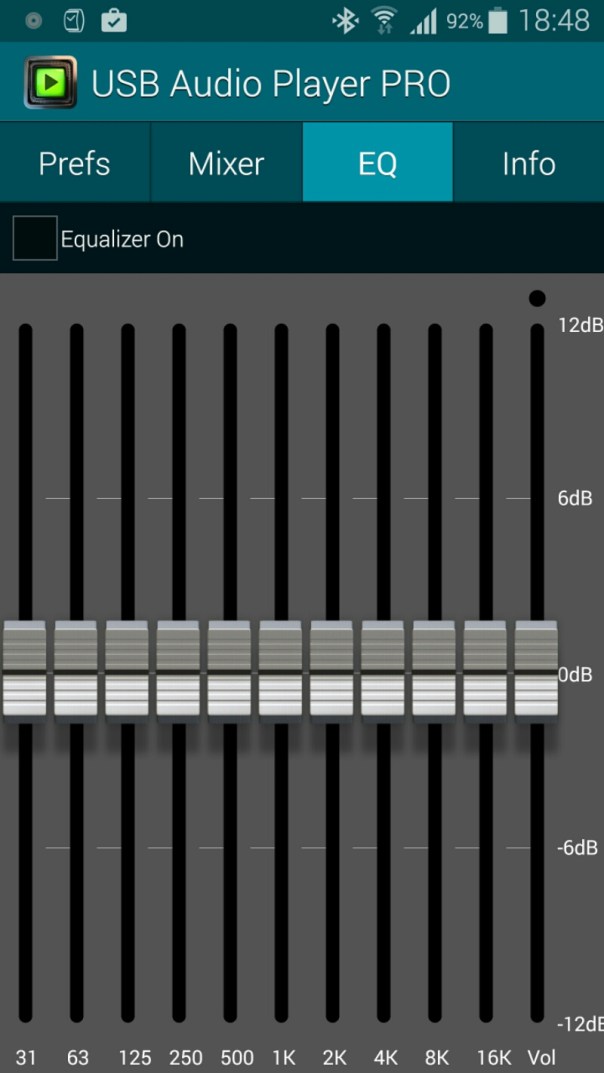
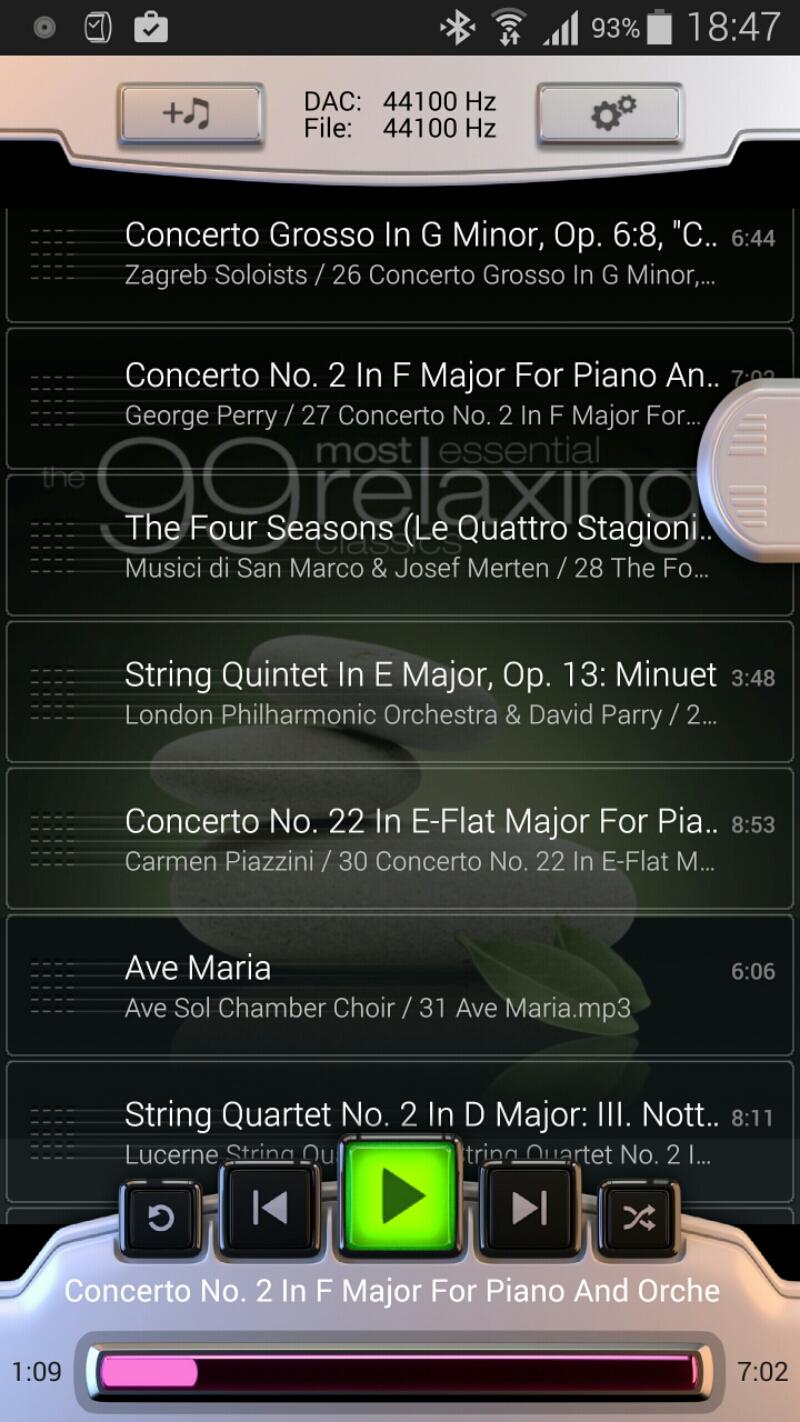
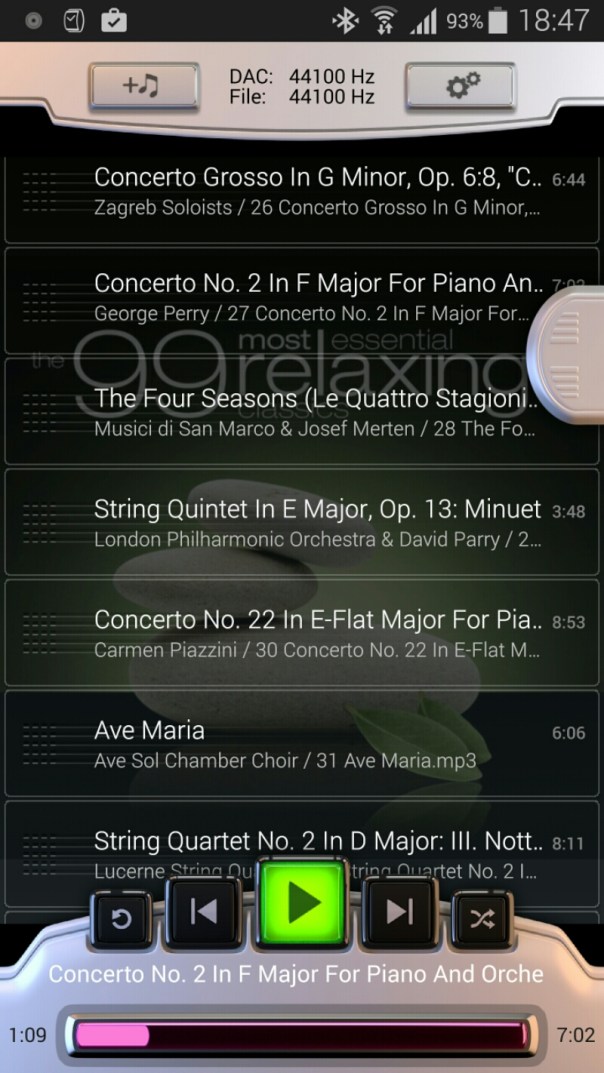
The app contains it’s own custom driver that only works when the app is running, hence why you cannot use other apps to playback the music. The player controls are rather basic as shown in the first screen shot above.

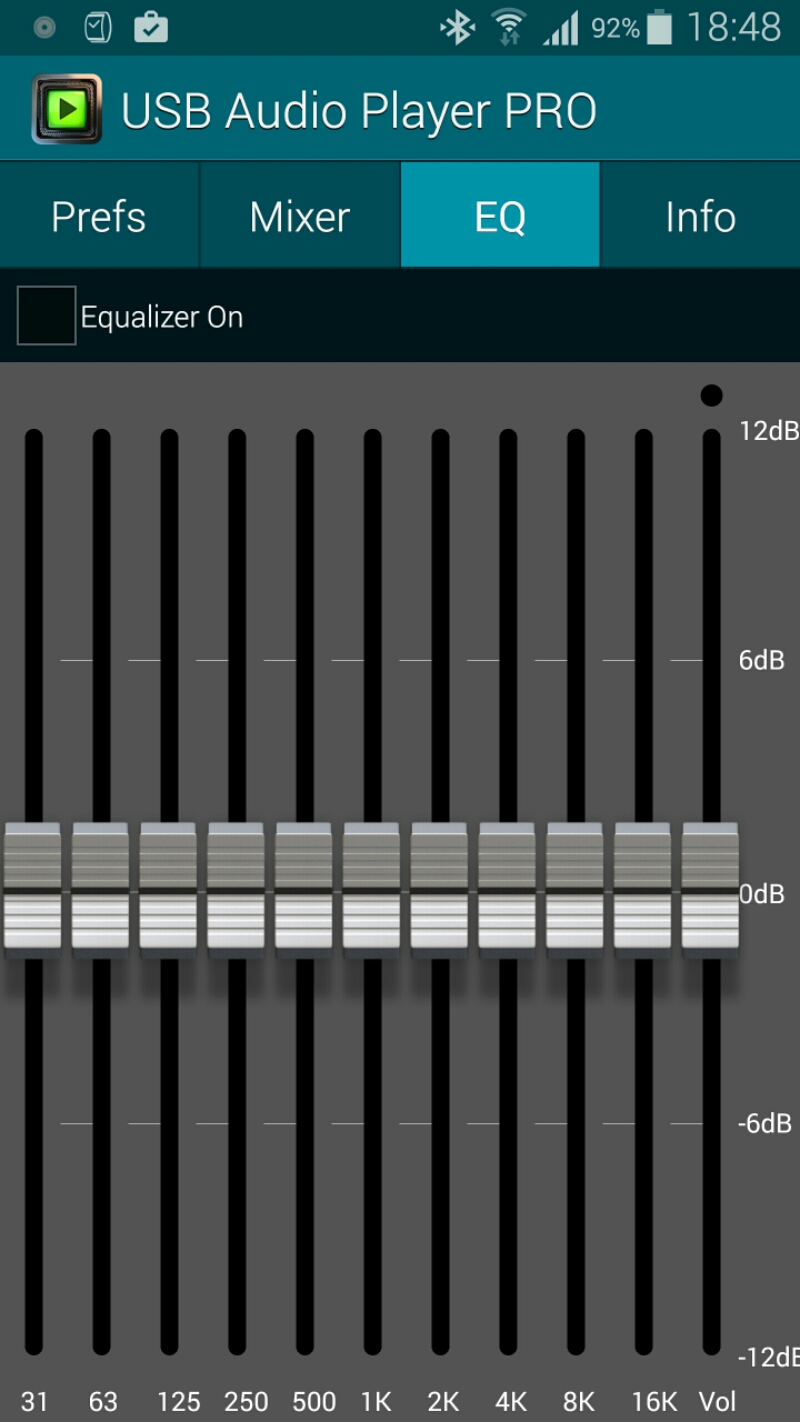
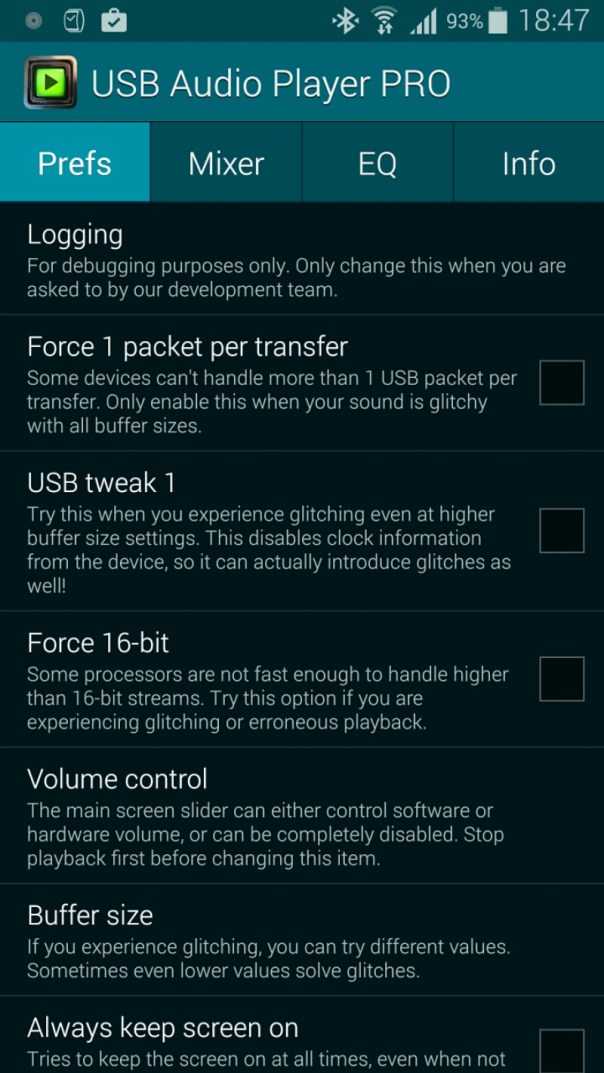
There are a number of settings as shown below.
image

image

image

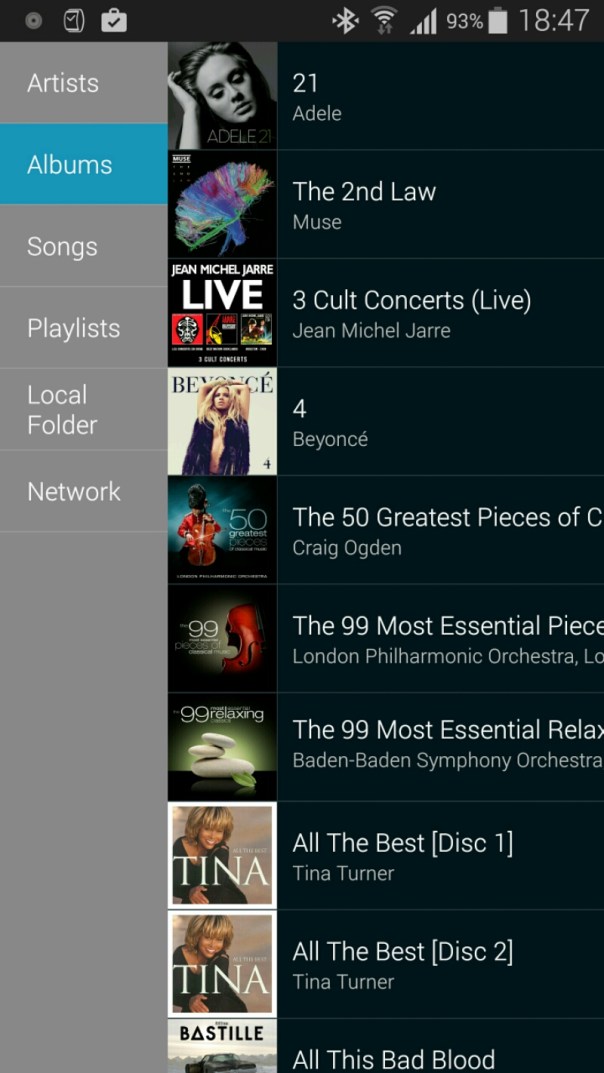
Selecting music is fairly straightforward but note that there are no fancy options or the ability to create new playlists. 
image

With the setup I am currently using I had to increase the buffer size from 100 to 200 milliseconds. And that was it 

So what’s the end result? It’s night and day better. Beyond anything I ever thought possible and a total revelation. I wish I had used this app before. Using this app you will listen to a track and hear stuff you never heard before. The punch, accuracy,  detail and every aspect of the music is transformed. It is so good I can plug any of my headphones directly into the HiFiMeDIY Sabre Android USB Dac without using the headphone amplifier,  although with the headphone amp it becomes even better.

And one last point. I’m not using FLAC music files,  just good old mp3 at a recording bit rate of 320 bits.

PS. If you are likely to shop on Amazon please help with the running costs and use my affiliate link – details here. Thanks in advance ☺

How to use and setup the Samsung Gear S with any phone including iPhone 6 (Samsung phone not needed)

Many people believe it is not possible to use the Samsung Gear S without first needing to use a compatible Samsung handset to enable the initial setup process. Well it is possible and rather simple too. In fact, the Gear S can work with any phone including an iPhone or any Android.

See this great video on how to set up the Gear S.

Lenovo’s Vibe Band VB10 Fitness Band and the Vibe X2 Pro Smartphone – details

w640

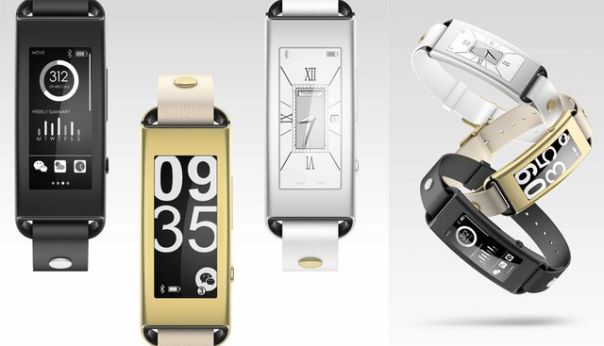
Lenovo announced a fitness band featuring a curved E Ink screen. The main body is wrapped in metal either black, gold or white along with a rubberized strap. The band weighs just 30 grams. E-Ink means 30 days battery. The device continuously monitors your steps, calories, travel distance, sleep quality and you also get notifications from your phone using Bluetooth LE.

What is interesting with this band is another wearable that doesn’t use Android Wear operating system being announced at CES 2015.

Lenovo also announced several phones. Of interest, was the Vibe X2 Pro Smartphone.

VIBE smartphones gets bigger and faster with X2 Pro
Sporting the same eye-catching, award-winning layered design of the Lenovo X2, the Lenovo VIBE X2 Pro limited edition smartphone brings craftsmanship, power and style to the next level with its sleek, lightweight full-metal body. The VIBE X2 Pro packs a 5.3-inch FHD display with stunning visuals and a 64-bit QualcommĀ® Snapdragonā„¢ Octa-Core processor that delivers jaw-dropping performance and long-lasting battery life.

For greater ease of use, the Lenovo X2 Pro incorporates the intuitively designed VIBE 2.0 user interface, featuring personalized lock screen, Instant On camera, elegant transparent icons and more. The smartphone also utilizes dual 13 megapixel auto-focus cameras (front and rear) with LED flash, gesture controls and beautification features, which combines with the new VIBE Xtensionā„¢ Selfie Flash to capture flawless selfies.

Note the auto focus front and rear cameras and both 13mp.

Source – http://news.lenovo.com/article_display.cfm?article_id=1880

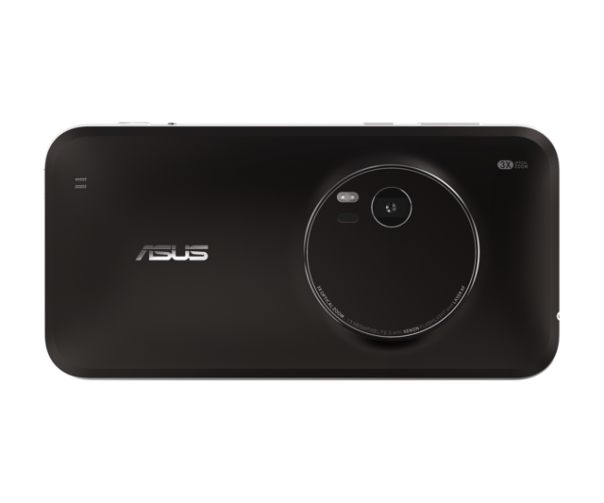
Asus Announces ZenFone Zoom With 3x Optical Zoom 13MP Camera – details

w640

This announcement from CES really caught my eye – Asus Announces ZenFone Zoom With 3x Optical Zoom 13MP Camera, Laser Auto Focus, and A 5.5-inch 1080p Screen. The Zoom’s 13MP shooter has a 10-element lens, 3X optical zoom, and optical image stabilisation.

And the key point is this is a mid ranged device selling for less than £300. Will this be one of several new cameras on smartphones this year. Certainly looks this way.

Source -www.androidpolice.com/asus.com

Google unveils Google Cast – AirPlay is being suffocated now

“Google Cast, the same technology behind Chromecast, lets you cast your favorite music from your mobile device to your speakers. Simply use your Android tablets and smartphones, iPhoneĀ®, iPadĀ®, Mac, Windows and Chromebook to control the music directly from the apps you already know and love.

The easiest way to send music to your speakers

With Google Cast, there’s nothing new to learn — listening to your favorite apps on your speakers is as easy as the press of the cast button. Search and browse, play, skip, and turn up the volume directly from the apps you know and love on your phone, tablet or laptop. Friends can even join in and use the apps on their phones to cast to the speakers, too.”

Sony, Denon and LG will all be producing speakers with Google Cast support”

So there we have it, Google have no added one last ingredient to kill the Apple TV Box. Will Apple ever update this box? Or does it need to? Remember, this is cross platform!

Source – http://www.google.com/cast/audio/

Samsung Note 4 – 2 months later review

So its 2 months later with my Samsung Note 4. To read the main 17 Part Review click here.

Well there was a period of about 2 weeks when I changed my black Note 4 to the black Samsung Note. I also detailed my views on the Note Edge. To recap on the 14 part review of the Note Edge click here.

The Edge is identical to the Note 4 except for that edge / panel. So even though I had a break of 2 weeks it doesn’t really count as I was in reality using the same hardware and software. As you all probably are aware I moved back to the Note 4 as I could not tolerate the reduced battery life of the Edge over the Note 4. Moving back to the Note 4 allowed me to pick a different colour and I chose white this time. IMO it looks better in white but I’m certain many of you will disagree ☺

So what has it been like using the Note 4 for nearly 2 months. It’s the equivalent of having the best in class smartphone and topping all the categories. It has the best screen. It’s clarity and quality is incredible. It works brilliantly in sunlight and then goes so dark for night time reading. The colour accuracy of this screen is currently the best out there. As this is the Note range it has all the multi tasking options, s pen, infra red blaster, user changeable battery and micro sd card support. It also looks great and has decent battery with 2 battery saving modes ; the standard power saving mode and the life saver mode “ultra power saving mode”.  This last mode is so good that one night I was out and about and had 2% battery left. I switched to this mode, got home and forgot to charge the phone. By early evening the next day it was still on 2%. But fear not, the Note 4 has quick charging too. And this is  a theme in its spec sheet. It’s a battleship of specs. If you are into health and fitness, it has sensors for its built in pedometer,  heart rate and oxygen saturation as well as a UV sensor. This is all integrated in to the S Health app which has even more options. And if you use a Samsung wearable like the Gear range then you have a tightly integrated system.

And the best in class continues with its camera and audio. I am constantly amazed by the photos coming from the Note 4. The audio via the speakers is clear and ideal for voice and podcasts. It’s not boomsound bassy but it’s a clear sound. The audio sound via the headphone jack is very high quality. USB Audio is supported out of the box. Voice recording has support for its directional mics with the ability to separate up to 8 different sources of sound and remove any of them during playback of recording. Adaptive sound support is excellent too as it’s adjusts the sound according to each of your ears hearing abilities. Adaptive sound carries out a hearing test on each ear to set this up. Different adaptive sound profiles can be saved dependent on what headphones or ear you are using for phone calls.

But it’s not just the hardware that’s exceptional. The software package is also excellent.

Samsung has also provided a few small updates to improve performance and remove any early bugs. With android lollipop due in the next few weeks I am excited to see what more can be squeezed from this formidable hardware and software combination.

In case you hadn’t realised I totally love this phone !