For the earlier review posts click here.
In this part I am going to look at some of the software included by Sony.
Socialite – this is a social and news gathering service and if you use it before the end of June you can import Google reader feeds. Looks good but lacks the full sharing options for some bizarre reasons.
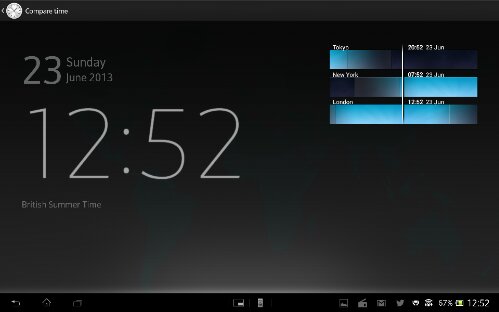
Alarm Clock – an app to manage your alarms, with a world clock, stopwatch and timer. In the world clock screen you can press the time zone icon and it displays the countries setup as a light to dark shade giving you a pictorial representation if it is night or day.
Backup – this app allows you to back your device to the SD card or USB storage. You can select whatever data you require from the system Apps data, media , and the downloaded apps and it’s data. I haven’t tested this yet but it does look really good.
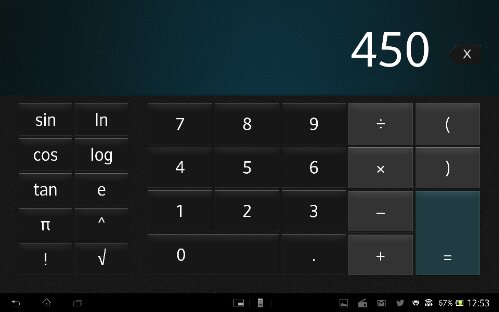
Calculator – its a calculator
Calendar – Sony’s calendar app is very good. Views are month, week, day and agenda. The month view also displays in the right an agenda view of the days events. Each day of the month has the text of the event. The week view has the days of the week laid out with the text and on the right a small calendar of the month. The day view is the same as the month but just that day and a small view of the calendar on the right. The agenda view is a list, but with the page split in two. List of events in left and detail of highlighted event on right.
Camera – modes for resolution, self timer ,smile shutter, quick launch, geotagging, auto upload, touch capture, shutter sound, data storage, superior auto, normal, video capture, burst (3 speed options), picture effect (9 to choose from), sweep panorama, scene selection (soft snap, landscape, night ,beach, snow, sports, party), front video, HDR, iso, white balance, entering, image stabiliser, exposure value, focus mode. All in all a very comprehensive list of options and being waterproof you can photograph in the rain.
Email – if you don’t use gmail, Sony has its own email app.
Downloads – displays what you have downloaded.
File Transfer – allows you to move the fire from internal to micro SD card. Or USB storage. Hidden files can be shown too. Plenty of options too.
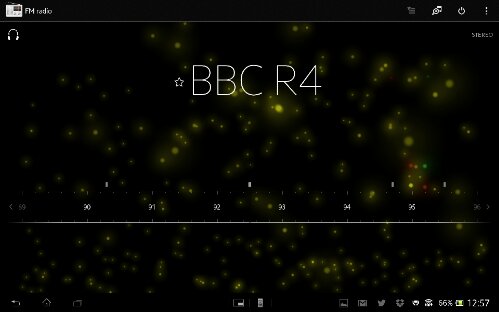
FM Radio – the coolest FM radio app I’ve seen with great sound. Displays station name and have cool visualisations in the background. Also has track ID built in. You can play in the speaker and force mono. You can also change region between default, Japan, Italy and Thailand. Ideal for travellers. I must emphasise the fm radio quality is exception with great separation and more. Stunning!
PlayStation Mobile – play PlayStation 1 games bought from Sony’s store. Most of the games work very well with the PS3 dual shock controller.
Movie Studio – for editing your movies.
Music & Video Unlimited – access to Sony’s stores for music and video.
Notes – a note app that syncs with Evernote .
Mobisystems Office suite viewers. You can upgrade for £15 for full editing.
Play Memories online – Sony’s photo storage offering
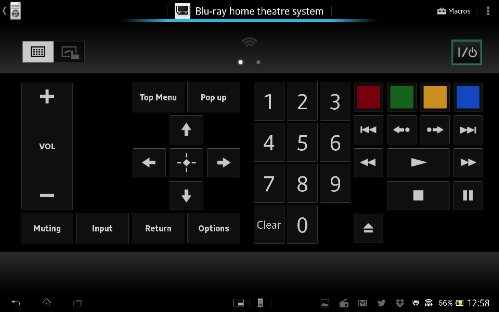
Remote – universal remote control app that uses the Sony infra red blaster. Also has macro modes. Great app.
Sony Select – Sony’s app and game recommendation. Worth looking at as some good free apps exclusive for Xperia devices.
TV Sideview – WiFi remote plus programme guide and details
Update Centre – a single app to handle every type of updates from the firmware to apps. Also shown in the settings.
WiFi Checker – does exactly what is says. Ideal if you are having problems .
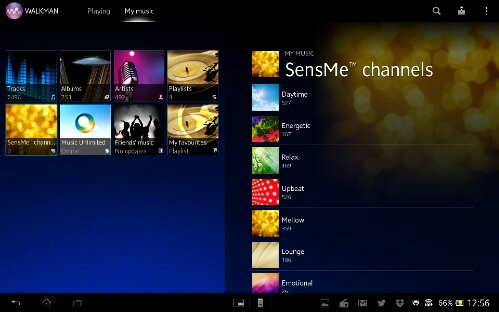
Walkman – the Sony music app. And its great. Select by tracks, albums, artists, playlists (create your own or use the smart ones) , mood selection, music unlimited, friends Facebook music and a favourites playlist. Music info can be pulled in from Gracenote. Superb sound and equaliser options. But I’ll stress and the stunning sound.
There are many other apps plus the Google standard apps. The only browser installed is Chrome.
Below are a selection of screen shots.

Above is a screen shot from the Socialife app. Below is from the remote app.

Above is the PlayStation Mobile app and below the FM Radio app.
Next up is Track ID and Office suite.


Below screen shots from the Walkman app.

Next up the Backup app and Calculator app.

And now the Alarm Clock app.
Tomorrow I will summarise my final thoughts on this tablet.
 Gavin's Gadgets & Photography
what do you mean by hidden files can be shown too?
LikeLike
System files which are normally hidden can be shown if you select that option in the settings.
LikeLike