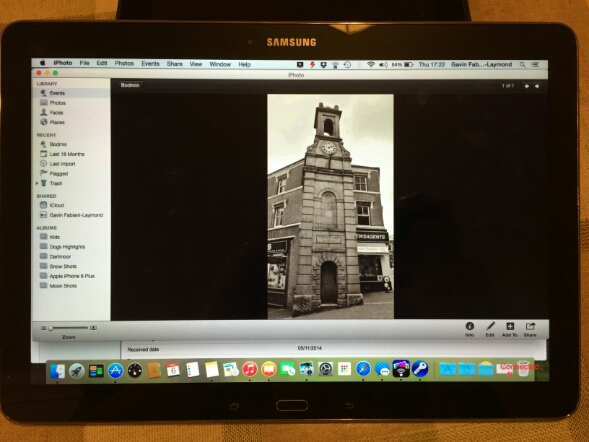
Don’t be confused, it is Yosemite running on the Samsung NotePro 12.2 tablet but it’s using the free software Remotepc that Samsung provide. It’s seems really good too and it has a file explorer allowing the transfer of files from your computer to tablet The above photo demonstrates just how big the tablets screen is.
Anyway, last night after allowing the tablet to charge, then spending the next hour or so downloading all the app updates from Google Play store and the Samsung App store plus the installation of 2 OTA firmwares the tablet was ready to rock
First impressions are that it is huge. It is heavier than any tablet I have held in years. But it is also the biggest tablet screen size I have used too. In fact the screen is fabulous, as is the default on screen touch keyboard. I have typed this post on it.
Several apps look like stretched phone apps, but on the whole the rest looked fine. The S-Pen is included and is more suitable for such a large screen for note taking and such like. Handwriting recognition appears to be really good so far. Samsung include many business type apps which I will cover off in more detail. Multitasking with 4 windows open is slick, but it is better to have 2 as the size of the windows is 6 inches a piece. This is the first Samsung product that includes a brilliant infra red software app. Very pleased about this as the dvd software includes the eject button. My dvd player eject button doesn’t work anymore and the official remote does not have an eject button either.
If Apple release a 12 or 13 inch ipad, the experience will be fantastic. I hope they include allowing more than one app to be displayed on the screen. Photos just shine on this tablet. In fact, they look better than on my ancient macbook. If my macbook dies I could just use this tablet.
Lag. It’s Samsung. It lags. Slows down at times. But in reality it doesn’t matter that much. There is also the magazine UI powered by Flipboard which also adds some HTC Blinkfeed options too.
I still have a lot to setup and discover. I will also be using this tablet with the Samsung Note 4 and Gear S. First impressions will be on Sunday hopefully on my podcast .
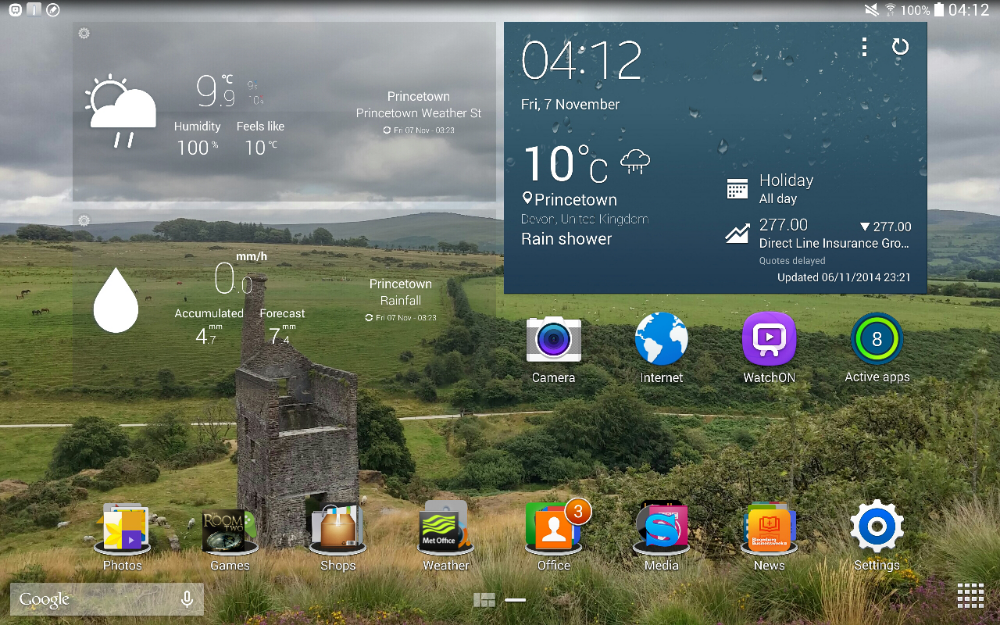
In the meantime below are a few screen shots. First my current home screen. The time is correct.
Next up is a screen shot with the Magazine UI.

You can make the tiles smaller in the above shot, so if you wanted you could have 6 items per page. Next this is Multitasking done properly.

The above screen shot shows 3 screens open. 4 is the maximum in multi window. As I mentioned above, having 2 windows open side by side is really useful and manageable.
More soon…. questions please ask.
 Gavin's Gadgets & Photography