Tag Archives: Review

Samsung Note 3 – 3 months later day 2 – review

So after a frustrating first day, I’m giving the Note 3 another chance. I’ve reinstalled all my apps nearly, but will have to go through the painful process of setting each and every app up.

Samsung seem to have included a crazy amount of bloat ware apps. Totally unnecessary. By trying to flog their apps and services they part ruin the device. Within the Samsung Apps/Hub was a Winter Wonderland offer app with a free gift every day. I installed it to find the offers were no longer running. There was also 5 free albums on offer. I got the redemption code from the Samsung Music app only to find the same thing. Then Samsung Music Premium shows as stopping at end of Jan 2014. Then some of the apps for the Samsung Galaxy Note 3 within Samsung’s App Store were just bloat ware again. Totally unacceptable.

So, I was setting up the Note 3 again from scratch installing all my apps without a sim installed as I had moved it back to another phone temporarily late last night. So after everything was installed from an app point of view, I powered off and put my sim back in the Note 3. Therein after it just kept rebooting with no end in sight. Don’t you love this phone! This was cured by removing the battery and powering up without the memory card installed and just the SIM card. Then I added the memory card whilst phone was powered on. Finally. And the memory card has to be removed every time you turn the phone on.

Right let’s put some balance back in the Note 3. Despite everything so far I really like this phone. Side by side with my iPhone 5S it looks like a bad boy and the 5S a kiddies toy, despite my 5S being the shiny gold version. So as you guys may realise I have a number of accessories that work with phones from my Sony QX10/100 lenses, Moga Pro Game Controller, WeMo internet plug and my new Sphero Robotic Ball. And with every single one of these the Note 3 flies above anything other phone using these hardware accessories. Let’s take each accessory in turn.

WeMo – nothing special here just a much larger screen to operate all my WeMo’s from Belkin

Sony QX10/100 lenses – using the Note 3 NFC these work from start far quicker than the iPhone. The clamp doesn’t really fit, so a tripod or flat surface is needed to use these. But the processor power of the Note 3 provides a seamless integration.

Moga Pro Controller – OMG – this controller was awesome when I got it, but compared to the iPhone version which I have, android Moga compatible games are on a different level. Air Attack HD and Need For Speed Most Wanted are now Moga A compatible. Asphalt 7 and 8 too. Playing on the gorgeous screen is breathtaking. The Note 3 fits fine in the Moga clamp. There is no way in a million years I can go back to the iPhone 5S after playing games with the Moga and the better screen. On Android there are over 200 games that work on this game controller versus 60 on iOS.

Sphero Robotic Ball – works perfectly as expected. But having a bigger screen to operate the on screen controls just provides a much better experience.

It’s all about the screen so far. The Note 3 first impressions is flawed but you must give it a chance. It doesn’t have the slickness of software and hardware integration of iOS 7, nothing does. BUT it does have its own magic.

In the next part I will cover more and more of the phone.

Samsung Note 3 – 3 months later impressions

I thought it would be a good idea to get the Samsung Note 3 again. It arrived yesterday at 11am, took over 2 hours to complete 7 software updates one after the other. If that wasn’t bad enough every app installed seemed to have an update even after 7 software updates. Then every Samsung app or service had same issue.

I have tried two hard resets wiping the phone clean and starting again. 2 restores after a hard reset. And despite the Samsung and Google backups in place, the restore process is crap compared to that provide by Apple for iPhones and iPads. None of the layouts are remembered in the restore and no app data either. Useless.

As I write this at 6pm I still don’t have a fully working phone. The positive. It’s a great piece of tech. Lovely sound quality via headphones, camera better than expected actually took best photo to date of my dog George. See below. This compares even to the amazing Nokia Lumia 1020 and iPhone 5S. It has the kitchen sink of specifications and I love every aspect of it.

But it cannot play music streamed via Google, using Google Play Music. It plays one track, maybe a second, but on third no sound comes out of the headphones even though the track is playing. If you pause song and press play again you hear sound immediately.

So, I have to ask why were there 7 software updates? Why not consolidate them into one, and update the default applications at the same time?

Not sure whether I have a faulty phone re the music issues, as I have read about other people having same issues. It’s a real pity as the technology inside the device is magical.

As an update it appears Google Play Music app got updated and became incompatible with many Note 3’s, see screen shot below of review of app..

20131231-234559.jpg

20131231-234611.jpg

Sphero Ball – first impressions – review

Yesterday, I received the Sphero ball. It was on a lightning deal on Amazon and consequently had a decent discount. Subsequently, I realised why it was on offer, as Sphero 2 is available. The second version is capable of travelling at 7 feet per second, and across all terrains – water, concrete and more.

20131228-104402.jpg

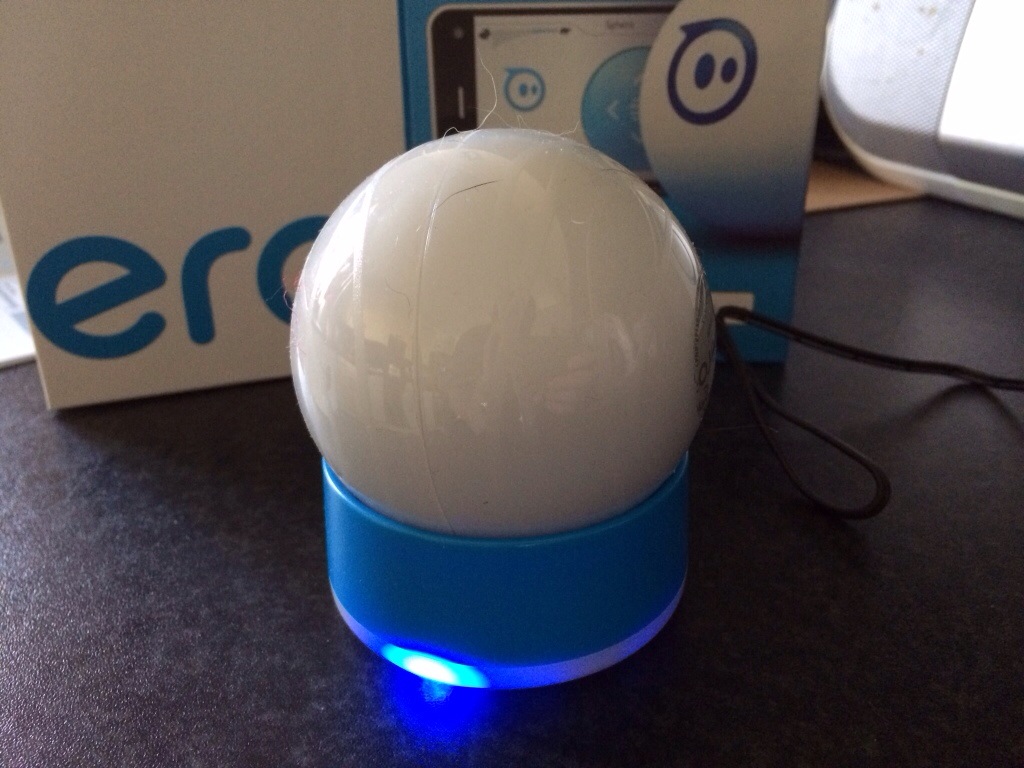
I had no expectations of this robotic ball. In the box you get activity cards, the ball, QI charger and a number of different plug adapters. There is also a quick start guide. You are requested to go to the Google Play or Apple App Store to download the official app, which is also a universal iOS app so looks great on the iPad. You pair the ball via Bluetooth after a 3 hour charge. Each ball has a different Bluetooth code. Anyway, I will cover off more about the sphero games and other stuff it does and just cover off what I have observed and achieved.

First of all, you don’t unlock all the functions of the ball. So the initial speed is capped until you pass the first level of training. Further down the line you learn about the boost mode and more. The training levels are not difficult to learn.

So first up this ball on a kitchen tiled floor had no issues turning at high speed, curving and more. I could change the colour of the ball on the fly. I can make it dance and more. I have also tried it on carpet with equal success. So how do 3 dogs versus the Sphero turn out. Hilarious. The ball was chasing the 3 dogs, involved in standoffs, violent dancing on the spot if they tried to hold it which let it get released out of their grips. For 20 mins it was great fun for all.

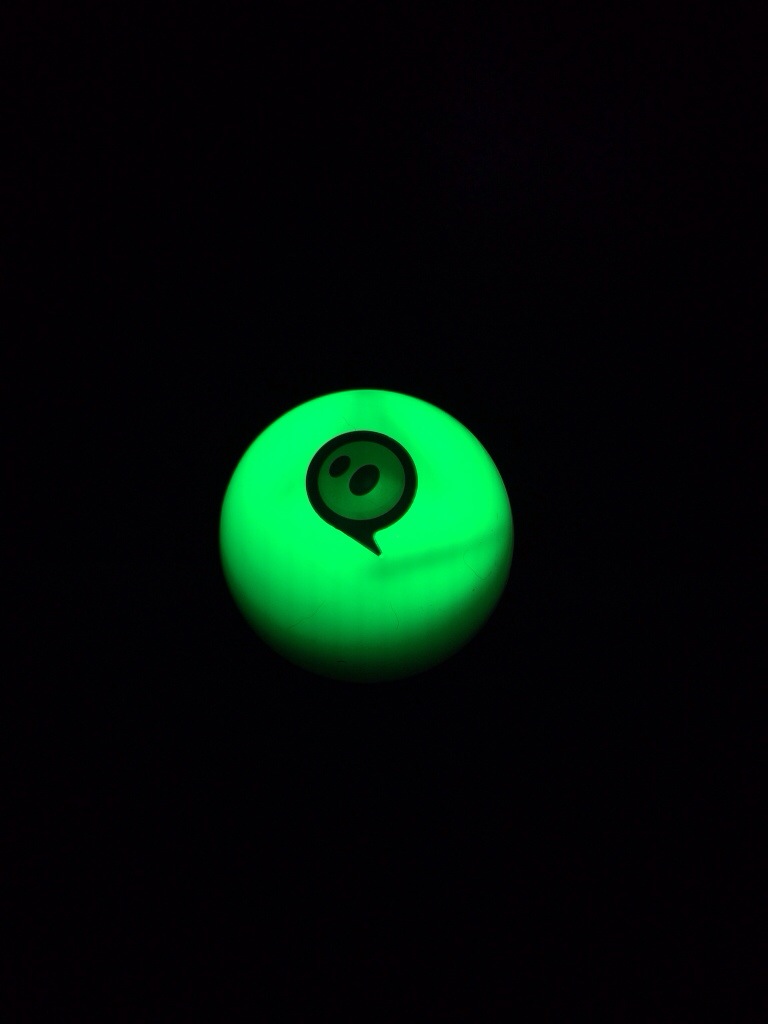
Are there any negatives ? Yes. When you first use the ball you calibrate it with the blue tail light adjusted to face you. If the ball got stuck or was held down by one of my dogs it would become decalibrated. It is easy to recalibrate on the fly but I did find this a nuisance.

I have still to explore all the training levels, find all the functions and use all the Sphero games of which there are around 20. Half of these are free, the others £0.69 that I have seen so far. I honestly thought that this would be a five minute wonder. Not so sure now. It really is fun to use. More soon.

20131228-105916.jpg

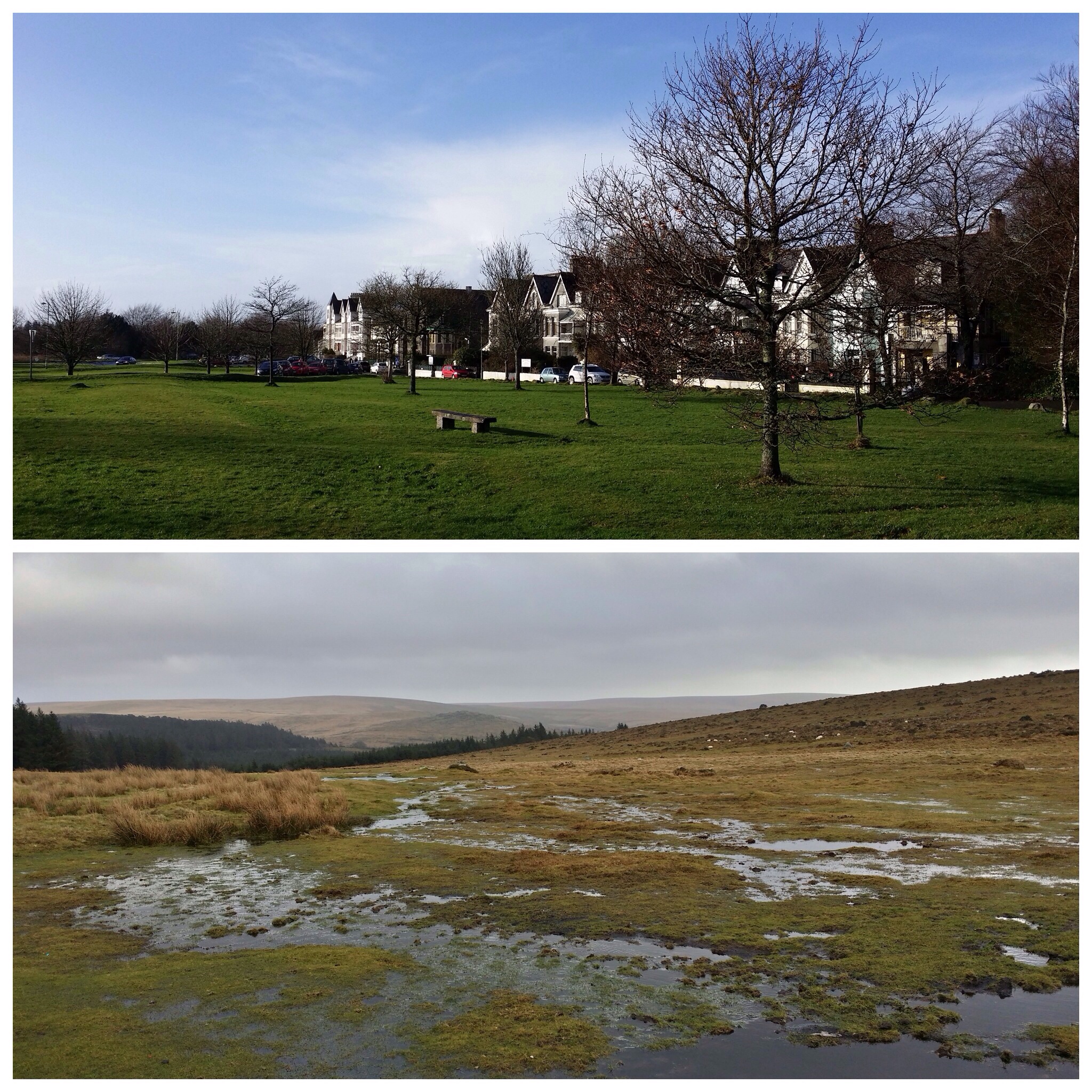
You decide – which camera took which photo – iPhone 5S vs Moto G

2 different phones and 2 extremes of pricing. I was recommended to try “A Better Camera” app on android by Mike Paterson who commented yesterday on the home screens post, so as the app was on offer I gave it ago using the Moto G vs the iPhone 5S.

Now, before anyone says the Moto G is nowhere as good as a camera as that found on the iPhone 5S, it’s not but with the right app and if necessary some post processing anything is nearly possible. However, to be fair, the below shots are unedited. So, is the top shot the iPhone 5S or Moto G?

Happy commenting :). I will reveal answer after 6pm UK time.

Answer – top is Moto G and bottom iPhone 5S.

20131226-112526.jpg

Motorola Moto G – review part 4 – Moto apps and battery

In this part of the Moto G review I am going to look at some of the apps Moto include. The Moto G is predominantly stock android but it does have a few tweaks.

First before I chat about the apps, the Moto G has managed 3 full days on one battery charge. Incredible.

The Moto G has a FM radio which does require your headphones to be plugged in.

20131219-131529.jpg

It scans and then allows you to select favourites. In the settings I found options for changing the radio frequency banding dependent on which part of the world you were located.

Moto Care in another included app.

20131219-131648.jpg

This just gives you the option of quickly getting support and help for your phone.

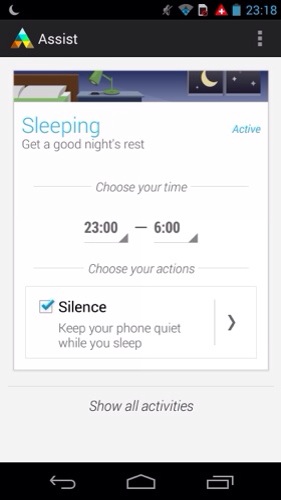
Next and most useful is Moto Assist.

20131219-131757.jpg

20131219-131808.jpg

20131219-131823.jpg

When in sleeping mode you can change the settings to allow for your favourites to still ring or if somebody tries several times to contact you. The app also starts producing suggestions and tips and how better to manage your phone as you use it. Eg setting brightness into auto mode. The suggestions aren’t mind blowing but for somebody who knows nothing about the phone and android the app is brilliant.

Moto also include their own photo editor but you are best using Google’s own one as it’s much better.

This week I have been left really impressed by the Moto G. It’s a very competent device that happens to be cheap. The camera is only average. It’s not the worst I have seen, and neither is it the best.

I will draw up my final thoughts after using it for another week or so.

But in the meantime please ask below in the comments if you have any questions.

Motorola Moto G – review part 3 – accessories

moto-g-color-shells-chalk-540

The Motorola G isn’t just a boring slab of black. It also can be customisable with Moto Shells. These come in 3 types. A replacement back cover shell (white version shown above), flip shell (shown below) to protect the front screen and grip shells.

moto-g-flip-shells-blue-semi-540x540

The grip shell is a replacement back cover, chunkier and more grippy. All of the shell types come in a variety of colours too.

You can also get power packs for the Moto G http://www.motorola.com/us/accessories-batteries-chargers/Power-Pack-Slim-series/universal-power-packs-slim-series.html in two different capacities.

If you recall on my first impressions, the Moto G does not come with any headphones. http://www.motorola.com/us/accessories-headphones-speakers/SOL-REPUBLIC-JAX-In-Ear-Headphones/sol-jax-in-ear-headphones.html However, you can buy Sol Republic Jax in-ear headphones that match all the colours of the official Moto G shells.

With the additional cost of the shells and headphones you can easily add another £40 to the overall cost.

Next time I will take a look at all the other non Google features included with this phone.

Motorola Moto G – receiving Android Kit Kat – full details

If you have the Moto G, Motorola is pushing the Android KitKat update.

Android 4.4, KitKat: Android 4.4.2, KitKat, is the latest release of the Android platform.

KitKat includes graphical enhancements e.g. new style status and navigation bars, a new full-screen mode, colour emoji support, improved closed captioning support, stronger security, smarter power use, and more tools and capabilities for better app development.

Phone dialer: Improved the phone app with the ability to look up contacts directly from the dial pad, see and tap frequent contacts, and search your corporate directory easily.

Camera – Focus and exposure: Enhanced the “touch to focus” option with a new circular, on screen control that can be dragged by your finger around the viewfinder to adjust a photo’s focus and exposure.

Gallery – Photo editing: Added new photo editing options to the Gallery app including new filter effects, draw on your photos, advanced cropping, and adjustments to color, exposure, contrast and more.

Printing documents and pictures: Added support for printing photos, Google Docs, GMail messages, and other content via Wi-Fi, Bluetooth and hosted services like Google Cloud Print and HP ePrinters.

Hangouts – SMS/MMS support: Incorporated a new version of Google Hangouts that supports integrated SMS/MMS messaging. Hangouts can be set as the default SMS app under Settings > Wireless > Default SMS app.

Accessory: support Added support for Square credit card reader.

The update is for both the U.S. and global versions of the Moto G. I haven’t received it yet for my Moto G. If you have a Moto G, have you received the update yet?

Sony QX10 and QX100 are getting some serious love from Sony

I’ve already reviewed both of the above devices. Click <a href="http://Sony QX10/QX100 lens review “>here to recap.

20131219-132701.jpg

In January 2014, both the QX10 and QX100 lens cameras will receive firmware upgrades that bump their maximum light sensitivity settings to ISO 3,200 and 12,800 respectively making dark scenes even better. They will also support widescreen 1080p video recording, and the QX100 is getting a shutter priority mode (finally) for action shots and long exposures.

Sony’s mobile shooting app, PlayMemories Mobile, just got updated to Version 4.0 for Android and iOS will introduce a quick photo browser that should make it much easier to review recent shots. For iOS users Sony claims that the app should connect to WiFi cameras twice as quickly as before.