HTC One M8 – Dot View Case – How to recreate the screen effect

htc-dot-view-multi-color-slide-01

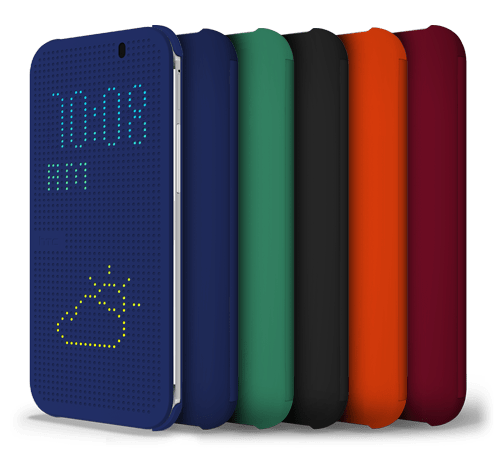
If you have bought the HTC One M8, you can also get a special Dot View case from HTC. It is unique in that it shines dots through the case to bring up information.

So how does it work. Basically with a magnet. So if you got a magnet, a placed it botton left just above the HTC logo you will recreate the dot screen on your HTC One M8.

It looks really cool.

Reminder – Go listen now to Gav & Dave’s Tech Podcast

As you know, I co-host a weekly podcast with David from UKMobileTech called Gav & Dave’s Tech Podcast. It is a light hearted tech podcast broadcast bi-weekly. To subscribe click here for iTunes or copy and paste this link into your favourite podcast app.

Episode 11 is now live.

If you get a moment and have enjoyed the podcast, please leave some feedback in iTunes. Thanks.

All the Latest Reviews, News, Podcasts by Gavin’s Gadgets – Please RT

It’s Sunday, so put your feet up, and catch up on all the reviews of the latest phones.

The HTC One M8 review is already at part 4. Click here for all the sections written so far.

Of course you may be wondering how the new HTC One M8 compares to the original HTC One. Well, I’ve got that covered. Click here for my 20 part review!

Still want more. Well catch up on the reviews of over 25 phones by clicking
here. Reviews include the new Sony Z Ultra, Sony Z1 Compact and Samsung Note 3 and many more.

Still want some more. Click here for reviews on the new wearables – Samsung Galaxy Gear and Pebble Smart watch. Also read the new Sony SBH80 Bluetooth NFC headset review, along with reviews for many other headphones and accessories.

Eyes feeling tired now. I’ve got that covered. Go and listen to all 11 episodes of my podcast I co-host with Dave Rich. Click here.

And if you feel like knowing the weather for Princetown, Dartmoor, Devon then head over to the dedicated weather page. Click here.

And for your tech shopaholics check out a few companies I recommend. Click here.

So I hope you had a good weekend. See you all tomorrow.

My Samsung Note 3 with box & contents as new plus £119 accessories for sale – Please RT

20140329-080311.jpg

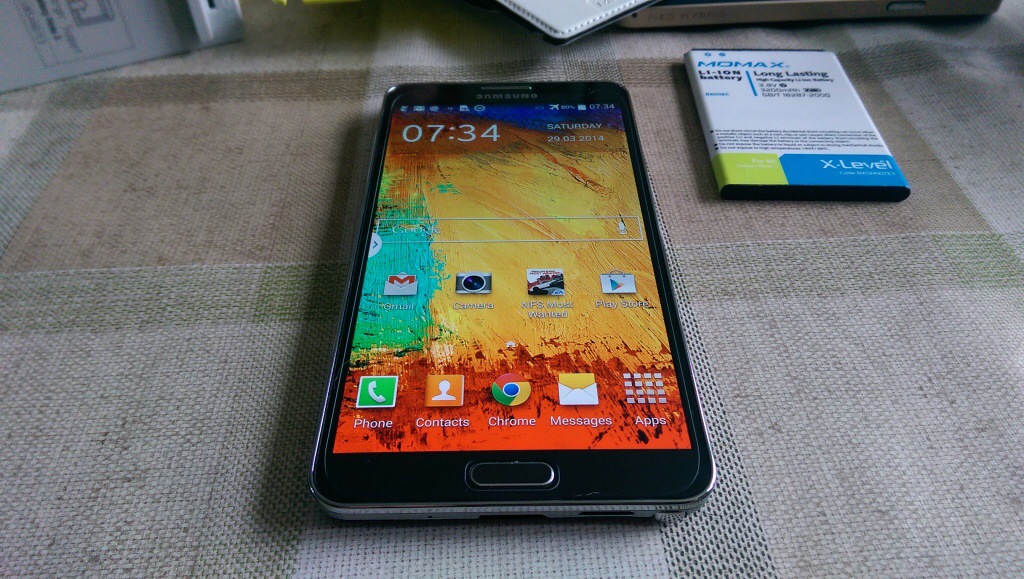
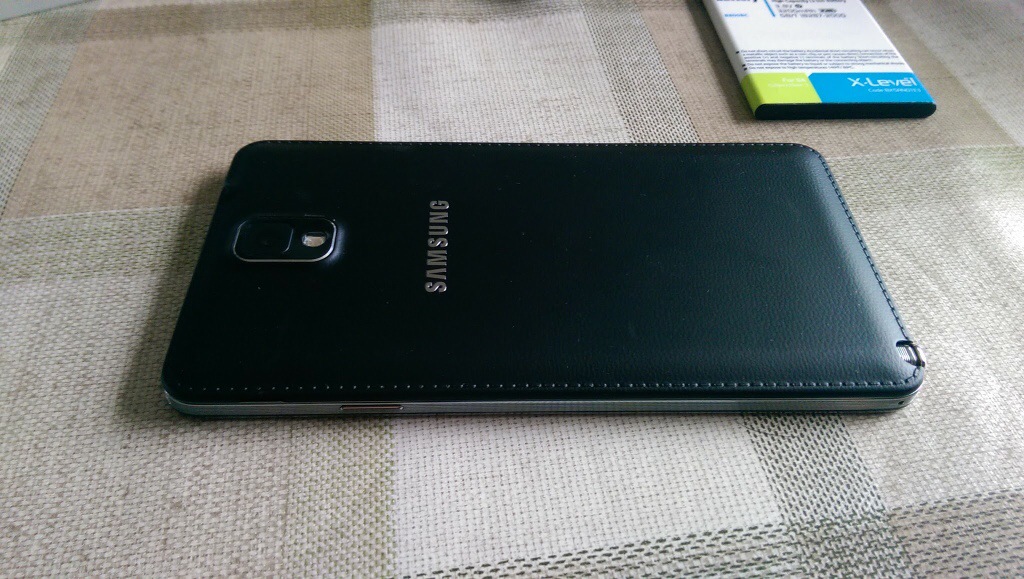
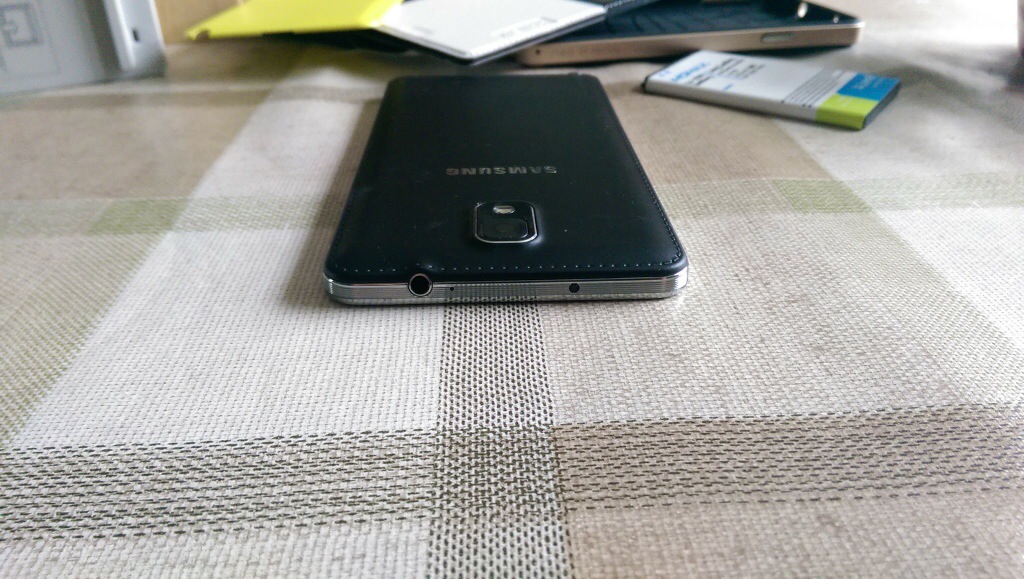
I bought my Samsung Note 3 from Amazon UK at the end of December 2013. So I’ve had the phone 3 months. I’m only selling this as I bought the new HTC One M8.

20140329-080515.jpg

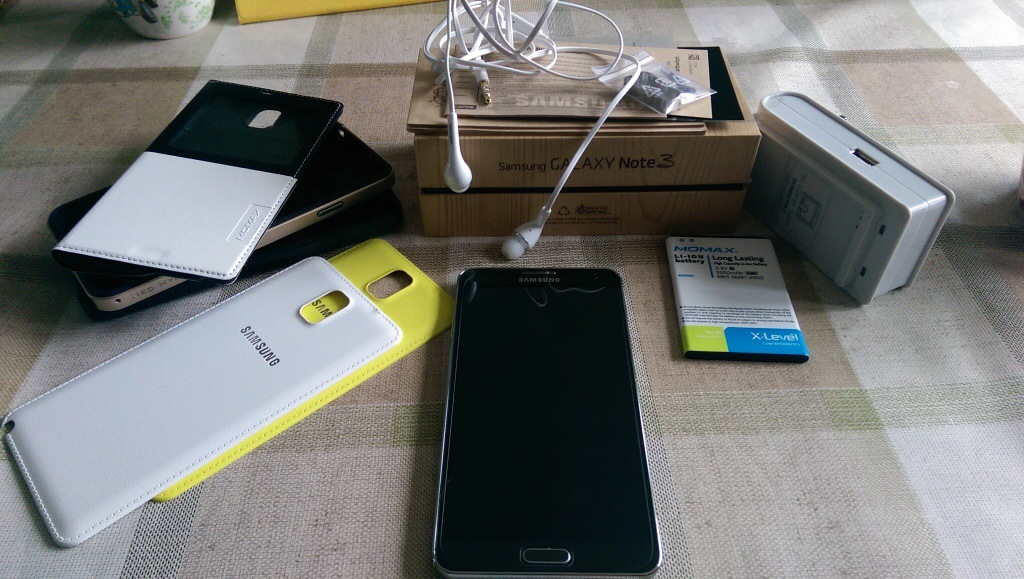
Included is the receipt from Amazon UK, the Note 3 plus box, all the leaflets, headset, Samsung UK charger adapter, USB 3 Samsung lead, the Note 3 is fitted with a tempered glass screen protector so I will leave that on. The phone cost just under £500 from Amazon.

Also included is a Momax spare battery, and spare battery charger which can also charge your phone at the same time.

3 cases. A Momax flip cover. A black dual layer case. The official Spigen sGP Neo case in champagne.

2 replacement backs. Also included are a yellow and white official Samsung. Back covers.

These accessories total new approximately £119. If you need any more info just ask.

I am selling everything as a package at a mere £399. Payment via bacs.

Will be posted Royal Mail special delivery as that is included in price.

Contact me using the menu, donations form or via twitter @gavinfabiani.

20140329-081054.jpg

20140329-081100.jpg

Phone is no longer available.

HTC One M8 – day 2 – review – battery, audio, directions, motions

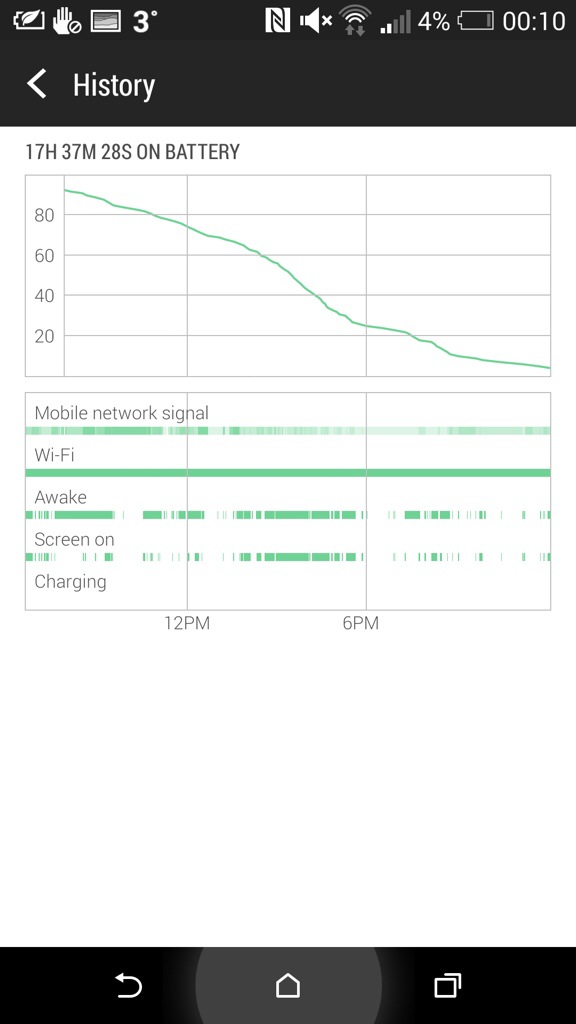
From 6.30am yesterday the HTC One M8 came off the charger. It managed 17 hours and 37 mins and then when it reached 3% I put it into extreme power saving mode. It’s still going. Now I would be considered a power user as I had several email accounts on push, listened to podcasts in the car and used Google Maps. Also used Google Play Music. Watched several YouTube videos. Downloaded apps and app updates. I have 90 apps including social media all working in the background.

I would say that the battery life in real use did really well.

I mentioned app updates. Some of these were the core HTC apps including HTC Gallery. This is superb as this means a full blown firmware update isn’t needed to correct or improve the HTC Apps. And this in turn means HTC can fix their apps without needing to wait for the carrier approval.

Audio. I had more time to use the Bluetooth audio, headphone jack audio and loudspeakers. One word. Freaking awesome. The Boomsound speakers sound so much better. I was listening to BBC Friday Night Comedy and the podcast was really clear, loud and not tinny. Bluetooth audio doesn’t use boomsound but does use AptX. Very clear and powerful sound with my Sony SBH80. Next, I plugged in several headphones. Omg. The headphone amp on this phone is obscene is a good way. So gutsy but neutral too. Plenty of clarity. It drove a full size pair of headphones better than anything I have used with them before.

The setup app appeared in the notification centre. I tapped on this and it opened up the HTC Setup app. You are given a web address with a code to enter. After doing this you can use the computer to effortlessly setup and personalise your HTC One. I had setup my phone on the phone itself so didn’t bother continuing.

Motion controls. I spent some time last night mastering the motion controls. With the screen off, lift phone and if you :-

1) swipe up it will unlock phone
2) swipe down will activate voice dial
3) swipe right to left opens phone in Blinkfeed
4) swipe left to right opens widget screen
5) lift up in horizontal position and press volume down key. Camera opens.

All these work really well and quickly.

HTC Car Mode. This uses HTC’s own voice app. And it’s not as good as Google. So in the help menu it says as an example ” Find a gas station “. So I asked it to find a gas station. Luckily I was low on fuel and it came up with a gas station nearby. According to Google Maps I would be there in no time, in fact just a mere 5 days and 32 minutes. In that period I would be somewhere in the heart of Europe. With my fuel gauge reading 5 miles I’m not sure I would make it that far!

So I tried the same thing but asked “find me a petrol station”. Slightly nearer, this time only a mere 86 miles away. So as a recommendation don’t use HTC Voice Car mode if you are low on fuel.

I also had a proper look at the camera and camera settings along with the video highlights. The camera and editing options are impressive and I have been pleased with the results so far. I managed last night in dim light to capture my 3 dogs. For privacy reasons I can’t show this but it was very good.

On Monday I will add part 3.
20140329-001722.jpg

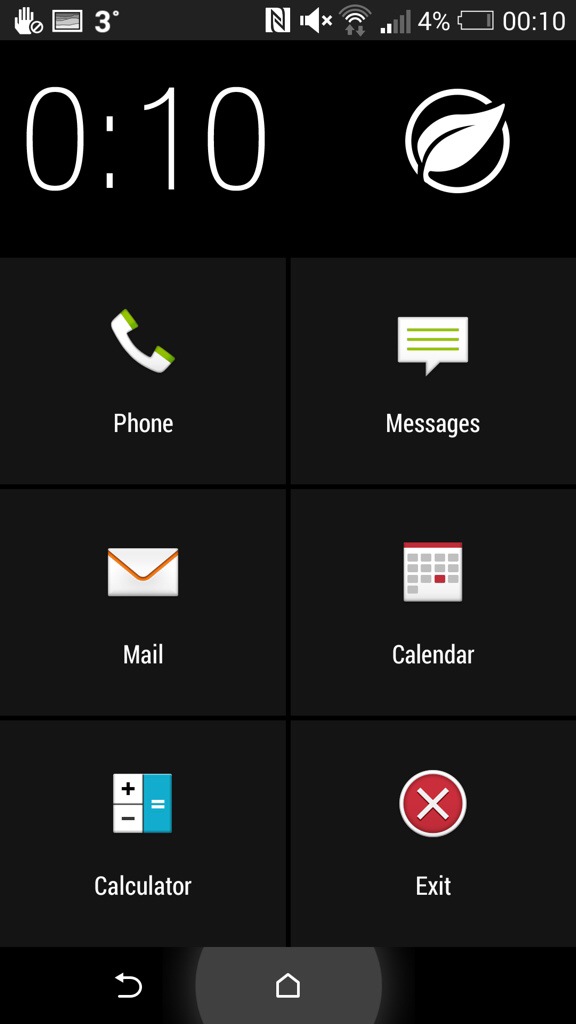
Above. Screen shot of battery stats. Below. Screen shot of extreme power mode. These are the only apps available during this function.
20140329-001826.jpg

Microsoft Office arrives on the iPad – is it too late?

Via Re/Code – Microsoft revealed it is using the so-called “freemium” sales model with the suite of productivity apps. In the case of Office, users can download the software for free, but will need to stump $99 per year (or pay a recurring $9.99 per month fee) for a Office 365 subscription if they want to edit documents.

In a statement to Re/code, Apple confirmed it will take the usual 30 percent cut of all Office 365 subscriptions purchased from any Office for iPad app. Apple does not profit from customers who use an existing subscription, or purchase a new subscription from Microsoft’s website, to access the Office apps.

Apple’s charge to publishers for all in-app sales was thought to be one of the major roadblocks in Microsoft’s launch of Office for iPad.

Microsoft on Thursday introduced the long-awaited Office productivity suite for iPad, which includes custom-built versions of Word, Excel and PowerPoint.

Now this might be a blessing for corporate users but Apple provide their own apps for free. Or you can use Google Docs for free. In my mind it just shows how the tables have turned and that Microsoft is desperately changing is business model to try and make money.

And now the android and iPhone versions are free for personal use.

Hello HTC One M8 – daily blog and review part 1a

Following on from my camera samples, I thought I would not to a review or first impressions but cover off how I am getting on with the HTC One M8 every few days or so, or when something interesting happens.

First impressions. The phone looks fab. It feels great and solid in the hand. In the box is a groovy looking UK adapter and usb lead, headset, silicone case with flaps to protect the headphone and micro usb port and leaflets.

Before you setup the phone properly, go to the software update and check for an update. There is a 110mb update. This is an important update as it improves the camera and adds many features.

I am using the HTC Launcher for now and have setup Blinkfeed as my homepage. It certainly has improved since owning the original HTC One. You can add many services and search for new ones too. I have also installed 90 Apps/Games and have 4.83gb internal memory free.

I have encountered a few bugs with the camera and the refocusing feature, but I need to explore the camera more, read the manual over the weekend and then decide if it is user error or a bug. I have also noticed different file sizes on the camera photos from 1.2mb, 3mb and even as large as 7mb. I am still trying to work out what settings are providing the higher quality outputs.

I setup the TV remote last night. It was so simple vs the procedure on the Note 3. In fact, the HTC One is simpler and easier and faster at most things. Its speed is effortless. Its screen is beautiful. The TV remote app is far superior to that found on the Note 3 with a clear and more functional layout. I like the fact my favourite TV programmes will appear in my Blinkfeed as a warning to watch them nearer their start time. Also from the TV guide from within the app, sliding right to left pulls up trending info on the programme or film you are watching. Rather neat.

The motion controls are simple but effective too. Picking up the phone and double tapping unlocks the phone. With the screen off, slide your finger left to right or right to left and you launch Blinkfeed or your widgets.

Anyway, once I have got to grips with all the options I will report back. In the meantime, if you have any questions, please let me know.

And if you can support Clove Technology with any of your smartphone needs even better.

Amazon is about to launch its own set top TV box – details

amazon

Amazon’s entry into the streaming video set top box TV market has been long rumoured and is expected to take on the might of Google and Apple and any other competitors.

Amazon has invited reporters, with the above promo image, to gather for an “update on our video business” hosted by Amazon VP Peter Larsen in New York next Wednesday 2nd April 2014.

This could get interesting and I wonder if Amazon Prime members will receive anymore benefits?

Source – Re/Code

HTC One M8 camera – 4mp decision theories and camera tips

Many reviews are pouring in regarding the HTC One M8 camera. It can take some stunning shots but cropping becomes difficult when there is so little pixel quantity. That is the review after a day from top sites.

My view is HTC needed a 8mp ultrapixel lens. But they didn’t. I have a few theories. Most people have a 2 year contract. Therefore, like Apple and Samsung this years flagship and small improvements as the first lot of upgrades will be next year. Therefore, the majority of people will only now be buying the HTC One flagship for the first time. So HTC took the decision there was no need for big change.

Also if they did improve the camera dramatically what would they be able to do next year at the same level of improvement. We all know smartphone innovation is levelling off.

My other theory is the cost of changing to a new lens. Both in terms of development and time. Something a company with falling profits probably doesn’t have the luxury of at the moment.

Or did HTC deliberately leave the setup as 4mp to make file sharing photo sizes at 1mb. This means quick and fast sharing. Plus with all the camera trickery some really fun outputs. And a video highlight. Perfect for sharing. So maybe this is a good solution.

Whatever you believe if you did buy the HTC One M8, here is a little tip based on my experience with the older model.

Macros – force flash on when photographing insects

Landscape or scenic shots – tap to focus on an area within the photo. Watch the light balance change and find a medium spot. Then press and hold screen to lock AE and AF. Switch HDR mode on and take the photo. This will get you a very good result.

Anyway, what happened next is revealed is today’s other article.