Below is a 30 second Zoe (video highlight) created by my HTC Desire Eye from a morning of shooting photos. The lighting was poor but the Desire Eye did a reasonable job. I will create another post on some of the action shots.
HTC Desire Eye – review – part 1
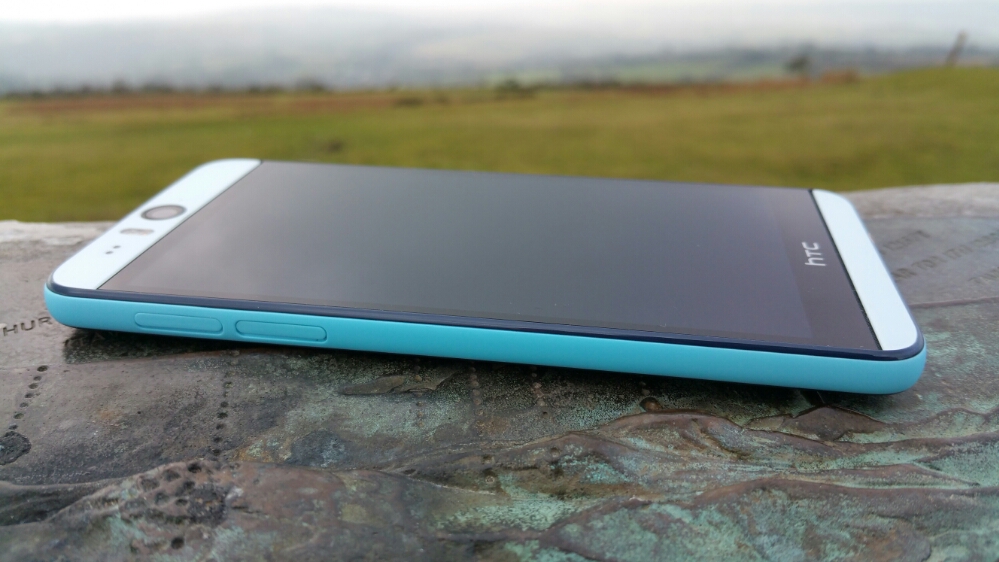
The HTC Desire Eye is typical HTC. Good hardware and software design with a proper purpose. Just look at these photos. I love its look and feel in the hand.
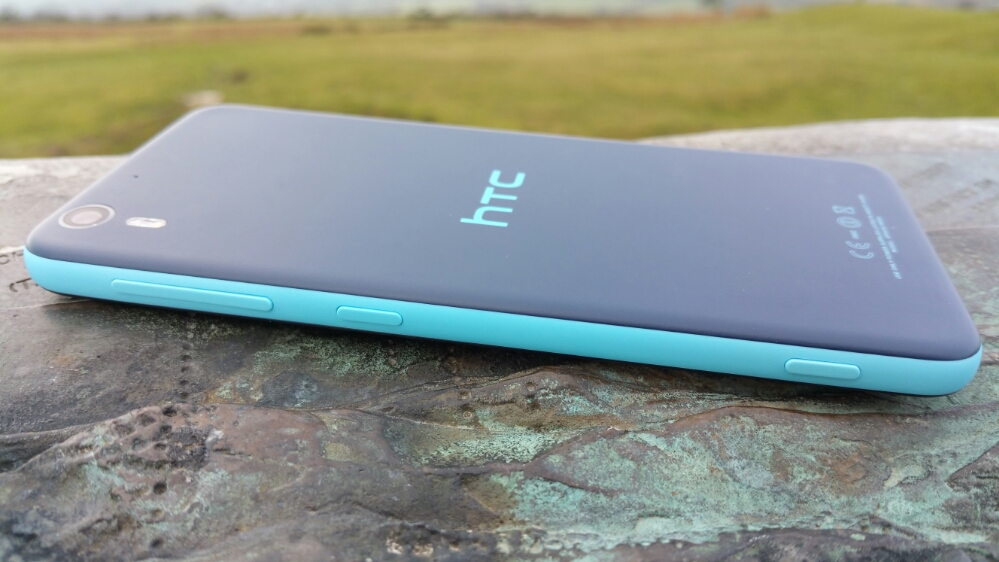
It is extremely comfortable to hold. Partly due to the gentle curves and partly because it is not too wide to hold comfortably in your hand.
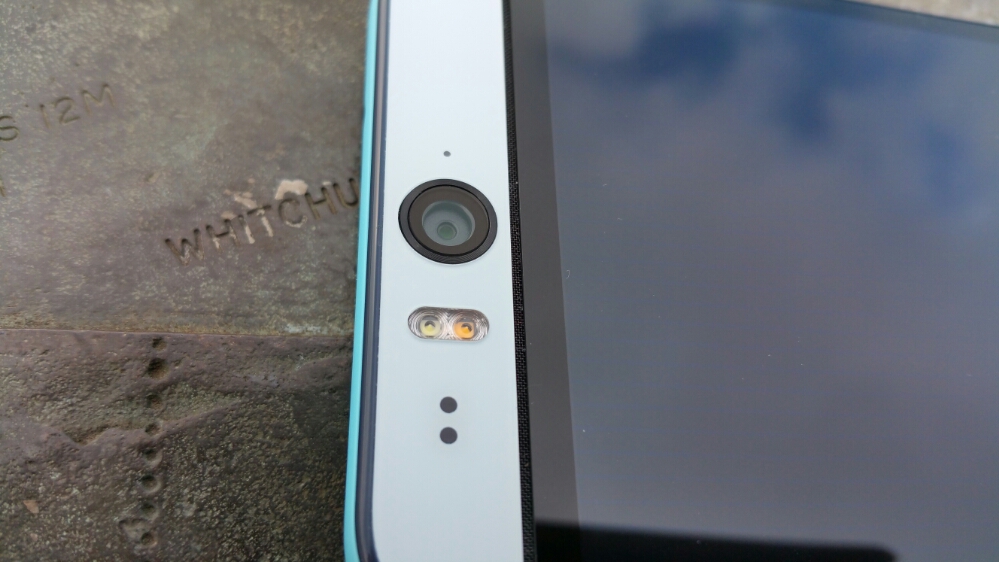
What is pretty neat about the Desire Eye is its front 13mp camera, fantastic for selfies and even more so with its two tone flash unit. But look even more closely and under the front lens and before the glass starts there is a grill hiding the left side speaker. And again at the bottom just after the glass panel ends before the bezel, there is another grill for the right side speaker. So you’ve guessed. The HTC Desire Eye has stereo front facing boomsound speakers! The rear camera is also a 13mp affair again with two tone flash. Before we continue lets take a look at the rest of the specs.
The specifications of the HTC Desire Eye –
– Rear Camera -13MP, BSI sensor, f/2.0, 28mm lens, wide angle, with HDR capability 1080p Full HD video recording, Dual LED Flash
– Front camera: 13MP, Auto-focus with zoom capability, BSI sensor, f/2.2, 22mm lens, wide angle, with HDR capability 1080p Full HD video recording, Dual LED Flash
– Dedicated Camera Button
– HTC Eye™ Experience: Face Tracking, Screen Share, Split Capture, Face Fusion, Live Makeup, Auto Selfie, Voice Selfie, Photo Booth, Crop Me In
– Android 4.4.4 (KitKat)
– 5.2″ 1080 x 1920 multi-touch (~424 ppi)
– 2.3GHz Snapdragon 801
– 4G LTE (Bands 3, 7, 8, 20)
– 16GB storage / micro SD up to 128GB
– WiFi / NFC / Miracast / BT 4.0 Apt-x / DLNA / HTC Connect
– 3.5 mm stereo audio jack
– HTC BoomSound™ Dual frontal stereo speakers with built-in amplifiers, 3 microphones,Sense Voice
– Capacity: 2400 mAh with Fast Charge , Embedded rechargeable Li-polymer battery
– Talk time Up to 20 hours for 3G Standby time: Up to 538 hours for 3G
– Sensors Accelerometer, Proximity sensor,Ambient light sensor ,Gyro sensor
– GPS / GLONASS
– 151.7 x 73.8 x 8.5 mm
– 154 grams
I mentioned that the HTC Desire Eye is typical HTC. That means the software “Sense” is beautifully implemented. Below are the main home screen and Blinkfeed. Blinkfeed is great for aggregating news and your social networks and local information on your phone.


Next up are screen shots showing all the apps that are installed. I have added AnTuTu benchmarking and USB Audio Player Pro to assist with this review.
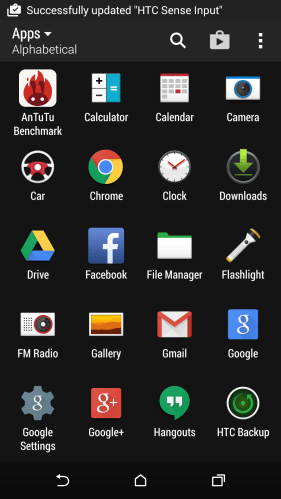
Typical HTC in that the selection of added apps is kept to a minimum. In fact, HTC collate apps into folders as the default view in the app drawer. I just changed the view so you could see all the apps present.
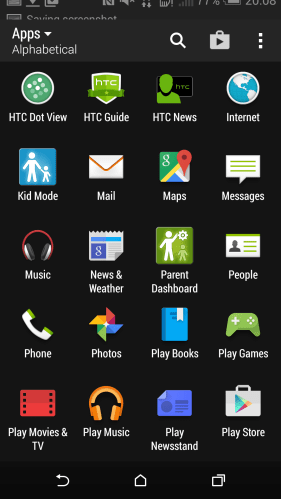
Some apps to mention that are good to be included. Polaris Office 5. This is good office viewer and creation app for word, excel and powerpoint docs. Twitter, Skype and FaceBook are included for all you social types 🙂 HTC extend the options of the backup with their own solution. There is a file manager, torch, FM Radio (many phones exclude this), Flashlight (torch), Kids Mode, Tips & Tricks and Setup app.
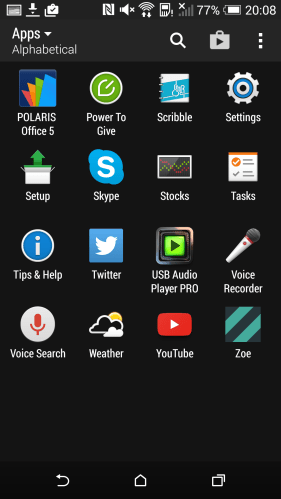
It is worth mentioning the HTC provide solid setup solution for transferring data from previous phones including iPhones. Then the Tips and Tricks section is well worth a view to learn more about using the phone.
HTC have included a few more tricks with the Desire Eye – motions and gestures. If you swipe down on the screen this turns on voice dialling. Double tapping – pick the phone in portrait orientation turns on the phone, pick up the phone in portrait orientation again and swipe left wakes phone up and launches the widget panel and same thing but swiping right wakes phone up and launches Blinkfeed. All the options can be toggled on or off.
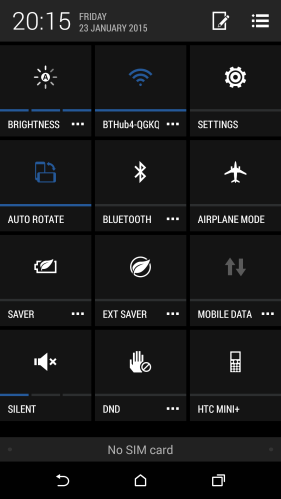
Talking of toggles, below is a screen shot of the pull down toggle menu.
The last part of the hardware that I wanted to mention is the hardware camera shutter button. Not many android phones include this but it is found on the HTC Desire Eye. It is fairly firm to use so in practise I preferred using the on screen shutter icon.
Part 2 tomorrow.
Apple Maps – now you can add your UK Business or amend it – details
Apple now has a website – https://mapsconnect.apple.com .
Small businesses across the UK and Ireland are able to add their firms data in to Apple Maps using the Connect service. This can also be used for editing.
Owners of a large chain or where there are more than 100 locations have to email updates to mapsconnect-business@apple.com.
Update – Phone reviews – HTC Desire Eye & Honor 6
Apart from my Samsung Note 4, I received late last week the HTC Desire Eye. The next day the Honor 6 arrived. So in order to be fair to each phone, I am dedicating next week for the HTC Desire Eye with part 1 of the review going live on Monday. There will be a new part up to and including Thursday. The following week will then focus on the Honor 6.
In addition to the review there will be other posts.
There will be however posts on the Honor 6 this week revealing little snippits. So here’s one snippit I discovered last night. Phone screen off. Now double tap the volume down button and a photo is taken in less than a second. The time is shown as to how fast the shot took to take. So that means the phone turned on, camera app opened, focused and took the shot in less than a second. My time variance has been 0.7 second and only once did it take 1.1 seconds. Really fast camera mode !
Samsung Note 4 – Camera shots of the week
Below are 4 photos I took with my Samsung Note 4 that I’ve chosen as my favourite.




If you go to my flickr account you will see similar shots taken with the HTC Desire Eye so you might be curious to see the difference in quality.
Honor 6 – Camera samples
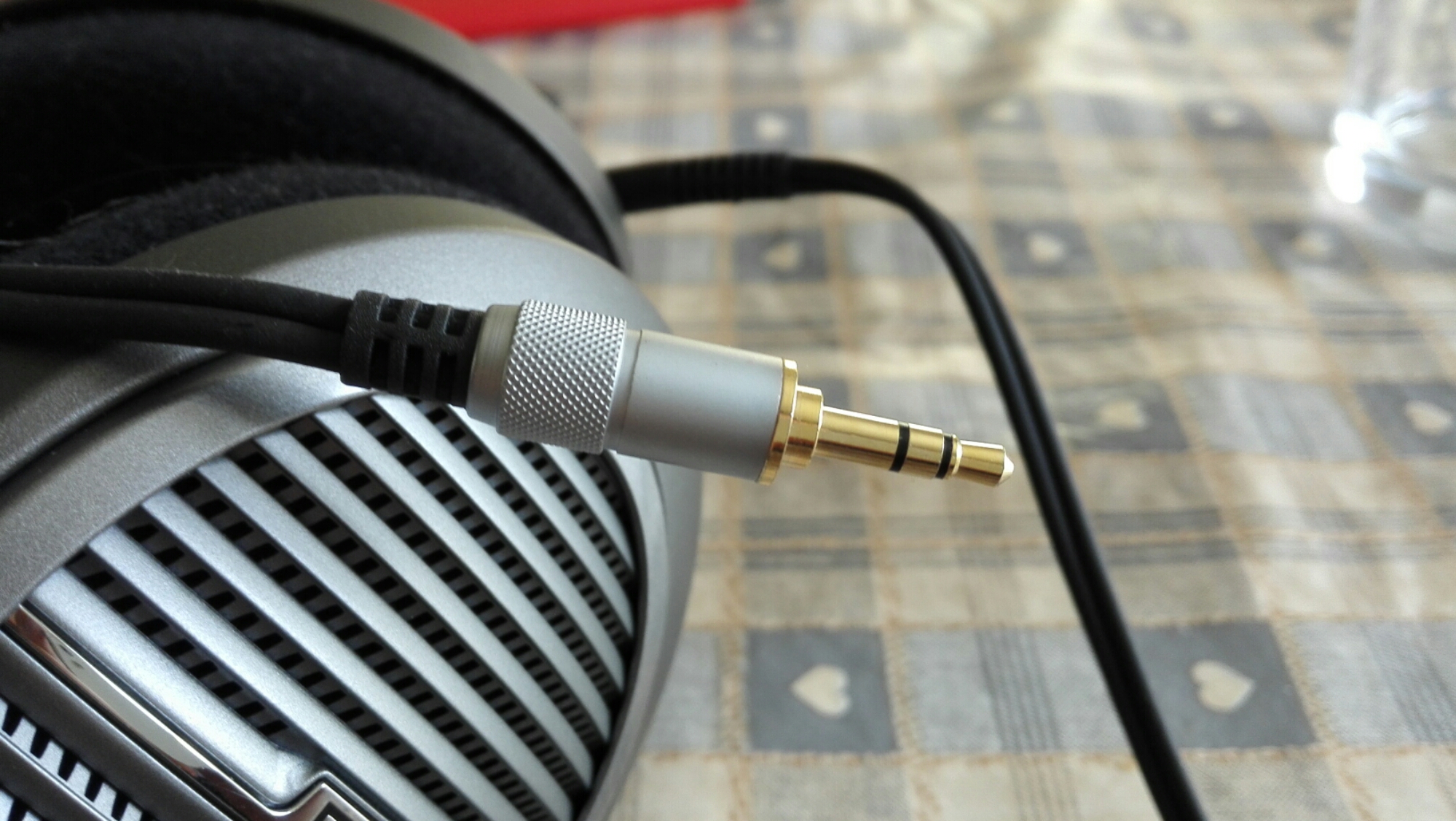
I received the Honor 6 last night. I’ve taken a few photos. So what do you think? They look good to me.
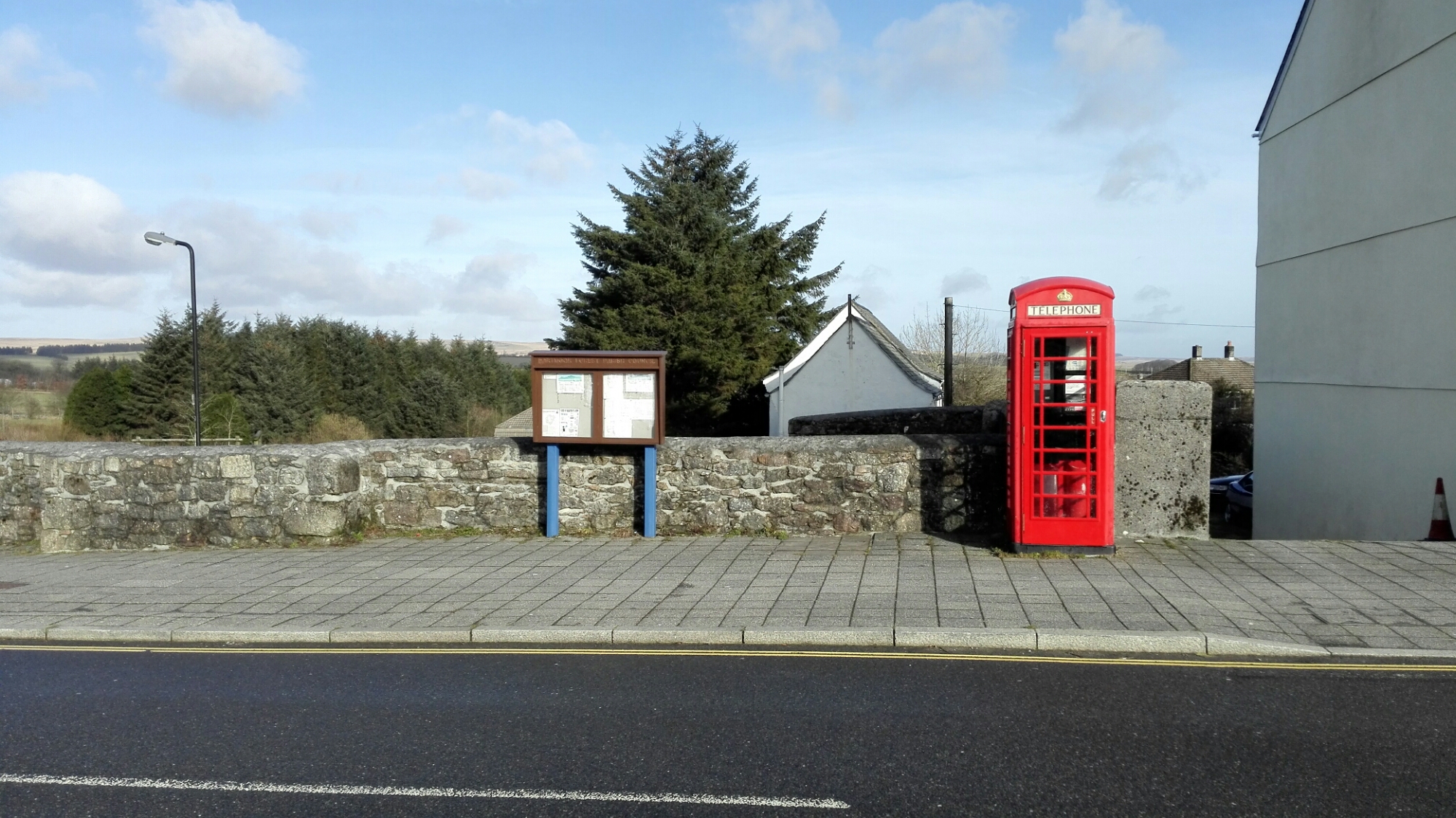

Far better shots than I imagined.
And if you want to read my 12 part review of the Honor 6, click here – https://gavinsgadgets.com/2015/02/07/honor-6-12-part-review/
Samsung Note 4 and Note Edge – Massive reductions in price direct from Samsung UK – details
Head over to http://www.samsung.com/uk/consumer/mobile-devices/galaxy-note/
Add to the basket the Note 4 or Note Edge.
Proceed to checkout.
Use promotional code NGEARFIT
The Note 4 will reduce to £430 and the Edge to £524.
Source and thanks to Hitech Vyas.
Update – some reports Samsung has fixed its pricing error
Asus ZenFone 2 – All the information
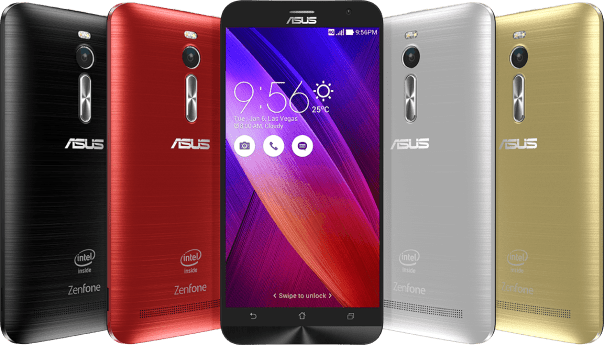
Below is the full specification for the new Asus ZenFone 2
– Processor 64-bit Intel Atom Z3560/Z3580 Quad Core Processor (Running at 1.8/2.3GHz) PowerVR Series 6 – G6430, with OpenGL 3.0 support
– Operating System Brand-new ASUS ZenUI with Android 5.0 Lollipop
– Memory LPDDR3 2GB/4GB RAM/Micro SD card support, up to 64GB
– Storage 16GB/32GB/64GB eMMC ASUS WebStorage 5GB (lifetime)
– Display 5.5-inch, 1920 x 1080 (Full HD), 403ppi IPS display/400nits brightness/ Corning® Gorilla® Glass 3
– PixelMaster Cameras Front: 5MP, f/2.0-aperture, wide-angle (85-degree) lens with Selfie Panorama
– Rear: 13MP, f/2.0-aperture, 5-element, auto-focus lens with dual-color Real Tone flash
PixelMaster features: Low Light mode / Backlight (HDR) mode / Enhanced Beautification mode / Manual mode / Zero shutter lag
– Network LTE speed: Category 4 maximum: 150Mbit/s / DL: 50Mbit/s 4G band: FDD LTE: 1/2/3/4/5/7/8/9/17/18/19/20/28/29
– TDD LTE: 38/39/40/41(Network support varies by country)
– Battery 3000mAh lithium-polymer, Fast-charging technology
– Sensor Accelerometer, proximity, ambient-light, gyroscopic, digital compass and Hall-effect sensors
– Navigation GPS / A-GPS / GLONASS
– Wireless 802.11ac, Wi-Fi Direct, Bluetooth 4.0, NFC
– Ports 3.5mm audio jack, dual micro-SIM, micro USB (support OTG)
– Color Glacier Gray / Osmium Black / Glamour Red / Ceramic White / Sheer Gold
– Dimensions 152.5 x 77.2 x 10.9 ~ 3.9 mm
– Weight 170g
For more glossy data head over to Asus – http://www.asus.com/Phones/ZenFone_2_ZE551ML/
Finally – UK Lumia 930 owners are receiving the Demin update
For Lumia 930 owners it probably seemed like an eternity, but Microsoft have finally pushed up over the air, the long awaited Denim update.
The Denim update adds and fixes many items and improved the camera software too.
Have you updated your Lumia 930? If so are you happy with the end result?
Only Sony does 24ct Gold
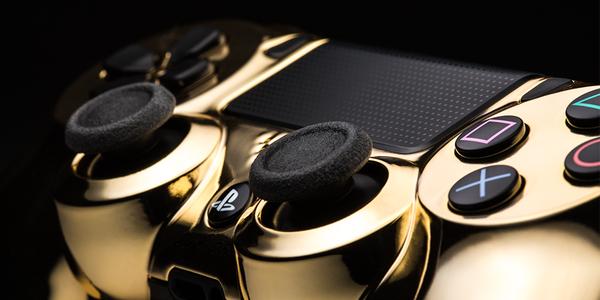
Only Sony can produce 24ct Gold controllers.
So whose interested ?
 Gavin's Gadgets & Photography