The other day I stopped and took a few shots with my 620 camera. See the results below and decide whether you think the camera is any good.

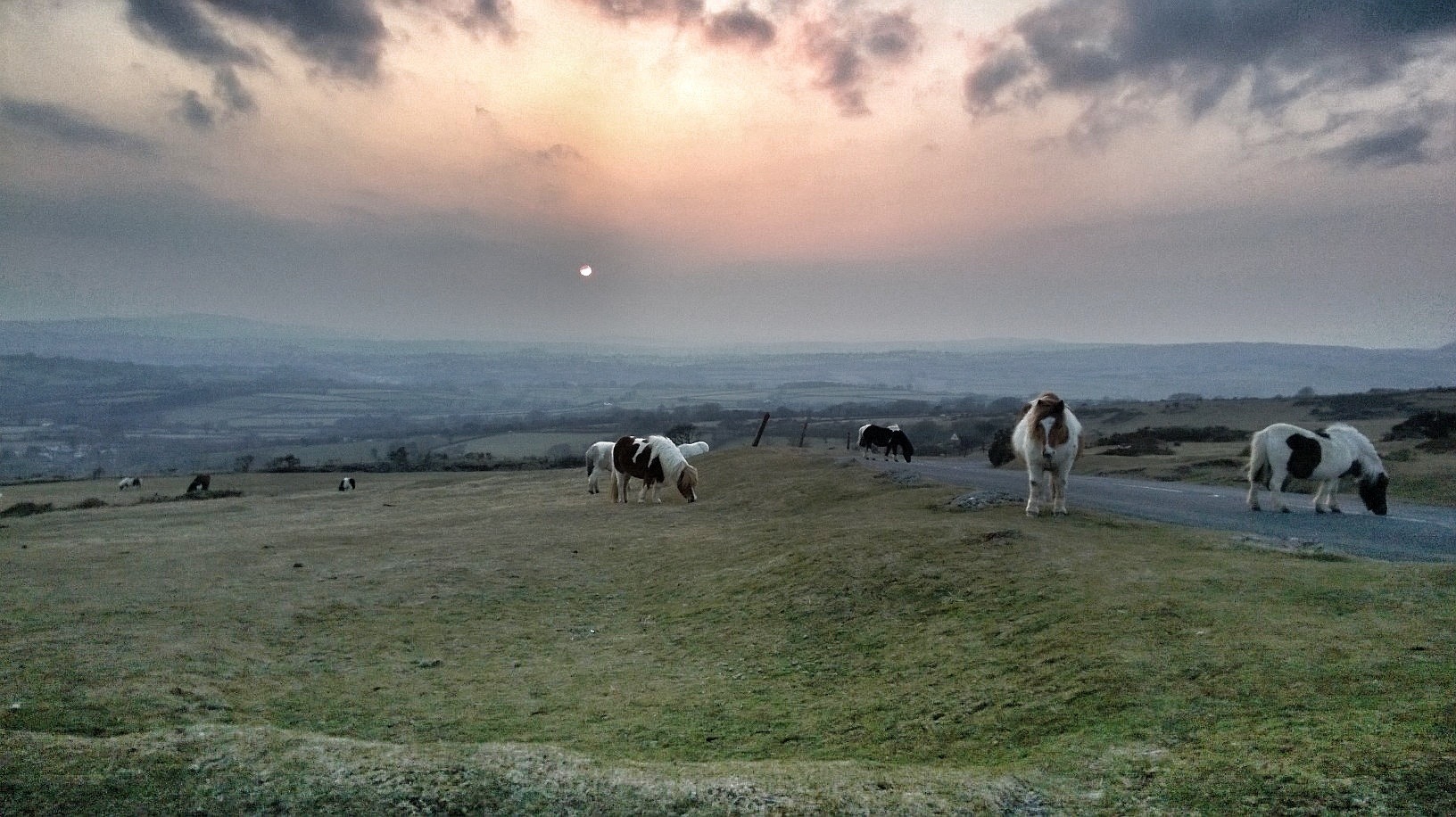
The other day I stopped and took a few shots with my 620 camera. See the results below and decide whether you think the camera is any good.
Microsoft is preparing a new Windows Phone 8 update, which will bring back support for FM radio hardware. The hardware support will be part of a General Distribution Release (GDR2) for Windows Phone 8. Both the Lumia 920 and Lumia 820 will support FM radio, while other compatible handsets will also include the support. The update will also allow the 920 to be woken from sleep with a double tap.
Over the last 2 days I have covered a number of aspects of the Lumia 620. Today, I will cover off a few other areas and requests made so hopefully you can all decide whether you are ready to ditch your iPhones, androids and Samsungs:)
If you have an iPhone you will be used to using emojis in the standard keyboard. The Lumia 620 has this built in as standard in its keyboard. Also the keyboard has auto word completion options which you can tap and insert the word. Makes the iPhone keyboard seem very basic.
If you are listening to music, and the phone screen is locked, press the power button to turn on reveals the music controls on the lock screen. Whilst using the phone and listening to music, press the volume up or down keys brings down the music controls on the screen. The power and quality of the music via the headphone jack is simply stunning. It has been able to power some difficult headphones of mine. Something the iPhone cannot do. The Music app or hub has many options similar to the Games and Photos hub apps. If available when your music is playing or if you are streaming free music via Nokia Music additional photos of the artists appear as a background. See screen shots below. The music hub also pulls up information of gigs near you. There is also an equaliser for sound tweaking as well Dolby Surround Sound if you want. I have found no issue of listening to music whilst using the phone for any other functions.
Taking screen shots is easy on the 620. Just press power and the home button. The screen shot is then saved in an album called screen shots.
The Nokia Navigation is also worth a mention as it allows you to download the maps so if you are offline you can still use it for turn by turn. I installed the whole of UK and N. Ireland taking 292mb. I could have installed any country if I wanted.
Bing Search is available from anywhere simply by pressing the magnifying glass capacitive button. But it does more than just search. You can type your request in to the search bar. Or press the mic and speak it. Or use it to scan barcodes, QR codes, microsoft tags, books, CDs and DVDs. It can also scan text and then translate it into many different languages.
Nokia City Lens is one of my fav apps, as it uses the camera to over lay your current view from the camera with information you select in a augmented reality view. It is included as free too.
Lastly, the camera. First strong point, is the 620 has a dedicated camera button on the side. Press this to turn the camera on. You can then take a picture or record or change some settings. On the photo side you have different scenes (auto, close up, bight, night portrait, sports, backlight), iso (auto, 100-800) and exposure value, white value, aspect ratio either 16:9 or 4:3 and focus assist. The video options are white balance, continuous focus and video mode (720p is the default). You can alter the flash options too. Photos can be selected to be uploaded automatically to skydrive, and if you use mobile internet and not wifi, the quality will be uploaded at a lower quality to save bandwidth. You can also select lenses. I have Bing Vision, Panorama, Cinemagraph and Smart Shoot installed. From the camera you can view your photo and then share it. My share options are send, messaging, hotmail, gmail, flickr, linkedin, OneNote, Twitter and WordPress. Or you can edit it, delete, add to fav, set as lock screen, save to Skydrive or send it to your photo editing apps. Some sample shots are below. Not the best examples but you get the picture.
App updates. My store icon showed that I had 11 updates. So I went into the store by pressing the live home screen icon and updated my apps.
For those that use NFC its a feature of the phone. Nokia also have a NFC writer app.
And unlike a lot of phones it actually has a micro sd card slot for expanding the memory. The memory card is used for your music and photos.
So all in all a rather impressive phone and operating system. I find it more enjoyable to use than my iPhone 5 and who knows it might actually replace it. The only weakness is apps but out of the box it does most things you would ever need. More updates tomorrow.
In summary a bargain of a phone.




So hopefully by now you will have read my earlier post, whereby I picked up this phone for a £130. This is my first Windows Phone, so I did not know what to expect.
I choose black as my colour, since white did not look as cool. In the box was the phone, a quick start guide, usb cable and mains adapter. And some headphones which generally I never use as they are normally crap.
So setting up, there is a micro sim card tray that pulls out and you have to carefully insert the sim and slide it back. It is a little fiddly so take it slowly. The micro sd card insertion is also a little fiddly but again once in place it is fine. Lastly the battery and back cover are put back.
The back cover is actually replaceable with a selection of different colours. This makes the 620 a bit more fun. Also, if the back of the phone gets scratched, it does not matter, since you just change it for another. Then if you damage the headphone jack through heavy use, it again does not matter, since a new back includes the headphone socket. Rather neat, and adds to the possible longevity. Also worth noting is the fact that Nokia has introduced a grey water resistant back cover, just in case you like taking photos in the rain.
Turning on for the first time was a relatively simple affair. I entered my hotmail account, went through a number of options and then waited and waited and waited. It seemed to take for ever, so I made a cup of tea. Finally, all the Nokia apps and first installation stuff was all complete, so now it was time for some fun.
Tomorrow, I will cover some of the extensive phone options, how the built in apps link to each other and the basic flow of the handset. It really is a clever phone.


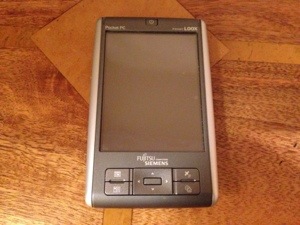
At the weekend I was shuffling through some old bits and bobs, and came across my old N560. This was a special device because for its time it was brilliant. It was released in December 2005. It’s 8 years old nearly, yet it features stuff that is only this year being added to flagship phones like the HTC One and Samsung Galaxy S4.
Okay, it might run Windows Mobile 5 but after nearly 8 years it powered on first time and charged up with no problems. I played games using its 5 way home button, which is so much better than any touch screen controls. Round one to the N560.
Using the 5 way home button to play games is so much easier and more fun. I discovered I had a total of 60 games installed too. Playing 6th Gear brought back memories.
It also has a GPS chip built in and tomtom is installed. It’s out of date in terms of the maps and can’t be updated now. Plus it takes a minute to get a lock but nonetheless looks great on the crisp screen. Advantage newer phones for the GPS function.
It comes with a stylus. As it came with one before the Samsung Note 2, the N560 wins.
The HTC One and Samsung Galaxy S4 feature an infra red port to remote control your tv and other devices. Sorry guys, the N560 got there first. It has installed an app called Noviiremote Deluxe that is an excellent infra red app, programmable too.
Being that it is windows mobile 5 it has a windows start menu, so zero learning curve. It includes MS Office and I had installed a whole host of other software from a translator app and more.
Surely it can’t get any better. Well it can. It has USB host.
This PDA is nearly 8 years old, yet includes features that are only just appearing on smartphones this year. Of course it’s not a phone so the above isn’t a fair comparison but in its day the N560 was a master class.
Some crazy developments have taken place over at the German court halls. The patent dispute between Microsoft and Google/Motorola, the one that accuses the latter’s Google Maps platform of infringing on map-related patents owned by the former, seems to be heating up.
According to FOSS Patents, German courts are inclined to enforce an injunction on Google Maps in Germany, and this ban wouldn’t just affect the use of the service on mobile. Google would apparently need to unlist Google Maps in the Play Store (and possibly on other platforms) for German users, block German IP addresses from accessing Google Maps from any web browser, and if it wants to continue to distribute Chrome in Germany they must implement a filter that effectively blocks Google Maps.
Now what is up with Germany and their handling of patents. Google provides the most detailed mapping services so by banning them would create huge backlash and affect millions of innocent people.
Samsung will be taking the wraps off the replacement to the S3, the S4. I will use this post to add any new info as it appears. So keep coming back to check for the latest and some surprises too. Not long now.
The Samsung Galaxy S4 specs –
Galaxy S IV features an Exynos Octa 5410 CPU clocked at 1.8GHz ( Qualcomm Snapdragon 600 CPU for the U.S.) PowerVR SGX 544MP GPU, 2GB of RAM, 4.99″ Full HD (1920×1080) display and a 13 Megapixel Camera. The device also runs Android 4.2 out of the , the device supports GSM/WCDMA/LTE networks with an Exynos processor on-board. The Galaxy S IV will be a world phone.
Software / Hardware Extra Features include –
Qi Wireless charging using a special back cover.
Smart scroll, Smart Pause, Smart Stay and Smart Rotation. Those new functions were made possible thanks to the front camera following your eyes.
Air Hover using your finger.
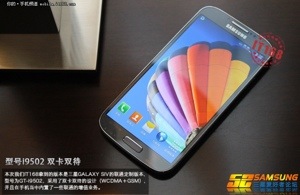
Latest leaked photo below. Obviously until official it’s not official and could be a fake.
According to Nokia’s latest financials it’s will owe Microsoft around $650m which according to Nokia will mean it will return to a profit this year based on current sales and growth estimates.
Good news if the sales continue forward. Always better to have more competition in the market place.
Microsoft has left some bitterness with Windows Phone 7 owners when it revealed the handsets could not be upgraded.
However, Microsoft have confirmed recently that Windows 8 is upgrade able. Lets hope so because if not any traction gained will be lost with bad feeling
Copilot has announced that it is bringing it navigation software to both windows 8 and windows phone 8. It will copy the android and iOS stance with a paid and free package along with numerous paid add ons.
The catch. It’s going to arrive this summer.

 Gavin's Gadgets & Photography