Category Archives: Tech News

LG takes on Nike Fuelband

image

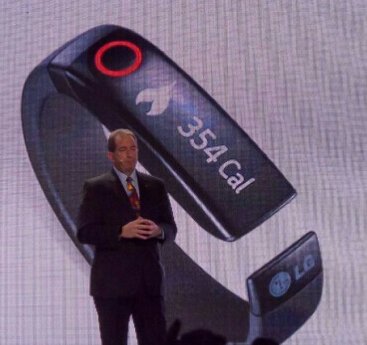
LG has announced two new wearable devices. The first is the Lifeband Touch, a fitness-focused device that connects to your phone over Bluetooth. The Lifeband Touch provides health and fitness data tracking, feeding it back to your phone via a connected app. The device has a touchscreen OLED display.

For the fitness wearable category, LG has announced Heart Rate Earphones, a wired headset that connects to both the Lifeband Touch and your phone over Bluetooth. It also provides media playback and regular fitness updates during your workout, whilst measuring your heart rate and feeding that data back to your Lifeband Touch for better fitness tracking.

Not sure what to make of this. What do you think ?

Say hello to the cool Pebble Steel Smart Watch

image

From Pebble.

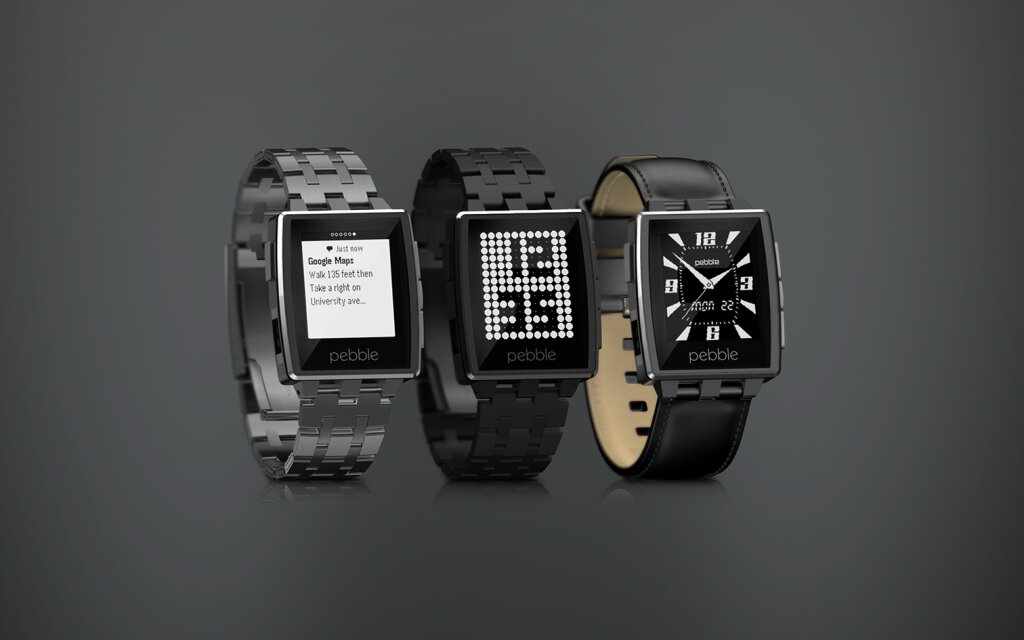
Pebble Steel: our new, premium smartwatch. With Pebble, we created an iconic, colorful, and sporty smartwatch, but we wanted to build something even more refined—cranking the style dial to 11.

Pebble Steel takes everything you know and love about Pebble—the crystal clear ePaper display, weeklong battery life, and waterproof design—and wraps it a smaller, thinner package. It’s made of forged and CNC-machined stainless steel.

Pebble welcomes Steel to the family.
The display is protected by a Corning Gorilla Glass lens with an oleophobic, anti-fingerprint coating. The housing also subtly incorporates a RGB LED light to indicate charge status. Like the original Pebble, Pebble Steel is waterproof up to 5 ATM.

Pebble Steel comes in two finishes: Brushed Stainless and Black Matte. All models are bundled with both a matching metal band and a black leather strap. The Black Matte Pebble Steel is crafted using a process called Physical Vapor Deposition to provide a tactile, deep black finish that’s also ultra-durable.

Pebble Steel Launch Pricing

Starting today, you’ll be able to order Pebble Steel exclusively from getpebble.com for $249 US

Only one concern. Look at your wrist. Look at other people’s wrists. How many people actually wear a watch nowadays.

CES 2014 – Samsung Galaxy Note Pro Billboards reveal device does exist – details of the 3 versions are

Twitter user @evleaks has revealed there are 3 different sizes to the Pro range from Samsung –

Samsung Galaxy NotePRO 12.2-inch, Galaxy TabPRO 12.2-, 10.1, and 8.4-inch. The specifications are –

Galaxy NotePRO 12.2-inch with S-Pen

-Wi-Fi/3G: Exynos 5 Octa (1.9GHz x 4 + 1.3GHz x 4)
LTE : Snapdragon 800 2.3GHz x 4
-WQXGA
-8MP / 2MP
-3GB RAM / 32GB/64GB storage
-9500mAh
-KitKat

Galaxy TabPRO 12.2-inch

-Wi-Fi/3G: Exynos 5 Octa (1.9GHz x 4 + 1.3GHz x 4)
LTE : Snapdragon 800 2.3GHz x 4
-WQXGA
-8MP / 2MP
-3GB RAM / 32GB/64GB storage
-9500mAh
-KitKat

Galaxy TabPRO 10.1-inch

-Wi-Fi/3G: Exynos 5 Octa (1.9GHz x 4 + 1.3GHz x 4)
LTE : Snapdragon 800 2.3GHz x 4
-WQXGA
-8MP / 2MP
-2GB RAM / 16GB/32GB storage
-8220mAh
-KitKat

Galaxy TabPRO 8.4-inch

-Snapdragon 800 2.3GHz x 4
-WQXGA
-8MP / 2MP
-2GB RAM / 16GB/32GB storage
-4800mAh
-KitKat

Whilst the hardware looks good, the included software is what will make these even more interesting.

If you need a reason to buy an Apple Mac Pro – here’s one good reason

Apple has released its environmental report for its new Mac Pro which details large savings on power and raw materials. The new device also earns a gold rating from the EPEAT.

The new Mac Pro uses 68% less power than the previous generation Mac Pro when at idle. It also uses less materials over all, which isn’t too surprising given that it’s a lot smaller. The new Mac Pro uses 74% less aluminum than the previous version and the packaging consumes 82% less volume and weighs 84% less than the older version. Apple says that this lets 3x more units fit in one airline shipping container.

So be environmentally friendly and buy the new Mac Pro. You might need a huge bank loan in the process as well!

And in case you want to see one in person, Apple has commented that demand for these powerhouses are so great that demo models won’t appear in physical Apple stores until around March 2014.

Samsung Note 3 – 3 months later review – day 6

Before you think to yourself, “I don’t remember reading day 4 and 5” you would be correct as I skipped 2 days.

I thought I would leave a few more days to see how things have progressed. Sadly, I’ve giving up on the Note 3 and I am back with the iPhone 5S. No that’s not true and I know some of still believe I will fall back to the iPhone 5S.

Using the Note 3 now is becoming a pleasure and not a frustration. I am still waiting for Google to update their Play Music app so I can stream my tunes and for for the official twitter app to allow me to receive notifications. Update. I fixed this. See separate post. Apparently twitter need to clear my cache but there support service is dreadfully slow.

Samsung’s WatchOn app remote control now operates my TV and DVD player properly and has a shortcut widget on the lock and home screen which is very handy.

And to reset or switch off and back on I have to untick allow scanning in the advanced wifi settings to avoid a reboot loop. Apart from that it’s faultless.

In the meantime, I am using Robird for twitter, a pleasurable experience, and for low light shots A Better Camera App that allows the Note 3 to take great low light photos providing their is no movement and you are using a tripod or similar. In fact, this app using the Hi-Res Night mode can produce some crazy good quality shots.

I have started to tweak everything a little bit more and I am finding everything just works a treat now. It was a painful beginning but it is starting to provide dividends.

Even the free music offer which at first didn’t work, just did yesterday when I tried again. Human error probably but it wasn’t as obvious as I would have thought. I also found a free game Monster University for Note 3 users available on the Samsung Games stores. I also have a different view of the Samsung Hub. Whilst it is not perfect, it does cover all aspects of media and is definitely Samsung’s next strike to remove itself from Google’s services in the future.

With the Note 3, Samsung included a wealth of extra software and third party software services which makes this whole proposition really hard to refuse.

I have activated Find My Phone and Sim Activation Lock. Scrapbook which I thought was a gimmick is actually wonderful to use. It provides a fluid way to clip and record properly items of interest.

Screen and battery life and amazing. I have nearly every option turned on from air gestures, to motion and smart options. The small on screen floating apps are useful although not many of them. Handy for the calculator and whatsapp. Using Flipboard, My Magazine, Business Week and other news type apps is a joy due to the large screen. I never really bothered with Flipboard on the iPhone but it is lovely to view on the Note 3.

I have now added gestures with Nova Launcher so double type, and one or two finger swiping up and down launches specific apps, saving time.

There is no away I can see myself drifting back to an iPhone despite all its positives. The Note 3 is leagues ahead in many ways and the honeymoon period is just improving.
DJI Phantom Vision – the ultimate remote camera

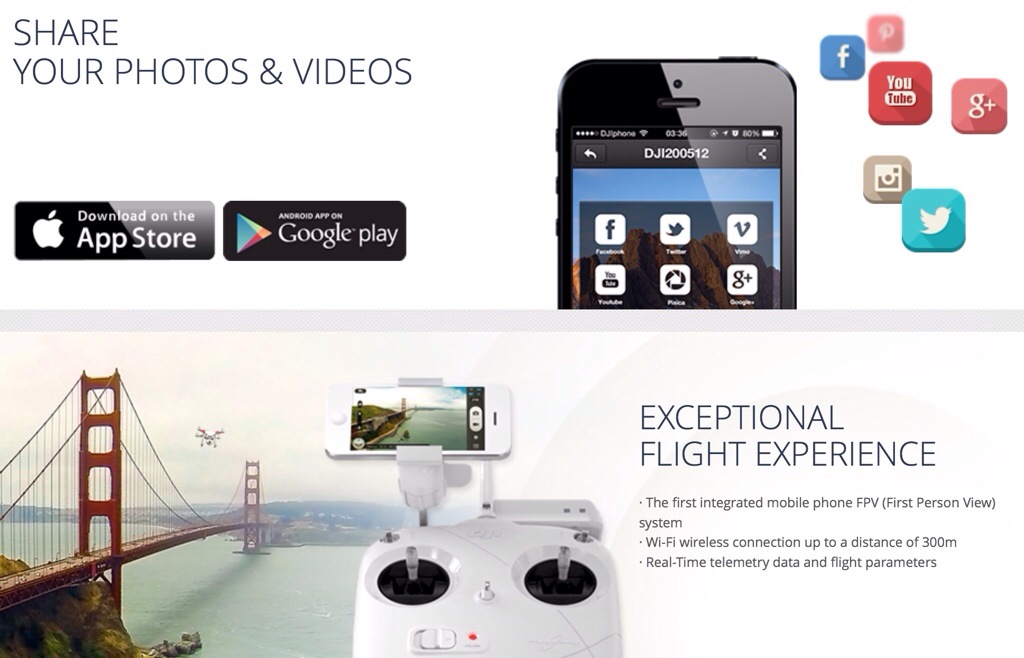
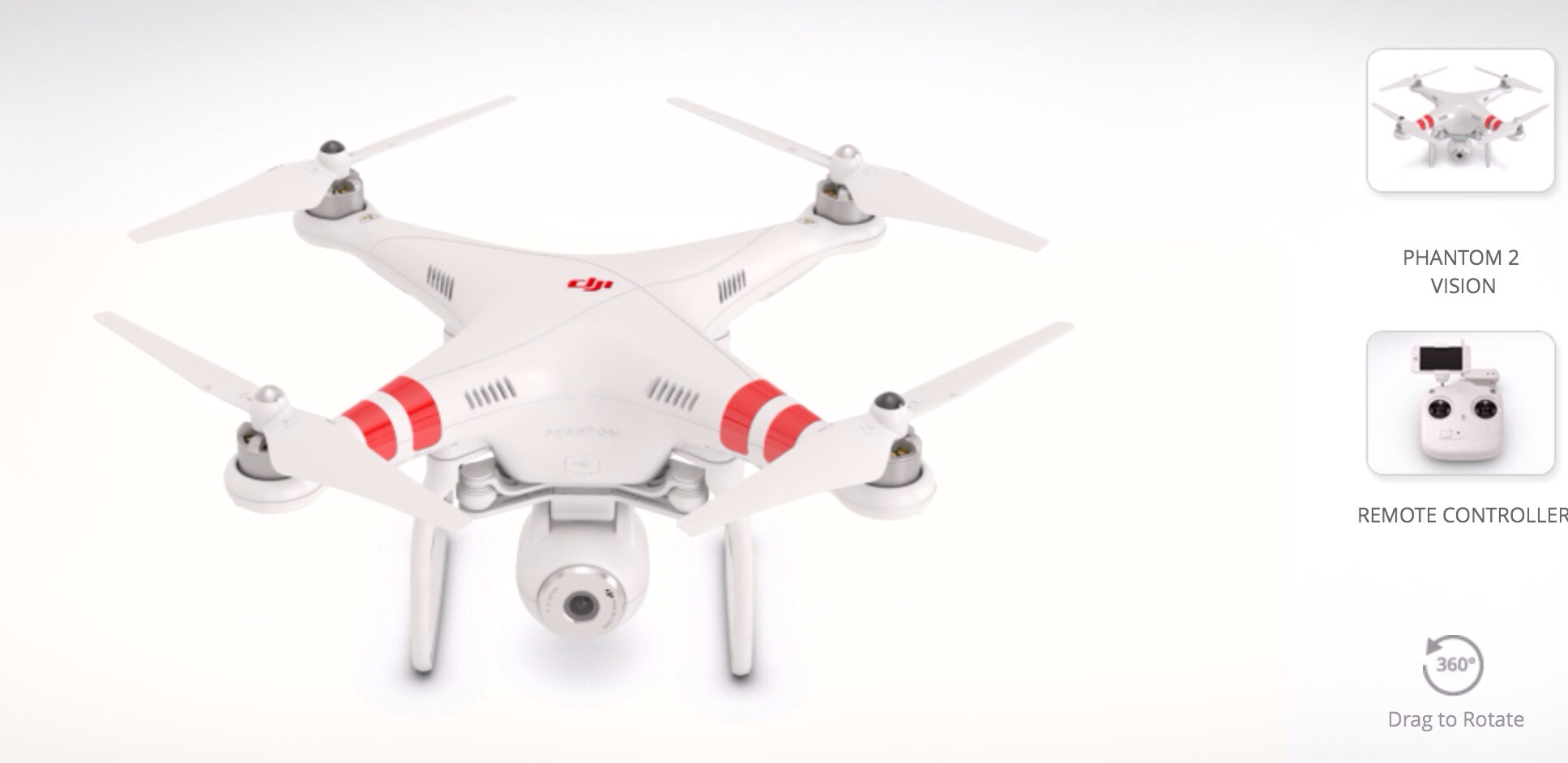
The DJI Phantom Vision has to be the coolest piece of technology I’ve seen in a while.

20140103-100749.jpg

20140103-100800.jpg

It’s a remote flying camera with great specifications –

– Lightweight, multi-functional integrated aircraft and camera
– Camera remote-control by DJI VISION App on android and iOS
– Range Extender increases Wi-Fi distance to 300m
– Anti-vibration camera platform with single axis stabilisation
– Low-voltage protection
– Virtual Radar aircraft locator on mobile device
– Range of camera tilt options
– Multiple, continuous and timed capture options
– HD Video Recording (1080/p30 or 1080/60i)
– RAW and JPEG picture formats

If you are in the UK you can buy this for £832, so if ever I needed a reason to keep the Samsung Note 3 and sell the iPhone 5S here is one.

Fix – If you have Google Play Music and a Note 3 with silent tracks occurring

At the weekend I connected a usb dac and amp to the Note 3. When I made the connection it triggered the emergency assistance function on the Note 3.

This function sends a MMS message to whoever you setup in the settings. The message includes your GPS location and a Google Map link. In addition the front and rear cameras take a simultaneous photo and off everything goes. Well, you can imagine my surprise when one of my emergency contacts calls me and tells me I need a shave and could they have one of the chocolate biscuits on the table.

I realised that every time I connected the usb dac the same thing happened.  So I turned off that option and no more emergency messages.

That got me thinking about my current issue with Google Play Music, whereby it kept going silent after one or two songs but was still playing , and only fixed by pausing then pressing play. I wondered if the emergency assistance feature was clashing and low and behold it was. With emergency assistance off, Google Play Music works just fine.

20140104-142915.jpg

ZTE is using CES to refresh its entire range and launch a smart watch – details

ZTE will have a strong presence at CES 2014 and is looking to refresh its smartphone lineup with the Grand S II, Nubia 5S, Nubia 5S Mini, Sonata 4G and Iconic Phablet.

The Grand S II and Nubia 5S will be updates of previous models with new internals and designs. The Sonata 4G is a mid-range offering launching in conjunction with prepaid carrier Aio Wireless, along the 5.7-inch Iconic Phablet as well.

ZTE is planning to show a line of non-phone hardware, including hotspots, a smartwatch called the BlueWatch and smart home phone hardware called the Wireless Home Base.

More at ZTE Businesswire.

Twitter 25 device limit – no more notifications thereafter – updated

Yesterday I wrote the following –

“If you have 25 devices/apps or more with granted permission to interact with twitter, once you go to add a new interaction notifications will not be allowed.

See here https://support.twitter.com/groups/55-troubleshooting/topics/234-mobile-apps/articles/20169333-managing-push-notifications-on-twitter-for-android

At the moment I cannot activate push notifications on twitter for android on my Note 3.

I just wonder if this is a method whereby twitter charge dependant on needs. Or maybe they will allow free up to a certain amount of connections?”

After an exchange on twitter, my friend @misterleoni suggested Robird for android. This is a lovely app with inline photo previews and notifications that actually get delivered without streaming turned on.

In addition @jhoneyball chirped in saying he had the same issue, and it was only by raising a support ticket with twitter that actually solved this problem.

Twitter need to reset the cache on their servers to fully fix this problem. Also note 25 devices is really 25 apps or services using twitter. This is easily reached. Every time you use an app or service to share something to twitter this adds to the count. So if like me you review phones on all platforms, use twitter on a computer or mobile web that is 5 strikes one for each option. Then allow for other twitter apps you may use or have tried. Suddenly you are at 25 strikes. Then add all the sharing sites and apps and login verifications sites that use twitter. Suddenly, you are over 50 plus like me 🙂