Category Archives: Tech News

Earn 2GB Free Data Permanently on your Google Drive

This Safer Internet Day, we’re reminded how important online safety is and hope you’ll use this as an opportunity to take 2 minutes to complete a simple Security Checkup. While everything stored in Drive is always encrypted in transit and at rest in Google’s custom-built data centers, this checkup ensures you’re making the most of the 24/7 protection you already get from Google. As our way of saying thanks for completing the checkup by 17 February 2015, we’ll give you a permanent 2 gigabyte bump in your Google Drive storage plan.

It takes just a couple of minutes and, unlike other checkups, it won’t leave you feeling guilty about not flossing. Here’s what it does:

Ensures your account recovery information is current. If we detect suspicious activity in your account, we use your recovery info to get in touch and make sure no one but you gains access. Lets you review recent sign-in activity. Reviewing this lets you validate the sign-ins are coming from you and not someone who shouldn’t be using your credentials. Confirms the apps and devices that access some account information. This step lets you monitor this list and remove apps and devices that don’t need access to your account any more.

After you’ve gone through the checkup successfully, you’ll see three green checkboxes (see below) that confirm you’re eligible for the free storage and, more importantly, that you’ve taken steps to enhance your online safety. We’ll be granting the storage automatically to everyone around 28 February 2015 and we’ll send you an email when your adjustment is complete.

Go to – http://googledrive.blogspot.co.uk/2015/02/safer-internet-day-2015.html
Apple just became this biggest company is history – details

Apple’s stock (AAPL) stock reached an record yesterday, making Apple the first $700+ billion company in history.

Shares of Apple stock closed Tuesday up 1.9 percent at a record-setting $122.02. This meant its market cap became an estimated $710.8 billion.

Food for thought. Apple is double the size of Microsoft. And larger than oil companies.

Acer Jade S55 – Part 3 – Camera, Screen and Audio

Welcome back to part 3 of my Acer Jade S55 review. Today is all about the camera and audio. There will another post with some camera samples.

Before I start on the camera, I will discuss the audio quality for music and the loudspeaker. The phone comes with DTS HD Premium Sound option, which gives adjustments for bass, treble and EQ presets for music and video to choose from. Music presets are flat, classical, dance, jazz, pop and rock. Video presets are flat, drama, action and MTV. The loudspeaker is just average and lacks bass levels found on the HTC One M8. But to be honest I would also connect a bluetooth speaker to any phone. Plug in your headphones and it is a different ball game altogether. In the box are a pair of in ear headset headphones which are best to be left in the box, as their sound quality are poor. To test the audio quality I therefore attached some decent over the ear headphones. For this test I used my V-Moda Crossfade M-100s. The Acer Jade S55 had no issue powering these to a decent volume and provided an average the audio quality which was better than I had expected. The treble was a little over the top at times too. However, at the price point the audio was reasonable.

Bluetooth. No issues playing through my stereo bluetooth headset/headphones. Loud, dynamic and punchy.

The screen is my opinion is good. As I type this, I am watching a YouTube video with my headphones plugged in. And it looks great. Just shows you how far screen technology has moved on at the lower price points.

Screenshot_2015-02-07-07-08-07

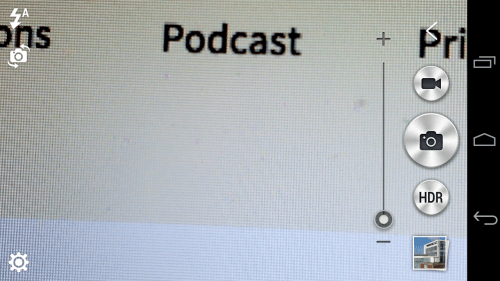
So lets move on to the camera. Firing up the camera takes you to a simple layout. The HDR button can be changed, more later on that.

Screenshot_2015-02-07-07-08-25

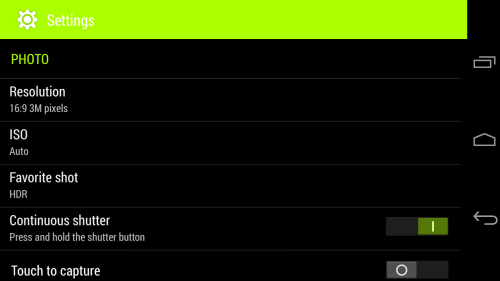
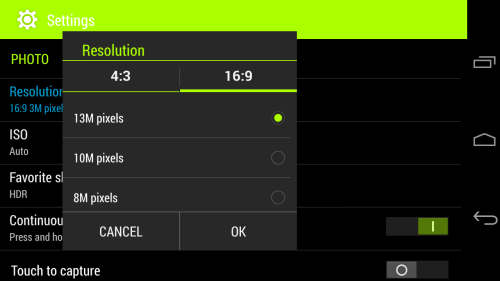
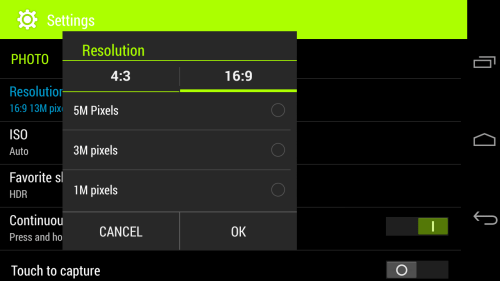
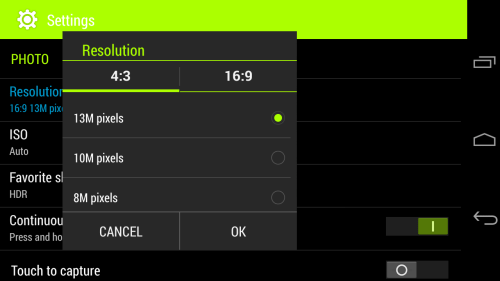
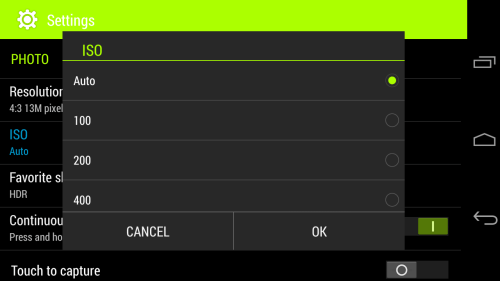
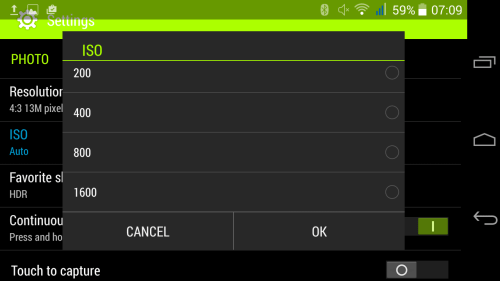
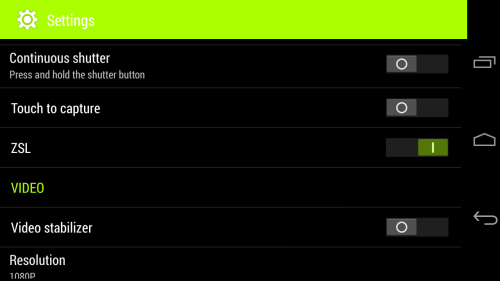
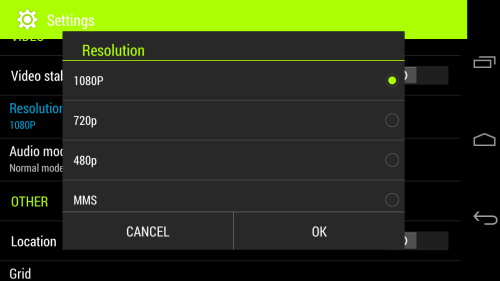
So lets look at all the camera settings. The screen shots below are pretty self explanatory.

Screenshot_2015-02-07-07-08-39

What is unusual is the resolution at 16:9 or 4:3 can both be set at 13mp.

Screenshot_2015-02-07-07-08-59

Screenshot_2015-02-07-07-09-08

Screenshot_2015-02-07-07-09-28

In terms of ISO control, this increasing from AUTO, 100, 200, 400, 800 and even as high as 1,600.

Screenshot_2015-02-07-07-09-35

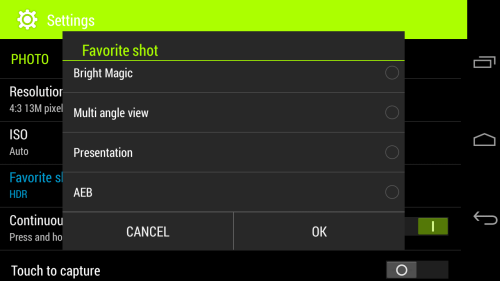
To explain some of the not so obvious shooting modes, Bright Magic is ideal for dark scenarios, AEB takes 3 shots at different exposure levels and then shows all 3 photos for you to decide which one(s) you want to keep.

Screenshot_2015-02-07-07-09-45

In terms of shooting modes there are several options. Whatever option you choose will become the second button available. If you look above my selection was HDR. So pressing the big camera shutter button takes a standard shot, but then pressing the smaller one shoots HDR. Taking HDR shots takes about a second and a half per shot.

Screenshot_2015-02-07-07-10-02

Screenshot_2015-02-07-07-10-16

Screenshot_2015-02-07-07-10-38

So what about the camera quality? Well don’t forget this has a f/1.8 for the rear camera so it should take a good shot even in low light conditions. In reality I had some pleasurable results.. Some shots were really good and with some I did get some from blurry shots. But the more I used the phone, the better my photos were.

Have a look at the photo samples and decide for yourself.

Acer Jade S55 – Review – Part 2

Yesterday, I looked at the hardware design of the phone and today I am going to take a closer look at the software package.

Screenshot_2015-02-07-04-30-59

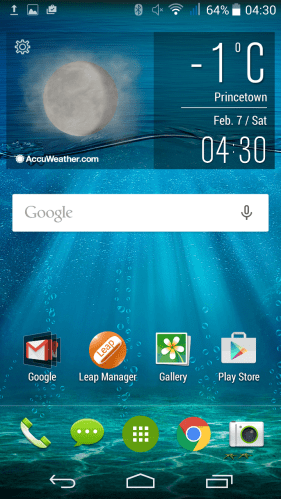
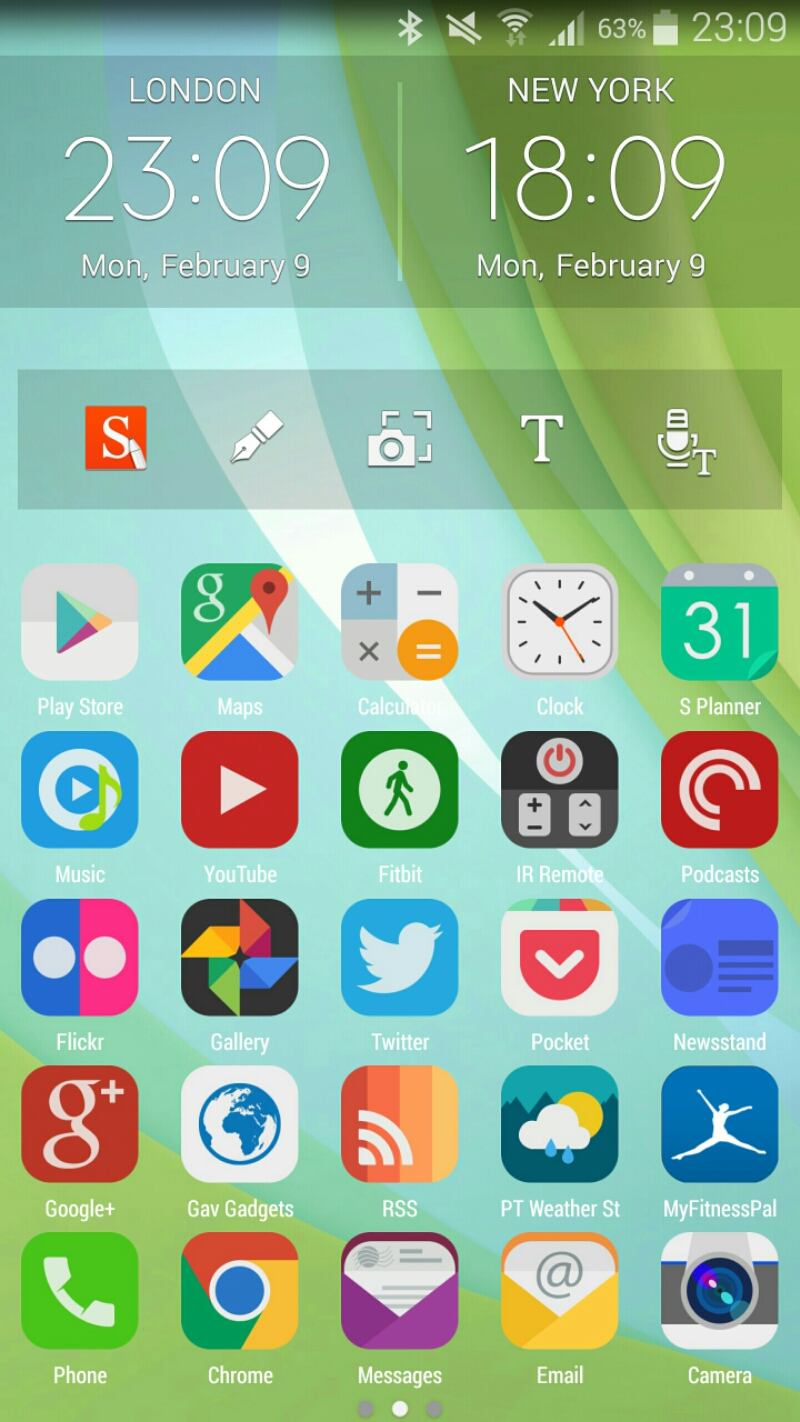
This is the home screen that you are shown after turning on for the first time. I have installed the Acer Liquid Leap manager SmartBand app.

Screenshot_2015-02-07-04-31-13

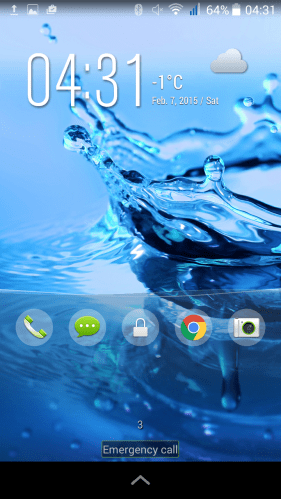
The lock screen has shortcut options and in practice swiping anyone of them works really smoothly.

Screenshot_2015-02-07-04-31-31

The notification settings options are the usual affair, but with a shortcut for the torch. Always handy to have that option close to hand.

Screenshot_2015-02-07-04-33-10

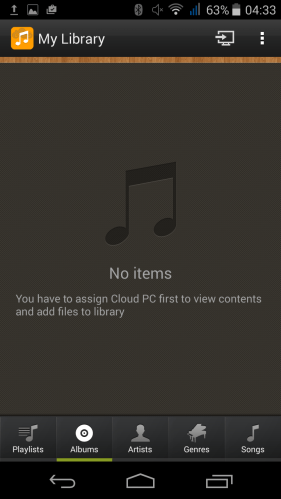
I mentioned yesterday Acer offer BYOC. Bring Your Own Cloud. This enables you to use your own PC as a cloud sycning solution for your music, photos, videos, files and documents. Each one of these options has its own app as you will see below in the screen shots.

Screenshot_2015-02-05-06-19-04

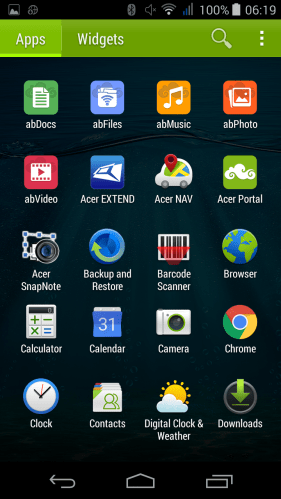
Apart from BYOC apps, Acer also include Acer Nav which is powered by TomTom. Handy.

Screenshot_2015-02-05-06-19-14

Acer do not add much bloatware to the phone. Chrome is the only web browser. Google Play is the music player. Consequently, out of the 16gb storage, just over 12gb is available.

Screenshot_2015-02-05-06-19-21

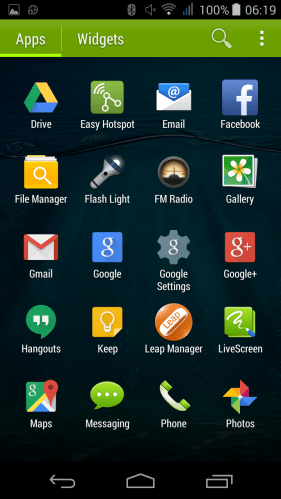
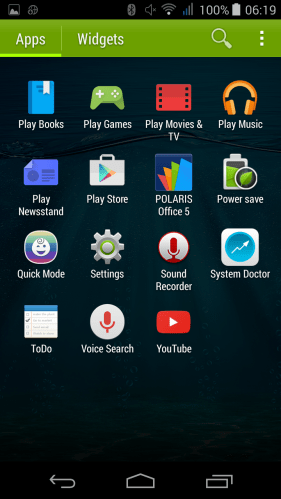
In terms of other apps, a FM radio, Easy Hotspot, File Manager, Livescreen, Polaris Office 5 (editing too), Power Save, QuickMode, System Doctor and Flash Light are added and not much more.

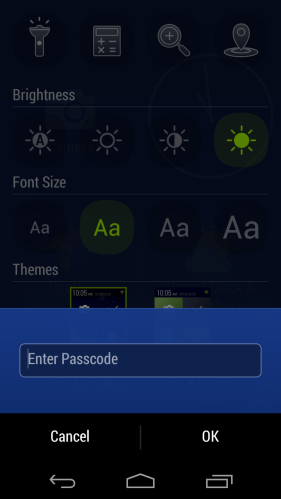
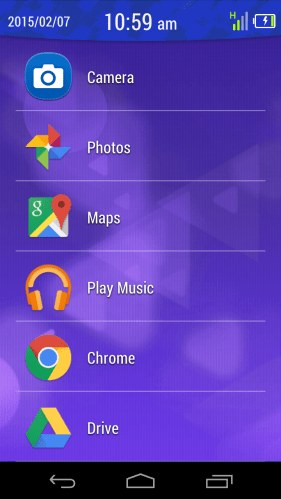
The Quick Mode app is rather good. It allows you to select from 3 easier to use home screen modes. In basic mode you get a list of apps on the home screen maximum. All accessing settings is password protected as it is for the other Quick modes. See screen shot below.

Screenshot_2015-02-07-10-59-11

Screenshot_2015-02-07-10-59-58

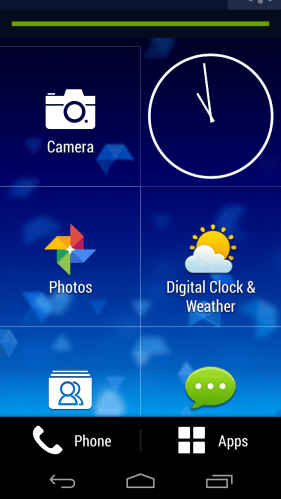
Easy mode is similar but with large icons on home screen that scrolls up and can have more items added.See screen shot below.

Screenshot_2015-02-07-10-58-51

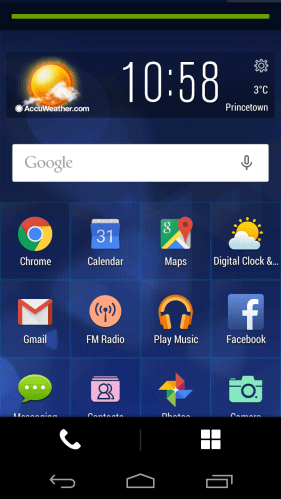
And lastly standard mode makes the icons smaller on the home screen but again with restricted access. All in all, I think Acer did a good job adding just enough, but also creating some easier to use home screen modes.

Screenshot_2015-02-07-10-58-21

Screenshot_2015-02-05-06-19-28

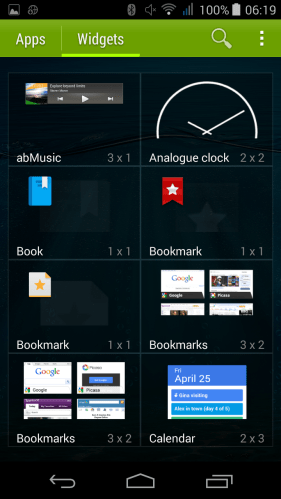
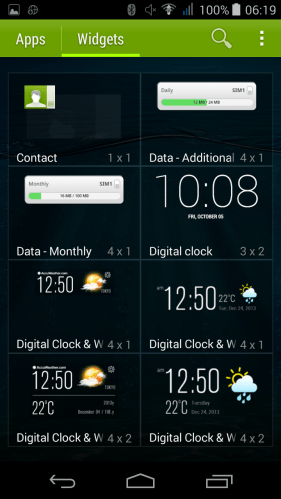
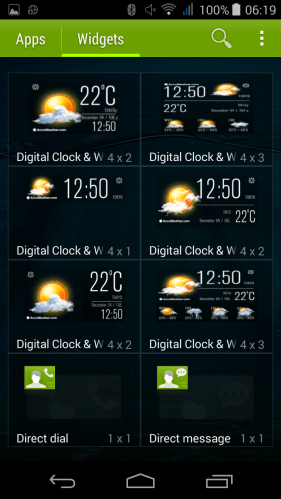
Acer have also add a few of their own widgets.

Screenshot_2015-02-05-06-19-33

With plenty of widgets for the time and weather!

Screenshot_2015-02-05-06-19-39

In terms of operation the processor powering the phone does not seem to impact performance. It is a smooth affair moving from app to app. Antutu scoring revealed it only had one quarter of the performance versus the Note 4. And yet you would not know it in real life. Riptide GP2 played just fine. Call quality was ok too. The power button is on the top of the phone. This is not the best placement due to the height of the phone. The rear of the phone is a fingerprint magnet.

Tomorrow I will look at the camera and audio in more depth. If you have any questions, please let me ask in the comments or on social media in the usual places.

Oneplus One – Available Today without an invite

oneplus

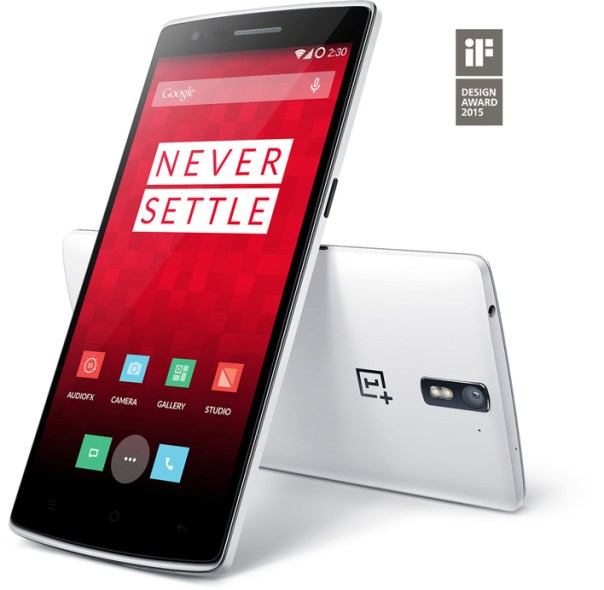
The Oneplus One is now available for 24 hours to purchase without an invite. It is £229 for the 16gb and £269 for the 64gb version.

This represents good value but I do feel that in a months time or so there will be all the new phones and maybe it is worth holding fire.

If you want a Oneplus One head over now – https://oneplus.net/uk .

If you happen to own one of these phones, you will be receiving an OTA update for the Cyanogen rom. This is not lollipop but fixes for kitkat.

One more battle over – Samsung and Microsoft have ended their disputes – details

Via Reuters.com

Samsung made the following statement –

““Samsung and Microsoft are pleased to announce that they have ended their contract dispute in U.S. court as well as the ICC arbitration. Terms of the agreement are confidential.” – Samsung’s Jaewan Chi, Executive Vice President and Global Legal Affairs & Compliance Team and Microsoft’s David Howard, Corporate Vice President and Deputy General Counsel.”

This is good news for everybody. Maybe Samsung’s declining profits have helped focus its decisions in saving money but not lining lawyers pockets.

Acer Jade S55 – Smartphone Review

image

wpid-20150207_083835 2

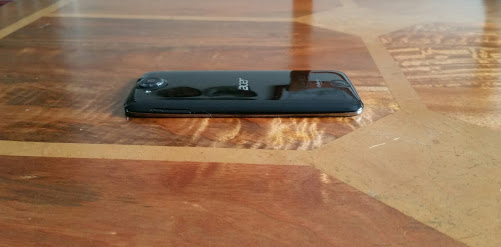
Look above at the photos. What you have is a slim svelte looking device. One of the first things I do with any new phone is pass it over to my wife and ask for her opinion. My wife has no real interest in technology but her first words were “this looks nice and feels comfortable in the hand”.

The official specifications are –

– Processor – MediaTek Octa-core 1.50 GHz
– Screen – 5″ 1280 x 720p
– Camera – 13 Megapixel (Rear Camera) with flash f/1.8, 5 Megapixel (Front Camera)
– RAM – 2 GB RAM
– Storage – 16gb (12gb usable)
– Sensors – Accelerometer, Ambient Light Sensor, Proximity Sensor, eCompass
– Nano sim x 2 (sim 2 can be up to 32gb micro sd card or nano sim)
– FM Radio included
– Android KitKat 4.4
– Radios – EDGE, GPRS,HSPA+,LTE
– Bluetooth – Bluetooth 4.0
– Wireless LAN
– NFC not included
– Battery Talk Time 6 Hour
– Battery Standby Time 250 Hour
– Physical Characteristics Colour Black
– Dimensions – Height 143mm,Width 69 mm, Depth 7.8 mm
– Weight 104g
– In the box – AC Adaptor, USB Cable,HeadSet,Quick Start Guide

The Acer Jade S comes with LTE at a top speed of 150Mbps, its 7.78mm thick, Gorilla Glass 3 and a 13mp f/1.8 rear camera. I actually weighed the phone as it felt really light and at 104g the scales proved that point spot on. Because of its curve the phone looks even thinner than 7.78mm. It fits completely inside my front shirt work pocket which is a bonus. This is also the dual sim. It can either take 2 nano sims or one sim and up to a 32gb micro sd card.

So after a good charge, I powered on the phone. First there was a 50mb software update to improve the camera and some bug fixes. Always a good sign. The next step was asking whether I wanted to use the phone internet connection via wifi or wifi and mobile data. Ideal if this was a Pay As You Go phone. I was then asked to sign into my wireless internet, Google account and offered to create an ACER BYOC account. What is BYOC. Bring Your Own Cloud. More about this over the upcoming days. I will also cover what other apps are added by Acer, but lets put it another way, of the 16gb, 12gb was free and that was after all the Google apps got updated. That translates into hardly any bloatware. There was only one web browser, Chrome and only one music player and that was Google Play Music.

I have in my other post today attached some photo samples. At the same time as reviewing the Acer Liquid Jade I am also reviewing the Acer Liquid Leap Smartband. Over the next few days I will be covering off the overall phone contents, camera, audio and finally concluding my views.

In the usual format, if you have any questions, please ask.