Tomorrow I have the penultimate post on the Nvidia Shield tablet. This is the critical post covering every bug and concern and issue.
It’s a “cracking ” post so don’t miss it. The title is cryptic. And it might surprise you.
Tomorrow I have the penultimate post on the Nvidia Shield tablet. This is the critical post covering every bug and concern and issue.
It’s a “cracking ” post so don’t miss it. The title is cryptic. And it might surprise you.
From last week.
As you know, I co-host a weekly podcast with David from UKMobileTech called Gav & Dave’s Tech Podcast. It is a light hearted tech podcast broadcast bi-weekly. To subscribe click here for iTunes or copy and paste this link into your favourite podcast app.
Episode 26 is now live for your listening pleasure.
If you have enjoyed the podcast, please leave a 5 star review in iTunes. It helps others find our podcast.
If you have any comments, questions or feedback, please drop a line at feedback@gdtpodcast.com .
I spent a lot of time yesterday with the Nvidia Shield Tablet connected to my TV via the hdmi cable. I also was charging the tablet whilst gaming.
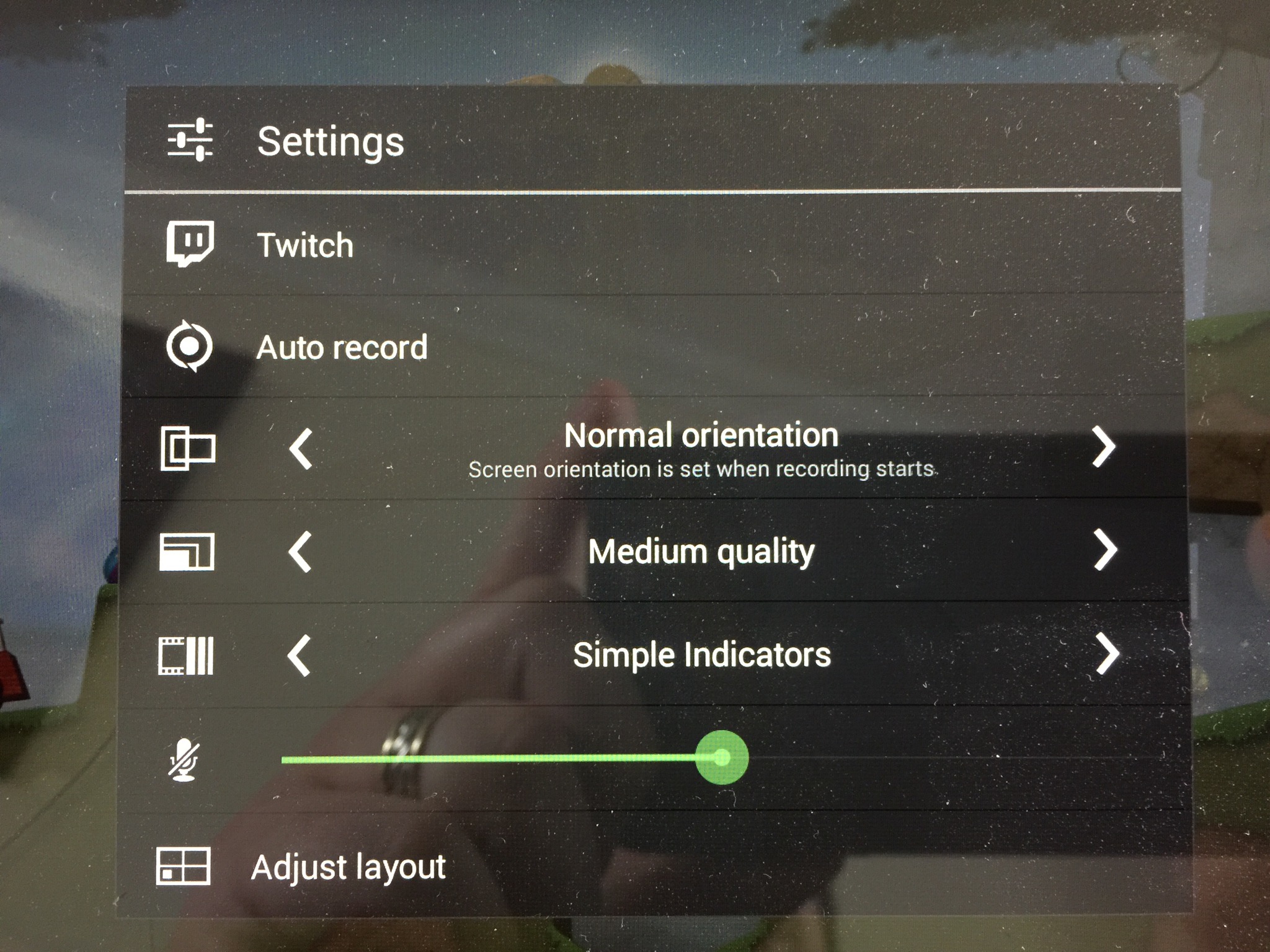
One of the features of the tablet is recording your game play as in screen recording or even that plus your actions whilst playing and screening this to the Twitch network.
Here are the options for recording and for the Twitch network recording.
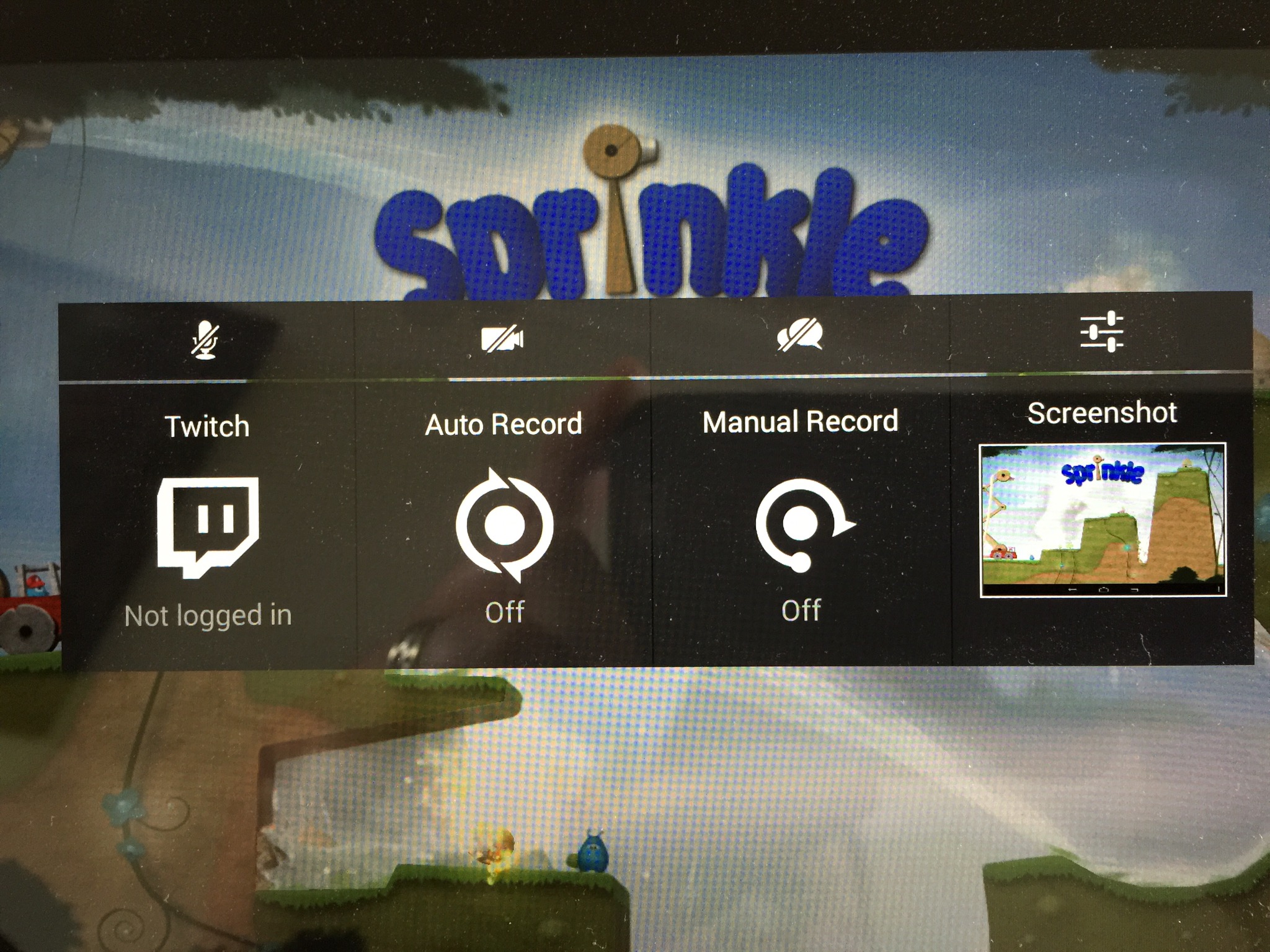
And the next screen.
So here is Leo’s Fortune on the TV screen. In real life the colours and graphics looked lovely. Not sure the photo captures everything.

And finally here’s a few games recorded whilst I was playing. I was playing these on the TV.
Today is a do not disturb day. I’m gaming and at the same time running battery tests on the Shield Tablet.
How many hours can the tablet last playing Half Life 2 or Portal? It’s a tough test to undertake!
According to Nvidia the Shield can last up to 19 hours. Somehow I’m not sure it will playing Half Life 2 !
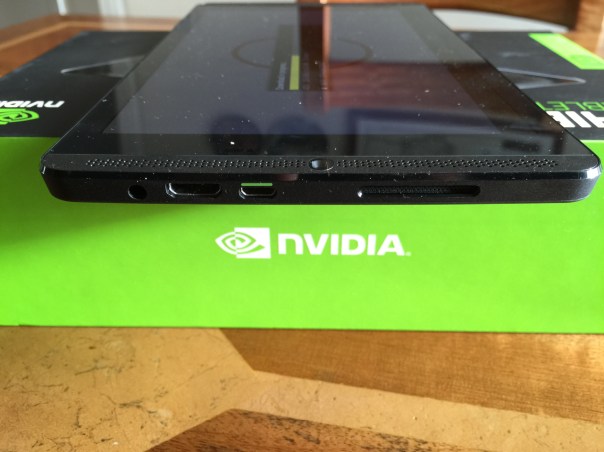
Today I am going to look at the Nvidia Shield Tablet hardware in more detail. I will start by stating this is not built to the same standards as the Apple iPad. Nor is its 1080p screen as good as the iPad. But it is nonetheless a decent enough screen by far.
If you look at the photo above you can see on the screen side the right “front” loudspeaker. The stereo speakers are dual bass reflex port with built-in microphone. The sound from the left and right front speakers is reasonable and adds to the media enjoyment. You will notice sound also comes out of the side too, top right side slat. On the front screen side is also the 5mp front facing camera. The rear also has a 5mp front facing camera. I will cover off the cameras in another post, but needless to say the camera software included is more than expected. Going back to the right side, from the bottom right you can see the headphone jack, HDMI and then micro usb socket. You will notice the micro usb port has green paint on the top. The cable also has one side green, allowing for easier connecting.
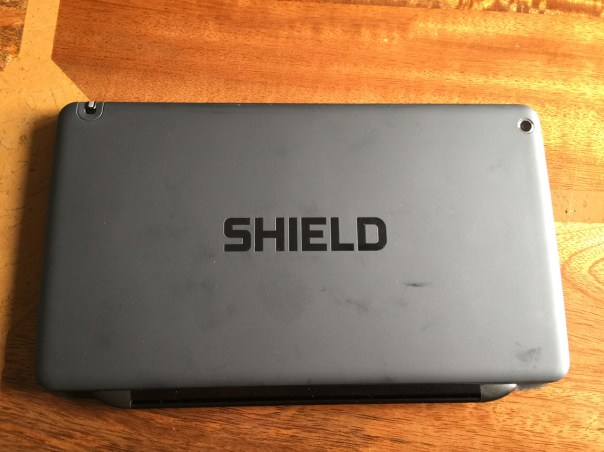
The rear is a soft plastic finish. Nothing special but easy to hold. It does show my fingerprints a little. On the rear you can see the 5mp rear camera and the stylus.
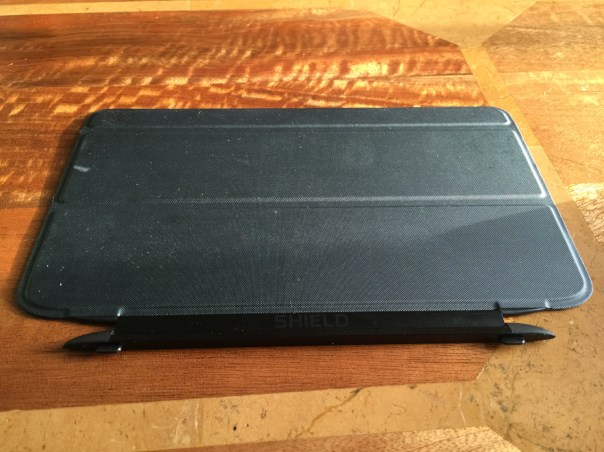
The Nvidia Shield cover is a smart cover. It has two stick out bits that slot in to the gaps on the side of the tablet. The cover is held in place by magnets and can only be held one way around. It is a strong magnetic connection. The cover has a keyboard, and two upright modes. Opening the cover turns the tablet on and off.
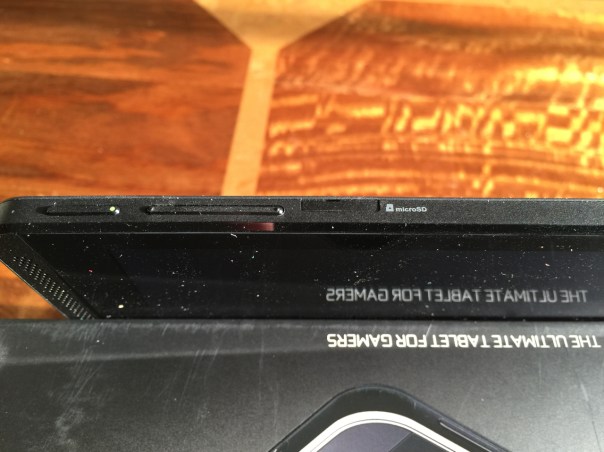
On the top edge is the power and volume controls. I must admit I find the power button fiddly to use.
The top edge also house the micro SD slot and micro SIM card as well as the stylus.

So overall the hardware is fine and to be honest I don’t miss my iPad, and at £239 for the 16 GB WiFi only model and £299 for the 32 GB LTE/WiFi it really is a great offering.
The full specs are as follows –
– Processor NVIDIA® Tegra® K1 192 core Kepler GPU, 2.2 GHz ARM Cortex A15 CPU with 2GB RAM
– Display 8-inch 1920×1200 multi-touch Full HD display
– Audio Front facing stereo speakers, dual bass reflex port with built-in microphone
– Storage 32 GB (WiFi+4G LTE) / 16 GB (WiFi-only)
– Wireless 802.11n 2×2 Mimo 2.4 GHz and 5 GHz Wi-Fi
– Bluetooth 4.0 LE
– GPS / GLONASS
– Connectivity WiFi+4G LTE or WiFi-only
– Mini-HDMI output
– Micro-USB 2.0
– MicroSD storage slot
– 3.5 mm stereo headphone jack with microphone support
– SIM Card Micro-SIM
– Motion Sensors 3-axis gyro
– 3-axis accelerometer
– 3-axis compass
– Gaming Features SHIELD wireless controller compatible
– NVIDIA GameStream™
– NVIDIA ShadowPlay™
– GRID Cloud Gaming Beta
– Console Mode
– Gamepad Mapper
– Cameras Front: 5MP HDR; Back: 5MP auto focus HDR
– Video Features 4K Ultra-HD Ready
– Stylus DirectStylus 2 with 3D Paint (Included)
– Software Updates SHIELD software upgrades directly from NVIDIA
– Battery 19.75 Watt Hours
– Weight and Size Weight: 13.7oz / 390g
– Height: 8.8in / 221mm Width: 5.0in / 126mm Depth: 0.36in / 9.2mm
– Operating System Android KitKat OS (Android 5.0 Lollipop ready)
– Software Google Play™, NVIDIA SHIELD Hub, Trine 2: Complete Story, Multi language Handwriting Recognition, NVIDIA Dabbler™, JusWrite, Evernote, Adobe Reader, Camera Awesome
-Cellular Connectivity
North America: Unlocked (compatible with AT&T, please check bands supported)LTE, HSPA+, 3G, 2G, GSM, EDGE
-Outside-North America: Unlocked (please check bands supported)LTE, HSPA+, 3G, 2G, GSM, EDGE
Cellular Bands North America:LTE: Bands 2,4,5,7,17 (1900, 1700, 850, 2600, 700)
HSPA+: Bands 1,2,4,5 (2100, 1900, 1700, 850)
Outside-North America:LTE: Bands 1*,3,7,20 (2100/1800/2600/800)HSPA+: Bands 1,2,5,8 (2100/1900/850/900)
* In certain regions band 1 and voice support is enabled
Oppo have just announced the R5. A phone so thin you can’t fit a headphone jack ! In fact it’s under 5mm thick. So check out the hands on.
Source – pocketnow.com
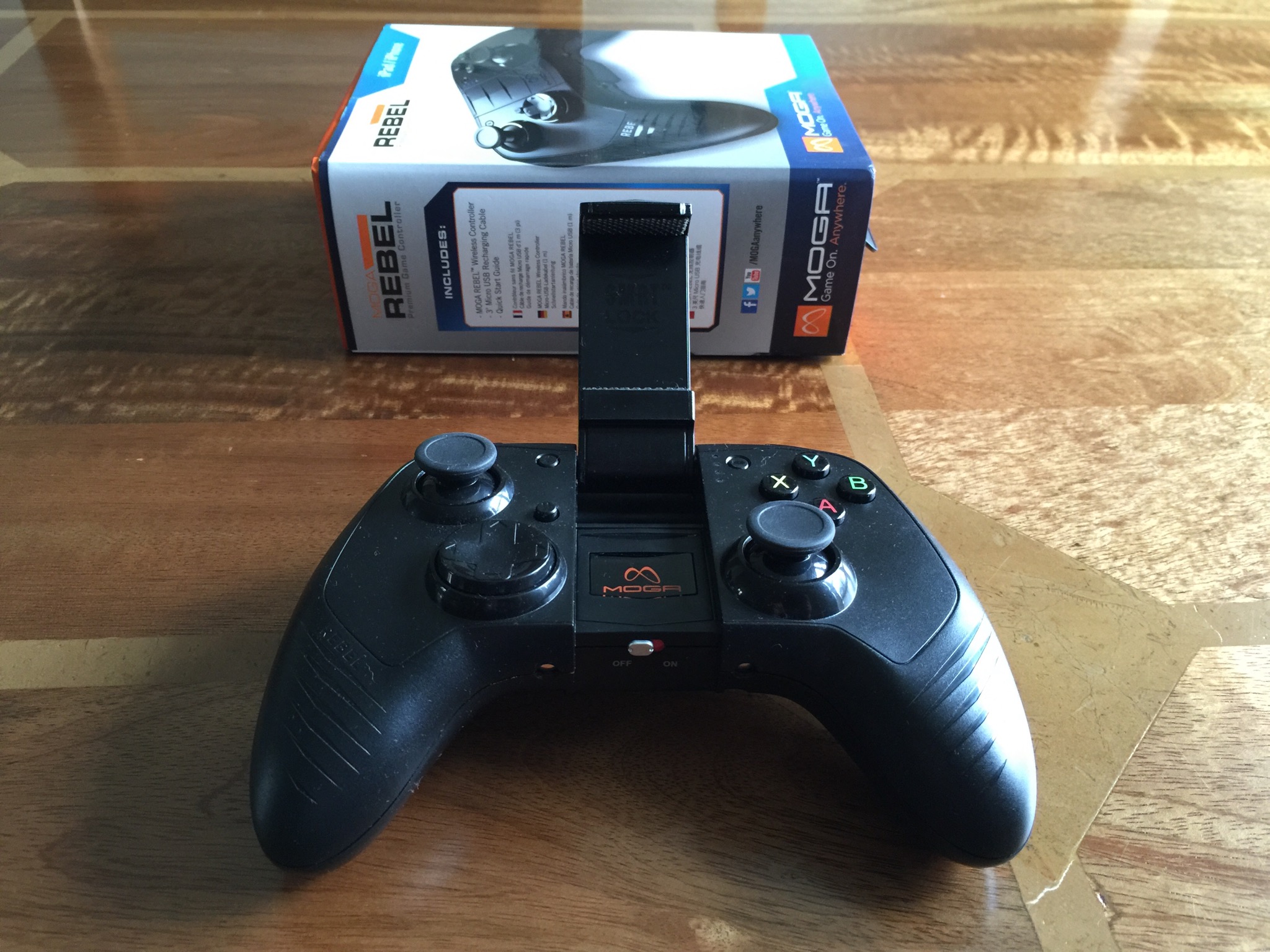
The MOGA REBEL game controller is a full-featured controller which includes shoulder buttons, shoulder triggers, four action buttons, and two pressure-sensitive analog sticks. Its S.M.R.T. Lock Arm lets you secure your iPhone or iPod touch directly to the controller, creating an integrated mobile gaming system. Or use the controller as a stand-alone device with iPad. All devices connect via powerful Bluetooth wireless.
Specifications
– Full-size MFi game controller including extended control shoulder buttons and triggers, a D-pad, and two analog sticks
-MOGA S.M.R.T. Lock secures your iPhone or iPod touch to the controller
-Use as stand-alone controller with iPad
– Wireless Bluetooth connectivity
– LED battery-life indicator 680 mAh rechargeable battery
– Height: 2.4 in./6.1 cm
– Width: 6.3 in./16 cm
– Weight: 13.12 oz./372 g
Length: 4.4 in./11.18 cm
– Manufacturer Information
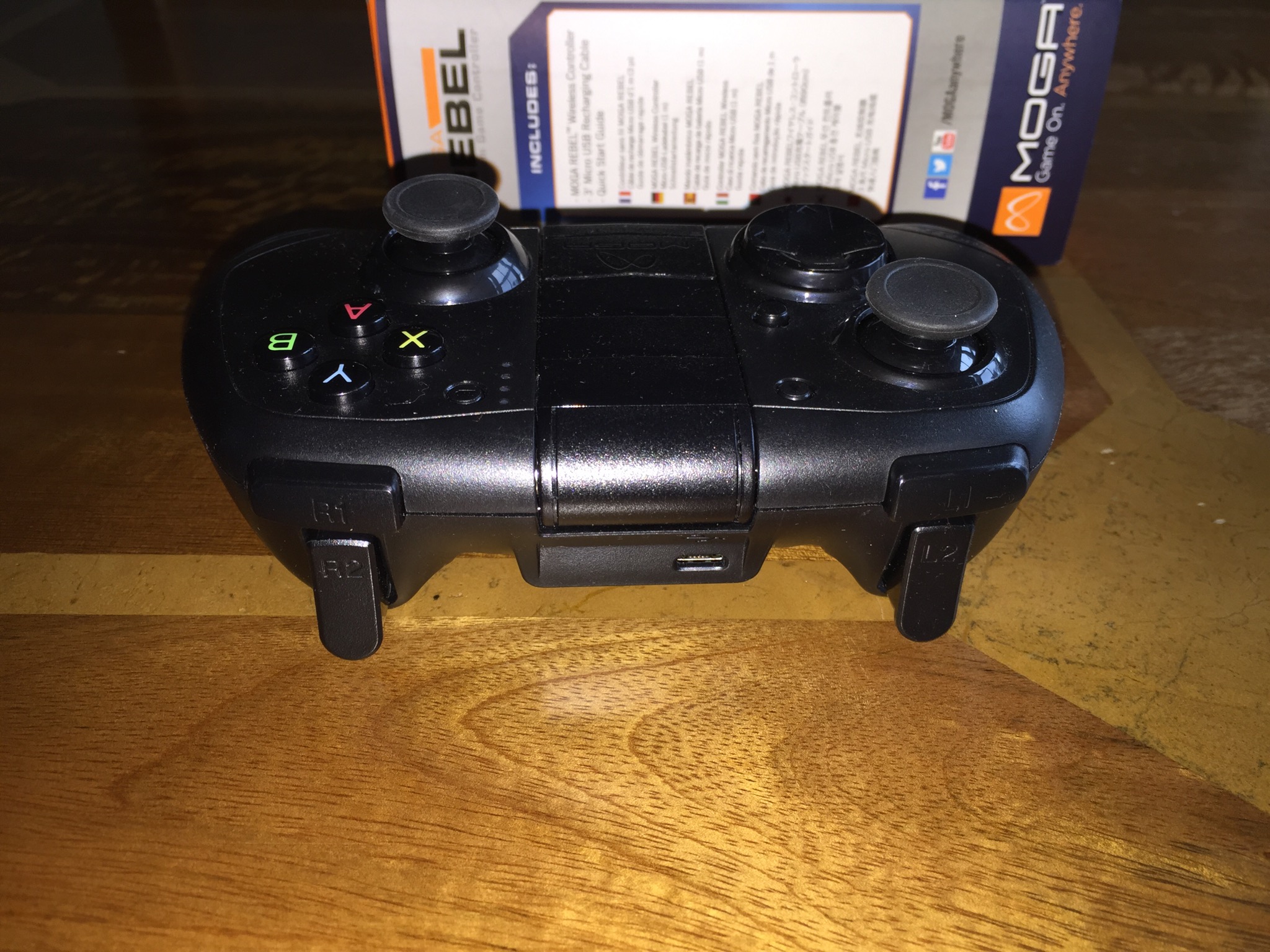
The Moga Rebel reminds me of Moga’s android game controller the Moga Pro and Moga Pro Power. They all have similar designs along the lines of a Xbox controller. In terms of holding a 6 Plus in the locking mechanism this is a simple affair and works well. Below are some screen shots of games I have played using the Moga Rebel.
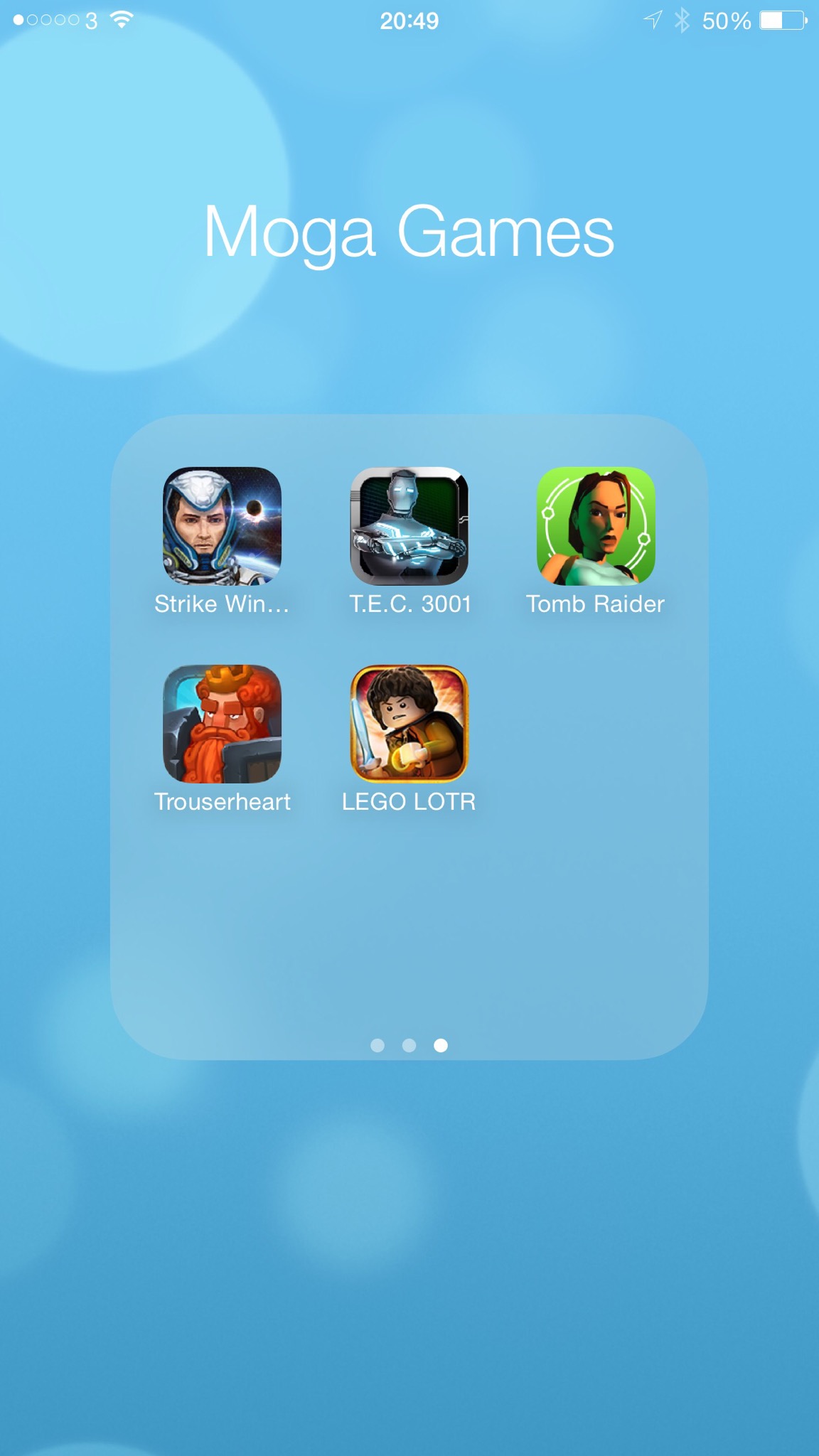
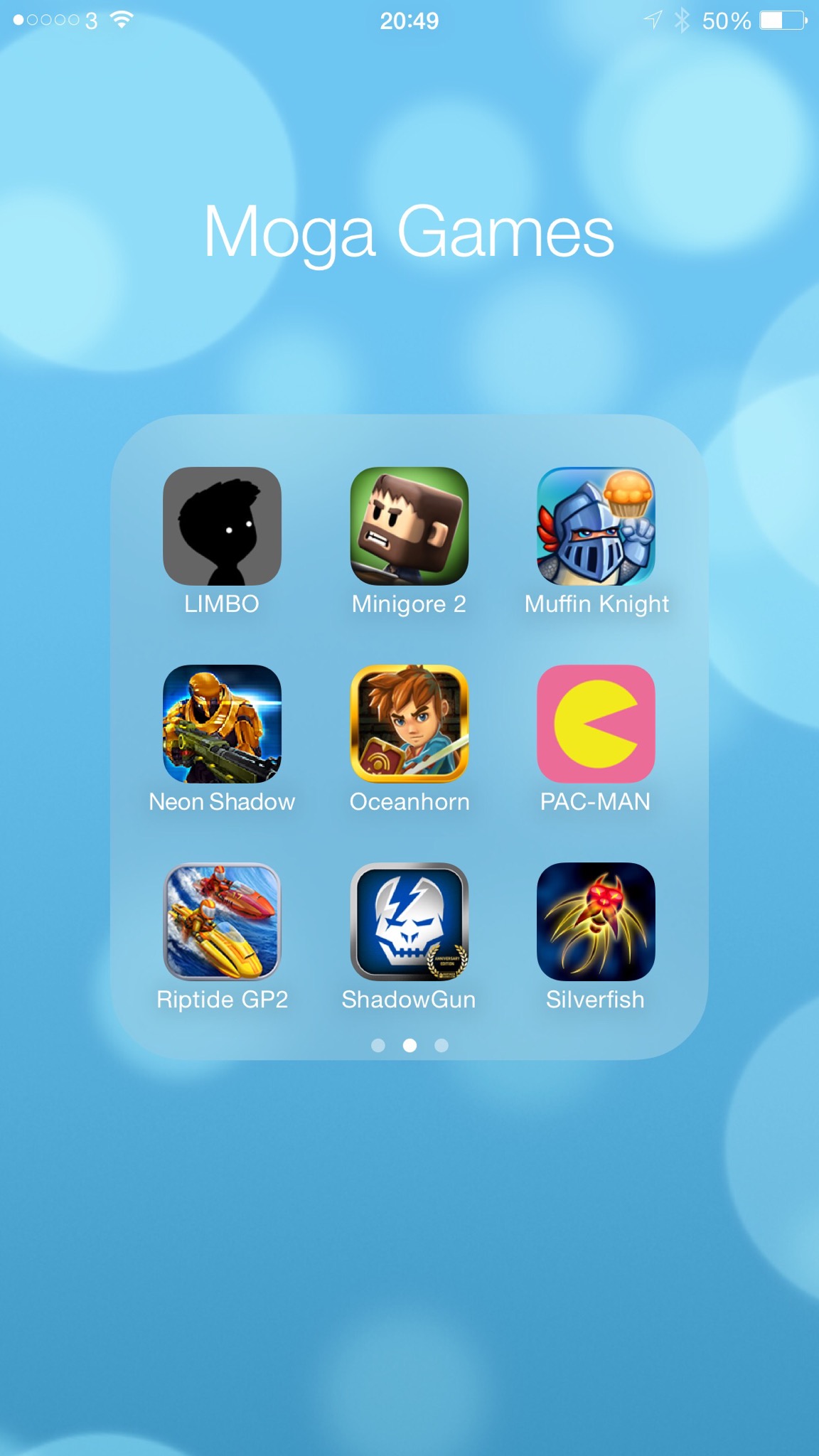
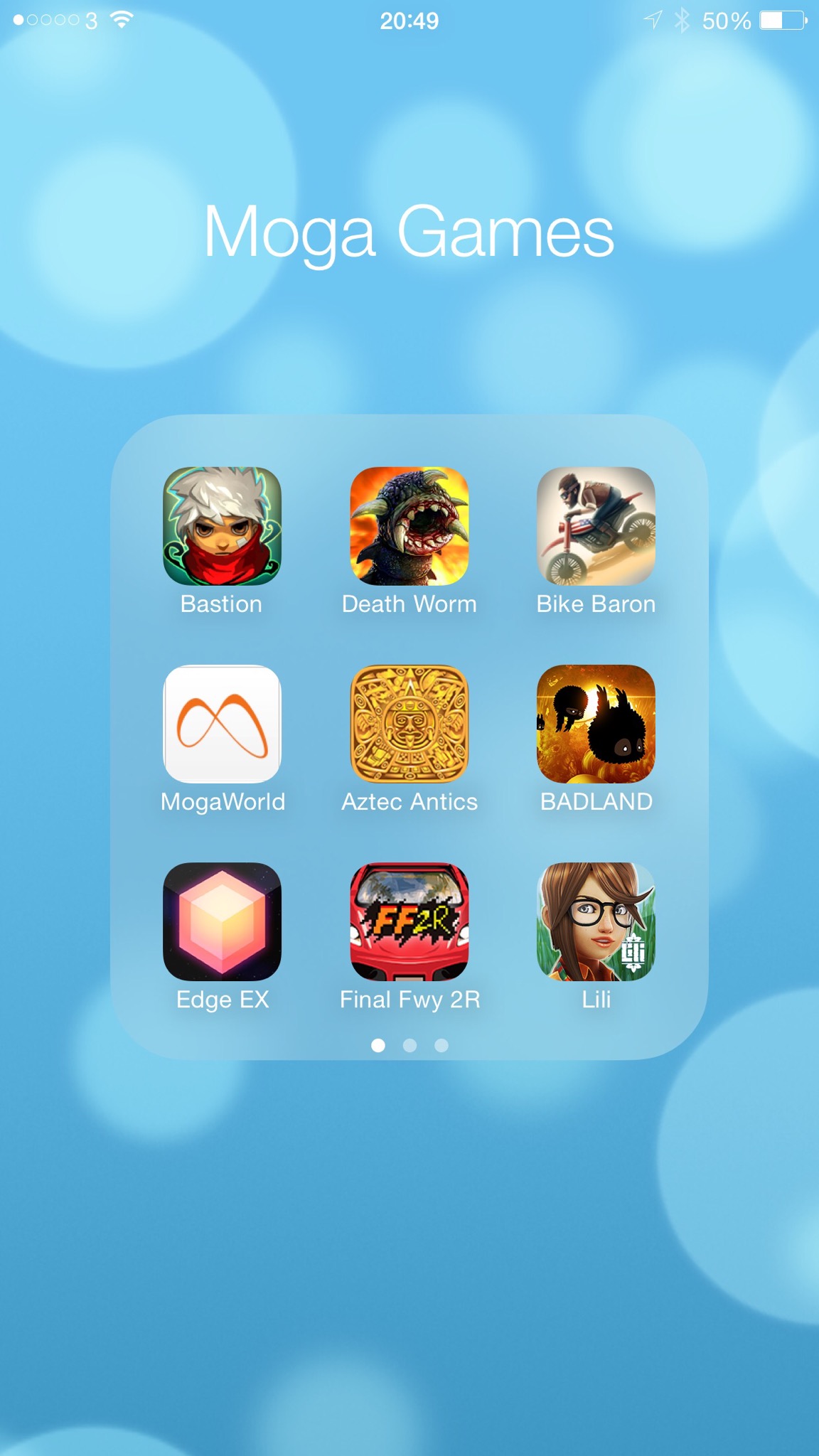
As you can see there are a number of great titles that work with the controller. The problem is there are considerably more that don’t. Unlike Moga’s android controllers which have two Bluetooth modes allowing for more games to work with the controller, iOS games have just one method. And if they developers haven’t implemented the support properly then it is a non runner. Playing games with the Rebel is great fun and a joy to use. My main issue is it costs £59.99. That’s £10 more than the Nvidia Wifi Controller and £20 more than Moga’s android equivalent. And the Rebel is the worst featured out of the bunch.
So despite all the goodness of enhanced game playing it is very difficult to recommend. Whilst iOS might have the larger game catalogue it has the poorest support for games working with a game controller. So if you browse Mogaanywhere.com and there are enough supported games that you want to play then perhaps give it a go.
Tomorrow I will have the review up for the Moga Pro Power for android which offers more functionality. In terms of game control they are very similar.
Any questions just ask as usual.
Last night I got to spend some more time with this gaming beast of a tablet. There are so many superb aspects to this tablet, a few bugs and a few surprises.
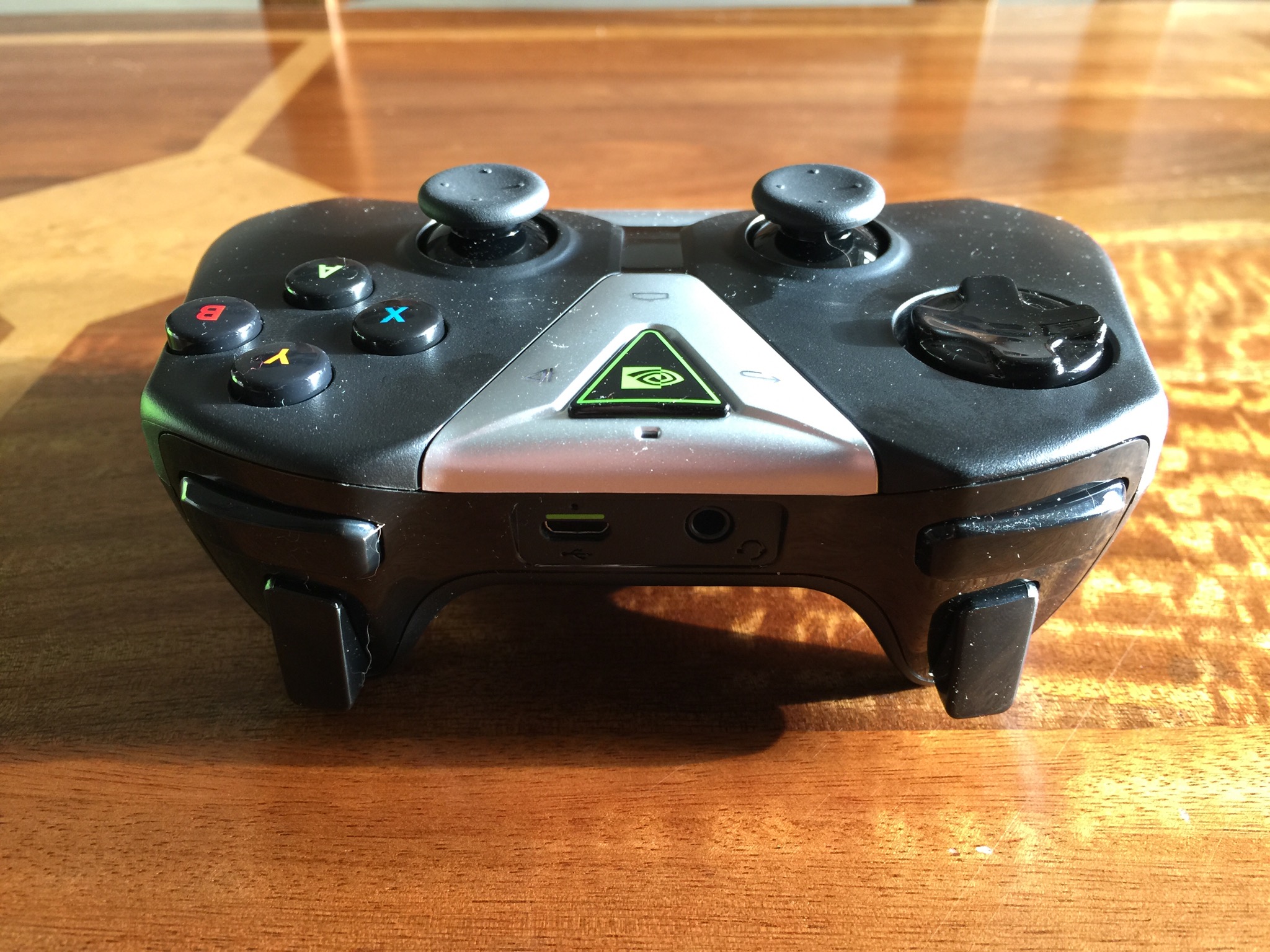
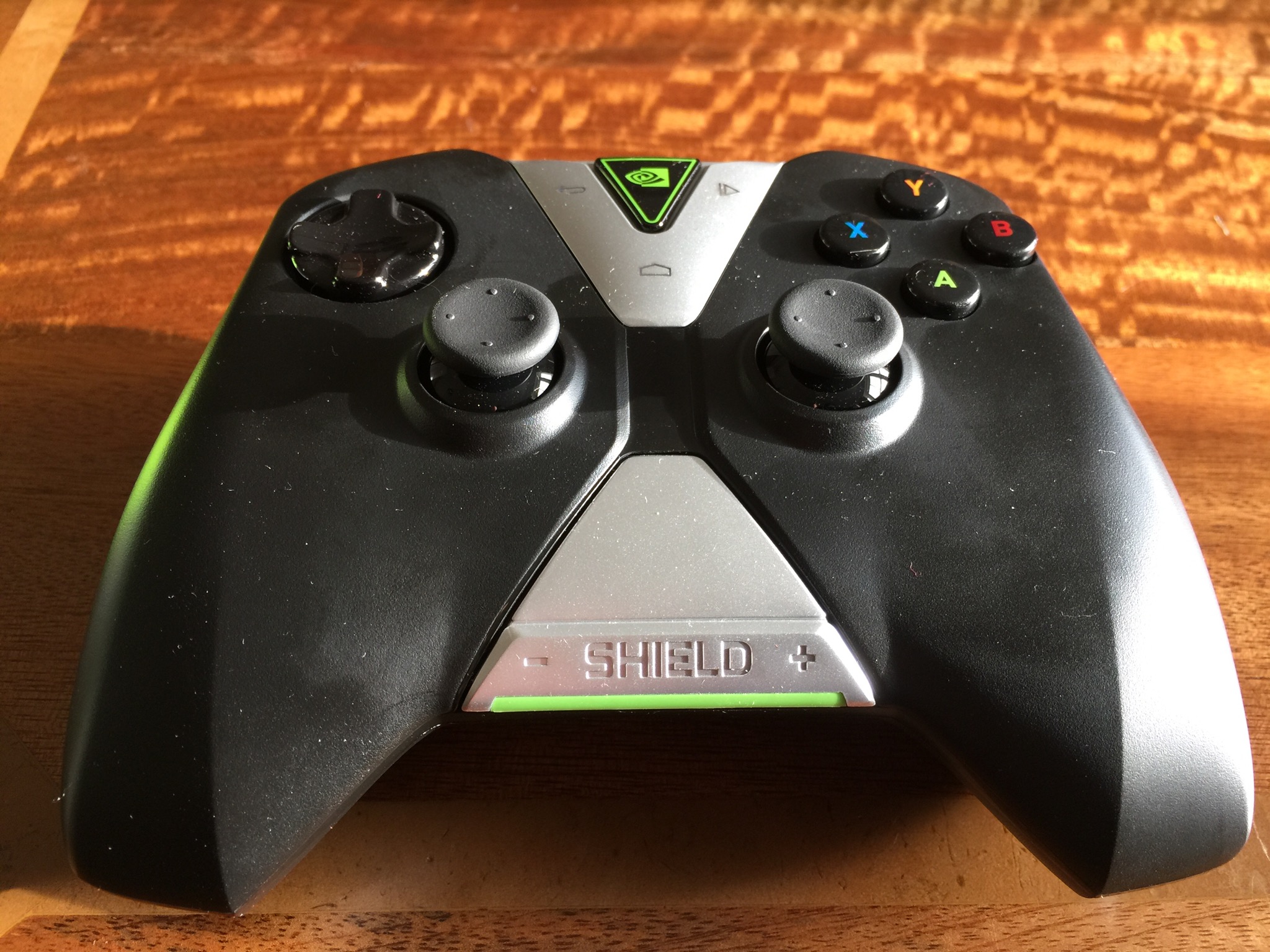
In another post today I reviewed the Apple game control!er by Moga. Well compared to the Nvidia controller, Moga and iOS are really embarrassed. First of all the Nvidia controller connects via WiFi instead of Bluetooth. This is done instantly via the Nvidia app. You use this app to connect a total of 4 controllers. However, with this controller not only does it provide an even faster seamless connection due to using Wi-Fi, it also enables voice search, headphones to be connected to it via the inbuilt jack, and includes android media controls. If that isn’t enough, for games that aren’t working with the controller out of the box, there is a game mapping app that allows you to map the keys swiftly. To give you some idea of the controller compatibility check out this HUGE list from Nvidia http://shield.nvidia.com/android-game-list/ Photos of controller at the end of the post.
So far I have found that games often have better graphics for the device over what I was used too. In many cases the games format and fill the screen better. Then there is the HDMI cable. Connect this to your TV and the tablet PC and decide between console or mirroring mode. Console mode is amazing. The tablet screen is turned off and the whole control is now via the game controller. And the game graphics on your TV are rather good too.
The tablet is great playing Half Life 2, Portal, Jet Set Radio, Emulators likes SNES, N64oid, FPSe, and PPSSPP. Other great games I have played include Table Top Racing, Shadowgun, T.E.C. 3001 and so many more.
Of course the gaming tablet is also a superb tablet. This post was typed on it for example. So apart from having all my games installed, normal apps and special Shield games, I have 6.9gb free of internal storage. If you intend to use the Shield tablet as a tablet, you can activate a number of power saving, processing saving modes. This will prolong the battery life, but there is also an insane mode, to crank the processor to full and enjoy gaming at its ultimate. As I discovered, at full processor mode the battery depletes much faster. The only saviour is if you have a HDMI cable attached and are using your TV as the screen, you can still charge the tablet and play.
More views as soon as I can escape playing Half Life 2!
Update – android lollipop is meant to be ready as soon as Google release it or very close too that date.
 I
I
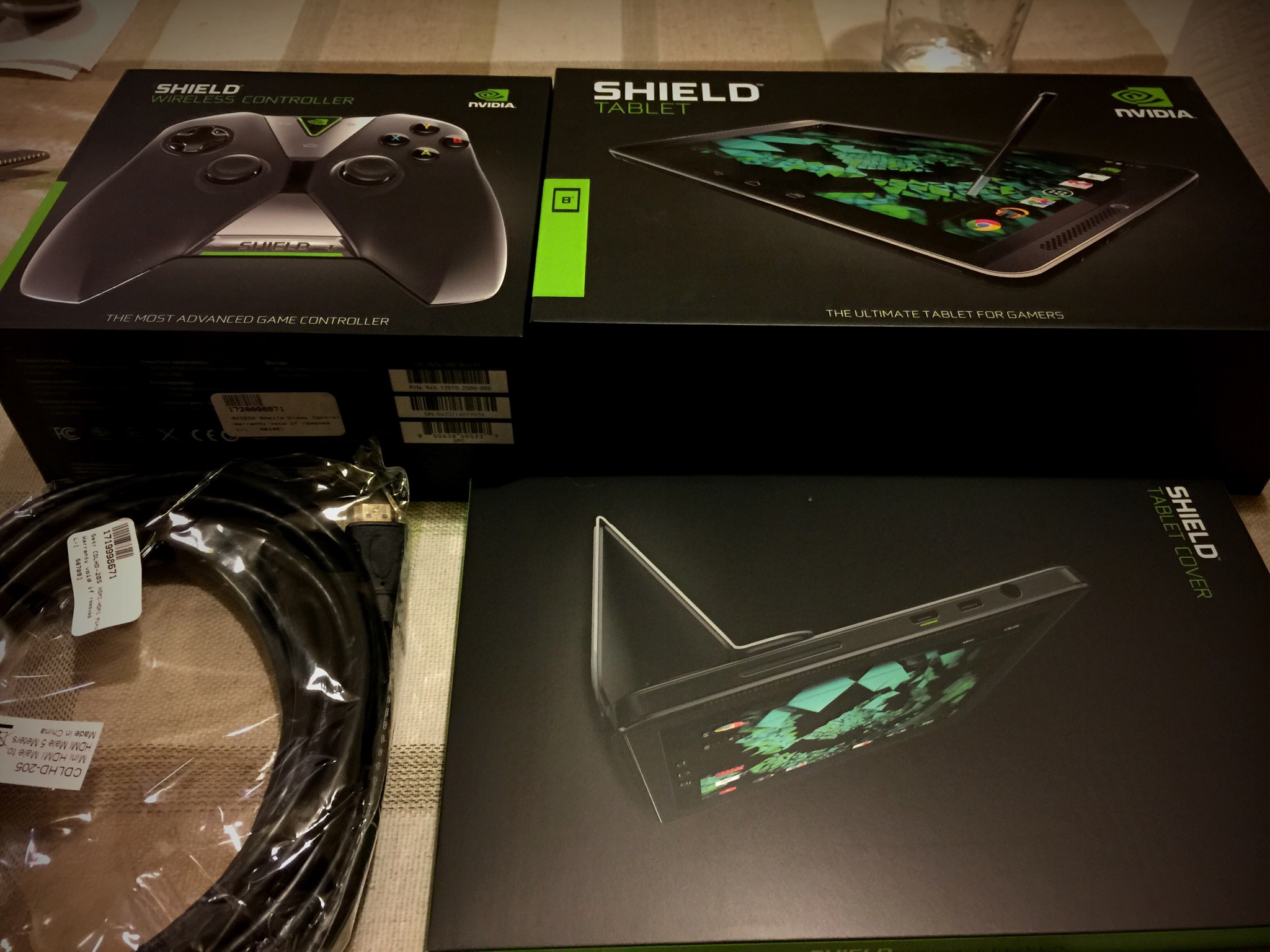
I have been waiting for the Nvidia Shield 32gb LTE version to go live in the UK and finally this has happened. The photo above includes the tablet, Wireless Controller, tablet cover and a 5m HDMI cable. And all of this cost less than the 16gb iPad Air 2 !! In fact its about £25 less. In fact that is not quite true as this is the LTE version so is actually £125 cheaper than the LTE iPad Air 2 in 16gb. But specs aren’t everything or are they?
What you get is tablet with a purpose. That purpose is gaming. It runs a near stock version of Google Kitkat with an update due soon for Lollipop. It has stereo front speakers, 32gb storage and LTE. That means if I am correct, once I insert my sim card, I will be able to make and receive telephone calls and SMS. It has a Nvidia K1 Processor running at 1080p and 60fps. It also comes with a stylus and special note and drawing applications. The optional Wireless Controller is connected via WiFi and not bluetooth for a faster and more responsive connection. In fact, you can connect up to 4 controllers. You can not only play android games, but bespoke Nvidia games made for the tablet like Portal and Half Life 2. You can stream games from your PC and play on the tablet or stream your gaming directly to Twitch. If that is not enough, there is a dedicated HDMI socket. Connect a HDMI cable between your TV and the tablet and with the WiFi controller you can play the games on your TV at 1080p and 60fps. The tablet also has a memory card slot. The micro usb connector is available as well as a separate HDMI slot.
And the attention to detail with the green shading on the packaging and accessories is lovely. Opening the tablet box and removing the device with its accessories feels special. The same applies to all the accessories. I still cannot believe how much tablet and accessories I got for the money.
So like all devices, I needed to charge both the controller and tablet. I also checked for a software update. There was a 700mb update. Once this had downloaded it installed it in under 90 seconds. That was really speedy. Now for the slow part. Installing all my games of which there are so seriously large files to download.
It is very early days with this tablet but so far I am loving it and not missing my iPad Air. Nvidia Shield recommend a number of stockists. I used Scan Computers as the 5m HDMI cable was provided free of charge. Also Scan use DPD and provide a detailed update every step of the buying process. A superb buying experience.
I have connected the wireless controller. Simple process using the Nvidia app. And it really is brilliant. So is the gameplay and graphics. But more to come on the game play.
More to follow once I have got to grips with everything. If you have any questions, please let me know as usual.
Update – sadly you can’t make normal phone calls on this model. Nvidia will be releasing a different sku which will allow for this feature. That means you can only use calling via for example Google Hangouts.
As you know, I co-host a weekly podcast with David from UKMobileTech called Gav & Dave’s Tech Podcast. It is a light hearted tech podcast broadcast bi-weekly. To subscribe click here for iTunes or copy and paste this link into your favourite podcast app.
Episode 26 is now live for your listening pleasure.
If you have enjoyed the podcast, please leave a 5 star review in iTunes. It helps others find our podcast.
If you have any comments, questions or feedback, please drop a line at feedback@gdtpodcast.com .
 Gavin's Gadgets & Photography