Category Archives: Apple

Will Apple have to recall all 128gb iPhone 6 and 6 Plus phones?

Macrumors reports the following –

A number of iPhone 6 and 6 Plus owners have been reporting an issue with the device that causes it to crash and remain stuck in a boot loop following a restart. The issue appears to primarily affect 128 GB models, particularly those with larger app libraries, and some suggest it may be a hardware problem associated with the increased storage available on that device.

The only recourse for owners experiencing this boot loop is to bring their phone back to Apple and request a replacement. Some in the industry point out that considering that technical defects mainly occur in the 128GB version of the iPhone 6 Plus, there might be a problem in the controller IC of triple-level cell (TLC) NAND flash.

As numerous reports of low read performance of the Samsung SSD 840 and 840 EVO using TLC NAND flash have surfaced on the Internet, a problem in the controller IC is considered to be the more likely cause of the defects.

The report says Apple could be facing a “huge potential recall” to address the issue, but the claim is purely speculative given that the prevalence of the problem has not been established and an exact cause remains undetermined.

All I can say that I have not experienced anything like this and have a daily backup of my phone. So should a problem arise, the beauty of an Apple product is a quick 10 min visit to the Apple Genius and then a full restore via iTunes to bring back your phone as previous.

Will Apple kill off the iPad Mini next year?

There is plenty of rumour across the inter webs that Apple will bring our the iPad Pro a 12.2 inch tablet, and at the same time discontinue the iPad Mini range.

This year the iPad Mini received no love. Just a Touch ID home button and a new lick of paint in gold. At the same time Apple launched the iPhone 6 Plus a 5.5 inch phone. The 6 Plus is selling like hotcakes along with the standard iPhone 6, whereas tablet sales are slowing due to a saturated market and slower upgrade cycle by consumers.

The iPhone 6 Plus has been so successful for my usage, that it prompted me to sell my iPad Air. In fact, if I was going to fork out such a large amount of money, I would buy a Mac (Mini) as that would be more useful and a better spend of my money. Not that I need to do that either.

So, with the screen sizes of the new iPhones catching up with the iPad Mini is there any need for such a device. Surely it makes more sense to concentrated on the iPad Air 2 and potentially the iPad Pro 12.2 inch. Maybe, but I do not believe Apple will get shot of the iPad Mini that quickly. For some people its size is ideal for travelling and there is some chance it might fit in your pockets.

Apple releases new betas for iOS 8 and OS X Yosemite – details

Apple has released beta iOS 8.1.1 to developers. This update is contains bug fixes, increased stability and performance improvements for iPad 2 and iPhone 4s. iOS 8.1.1 is also the planned release that removes blood glucose tracking from the Health app following a series of issues.

Lets hope the older devices iPad 2 and iPhone 4S really do work better with this update!

A new seed for the Apple TV is also available. Apple released the first OS X Yosemite 10.10.1 beta earlier today. iOS 8.1.1 is the follow-up to iOS 8.1, which includes Apple Pay support, SMS forwarding to Yosemite, and iCloud Photo Library Beta.

Apple also seeded a beta of OS X Yosemite. The update to version 10.10.1 has a build number of 14B17.

The change notes indicate that Apple is making improvements in the areas of Wi-Fi connectivity, Exchange support in the Mail application, and the Notification Center, which gained support for widgets in the new operating system.

Sticking with iOS as my main operating system – reasons

So I have been pondering buying a Note 4 with the lovely S-Pen and all the editing features that brings, but the more I use the iPhone 6 Plus, the more I realise iOS 8 is just a better organised and structured operating system.

That is not to say I hate everything else. That is not the case whatsoever. I have a Nvidia Shield Tablet for my android fix. As to Windows Phone, well it just lacks the depth and breadth of apps for me. If you don’t need those especially on the gaming front, then it is a viable option.

My sticking with iOS realisation really hit home yesterday. I was looking at the Note 4 and Gear S Smartwatch and thinking once again how it would be to have cutting edge specs. In fact, my ideal setup would be the Samsung Galaxy Note Edge and Gear S smartwatch. However, since owning the 6 Plus and fitting it with an Apple leather case, I completely forget the size and just end up using the phone effectively. Apps are being updated for the 6 Plus and offer such a better designed interface than that on the Note 4. The updated 6 Plus apps really provide in many cases a mini tablet look. And talking of apps, some of the improvements are incredible and the huge breadth and depth in all categories cannot be ignored. Then there is the 6 Plus camera. It is a masterpiece of just getting a great shot. Noiseless and clean and well balanced colours and in focus. And no hassle. Start using apps like Camera+ and you will get the incredible quality shots shown in the other post of mine today. Then there is the loudspeaker. It is not stereo but it is loud and clear and loud enough to play podcast in the car without the need to connect to the car stereo sound system. The sound via the headphones is equally impressive.

I mentioned the tidy structure of iOS. With the aid of iTunes I have all my media in perfect sync using the respective Apple apps. Using iMovie, I can become the masterful movie maker (well amateur at best) and with such little effort. App duplication is not an issue either.

Speed. Love it or hate it, iOS allows for the fastest way of doing nearly anything. I can action something, open something and more quicker than my other devices. Or maybe it is my imagination, but somehow the 6 Plus creates this emotional attachment of working for you rather than against you.

My other problem is family and friends. They all have Apple devices. Staying in touch just becomes easier. In fact, some of my twitter buddies who moved across from android are keeping in touch via iMessage which is so much easier as its the SMS app all in one.

So there you have it, Apple user for the foreseeable future. I would never have predicted it. I was so certain I would be using a Note 4 or Note Edge with a Gear S……

But never say never 🙂

From last week – Gav & Dave’s Tech Podcast is now live – Please RT

From last week.

As you know, I co-host a weekly podcast with David from UKMobileTech called Gav & Dave’s Tech Podcast. It is a light hearted tech podcast broadcast bi-weekly. To subscribe click here for iTunes or copy and paste this link into your favourite podcast app.

Episode 26 is now live for your listening pleasure.

If you have enjoyed the podcast, please leave a 5 star review in iTunes. It helps others find our podcast.

If you have any comments, questions or feedback, please drop a line at feedback@gdtpodcast.com .

Microsoft launches the Microsoft Band – cross platform fitness band – details

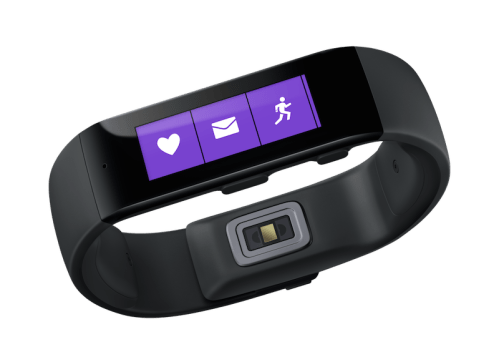
microsoft-band_hero_2

Microsoft has launched the Microsoft Band. It lasts 48 hours on a single charge and tracks all activity including your sleep. There are 10 sensors that track standard health statistics like heart rate, a UV sensor to measure sun exposure and galvanic skin response, which can identify stress. Like smart watches, the Band can also receive notifications from a user’s smartphone.

Full details of what it can do are –

– Activity tracking and goal setting : Heart rate monitor 24-hour heart rate monitor: Gives you a better understanding of your calorie burn, sleep patterns, and peak and resting heart rate so you can perform at your best.

– Run Run: Whether you’re on the treadmill at the gym or outdoors in the rain or sun, you can view your run summary on your band with personalized metrics in the phone app including pace splits and heart rate.

– Steps tracker Steps: Set a goal and track your progress. Microsoft Band calculates the calories you’ve burned and the distance you’ve traveled each day.

– Built in GPS Built-in GPS: Measures the distance you’ve run and tracks your pace and route. Save your favorites to retrace your steps and challenge yourself later.

– Calorie tracking Calorie tracking: Count the calories you burn each day. View daily or weekly stats, set goals, and receive a virtual “high-five” when you reach them.

– Sleep tracking Sleep tracking: When activated, Microsoft Band tracks the length and quality of your sleep. Analyze the sleep charts in your app to gain insights about your slumber.

– Guided workouts Guided Workouts: Fun and challenging workouts from fitness partners like Gold’s Gym, Shape, and Men’s Fitness with exercise prompts on the band and much more in the app.

-Goal setting Goal setting: Challenge yourself by setting daily step and calorie goals. Microsoft Band notifies you when you meet them so that you can stay motivated.

The Microsoft Band goes on sale for $199. Looks promising.

Source – http://www.microsoft.com/Microsoft-Band/en-us

CurrentC is already hacked before launch – reviews are not good to

CurrentC, the mobile payment system that is to rival both Apple Pay and Google Wallet, announced on Wednesday that it has been hacked and that some users’ email addresses may have been obtained.

MCX, the company behind CurrentC, sent out the email on Wednesday, revealing that its security systems were breached by unauthorized third parties within the last 36 hours. The company says its investigations suggest that only users’ email addresses were obtained, but not any additional information.

In addition on both Google Play Store and Apple App Store users are leaving one star or dreadful reviews deliberately.

Not a good day for CurrentC!

Source -Appleinsider.com & theverge.com

Moga Rebel Game Controller review – iOS iPhone and iPad Game Controller

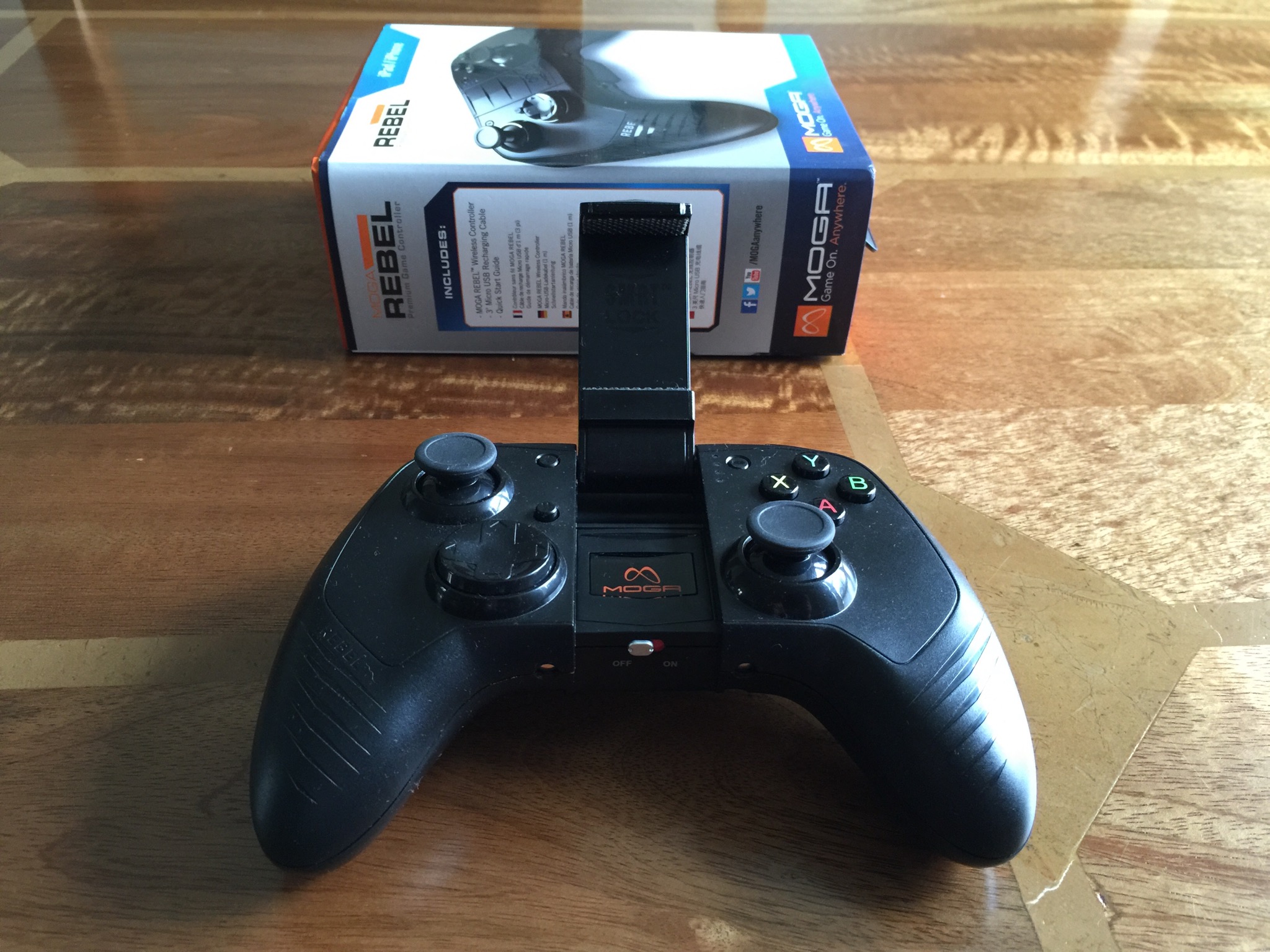
IMG_1076.JPG

The MOGA REBEL game controller is a full-featured controller which includes shoulder buttons, shoulder triggers, four action buttons, and two pressure-sensitive analog sticks. Its S.M.R.T. Lock Arm lets you secure your iPhone or iPod touch directly to the controller, creating an integrated mobile gaming system. Or use the controller as a stand-alone device with iPad. All devices connect via powerful Bluetooth wireless.

Specifications

– Full-size MFi game controller including extended control shoulder buttons and triggers, a D-pad, and two analog sticks
-MOGA S.M.R.T. Lock secures your iPhone or iPod touch to the controller
-Use as stand-alone controller with iPad
– Wireless Bluetooth connectivity
– LED battery-life indicator 680 mAh rechargeable battery
– Height: 2.4 in./6.1 cm
– Width: 6.3 in./16 cm
– Weight: 13.12 oz./372 g
Length: 4.4 in./11.18 cm
– Manufacturer Information

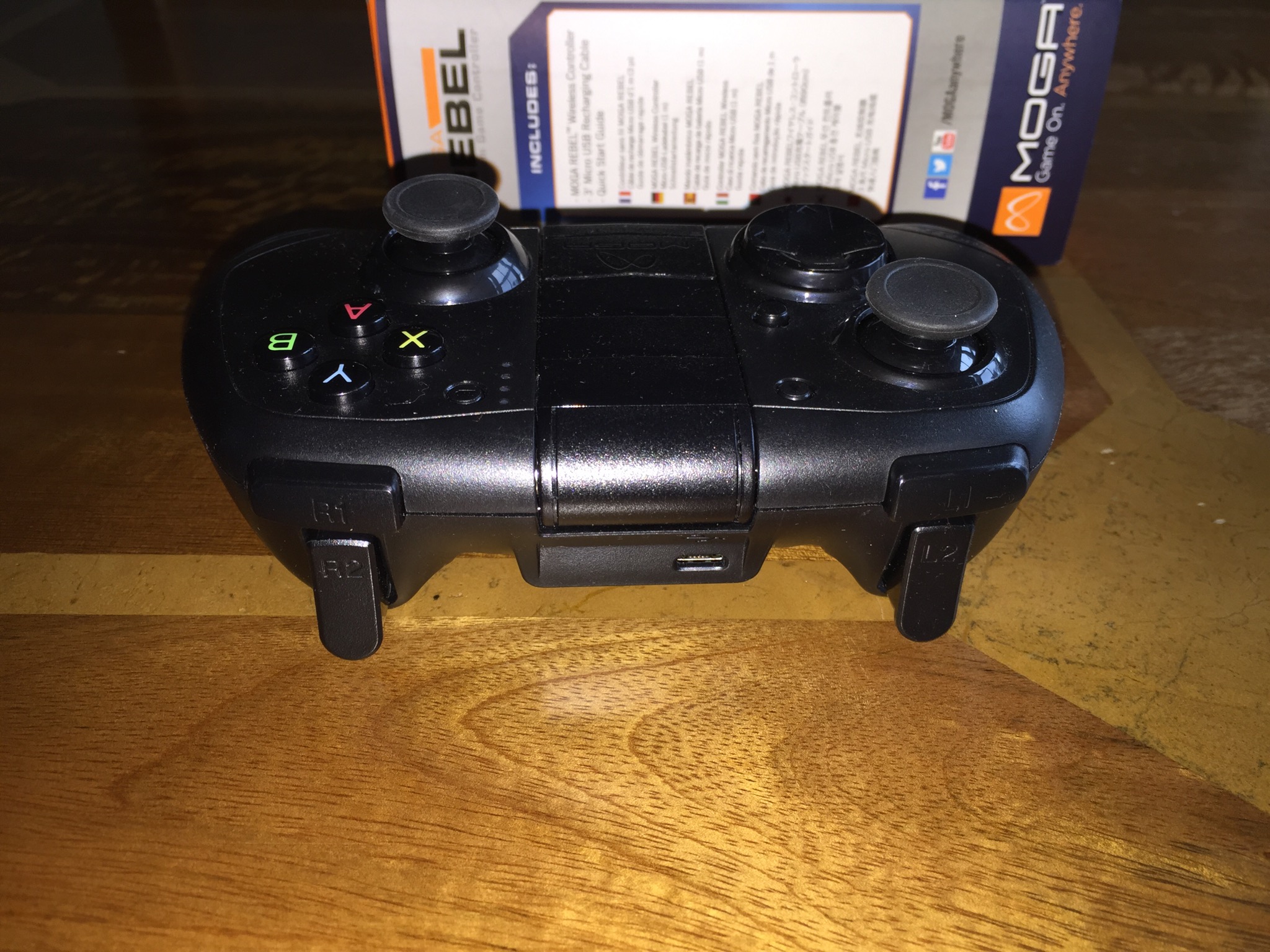
IMG_1078.JPG

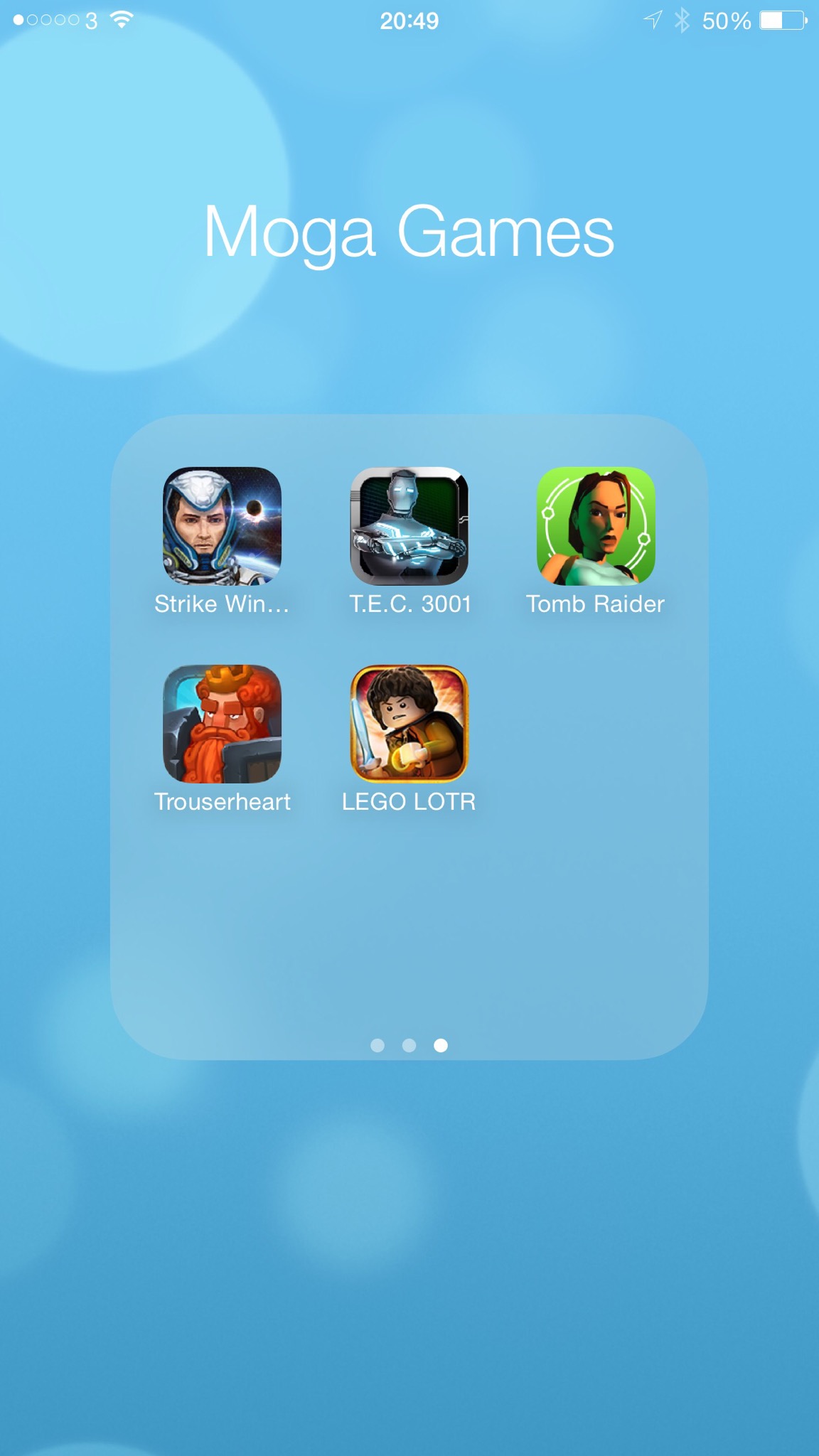
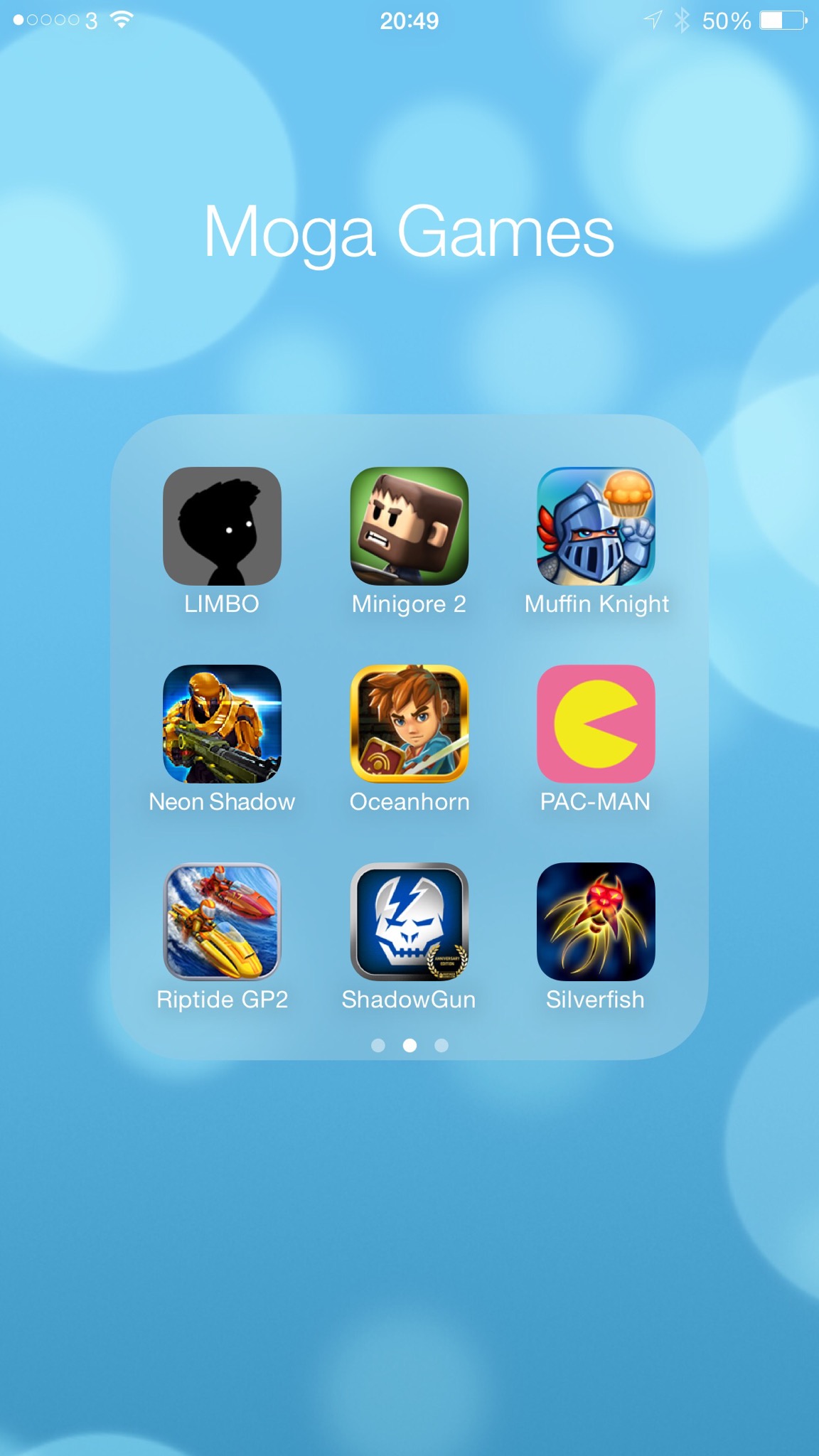
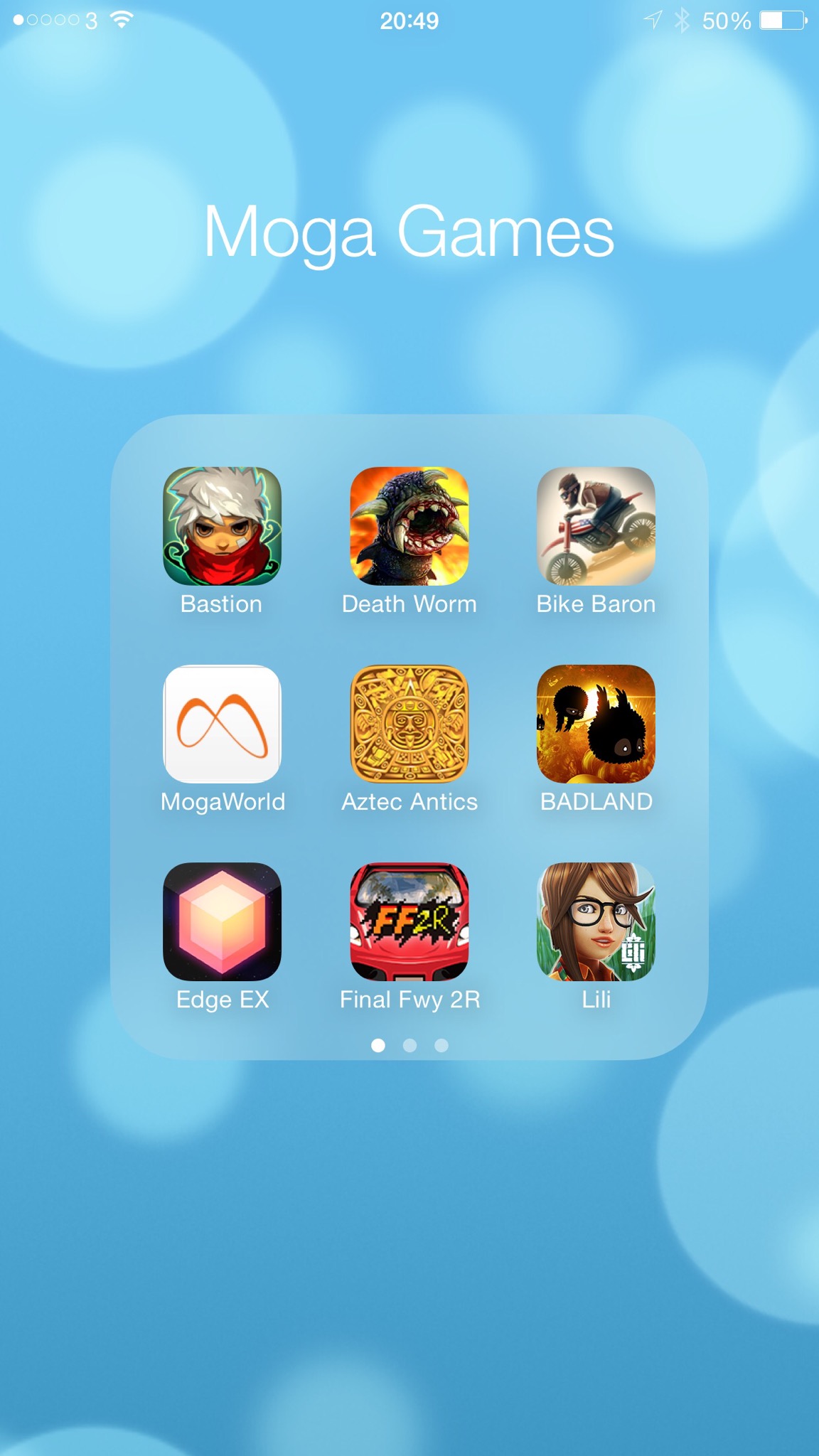
The Moga Rebel reminds me of Moga’s android game controller the Moga Pro and Moga Pro Power. They all have similar designs along the lines of a Xbox controller. In terms of holding a 6 Plus in the locking mechanism this is a simple affair and works well. Below are some screen shots of games I have played using the Moga Rebel.

IMG_0971.PNG

IMG_0970.PNG

IMG_0969.PNG

As you can see there are a number of great titles that work with the controller. The problem is there are considerably more that don’t. Unlike Moga’s android controllers which have two Bluetooth modes allowing for more games to work with the controller, iOS games have just one method. And if they developers haven’t implemented the support properly then it is a non runner. Playing games with the Rebel is great fun and a joy to use. My main issue is it costs £59.99. That’s £10 more than the Nvidia Wifi Controller and £20 more than Moga’s android equivalent. And the Rebel is the worst featured out of the bunch.

So despite all the goodness of enhanced game playing it is very difficult to recommend. Whilst iOS might have the larger game catalogue it has the poorest support for games working with a game controller. So if you browse Mogaanywhere.com and there are enough supported games that you want to play then perhaps give it a go.

Tomorrow I will have the review up for the Moga Pro Power for android which offers more functionality. In terms of game control they are very similar.

Any questions just ask as usual.