Category Archives: Android

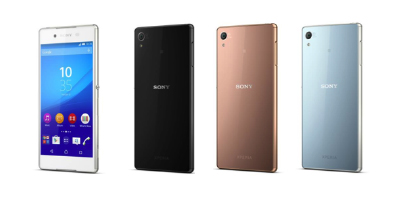
This is the Sony Xperia Z4 – Photos and ALL specifications revealed

z4

Sony has just announced the Xperia Z4 in Japan, and its near identical to the outgoing Z3. It does have a few improvements though.

The Xperia Z4 is 6.9-mm-thick (0.4mm thinner than the Z3) , weighs 144g (8g lighter than the Z3) clad in a metal and glass body, includes a 5.2-inch 1080p LCD screen, a 20.7-megapixel camera, a 2930mAh battery (17 hours talk time over 3g is claimed), a 2GHz 8-core 64-bit Snapdragon 810 processor, and 3GB of RAM, running Android 5.0 Lollipop and is water- and dust-resistant, IPX5/IP68 and IP6X with no flaps over the USB port too.

The front camera is 5.1mp with a 25mm wide angle affair. The photo editing allows for plentiful face and skin touch ups, and adding AR effects too. The rear camera is the same 20.3m G Sensor but with ISO settings up to 12,800. Shame there is still no optical image stabilisation but Sony did add a cooking mode! The Z4 offers LDAC high quality wireless playback.

The full specs are –

– Dimensions – 146mm × about 72㎜ × about 6.9㎜
– Weight – 144 g
– Battery capacity 2930mAh
– Display 5.2 inch Liquid crystal Birds Luminous display for mobile, 1920 x 1080
– OS Android ™ 5.0
– Built-in memory (ROM / RAM) 32GB / 3GB
– SD memory card slotmicroSD, microSDHC, microSDXC (maximum 128GB)
– Processor 2.0GHz / 1.5GHz
– External connection Bluetooth® Bluetooth® 4.1
– External device microUSB / MHL / headset connection terminal, DLNA
– Sony Mobile original software – Music applications, such as album application
– Main camera About 20.7 million pixel  back-illuminated stacked CMOS sensor Exmor RS for mobile
– Front camera About 5.1 million pixel  back-illuminated CMOS sensor Exmor R for mobile
– Camera shake correction – electronic (video / still image), Auto focus (video / still image),Self-timer,
– Main camera – 4K (2160p), full HD 60fps (1080p) / full HD 30 fps (1080p) / HD (720p) / VGA (480p) / MMS
– Front camera – full HD (1080p) / HD (720p) / VGA (480p) / MMS
– Photos – 20.7MP (4: 3) / 15.5MP (16: 9) / 8MP (4: 3) / 8MP (16: 9) / 3MP (4: 3) / 2MP (16: 9)
– Front camera – 5MP (4: 3) / 3.7MP (16: 9) / 2MP (4: 3) / 2M (16: 9)
– Flash main camera only Smile Shutter Waterproof / dustproof (IPX5 / 8, IP6X)
– NFC –
– Wi-Fi IEEE802.11a / b / g / n (2.4GHz / 5GHz) / ac compliant, MIMO support

Source – http://www.sonymobile.co.jp/company/press/entry/2015/0420_1_xperia_z4.html

So does the Sony Xperia Z4 interest you?

“Phones Show Chat” , “One More Thing” & “Gav & Dave’s Tech” Podcasts updates

As you all know, I co-host “Gav & Dave’s Tech Podcast”. From next month, and monthly thereafter, I will be a regular co-host on the “Phones Show Chat” podcast.

“Phones Show Chat” Episode 248 was recorded yesterday with host Steve Litchfield and myself, in which we discussed the Samsung Galaxy S6, HTC One M9 and 7 other phones. For more information on the Phones Show Chat podcast, click here – http://stevelitchfield.com/sshow/chat.html

My Co-Host Dave on “Gav & Dave’s Tech Podcast” has just started a new Apple only podcast with Jason Green, called “One More Thing”. Episode 1 went live yesterday, so go give it a listen. Click here – http://www.onemorething.audio/

Don’t forget that the next episode of “Gav & Dave’s Tech Podcast” will be out within the next 2 weeks. So that’s 3 podcasts to subscribe too!

Samsung Galaxy S6 – Camera thoughts and 35 more photos

I have now had the S6 about a week and the camera continues to impress me. It is fast. burst mode is equally as fast and it performs in all lighting just by pressing the button. I just can’t praise it enough. In my full review coming soon, I will cover off all the camera options. If there was one disappointment, that is over the fact there is no long shutter mode or any manual shutter control. This would improve low light shots and also allow for special light flow effects. Better low light shots can be obtained in Pro Mode, forcing the ISO to 800.

Anyway, below are some more photos from the S6. All unedited. Some have had a white frame added but that is it. The dogs photo bombed both photos. There were not part of the frame, but appeared suddenly when I hit the shutter. I expected these to be out of focus but they were just fine. The dogs were also moving really fast at the time too. To see the full Flickr S6 album click here (currently 35 shots)- https://www.flickr.com/photos/gavinfabl100/sets/72157651896189926/

Wild Dartmoor Trees

Enroute to Foggintor Quarry, George poses for the camera

Spectacular view inside Foggintor Quarry, Dartmoor #panoramic

Saltram House #Samsung #GalaxyS6

Fury is a happy dog with a big grin, near Foggintor Quarry, Dartmoor

Samsung Galaxy S6 Themes, Touchwiz and Layouts

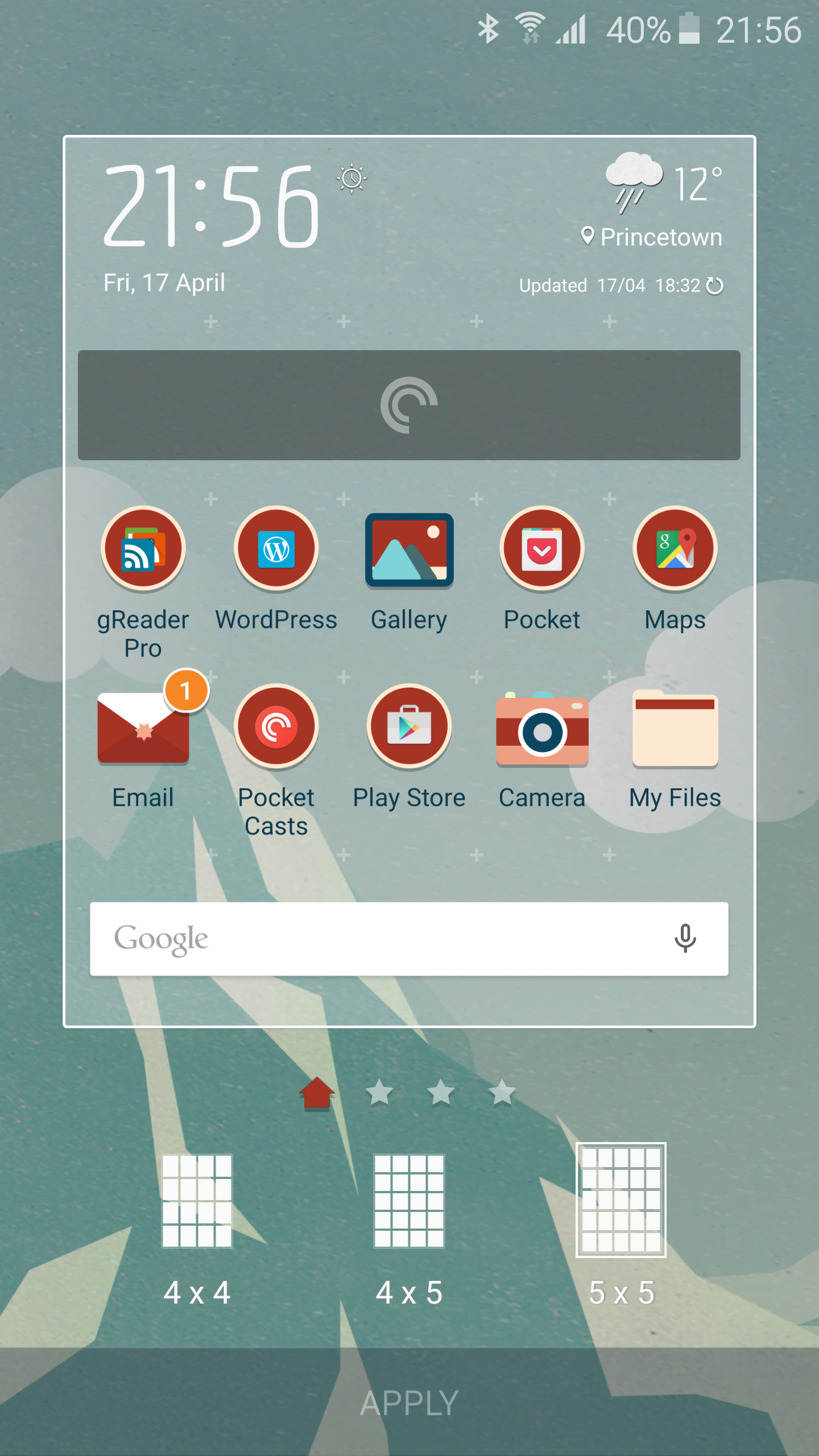
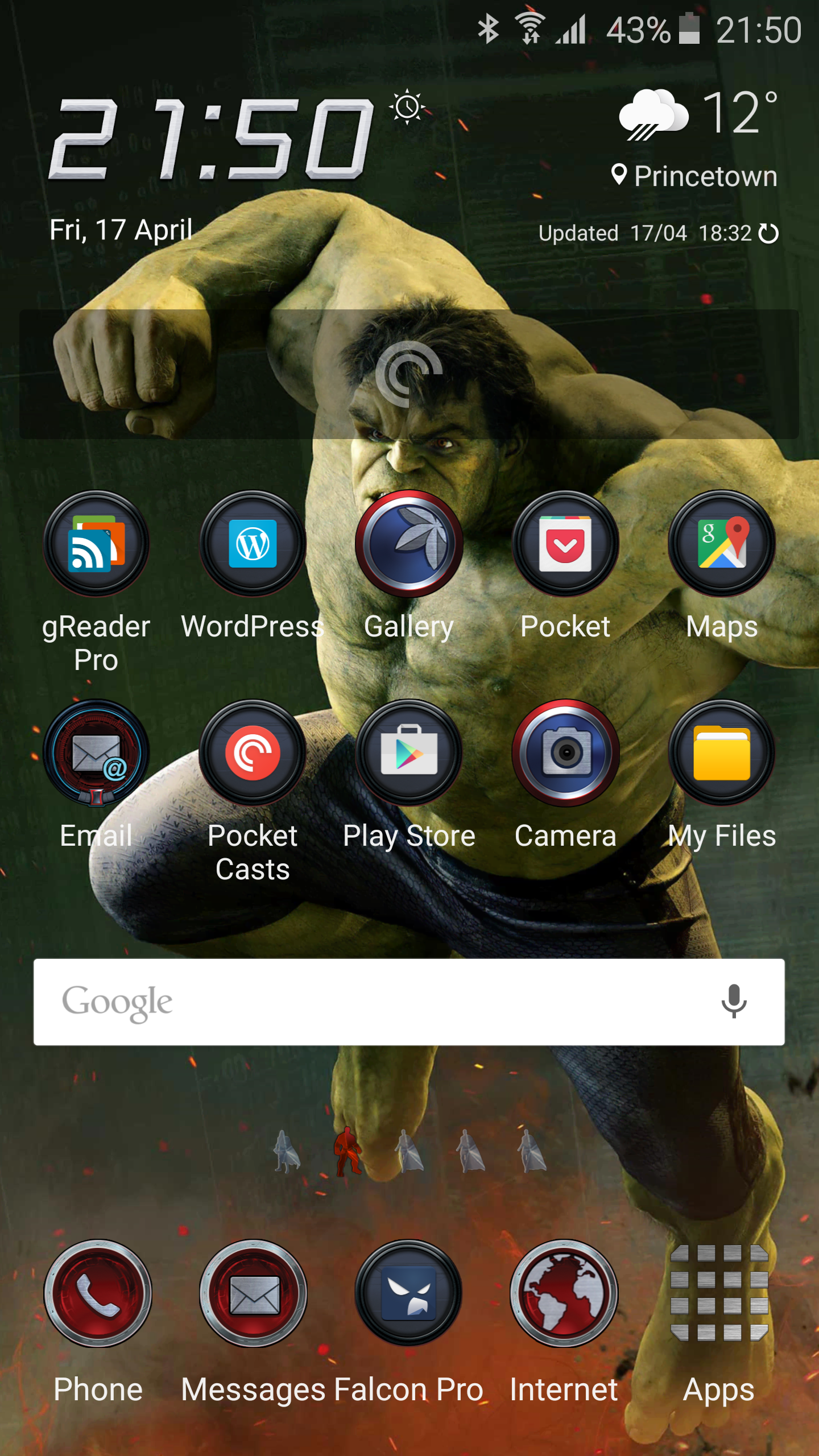
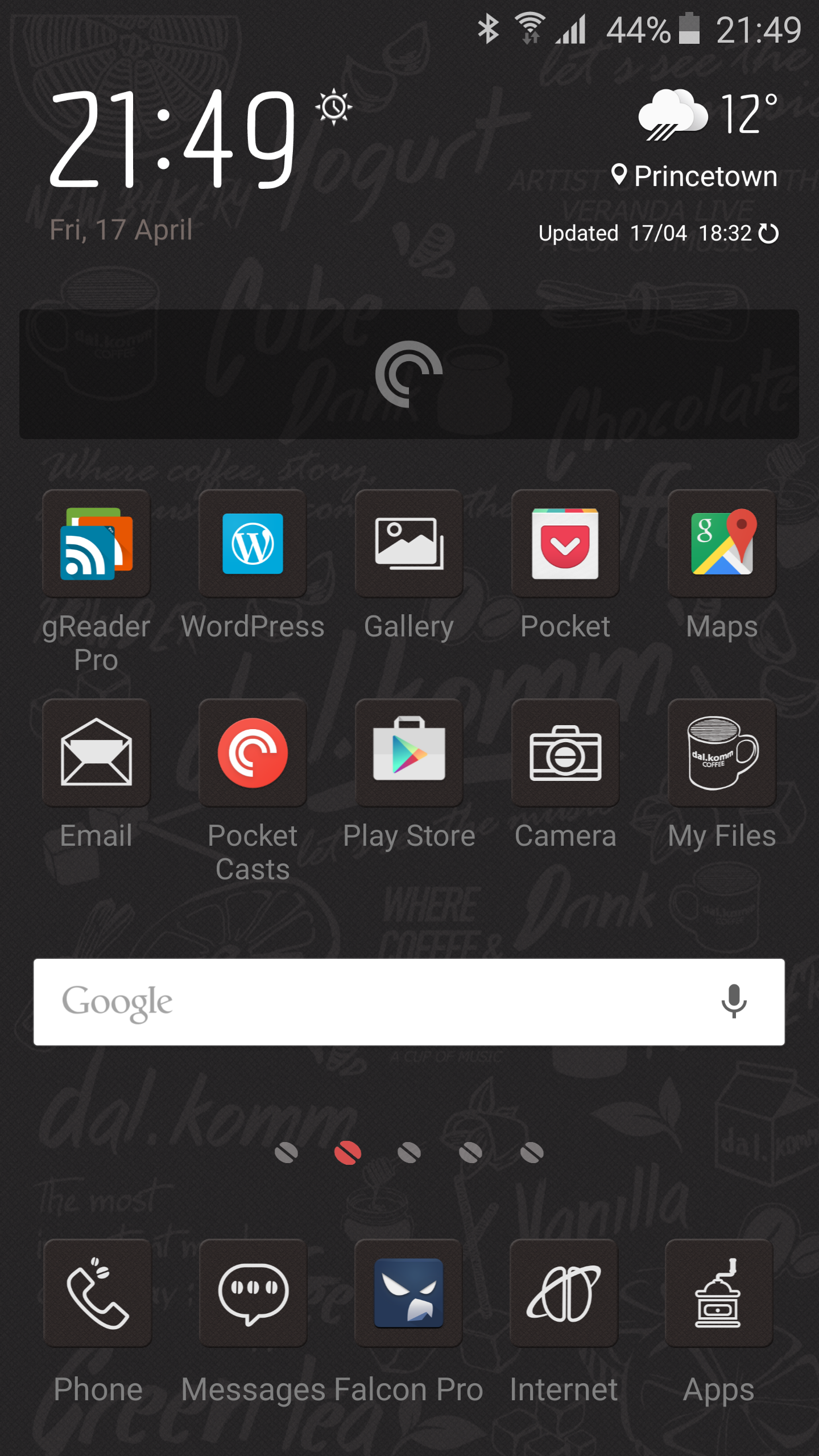
Touchwiz on the Samsung Galaxy S6 takes on a new lease of life. The need for alternative launchers is practically dead in the water. Themes are now available for the S6 and not only are there themes, but also grid layout options too as shown below.

image

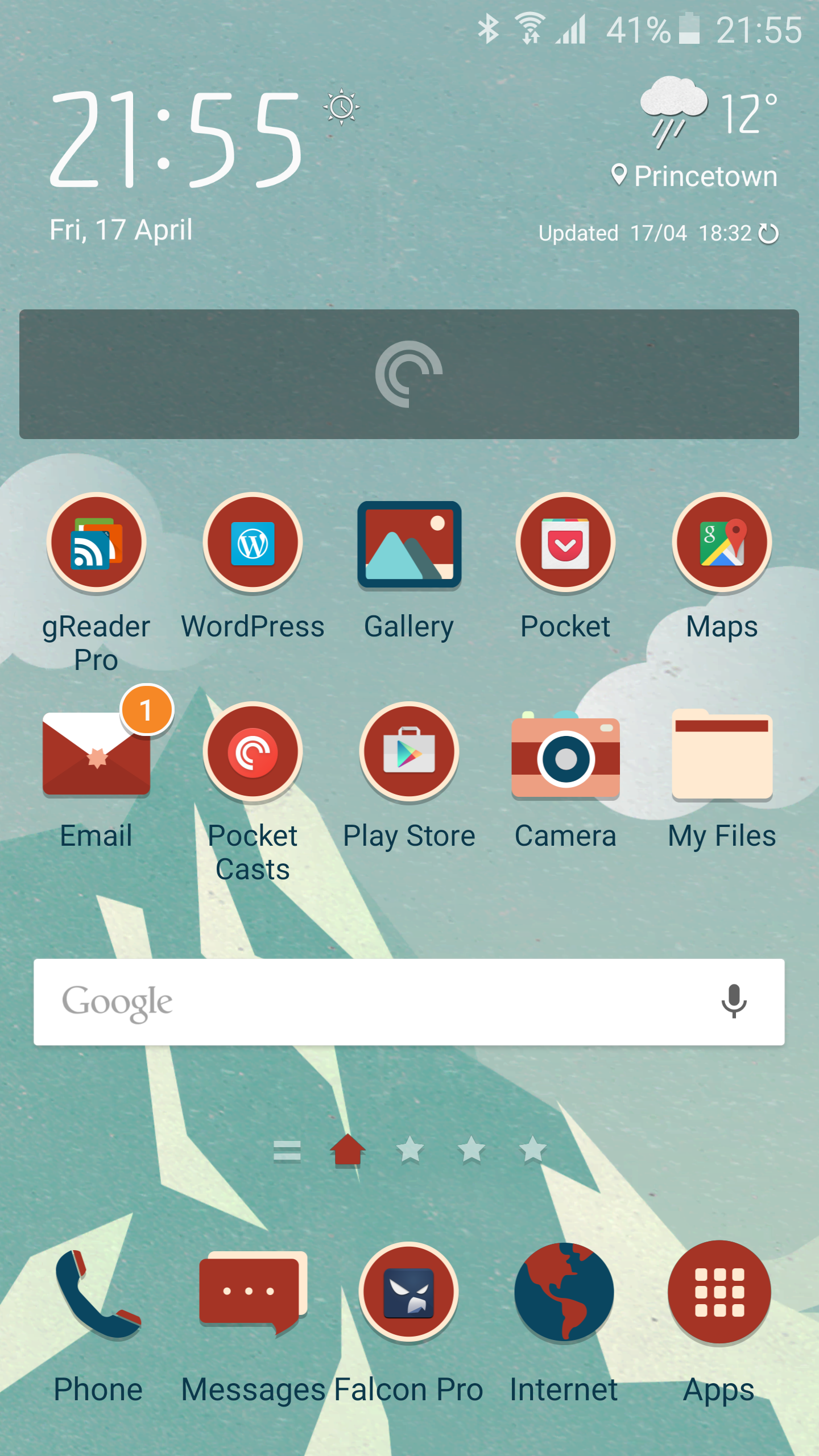
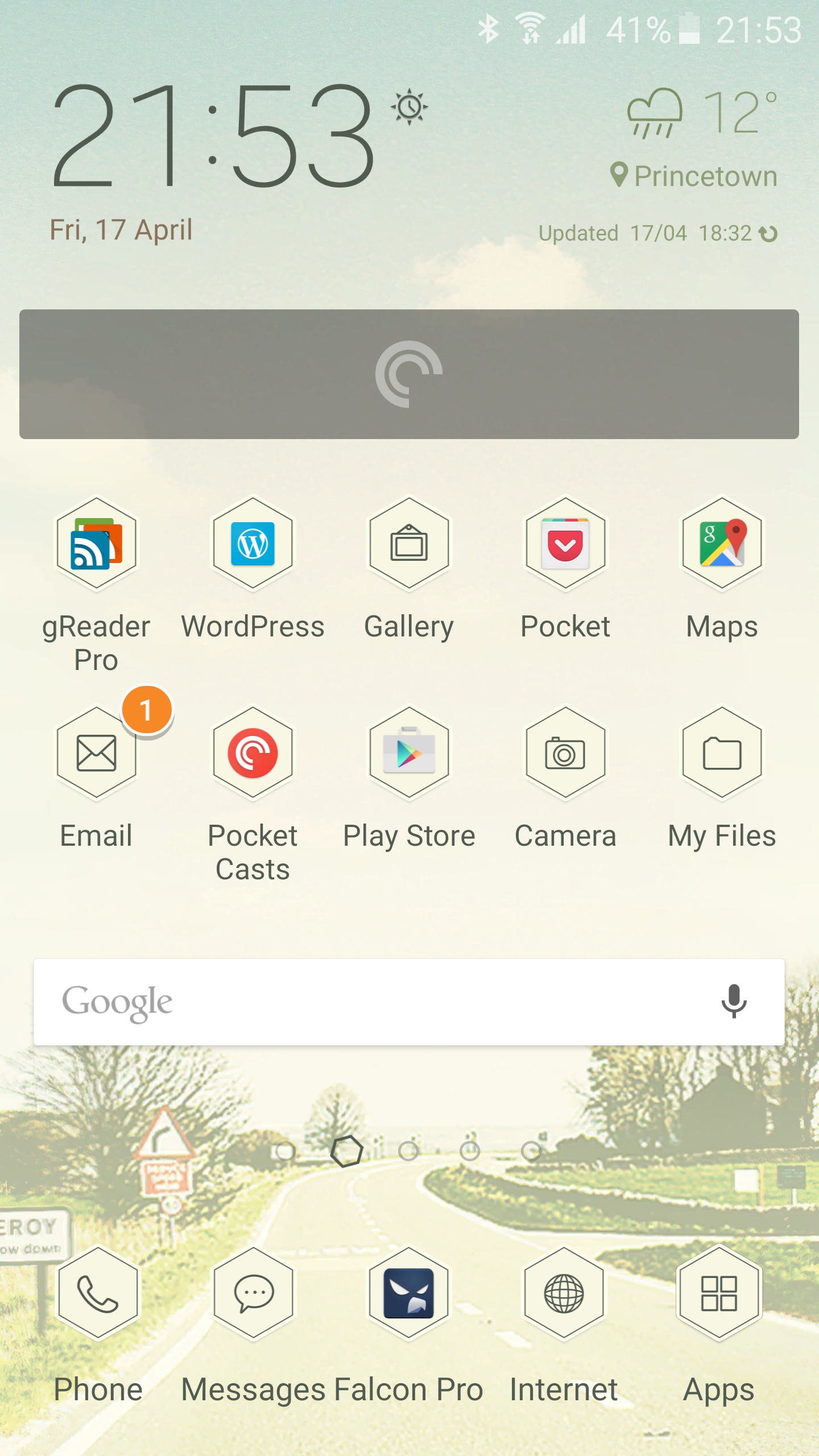
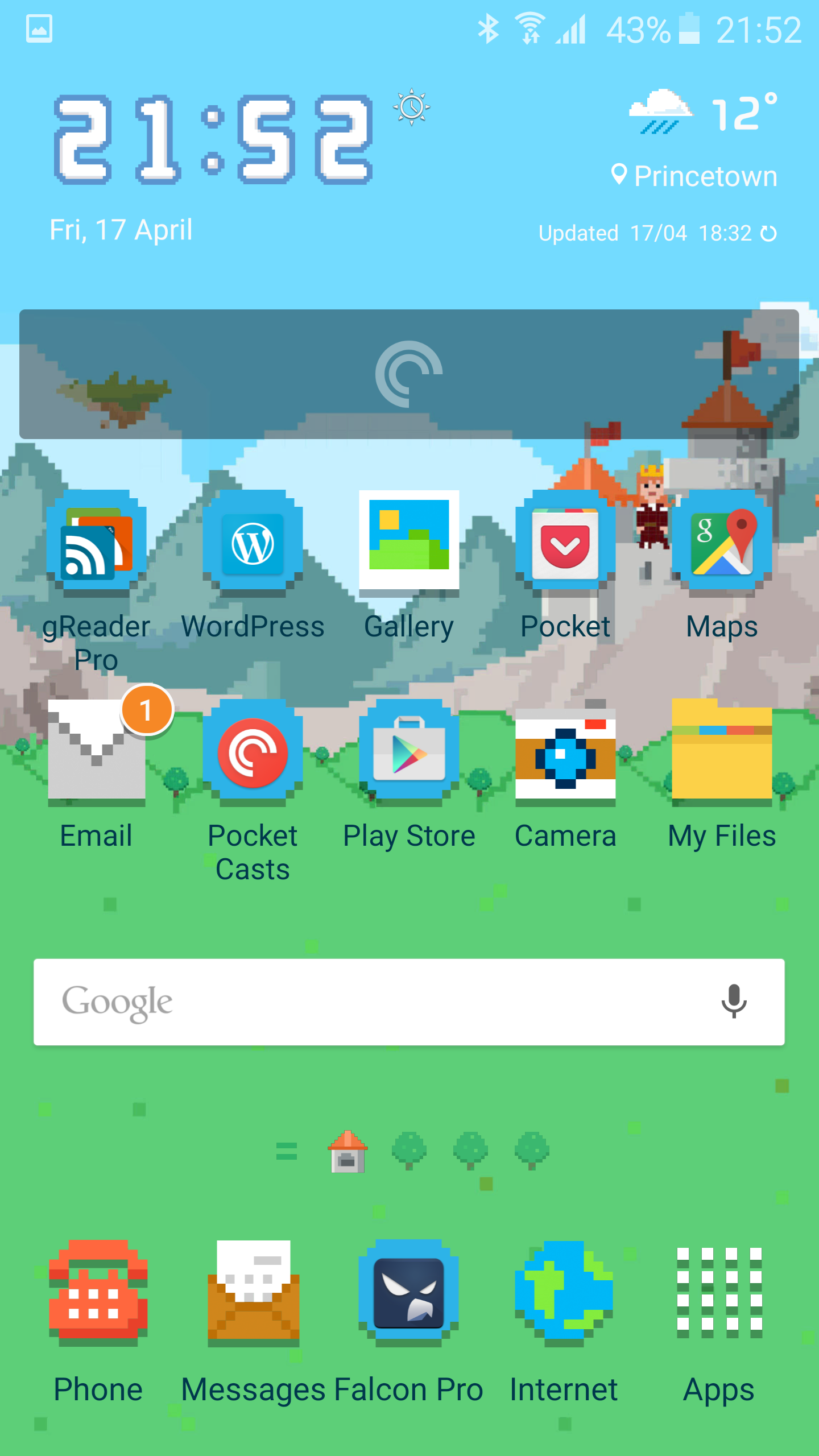
Below are my favourite themes for the S6. It seems new themes are being added every day and week. The themes not only change the icons, but all aspect of the device from the settings icons, notification toggles, keyboard, page template themes and even sounds too.

image

image

image

image

image

So what are your favourite? Or do you still opt for the default Touchwiz look?

Which is better? The Samsung Note 4 or Galaxy S6 Fingerprint unlock

As you are probably all aware, my long standing device is the Samsung Note 4. I also have under review the new Samsung Galaxy S6. Both have finger print home buttons that unlock the phones.

So which is better?

Well, you may think the answer is obviously the S6, and it is but in my real life testing, but it is not a total wipeout victory. The Note 4 requires a swipe down over the home button. The S6 is a touch and hold method.

First lets talk about my real life experiences using the Note 4. It is a large device, so is mostly used with 2 hands. This makes a swipe down over the home key more logical and works 9 times out of 10. My Note 4 security is using the finger print option. I find it dependable and reliable and consistent.

On the other hand the Samsung Galaxy S6 should be easier with a touch and hold. But I am finding issue with it. I have deleted and relearnt my finger prints twice now. But unlocking with my right hand in particular is not consistent, with 7 out of 10 times successful. Sometimes lower. When it works, it is excellent and a true one handed operation. And that is the advantage of the Note 4, one handed unlocking and usage of a phone.

However, I am going to relearn my finger prints again on the S6, and hopefully this will help me with the one handed unlocking procedure.

So have you faired any better with the S6?

Update – based on all the comments clearly holding it wrong! I will add I also get messages saying if finger print scanner continues to fail to reboot phone.

Samsung Galaxy S6 – camera shots including low light part 2

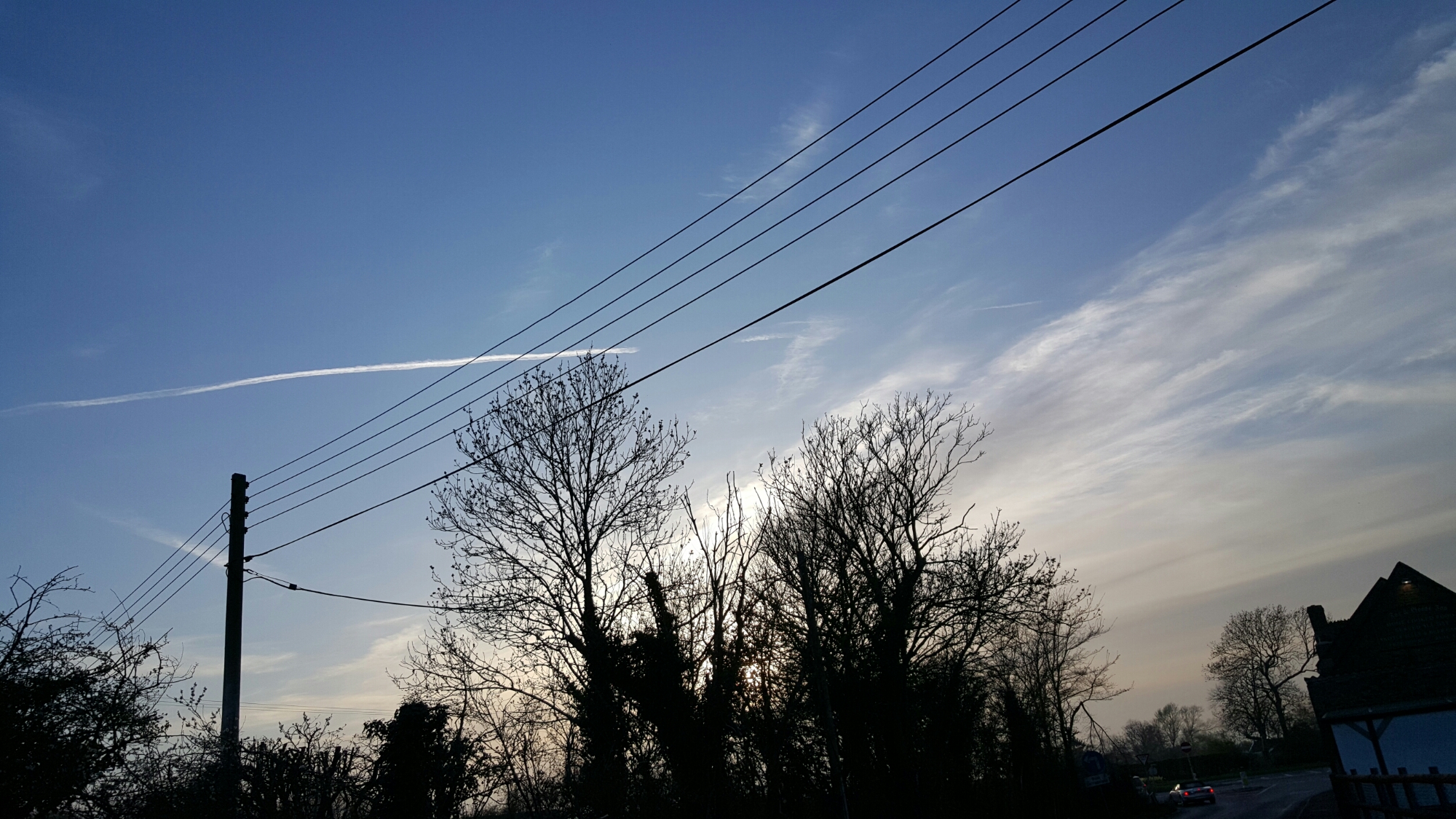
Following on my post yesterday here are some more shots. I have uploaded the originals into this post.

image

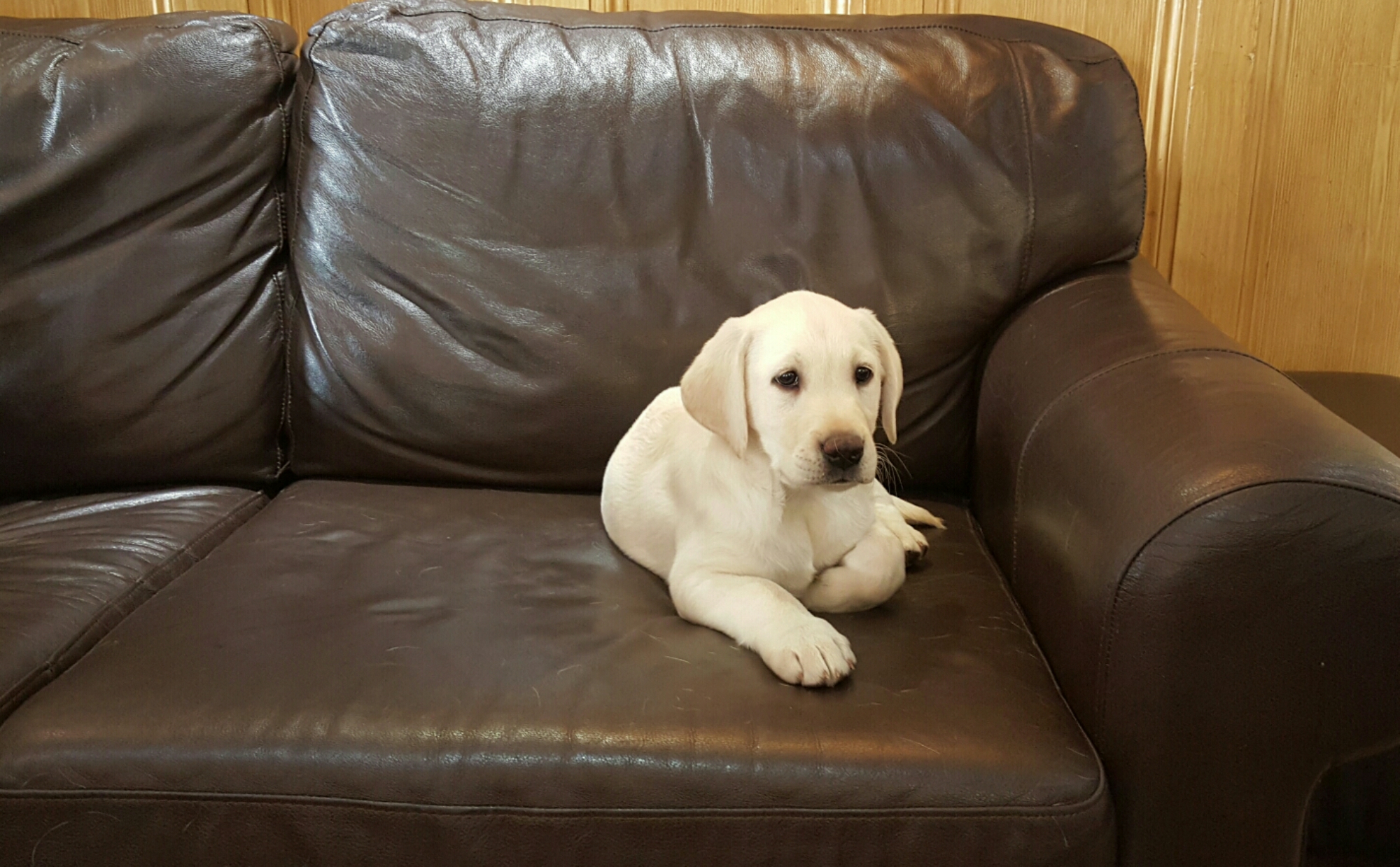
This shot taken inside a pub. The owners new puppy. Staff were trying to take photos on their smartphones but were moaning it was too dark. I just said, step aside and took 2 shots of Duke. Perfect shots. I’ve even cropped in slightly to show the clarity.

image

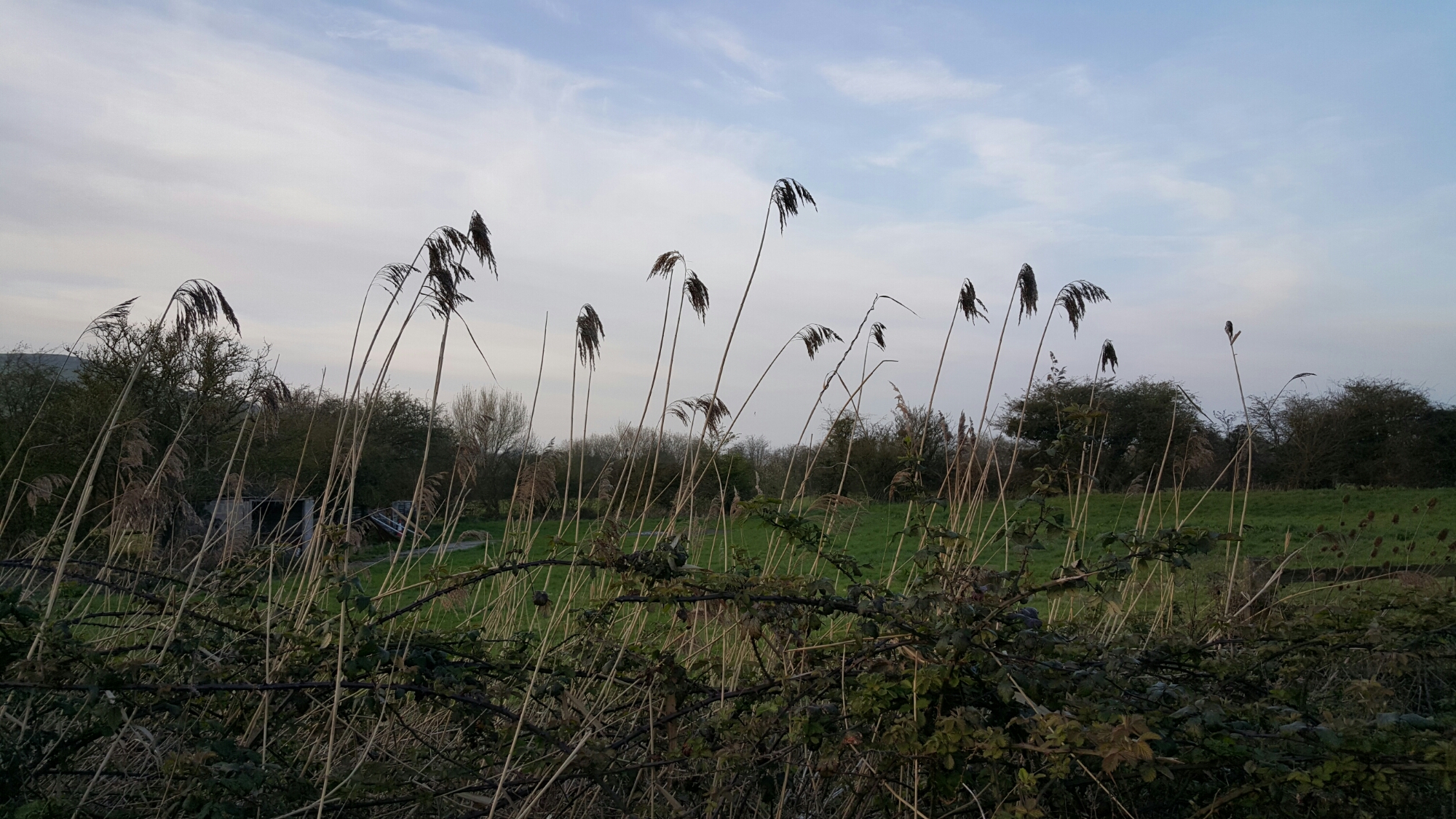
Above. Sun disappeared now. Beyond dusk but not dark. Again I’m happy with this shot.

image

Moody shot.

image

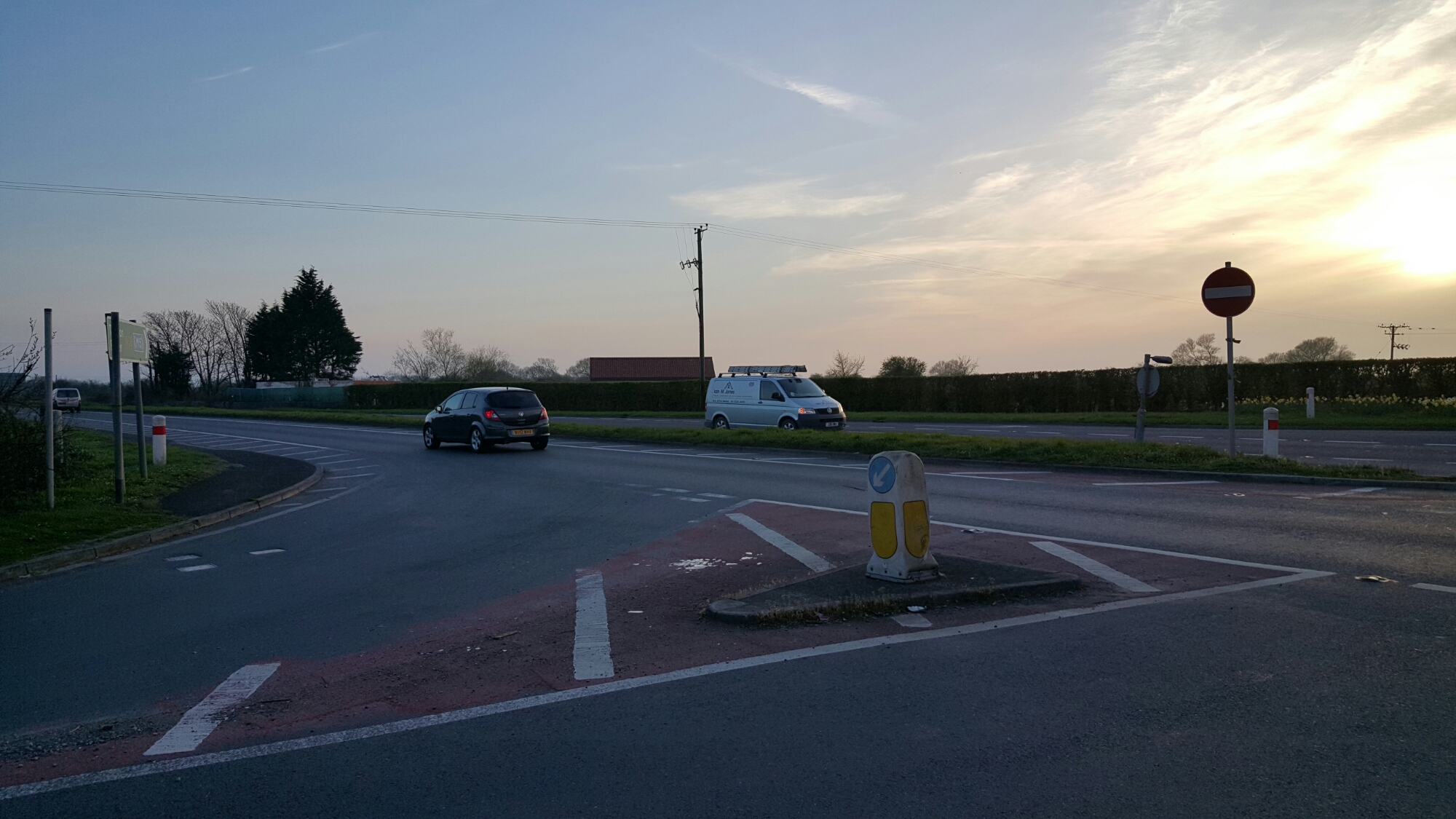
Whilst not a pretty scene, the result is remarkable. With Auto Tracking on the white van in Low light . Really impressive.

image

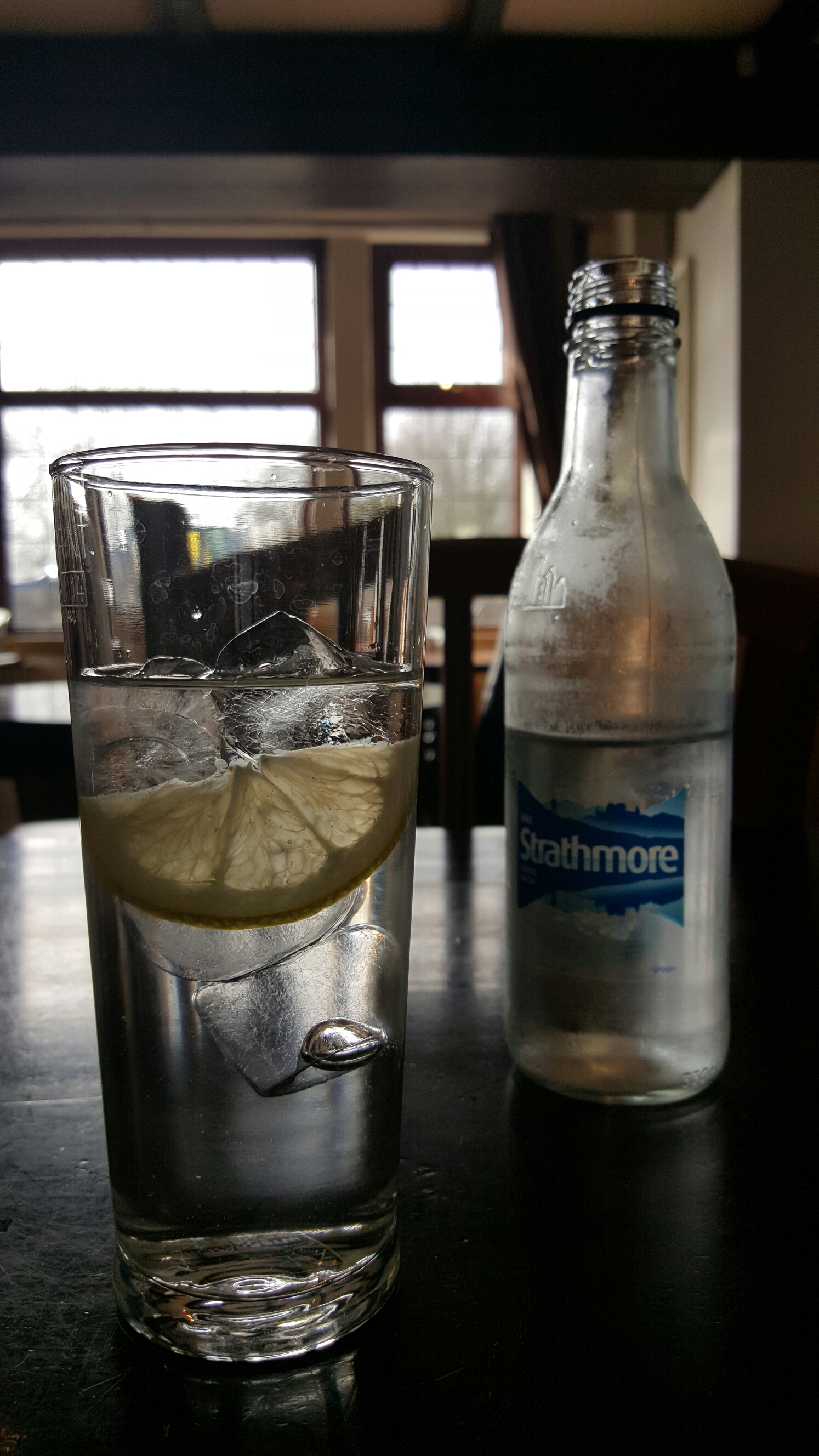
Above. Inside pub. Glass of water. Looks great and into the sunlight pouring through window.

All in all rather neat photos.

Samsung Galaxy S6 – The Camera and Sample Shots – My Views

Flower Power snapped with the awesome #Samsung #Galaxy #S6

The above shot is one of several shots taken randomly. There was no effort involved in taking this shot. The Galaxy S6 just delivered. The S6 was in Auto HDR mode too. These are unedited shots. If you want to see the full resolution just click on the photo or jump to my Samsung Galaxy S6 Flickr album – https://www.flickr.com/photos/gavinfabl100/sets/72157651896189926/

Doggies Day Out on Dartmoor #Samsung #GalaxyS6 #AutoTracking

Now the above shot was taken using the Auto Tracking option. I have tried it several times and it seems to work well when the objects are well defined and not too far away. Below is another shot taken using the Auto Tracking option. Just to set the scenes my dogs were sprinting at crazy speeds, so I was impressed that the S6 kept up and in focus.

Doggies Day Out on Dartmoor #Samsung #GalaxyS6 #AutoTracking

So what have I observed so far? Well the S6 camera is designed to be used in auto mode. It is taking the error made by humans out of the equation. The Pro Mode lacks shutter control and I could not see the touch to focus option. I need to spend some more time with camera so I will update this post over the next few days. I did use the Pro Mode but so far the Auto mode is stunning.

A few more samples. Don’t forget, click on the photo to head over to the full resolution or click here to see my S6 Flickr album, which will increase daily – https://www.flickr.com/photos/gavinfabl100/sets/72157651896189926/

Flower Power snapped with the awesome #Samsung #Galaxy #S6

Flower Power snapped with the awesome #Samsung #Galaxy #S6

Flower Power snapped with the awesome #Samsung #Galaxy #S6

Flower Power snapped with the awesome #Samsung #Galaxy #S6

If for any reason you have problems with the photos not all displaying, then just head over to my Flickr S6 Album. And do check back for updates on this post over the next week or so.

Just as a last point, I have used the HTC One M9 and I know some of you will ask me which is better. If you always shoot in Auto, then the S6 is King. However, due to the extensive manual controls provided by HTC for the One M9, it is possible to obtain the odd shot that the S6 would not be able to achieve. However, this is a rarity, and in my mind the Galaxy S6 kills the M9 in sheer quality.