Category Archives: Android

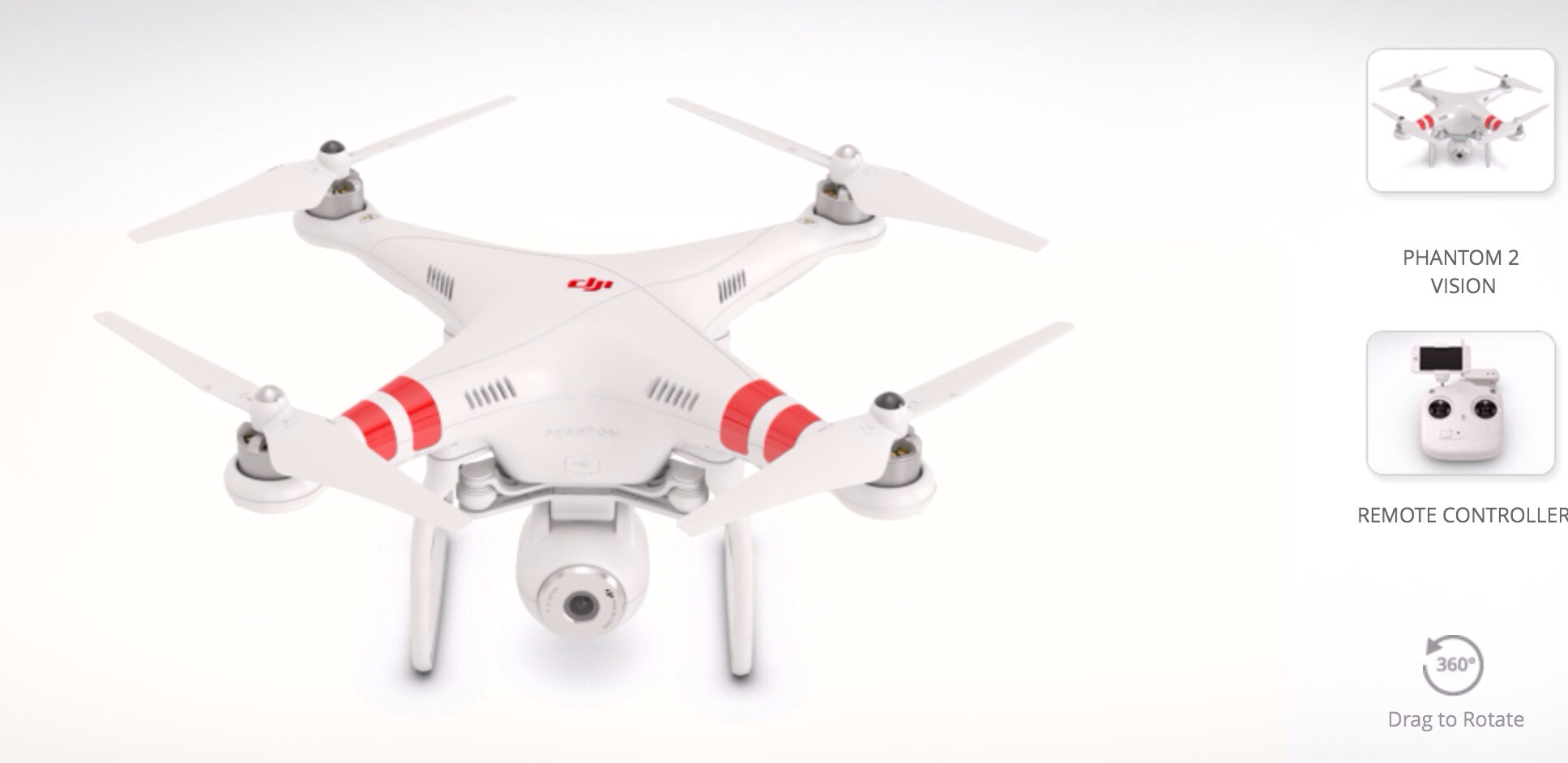
DJI Phantom Vision – the ultimate remote camera

The DJI Phantom Vision has to be the coolest piece of technology I’ve seen in a while.

20140103-100749.jpg

20140103-100800.jpg

It’s a remote flying camera with great specifications –

– Lightweight, multi-functional integrated aircraft and camera
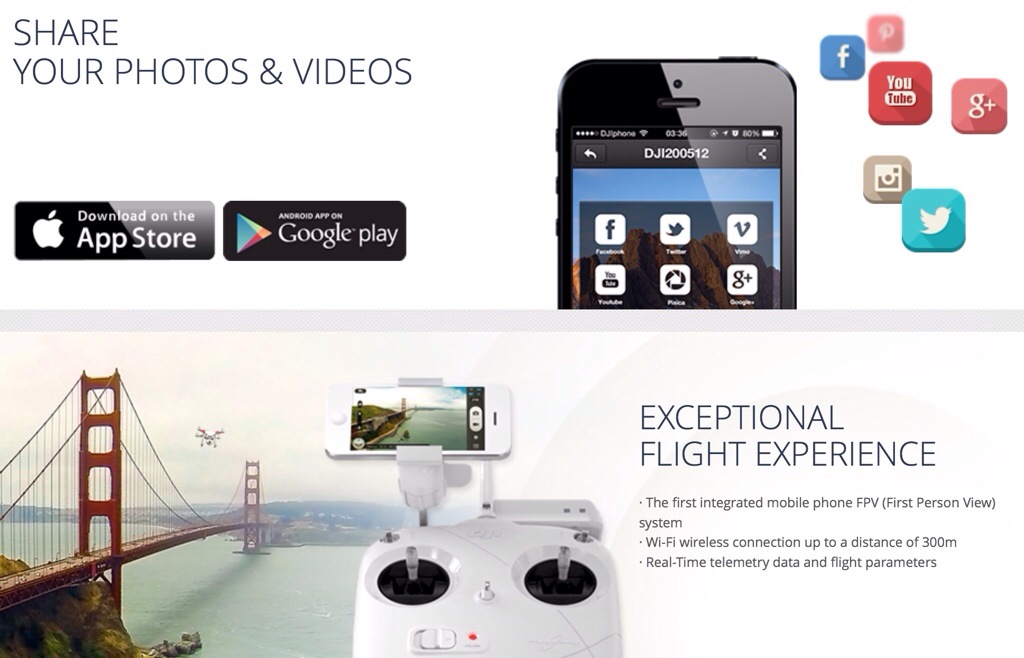
– Camera remote-control by DJI VISION App on android and iOS
– Range Extender increases Wi-Fi distance to 300m
– Anti-vibration camera platform with single axis stabilisation
– Low-voltage protection
– Virtual Radar aircraft locator on mobile device
– Range of camera tilt options
– Multiple, continuous and timed capture options
– HD Video Recording (1080/p30 or 1080/60i)
– RAW and JPEG picture formats

If you are in the UK you can buy this for £832, so if ever I needed a reason to keep the Samsung Note 3 and sell the iPhone 5S here is one.

Fix – If you have Google Play Music and a Note 3 with silent tracks occurring

At the weekend I connected a usb dac and amp to the Note 3. When I made the connection it triggered the emergency assistance function on the Note 3.

This function sends a MMS message to whoever you setup in the settings. The message includes your GPS location and a Google Map link. In addition the front and rear cameras take a simultaneous photo and off everything goes. Well, you can imagine my surprise when one of my emergency contacts calls me and tells me I need a shave and could they have one of the chocolate biscuits on the table.

I realised that every time I connected the usb dac the same thing happened.  So I turned off that option and no more emergency messages.

That got me thinking about my current issue with Google Play Music, whereby it kept going silent after one or two songs but was still playing , and only fixed by pausing then pressing play. I wondered if the emergency assistance feature was clashing and low and behold it was. With emergency assistance off, Google Play Music works just fine.

20140104-142915.jpg

ZTE is using CES to refresh its entire range and launch a smart watch – details

ZTE will have a strong presence at CES 2014 and is looking to refresh its smartphone lineup with the Grand S II, Nubia 5S, Nubia 5S Mini, Sonata 4G and Iconic Phablet.

The Grand S II and Nubia 5S will be updates of previous models with new internals and designs. The Sonata 4G is a mid-range offering launching in conjunction with prepaid carrier Aio Wireless, along the 5.7-inch Iconic Phablet as well.

ZTE is planning to show a line of non-phone hardware, including hotspots, a smartwatch called the BlueWatch and smart home phone hardware called the Wireless Home Base.

More at ZTE Businesswire.

The successor to the HTC One – the HTC One+ – specifications

Let’s hope these specs on the rumoured replacement for the HTC One turn out to be correct. If so HTC have a killer phone in the making more than the original.

HTC One+ (HTC M8)

-5-inch full HD 1080p display with Gorilla Glass 3
-Qualcomm Snapdragon 805, 2GB LPDDR3
-6MP or 8MP “UltraPixel” camera with possible dual-lens with 2.1MP front facing camera -OIS unknown
-2,900mAh battery
– No capacitive buttons (software)
– Android KitKat with HTC Sense 6.0
– Micro-SIM
– NFC
– SD card slot – country dependant

Samsung Note 3 – 3 months later review – day 3

They say anything can happen in 24 hours. Well, my Samsung Note 3 has gone from a thing of frustration to a golden entity.

From a software point of view the Note 3 needs a few tweaks to prevent the constant reboots when powering on the phone. Also Google need to update their Google Play Music app so it works with the phone. I am sure both these will happen at some point in the future.

However, a trip over to XDA Developers (link provided in comments on part 2 published yesterday) revealed this was a common problem and solved by unticking the box in wifi advanced settings “allow scanning” as shown below.

20140102-164333.jpg

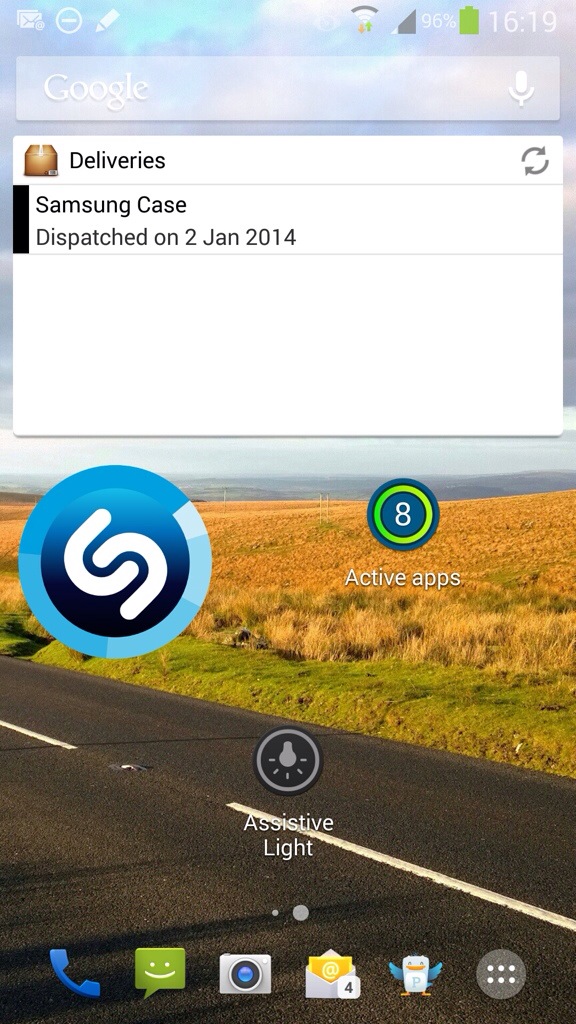
With this box unticked it is safe to reset or switch off and on phone. After phone is back on you can retick the box. I have installed Nova Launcher and now have 2 home screens as below and app drawer all organised.

20140102-164744.jpg

20140102-164759.jpg

20140102-164809.jpg

Despite missing out on free albums and other apps, I have found that I am still eligible for a free years subscription to the weekly magazine “Business Week”, free app MarketWatch and 3 articles free for the New York Times. There was also a magazine and photo printing app to peruse.

My other observations are that the loudspeaker doesn’t go loud enough as I would have liked, but it is crystal clear, the output volume via headphones could be louder but at least you won’t go deaf in a day, the headphone quality using the supplied in ear headphones is rubbish but using a number of decent in ear and over ear headphones provided high quality audio playback. Battery. Finally a phone that can last a day. It has at least 60% more juice than the iPhone 5S. The screen is gorgeous. Whether it’s watching a movie, looking at photos or indeed anything it’s really amazing. Gaming takes on a new level which such a vast screen. Clip the Note 3 into my Moga Pro game controller and it’s game on. The camera is much better than I thought. Low light photos aren’t brilliant but passable at best. The iPhone 5S and Lumia 1020 trounce it but as soon as the light increases the Note 3 is providing some stunning shots.

I finally have found an acceptable way to sync between my mac and the Note 3. iTunes music and movies (non drm) are handled wonderfully by an app called iSyncr. I realised I had photo uploads going to Google, Dropbox, Skydrive and Flickr yesterday. And still I got through a whole day in one battery charge. I have selected Dropbox for the time being as it integrates better into the mac folder structure. However, I have 80gb storage on my Google account so need to investigate options for using this more, as I enjoy the auto awesome features. Then there is the infra red remote control, ideal for controlling the TV.

How would I compare the Note 3 to the iPhone 5S? You can’t. They are totally different devices. The iPhone is a one handed masterpiece. All your apps and information as the flick of a thumb or finger. I think the notification centre in iOS is better as there are normally choices of how the notification is delivered, badges and more. The Note 3 uses the status bar instead for handling notifications. The one huge score for iOS is using twitter. I haven’t come across any twitter app on android that provides proper streaming and instant notifications as they appear. On iOS the official twitter app is better than any other twitter app on android, even the official android twitter app. The iPhone is technology made easy. iTunes syncing and backup is legendary. But then the Note 3 steps in.

The Note 3 provides over and above the iPhone, a 5.7 inch screen that enhances media engagement, 4K video recording, camera settings and options to fuel a nuclear reactor, in fact that applies to the whole device. Everything is adjustable. Options include intelligent S-View Premium cases, wireless charging, blocking mode, enough motion controls to make you sea sick, smart stay x 100, a decent hands free mode great when driving , S-Pen, air gestures galore, USB 3, USB OTG, and the list just keeps going on and on. The more you learn about the Note 3, the more you realise if you only could have one device, this could be it.

So at the end of day 3, I’m absolutely loving the Note 3. The iPhone 5S still has not been powered back on. My wife reckons I will be back with the iPhone in about a month. I don’t think so whatsoever!

But then again………
Twitter – no more notifications once you have reached 25 devices and or apps

If you have 25 devices/apps or more with granted permission to interact with twitter, once you go to add a new interaction notifications will not be allowed.

See here https://support.twitter.com/groups/55-troubleshooting/topics/234-mobile-apps/articles/20169333-managing-push-notifications-on-twitter-for-android

At the moment I cannot activate push notifications on twitter for android on my Note 3.

I just wonder if this is a method whereby twitter charge dependant on needs. Or maybe they will allow free up to a certain amount of connections?

Samsung Note 3 – 3 months later day 2 – review

So after a frustrating first day, I’m giving the Note 3 another chance. I’ve reinstalled all my apps nearly, but will have to go through the painful process of setting each and every app up.

Samsung seem to have included a crazy amount of bloat ware apps. Totally unnecessary. By trying to flog their apps and services they part ruin the device. Within the Samsung Apps/Hub was a Winter Wonderland offer app with a free gift every day. I installed it to find the offers were no longer running. There was also 5 free albums on offer. I got the redemption code from the Samsung Music app only to find the same thing. Then Samsung Music Premium shows as stopping at end of Jan 2014. Then some of the apps for the Samsung Galaxy Note 3 within Samsung’s App Store were just bloat ware again. Totally unacceptable.

So, I was setting up the Note 3 again from scratch installing all my apps without a sim installed as I had moved it back to another phone temporarily late last night. So after everything was installed from an app point of view, I powered off and put my sim back in the Note 3. Therein after it just kept rebooting with no end in sight. Don’t you love this phone! This was cured by removing the battery and powering up without the memory card installed and just the SIM card. Then I added the memory card whilst phone was powered on. Finally. And the memory card has to be removed every time you turn the phone on.

Right let’s put some balance back in the Note 3. Despite everything so far I really like this phone. Side by side with my iPhone 5S it looks like a bad boy and the 5S a kiddies toy, despite my 5S being the shiny gold version. So as you guys may realise I have a number of accessories that work with phones from my Sony QX10/100 lenses, Moga Pro Game Controller, WeMo internet plug and my new Sphero Robotic Ball. And with every single one of these the Note 3 flies above anything other phone using these hardware accessories. Let’s take each accessory in turn.

WeMo – nothing special here just a much larger screen to operate all my WeMo’s from Belkin

Sony QX10/100 lenses – using the Note 3 NFC these work from start far quicker than the iPhone. The clamp doesn’t really fit, so a tripod or flat surface is needed to use these. But the processor power of the Note 3 provides a seamless integration.

Moga Pro Controller – OMG – this controller was awesome when I got it, but compared to the iPhone version which I have, android Moga compatible games are on a different level. Air Attack HD and Need For Speed Most Wanted are now Moga A compatible. Asphalt 7 and 8 too. Playing on the gorgeous screen is breathtaking. The Note 3 fits fine in the Moga clamp. There is no way in a million years I can go back to the iPhone 5S after playing games with the Moga and the better screen. On Android there are over 200 games that work on this game controller versus 60 on iOS.

Sphero Robotic Ball – works perfectly as expected. But having a bigger screen to operate the on screen controls just provides a much better experience.

It’s all about the screen so far. The Note 3 first impressions is flawed but you must give it a chance. It doesn’t have the slickness of software and hardware integration of iOS 7, nothing does. BUT it does have its own magic.

In the next part I will cover more and more of the phone.