Using Merus icon set with Nova launcher.

Using Merus icon set with Nova launcher.
Having used the Samsung Galaxy S5, K Zoom, Note 3 and now the Note 4, I have found that I am fairly familiar with how each shooting mode works and how to use each mode to get the desired effect.

Note – click on photo if you want to go to my Flickr account to see original full size shot.
I have found with the Note 4 that in order to get the best “after edited” shot, it is best not to have taken the shot with HDR on. It is better to work with a photo that is slightly darker in places. Using various filters with a non HDR shot seems to bring out far more dramatic photos.
This also applies when using black and white as your way of expressing drama or a mood in a photo. The above was simply a random shot of a photo taken of a tree with a backdrop of Dartmoor. I then used Camera360 and choose a Black and White Strong filter.
This one minute video from Oppo promoting their N3 rotating camera is really funny. It also mocks many other smartphones.

It’s early days, but here is my first shot in average lighting. Macro of some grapes.
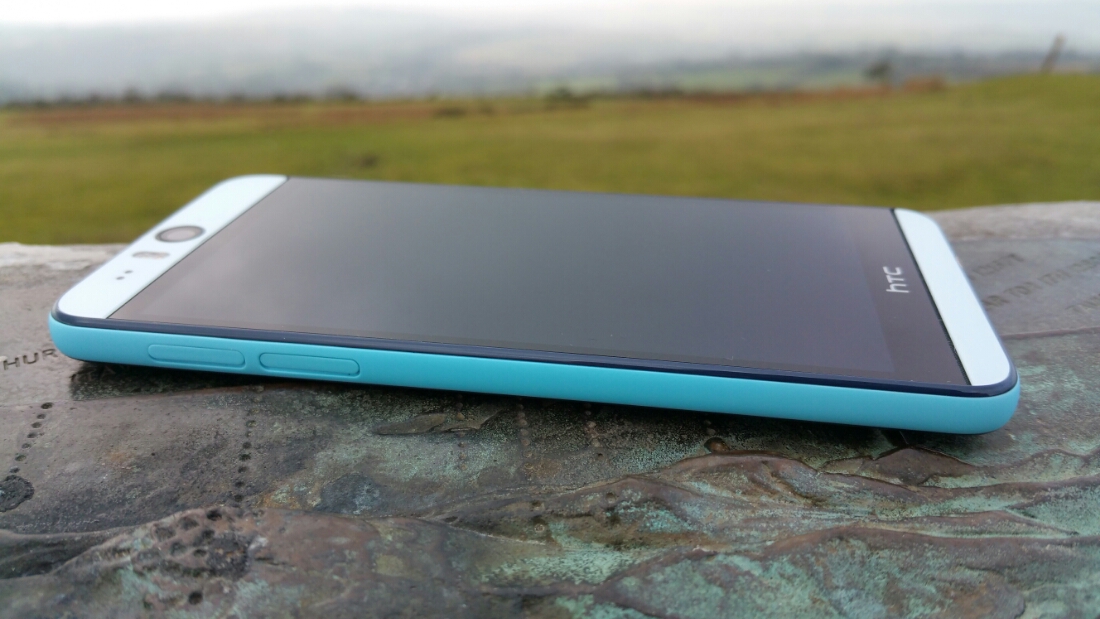
The HTC Desire Eye has arrived in blue. It sure looks good and has a comfy feel in the hand.
If you have any questions for my review please let me know.
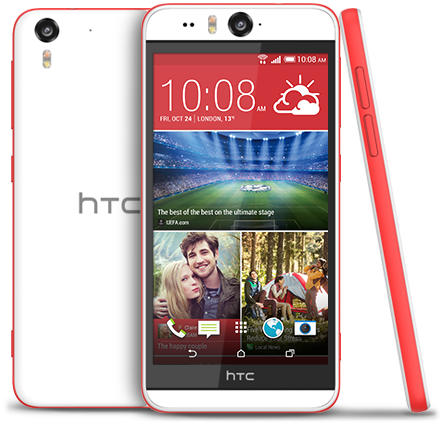
I have the HTC Desire Eye in for review shortly. This is phone looks on paper to be excellent. If you have any questions, please let me know. In the meantime –
The specifications of the HTC Desire Eye –
– Rear Camera -13MP, BSI sensor, f/2.0, 28mm lens, wide angle, with HDR capability 1080p Full HD video recording, Dual LED Flash
– Front camera: 13MP, Auto-focus with zoom capability, BSI sensor, f/2.2, 22mm lens, wide angle, with HDR capability 1080p Full HD video recording, Dual LED Flash
– Dedicated Camera Button
– HTC Eye™ Experience: Face Tracking, Screen Share, Split Capture, Face Fusion, Live Makeup, Auto Selfie, Voice Selfie, Photo Booth, Crop Me In
– Android 4.4.4 (KitKat)
– 5.2″ 1080 x 1920 multi-touch (~424 ppi)
– 2.3GHz Snapdragon 801
– 4G LTE (Bands 3, 7, 8, 20)
– 16GB storage / micro SD up to 128GB
– WiFi / NFC / Miracast / BT 4.0 Apt-x / DLNA / HTC Connect
– 3.5 mm stereo audio jack
– HTC BoomSound™ Dual frontal stereo speakers with built-in amplifiers, 3 microphones,Sense Voice
– Capacity: 2400 mAh with Fast Charge , Embedded rechargeable Li-polymer battery
– Talk time Up to 20 hours for 3G Standby time: Up to 538 hours for 3G
– Sensors Accelerometer, Proximity sensor,Ambient light sensor ,Gyro sensor
– GPS / GLONASS
– 151.7 x 73.8 x 8.5 mm
– 154 grams
If you want to know more or buy the HTC Desire Eye, use my special Amazon link below –
HTC Desire Eye at Amazon
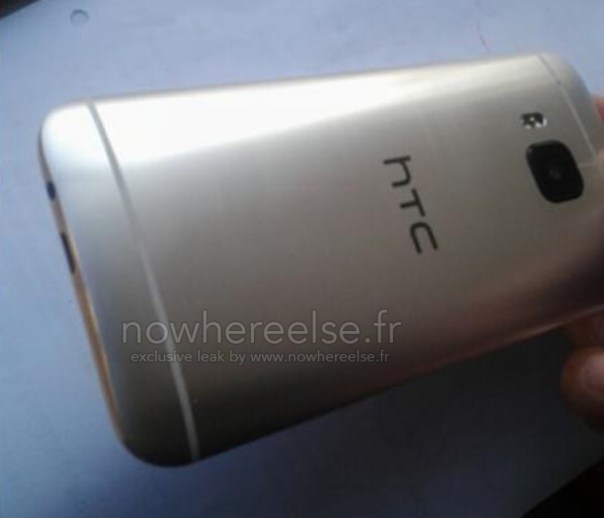
If the above leaked photo is to be believed, then the replacement for the HTC One M8 does away with the 4mp Ultrapbixel arrangement and just uses a straight 20mp camera. The power buttons also looks like it moved to the side from the top.
But specs aren’t everything. What matters is to see what else HTC are offering in the software side of things that make it special. Will the new camera be properly optimised?
Source – http://htcsource.com/2015/01/new-design-details-bring-the-htc-one-m9hima-further-into-focus/
There are many stories in the press at the moment depicting specs and finishes of the new Samsung Galaxy S6. With all of these you have to take them lightly as until Samsung does the big reveal in March it really is not possible to know for sure.
At the moment, it appears that Samsung will make the S6 without a removable back, so it can use a fancier back material like glass instead of plastic. It is possible that it will have all the latest chip sets, 4GB of ram, and wireless charging included, but the magnetic type which would be cool.
Finally, Samsung is likely to have a S6 Edge variety with two panels. You can bet Samsung uses similar tactics used with the Note Edge, by creating a limited supposed supply of the phones to hype up demand.
But again, the software is going to play a key part here.
Samsung is apparently developing an Edge version of the Galaxy S6. Unlike the Note Edge, the S6 Edge will have curved edges on both sides. In addition to all the features of the Note Edge it will have more options too.
According to Sammobile “you will have the ability to activate the main edge panel on the right or left curve, depending on your primary hand. Then there’s Glance Lighting, which will light up the Edge area when you receive a call or notifications, when you turn your device over. Also, you will have an option to choose favorite contacts and an ability to assign specific colours to them. So, calls and notifications from important people will show the designated color lighting on the edge area.”
Lets hope the battery demands on these Edge panels don’t ruin the device.
Source – sammobile.com
Disclaimer – I am at the early stages of exploring this but so far my results are mixed. This only applies if you are using a snapdragon Note 4.
So here goes the explanation. Samsung use strong processing of any photo taken by the Note 4. Over sharpened and more. It is possible to unlock the potential of the Note 4 camera using a non rooted method and take shots without these effects.
Step 1 – install Snap Camera HDR. https://play.google.com/store/apps/details?id=com.marginz.snap&hl=en . Note most third-party apps can’t make use of the 1/8s (or, in cases, even the 1/15s) shutter speed but max out at either 1/15s or 1/30s, bumping up the ISO used to twice or four times that of the ISO needed at 1/8s. This app according to preview can access the extra control required. It also allows sharpening to be turned off or on the controlled limits.
Step 2 – head over to the developers page on XDA Developers Forum – http://forum.xda-developers.com/showpost.php?p=35633104&postcount=1 and follow the steps to become a beta tester. After installing and paying for the app above, it will be updated to the beta version. None of the magic can occur without the beta version.
Step 3 –
Follow and read the detailed posts on DPReview part 1 . Ultra low light tips and a Nokia Pureview 808 vs Fuju XE-1 and Note 4 – http://www.dpreview.com/forums/thread/3781966
Part 2 – Tips for broad daylight and very high shutter speeds – http://www.dpreview.com/forums/thread/3782300
Part 3 – Tips and tricks shooting HDR – http://www.dpreview.com/forums/thread/3782850
In hindsight, it might be best to start from Step 3 to understand everything.
Happy reading!
So far my results have been mixed. Unsharpened photos do look good but sometimes I prefer the saturated sharpened look from the Samsung app. Also, the default Samsung app has some really good algorithms at play. Snap Camera HDR has some great options but it also seems to have issues focusing at times in poor light. Maybe once the Note 4 gets lollipop the camera and third party apps will be able to have even greater control.
I have also been trying the Google Camera app again with mixed results. I would be interested to see if you are using any other apps yourself. If you are leave a note in the comments.

 Gavin's Gadgets & Photography