Category Archives: Android

Details on HTC’s first Smartwatch

HTC’s first smartwatch, is being developed in conjunction with Under Armour.

The latest rumours suggest the watch will ship with a shoe sensor and offer up to three days of battery life in between charges. The Taiwanese company is also expected to use its own software as opposed to adopting Android Wear.

Twitter user @Upleaks, claims it will have a 1.8-inch flexible display that’ll allow it to wrap around your wrist which will come in 3 different sizes.  It’ll will also be dust- and water-resistant with IP57 certification, and it will have built-in Bluetooth, GPS, and an ST Micro STM32L151 processor. It will also be able to read notifications, control the phone camera and more.

But the biggest point is that it won’t run android wear. This means it will work not only on android but iOS. This is the same cross platform stance HTC took with its Re Camera.

Source – http://www.cultofandroid.com / @upleaks

Acer Jade S55 – Review – Conclusion

image

Welcome back to my final part, the conclusion of the Acer Jade S55 review.

Today, I am going to summarise my thoughts on the Acer Jade S55. The Acer Jade S55 has many positives going for it. It is a dual sim phone, with controls in place to monitor data usage from the moment you first turn on the phone. It then has not 1, but 3 easy or quick mode home screen options. These also offer password protection to prevent other areas of the phone being used.

This could be perfect for kids or older people as the fonts can be enlarged substantially as well. Quite impressive in that respect.

I managed to capture some lovely photos, and this is despite the fact it costs 1/3 of the Samsung Note 4. It also has above average audio quality using headphones with just an average loudness via the loudspeaker. Again not as flagship phone audio quality but then it costs a lot less.

Acer also include Bring Your Own Cloud solution apps for all your files and media. Again this is done to allow you to use your existing PC as the cloud. In addition, there are a few other apps Acer include but it is not overkill.

In fact, the whole experience is fairly close to a stock Android experience which makes the Acer Jade S55 rather pleasant to use and the more time I spent with this phone the more I enjoyed it.

Samsung Note 4 – Lollipop update is out

Samsung has started it rollout of the lollipop update for the Samsung Note 4. Users in Poland and Russia are first out of the block.

Personally, I would hold fire until the early adopters report back with any issues. Currently, my Note 4 and android 4.4.4 is rock solid. However, I can’t wait to get lollipop on my Note 4 so that I can start to see the battery and camera improvements. Also due to running on ART the speed of the phone has been increased. Early installers on XDA Developers have tested with AnTuTu and are getting scores up from Android 4.4.4 of 45,000 to lollipop of 53,290.

If you have already installed lollipop, do leave a note in the comments with your findings after updating.

The Latest Photos & New Information on the Samsung Galaxy S6 and S6 Edge

First let’s talk about the Samsung Galaxy S6.

S6Latest

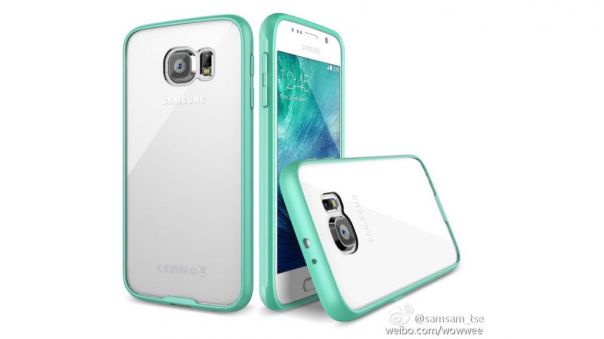
The new Samsung Galaxy S6 as shown above is a 5.1 inch screen with an all metal body. This means no user replaceable battery. The remaining specs should be 2K display, a 2.1GHz Samsung Exynos 7240 processor, 3GB of RAM, 32+ GB of storage, a 20-megapixel rear camera, a 5-megapixel front-facing camera and Android 5.0.2 Lollipop.

Bloomberg has confirmed that the Samsung Galaxy S6 Edge will definitely have 2 curved edged panels. This is going to be one hot handset. Based on my time with the Note Edge I do hope the battery lasts longer too.

I personally can’t wait to see both of these phones and get my hands on them for a proper review.

Sources – bgr.com/bloomberg.com

The new HTC One M9 looks beautiful – photos

HTCM9

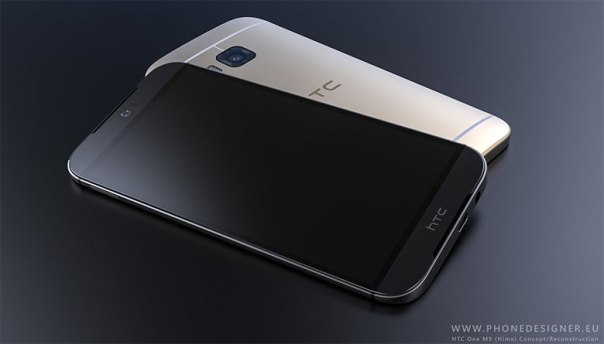
The above photo is meant to be the render of the new HTC One M9. If it looks anything like the above photo, it surely is a stunning phone. If you look closely you will see speakers grills top and bottom for the boomsound speakers.

In addition the front facing camera is centred, similar to that on the HTC One Eye. This is one phone I cannot wait to see and spend some time reviewing.

Sources – phonearena.com/pocketnow.com

Acer Jade S55 – Review – More Camera Samples

Following my post analysing the camera software please find below more sample shots. These are all held in my Flickr account, so if you click on the photo you will be able to see the full resolution shots. If you want to view all the photos I have snapped with the Acer Jade S55, click on my Flickr album https://www.flickr.com/photos/gavinfabl100/sets/72157648344100003/

Fiery Sunrise on a frosty -12°C Dartmoor #AcerJadeS55

Wilting Tree on a snow dusted Dartmoor #AcerJadeS55

The Tree at Widecombe on the Moor, Dartmoor #AcerJadeS55

Snow capped Dartmoor #rugged #AcerJadeS55

Princetown's Famous Red Telephone Box #Dartmoor #AcerJadeS55

St. Mary the Virgin Rewe Church, Rewe #AcerJadeS55

Tiggy #selfie #AcerJadeS55

Earn 2GB Free Data Permanently on your Google Drive

This Safer Internet Day, we’re reminded how important online safety is and hope you’ll use this as an opportunity to take 2 minutes to complete a simple Security Checkup. While everything stored in Drive is always encrypted in transit and at rest in Google’s custom-built data centers, this checkup ensures you’re making the most of the 24/7 protection you already get from Google. As our way of saying thanks for completing the checkup by 17 February 2015, we’ll give you a permanent 2 gigabyte bump in your Google Drive storage plan.

It takes just a couple of minutes and, unlike other checkups, it won’t leave you feeling guilty about not flossing. Here’s what it does:

Ensures your account recovery information is current. If we detect suspicious activity in your account, we use your recovery info to get in touch and make sure no one but you gains access. Lets you review recent sign-in activity. Reviewing this lets you validate the sign-ins are coming from you and not someone who shouldn’t be using your credentials. Confirms the apps and devices that access some account information. This step lets you monitor this list and remove apps and devices that don’t need access to your account any more.

After you’ve gone through the checkup successfully, you’ll see three green checkboxes (see below) that confirm you’re eligible for the free storage and, more importantly, that you’ve taken steps to enhance your online safety. We’ll be granting the storage automatically to everyone around 28 February 2015 and we’ll send you an email when your adjustment is complete.

Go to – http://googledrive.blogspot.co.uk/2015/02/safer-internet-day-2015.html

Acer Jade S55 – Part 3 – Camera, Screen and Audio

Welcome back to part 3 of my Acer Jade S55 review. Today is all about the camera and audio. There will another post with some camera samples.

Before I start on the camera, I will discuss the audio quality for music and the loudspeaker. The phone comes with DTS HD Premium Sound option, which gives adjustments for bass, treble and EQ presets for music and video to choose from. Music presets are flat, classical, dance, jazz, pop and rock. Video presets are flat, drama, action and MTV. The loudspeaker is just average and lacks bass levels found on the HTC One M8. But to be honest I would also connect a bluetooth speaker to any phone. Plug in your headphones and it is a different ball game altogether. In the box are a pair of in ear headset headphones which are best to be left in the box, as their sound quality are poor. To test the audio quality I therefore attached some decent over the ear headphones. For this test I used my V-Moda Crossfade M-100s. The Acer Jade S55 had no issue powering these to a decent volume and provided an average the audio quality which was better than I had expected. The treble was a little over the top at times too. However, at the price point the audio was reasonable.

Bluetooth. No issues playing through my stereo bluetooth headset/headphones. Loud, dynamic and punchy.

The screen is my opinion is good. As I type this, I am watching a YouTube video with my headphones plugged in. And it looks great. Just shows you how far screen technology has moved on at the lower price points.
Screenshot_2015-02-07-07-08-07

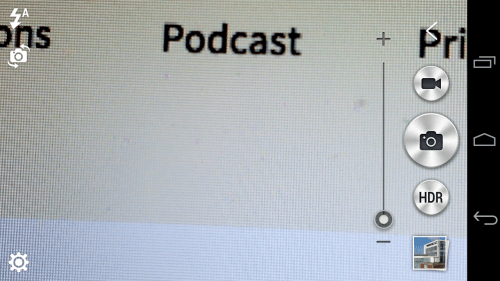
So lets move on to the camera. Firing up the camera takes you to a simple layout. The HDR button can be changed, more later on that.
Screenshot_2015-02-07-07-08-25

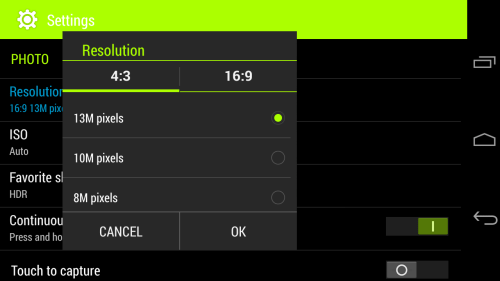
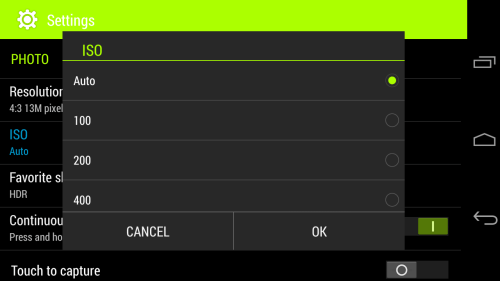
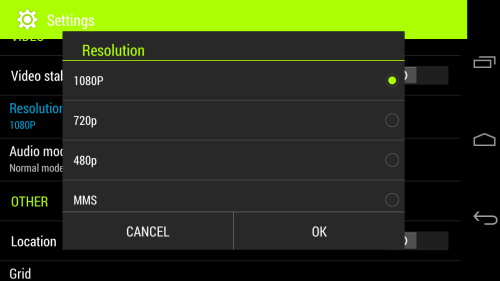
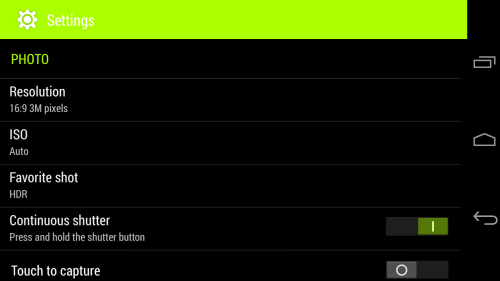
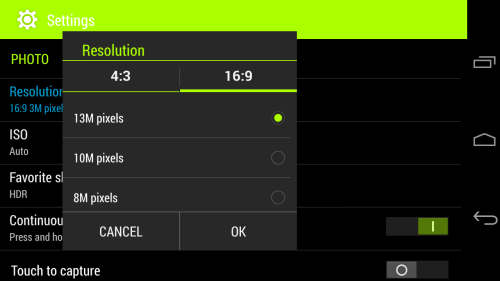
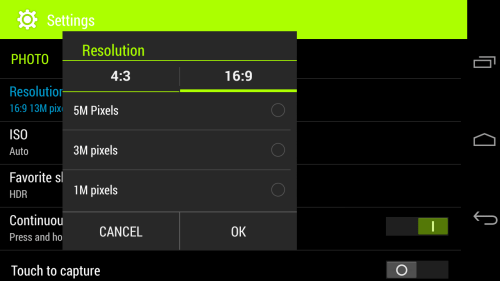
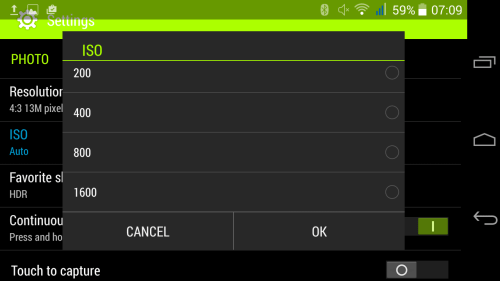
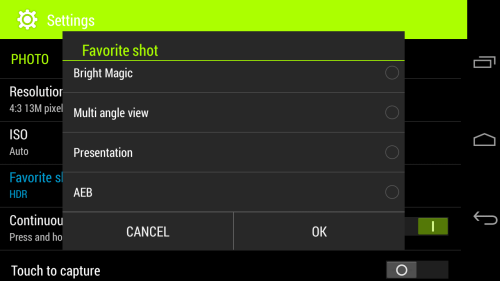
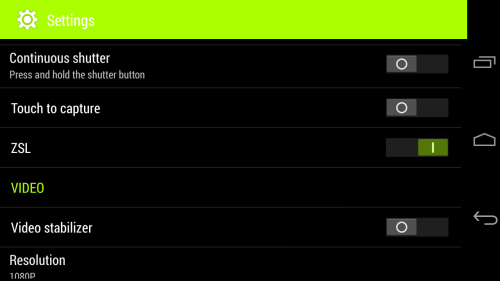
So lets look at all the camera settings. The screen shots below are pretty self explanatory.
Screenshot_2015-02-07-07-08-39

What is unusual is the resolution at 16:9 or 4:3 can both be set at 13mp.
Screenshot_2015-02-07-07-08-59

Screenshot_2015-02-07-07-09-08

Screenshot_2015-02-07-07-09-28

In terms of ISO control, this increasing from AUTO, 100, 200, 400, 800 and even as high as 1,600.
Screenshot_2015-02-07-07-09-35

To explain some of the not so obvious shooting modes, Bright Magic is ideal for dark scenarios, AEB takes 3 shots at different exposure levels and then shows all 3 photos for you to decide which one(s) you want to keep.

Screenshot_2015-02-07-07-09-45

In terms of shooting modes there are several options. Whatever option you choose will become the second button available. If you look above my selection was HDR. So pressing the big camera shutter button takes a standard shot, but then pressing the smaller one shoots HDR. Taking HDR shots takes about a second and a half per shot.
Screenshot_2015-02-07-07-10-02

Screenshot_2015-02-07-07-10-16

Screenshot_2015-02-07-07-10-38

So what about the camera quality? Well don’t forget this has a f/1.8 for the rear camera so it should take a good shot even in low light conditions. In reality I had some pleasurable results.. Some shots were really good and with some I did get some from blurry shots. But the more I used the phone, the better my photos were.

Have a look at the photo samples and decide for yourself.