If you own an Apple iPhone there are many extra options tucked away in the main settings app. It is worth ploughing through all the menus to see what else you can change / improve.
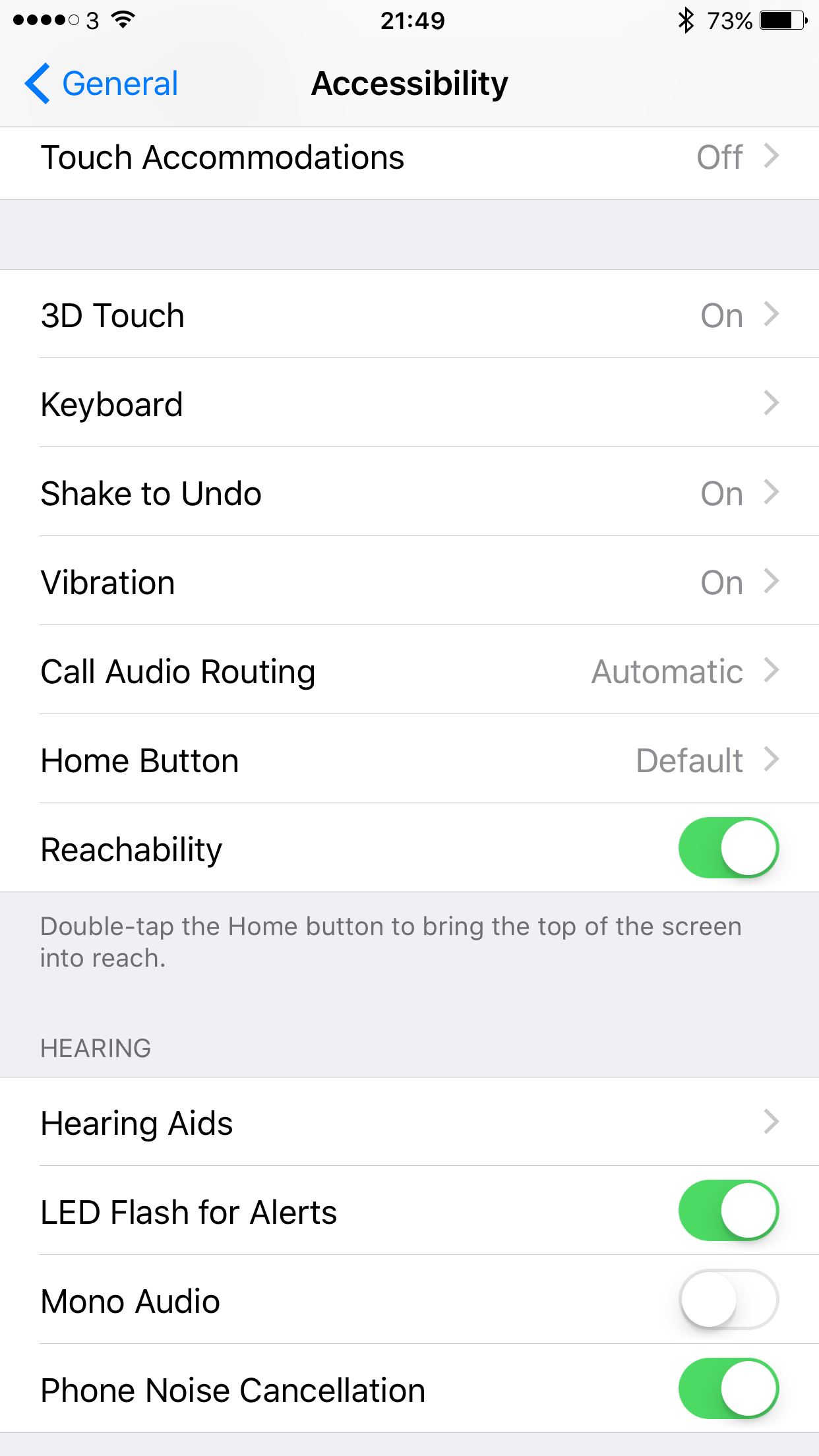
One of my favourite options to turn on is having the rear camera flash for incoming notifications and when the phone rings.
To do this open the main settings app, general, accessibility and scroll down and toggle on “LED Flash for Alerts”. A word of warning, in a dark room, the flash is rather powerful. However, I quite like having this on when I am listening to music as it means I won’t miss any new notifications as they arrive.
 Gavin's Gadgets & Photography
Interesting…… I turned it on this morning but no LED Flash despite the lock screen correctly showing several notifications received.
LikeLike
It’s not working as it should be it seems. Phone calls work fine. But messages and more should work. Another iOS bug 😦
LikeLike
Was thinking about this the other day on the g4. Usually leave it face down, can’t see that notification light.
Happily it turns out the same setting is present under accessibility in android as well.
Let’s see how this goes. There are times I’m out on the street with no hope of ever hearing the device when it rings.
Now my pants are going to start flashing. Hmm
LikeLiked by 1 person
So after several days, the flash does work on android but it’s only when calls or messages come in. I usually leave my device screen down so won’t see the notification light. Which keeps flashing. But the led flash will not flash again after. So unless you turn it over there is no way to know.
The flash does help when you can’t hear the phone though.
LikeLike