I’ve previously reviewed the Moga Pro Ace (iOS) game controller. I am expecting soon the Moga Pro Power (android) game controller and will review this with the original Moga Pro. I will also add the review to this page, which can also be found under the Menu, Reviews, Accessories.
Moga Pro Ace – iOS – Game Controller Review Links
Part 1 – https://gavinsgadgets.wordpress.com/2013/11/23/review-coming-soon/ – with photos
Part 2 – https://gavinsgadgets.wordpress.com/2013/11/26/moga-ace-power-game-controller-for-ios-review/
Part 3 – https://gavinsgadgets.wordpress.com/2013/12/13/moga-ace-power-ios-game-controller-review-update-plus-list-of-games/ – list of games included
Moga Pro and Moga Pro Power (android) Game Controller Review
In this review I am going to compare the android Moga Pro and Moga Pro Power Game Controllers.

They both come in a bright box, which includes the necessary usb leads, and tablet stand.


The main difference between the Pro and Pro Power is that the Power has a 2200maH battery which can be used to charge your phone whilst gaming. This is a good idea and will enable you to game for longer.
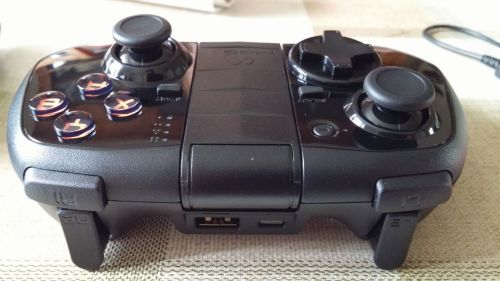
You will notice that the Pro Power has an extra port for the usb to micro usb cable to connect so you can charge your phone whilst playing. The Pro Power has orange accents in places over the Pro model.
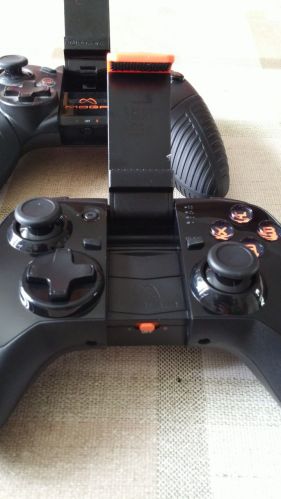
Both controllers provide console style comfort and vibrations whilst playing.
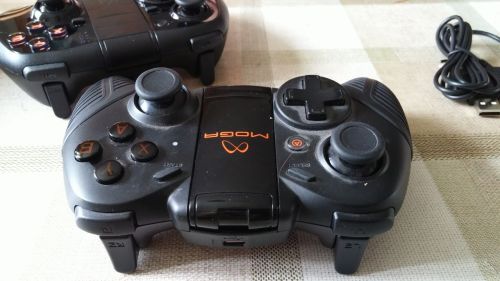
Both have a full set of console-style controls to ensure great gaming, dual clickable analog sticks, L1/R1 shoulder buttons, L2/R2 shoulder triggers and a D-pad.

The Moga can hold phones up to 82mm in width with its arm or as it connects via bluetooth you can place a tablet or phablet on the supplied stand and use it that way.
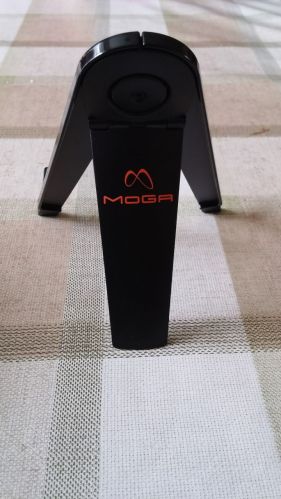
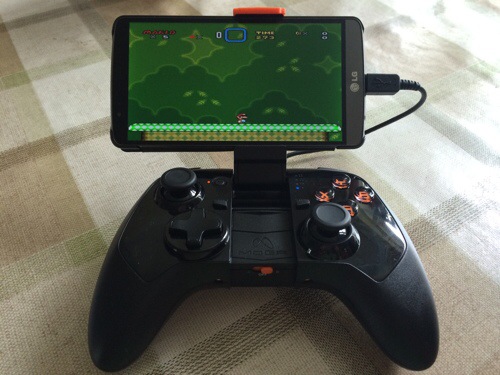
Both controllers work with android 2.3 plus devices. The takeaway from using these controllers are the comfort and positioning of having your phone locked in front of you in landscape. The connection via bluetooth is done using a special mode Moga A or in Moga B Bluetooth HID. This means many games work really well with this using one of the 2 connection options. Also, your phone does not need to be rooted. So for example I have been playing Shadowgun, Need for Speed Most Wanted and game emulators. Super Mario World never looked so good in widescreen on my LG G3.
These controllers are really comfy to use for extended periods and without a doubt I would recommend the Pro Power. I would describe the controller especially the Pro Power as a close feel and look to the Xbox game controller but with play station dual shock triggers. Being able to charge and play is brilliant. There are many variables as to the duration the Pro Power lasts and the time that it can charge another phone. In my time with the Pro Power I am getting about 2.5 hours of time charging my phone. When the Pro Power battery is at 25% it won’t charge your phone anymore. Also the Pro Power is about 60 grams heavier than the Pro at 260 grams. This is actually a blessing since now when a large phone is attached in the arm at an angle, it does not tip backwards when placed on a flat surface. Also the Pro Power arm opens out just a fraction longer than the Pro, providing a secure fitting for devices like the G3 or Note 3.
One last point is there are many moga compatible games. Moga maintain a shop detailing games they have tried. But there are many more on the Google Play Store. In Moga A mode, I found I had to disconnect my LG G Watch but in Moga B mode this had no conflict with the watch.
Out of all Moga’s offerings on android and iOS the Pro Power is the best game controller they manufacture. It transforms game play to a different level and is a must if you play games. From my research Game UK online store have the Pro Power at £33 and the Pro around £24. These seem to be the lowest pricing in the UK at the moment.
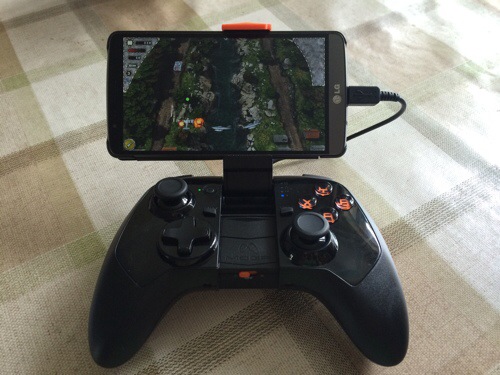
Finally, below are two photos with the Pro Power and the LG G3 in the QuickCircle case. One photo with Air Attack HD and the other SuperGnes game emulator playing Super Mario World.
 Gavin's Gadgets & Photography