From 6.30am yesterday the HTC One M8 came off the charger. It managed 17 hours and 37 mins and then when it reached 3% I put it into extreme power saving mode. It’s still going. Now I would be considered a power user as I had several email accounts on push, listened to podcasts in the car and used Google Maps. Also used Google Play Music. Watched several YouTube videos. Downloaded apps and app updates. I have 90 apps including social media all working in the background.
I would say that the battery life in real use did really well.
I mentioned app updates. Some of these were the core HTC apps including HTC Gallery. This is superb as this means a full blown firmware update isn’t needed to correct or improve the HTC Apps. And this in turn means HTC can fix their apps without needing to wait for the carrier approval.
Audio. I had more time to use the Bluetooth audio, headphone jack audio and loudspeakers. One word. Freaking awesome. The Boomsound speakers sound so much better. I was listening to BBC Friday Night Comedy and the podcast was really clear, loud and not tinny. Bluetooth audio doesn’t use boomsound but does use AptX. Very clear and powerful sound with my Sony SBH80. Next, I plugged in several headphones. Omg. The headphone amp on this phone is obscene is a good way. So gutsy but neutral too. Plenty of clarity. It drove a full size pair of headphones better than anything I have used with them before.
The setup app appeared in the notification centre. I tapped on this and it opened up the HTC Setup app. You are given a web address with a code to enter. After doing this you can use the computer to effortlessly setup and personalise your HTC One. I had setup my phone on the phone itself so didn’t bother continuing.
Motion controls. I spent some time last night mastering the motion controls. With the screen off, lift phone and if you :-
1) swipe up it will unlock phone
2) swipe down will activate voice dial
3) swipe right to left opens phone in Blinkfeed
4) swipe left to right opens widget screen
5) lift up in horizontal position and press volume down key. Camera opens.
All these work really well and quickly.
HTC Car Mode. This uses HTC’s own voice app. And it’s not as good as Google. So in the help menu it says as an example ” Find a gas station “. So I asked it to find a gas station. Luckily I was low on fuel and it came up with a gas station nearby. According to Google Maps I would be there in no time, in fact just a mere 5 days and 32 minutes. In that period I would be somewhere in the heart of Europe. With my fuel gauge reading 5 miles I’m not sure I would make it that far!
So I tried the same thing but asked “find me a petrol station”. Slightly nearer, this time only a mere 86 miles away. So as a recommendation don’t use HTC Voice Car mode if you are low on fuel.
I also had a proper look at the camera and camera settings along with the video highlights. The camera and editing options are impressive and I have been pleased with the results so far. I managed last night in dim light to capture my 3 dogs. For privacy reasons I can’t show this but it was very good.
On Monday I will add part 3.
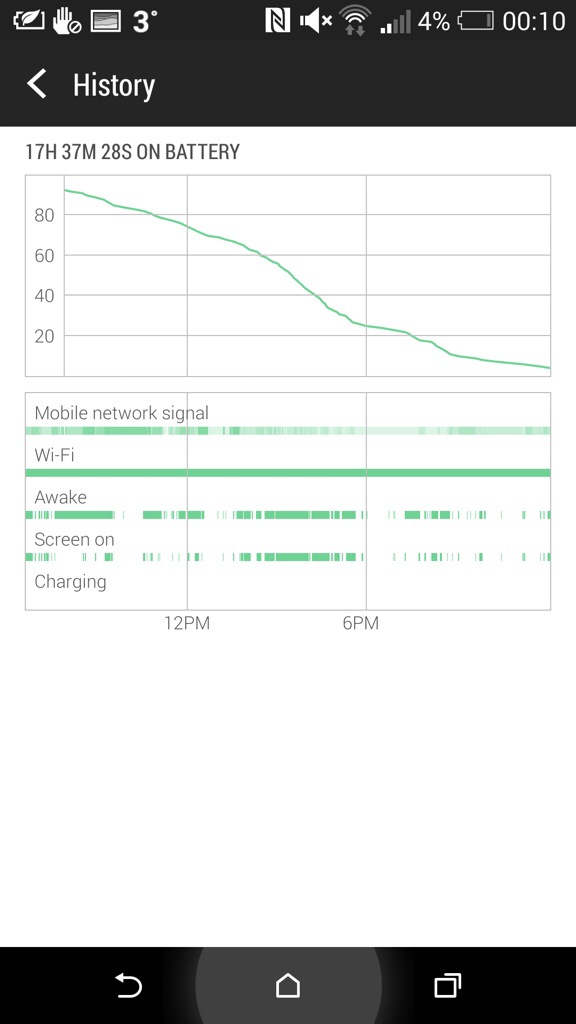
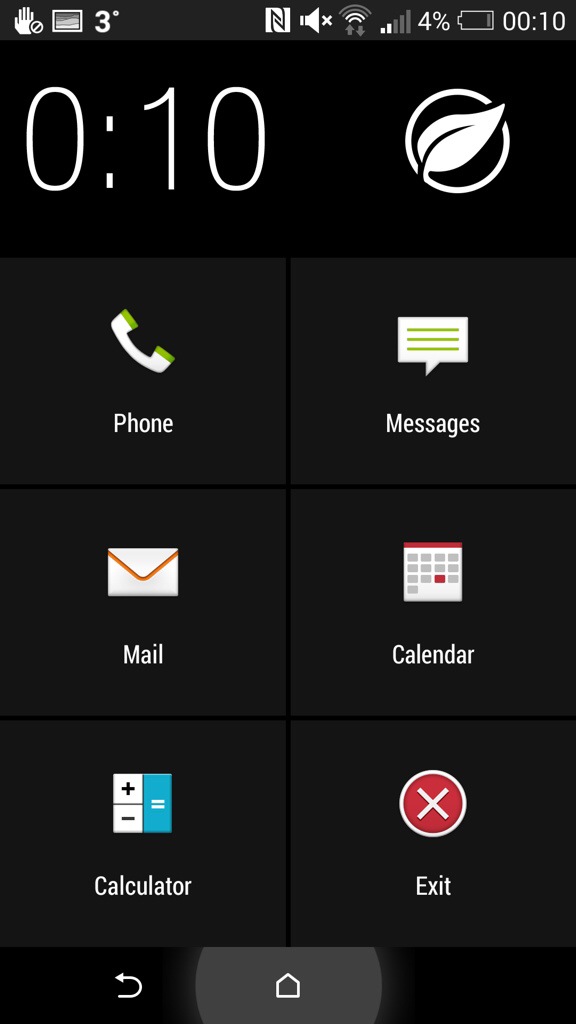
Above. Screen shot of battery stats. Below. Screen shot of extreme power mode. These are the only apps available during this function.
 Gavin's Gadgets & Photography
Gavin thank you for a great review. I was also surprised by the quality of music reproduction and didn’t believe it as the Note 3 and Sony Z1 are so good. Also the battery life is just as good as the Z1 I am expecting 50% use for my typical day.
LikeLike
Reblogged this on planetjulesBlog and commented:
Brilliant review of a brilliant phone
LikeLike
I have Htc one max considering buying the htc one m8 but later right now I would like to ask about SBH80 headsets bcoz I am thinking of buying it, does they work fine with the htc and how is the result kindly tell in detail.
LikeLike
The M8 works well with the SBH80. Have you read my review on them here https://gavinsgadgets.wordpress.com/reviews-accessories/
As the M8 supports apt-x codec it was a lovely sound, bass and detail.
LikeLike