Over the last few days I have written about my first early impressions and the part 1 of the S4 Zoom review. To recap, click here.
Today, I am going to look in more detail as to what you get in the box, and the physical aspects of the device.
But before I do that, I thought I would just update you on the memory front. The S4 Zoom comes with 8gb internal memory with the option to move apps to the micro SD card. However, whilst this moves the app itself, it doesn’t move the app data file. So Asphalt 7 which is 1.14gb doesn’t really benefit from this feature. However, I now have 90 apps installed in total, one third of which are games including Asphalt 7. I have 1.55gb left of free memory, so now don’t intend on installing any more apps. So unless you are a big heavy game player, the S4 Zoom memory works just fine. Now, here’s an identity crisis for you. The S4 Zoom is connected to the Moga Pro Game Controller. The Moga Pro Controller actually works really well with the S4 Zoom in both modes A & B and really well. The arm doesn’t secure the S4 Zoom firmly, but it is fine so long as you don’t move too much. Here’s a photo.

The grip arm sits between the camera lens and S4 Zoom camera grip on the other side. Looks odd, but it works a treat.
So what came in the box.

Well, apart from the phone itself, you got a Quick Start Guide, Quick Reference Guide, USB Micro Lead and UK Travel Plug, A microfibre cloth, regulatory information and wired headset. The wired headset can be used to make and receive calls and listen to music. There is no FM radio. The sound quality via the headphones is rather good with music considering they are included for free.
The Quick Start Guide is all about how to use the phone for the first time, from charging, inserting micro sim and battery. And not much more really. However, the Quick Reference Guide is very good.

The guide is a double sided pull out booklet, describing over 40 photo modes, and some scenes and what settings you need. This is handy guide to have and even includes a section for you to make your own notes. I intend to photocopy this guide as well.
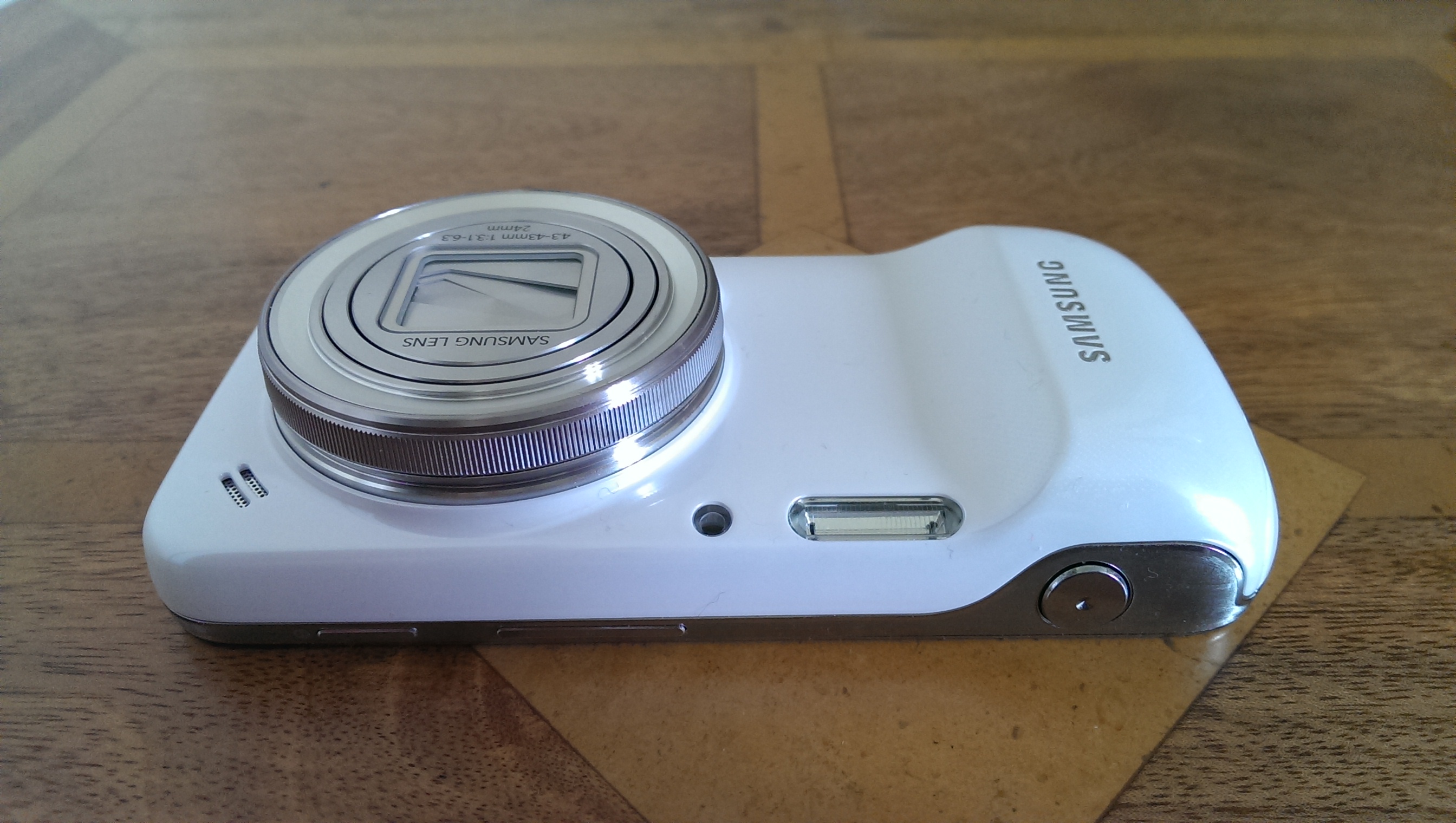
Looking more closely at the S4 Zoom, the front of the device has the lens, top right is the loudspeaker, between the loudspeaker and lens, the gps antenna is located, then the xenon flash and Auto Focus Sensor Assist light. The camera grip also hides the main phone antenna. on the top side, you have the power, volume and camera buttons.
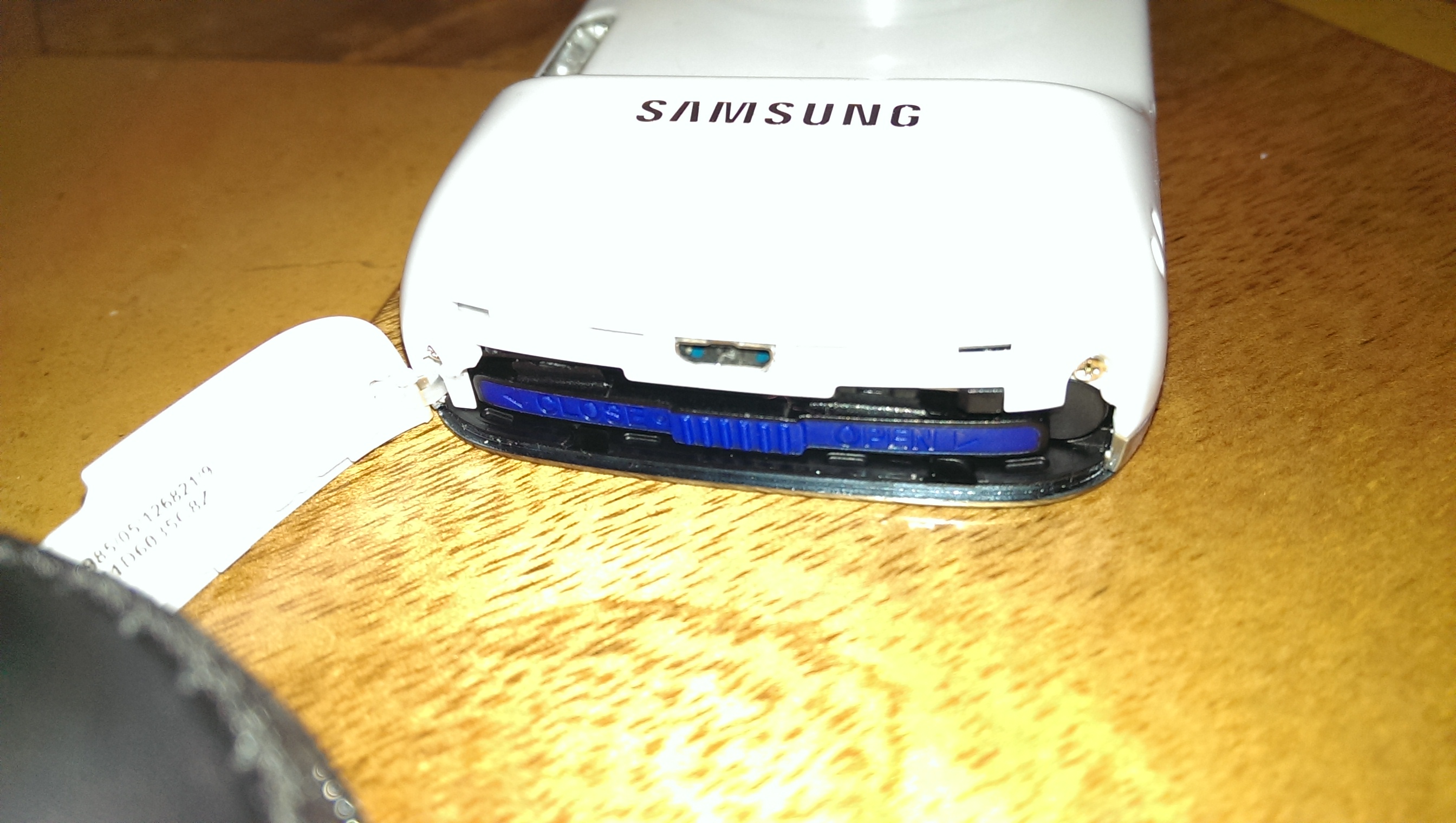
At the camera grip end, on the side, is located the battery and sim cover. The cover flip opens, enabling you to push the micro sim card in place. The battery has a slide to remove flap, once unlocked, the battery drops in to place.

The bottom of the device reveals the cover for the micro SD card. 64gb micro sd cards are supported. You can also attach a tripod to the mount.

And finally, on the back you have the S4 Zoom screen, which is made of Gorilla Glass 3. What I have noticed with the HTC One and S4 Zoom side by side, is just how amazing the HTC One screen is compared to the S4 Zoom. The S4 Zoom screen is nowhere as bright as the HTC One, nor as sharp due to nearly 50% less pixels. But so far, it is fine mainly due to the customisable fonts you can select in the settings on the S4.
The UK weather has been heavy rain over the weekend, and even yesterday, so photo samples have been limited. I will as soon as possible complete the camera review but below is another sample of a Nespresso pod, and then a crop from the photo.


Tomorrow, I will provide an update of how I am finding using the S4 Zoom, and in the meantime, if you fancy treating yourself to a Samsung S4 Zoom, Clove Technology will be more than happy to look after your needs.


So which font are you using, Gavin?
LikeLike
The default font. It makes the text slightly bold and clearer otherwise.
LikeLike
have your tried link2sd to link the app data and libraries to the sd card ?
LikeLike
if you root it, you could either delete some of the in built apps , or convert them to user apps. and link to sd card
LikeLike
Thanks for adding a reply here. I’ve not rooted yet. Trying to see if I can manage without at the moment.
Cheers
Gavin
LikeLike
i am planning to buy galaxy s4 zoom after a shift from galaxy note2 is it a right move??
LikeLike